mimo-code
Health Uyari
- License — License: MIT
- Description — Repository has a description
- Active repo — Last push 0 days ago
- Low visibility — Only 9 GitHub stars
Code Gecti
- Code scan — Scanned 12 files during light audit, no dangerous patterns found
Permissions Gecti
- Permissions — No dangerous permissions requested
Bu listing icin henuz AI raporu yok.
CLI coding agent powered by the MiMo large language model



A CLI coding agent powered by the MiMo large language model.
Built with TypeScript and Ink — your AI pair programmer that lives in the terminal.
Overview
Mimo Code is a terminal-based AI coding assistant that brings the power of the MiMo large language model to your development workflow. Built with TypeScript and Ink (React for CLI), it provides an interactive REPL where you can write code, execute commands, search files, and manage tasks — all through natural language conversation.
✨ Features
🛠️ 13 Built-in Tools
| Tool | Description | Concurrency |
|---|---|---|
| Bash | Execute shell commands with timeout protection | ✅ |
| PowerShell | Windows-native PowerShell execution with safety blocklist | ✅ |
| FileRead | Read files with line numbers, offset, and limit support | ✅ |
| FileWrite | Create or overwrite files with auto directory creation | — |
| FileEdit | Precise string replacement with uniqueness enforcement | — |
| Glob | Find files by pattern (up to 200 results) | ✅ |
| Grep | Search file contents using ripgrep | ✅ |
| WebFetch | Fetch and extract content from URLs | ✅ |
| WebSearch | Search the web via DuckDuckGo | ✅ |
| TodoWrite | Manage task lists with structured output | ✅ |
| NotebookEdit | Edit Jupyter notebook cells (insert/delete/replace) | — |
| AskUserQuestion | Interactive multi-choice or open-ended prompts | — |
| Agent | Spawn autonomous sub-agents with full tool access | — |
🔌 Multi-Provider API Support
- MiMo — Native support with 1M context window and automatic compression. Models:
mimo-v2.5-pro(1T params, $1-2/M input),mimo-v2.5($0.40-0.80/M input) - OpenAI — Full OpenAI-compatible API with streaming SSE
- Anthropic — Direct Claude API integration
🎨 Additional Capabilities
- Rich Terminal UI — React-based REPL with syntax highlighting, diffs, and progress indicators
- Markdown Rendering — Headers, bold text, tables, and inline code rendered in terminal
- Multi-language UI — Switch between 简体中文, English, 日本語 via
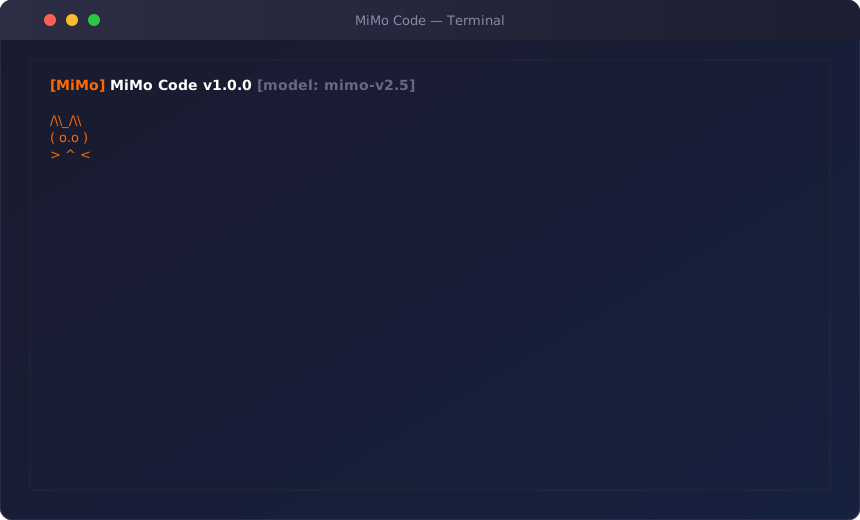
/languagecommand - Xiaomi Cat Mascot — Animated ASCII companion that reacts to agent state (idle → thinking → coding → success/error)
- Permission System — 5 modes:
default,acceptEdits,bypassPermissions,plan,auto - Plugin System — Event-driven architecture with
EventBusand plugin discovery - MCP Client — Model Context Protocol support via JSON-RPC 2.0 over stdio
- Slash Commands — 15+ commands for session control, model switching, and diagnostics
- Theme System — 5 built-in themes:
mimo-dark,mimo-light,dracula,nord,solarized-dark - Multi-mode Execution — Interactive REPL, single-shot prompts, and pipe mode
🚀 Quick Start
Prerequisites
- Node.js ≥ 18
- npm or yarn
- A MiMo API key (or OpenAI/Anthropic key)
Install
git clone https://github.com/raaaaap/mimo-code.git
cd mimo-code
npm install
npm link          # Register 'mimo' command globally
Configure
Option A: Environment variable
export MIMO_API_KEY=your-api-key-here
Option B: Settings file
Create ~/.mimo/settings.json:
{
  "model": "mimo-v2.5",
  "apiKey": "your-api-key-here",
  "apiEndpoint": "https://api.mimo.ai/v1"
}
Option C: Interactive setup — Mimo Code will prompt you on first run.
Run
# After npm link, use the 'mimo' command directly
mimo

# With options
mimo --theme dracula --model mimo-v2.5

# Development mode (with hot reload)
npm run dev

# Or run without global link
node bin/mimo.js --theme dracula
📖 Usage
CLI Options
mimo [options] [prompt]

Options:
  -m, --model <model>          Model to use (default: "mimo-v2.5")
  -k, --api-key <key>          API key
  --api-endpoint <url>         API endpoint URL
  --mode <mode>                Mode: interactive, single, pipe (default: "interactive")
  -v, --verbose                Verbose output
  --debug                      Debug mode
  -o, --output <format>        Output format: text, json, markdown
  --no-color                   Disable colors
  --theme <theme>              UI theme: mimo-dark, mimo-light, dracula, nord, solarized-dark
  --max-tokens <n>             Max tokens (default: 8192)
  --temperature <n>            Temperature (default: 0.7)
  --permission-mode <mode>     Permission mode: default, acceptEdits, bypassPermissions, plan, auto
  -h, --help                   Display help
  -V, --version                Display version
Execution Modes
# Interactive REPL (default)
mimo

# One-shot prompt
mimo --mode single "Explain the use of React hooks"

# Pipe mode (read from stdin)
echo "What does this code do?" | mimo --mode pipe
cat main.ts | mimo --mode pipe "Explain this file"
Slash Commands
| Command | Aliases | Description |
|---|---|---|
/help |
Show available commands | |
/clear |
Clear the screen | |
/compact |
Compact conversation history | |
/config |
Show current configuration | |
/commit |
/ci |
Stage all changes and commit |
/diff |
Show git diff | |
/doctor |
Run diagnostics | |
/model |
/m |
Show or switch model |
/theme |
/t |
Show or switch color theme |
/language |
/lang, /locale |
Show or switch UI language (zh-CN, en, ja) |
/usage |
Show token usage | |
/status |
Show session status | |
/permissions |
/perms, /perm |
Show or set permission mode |
/plan |
Enter plan mode | |
/export |
Export conversation | |
/session |
Session management | |
/skills |
List available skills | |
/tasks |
Task management |
Keyboard Shortcuts
| Key | Action |
|---|---|
Enter |
Submit input |
Shift+Enter |
New line |
Ctrl+C |
Cancel / Exit |
Ctrl+D |
Exit |
Up/Down |
Navigate history |
Escape |
Clear input |
🏗️ Architecture
src/
├── entrypoints/       # CLI entry points (cli.tsx, init.ts, mcp.ts)
├── main.tsx           # Commander CLI setup, mode dispatch
├── query.ts           # Core agent loop (async generator)
├── QueryEngine.ts     # Conversation lifecycle manager
├── context.ts         # System context gathering (git, cwd, date)
├── screens/           # REPL screen (React/Ink)
├── components/        # UI components
│   ├── Messages/      # Conversation rendering
│   ├── PromptInput/   # User input handling
│   ├── Mimo/          # Avatar display
│   ├── StructuredDiff/# Diff visualization
│   ├── HighlightedCode/# Syntax highlighting
│   └── design-system/ # Button, Card, Table primitives
├── tools/             # 13 built-in tool implementations
├── services/
│   ├── api/           # API client + adapters (OpenAI, Anthropic, MiMo)
│   ├── tools/         # Tool execution engine & orchestration
│   ├── permissions/   # Permission checker (5 modes)
│   ├── mcp/           # MCP client (JSON-RPC 2.0 over stdio)
│   └── lsp/           # LSP client (stub)
├── plugins/           # EventBus + PluginManager + loader
├── commands/          # 15+ slash commands
├── skills/            # Skill system (remember, simplify)
├── buddy/             # Xiaomi Cat mascot (animated ASCII art)
├── state/             # Custom state store
├── utils/
│   ├── settings/      # Layered config (user → project → local → flags)
│   └── themes.ts      # 5 built-in themes
├── modes/             # single.ts, pipe.ts
├── hooks/             # Hook registry
├── keybindings/       # Key binding parser
├── history/           # Conversation history store
├── session/           # Session persistence
├── tasks/             # Task manager
├── telemetry/         # Usage telemetry
└── vim/               # Vim mode state
Query Loop
The heart of Mimo Code is the query loop (query.ts):
User Input → System Prompt + Context → API Request (streaming)
    ↓
Text chunks → Display in terminal
Tool calls → Execute via ToolRegistry → Append results → Loop
    ↓
(max 20 turns or until no more tool calls)
Tools are orchestrated intelligently: concurrency-safe tools (read-only) run in parallel, while destructive tools run sequentially with permission checks.
⚙️ Configuration
Settings Hierarchy
Settings are merged from four sources (highest priority first):
- CLI flags —
--model,--api-key, etc. - Local settings —
.mimo/settings.local.json(gitignored) - Project settings —
.mimo/settings.json - User settings —
~/.mimo/settings.json
Environment Variables
| Variable | Description |
|---|---|
MIMO_API_KEY |
MiMo API key |
MIMO_API_ENDPOINT |
MiMo API endpoint (default: https://api.mimo.ai/v1) |
OPENAI_API_KEY |
OpenAI API key (fallback) |
OPENAI_API_BASE |
OpenAI API base URL (fallback) |
Permission Modes
| Mode | Description |
|---|---|
default |
Ask permission for destructive operations |
acceptEdits |
Auto-approve file read/write/edit |
bypassPermissions |
Auto-approve everything (use with caution) |
plan |
Read-only mode — no writes or executions |
auto |
Rule-based with fallback to ask |
🧪 Testing
# Run all tests
npm test

# Watch mode
npm run test:watch

# Type checking
npm run typecheck

# Linting
npm run lint
The project includes 62 test files covering:
- Unit tests for all 13 tools
- API adapter tests (OpenAI, Anthropic, MiMo)
- Query engine and conversation flow tests
- Plugin, permission, and settings system tests
- Integration tests for agent conversation flows
🤝 Contributing
Contributions are welcome! Here's how to get started:
- Fork the repository
- Create a feature branch:
git checkout -b feature/amazing-feature - Commit your changes:
git commit -m 'feat: add amazing feature' - Push to the branch:
git push origin feature/amazing-feature - Open a Pull Request
Development Setup
git clone https://github.com/raaaaap/mimo-code.git
cd mimo-code
npm install
npm run dev
Commit Convention
This project follows Conventional Commits:
feat:— New featuresfix:— Bug fixesdocs:— Documentation changesrefactor:— Code refactoringtest:— Test additions or changeschore:— Build/tooling changes
📄 License
This project is licensed under the MIT License — see the LICENSE file for details.
Built with ❤️ for the MiMo ecosystem
Yorumlar (0)
Yorum birakmak icin giris yap.
Yorum birakSonuc bulunamadi