prokop
Health Gecti
- License — License: Apache-2.0
- Description — Repository has a description
- Active repo — Last push 0 days ago
- Community trust — 27 GitHub stars
Code Gecti
- Code scan — Scanned 12 files during light audit, no dangerous patterns found
Permissions Gecti
- Permissions — No dangerous permissions requested
Bu listing icin henuz AI raporu yok.
Your AI agent. One server. Any device.
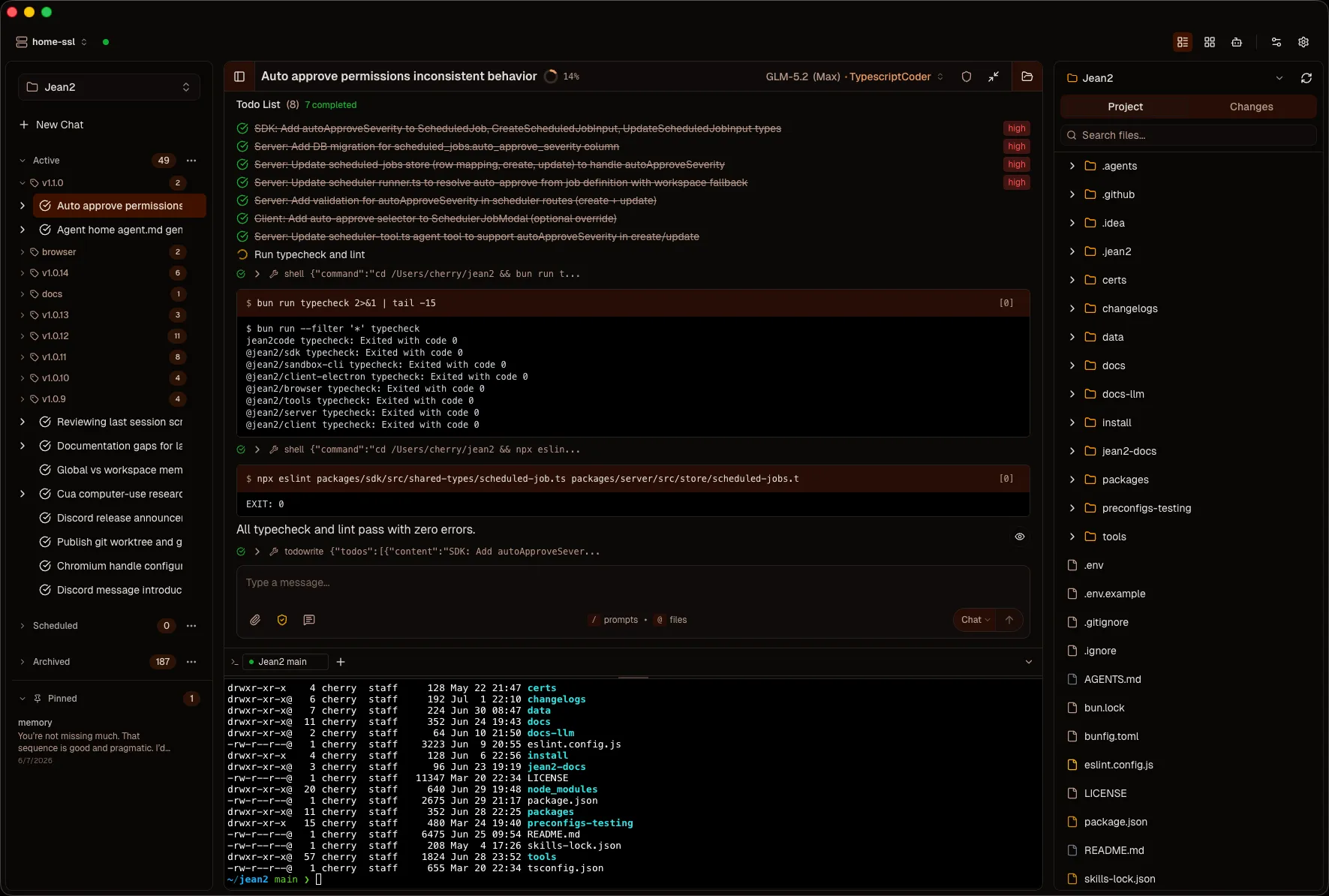
No baked-in behavior. You build the rest.
Prokop is the server. Everything else (the LLM, the tools, the browser, the personality)
is something you connect to it. No default system prompt, no default tools,
no fixed personality. You opt in to each layer. Memory, skills, workflows, agents. Your call.





Get Started · Docs · Chrome Extension · Discord
Install
macOS / Linux:
curl -fsSL https://raw.githubusercontent.com/capek-dev/prokop/main/install/install-prokopai.sh | bash
Windows (PowerShell):
irm https://raw.githubusercontent.com/capek-dev/prokop/main/install/install-prokopai.ps1 | iex
Run:
prokopai init
prokopai start
prokopai open
The server binary includes the client and serves it at http://localhost:8742. Desktop app (macOS Electron) and PWA (any device) are also available. See the Getting Started guide.
Features
By default, Prokop is as bare as Codex or OpenCode. A blank prompt. No memory. No skills. No session search. You opt in to each layer in workspace settings.
| Agents | A preconfig that comes alive. Own home directory, own memory, own skills. Access to sessions across every workspace it's ever worked in. Persistent identity that carries context from task to task. |
| Goal Mode | Set a completion condition. A separate evaluator inspects real tool output every turn. It loops until tests pass. |
| Persistent Memory | Tell it "we use pnpm" once. Two weeks later, in a new session, it already knows. Two scopes: workspace (shared context) and agent (identity). |
| Self-Programming Skills | The agent notices patterns and writes its own SKILL.md files. It programs itself. Same two scopes as memory. |
| Session Search | Full-text search over all past sessions, powered by SQLite FTS5. The agent searches its own history. Two scopes: workspace and agent. |
| Parallel Workflows | Decompose, fan out 5 concurrent subagents, synthesize one answer. Only the final result lands in the main context window. |
| Scheduled Tasks | Cron jobs that run as agent sessions. Daily code review, nightly dependency check, weekly changelog. No human in the loop. |
| Structured Responses | Define a JSON schema, apply it to the next message. A yes/no question produces a yes/no answer. |
| Browser Automation | ProkopaiBrowser gives the agent real hands on Chrome: read, click, fill, navigate. Same interface as files and shell. |
| Bring Your Own Model | OpenAI, DeepSeek, OpenRouter, MiniMax, Zhipu. Use API keys or your ChatGPT subscription via Codex. |
| MCP Integration | Connect any MCP server. Full OAuth handled server-side. Tools appear alongside built-in tools. |
| Server-First | Persistent 24/7 server. PWA on any device. Close your laptop. Open your phone. The agent never stops. |
| Open Source | Apache 2.0. No telemetry. No lock-in. Prompts, tools, skills, and memory are files on disk. |
Why Prokop?
Prokop connects to things. The browser. Your codebase. Any LLM. Prokop is the hub.
Everything else is a surface you choose to connect.
No baked-in behavior. Every AI coding agent ships with hidden system prompts you can't change. Claude Code has a long system prompt buried in the npm package. Cursor has behavior rules that override your preferences. Prokop ships with none of that. The system prompt is composed from files you control. Every layer is visible and replaceable.
Everything is opt-in. By default, Prokop is a blank slate. You build the agent you want, layer by layer. Turn on memory. Turn on skills. Turn on session search. Or don't. Your call.
You bring the keys, you keep the data. Runs on your machine. No telemetry, no vendor lock-in, no subscription to a single AI company.
Files on disk. System prompts, tools, skills, and memory are all files. Version control them, share them, delete them. No vector database, no embedding pipeline, no hidden layers.
An agent that evolves. Not through fine-tuning. Through taking notes. Memory, skills, and session search accumulate over time. Your agent on day 30 is smarter than your agent on day 1. The model didn't change. The files got richer.
Architecture
┌───────────────────────────────────────────────────────────┐
│                      Client Layer                         │
│   Desktop (Electron) · Web/PWA · Browser Extension        │
│              WebSocket + REST (any network)               │
└──────────────────────────┬────────────────────────────────┘
                           │
┌──────────────────────────┴────────────────────────────────┐
│                   Server (@prokopai/server)               │
│                                                           │
│   Agent Loop (AI SDK v6) · Tool Executor                  │
│   Goal Loop + Evaluator · Workflow Orchestrator           │
│   MCP Manager (stdio + OAuth) · Subagent Orchestrator     │
│   Memory · Skills Registry · Session Search (FTS)         │
│   Scheduled Tasks · Structured Responses                  │
│   Ask Protocol (Permissions, Questions, Forms)            │
│   SQLite Store · Compaction Engine                        │
│                                                           │
│   ~/.prokopai/                    (data, tools, preconfigs)   │
│   ~/.prokopai/agents/<name>/      (agent home: memory,        │
│                                 skills, sessions)          │
│   <workspace>/.prokopai/          (memory, mcp.json)          │
│   <workspace>/.agents/skills/  (SKILL.md files)            │
└───────────────────────────────────────────────────────────┘
                           │
              LLM Providers (OpenAI, DeepSeek, OpenRouter,
                MiniMax, Zhipu)
Documentation
Documentation lives in this repository: docs/index.md
| Getting Started | Install, initialize, first session |
| Workspaces & Sessions | Capabilities, Goal Mode, MCP, Skills, Memory, Workflows |
| Configuration | API keys, models, env vars, MCP config |
| Tools | Installed tools, capability tools, writing your own |
| Security & Auth | Auth tokens, TLS, permissions |
Community
Join the Discord to follow development, share what you're building, or ask for help.
License
Legacy Compatibility
Prokop still accepts legacy JEAN2_* environment variables and falls back to ~/.jean2 data and workspace paths when the canonical PROKOPAI_* variables or ~/.prokopai paths are absent. New setups should use the Prokop names. Run prokopai migrate to move an existing ~/.jean2 setup to ~/.prokopai and rewrite legacy environment keys.
Yorumlar (0)
Yorum birakmak icin giris yap.
Yorum birakSonuc bulunamadi