teammatex
Health Warn
- License — License: MIT
- Description — Repository has a description
- Active repo — Last push 0 days ago
- Low visibility — Only 6 GitHub stars
Code Fail
- rm -rf — Recursive force deletion command in .github/workflows/docker.yml
Permissions Pass
- Permissions — No dangerous permissions requested
No AI report is available for this listing yet.
An AI teammate that onboards itself onto your entire engineering team codebase
🦾 TeammateX
The self-hosted AI teammate that onboards itself into your engineering team.
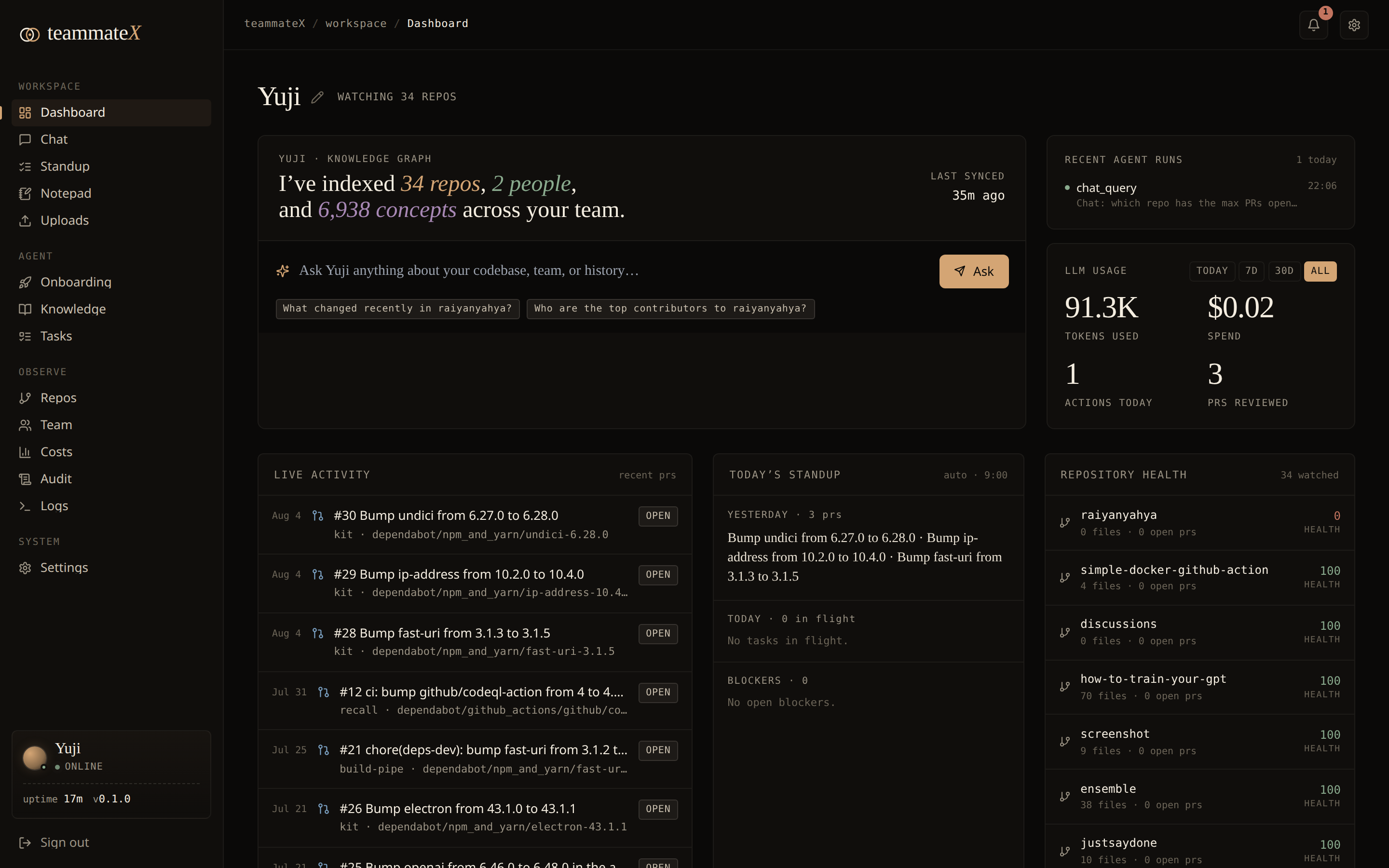
A teammate that clones your repositories, reads every line and every commit, builds a living knowledge graph of your codebase, and then shows up as a real team member: answering questions, tracing bugs to their owner, writing code, opening pull requests, running standups, and plugging into GitHub, Jira, and Slack.


















[!NOTE]
TeammateX is in alpha: early and moving fast.
It runs end-to-end and the features below are real, but expect rough edges, breaking changes, and incomplete corners. Pin a commit if you deploy it, keep backups of the named volumes, and treat it as a capable work-in-progress rather than a hardened product. Bug reports, ideas, and PRs are hugely welcome; this is the stage where they shape the project most.
Table of contents
- Why TeammateX
- What it does (the 30-second version)
- Quickstart (local, 3 commands)
- Every feature, explained
- Architecture
- The agent's toolbox (28 tools)
- Installing on a server (production)
- Configuration reference
- Security
- Development
- API overview
- FAQ
- License
- Contributing
✨ Why TeammateX
Onboarding a new engineer takes weeks: they have to read the code, learn the history, figure out who owns what, and build a mental model of how everything connects. TeammateX does that work once, automatically, and never forgets.
Instead of a chatbot that hallucinates about a codebase it has never seen, TeammateX is grounded in your code:
- It actually clones and parses your repos (tree-sitter, multi-language).
- It builds a knowledge graph of files, functions, classes, modules, call edges, and human ownership, all mined from real git history.
- It generates vector embeddings so it can answer "where do we handle billing webhooks?" with the real file, not a guess.
- It runs on your infrastructure. Your code never leaves your servers. Bring your own LLM key (or run a local model with Ollama).
The result is a teammate that can say "that retry logic lives in queue/consumer.py:142, Maya owns it, and it's called from three places; here's the one that can deadlock," and back every claim with a graph lookup.
🚀 What it does (the 30-second version)
| 🧠 Learns your codebase | Clones repos, parses with tree-sitter, embeds into pgvector, graphs into Neo4j |
| 💬 Answers grounded questions | Chat agent with 28 tools: semantic search, graph queries, blame, ownership |
| 🔧 Writes & ships code | Reads/edits files, runs tests & lint, creates branches, opens real PRs via gh |
| 🕸️ Maps ownership & dependencies | "Who owns this?" / "What calls this?" answered from the graph, not vibes |
| 📋 Runs the rituals | Standup, task board, and weekly digest as deterministic product surfaces, not chat |
| 🔌 Integrates | GitHub (PRs, repos, webhooks), Jira (boards/sprints), Slack (channels, posts) |
| 📊 Stays observable | Costs, audit trail, live container logs, Prometheus + Grafana + Loki |
| 🗂️ Gives each dev a workspace | Per-user autosaving notepad + private file uploads |
| 🔒 Self-hosted & private | Your servers, your LLM key, cookie-gated API, nothing phones home |
⚡ Quickstart (local, 2 steps)
Requirements: Docker + Docker Compose v2, ~6 GB free RAM, and one LLM API key (DeepSeek, OpenAI, Anthropic, Groq, or a local Ollama model).
# 1. Clone and configure
git clone <your-fork-url> teammatex && cd teammatex
cp .env.example .env          # then edit .env: at minimum set TEAMMATEX_SECRET_KEY + one LLM key

# 2. Launch the whole stack (api, worker, frontend, postgres, neo4j, redis, caddy…)
#    A one-shot `migrate` service runs the DB migrations automatically before
#    the API starts. No manual step.
docker compose up -d --build
Then open http://localhost:3000 (or https://localhost through Caddy).
First login: on first run a default admin ([email protected]) is created and its one-time password is printed in the API logs:
docker compose logs api | grep -A4 "first run"
Log in, then walk the dashboard's 4-step onboarding: name your teammate → add an LLM key → connect GitHub → add repositories. Within minutes your teammate has read its first repo.
🧩 Every feature, explained
1. The AI teammate: chat + agentic tools
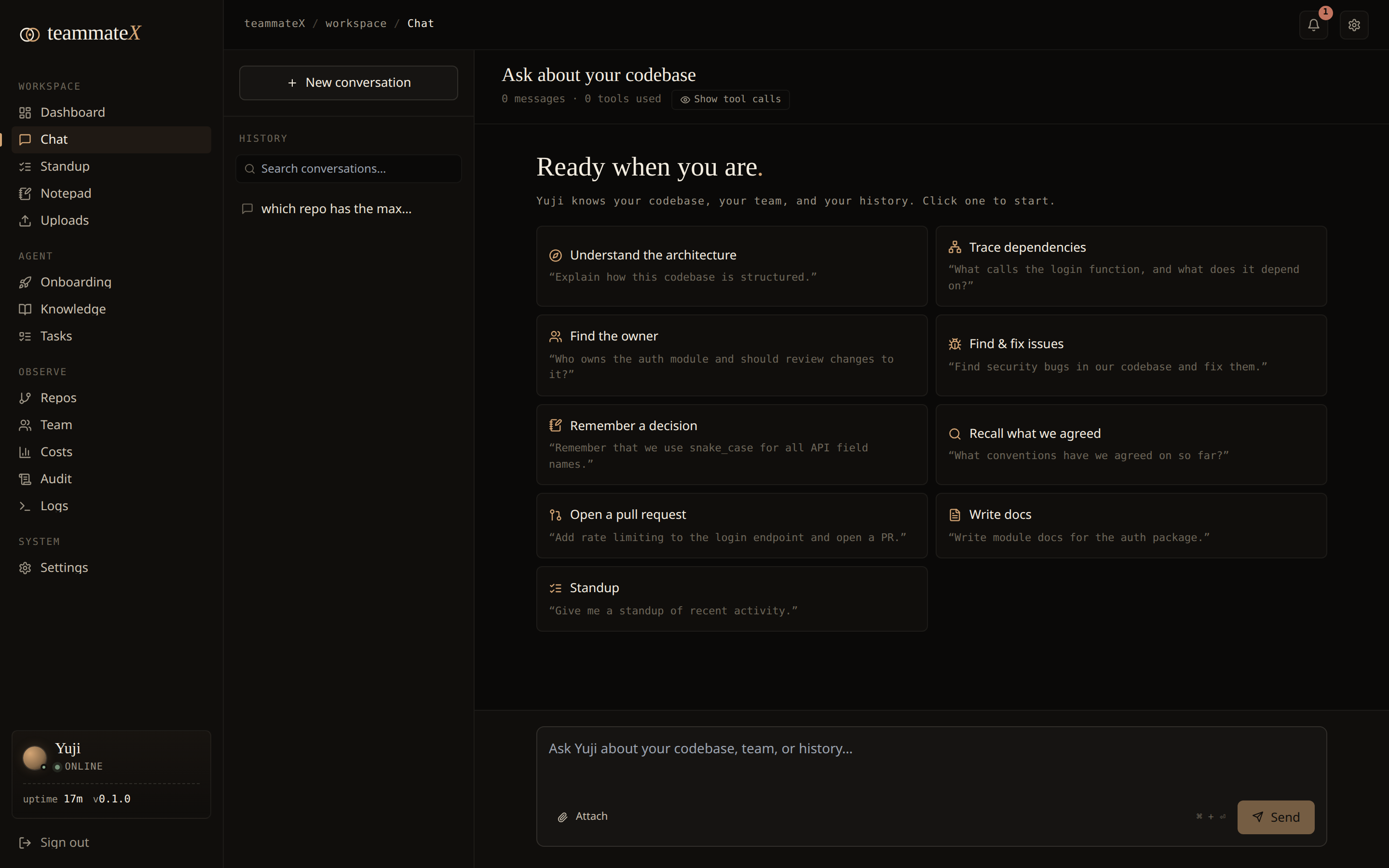
The heart of the product. The Chat page is a streaming conversation with an agent that runs a real tool loop: it thinks, calls a tool, reads the result, and keeps going until it can answer, exactly like a senior engineer with a terminal.
- Grounded, not guessing. Before answering it can
semantic_searchyour embeddings,graph_querythe knowledge graph,find_ownerof a file, orget_blameon a line. - Acts, doesn't just talk. It can
read_file/edit_file,run_tests,run_lint,create_branch,commit_files, andcreate_pr. It runsgitandghitself rather than following a scripted workflow. - Persistent memory.
write_note/search_notesgive the team a durable, searchable memory that survives across conversations and is linked into the graph. - Rich, readable replies. Answers render as full Markdown with syntax-highlighted code blocks (Shiki), and every code block (and message) has a one-click copy button. A Stop button cancels a running response mid-stream.
- Conversation history. Threads are persisted server-side and listed in a sidebar, so you can reopen past discussions across devices and start a fresh one any time; the agent's memory now extends to the chat itself. Search across every thread's title and message text, and export any conversation to Markdown with one click.
- Attach a file. Pull one of your private uploads straight into a message; its text is injected inline as context, so the agent can reason over a stack trace, log, or design doc alongside your code.
- Configurable brain. Pick your provider/model per deployment. DeepSeek is the cost-effective default; OpenAI, Anthropic, Groq, and local Ollama are all supported via LiteLLM.
- Persona. Give the teammate a name (e.g. "Yuji") and a working style.
Capability cards on the empty state make the non-obvious powers discoverable: "Who owns the billing module?", "Trace this issue", "Summarize this week's PRs."
2. Repository onboarding: the pipeline
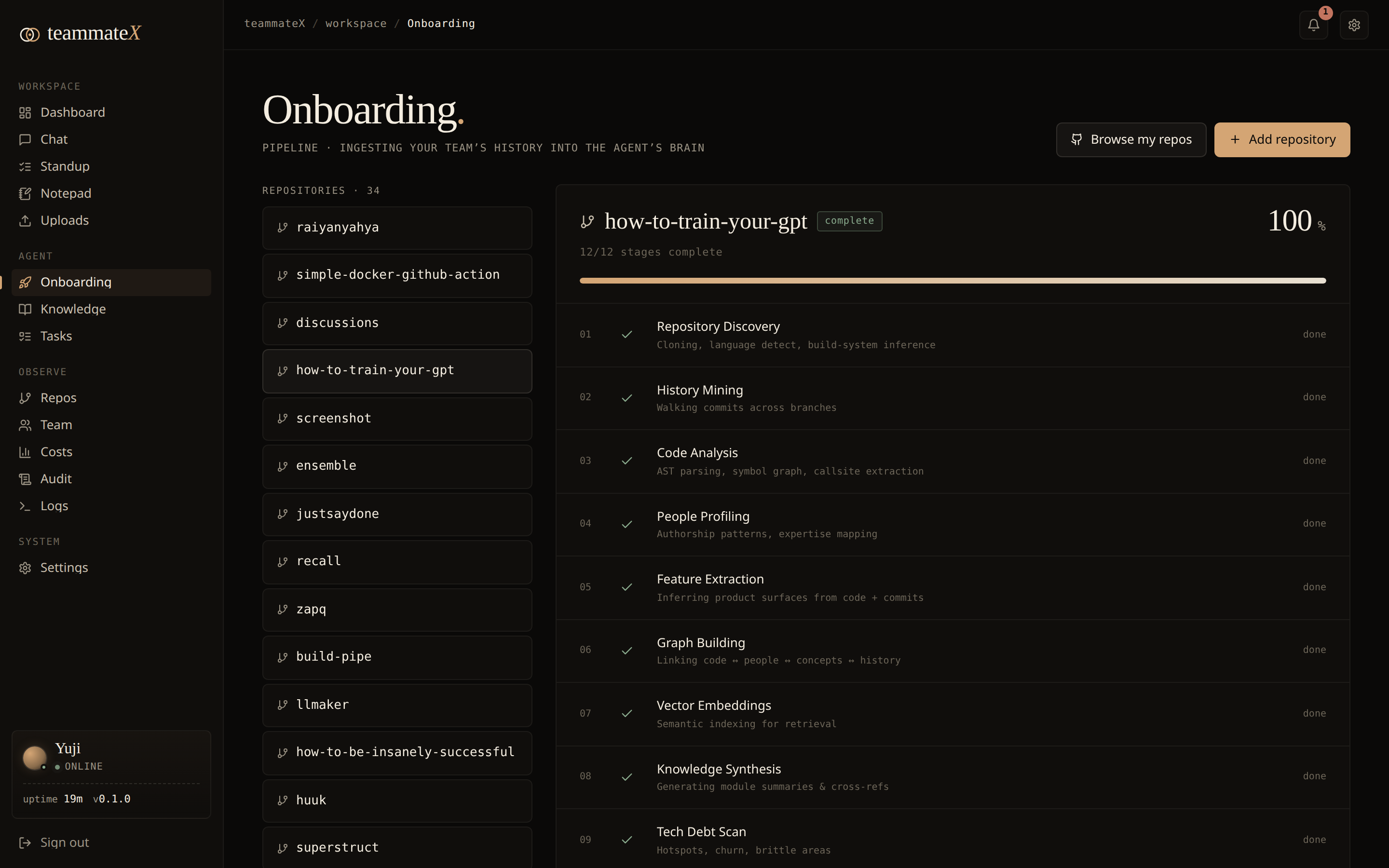
Adding a repo kicks off a Celery pipeline that turns source code into queryable knowledge:
- Clone:
git cloneinto/data/repos/<name>. - Parse: tree-sitter walks every file and extracts functions, classes, modules, and call edges across Python, JavaScript/TypeScript, Go, Rust, Java, and more.
- Embed: code chunks are vectorized into pgvector. Default embeddings are local (
BAAI/bge-small-en-v1.5via fastembed/ONNX, no PyTorch, 384-dim, zero cost, nothing leaves the box); switch to OpenAI embeddings with one env var. - Graph: files/modules/functions/classes/concepts become nodes in Neo4j, wired with
PART_OF,CALLS, andOWNSedges. - History mining: git history is mined for ownership (who has touched each file most) and pull requests are pulled from the GitHub API and reconciled into the DB.
Progress is shown per-stage on the Onboarding page with real status (not fake checkmarks). Failed stages can be retried. You can onboard one URL at a time, or click "Browse my repositories" to bulk-select from your GitHub account (forks and archived repos are auto-unchecked).
3. The knowledge graph
A Neo4j graph is the teammate's structural memory. Node types: Repository, Module, File, Function, Class, Concept, Contributor. Edge types:
PART_OF: file/module containment.CALLS: function → function call edges (powers "what depends on this?").OWNS: Contributor → File, weighted by commit count (powers "who should review this?").
This is what lets the teammate answer structural questions (dependency blast radius, ownership, architecture) with lookups instead of hallucination. A startup hook keeps the graph healthy (de-duplicates contributor identities and enforces uniqueness constraints).
4. Semantic & graph search
Two complementary search modes, both exposed to the agent and the API:
- Semantic search (
/api/knowledge/search): natural-language → nearest code chunks via pgvector cosine similarity, repo-scoped. - Graph queries:
find_dependencies,find_dependents,find_owner,get_architecture, and rawgraph_queryfor arbitrary Cypher-backed questions.
5. Tasks board
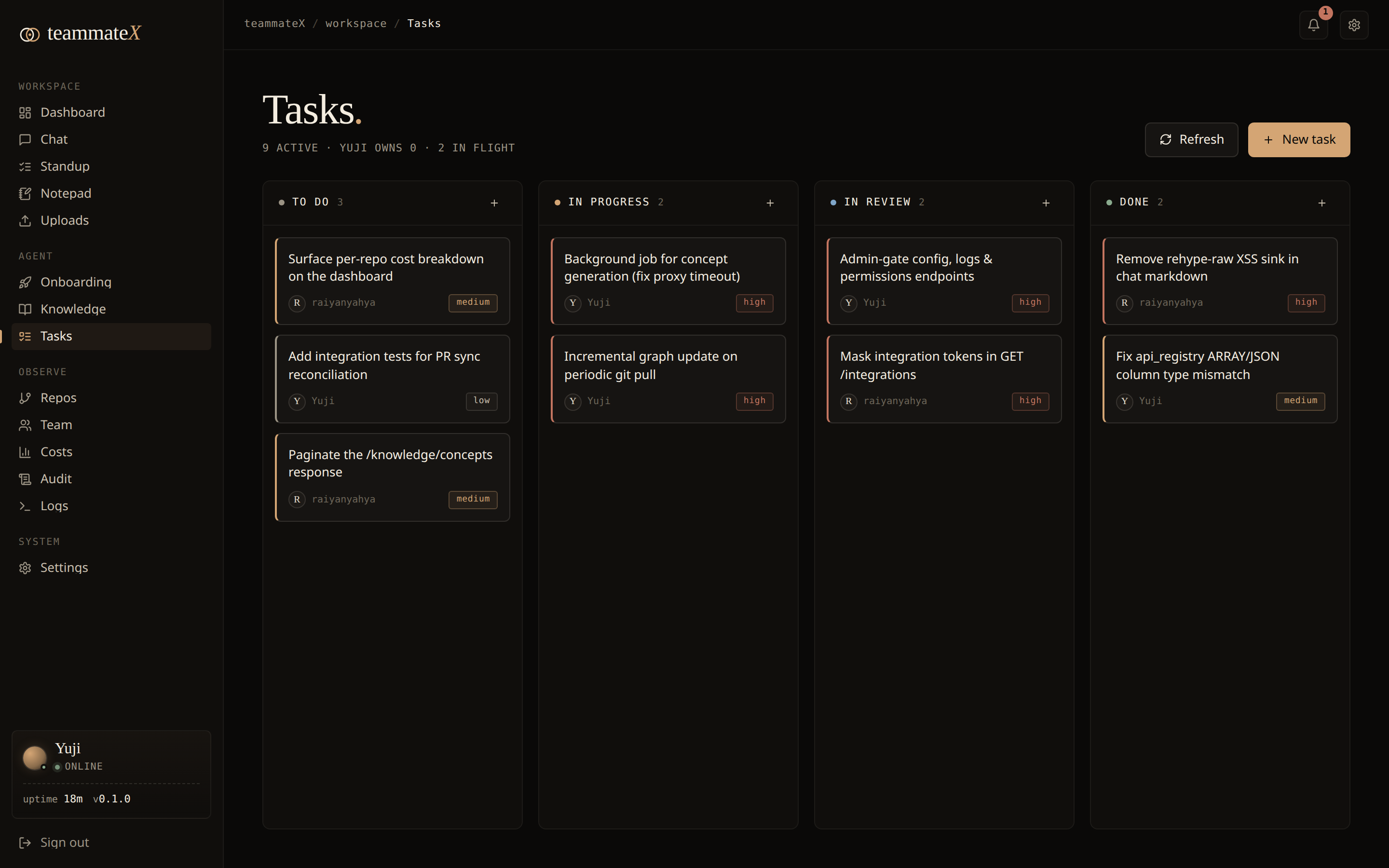
A real Kanban board (To do / In progress / In review / Done) backed by a persisted tasks table and a full REST API, not mock data. Drag-and-drop moves persist via PATCH, the New task composer creates real rows, cards delete, and the header counters are live. Priority and assignee render per card.
6. Standup
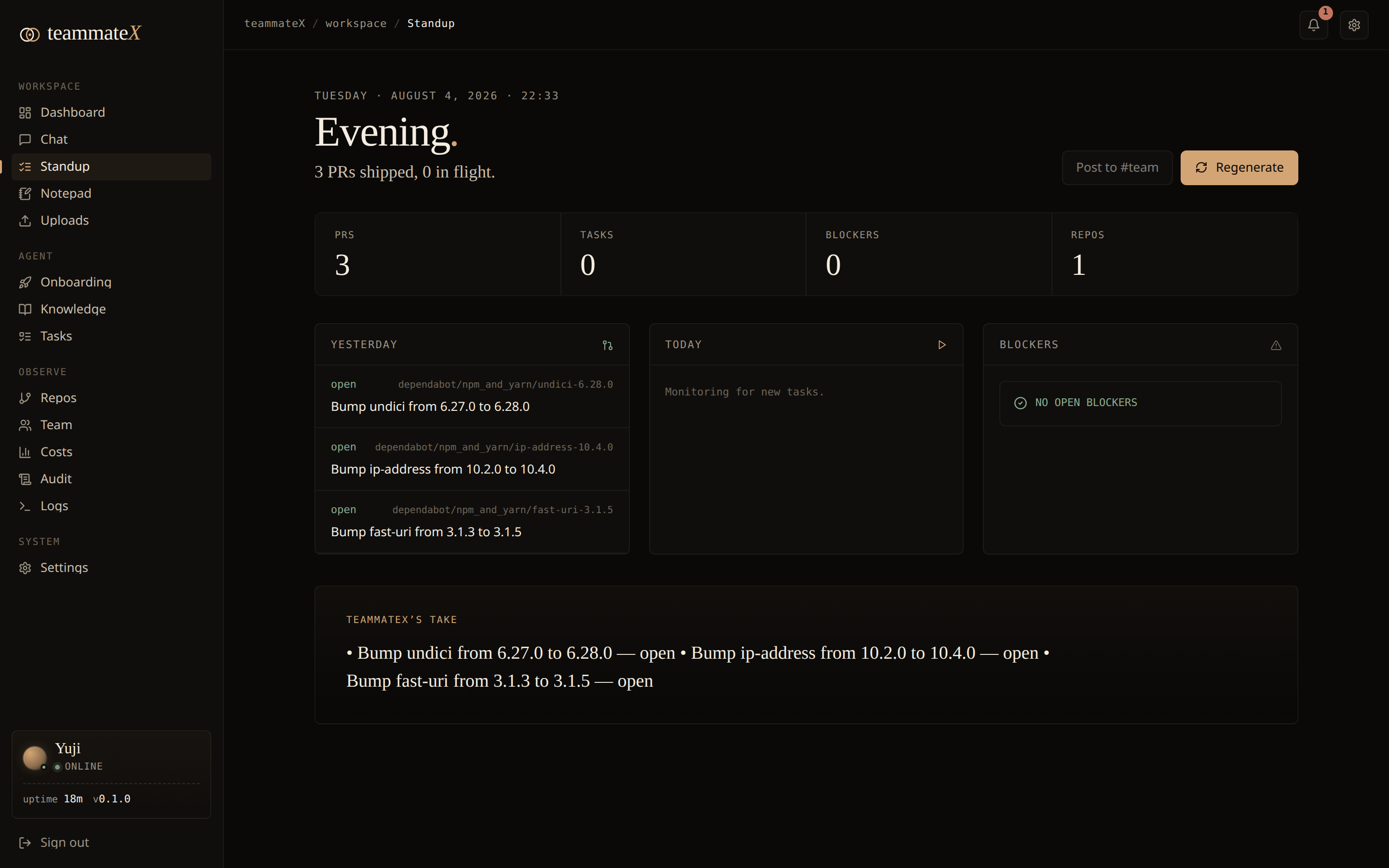
Standup as a deterministic product surface, not an LLM gamble. The /standup page renders three real columns:
- Yesterday: pull requests that moved.
- Today: open/in-flight tasks.
- Blockers: actual
BlockedTaskrows.
It can also be posted to Slack on a schedule.
7. Team & ownership
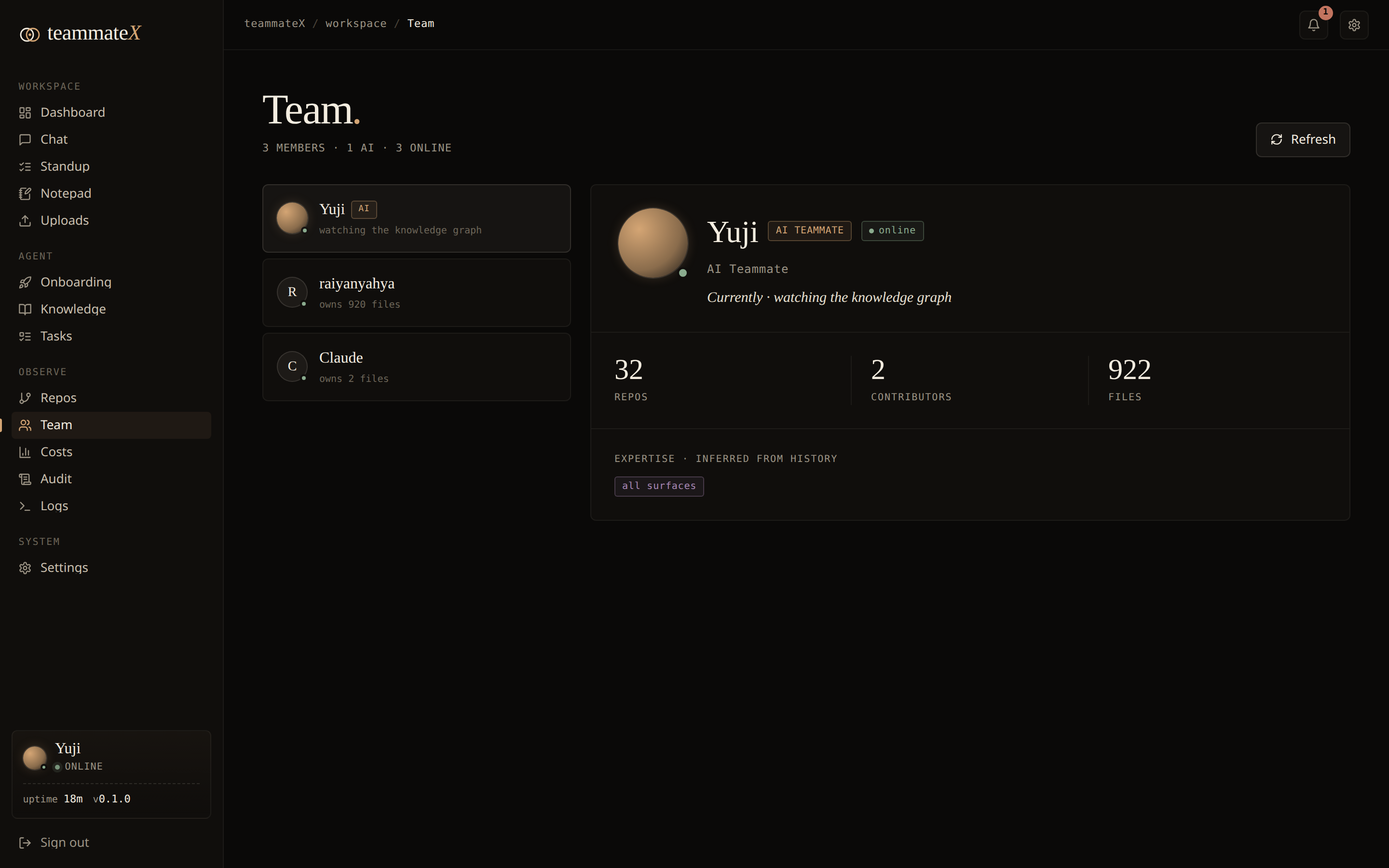
The Team page lists your AI teammate plus every human contributor discovered from git history, each with files owned, repos touched, and inferred languages/expertise. One row per person (duplicate git identities and multi-email contributors are merged), so the headcount is honest.
8. Repos management
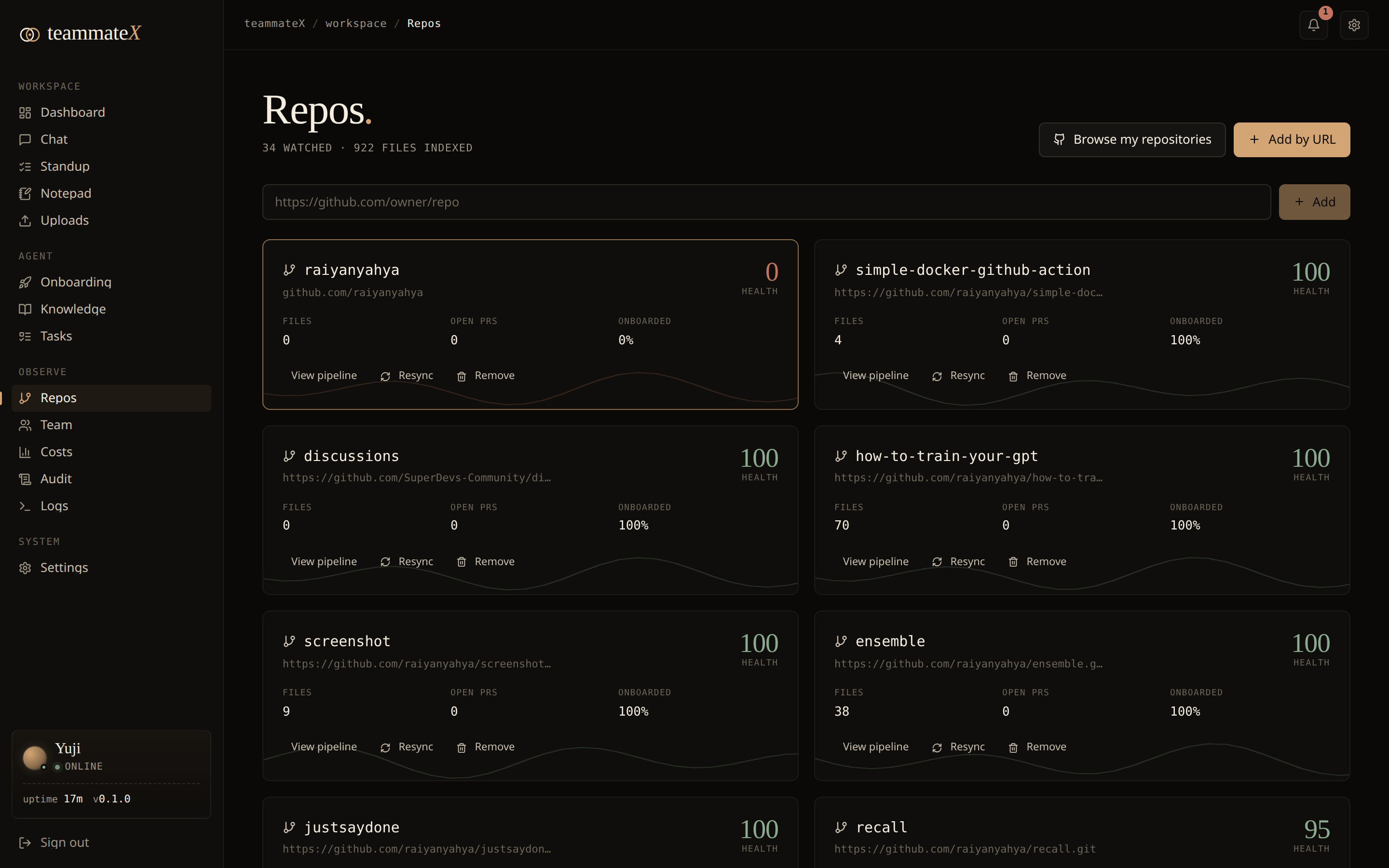
The Repos page shows every watched repository with file counts (from the graph), open-PR counts, onboarding progress, and a computed health score. Add, bulk-add, retry onboarding, or remove a repo (which cleans up its DB rows, on-disk clone, and graph subgraph).
9. Costs & budget
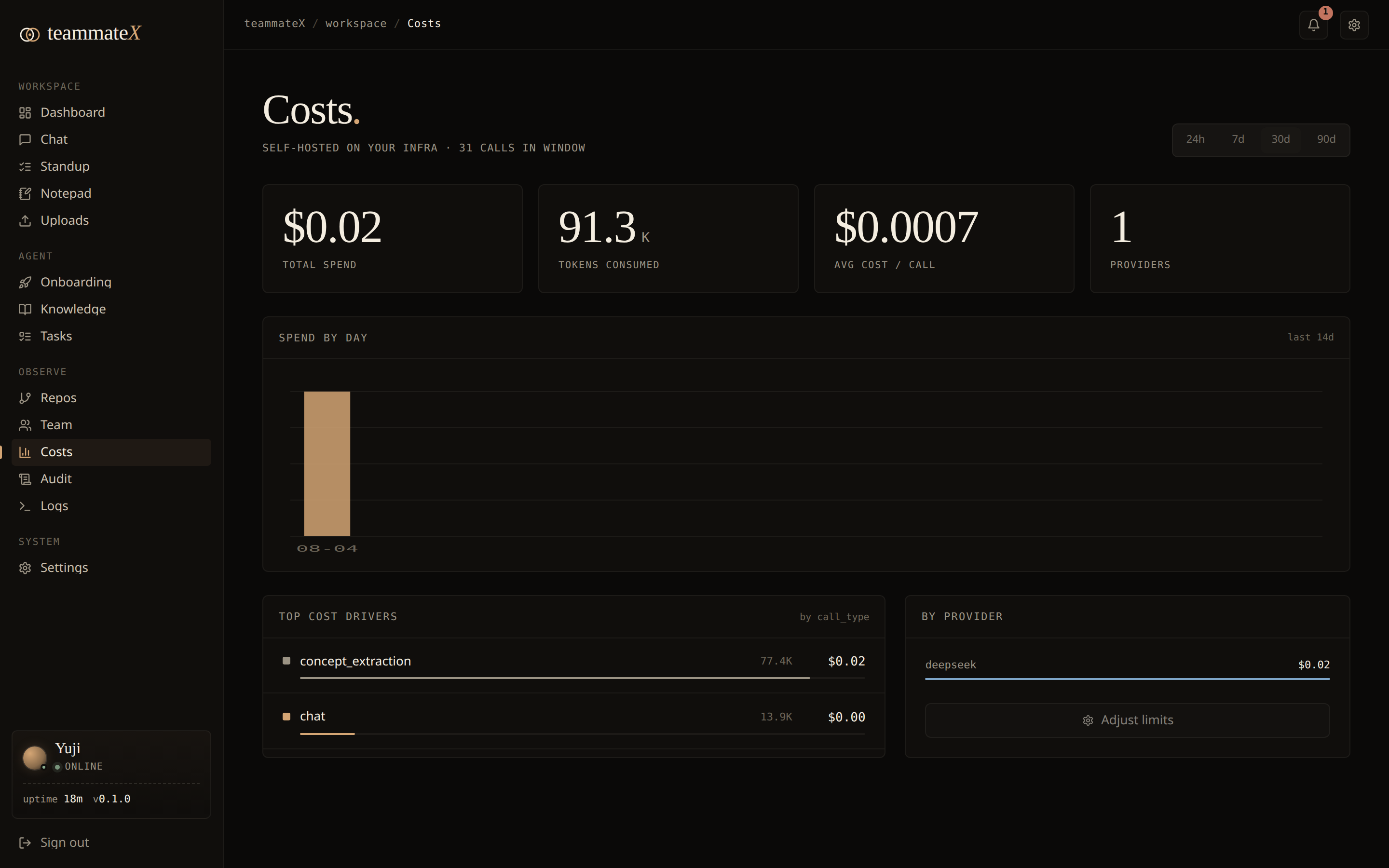
Every LLM call is metered (all of them, not just chat): onboarding, concept extraction, proactive tasks, Slack answers, and plan/generate/review all log their token usage centrally, so the dashboard reflects true spend. On top of the per-call log you get:
- Period toggle: view tokens and spend for today / 7d / 30d / all-time.
- Spend by activity: a breakdown of where the tokens go (chat vs onboarding vs concept extraction vs …).
- Budget guardrail: set an optional monthly USD and/or token limit (
PUT /api/config/cost_budgetwith{"monthly_usd_limit": 25, "monthly_token_limit": 5000000}); the dashboard shows a progress bar that turns amber at 80% and red once you're over, so a self-hosted agent never becomes a surprise bill.
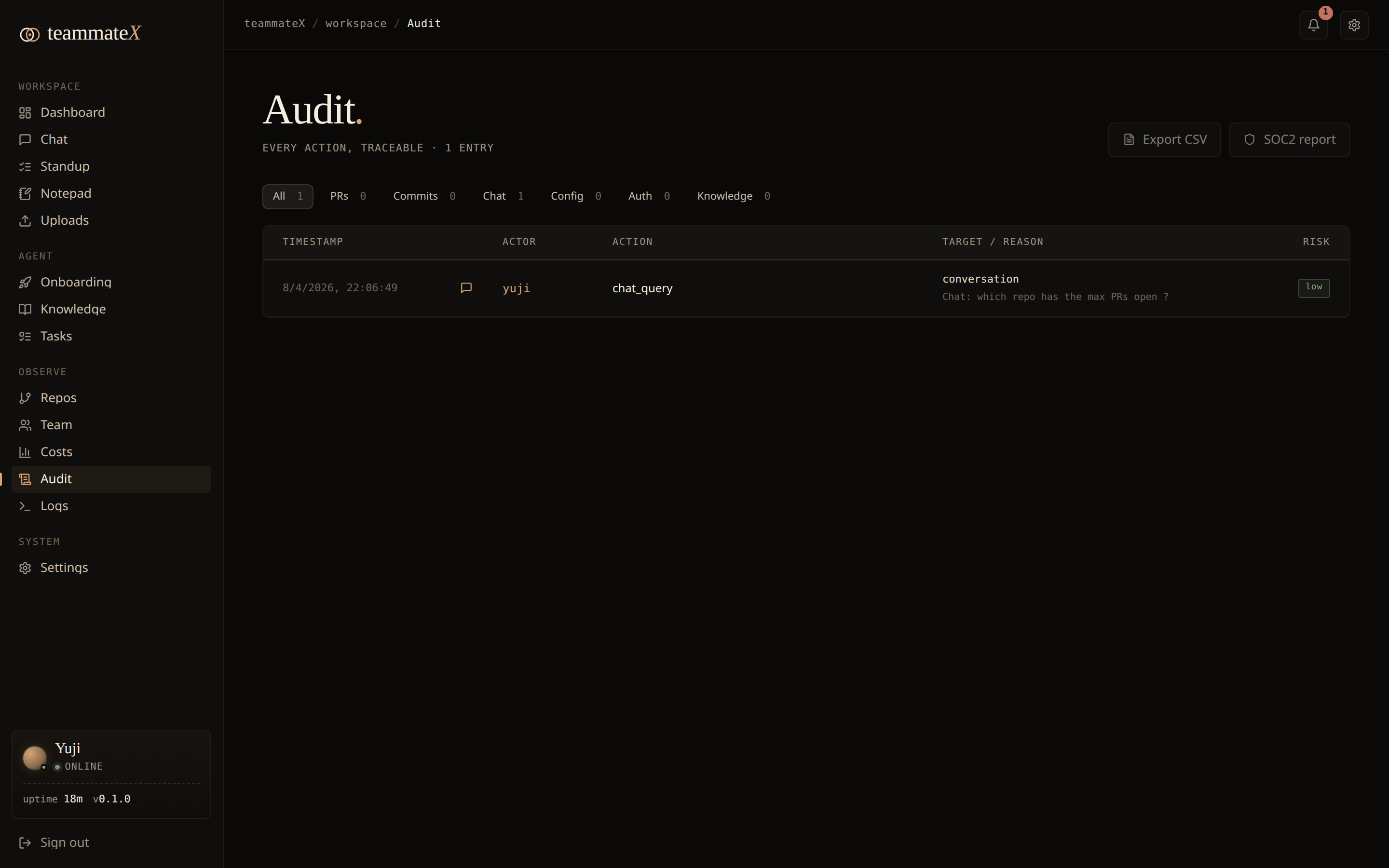
10. Audit log
A first-class, queryable record of agent actions (what it did, when, status, and a summary), surfaced on the Audit page and the dashboard's "recent runs."
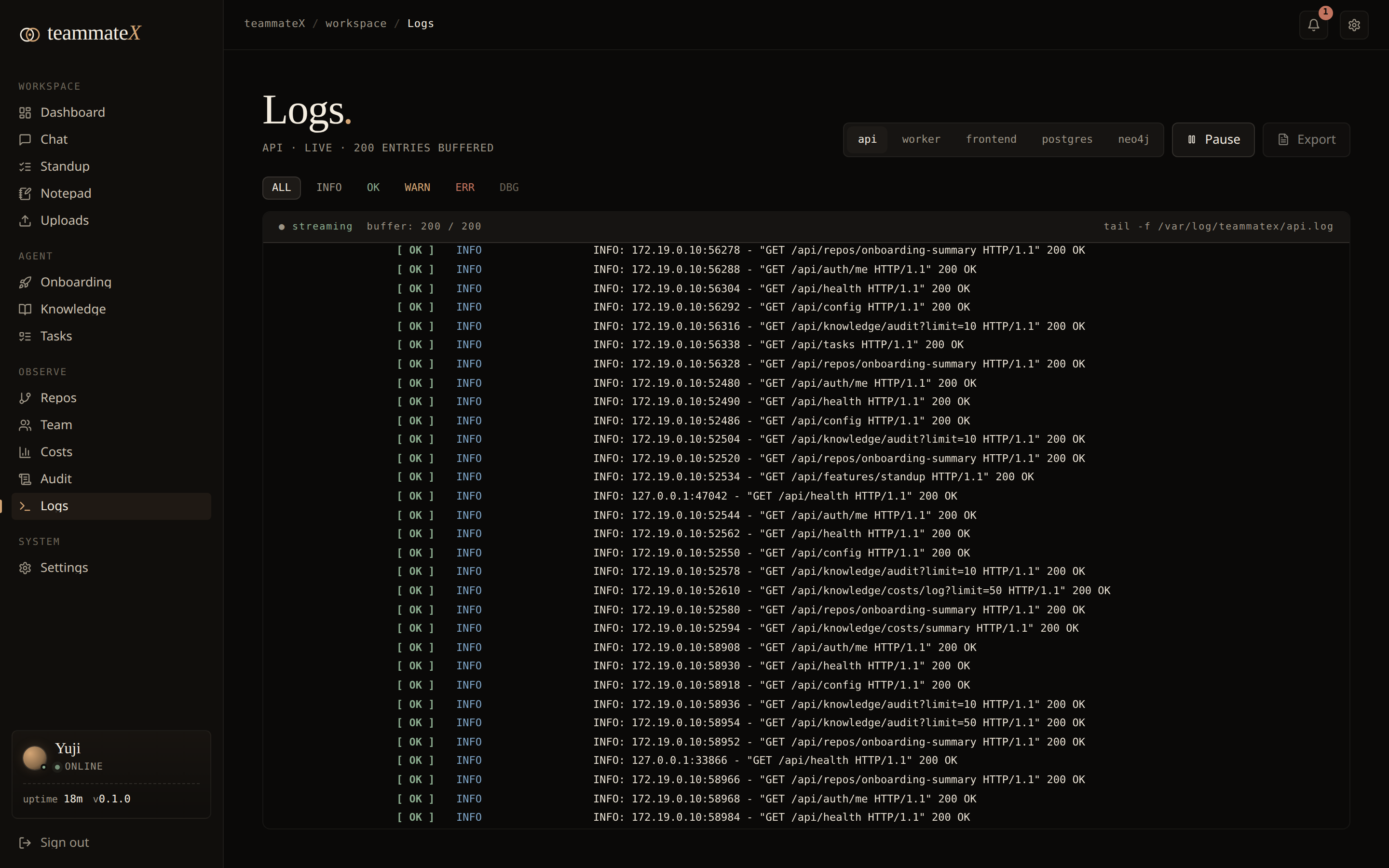
11. Live logs
The Logs page tails real container logs (api, worker, frontend, postgres, neo4j) straight from the Docker socket, with per-level filters (INFO / OK / WARN / ERR / DBG), service switching, and pause/resume: a built-in docker logs -f for operators who don't want to SSH in.
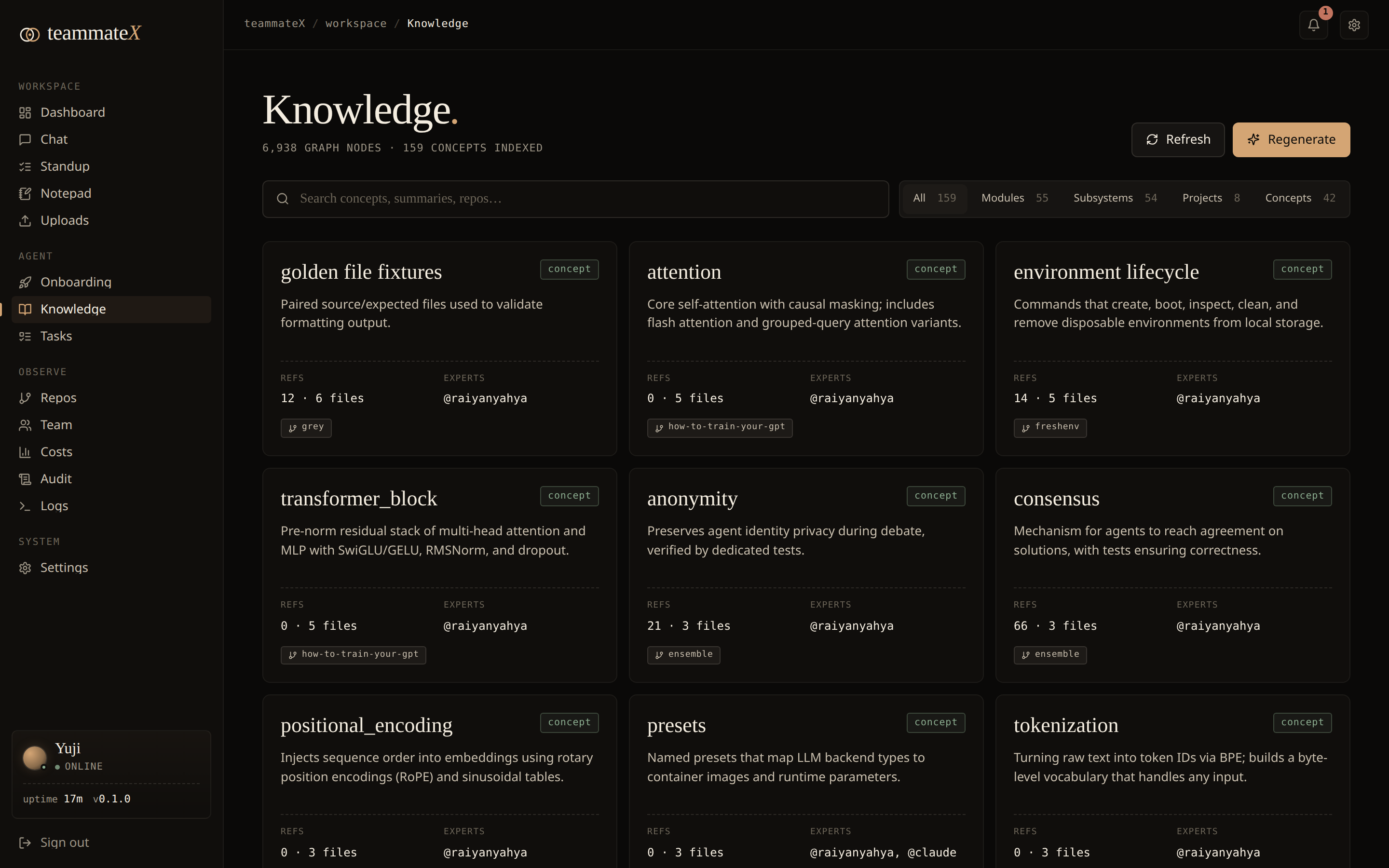
12. Knowledge (concept cards)
The Knowledge page, served at /marketplace (a legacy route name; the nav labels it "Knowledge"), renders LLM-extracted concept cards (auth, billing, queueing, etc.) drawn from the graph: a high-level, human-readable map of the subsystems the teammate has learned, plus notes.
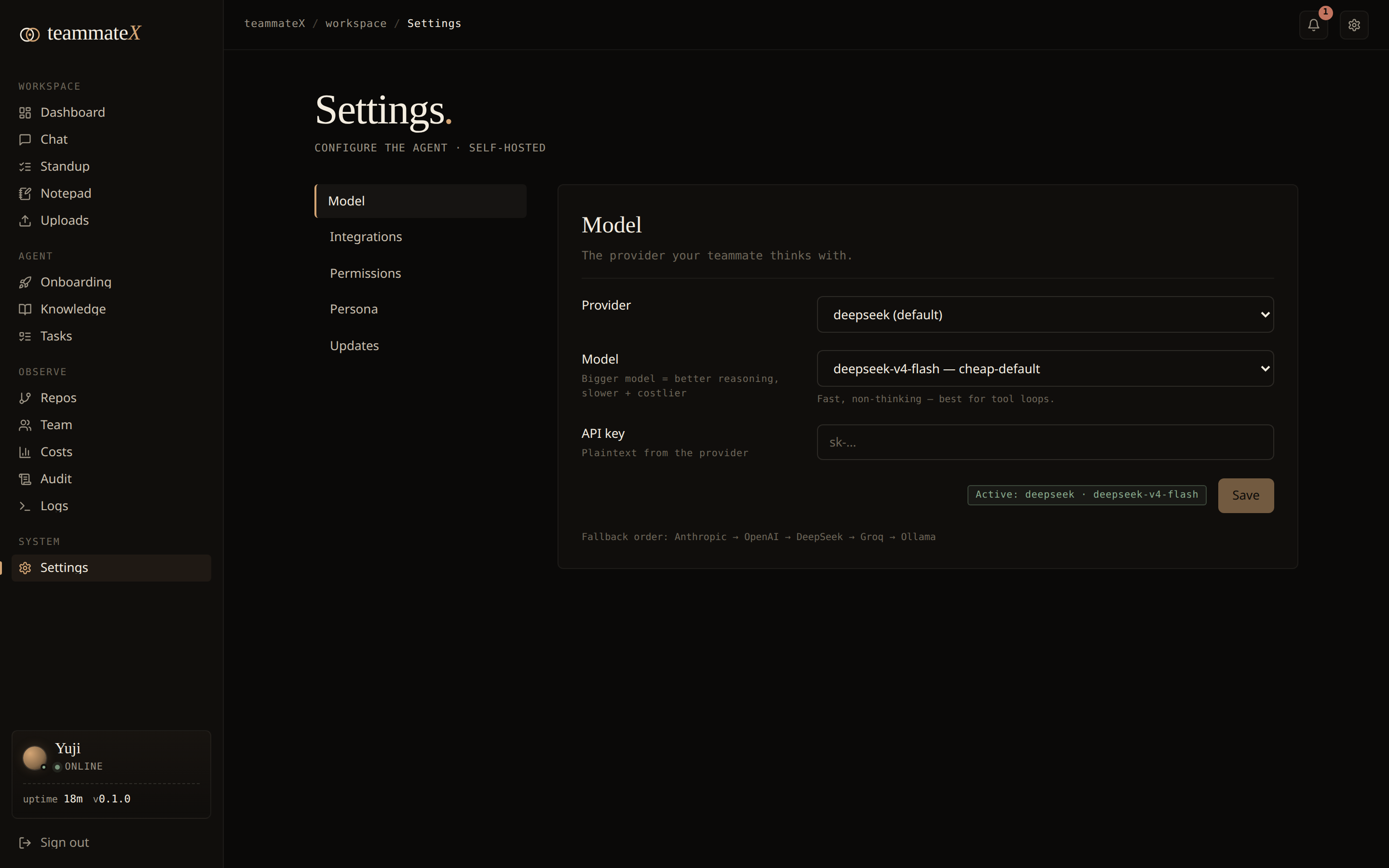
13. Settings & integrations
- LLM: see and switch the active provider/model; keys stored server-side and masked on read (never echoed back).
- GitHub: connect a token; the UI shows "Connected as
<login>" and whether the token can push. Powers repo listing, PR sync, and PR creation. - Jira: projects, boards, sprints, active-sprint endpoints.
- Slack: channel listing and message posting.
- Setup checklist: the dashboard shows a readiness card (LLM provider, GitHub, Jira, Slack), so a half-configured instance is obvious at a glance instead of failing silently.
Controls that aren't wired yet are honestly disabled with a note, rather than pretending to work.
14. Auto-sync (keeping the brain fresh)
A background poller (Celery beat, every 15 min) periodically re-syncs each repo: it git pulls the latest commits on the repo's real default branch, ingests new pull requests, and incrementally updates the graph, so the teammate's knowledge tracks reality without a manual re-onboard. The default branch is detected at onboarding (e.g. main vs master) and the pull falls back to whatever branch the clone is actually on, so a mis-recorded branch can't silently stall sync. Webhook-driven sync is also supported. The dashboard shows each repo's real last-synced time and flags anything stale (>24h) in amber.
14b. Weekly digest delivery
The weekly digest (actions, repo status, LLM usage, recent notes) can be delivered to Slack automatically: Celery beat runs it every Monday 09:00 UTC, posting to the channel set in digest_settings.slack_channel. Trigger it on demand with POST /api/reports/digest/send. With no Slack configured it's a harmless no-op.
15. Observability stack
Batteries included for running this for real: Prometheus (metrics), Grafana (dashboards), Loki + Promtail (log aggregation), Flower (Celery task monitor), and node-exporter, all wired in the compose file and toggleable.
16. Notepad
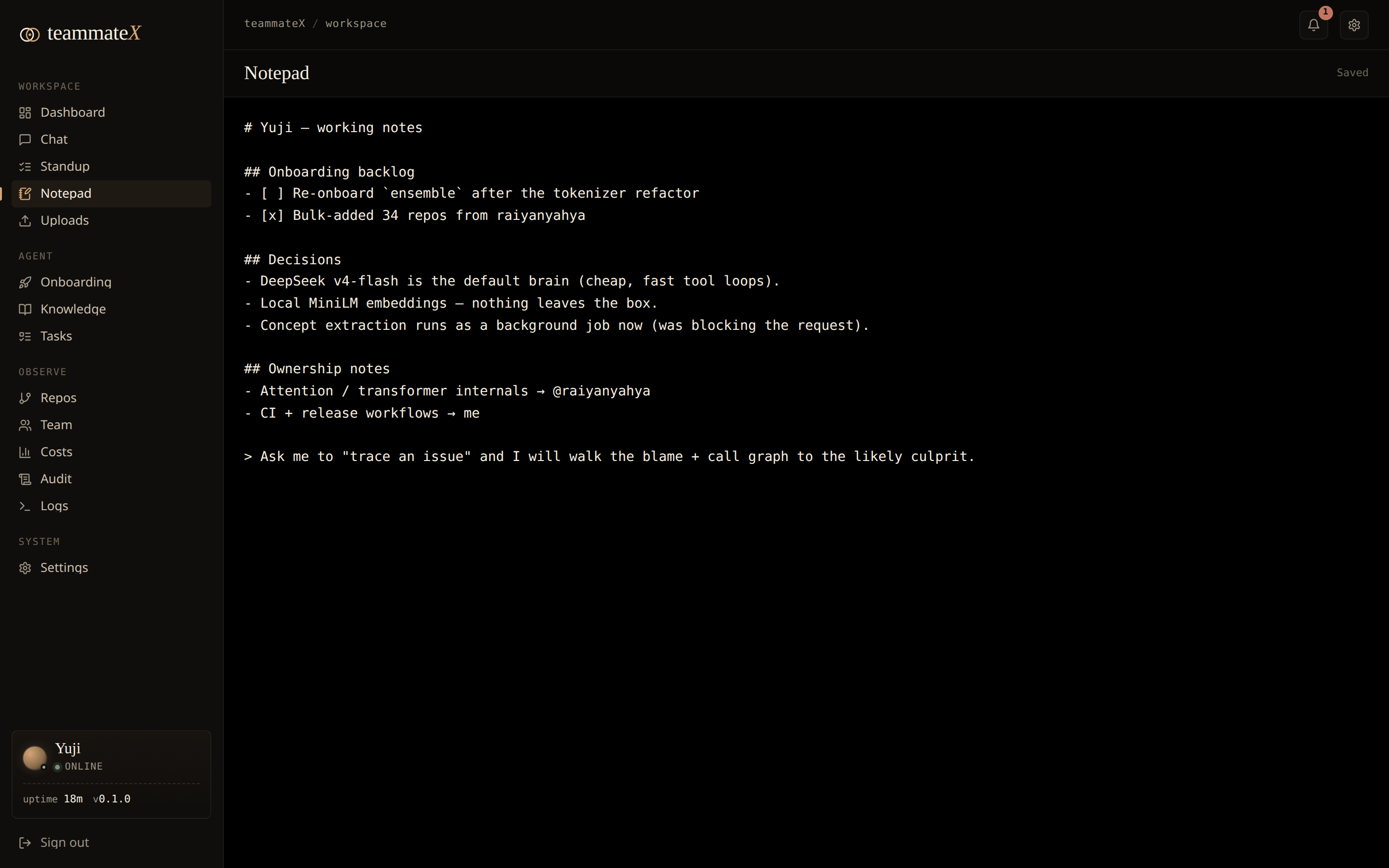
A per-developer scratchpad at /notepad: a black, full-height editor that autosaves as you type (no Save button). One private note per user, persisted server-side, so it survives reloads and follows you across sessions.
17. Uploads
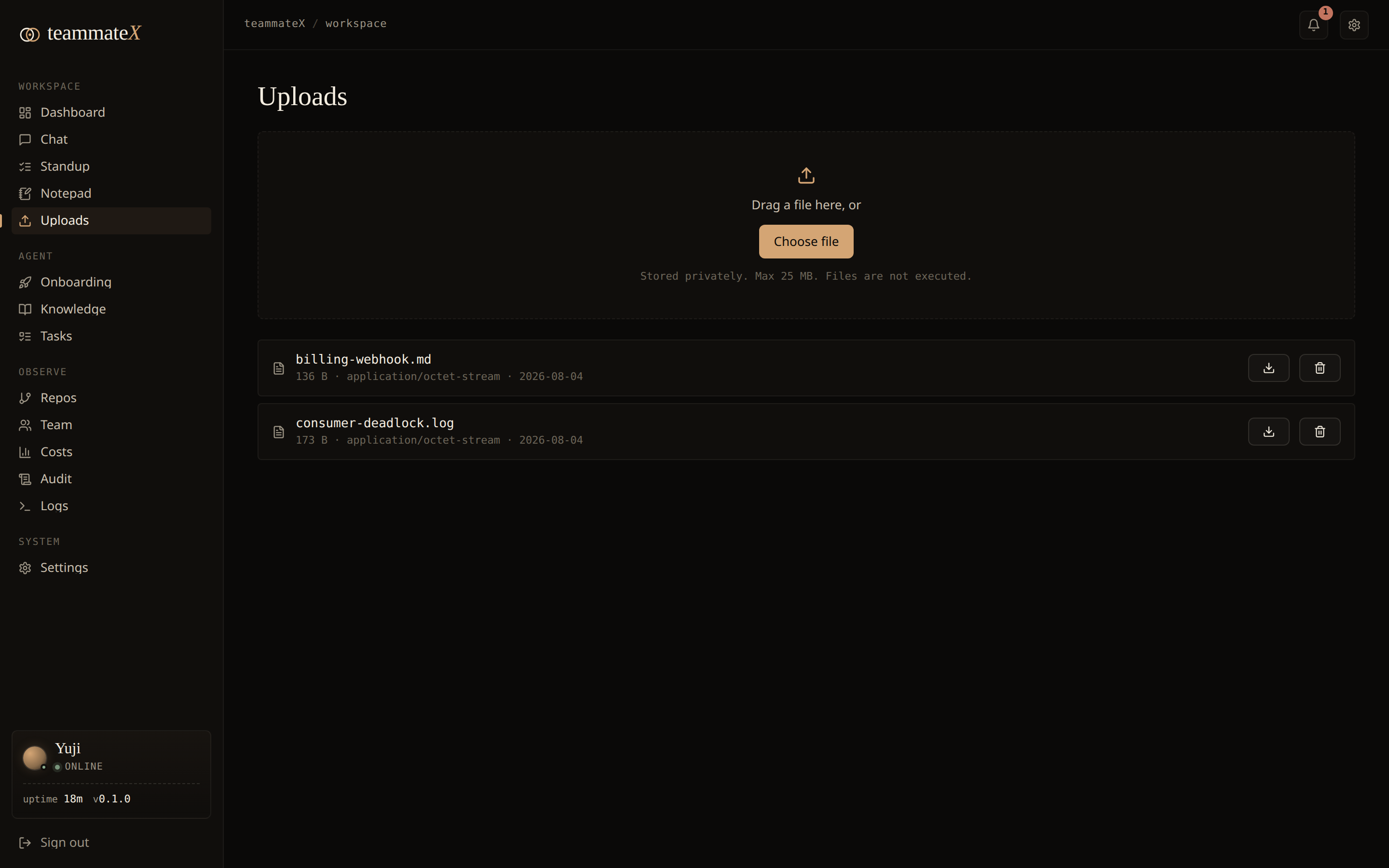
A private file area at /uploads where each developer can drag-and-drop or pick files (up to 25 MB), then download or delete them later. Files are scoped to the uploader (no one else sees them), stored under a generated name so the original filename can't traverse the filesystem, and always served as attachments. Store-only: uploaded files are never executed.
🏗 Architecture
                            ┌──────────────────────────────────┐
        Browser  ──TLS──▶   │  Caddy   (reverse proxy :80/:443) │
                            └───────────────┬──────────────────┘
                            /api/*          │          everything else
                     ┌──────────────────────┼───────────────────────┐
                     ▼                                               ▼
            ┌─────────────────┐                          ┌────────────────────┐
            │  FastAPI  :8000 │                          │  Next.js 14  :3000 │
            │  (REST + auth)  │                          │  (App Router UI)   │
            └────────┬────────┘                          └────────────────────┘
                     │
   ┌─────────────────┼───────────────────────────────────────────┐
   ▼                 ▼                  ▼                ▼          ▼
┌────────┐    ┌─────────────┐    ┌───────────┐   ┌──────────┐  ┌──────────┐
│Postgres│    │   Neo4j     │    │  Redis    │   │  Celery  │  │ cloned   │
│pgvector│    │ knowledge   │    │ broker +  │   │ worker + │  │ repos    │
│ + ORM  │    │   graph     │    │  cache    │   │  beat    │  │ /data    │
└────────┘    └─────────────┘    └───────────┘   └──────────┘  └──────────┘

LLM via LiteLLM ──▶  DeepSeek · OpenAI · Anthropic · Groq · Ollama (local)
Observability    ──▶  Prometheus · Grafana · Loki/Promtail · Flower · node-exporter
- Backend: FastAPI + SQLAlchemy (async) + Celery, Python 3.12.
- Data: PostgreSQL with pgvector (relational + embeddings), Neo4j (graph), Redis (broker/cache).
- Frontend: Next.js 14 (App Router) + Tailwind, a custom editorial "paper-on-ink" design language.
- LLM: LiteLLM multi-provider abstraction.
- Infra: Docker Compose, Caddy (auto-TLS), full monitoring stack.
🧰 The agent's toolbox
The teammate ships with 28 curated tools across five families. It chooses which to call.
| Family | Tools |
|---|---|
| Files | read_file, write_file, edit_file, list_directory, glob_search, grep_search |
| Git / GitHub | create_branch, commit_files, create_pr, get_diff, get_blame, get_commit_log, list_prs |
| Knowledge | semantic_search, graph_query, find_owner, find_dependents, find_dependencies, get_architecture, trace_issue |
| Memory | write_note, search_notes |
| Execution & web | run_command, run_tests, run_lint, http_request, schedule_task, web_search |
🖥 Installing on a server (production)
A reference deployment on a single Linux VM (Ubuntu 22.04+, 4 vCPU / 8 GB RAM / 40 GB disk is comfortable).
1. Install Docker
curl -fsSL https://get.docker.com | sh
sudo usermod -aG docker "$USER" && newgrp docker     # run docker without sudo
docker compose version                               # confirm Compose v2
2. Get the code
git clone <your-fork-url> /opt/teammatex
cd /opt/teammatex
cp .env.example .env
3. Configure .env: the non-negotiables
# A STRONG random signing key. Anything else is a security hole (see Security).
sed -i "s|^TEAMMATEX_SECRET_KEY=.*|TEAMMATEX_SECRET_KEY=$(python3 -c 'import secrets;print(secrets.token_urlsafe(48))')|" .env

# Then edit .env to set strong DB passwords and at least one LLM key:
#   POSTGRES_PASSWORD=<random>
#   NEO4J_PASSWORD=<random>
#   DEEPSEEK_API_KEY=sk-...        (or OPENAI_/ANTHROPIC_/GROQ_, or Ollama)
4. Point Caddy at your domain (automatic HTTPS)
Caddy is already the front door (ports 80/443). Set your hostname in docker/Caddyfile (replace the local placeholder with teammatex.example.com). Caddy provisions a Let's Encrypt certificate automatically on first request; just make sure DNS A/AAAA records point at the box and ports 80/443 are open.
5. Launch
docker compose up -d --build
A one-shot migrate service runs alembic upgrade head and exits before the API and workers start, so the stack self-migrates on every up, with no manual migration step on first launch or after an upgrade.
6. First login & hardening
docker compose logs api | grep -A4 "first run" # grab the generated admin password
Log in at https://teammatex.example.com, change the admin password immediately (Settings), and add your LLM + GitHub keys through the UI (they're stored in the DB, masked on read).
7. Operating it
docker compose ps                 # health of every service
docker compose logs -f api        # follow logs (or use the in-app Logs page)
docker compose pull && docker compose up -d   # update images (auto-migrates on start)

# Backups: the stateful volumes:
#   postgres_data · neo4j_data · cloned_repos · uploads_data · grafana_data · caddy_data
docker run --rm -v teammatex_postgres_data:/data -v "$PWD":/backup alpine \
  tar czf /backup/postgres-$(date +%F).tgz -C /data .
Ports: Caddy
80/443(public), Frontend3000, API8000, Caddy admin2019. In production, expose only 80/443 publicly and firewall the rest.
⚙️ Configuration reference (.env)
| Variable | Default | What it does |
|---|---|---|
TEAMMATEX_NAME |
Dev |
Display name of your teammate |
TEAMMATEX_PERSONA |
helpful_senior_dev |
Working-style persona |
TEAMMATEX_SECRET_KEY |
change-me… |
JWT signing key: set a strong random 32+ char value |
POSTGRES_HOST/PORT/DB/USER/PASSWORD |
postgres / … |
PostgreSQL + pgvector connection |
TEAMMATEX_NEO4J_URI |
bolt://neo4j:7687 |
Neo4j connection |
NEO4J_USER / NEO4J_PASSWORD |
neo4j / … |
Neo4j credentials |
REDIS_URL |
redis://redis:6379/0 |
Celery broker + cache |
OPENAI_API_KEY / OPENAI_MODEL |
– / gpt-4o |
OpenAI provider |
ANTHROPIC_API_KEY / ANTHROPIC_MODEL |
– | Anthropic provider |
DEEPSEEK_API_KEY / DEEPSEEK_MODEL |
– | DeepSeek provider (cost-effective default) |
OLLAMA_BASE_URL / OLLAMA_MODEL |
…11434 / llama3.1:8b |
Local model, no key required |
GROQ_API_KEY / GROQ_MODEL |
– | Groq provider |
EMBEDDING_PROVIDER |
local |
local (fastembed/ONNX, free, no torch) or openai |
EMBEDDING_MODEL |
BAAI/bge-small-en-v1.5 |
Local embedding model (fastembed); legacy all-MiniLM-L6-v2 auto-maps |
GITHUB_CLIENT_ID/SECRET, GITHUB_WEBHOOK_SECRET |
– | GitHub integration & webhooks |
JIRA_URL / JIRA_EMAIL / JIRA_API_TOKEN |
– | Jira integration |
SLACK_BOT_TOKEN / SLACK_SIGNING_SECRET / SLACK_APP_TOKEN |
– | Slack integration |
PROMETHEUS_ENABLED |
true |
Enable Prometheus instrumentation of the API |
TEAMMATEX_METRICS_TOKEN |
– | Bearer token required to read /metrics. Unset → /metrics is not exposed at all. Set it (and the matching value in docker/prometheus.yml) to let Prometheus scrape |
GRAFANA_ADMIN_PASSWORD |
admin |
Grafana login |
COOKIE_SECURE |
false |
Set true in production (HTTPS) so the session cookie carries the Secure flag |
💡 LLM provider keys and the GitHub token can also be set at runtime through the UI (stored in
app_config, masked on read), which is handy for rotating without redeploying.
🔒 Security
- Authenticated API. Every data/mutation endpoint requires a logged-in user. Auth travels as an HttpOnly,
SameSite=Laxcookie (set at login, invisible to JavaScript → XSS can't steal it) or anAuthorization: Bearer <jwt>header for programmatic clients./healthand webhook endpoints (signature-verified) are intentionally public. - Set a strong
TEAMMATEX_SECRET_KEY. JWTs are HMAC-signed with it. The defaultchange-meis public, so anyone could forge a token. Generate one withpython3 -c "import secrets; print(secrets.token_urlsafe(48))". - Secrets are masked.
GET /api/confignever echoes stored API keys/tokens back to the client. - Account creation is admin-only. The first-run bootstrap creates the initial admin;
POST /auth/registerthen requires an authenticated admin, so a reachable API can't be self-registered into./metricsis likewise off unless you setTEAMMATEX_METRICS_TOKEN. - Self-hosted. Code, embeddings, and graph stay on your infrastructure. With local embeddings + a local Ollama model, nothing leaves the box.
- Webhooks are signature-verified (GitHub/Slack), not user-authed.
See SECURITY.md for the disclosure policy and hardening notes.
👩💻 Development
# Full stack with hot-reload helpers
./scripts/dev.sh

# Backend only
cd backend && poetry install && poetry run uvicorn app.main:app --reload

# Frontend only
cd frontend && npm install && npm run dev
Tests run inside the API container against a real ephemeral Postgres + Neo4j (per-test transaction rollback):
# The production image omits test deps; install them once:
docker compose exec api pip install -q pytest 'pytest-asyncio>=0.26' factory-boy
docker compose exec api python -m pytest -q
Dev loop note: application code is baked into the image (no bind mount). For a quick change:
docker cp <file> teammatex-api-1:/app/...thendocker compose restart api. To persist:docker compose build api worker frontend.
Continuous integration & delivery
Three GitHub Actions workflows run on every push and PR to master (badges at the top of this README):
| Workflow | File | What it does |
|---|---|---|
| CI | ci.yml |
Backend: ruff + black + mypy (advisory) + pytest against real Postgres/pgvector + Neo4j service containers. Frontend: eslint + tsc --noEmit + next build. |
| CodeQL | codeql.yml |
SAST security scanning for Python and TypeScript/JavaScript (also weekly); findings land in the repo's Security tab. |
| Docker | docker.yml |
Builds the api, worker, and frontend images on every PR; on push to master or a v* tag, publishes them to GHCR (ghcr.io/<owner>/teammatex-<component>) with layer caching. |
📡 API overview
Interactive docs at /docs (Swagger) and /redoc. A taste of the surface (all under /api):
| Area | Endpoints |
|---|---|
| Auth | POST /auth/login · POST /auth/logout · POST /auth/register (admin-only) · GET /auth/me · POST /auth/change-password |
| Agent | POST /agent/chat · POST /agent/plan · POST /agent/validate · GET /agent/tools |
| Repos | GET /repos · POST /repos · POST /repos/bulk · GET /repos/activity · GET /repos/onboarding-summary · GET /repos/{id}/onboarding · POST /repos/{id}/retry |
| Knowledge | GET /knowledge/contributors · GET /knowledge/concepts · POST /knowledge/search · GET /knowledge/suggested-questions · GET /knowledge/graph/* · GET /knowledge/costs/summary?period=today|7d|30d|all |
| Conversations | GET /conversations?q= (search) · GET /conversations/{id} · GET /conversations/{id}/export (Markdown) · DELETE /conversations/{id} |
| Tasks | GET /tasks · POST /tasks · PATCH /tasks/{id} · DELETE /tasks/{id} |
| Workspace | GET/POST/DELETE /uploads · GET /uploads/{id}/download · GET/POST /notepad |
| Reports | GET /reports/digest · GET /reports/digest/markdown · POST /reports/digest/send |
| Integrations | GET /integrations/status · GET /integrations/health · GET /integrations/github/repos · GET /integrations/jira/* · GET /integrations/slack/channels |
| Ops | GET /health · GET /logs/{service} · GET /config · PUT /config/{key} (incl. cost_budget, digest_settings) |
❓ FAQ
Does my source code leave my servers?No. TeammateX clones and analyzes everything locally. The only thing that can leave is whatever you send to your chosen LLM provider on a chat turn, and even that you can eliminate by running a local Ollama model with local embeddings (the default). In a fully-local setup, nothing leaves the box.
Which LLM should I use?Any of OpenAI, Anthropic, DeepSeek, Groq, or a local Ollama model; it's a one-line config via LiteLLM. DeepSeek is the cost-effective default for agentic tool loops. For maximum capability, use a frontier OpenAI/Anthropic model. For maximum privacy/zero-cost, use Ollama locally.
What languages can it understand?Parsing is tree-sitter-based, covering Python, JavaScript/TypeScript, Go, Rust, Java, and more. Call-graph extraction is strongest for the mainstream languages; semantic search and ownership work for any text-based repo.
How big a repo / how many repos can it handle?It's designed for real monorepos and multi-repo orgs: the reference instance in the screenshots has indexed 54 repos, ~100 contributors, and 8,800+ concepts. Onboarding is incremental and resumable; embeddings are chunked and stored in pgvector. Scale RAM/disk with corpus size.
Can it actually open pull requests?Yes. It runs git and gh itself (create_branch → commit_files → create_pr). It needs a GitHub token with write scope (Contents + Pull requests, or classic repo). A read-only token lets it clone and read but git push will 403.
Different jobs. pgvector answers "what code is semantically similar to this question?" Neo4j answers structural questions: "what calls this function?", "who owns this file?", "what's the dependency blast radius?" Vector search guesses by meaning; the graph knows by structure. Together they keep the teammate grounded.
The dashboard says "0 repos" / data looks empty.You probably haven't onboarded a repo yet; add one via Onboarding. Watch progress per-stage; the dashboard fills in once the graph and embeddings exist. (Migrations run automatically on up via the one-shot migrate service, so an empty DB usually isn't the cause.)
Expected. JWTs are signed with that key, so rotating it invalidates existing sessions. Everyone just logs in again. Do this rotation once, with a strong value, before going live.
How do I update to a new version?git pull && docker compose up -d --build
The one-shot migrate service applies any new DB migrations automatically before the API starts, so no manual alembic step is needed.
Snapshot the named volumes: postgres_data, neo4j_data, cloned_repos, plus grafana_data/caddy_data if you care about dashboards/certs. See the docker run … tar example in the install section.
TeammateX is self-hosted first; that's the privacy story. Run it on your own VM or inside your VPC.
📄 License
Released under the MIT License, © 2026 Raiyan Yahya. Use it, fork it, ship it; just keep the copyright notice.
🤝 Contributing
Contributions are very welcome, and since this is alpha, it's the best time to shape the project. Start with the Contributing guide, and please be kind per our Code of Conduct. Found a security issue? See SECURITY.md and report it privately.
Built to be a teammate, not a chatbot.
FastAPI · Next.js · PostgreSQL/pgvector · Neo4j · Celery · Docker
Reviews (0)
Sign in to leave a review.
Leave a reviewNo results found