FlowBoard
Health Gecti
- License — License: MIT
- Description — Repository has a description
- Active repo — Last push 0 days ago
- Community trust — 74 GitHub stars
Code Basarisiz
- process.env — Environment variable access in dashboard/agent-identity.js
- process.env — Environment variable access in dashboard/flowboard-metadata.js
- fs module — File system access in dashboard/flowboard-metadata.js
- process.env — Environment variable access in dashboard/github.js
- network request — Outbound network request in dashboard/github.js
- fs.rmSync — Destructive file system operation in dashboard/install-trigger.mjs
- process.env — Environment variable access in dashboard/install-trigger.mjs
Permissions Gecti
- Permissions — No dangerous permissions requested
Bu listing icin henuz AI raporu yok.
Project context for AI coding agents — lazy-loaded per project, with an agent-native Kanban, idea canvas, and spec-driven task creation. For OpenClaw and external agents.
FlowBoard
Project workspaces for AI agents. Built for OpenClaw and external coding agents.


Quick Start • Features • Idea Canvas • Remote Access • Docs • Changelog
Your agent loses context every session. What was I building? What decisions did I make? What's the next task? All gone.
FlowBoard fixes that.
- 📂 Project context on demand — Activate a project and your agent gets goals, decisions, live task state, and specs. Lazy-loaded to save tokens.
- 📋 Kanban you both use — Your agent creates tasks, writes specs, claims work, checkpoints progress, and moves cards through review. You see the full multi-agent workflow live.
- 💡 Idea Canvas — Brainstorm together visually. One click turns connected ideas into tasks with specs and subtasks.
Why FlowBoard?
The real problem isn't a missing task board — it's that your agent starts every session blank. Across several projects, you re-explain the goal, the decisions, and where things stand, again and again.
FlowBoard is a context layer for your projects. Each project keeps its goal, decisions, live task state, and specs in one place, and your agent pulls in exactly the slice it needs, when it needs it — lazy-loaded, so token usage stays low. Switch projects and the right context follows; nothing to re-explain.
Everything else builds on that layer:
- Agent-native Kanban — tasks, specs, claims, checkpoints, and review, so "where things stand" is always live instead of narrated.
- Idea Canvas — brainstorm visually, then promote connected notes straight into tasks and specs.
- Spec-driven development — the Specify workflow turns a rough idea into a proper spec through a short clarify loop, so agents build from a clear definition of done, not a one-line title.
- Modular Overview — a per-project dashboard that surfaces the context that matters at a glance.
- Built for many agents — stable identity, claims, and a live multi-agent view, for OpenClaw and external agents alike.
It's local-first: everything runs on your machine, event-sourced in SQLite — no SaaS, no account, and your project names stay on your box.
Features
📂 Project Workspaces
Activate a project and the agent gets the context it needs — goal, scope, architecture, decisions, current task state, specs. Everything is loaded on demand: the agent pulls in what it needs, when it needs it, keeping token usage low. Switch between projects without losing track.
- Structured project files:
PROJECT.md→DECISIONS.md→specs/(canvas lives in the database) - HZL-backed task runtime with claims, leases, checkpoints, comments, and review gates
- Lazy loading — zero overhead when no project is active
- Session handoff — pick up exactly where you left off
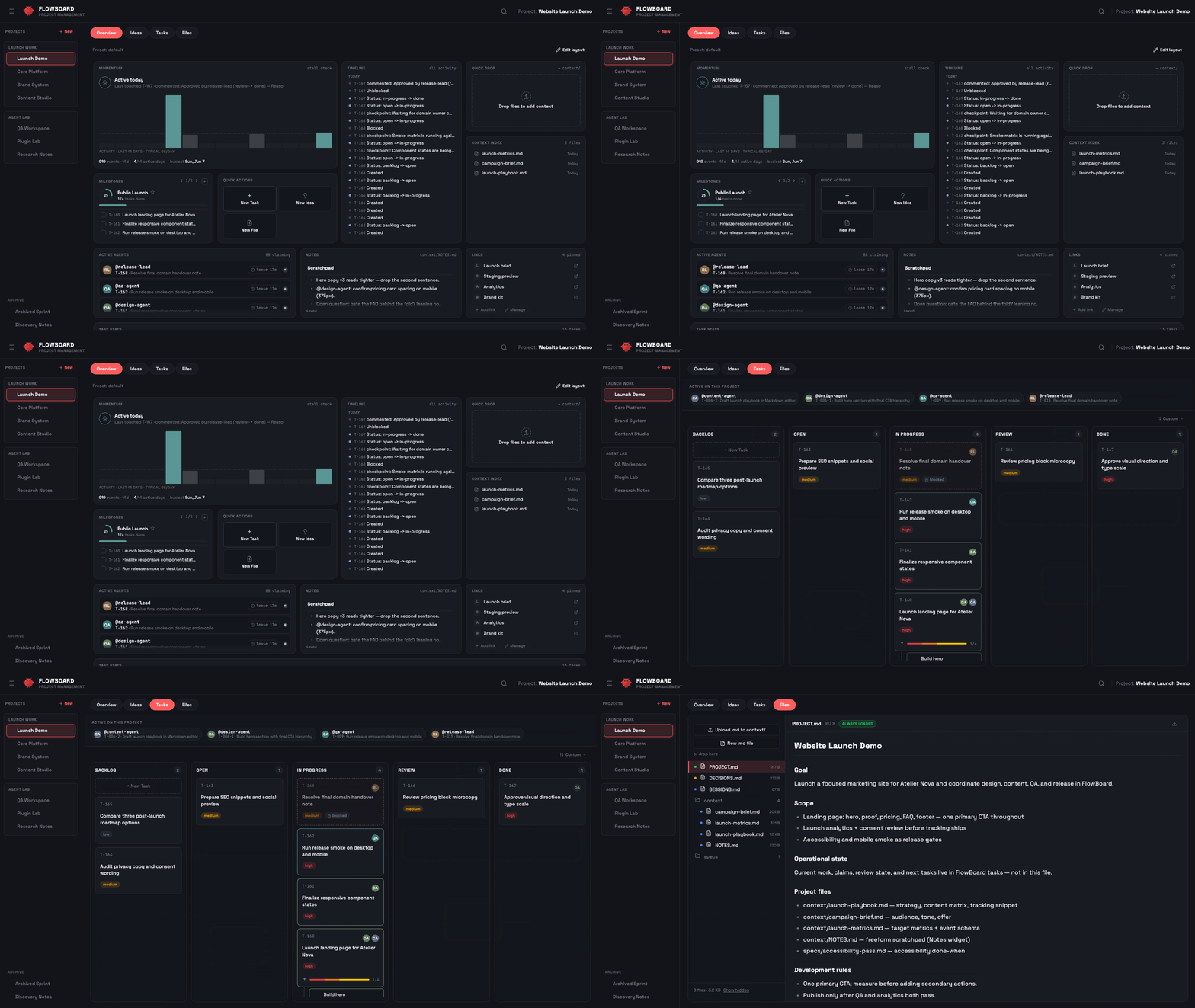
🧩 Modular Project Overview
Every project gets a composable landing page: a widget grid both you and
your agents can shape. 26 widgets across five clusters — what needs you
(blocked, approvals, open agent questions), live activity and momentum,
direction (milestones as definition-of-done checklists, stats, board
preview), a full GitHub family (repo status, CI history, PRs, releases,
issues — one repo binding per project, token optional for private
repos), and knowledge (file viewer, context index, notes, quick links).
Drag-and-drop editing with presets, or let the agent compose it via the
same REST API:
PUT /api/projects/:name/overview   { version: 1, layout: "grid", widgets: [...] }
PUT /api/projects/:name/overview   { "preset": "coding" }
📋 Agent-Native Kanban
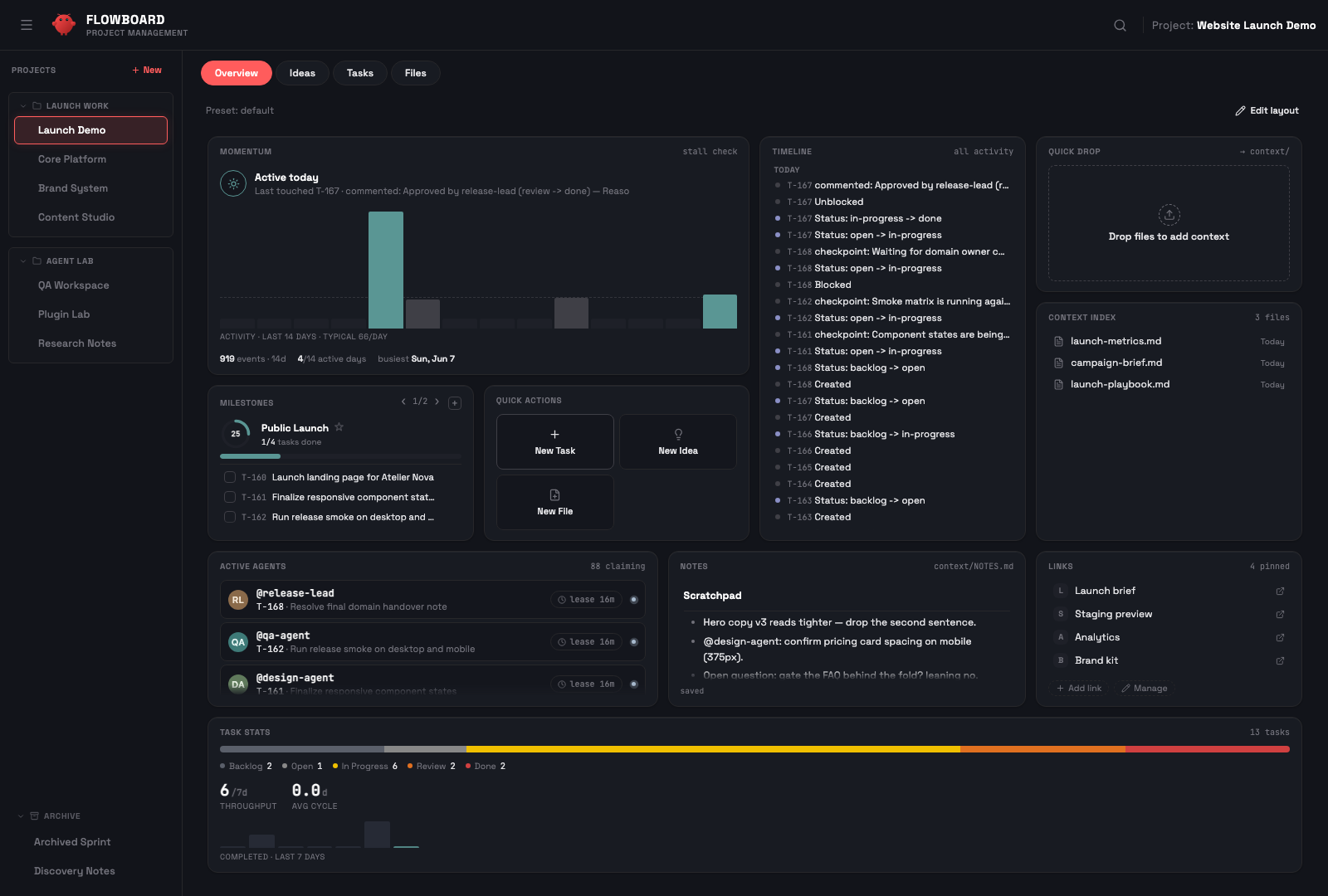
Your agent operates the board through the same REST API as the dashboard. It creates tasks, sets priorities, writes specs with acceptance criteria, claims work with leases, checkpoints progress, and hands completed work to review.
- Tasks with workflow:
backlog → open → in-progress → review → done - Parent tasks with subtasks, progress tracking, and automatic parent status updates
- Spec files with acceptance criteria and logs
- Multi-agent visibility: active agents, claimed cards, checkpoints, comments, and review approvals
💡 Idea Canvas
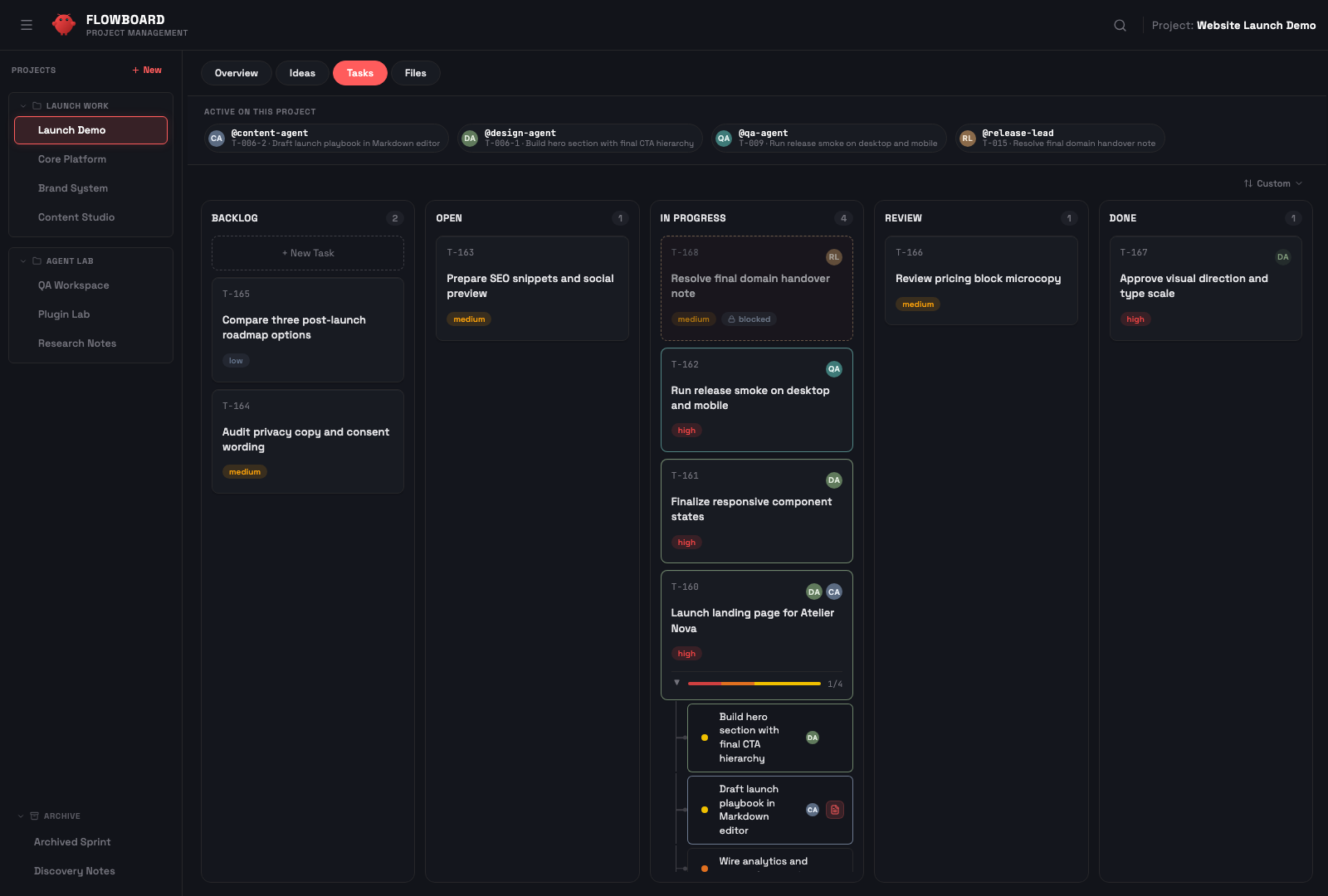
A node-based brainstorming space. Sticky notes with connections form clusters. One click runs the Specify workflow — a guided ANALYZE → CLARIFY → GENERATE loop that asks a few clarifying questions and turns the ideas into proper specs (not just titles):
- Simple idea → Task with title and priority
- Detailed idea → Task + spec with acceptance criteria
- Complex cluster → Parent task + subtasks with specs
Visual brainstorming → spec-backed, structured tasks — zero manual overhead.
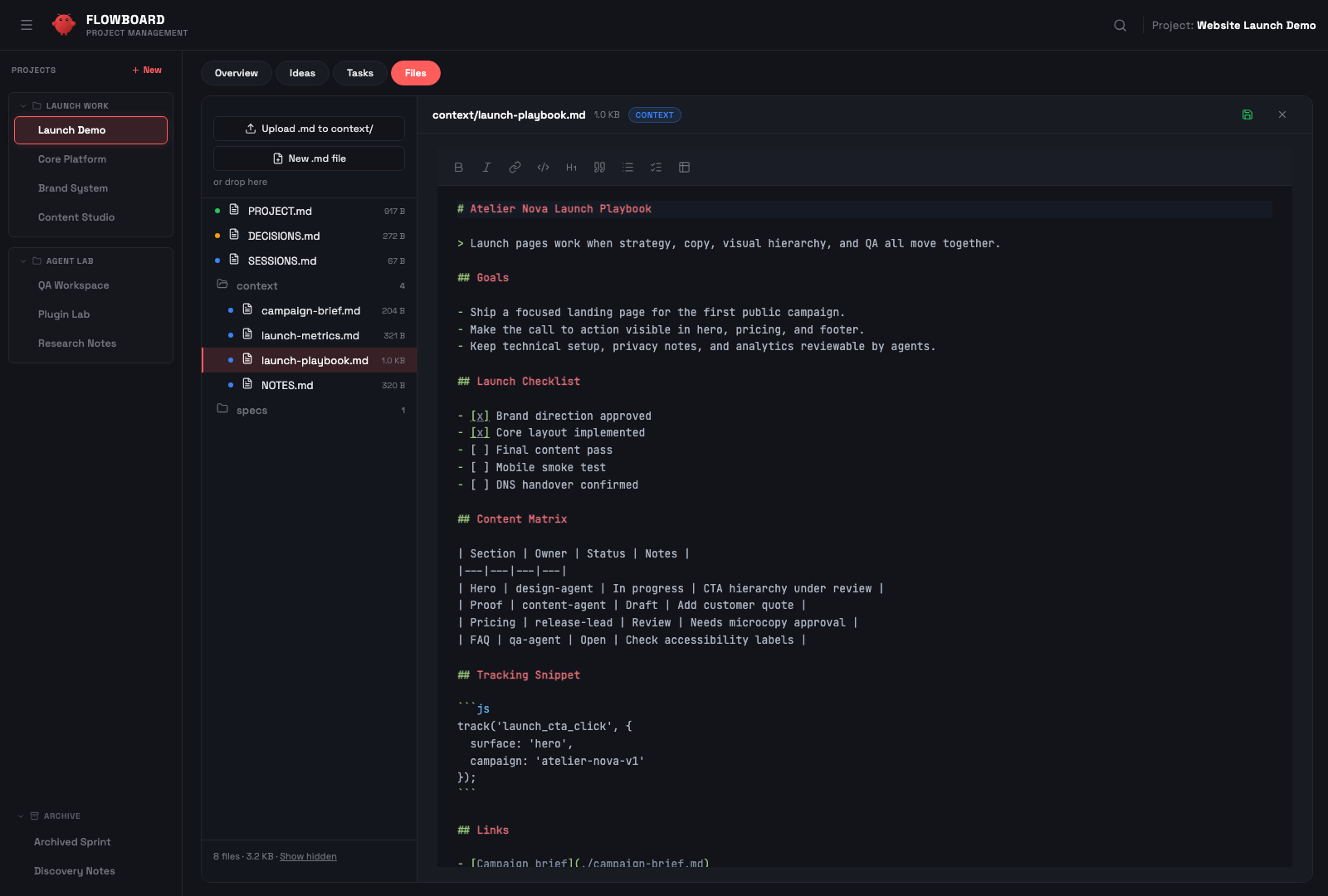
📁 File Explorer
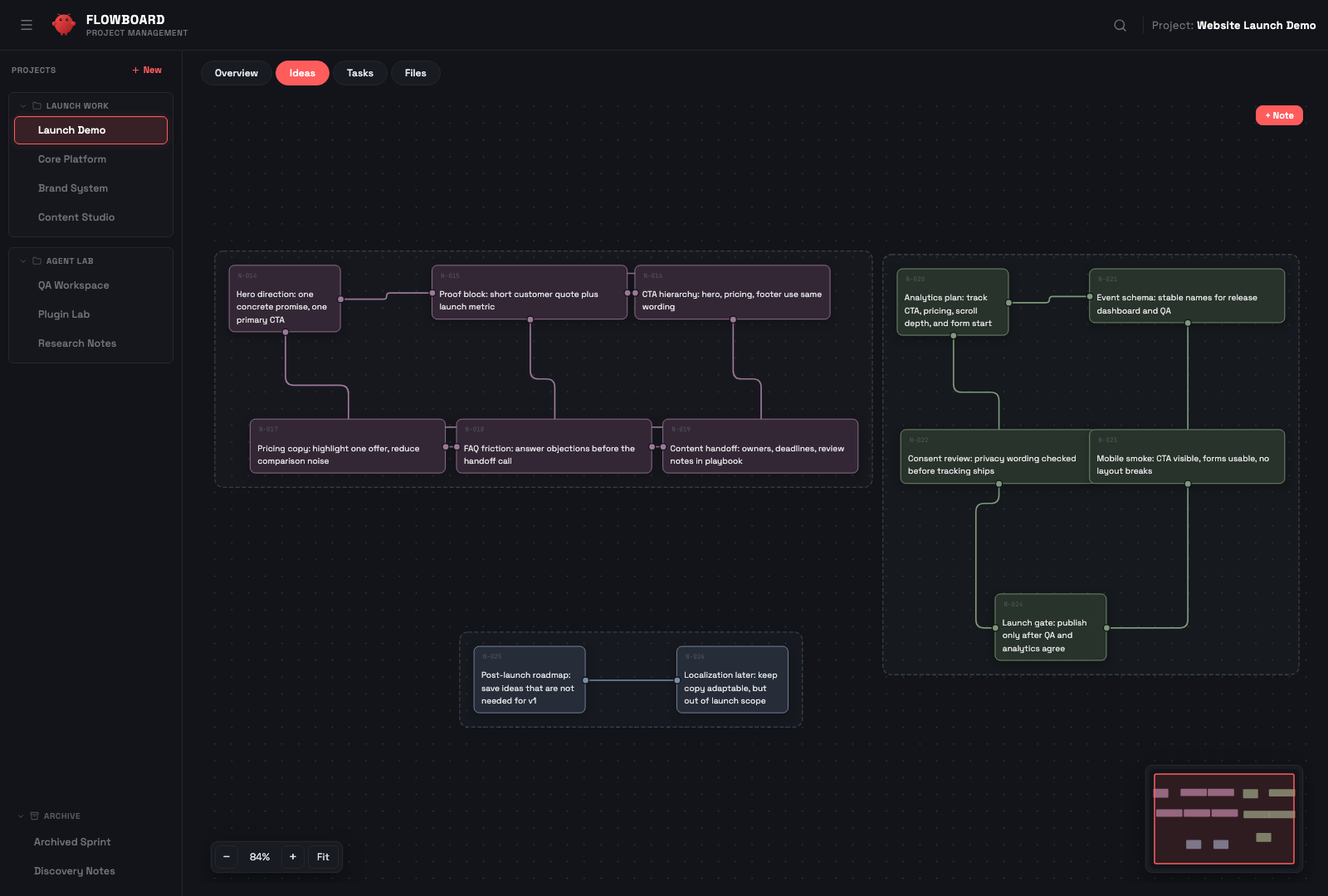
Browse, preview, and edit project files without leaving the dashboard. Markdown rendering, a CodeMirror-powered editor, spec files, context uploads, and auto-refresh keep the project workspace inspectable without dropping to a shell.
📱 Telegram Mini App
Access FlowBoard remotely from Telegram. Secure authentication via HMAC-SHA256, mobile-optimized UI, works through Cloudflare Tunnel, ngrok, or Tailscale.
Quick Start
Two commands, then open the dashboard:
openclaw plugins install flowboard   # wires the project-context hook
node scripts/setup.mjs               # build the UI + run the dashboard as a per-user service
Open http://localhost:18790, click the Finish setup chip in the header, then tell your agent “New project: my-app”. Done — the rest of this section is detail.
Prerequisites: Node.js ≥ 18 and
npmon yourPATH. Theopenclaw plugins installpath also needs OpenClaw ≥ 2026.6.6 — the dashboard runs standalone, but the project-context hook requires OpenClaw.
Already installed as an OpenClaw plugin?
openclaw plugins install flowboard wires the project-context hook. To bring
up the dashboard in one step — install deps, build the UI, register a
per-user service (launchd/systemd) and verify health:
node scripts/setup.mjs          # or: npm run setup
node scripts/setup.mjs --dry-run   # preview, change nothing
Re-run with --update after openclaw plugins update to rebuild & restart.
Prefer the manual path? It's below.
Updating
After openclaw plugins update flowboard the new plugin source is on disk but
the running dashboard still serves the previous build. Two ways to apply it:
- From the dashboard (recommended). The header Update panel
(SnippetUpgrade) detects the version mismatch and shows an “Update available ·
vX → vY” chip. Click Update & restart — it runssetup.mjs --update
(reinstall deps + rebuild UI + restart the service, leaving your.envand
data untouched), then reloads the page onto the new build. Backed byGET /api/update/statusandPOST /api/update/run. - From the CLI.
node scripts/setup.mjs --updatefrom the FlowBoard checkout
does the same rebuild + restart.
Custom service or supervisor? The in-UI update manages the standard per-user service —
ai.openclaw.flowboard-dashboard(launchd) /flowboard-dashboard(systemd--user). If you run the dashboard under your own supervisor or a different label, don't use the in-UI update (it would collide on port 18790) — update withnode scripts/setup.mjs --updatefrom the checkout, or move your service to the standard label.
Manual install (without the plugin)Upgrading to 5.0.0: the canvas DB schema is created automatically, but importing existing
canvas.jsondata is operator-triggered — via the in-app banner,POST /api/migrations/canvas/run, ornode dashboard/scripts/migrate-canvas-to-db.mjs --run. Non-blocking; see the migrations reference.
1. Clone & install (manual)
git clone https://github.com/rasimme/FlowBoard.git
cd FlowBoard/dashboard
npm install
npm run build   # builds the dashboard UI into dist/ (served by the server)
2. Register the hook with OpenClaw
FlowBoard ships as an OpenClaw hook pack (declared via package.json →openclaw.hooks). Register it through OpenClaw's plugin lifecycle so the
gateway runs project-context before every agent run (covering /new,/reset, gateway startup, daily reset, idle expiry, and project switch
via PUT /api/status):
openclaw plugins install ~/repos/FlowBoard --link
openclaw config set hooks.internal.load.extraDirs '["~/repos/FlowBoard/hooks"]' --merge
openclaw gateway restart
--link keeps the hook pointing at this checkout, so git pull propagates
hook changes without a re-install. The second command (extraDirs) is
currently required because OpenClaw's runtime hook discovery doesn't yet
read the --link install record directly — once the upstream gap is
closed, this step becomes optional.
Verify the hook is registered:
openclaw hooks info project-context
# Expect: ✓ Ready, source openclaw-managed, subscribed to agent:bootstrap
Upgrading from earlier FlowBoard versions
Versions before this change shipped a scripts/install-hooks.sh script
that symlinked or copied the hook into ~/.openclaw/hooks/project-context/.
The new install path replaces that — remove the legacy hook directory once
before running the commands above:
rm -rf ~/.openclaw/hooks/project-context
If you previously edited ~/.openclaw/openclaw.json to register the hook
manually, no extra cleanup is needed — openclaw config set --merge keeps
existing entries intact.
3. Start the dashboard
Migrations run automatically on server start (HZL project metadata,
per-agent active-project DB setup, PROJECT-RULES canonical-path symlink,
legacy-snippet advisory).
The server stores shared project data under FLOWBOARD_PROJECTS_DIR when set,
or <OPENCLAW_HOME>/projects by default. OPENCLAW_WORKSPACE is still
accepted for older installs and for the HZL DB default.
node server.js
# Optional custom locations:
# OPENCLAW_HOME=/path/to/.openclaw FLOWBOARD_PROJECTS_DIR=/path/to/projects node server.js

# Or with systemd (auto-start on boot):
cp templates/dashboard.service ~/.local/share/systemd/user/
systemctl --user enable --now dashboard
4. Finish setup in the dashboard
Open http://localhost:18790. If any workspace needs setup, a
Finish setup (fresh install) or Migration required (upgrade from
an older FlowBoard) chip appears in the header. Click it to open the
setup modal and choose per workspace:
- Upgrade — byte-identical legacy snippets → new canonical block
- Migration required — user-edited legacy blocks → force-replace (per-file opt-in)
- Add FlowBoard to workspace — workspace doesn't have the snippet yet → append it
- Dismiss — this workspace shouldn't use FlowBoard (e.g. a voice agent)
Every change writes a .bak-<timestamp> copy first. If you prefer the
CLI path: node dashboard/snippets-doctor.js does the same detection
and --apply upgrades byte-identical blocks only.
The migration modal also shows display-only advisories for legacy
project-state files and OpenClaw config/runtime leftovers. After changing
OpenClaw config such as memoryFlush, restart the OpenClaw gateway/runtime;
already-running processes can keep the old compaction prompt in memory.
5. Create your first project
Once the chip disappears, tell your agent:
"New project: my-app"
The agent creates the project through POST /api/projects, registers it in
FlowBoard metadata/HZL, and uses the Tasks API for operational task state.
Canvas → Task Promote
Since v5, promoting canvas notes to tasks works out of the box: selecting
notes and clicking Create Task opens the Specify stepper in the dashboard
— clarification questions, proposal review, and task creation all happen in
the browser, with no webhook or agent configuration required.
OpenClaw webhooks are only needed for the chat-agent path (scripted
callers passing an explicit agentId, so a chat-bound agent runs the
clarification conversation instead of the dashboard stepper):
1. Enable webhooks in ~/.openclaw/openclaw.json:
{
  hooks: {
    enabled: true,
    token: "your-secret-token",  // openssl rand -hex 16
    path: "/hooks"
  }
}
2. Set environment variables:
OPENCLAW_HOOKS_TOKEN=your-secret-token
OPENCLAW_GATEWAY_URL=http://127.0.0.1:18789
OPENCLAW_DELIVER_CHANNEL=telegram        # or: discord, slack, etc.
OPENCLAW_DELIVER_TO=your-chat-id         # optional
Without these, everything works — including canvas promote via the dashboard stepper; only the chat-agent promote path is unavailable.
Commands
Tell your agent:
| Command | What it does |
|---|---|
Project: [Name] |
Activate project (loads full context) |
New project: [Name] |
Create project with folder structure |
End project |
Deactivate, save session summary |
Projects |
List all projects |
The agent also handles these autonomously while working:
| Action | What happens |
|---|---|
| Create task | Agent calls API, sets priority, optionally writes spec |
| Create subtasks | Agent breaks a task into subtasks with a parent |
| Update status | Agent moves tasks through backlog → open → in-progress → review → done |
| Write spec | Agent creates specs/T-xxx-slug.md with acceptance criteria |
| Canvas promote | Agent receives cluster notes, decides task structure |
Using FlowBoard with external agents (Codex, Cursor, Claude Code, …)
FlowBoard is designed for OpenClaw-managed agents and for external
runtimes that talk to the API directly. External agents are first-class:
they self-register on the first PUT /api/status, appear in the dashboard
agent list, and use the same task workflow as OpenClaw agents.
What's different for external agents: there is no live-injectedBOOTSTRAP.md in your run context (that mechanism is OpenClaw-runtime
specific). Instead, fetch the project context on demand viaGET /api/projects/<project>/bootstrap.
Install the trigger snippet in your project repo
Run once per repo where you want an external agent to use FlowBoard:
node ~/repos/FlowBoard/dashboard/install-trigger.mjs --repo ~/myrepo
This adds the FlowBoard external-trigger block to myrepo/AGENTS.md
(idempotent — re-run anytime to refresh) and creates myrepo/CLAUDE.md
as a symlink to AGENTS.md so Claude Code reads the same content.
Use --no-symlink on filesystems without symlink support (Windows,
sync-mounted drives); the installer falls back to a copy.
To remove the block later:
node ~/repos/FlowBoard/dashboard/install-trigger.mjs --repo ~/myrepo --uninstall
Discovery without the installer
The same content is served by the dashboard for tooling or quick
inspection:
curl http://localhost:18790/api/info
Returns service metadata, the API endpoint list, and the trigger
snippet as trigger_snippet. No auth is required — discovery happens
before identity. Suitable for users who prefer to copy-paste into a
specific config file (.cursorrules, CONVENTIONS.md, etc.) instead
of AGENTS.md.
Identity convention
Pick a stable agent-id for your runtime:
| Runtime | Suggested agent-id |
|---|---|
| Claude Code | claude-code |
| Codex | codex |
| Cursor | cursor |
| Aider | aider |
| Custom script | a stable string of your choice |
Add a host suffix (codex-laptop, claude-code-jetson) if you run
multiple parallel instances. The agent-id is a freeform string —
auto-registered in flowboard_agents on the first PUT /api/status.
Keep it stable across the session so the dashboard shows clean
attribution.
Remote Access (Telegram Mini App)
FlowBoard can be accessed remotely as a Telegram Mini App through a secure tunnel.
Set up a tunnel
Any tunnel works. Recommended: Cloudflare Tunnel (free, stable).
cloudflared tunnel login
cloudflared tunnel create flowboard
cloudflared tunnel route dns flowboard flowboard.example.com
cp templates/cloudflare-config.yml ~/.cloudflared/config.yml
# Edit: replace placeholder values
cloudflared tunnel run flowboard
Configure authentication
JWT_SECRET=$(openssl rand -hex 32)

mkdir -p ~/.config/systemd/user/dashboard.service.d
cp templates/systemd-auth.conf.example \
   ~/.config/systemd/user/dashboard.service.d/auth.conf
# Edit with your values:
# - TELEGRAM_BOT_TOKEN (from @BotFather)
# - JWT_SECRET
# - ALLOWED_USER_IDS (comma-separated allowed user ids)
# - DASHBOARD_ORIGIN (your public URL)

systemctl --user daemon-reload
systemctl --user restart dashboard
Register Telegram button
- Open @BotFather →
/setmenubutton - Select your bot
- Send your public dashboard URL
- Send button label (e.g. "Dashboard")
Architecture
~/.openclaw/workspace-<agent>/
├── AGENTS.md                     # Minimal FlowBoard trigger — status check + lazy load
├── BOOTSTRAP.md                  # OpenClaw-owned runtime bootstrap; FlowBoard does not write this
└── (ACTIVE-PROJECT.md)           # Legacy artifact; ignored unless migration fallback is explicitly enabled

~/.openclaw/projects/             # Shared project data (or FLOWBOARD_PROJECTS_DIR)
└── my-project/
    ├── PROJECT.md                # Stable project map, not current task truth
    ├── SESSIONS.md               # Chronological session log
    ├── DECISIONS.md              # Architecture + design rationale
    ├── context/                  # External reference docs
    └── specs/                    # Task specs

~/.openclaw/workspace/.hzl/       # Coordination backend by default (or HZL_DB_PATH)
├── flowboard.db                  # HZL event store — tasks, claims, checkpoints, comments
└── flowboard-cache.db            # Projections + flowboard_projects, flowboard_agents

~/repos/FlowBoard/                # SSoT — pulled from dev branch on GitHub
├── dashboard/
│   ├── server.js                 # Express 5 API + auth
│   ├── rules-api.js              # Lazy-load rules registry + manifest
│   ├── snippets-doctor.js        # Installer / migrator (state machine)
│   ├── src/                      # React + Vite + Tailwind UI
│   └── styles/dashboard.css      # Global component styles + design tokens (CSS custom properties), loaded by index.html
├── docs/project-mode/            # Rule sections served via /api/projects/:name/rules/:section
│   ├── commands.md / tasks-api.md / hzl.md / canvas-and-notes.md
│   ├── project-files.md / specify-workflow.md / agent-bridge.md
│   ├── error-handling.md / key-principles.md
├── snippets/
│   ├── AGENTS-trigger.md         # Minimal trigger block for AGENTS.md
│   ├── external-trigger.md       # Minimal trigger for external agents
│   └── legacy/*.v*.md            # Vendored legacy copies for byte-match/fingerprint detection
└── hooks/project-context/        # Keeps project status available; agents fetch context lazily
Key principles:
- 📡 DB-canonical — project + per-agent state live in
flowboard_agents/flowboard_projects - 🧩 Lazy-load rules — agent checks
/api/status, then fetches bootstrap/rules on demand - 🔒 Local-first — everything runs on your machine; public remote access is opt-in
- 🧪 API-driven — dashboard and agents share the same REST surface
Documentation
Full documentation lives in docs/ — organized by audience:
- User guide — install, search, mobile use, managing projects
- Concepts — how and why it works
- Reference — API manifest & environment variables
Contributing
Contributions welcome! See CONTRIBUTING.md for guidelines.
git checkout -b feat/your-feature
# Make changes on dev branch
git commit -m "feat: your feature"
Built on
FlowBoard's task runtime is built on HZL — an event-sourced, losslessly auditable task ledger for coding agents and OpenClaw.
License
MIT © 2026
Built with ❤️ for the OpenClaw community
Yorumlar (0)
Yorum birakmak icin giris yap.
Yorum birakSonuc bulunamadi