HarnessKit
Health Gecti
- License — License: Apache-2.0
- Description — Repository has a description
- Active repo — Last push 0 days ago
- Community trust — 26 GitHub stars
Code Gecti
- Code scan — Scanned 12 files during light audit, no dangerous patterns found
Permissions Gecti
- Permissions — No dangerous permissions requested
This application is a native desktop tool designed to unify and manage configurations, extensions, and rules across multiple AI coding agents like Claude Code, Cursor, and Copilot. It acts as a centralized dashboard to view, enable, or disable extensions across different development environments.
Security Assessment
Overall Risk: Low. The light code audit scanned 12 files and found no dangerous patterns, hardcoded secrets, or requests for dangerous permissions. Because the tool manages configurations for various local agents, it inherently handles file system paths and reads local configuration files (which may contain sensitive settings or MCP server credentials). The description highlights automated cross-agent deployment, meaning it does write to the local disk and modifies local configuration files. No suspicious network requests or hidden shell execution behaviors were detected in the scan.
Quality Assessment
Quality and maintenance are solid. The project uses the permissive Apache-2.0 license and is actively maintained, with its most recent push occurring today. It has a small but growing community footprint with 26 GitHub stars. As a Rust-based application, it benefits from a strong memory-safe foundation. The documentation is clear, professional, and provides a detailed feature matrix.
Verdict
Safe to use.
One home for every agent. Manage extensions, configs, memory, and rules across all your AI coding agents.
HarnessKit
One home for every agent.
A free, open-source app to manage all your AI coding agents.



Why • Features • Get Started • Roadmap
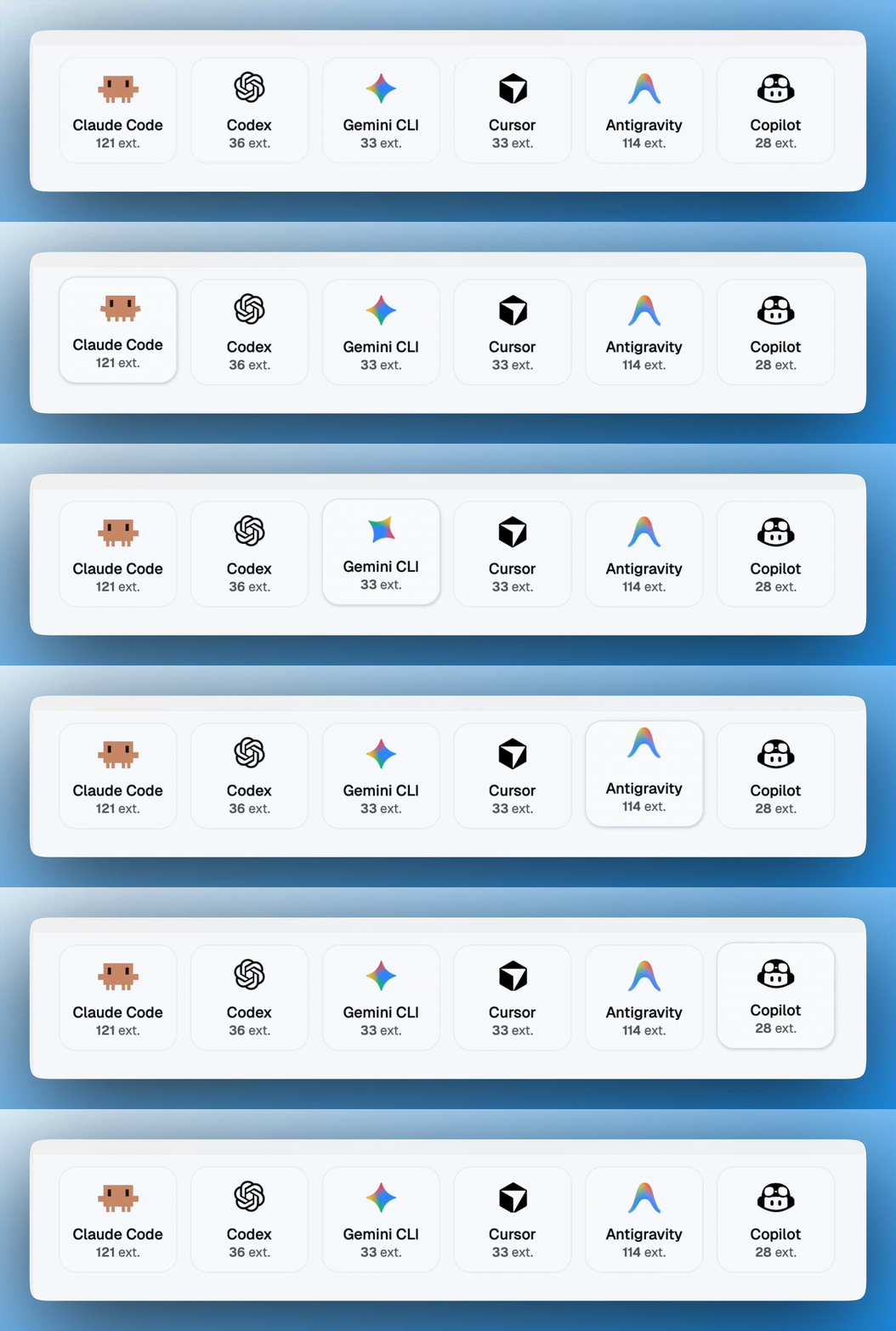
Why HarnessKit?
Every agent, a different world. Extensions, configs, memory, and rules — scattered across different directories, in different formats, with different conventions.
HarnessKit brings them all under one roof — one native desktop app to see, secure, and manage everything across every agent.
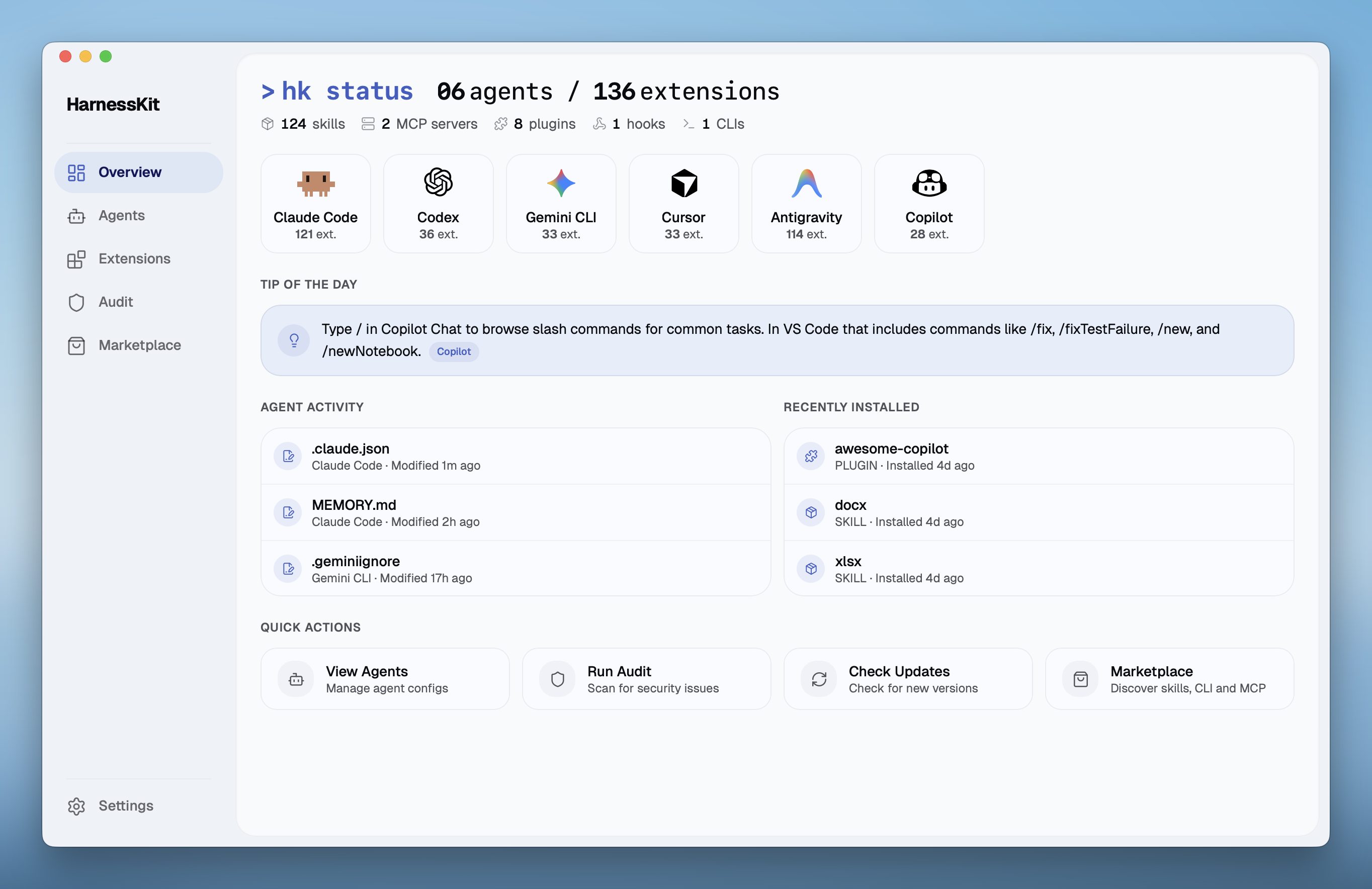
Key Features
🧩 Full Suite Extension Management
HarnessKit manages all five extension types from a unified interface — Skills, MCP Servers, Plugins, Hooks, and Agent-first CLIs.
| Agent | Skills | MCP | Plugins | Hooks | Agent-first CLIs |
|---|---|---|---|---|---|
| Claude Code | ✓ | ✓ | ✓ | ✓ | ✓ |
| Codex | ✓ | ✓ | ✓ | ✓ | ✓ |
| Gemini CLI | ✓ | ✓ | ✓ | ✓ | ✓ |
| Cursor | ✓ | ✓ | ✓ | ✓ | ✓ |
| Antigravity | ✓ | ✓ | — | — | ✓ |
| Copilot | ✓ | ✓ | ✓ | ✓ | ✓ |
* "—" indicates the agent currently does not support this extension type.
- Smart organization — Filter by type, agent, or source, and search by name. Extensions from the same repo are automatically grouped into packs for batch management.
- Full visibility — Every extension shows its agents, permissions, trust score, and status at a glance. Open the detail panel for per-agent file paths, directory structure, and audit findings.
- Effortless management — Enable or disable right from the list. Check for updates across all extensions with one click.
- Cross-agent deployment — See which agents have the extension and which don't — deploy to any missing agent with one click. HarnessKit handles the format differences between agents (JSON, TOML, hook conventions, MCP schemas) automatically.
🤖 Agent Configs, Memory & Rules
HarnessKit manages every agent's Configs, Memory, Rules, and Ignore files from one place. Currently supporting 6 agents: Claude Code, Codex, Gemini CLI, Cursor, Antigravity, and Copilot.
- Config file tracking — Automatically discovers every agent's config files — both global and per-project. Add your project directories or custom paths and HarnessKit picks them up alongside the global ones.
- Per-agent dashboard — Each agent gets its own page with all files organized by category, showing scope, path, file size, and a summary of installed extensions. Expand any file to preview its content right in the app.
- Custom paths — Add any file or folder to an agent's dashboard for tracking. Useful for custom configs or scripts that HarnessKit doesn't auto-discover — they show up alongside everything else with the same live preview.
- Real-time detection — The moment a config file is modified, the dashboard reflects it.
🛡️ Security Audit & Permission Transparency
Every extension is scanned by a built-in security engine with 18 static analysis rules and receives a Trust Score (0–100), grouped into three tiers — Safe (80+), Low Risk (60–79), and Needs Review (below 60). A dedicated Audit page lets you search, filter by tier, and drill into every finding.
- One-click audit — Run a full security scan across all extensions with a single click. The dashboard shows how many extensions were scanned and when the last audit ran.
- Precise tracing — Every finding pinpoints the exact file and line number, so you can trace the issue immediately.
- Per-agent scanning — Even if multiple agents share the same extension, each agent's copy is audited independently — because versions can drift, and a safe copy on one agent doesn't guarantee safety on another.
- Permission transparency — Every extension's permissions are surfaced across five dimensions — filesystem paths, network domains, shell commands, database engines, and environment variables. You see exactly what each extension can reach before you decide to keep it.
🏪 Marketplace Ecosystem
Discover, evaluate, and install — three marketplaces in one, each with trending lists and search:
- Skills — Browse and install from the skills.sh registry. Also supports install from Git URL or local directory.
- MCP Servers — Browse the Smithery registry of Model Context Protocol servers.
- Agent-first CLI — Discover CLI tools built specifically for agents — the newest frontier of the agent extension ecosystem.
Every listing shows its description, install count, and source. For skills, you can preview the documentation, check third-party security audit scores before installing, and install to any agent with one click — HarnessKit tracks the source so you always know where each extension came from.
📂 In-Place Management
HarnessKit works directly with your agents' native directories instead of copying them into a managed folder — no shadow copies, no sync conflicts.
- Native directories — Reads and writes directly to each agent's own config directory. Your files stay exactly where they are.
- Non-destructive operations — Enabling or disabling an extension is a simple file rename in place. Nothing is moved or duplicated.
- Zero lock-in — Uninstall HarnessKit and everything is exactly where it was. No migration, no cleanup needed.
⌨️ CLI Support
HarnessKit also ships a standalone command-line interface (hk) for terminal-first workflows, so you can manage extensions without opening the desktop app:
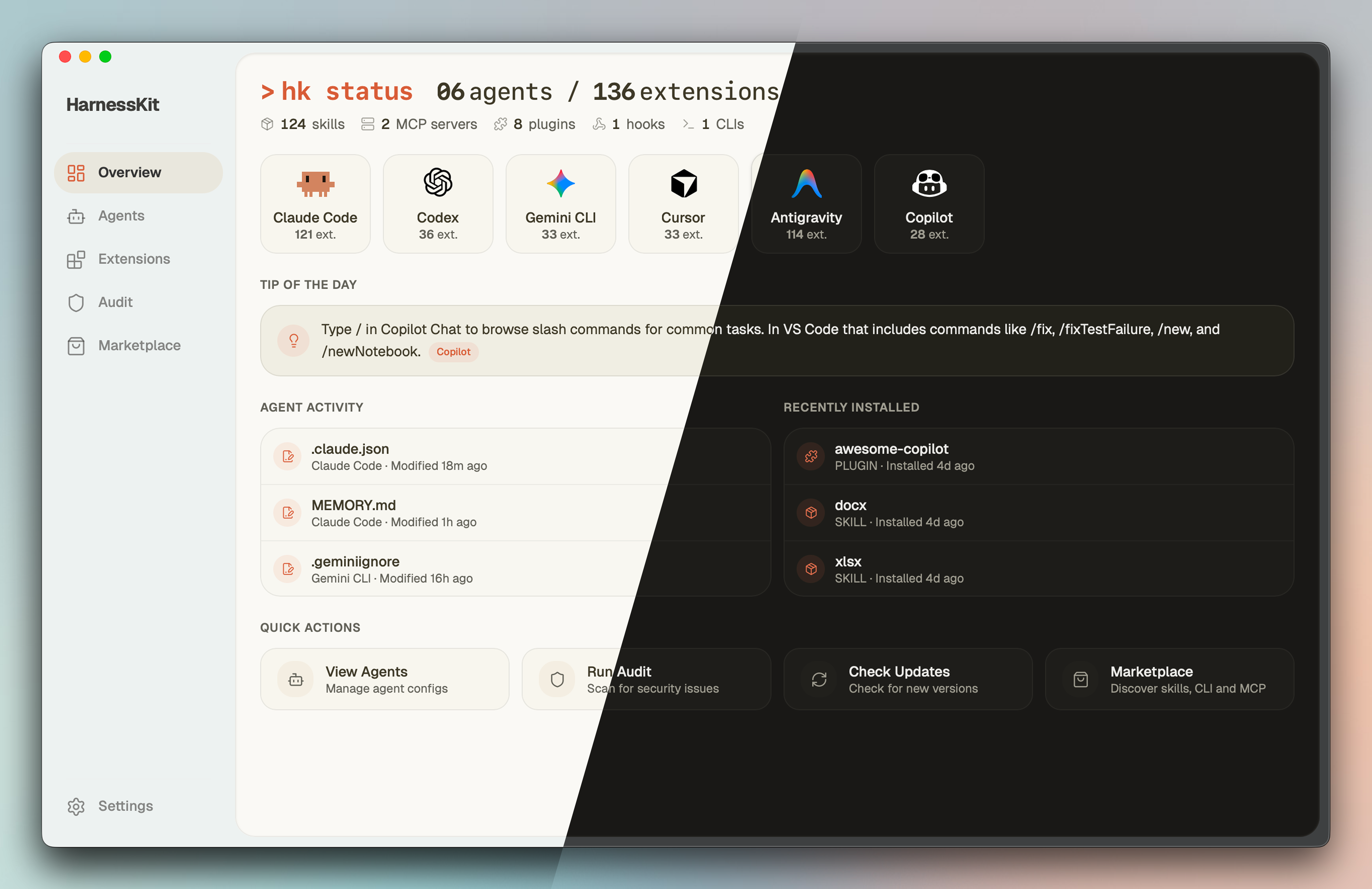
$ hk status
  Agents        6 detected (claude · codex · gemini · cursor · antigravity · copilot)
  Extensions    136 total (124 skills · 2 mcp · 8 plugins · 1 hooks · 1 clis)

$ hk list --kind skill --agent claude    # filter by type and agent
$ hk audit                               # security audit with trust scores
$ hk enable my-skill                     # enable by name
$ hk disable --pack owner/repo           # batch disable by source
✨ Thoughtful & Interactive UX
- 💡 Tip of the Day — The Overview dashboard surfaces contextual tips for each detected agent from a community-maintained library. Learn shortcuts and best practices as you work.
- 📊 Dynamic Activity Feed — Agent Activity and Recently Installed timelines capture every config change, extension install, and agent event in real time.
- ⚡ Quick Actions — One-click View Agents, Run Audit, Check Updates, and Marketplace access right from the dashboard.
- 🎯 Playful Touches — Smooth animations and micro-interactions throughout the app make daily use feel alive.
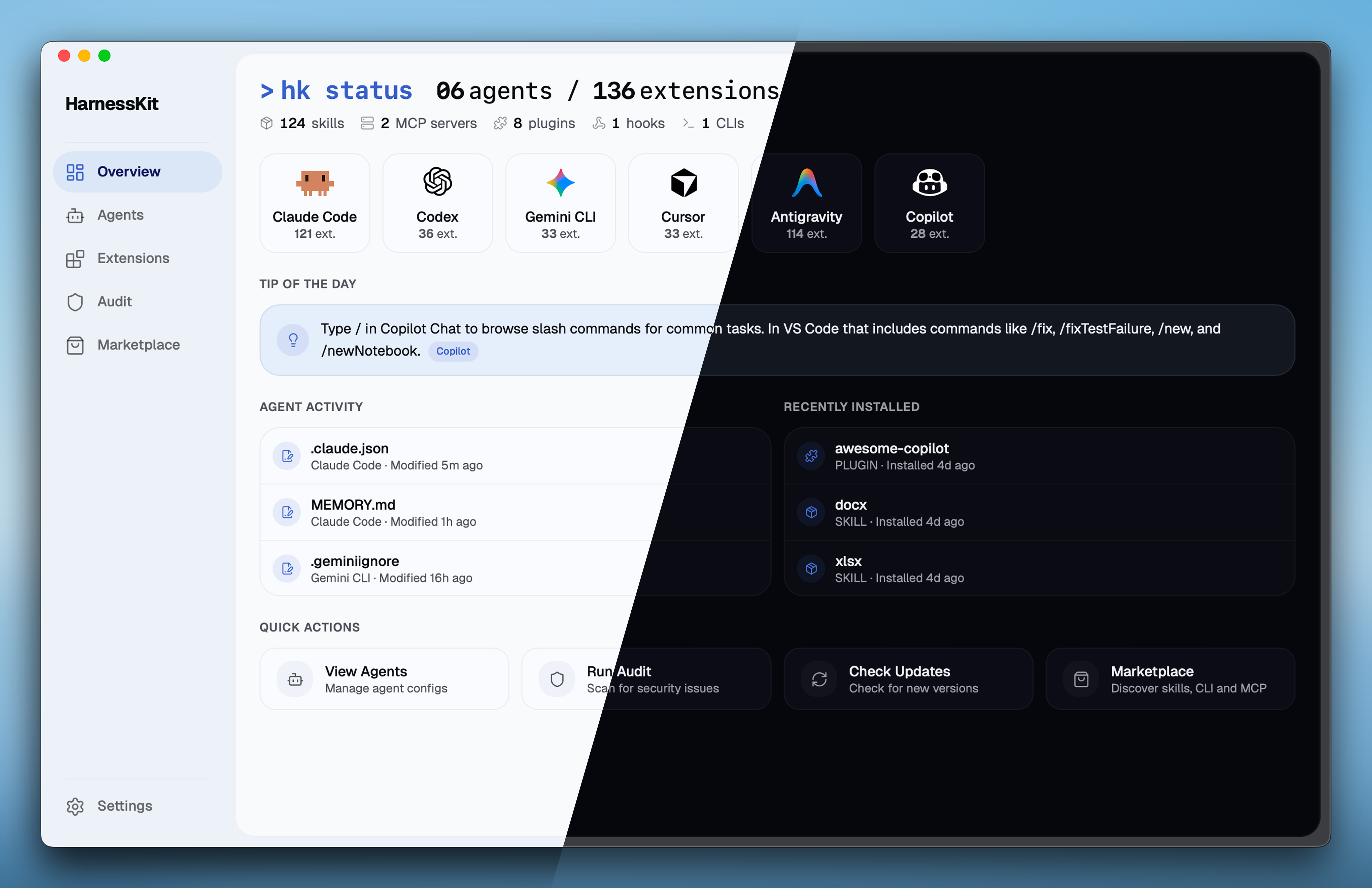
- 🎨 Themes — Multiple themes with Light, Dark, and System mode support.
Getting Started
Requirements: macOS 12+, at least one supported AI coding agent installed.

Desktop App
Download the DMG for your architecture from the latest release:
Chip File Apple Silicon (M1/M2/M3/M4) HarnessKit_x.x.x_aarch64.dmgIntel HarnessKit_x.x.x_x64.dmgOpen the DMG and drag HarnessKit to the Applications folder.
Launch HarnessKit. It will automatically detect your installed agents and scan their extensions.
Already installed? Open Settings → Check for Updates to upgrade in-app.
CLI
One-line install (auto-detects architecture):
curl -fsSL https://raw.githubusercontent.com/RealZST/HarnessKit/main/install.sh | sh
Or download the binary manually:
| Chip | File |
|---|---|
| Apple Silicon (M1/M2/M3/M4) | hk-macos-arm64 |
| Intel | hk-macos-x64 |
After installation, restart your terminal and verify with hk status.
Roadmap
- 🤖 More Agents — OpenClaw, Kiro, Cline, Roo Code, Continue, and 20+ additional agents
- 🖥️ Windows & Linux — Cross-platform desktop support
- ⌨️ CLI Enhancements — More commands and richer functionality for
hk
License
This project is licensed under Apache-2.0.
Artwork (public/icons/ and src/components/shared/agent-mascot/) is All Rights Reserved and is not covered by the Apache-2.0 license.
All product names, logos, and trademarks are property of their respective owners. HarnessKit is an independent project, not affiliated with or endorsed by any agent vendor.
Yorumlar (0)
Yorum birakmak icin giris yap.
Yorum birakSonuc bulunamadi