cubicle-crew
Health Gecti
- License — License: MIT
- Description — Repository has a description
- Active repo — Last push 0 days ago
- Community trust — 15 GitHub stars
Code Basarisiz
- process.env — Environment variable access in electron/main.js
- fs.rmSync — Destructive file system operation in package.json
- exec() — Shell command execution in public/environment.js
- network request — Outbound network request in public/main.js
Permissions Gecti
- Permissions — No dangerous permissions requested
Bu listing icin henuz AI raporu yok.
Your Claude Code agents, living in a tiny pixel-art office. Desktop widget + browser app, with tokens, a shop and a lounge.
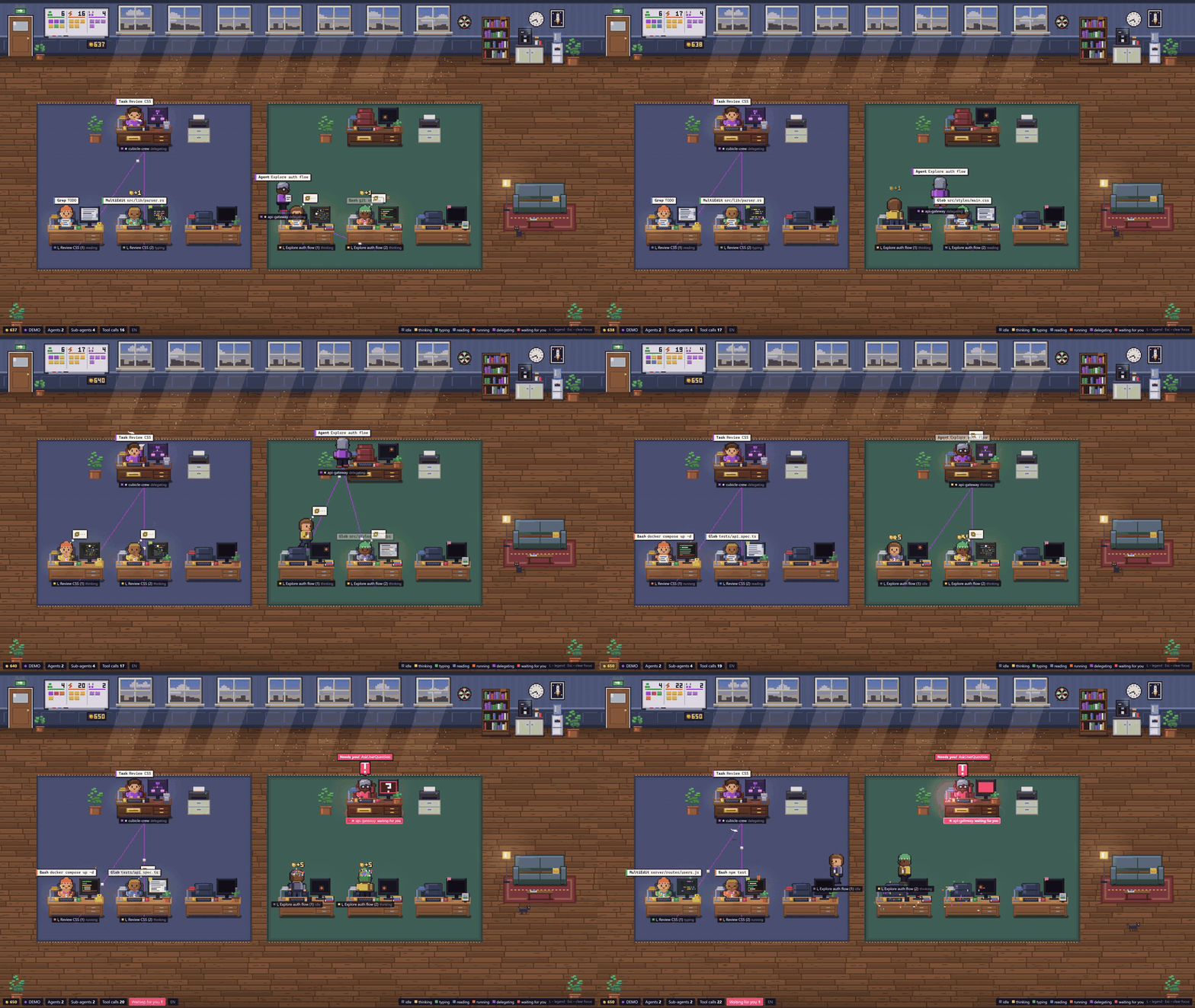
Your Claude Code agents, living in a tiny pixel-art office.
Every Claude Code session becomes a coworker at a desk. Sub-agents walk in through the door, pick up the task
and sit down with their team. When someone needs you, the whole room lets you know.
▶ Watch the trailer · ⬇ Download for Windows · Quick start · Desktop app · How it works
Why
Claude Code is happiest when it runs a few sessions at once and hands work to sub-agents. That gets hard to follow
from a stack of terminal tabs: who is still busy, who is stuck on a question, who quietly finished ten minutes ago?
Cubicle Crew reads the session logs Claude Code already writes to ~/.claude/projects and turns them into a live
scene you can leave open on a second monitor, or pin in the corner of your screen as a widget.
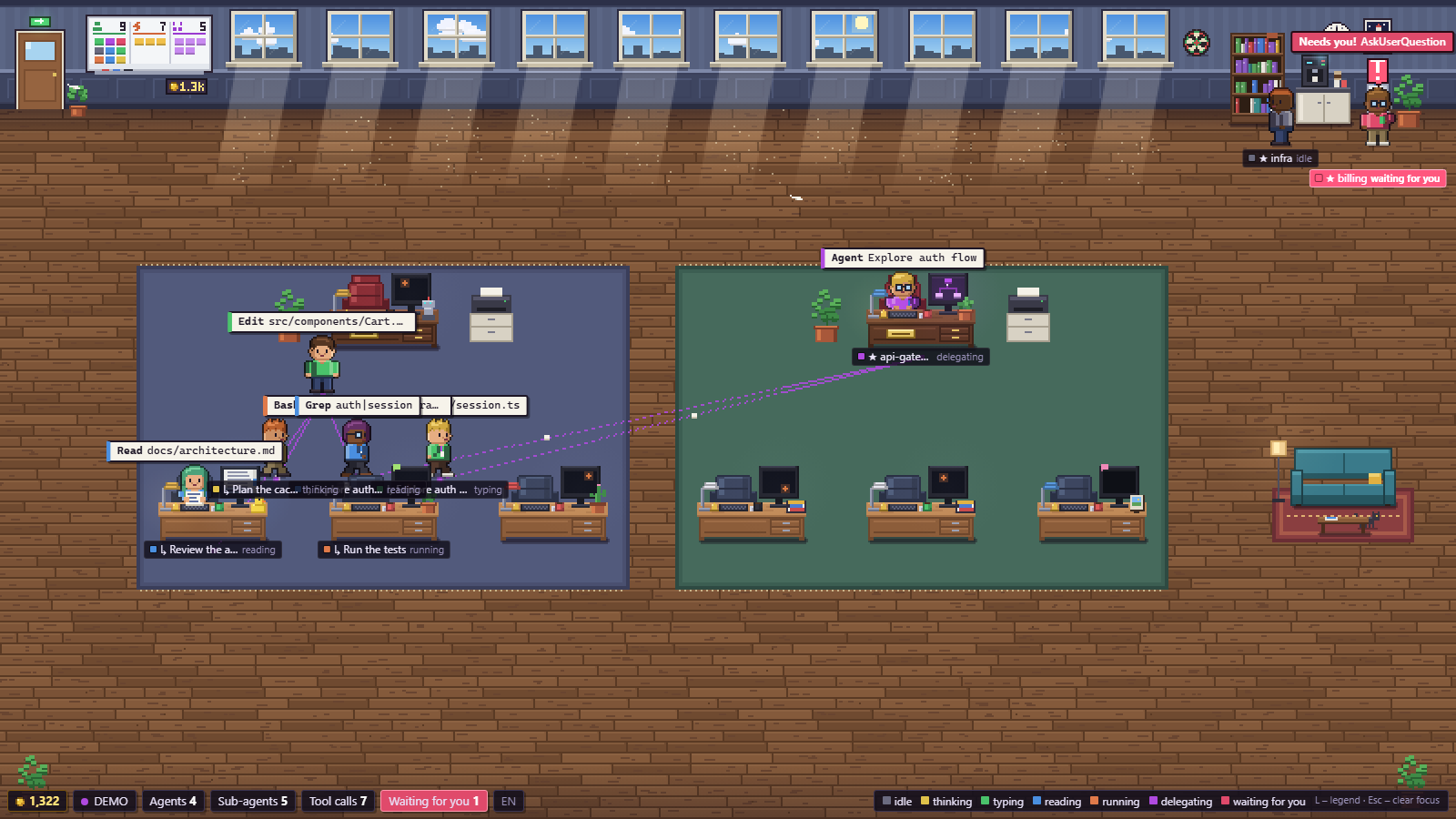
- One look tells you the state of everything. Each agent's shirt, monitor glow and name tag take the colour of what it is doing.
- Delegation you can actually see. Orchestrators walk over and hand paper to their sub-agents. Dotted lines on the floor show who works for whom.
- You never miss a question. An agent waiting on you (an
AskUserQuestion, or an "Allow Bash?" permission prompt) waves, its tag flashes red with "Allow Bash?", a little chime plays if you're looking at another window, and the desktop app sends a Windows notification. - Nothing to set up. No API keys and no hooks to install. It runs offline and only reads local files.
Features
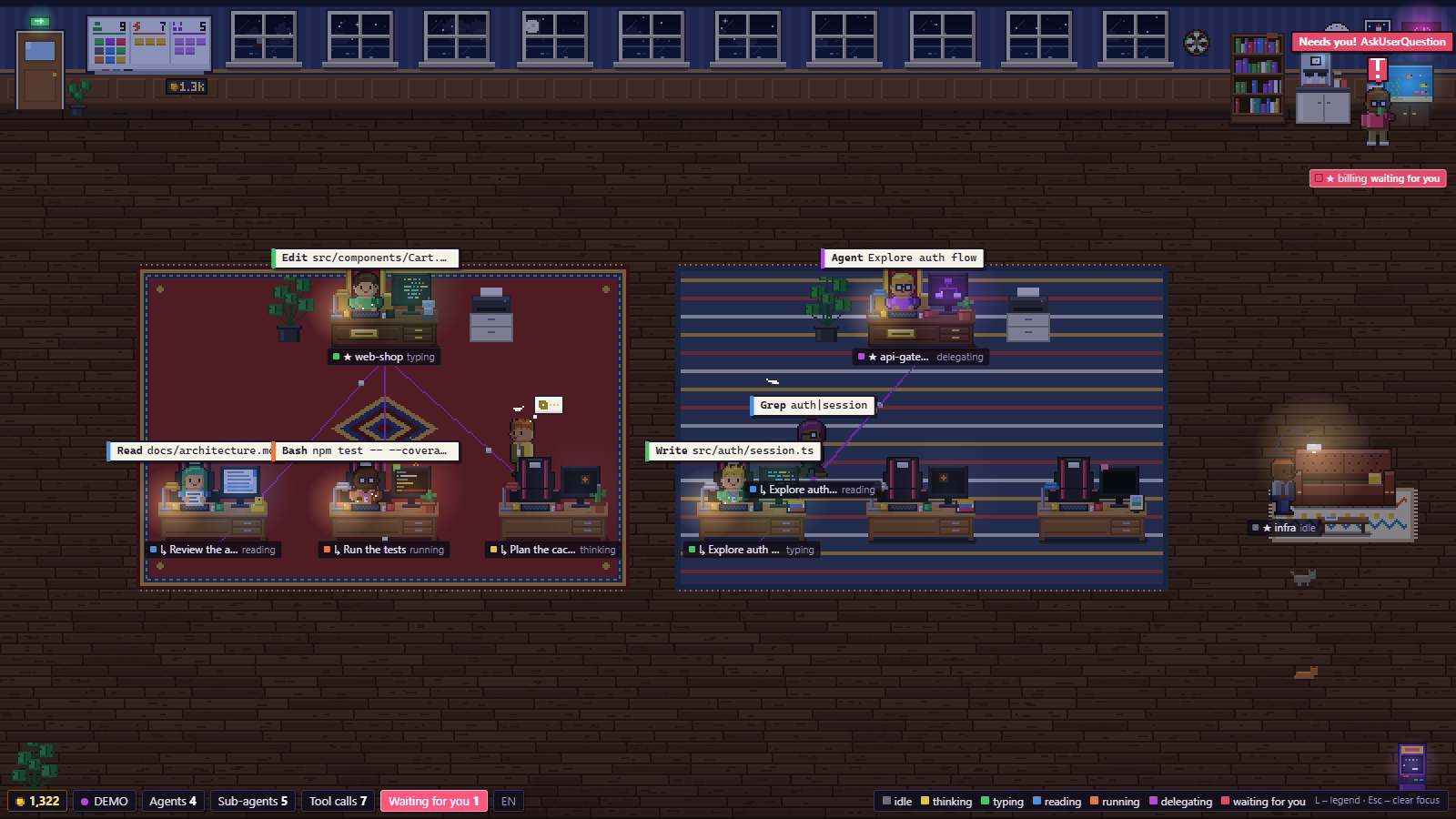
| 🧑💻 Teams | Each session (orchestrator) gets a lead desk with a ★ nameplate, and its sub-agents sit in rows of three below it. Up to two teams work at once. Extra sessions queue in the lounge and swap in when a lead goes idle. |
| 🎨 7 states | idle · thinking · typing · reading · running · delegating · waiting. Each one has its own poses, monitor content and particles. |
| 🛋️ Lounge | Idle sessions grab a coffee, play handheld games on the sofa, doze off or throw darts. Up to three pets roam the lounge: cats with coat patterns and a dog (beagle, golden, corgi, husky, dachshund…) that likes to sit next to whoever is resting. Hover a pet to see its name; click it to rename it. |
| 🌇 Real sky | The tall French windows follow the clock of your city (or your computer's clock): dawn, golden hour, night. Lamps, monitors and the neon sign glow after dark. |
| 🌧️ Real weather (optional) | Pick your city in the shop's Weather tab (or click the little weather station above the bookshelf) and the windows show the weather outside: clouds, rain running down the glass, snow on the ledge, fog, lightning. The room gets darker on grey days, and the station shows the temperature and the chance of rain. Data comes from Open-Meteo every 20 minutes; only the city's coordinates are sent. Until you pick a city, the app makes no requests to the internet at all. |
| 🪙 Tokens & shop | Active agents earn tokens. Spend them on ~50 decor items: floors, walls, rugs, sofas, a throne for the lead, a neon sign, an aquarium, an arcade cabinet, more cats, a dog and its breeds, nine cat coat patterns. There are also 14 achievements. |
| 🧍 Your avatar | Pick a man or a woman, the hairstyle, top (and skirt, trousers or dress for a woman), skin, hair colour and glasses of your own character: the first orchestrator in the office. Everyone else stays random (men and women, different hair, clothes, beards, skirts and dresses). |
| 🔔 Sound | An 8-bit ding-dong when an agent needs you (a question or a permission prompt) and a short fanfare when a session finishes after a minute or more of work. It only plays while you're looking at another window, and the bell in the bottom bar (or the tray menu) mutes it. In a browser it starts working after your first click on the page. |
| 🖥️ Desktop widget | A frameless, always-on-top Windows app above the tray, with a tray menu, Ctrl+Alt+P, notifications and start with Windows. |
| 🧩 Moddable art | Everything is drawn in code, but you can replace it with your own PNG character sheet and tileset without touching any code. |
Quick start
Requires Node.js 18+.
git clone https://github.com/rezored/cubicle-crew.git
cd cubicle-crew
npm install
npm start            # → http://localhost:4317
The first time you open it, a short setup asks whether the office starts with a cat or a dog (and its name) and which city you are in, for the clock and the weather. Both can be skipped and changed later in the shop.
Then start a Claude Code session anywhere. Its coworker walks in through the door.
No sessions running? Try the built-in simulations:
| URL | What you get |
|---|---|
/?demo |
Live simulation: two teams delegating, sessions coming and going, every state |
/?demo=showcase |
A frozen showcase with two teams, two queued sessions and all 7 states at once (good for screenshots) |
/?demo&agents=1 |
Simulation with a single orchestrator |
/?time=22:30 |
Fake the clock to see the office at night |
/?debug |
FPS, layout info and a log of the last events |
/?atlas=6 |
Every generated character sprite at ×6 |
Environment variables: PORT (default 4317), CLAUDE_PROJECTS_DIR (default ~/.claude/projects),CLAUDE_SESSIONS_DIR, PIXEL_OFFICE_HOME (where the save file lives, default ~/.pixel-office).npm run debug prints every parsed event and how each sub-agent was linked to its parent.
Controls: hover a character for details, click to focus it (spotlight and info card), L toggles the legend,B opens the shop and Esc clears the focus.
Language: English or Bulgarian. It follows your system language. To switch, click the EN/БГ chip in the HUD, add ?lang=en or ?lang=bg to the URL, or use the tray menu in the desktop app.
Desktop widget (Windows)
Easiest: grab CubicleCrew-Setup-<version>.exe from the latest release and run it.
From source:
npm run desktop      # run the Electron app from source
npm run dist         # build the installer → release/CubicleCrew-Setup-<version>.exe
The widget runs its own server, so you don't need a browser or npm start. It sits in the bottom-right corner above
the tray and stays on top of other windows. Hover it to show a drag bar with settings, pin, click-through, hide and
quit buttons. It widens itself when a second team shows up.Ctrl+Alt+P shows or hides it from anywhere. The tray menu has notifications, sound, start with Windows, demo mode and size reset.
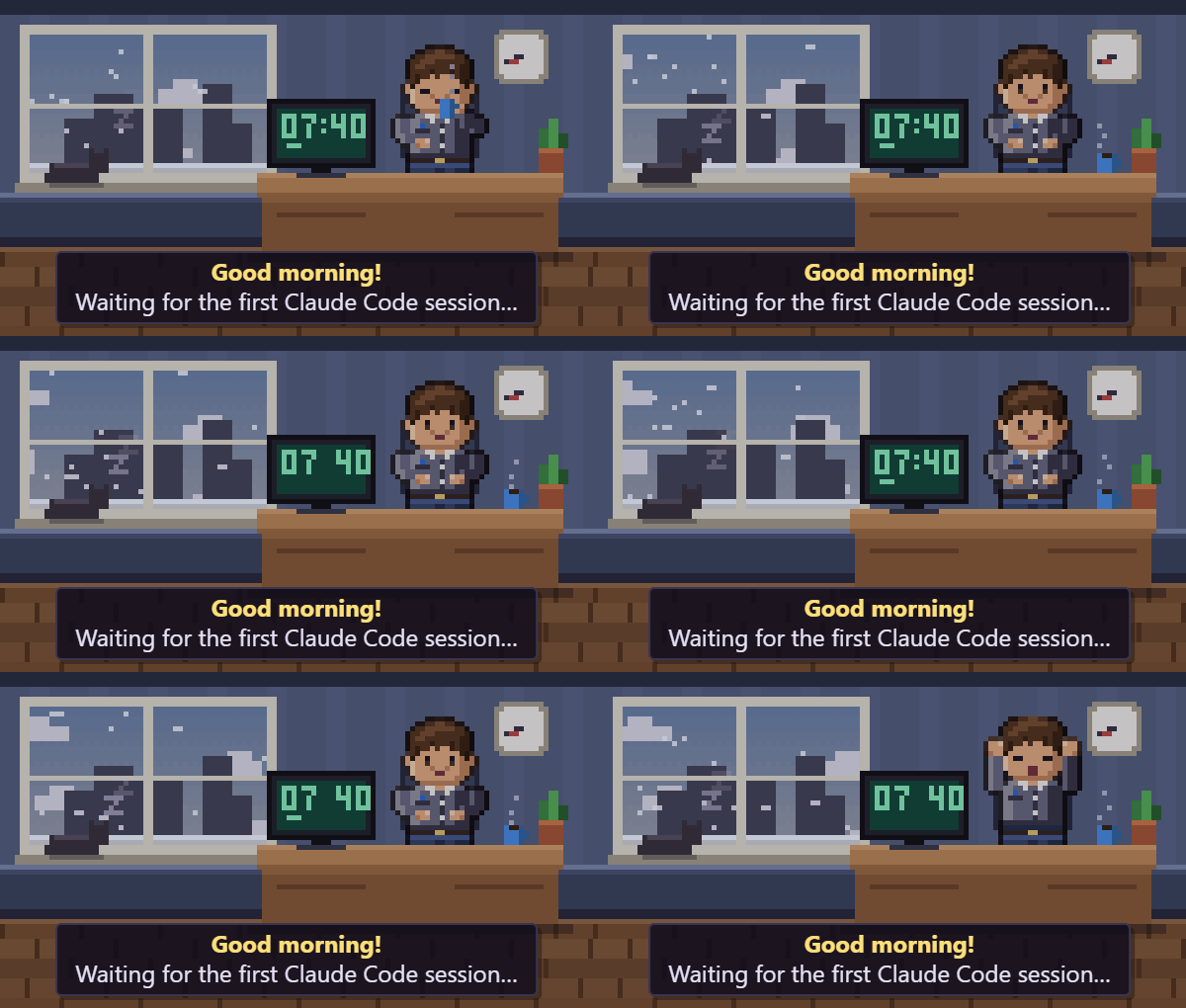
The installed app starts with Windows by default. Whenever it starts and no Claude Code session is open yet, it waits in a small window above the tray with a morning scene (your avatar with a coffee, your pet asleep on the sill, the sky at the real time of day); when a session appears, or you click it, it opens into the full office. You can turn off either part in the tray menu: Start with Windows and Small window until the first session.
How it works
~/.claude/projects/**/*.jsonl  ──tail──▶  server.js  ──WebSocket──▶  browser / Electron
~/.claude/sessions/<pid>.json  ──poll──▶     │                         │
                                         wallet.js                  canvas scene
                                  (~/.pixel-office/save.json)     (vanilla ES modules)
- Server (
server.js): polls transcripts touched in the last hour and turns each line into small events
(tool_start,tool_end,say,user_prompt). It links sub-agents to their parent throughsubagents/agent-<id>.meta.jsonfirst, then the session id, then a timing heuristic. It also reads~/.claude/sessionsevery second to know which sessions are still open, which are busy and which are waiting for you. Old history isn't replayed on start. - Tool → state:
Edit/Write→ typing,Read/Grep/WebFetch→ reading,Bash→ running,Task/Agent→ delegating,AskUserQuestion→ waiting. 8 seconds of silence → idle, unless Claude Code still reports the session as busy (it's thinking or writing a long reply). You can change the mapping inpublic/rules.js. - Permission prompts never reach the transcript, but Claude Code marks the session as
waiting(waitingFor: "permission prompt")
while one is on screen. The agent that started the last tool turns red until you answer, and goes back to work the moment you click Allow. - Client (
public/): plain ES modules with no build step. The scene is drawn on a low-resolution canvas and scaled
up by whole device pixels, so it stays crisp at any DPI. All text is HTML laid over the canvas. - Tokens: earned on the server every 5 seconds: about 1 per active orchestrator minute, half for sub-agents,
plus bonuses for finished tasks. Even if several Cubicle Crew windows are open, only one of them counts.
The save file is written atomically and keeps a backup.
The WebSocket protocol and module map are documented in CLAUDE.md. The token economy and shop design
are in docs/gamification.md.
How is this different from Pixel Agents?
Pixel Agents is a great VS Code extension with a similar idea. Cubicle Crew goes in a different direction:
- Standalone. It runs as a desktop widget or in any browser, next to whatever editor or terminal you use, with no VS Code required.
- A small idle game. Your agents earn tokens, and you spend them on furniture, pets and decor. There are also achievements and an avatar.
- The office reacts to your whole setup. Teams per session, a queue in the lounge when more than two sessions work, and a day/night sky that follows your local clock.
- Zero assets. Every sprite and piece of furniture is drawn in code, so there's nothing to buy or download, and you can still drop in your own tileset.
Custom sprites
Drop PNGs into public/sprites/ and reload the page:
characters.png: 24×32 cells, one row per pose in the order ofPOSE_ORDERinsprites.js(open/?atlasto get a ready-made template).
Paint the shirt in the key colours#ff80ff/#ff00ff/#a000a0and they get recoloured with the state colour.tiles.png+tiles.json: mapname → {x, y, w, h}for furniture and floors (desk,chair,monitor,sofa_back, …).
For a shop item that isn't the default, usename@itemId(for example[email protected]). Anything you don't provide stays procedural.
Known limitations
- The JSONL transcript format isn't an official API. If parsing ever breaks,
npm run debugshows what's happening. - Without the session status (older Claude Code versions), an agent counts as idle after 8 seconds without new transcript lines, so long thinking looks like a break.
- Permission prompts are only seen through the session status, so older Claude Code versions that don't write it only show
waitingforAskUserQuestion. - The installer only targets Windows x64 for now. The browser version runs anywhere Node does.
Tech
Node.js, the ws library and Electron for the desktop build. That's all.
There are no image assets, fonts, CDNs or frameworks: every pixel, from the characters to the aquarium fish, is drawn in code.
License
MIT © Kalin Dimitrov
Formerly “Pixel Office”. Not affiliated with Anthropic. "Claude" and "Claude Code" are trademarks of Anthropic.
Yorumlar (0)
Yorum birakmak icin giris yap.
Yorum birakSonuc bulunamadi