ghostty-pane-splitter
Health Gecti
- License — License: MIT
- Description — Repository has a description
- Active repo — Last push 0 days ago
- Community trust — 15 GitHub stars
Code Gecti
- Code scan — Scanned 5 files during light audit, no dangerous patterns found
Permissions Gecti
- Permissions — No dangerous permissions requested
This is a CLI utility that automates pane splitting in the Ghostty Terminal by simulating keyboard inputs. It is designed to help developers quickly set up multi-pane layouts for running AI coding agents, editors, and dev servers simultaneously.
Security Assessment
Overall Risk: Low. The tool operates locally by simulating keystrokes to arrange terminal windows and does not read or exfiltrate sensitive data. A light code scan across 5 files found no dangerous patterns, hardcoded secrets, or required dangerous permissions. There is no indication of unauthorized network requests, though by design, it does execute shell-level interactions to automate your desktop environment.
Quality Assessment
The project demonstrates strong health and maintenance signals. It is actively maintained, with repository activity as recent as today. The code is openly licensed under the standard MIT license, making it highly accessible for personal and commercial use. Community trust is currently modest but positive, backed by 15 GitHub stars. It also features Continuous Integration (CI) and is distributed via standard, reputable package managers like Homebrew and Rust's cargo.
Verdict
Safe to use.
CLI Tool to split pane on Ghostty Terminal
ghostty-pane-splitter



CLI tool to split panes on Ghostty Terminal.
Automates Ghostty's pane splitting by simulating keyboard inputs via enigo, enabling cross-platform support (macOS / Linux).
Use with AI Coding Agents
Ghostty is becoming the terminal of choice for CLI-based AI coding agents like Claude Code and Codex CLI. Use ghostty-pane-splitter to instantly set up multi-pane layouts — run your AI agent in one pane, your editor in another, and a dev server in a third, all with a single command.
# 3-pane layout: Left: AI agent, Right-top: editor, Right-bottom: terminal
ghostty-pane-splitter 1,2

# 4-pane layout for running multiple agents in parallel with git worktrees
ghostty-pane-splitter 4
Running multiple AI agents in parallel with git worktrees is a popular productivity pattern. ghostty-pane-splitter lets you set up multi-agent layouts instantly — no tmux required.
Usage
ghostty-pane-splitter <LAYOUT>
<LAYOUT> accepts a pane count, a grid spec (COLSxROWS), or a custom column layout (comma-separated row counts per column).
# Split into 4 panes (2x2 grid)
ghostty-pane-splitter 4

# Split into 6 panes (3x2 grid)
ghostty-pane-splitter 6

# Split into 2 cols x 3 rows
ghostty-pane-splitter 2x3

# Custom layout: left 1 pane, right 3 panes
ghostty-pane-splitter 1,3

# Custom layout: 3 columns with 2, 1, 3 rows
ghostty-pane-splitter 2,1,3

# Show version
ghostty-pane-splitter --version

# Show help
ghostty-pane-splitter --help
Layout examples
| Input | Result | Description |
|---|---|---|
2 |
2x1 | 2 columns |
4 |
2x2 | 2x2 grid |
6 |
3x2 | 3 cols x 2 rows |
9 |
3x3 | 3x3 grid |
2x3 |
2x3 | Explicit grid spec |
1,3 |
1+3 | Left: 1 pane, Right: 3 panes |
2,1,3 |
2+1+3 | 3 columns with 2, 1, 3 rows |
Installation
Homebrew (macOS)
brew install rikeda71/tap/ghostty-pane-splitter
curl (GitHub Releases)
# macOS (Apple Silicon)
curl -fsSL https://github.com/rikeda71/ghostty-pane-splitter/releases/latest/download/ghostty-pane-splitter-aarch64-apple-darwin.tar.gz | tar xz
sudo mv ghostty-pane-splitter /usr/local/bin/

# macOS (Intel)
curl -fsSL https://github.com/rikeda71/ghostty-pane-splitter/releases/latest/download/ghostty-pane-splitter-x86_64-apple-darwin.tar.gz | tar xz
sudo mv ghostty-pane-splitter /usr/local/bin/

# Linux (x86_64)
curl -fsSL https://github.com/rikeda71/ghostty-pane-splitter/releases/latest/download/ghostty-pane-splitter-x86_64-unknown-linux-gnu.tar.gz | tar xz
sudo mv ghostty-pane-splitter /usr/local/bin/
Cargo
cargo install ghostty-pane-splitter
From source
git clone https://github.com/rikeda71/ghostty-pane-splitter.git
cd ghostty-pane-splitter
cargo install --path .
Note: Linux requires
libxdo-dev(sudo apt install libxdo-dev)
Configuration
This tool reads keybindings directly from your Ghostty config file. Add the following keybindings to your Ghostty config:
keybind = super+d=new_split:right
keybind = super+shift+d=new_split:down
keybind = super+ctrl+right_bracket=goto_split:next
keybind = super+ctrl+left_bracket=goto_split:previous
keybind = super+ctrl+shift+equal=equalize_splits
Ghostty config file locations:
- macOS:
~/Library/Application Support/com.mitchellh.ghostty/config - Linux:
~/.config/ghostty/config
The tool will show an error if the config file is not found or required keybindings are missing.
Important: After adding or changing keybindings, you must restart Ghostty for the changes to take effect. The tool will work correctly once Ghostty is relaunched with the updated config.
Tip (Ghostty 1.3.0+): By default, new splits inherit the working directory of the current pane. You can control this behavior with the
split-inherit-working-directoryconfig option. Set it tofalseif you prefer new splits to always start in the home directory.split-inherit-working-directory = false
Demo
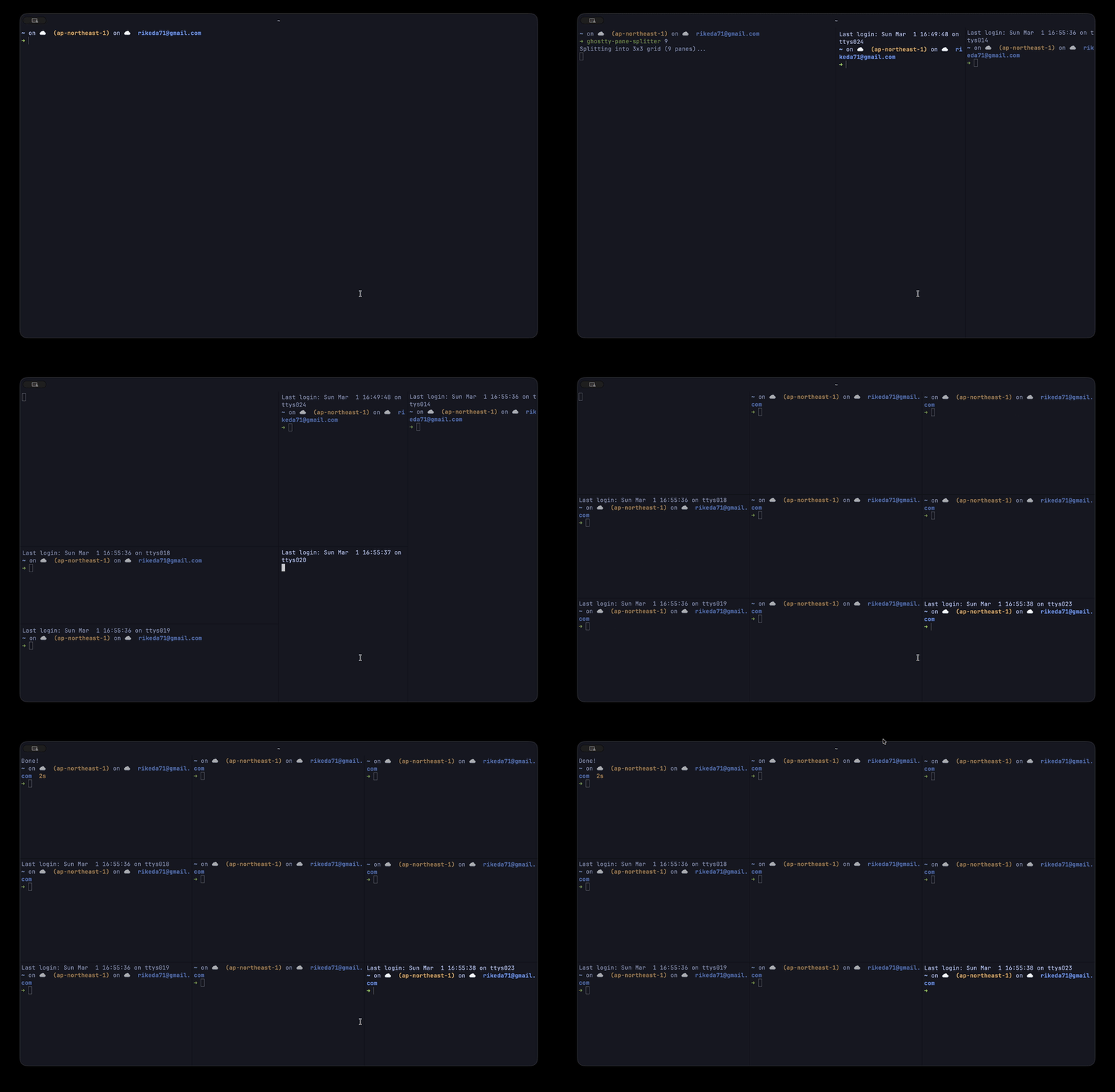
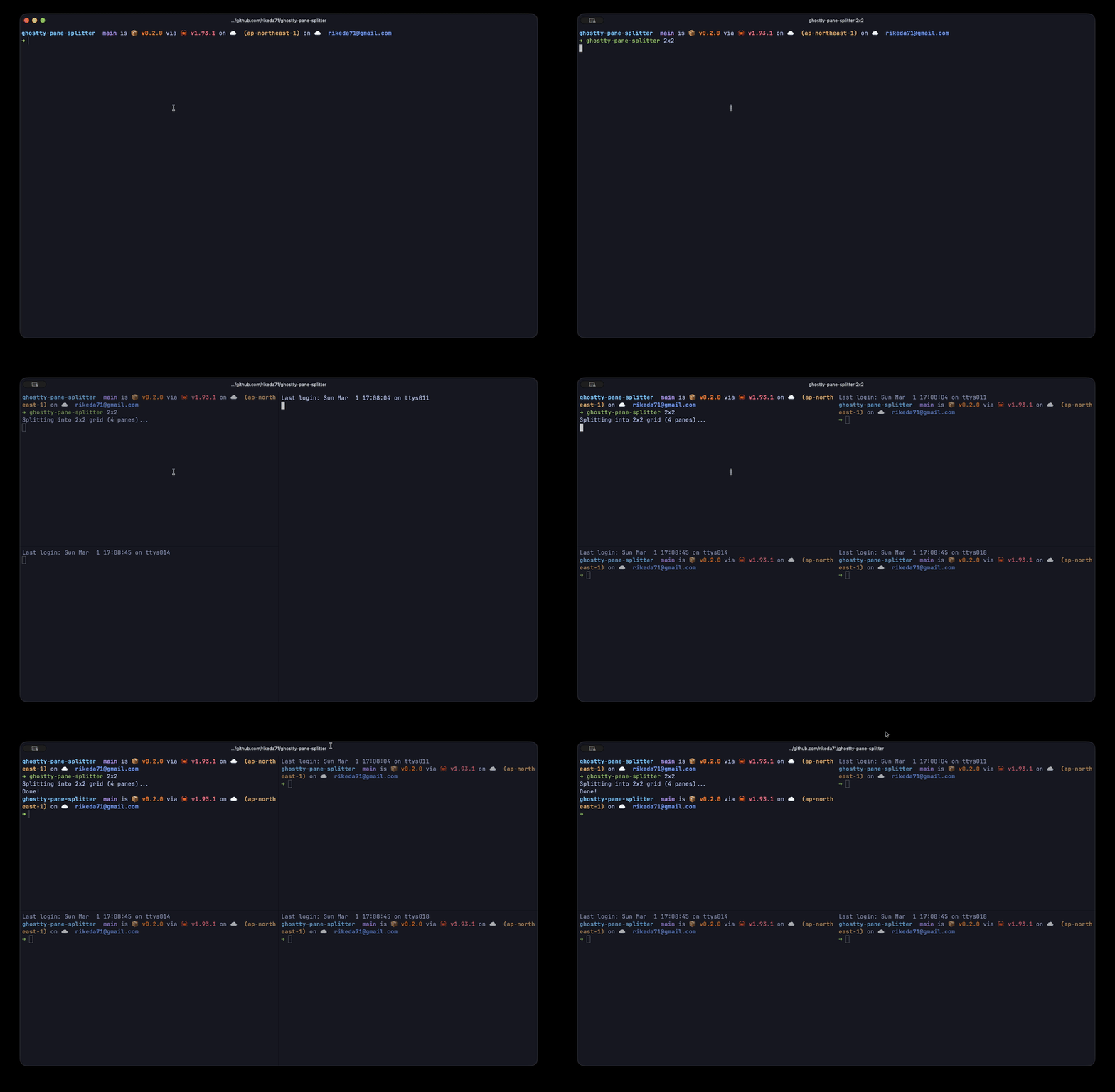
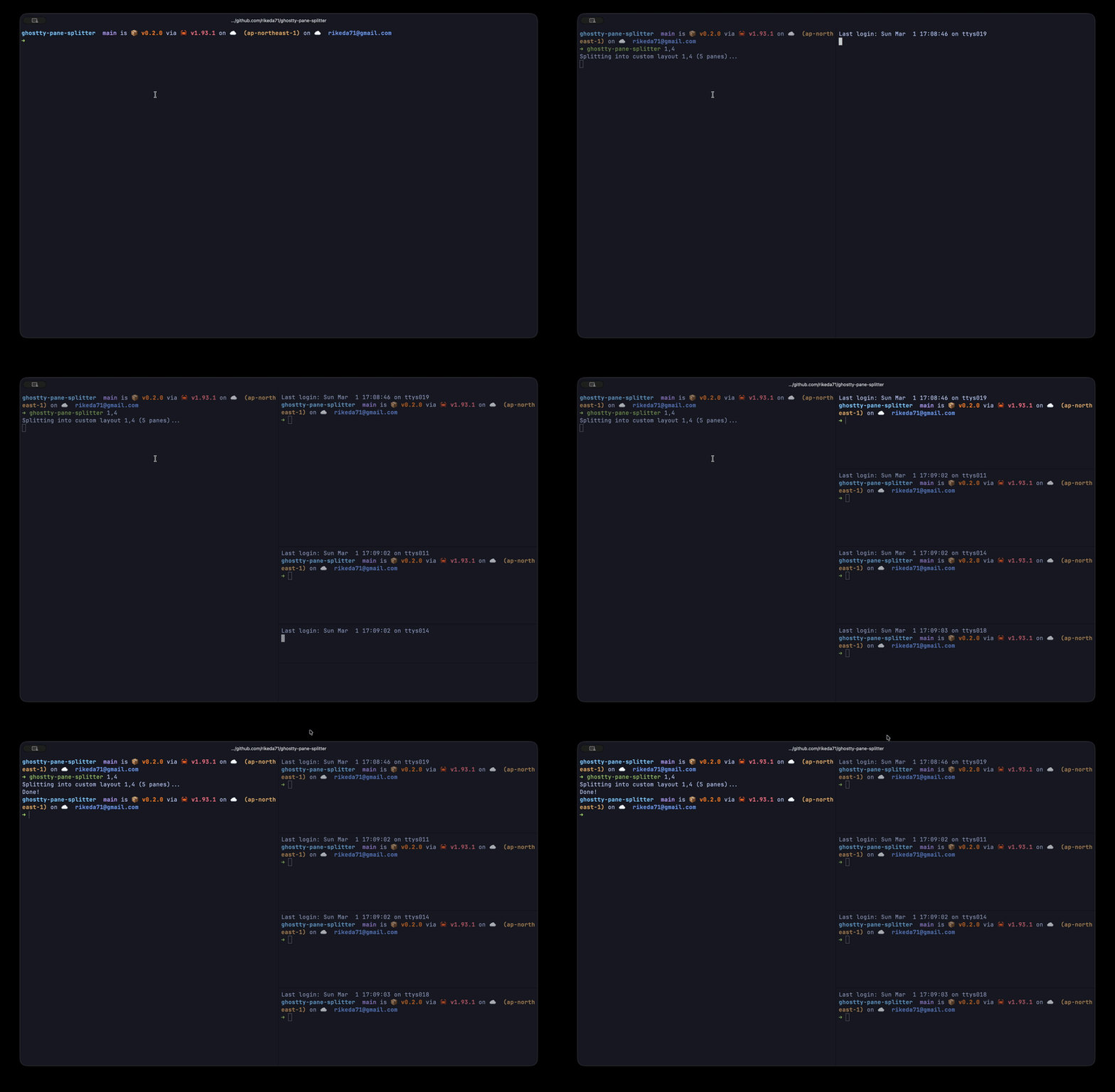
| Type | Command | Demo |
|---|---|---|
| Number | ghostty-pane-splitter 9 |
|
| Grid | ghostty-pane-splitter 2x2 |
 |
| Custom | ghostty-pane-splitter 1,4 |
 |
Requirements
- Ghostty terminal
- Linux:
libxdo-dev(sudo apt install libxdo-dev)
License
Yorumlar (0)
Yorum birakmak icin giris yap.
Yorum birakSonuc bulunamadi