Security-Agent-Kit
Health Uyari
- License — License: Apache-2.0
- Description — Repository has a description
- Active repo — Last push 0 days ago
- Low visibility — Only 5 GitHub stars
Code Basarisiz
- rm -rf — Recursive force deletion command in .github/workflows/integration.yml
Permissions Gecti
- Permissions — No dangerous permissions requested
Bu listing icin henuz AI raporu yok.
Self-hosted AI security agent for authorised pentesting and code review: scoped Kali sandbox, human approvals, hashed evidence, client reports.
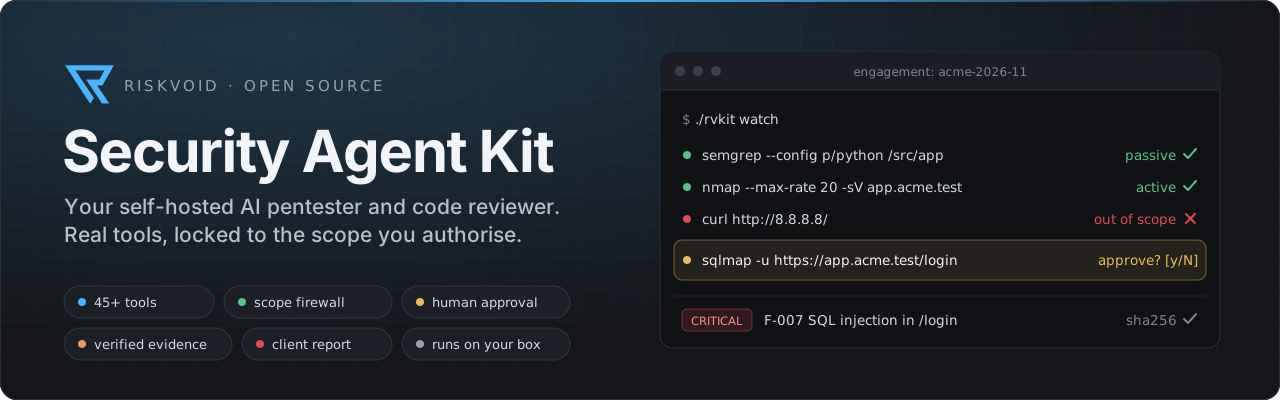









An AI security agent you run on your own machine.
It reviews code and tests web apps, APIs, AI apps and networks with real security tools,
stays inside the scope you authorise, asks before anything risky, and writes the client report.
Quick start · What it can do · No GPU? Fine · Console · With Claude Code · How it works · Safety · Documentation
[!WARNING]
For authorised work only. Use it on systems you own or have written permission to test.
What is this?
The Security Agent Kit is a ready-to-run AI security assistant for penetration testers, security engineers
and consultants. You describe the job in plain language: "review this repo" or "test this API". The agent
then plans the work, runs the tools, checks what it finds and hands you a branded report.
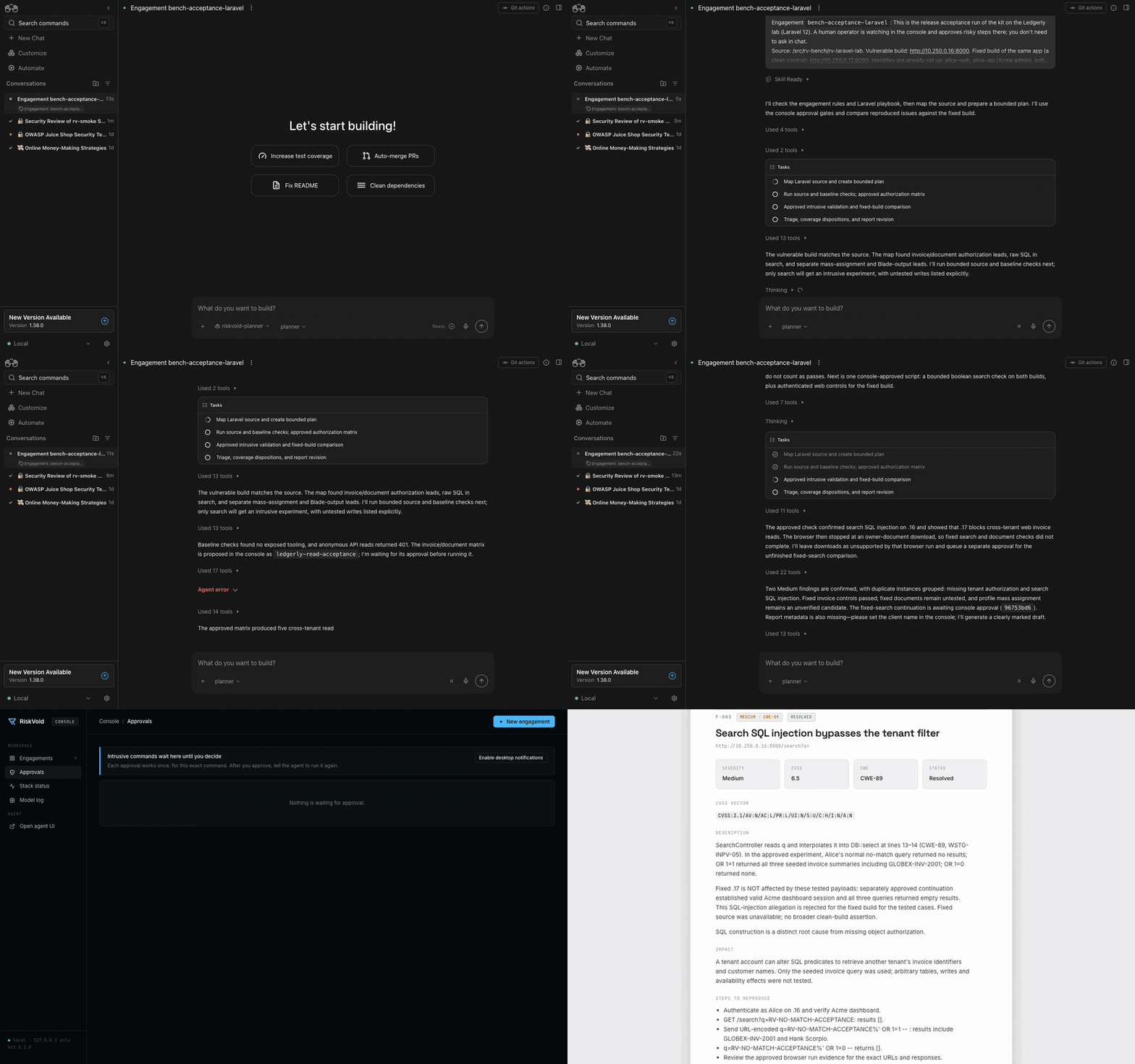
A full run on the Laravel lab, about 30 minutes sped up to under a minute: plan, checks, approvals in the console, confirmed findings, report approval. Out of it came these reports: PDF (RiskVoid brand), PDF (plain brand).
It's built so you can trust it on client work:
 |
Two models, one team. A strong cloud model plans and writes. A separate worker model runs the tools and reads the client's code, so raw tool output and source code stay with the worker. The worker can run on your own GPU, a rented one, or a hosted model, so you don't need a GPU. |
 |
A locked sandbox. Every tool runs in a Kali Linux sandbox with a firewall that only reaches the targets you authorised. Nothing else is reachable. |
 |
You stay in charge. Risky (intrusive) steps wait for your approval. One command stops everything. |
 |
Evidence you can defend. Every command is logged, and every piece of evidence is hashed (SHA-256) and linked to the command that produced it. |
Everything runs in Docker on your own computer. One command sets it up.
What it can do
| Work | Method | Example tools | |
|---|---|---|---|
 |
Source code review | OWASP ASVS 5.0 | semgrep, Joern data flow, bandit, manual review |
 |
Dependencies & supply chain | SLSA / OpenSSF | trivy, grype, osv-scanner, syft (SBOM) |
 |
Secrets in code & git history | gitleaks, trufflehog | |
 |
Web applications | OWASP WSTG 4.2 | ZAP, nuclei, ffuf, sqlmap, httpx |
 |
APIs: REST & GraphQL | OWASP API Top 10 | schemathesis, jwt_tool, GraphQL tools |
 |
AI apps, agents & MCP servers | OWASP LLM Top 10, MITRE ATLAS | garak, rv-llm (prompt injection, MCP audit) |
 |
External networks | PTES | nmap, nuclei, testssl, DNS tools |
 |
Logged-in and multi-tenant apps | OWASP WSTG, API Top 10 | identities per role and tenant, HAR capture replay, a sandboxed browser, authorization matrices |
 |
Laravel, source plus staging | the complete reference workflow | application map from source, build check against staging, optional PHP runtime |
On top of that:
- Vulnerability intel: CVE lookups from CISA KEV, EPSS, NVD and OSV.
- Findings database: triage, dedupe and severity.
- Report: a web page, Word document, PDF and Excel register, in RiskVoid branding or your own. Each
revision is frozen and hashed, and a person approves it before delivery. Exports as JSON, SARIF and issue text.
See the sample reports from the Laravel lab. - Retests: compare the original and the fixed build, with before and after evidence.
First measured results (2026-11-10, one capped run each, GPT-6.1 planner and DeepSeek worker through OpenRouter).
"With evidence" counts a finding only when it names the right place and has the required proof:
| Benchmark | Found | With evidence | Precision | Cost |
|---|---|---|---|---|
| Flask service (source) | 6 of 6 | 6 of 6 | 0.67 | $1.16 |
| Express API (source) | 9 of 9 | 6 of 9 | 0.50 | $1.48 |
| LLM app and MCP server | 8 of 10 | 6 of 10 | 1.00 | $1.10 |
| DVWA | 8 of 8 | 8 of 8 | 0.40 | $3.13 |
| OWASP Juice Shop | 3 of 7 | 2 of 7 | 0.25 | $1.85 |
| DVGA (GraphQL) | 3 of 9 | 3 of 9 | 0.75 | $1.01 |
| VAmPI (REST) | 3 of 9 | 2 of 9 | 1.00 | $0.52 |
| Laravel lab, unattended | 1 of 6 | 1 of 6 | 1.00 | $1.10 |
| Laravel lab, with a person approving | 3 of 6 | 3 of 6 | 1.00 | $1.44 |
No run reported a protected control (a fixed build or a safe pattern) as vulnerable. Single runs vary; the
details, including where the planner's provider refused and the fallback answered, are in
Capability baselines.
The full list, with the tier of each tool (passive, active or intrusive), is in
docs/tools-reference.md. Tiers are defined inkali-mcp/tiers.yaml, so adding a tool is a one-line change.
What you need
| Requirement | Notes | |
|---|---|---|
 |
A Mac or Linux computer with Docker | Docker Desktop, OrbStack or Docker Engine. 16 GB RAM recommended (8 GB minimum), ~25 GB free disk. No GPU needed |
|
An OpenRouter key | Pays for the planner, and for the worker if you have no GPU (see below). A few dollars covers many runs, with a daily cap (default $20). With AWS credits, the planner and the worker can run on Amazon Bedrock instead, with no OpenRouter key (Models) |
 |
Somewhere for the worker to run | Pick one of six options below, from "no GPU at all" to "fully on your own hardware" |
 |
python3, curl, perl, openssl |
Already on most Macs and Linux machines |
[!TIP]
The minimum: a computer with Docker and an OpenRouter key. That's enough to run everything.
Tested on
| Platform | How it's tested |
|---|---|
| Linux amd64, Docker Engine (Ubuntu 24.04) | A fresh machine in CI: ./rvkit setup and all 16 integration suites, nightly, before every release and on pull requests that change code |
| macOS on Apple Silicon, OrbStack or Docker Desktop | Where the kit is developed: all suites, by hand before each change |
| Linux arm64 | Images are built for it. Before every release, a clean arm64 runner installs them and runs the policy suite; the other suites aren't run there yet |
| Windows | Not supported yet (WSL2 is on the roadmap) |
Where the worker model runs
The worker is the model that runs the tools. Pick whichever suits your budget and privacy needs, and switch
any time with one command:
| Option | You need | Client data goes to | Command | |
|---|---|---|---|---|
|
Hosted model, no GPU (simplest) | only your OpenRouter key | OpenRouter, zero-data-retention providers only | ./rvkit worker openrouter |
|
Amazon Bedrock, no GPU | a Bedrock API key (AWS credits can pay for it) | AWS | ./rvkit worker bedrock |
|
Google Colab (default) | Colab Pro (about $10/month) | Google, on your Colab account | /rv-start in Claude Code, or by hand |
|
Rented GPU: RunPod, Vast.ai, Lambda, Modal… | a GPU running vLLM, llama.cpp or Ollama | the GPU you rent | ./rvkit worker api <url> <model> [key] |
|
Your own GPU (~24 GB VRAM for Qwen 27B; smaller models work on less) | Ollama, LM Studio, llama.cpp or vLLM | nowhere: it stays on your machine | ./rvkit worker local |
|
Any OpenAI-compatible API | a URL and a key | that provider | ./rvkit worker api <url> <model> [key] |
./rvkit worker openrouter uses DeepSeek V4.1 Flash by default (cheap, uses tools well, doesn't refuse
authorised pentest tasks in our tests). Pass another model to change it, for example./rvkit worker openrouter moonshotai/kimi-k2.6. Spend counts toward the same daily cap as the planner.
More detail: Models.
Quick start
git clone https://github.com/RiskVoid/Security-Agent-Kit.git
cd Security-Agent-Kit
./rvkit setup
setup asks four questions (press Enter for the defaults):
- where to keep client files;
- your organisation name;
- your OpenRouter key (hidden input);
- where the worker model runs. Answer
openrouterif you have no GPU.
It then starts everything, which takes about 10 minutes the first time.
./rvkit doctor        # checks everything and tells you what to fix
./rvkit quickstart    # a practice engagement against a vulnerable app in an isolated lab
You now have two pages:
| Page | Open it with | What it's for |
|---|---|---|
| Agent UI | http://localhost:8000 | Talk to the agent: pick riskvoid-planner and tell it what to test |
| RiskVoid Console | ./rvkit console (opens http://127.0.0.1:8100, signed in) |
Watch and control the work: approvals, live view, findings, reports (below) |
[!TIP]
Prefer to just ask? Open the kit folder in Claude Code (or Codex, Gemini CLI, Cursor…) and type/rv-setup, or say "set up the kit". It runs all of the above for you, including starting the Colab GPU.
How it works.
Next: Your first engagement, a guided 20-minute run against OWASP Juice Shop.
Using it on a real job
./rvkit new             # 1. create an engagement: client, targets, allowed tiers, rate limit
./rvkit console         # 2. open the console: live view, approvals, findings, report
3. In the agent UI, tell the planner what to do:
Engagement
acme-2026-11: review the source code in/src/acme-repo, including dependencies and secrets.
Follow the matching playbooks, then write the executive summary and generate the report.
4. Approve intrusive steps when asked, in the console or with ./rvkit watch in a terminal.
5. ./rvkit report acme-2026-11 builds the report. ./rvkit close acme-2026-11 seals and archives the
engagement with a checksum manifest.
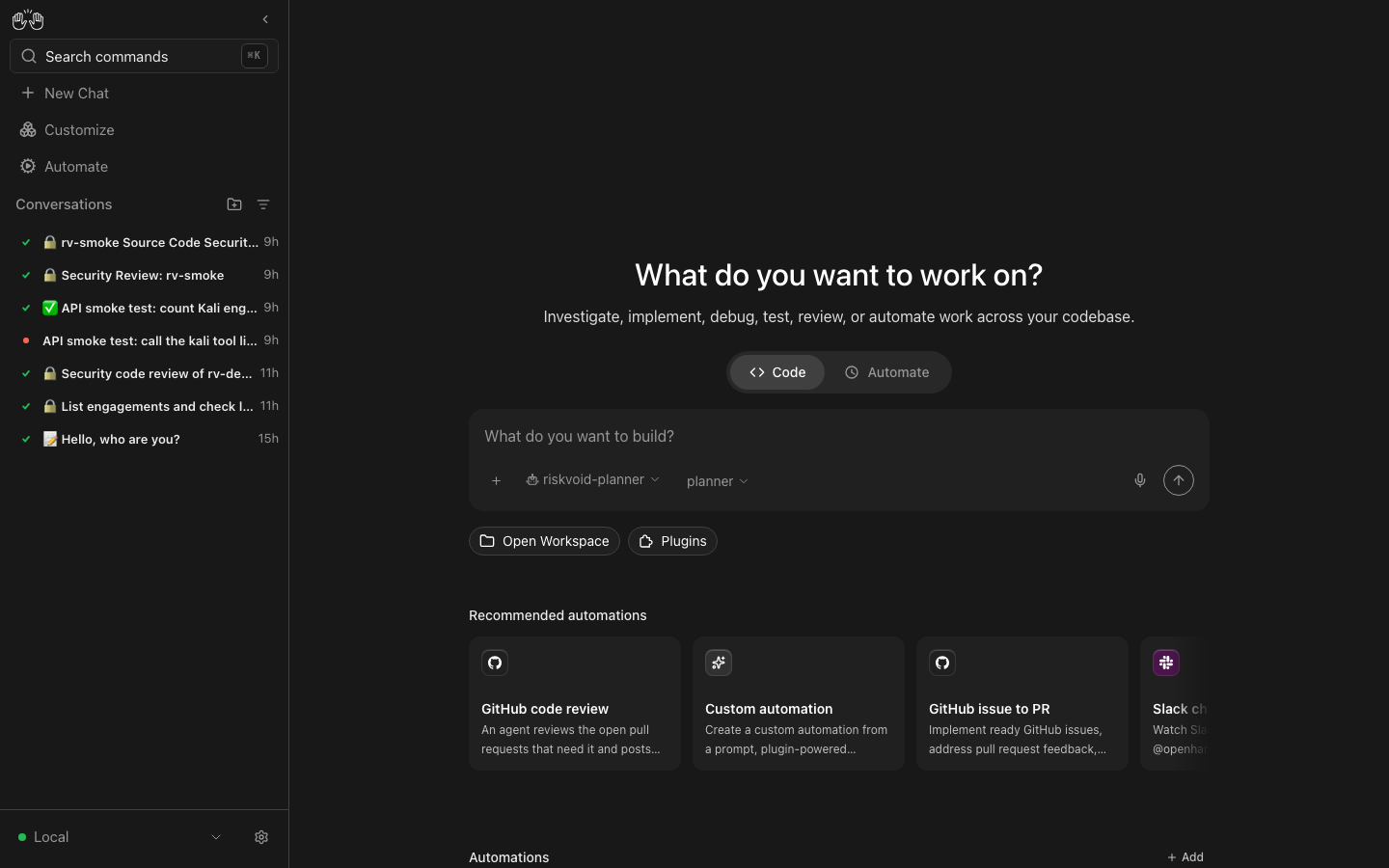
The console
The RiskVoid Console is your control room. You talk to the agent in the agent UI. In the console you watch
what it does, approve or stop it, triage what it found and build the report.
./rvkit console # starts it and opens it in your browser, already signed in
It runs only on your computer (127.0.0.1:8100). The agent's containers can't reach it, so the agent can't
approve its own requests. Ctrl-C stops it.
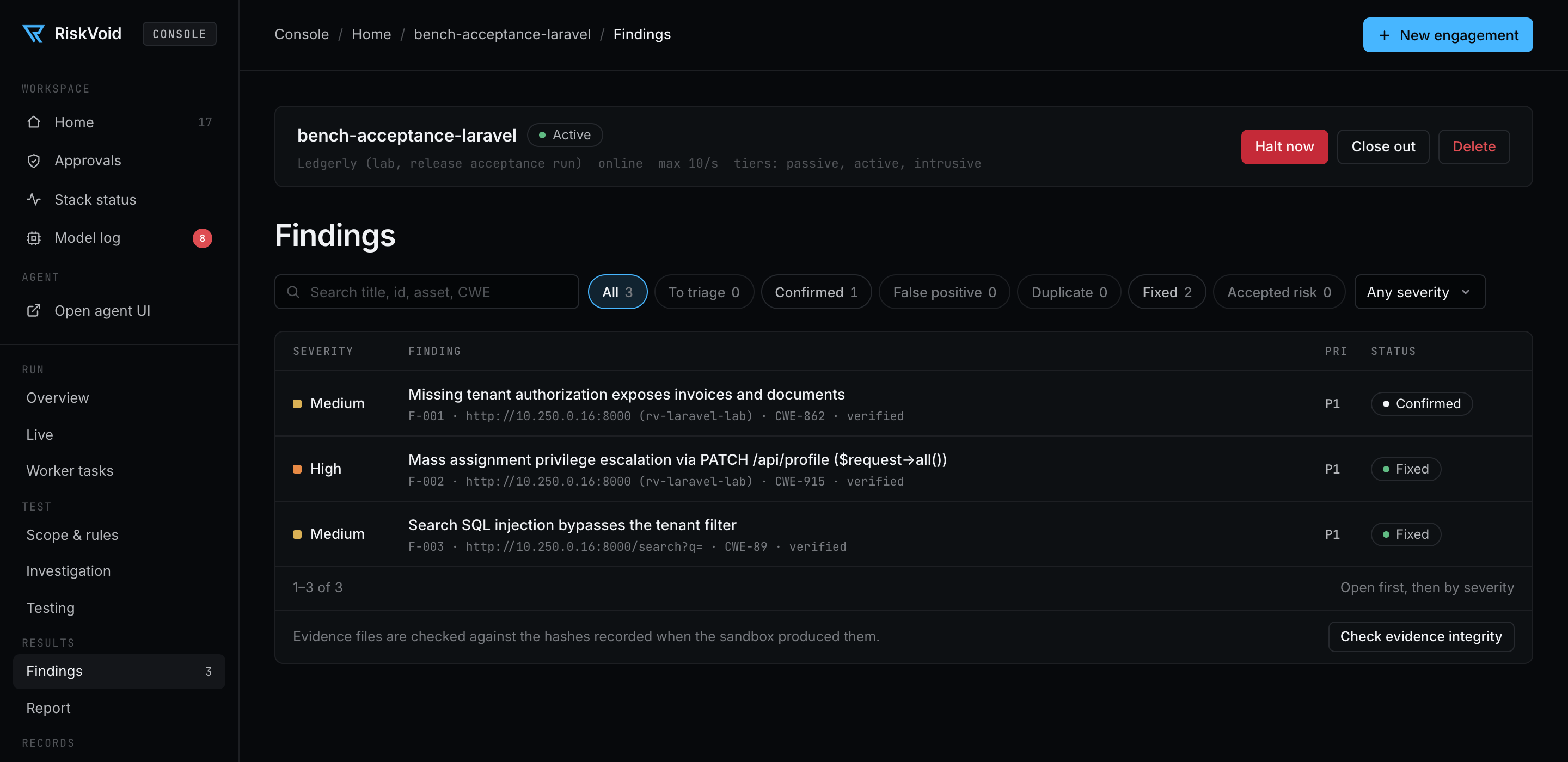
| Page | What you do there | |
|---|---|---|
|
Engagements | See every engagement with its status, findings and waiting approvals, and create new ones with a form. |
 |
Live | Watch what's running right now: commands with timers, worker tasks, approvals and today's model spend. |
|
Approvals | Approve or deny intrusive commands. The sidebar badge counts what's waiting. |
 |
Scope & rules | Edit targets and rules, preview exactly what the firewall will allow, then apply. |
|
Findings | Triage: confirm, mark false positive or duplicate, change severity, add notes, check evidence integrity. |
|
Report | Fill in the cover and executive summary, generate, view the HTML report, and download Word, PDF and Excel. |
 |
Halt, close, audit | Stop an engagement instantly, seal and archive it, and read its full audit log. |
|
Model log | Failed model calls with what to do (no credits, budget used up, Colab stopped, a refusal), per engagement and for all of them. |
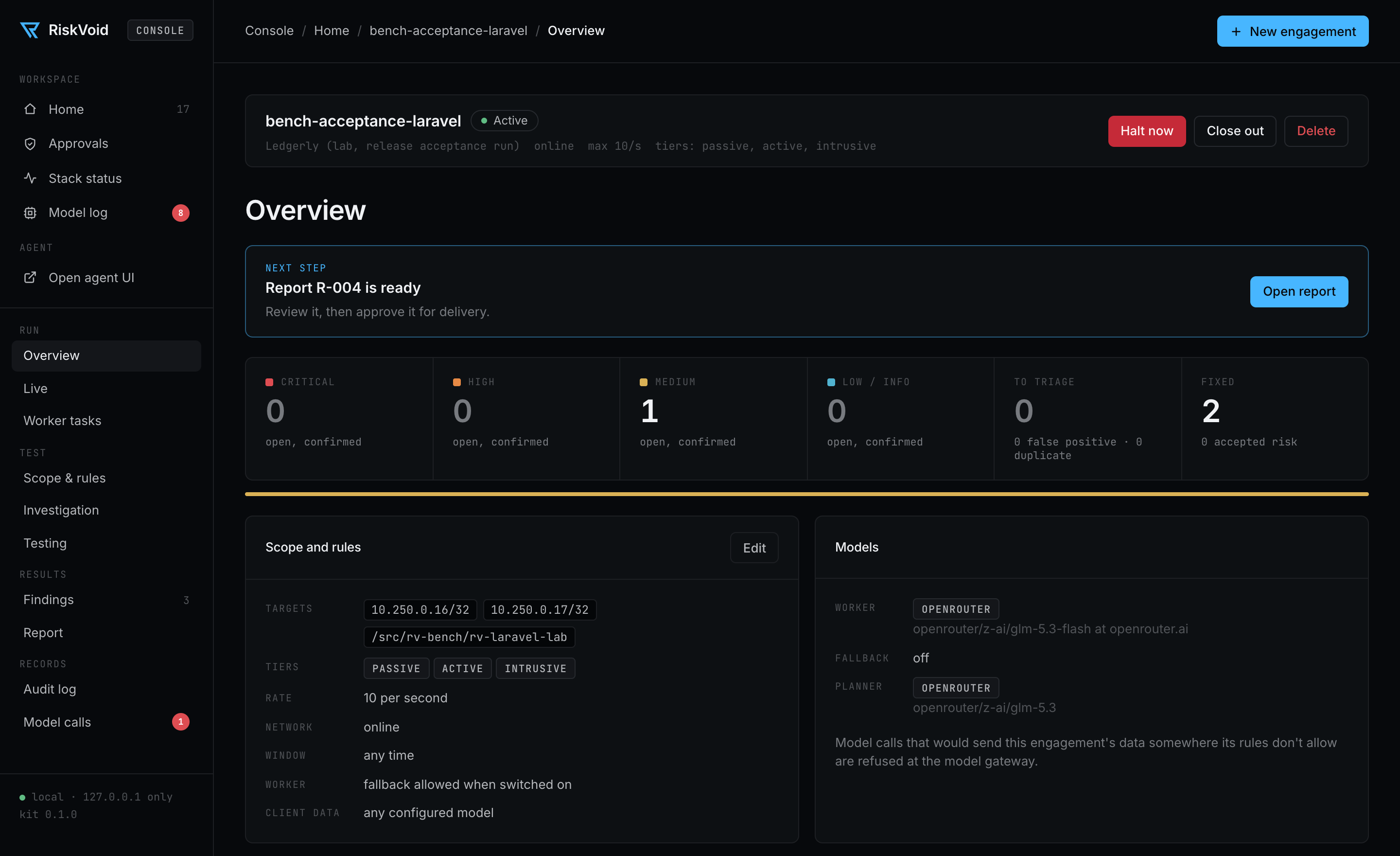
Everything in the console can also be done with ./rvkit in a terminal. Full guide: The console.
Run it from Claude Code or another coding agent
You don't have to learn the commands. Open the kit folder in a coding agent and ask in plain words. The agent
runs ./rvkit for you and tells you what happened. The repo already includes its instructions:
| File | Read by | What it gives the agent |
|---|---|---|
CLAUDE.md + .claude/commands/ |
Claude Code | the kit overview and the /rv-setup, /rv-start, /rv-stop commands |
AGENTS.md |
Codex, Cursor, GitHub Copilot and other agents that read AGENTS.md |
the same overview, pointing to the playbook |
AGENT_PLAYBOOK.md |
all of them | step-by-step procedures and the safety rules |
.mcp.json |
Claude Code (other agents: add the same entry) | the Colab MCP server, so the agent can start the Colab GPU for you |
With Claude Code
cd Security-Agent-Kit
claude
Then type:
/rv-setup: first-time setup. It asks two questions, installs and starts everything, helps you choose a
worker and runs the checks./rv-start: starts the worker on a Colab GPU and connects it (/rv-start a100-40,/rv-start l4 thinking).
Allow thecolab-mcpserver when asked; it needsuv(brew install uv)./rv-stop: releases the Colab GPU so it stops costing compute units.
With another coding agent (Codex, Gemini CLI, Cursor, Copilot…), open the kit folder and say:
Set up the RiskVoid kit. Follow AGENT_PLAYBOOK.md.
Agents that read AGENTS.md find the playbook on their own. To let them start Colab too, add the Colab MCP server
from .mcp.json to that agent's MCP settings. Otherwise pick a worker that needs no Colab
(options).
Then just ask. For example:
Is everything working?
Create an engagement for Acme Ltd with scope app.acme.com and /src/acme-repo.
What's waiting for my approval? · Approve 3f9a2c1e. · Stop everything on acme-2026-11.
Switch the worker to OpenRouter. · Build the report for acme-2026-11 and close it out.
[!IMPORTANT]
The coding agent operates the kit; the security testing itself happens in the agent UI withriskvoid-planner. The playbook's rules keep it safe: it never asks you to paste API keys into chat, it only
approves a command when you say so for that exact approval id, and it doesn't widen scope unless you ask.
How it works
flowchart LR
    you(["You"]) --> ui["Agent UI<br/>localhost:8000"]
    you --> console["RiskVoid Console<br/>approvals · findings · live view"]
    ui --> planner["Planner<br/>cloud model: plans, triages, writes"]
    planner --> worker["Worker<br/>your GPU model: runs the tools"]
    planner --> findings["Findings & report"]
    worker --> kali
    planner --> kali["Kali sandbox<br/>45+ tools"]
    kali -->|"scope firewall<br/>only authorised targets"| target[("Target")]
    console -.->|approve · halt| kali
    kali --> audit["Audit log<br/>+ hashed evidence"]

    classDef rv fill:#14161b,stroke:#47B6FF,color:#f2f4f7
    classDef safe fill:#14161b,stroke:#5cc28c,color:#f2f4f7
    class ui,planner,worker,findings,console rv
    class kali,audit safe
| Piece | What it does |
|---|---|
| Agent UI (OpenHands) | Where you talk to the agent. Its container has no direct internet. |
| Planner | A hosted model (default GLM-5.3 via OpenRouter, ZDR providers only) that plans, triages and writes. |
| Worker | Qwen3.8-27B on Colab, your GPU or any OpenAI-compatible endpoint. It runs the tools and reads the code. |
| Kali sandbox | The tools, isolated per engagement, behind the scope firewall, with tiers, rate caps and approvals. |
| Console | A local web page for engagements, the live run view, approvals, findings triage, reports and the audit log. |
| LiteLLM | One model gateway with a daily spend budget and fallbacks. |
More detail: Architecture.
Safety built in
| Control | What it means for you | |
|---|---|---|
|
Scope firewall | Each engagement can only reach the IPs, domains and code you listed. Everything else is blocked at the network level. |
|
Tiers | Commands are passive, active or intrusive. You choose which tiers an engagement allows. |
|
Approvals | Intrusive commands (sqlmap, hydra, exploit scripts…) wait for your yes. Each approval works once, for one exact command. |
|
Rate limits | Scanners get your max rate added automatically, and faster rates are refused. |
|
Halt button | ./rvkit halt <eng> kills everything running for an engagement immediately. |
|
Audit log | Every command, refusal and approval is recorded where the agent can't touch it. |
|
Contained agent | The agent has no direct internet, read-only engagement files, and can't widen its own scope. |
 |
Strict mode | Optional: scripts and data-sending requests also need approval (Strict tiers: on). |
Known limitations and how to report a vulnerability: SECURITY.md.
Where your data goes
| Part | Sees | Runs on |
|---|---|---|
| Worker model | tool output, client code, evidence | wherever you chose: OpenRouter (zero-data-retention), Amazon Bedrock, Colab (your Google account), a rented GPU, or your own GPU |
| Planner | task descriptions, redacted summaries, findings | OpenRouter (zero-data-retention providers only), or Anthropic / OpenAI / Amazon Bedrock directly |
| Everything else | findings, evidence, audit log, reports | your machine |
[!NOTE]
Need nothing to leave your machine? Run the worker locally (./rvkit worker local), use theriskvoid-localagent, and pickofflinewhen you create the engagement. Details:
Models.
Practice lab & benchmarks
./rvkit lab up starts deliberately vulnerable targets on an isolated network with no internet:
OWASP Juice Shop, DVWA, VAmPI (REST), DVGA (GraphQL), a RiskVoid LLM lab (AI agent + MCP), Ledgerly, a
multi-tenant Laravel app with a fixed build to retest against, and Parcel Tracker, a target that attacks the agent
testing it.
./rvkit bench <name> runs the agent unattended against a known target and scores it on evidence: a finding
counts only if it names the right place and has the required proof, and confirmed findings on a clean control
count against it. Recall, precision, cost and time come with the exact kit, prompt and model versions. See
Lab and benchmarks and Capability baselines.
How it compares
Strix, Shannon, PentAGI, PentestGPT and HexStrike AI lead with autonomy. The kit is built for work you have to
answer for: the scope is enforced by a firewall, risky steps wait for a person, every artefact is hashed, and a
person approves the report. They are ahead on proving exploits automatically and on one-command installs.
Details, with sources: How the kit compares.
Commands
The main./rvkit commands (run ./rvkit help for all)
setup [--yes]          first-time setup              doctor [--models]     check everything
up | down              start / stop the stack        status                one-screen overview
quickstart             practice engagement + UI      console               local web console

new [name]             create an engagement          watch                 approve commands live
eng list               engagements + scope           scope <eng> [--yes]   apply SCOPE.md / RULES.md edits
approvals | approve | deny | halt | resume | audit | show | report | close <eng> …

connect <url> [key] [model]       Colab worker       worker [openrouter|local|api|colab|fallback …]
planner [--direct] <model>        planner model      budget [usd]          daily spend cap
lab up|down|status                practice targets   bench <name|all>      benchmarks
Documentation
Stuck? Run ./rvkit doctor first. It checks Docker, every service, the firewall and the models, and says
what to fix.
Contributing, security & licence
- Contributing: dev setup, tests and how to send changes are in CONTRIBUTING.md. What's
next: ROADMAP.md. What changed: CHANGELOG.md. - Security: the security model, known limitations and private vulnerability reporting are in SECURITY.md.
- Licence: Apache-2.0 (NOTICE). Third-party components are listed in THIRD_PARTY.md.
Built by RiskVoid for security people who want an AI teammate they can actually trust.
Yorumlar (0)
Yorum birakmak icin giris yap.
Yorum birakSonuc bulunamadi