anchor-code
Health Warn
- License — License: Apache-2.0
- Description — Repository has a description
- Active repo — Last push 0 days ago
- Low visibility — Only 9 GitHub stars
Code Warn
- fs module — File system access in .github/workflows/release.yml
Permissions Pass
- Permissions — No dangerous permissions requested
No AI report is available for this listing yet.
The human-in-the-loop reviewer for agentic coding. Agent it. Review it. Feed it back.
Anchor Code
English · 中文
The human-in-the-loop reviewer for agentic coding.
Agent it. Review it. Feed it back.
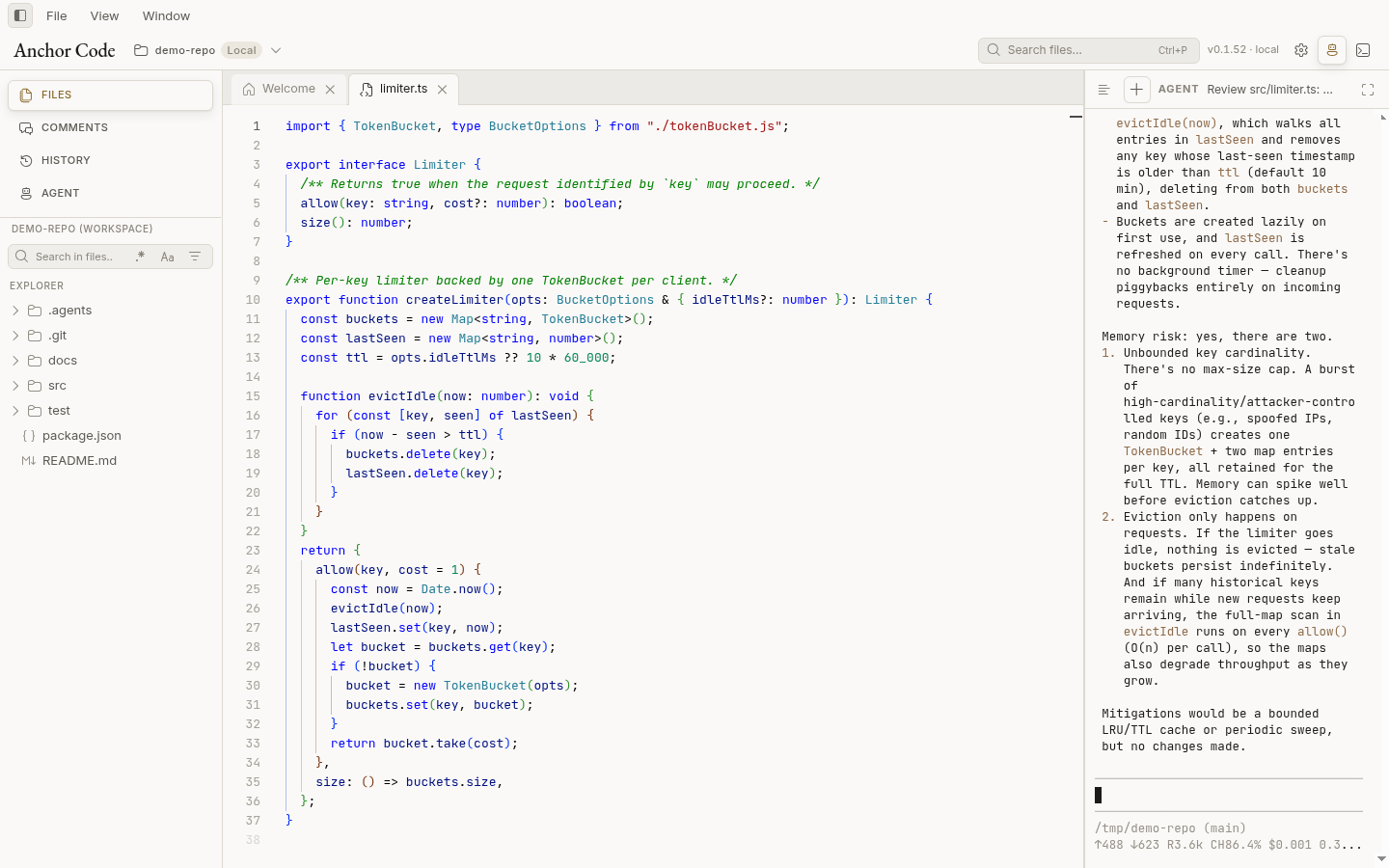
Anchor Code puts the codebase, technical documents, Git history, diffs, review comments, and your agent CLIs in one desktop app. Agents keep working in their native terminal while you read the context, discuss exact lines, send structured feedback, and decide when the result is ready.
Download the latest release → (Windows · macOS · Linux)
Features
The loop is the same every time: the agent writes, you read the exact lines, you mark what still needs work, and Feedback sends that session back. Screenshots below show the layout. Clips show the motion.
Comments anchored to exact lines
Select code or rendered Markdown and leave a comment in an inline bubble anchored to the selection. Each thread is a question (discussing), a change request (need_modify), or resolved (closed).
A review session keeps those threads next to the file. The agent replies in the same thread and can update the status. It does not start a new chat somewhere else.
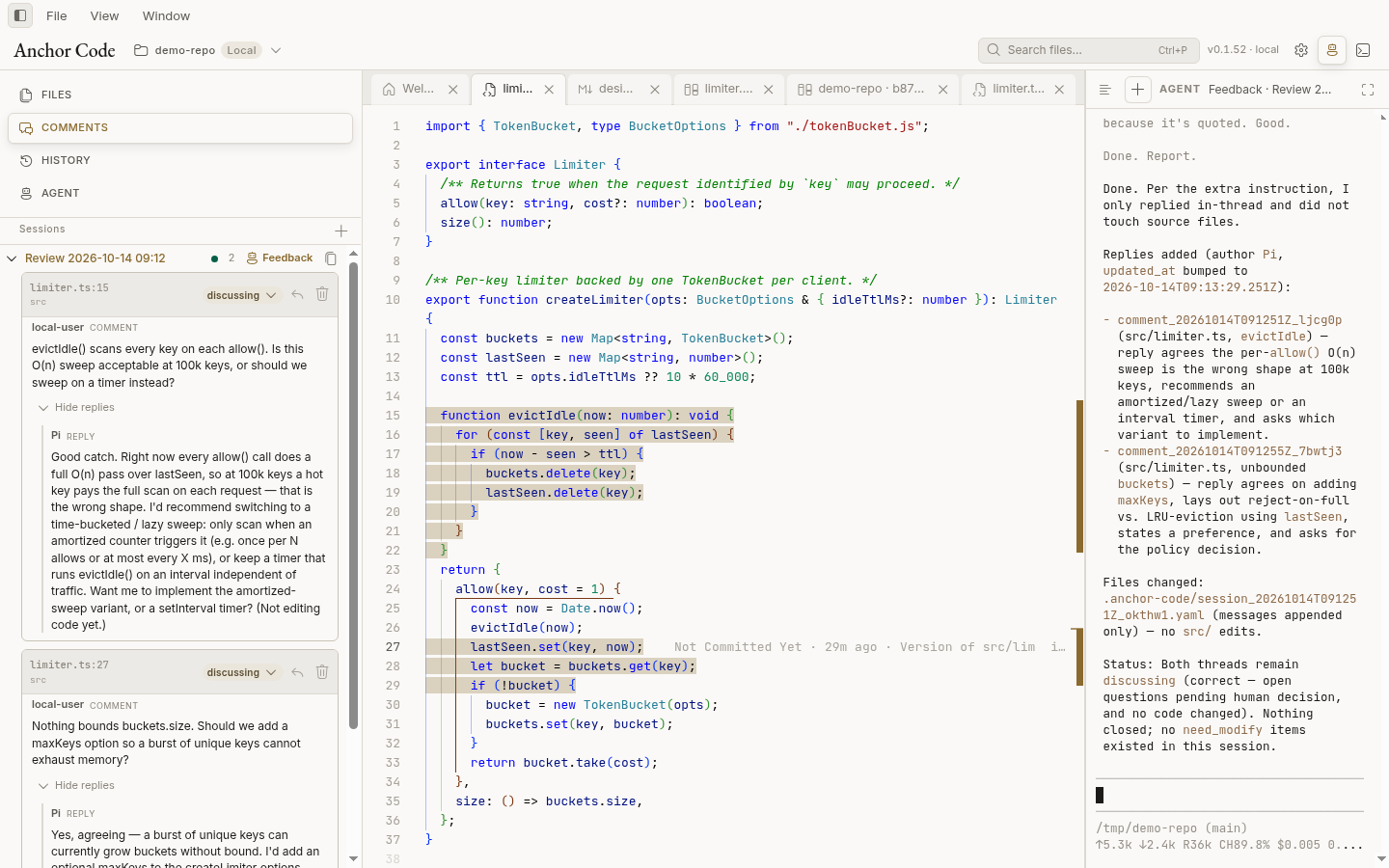
Writing a comment stays on the selection. Pick the status while you type, then add it.
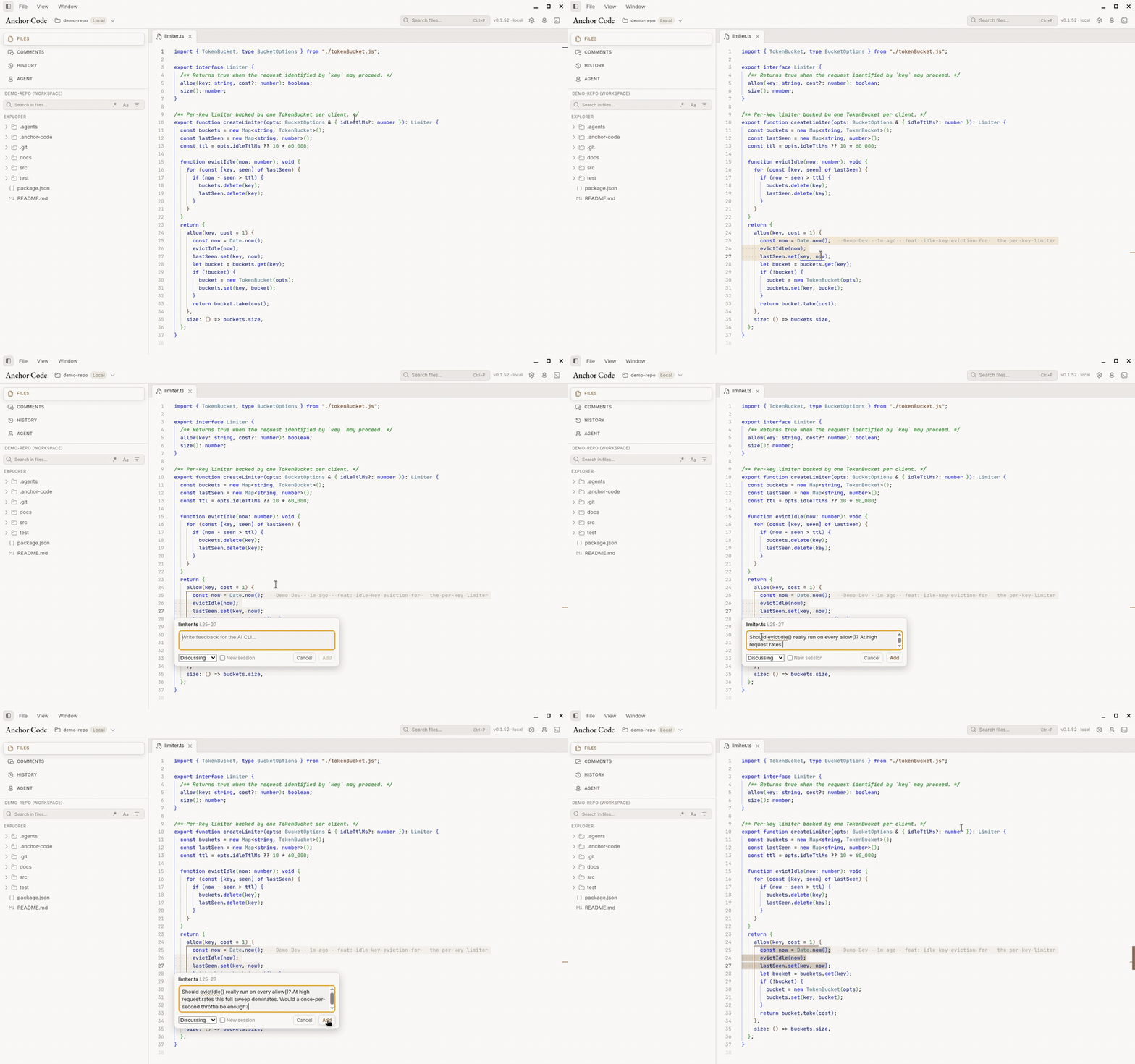
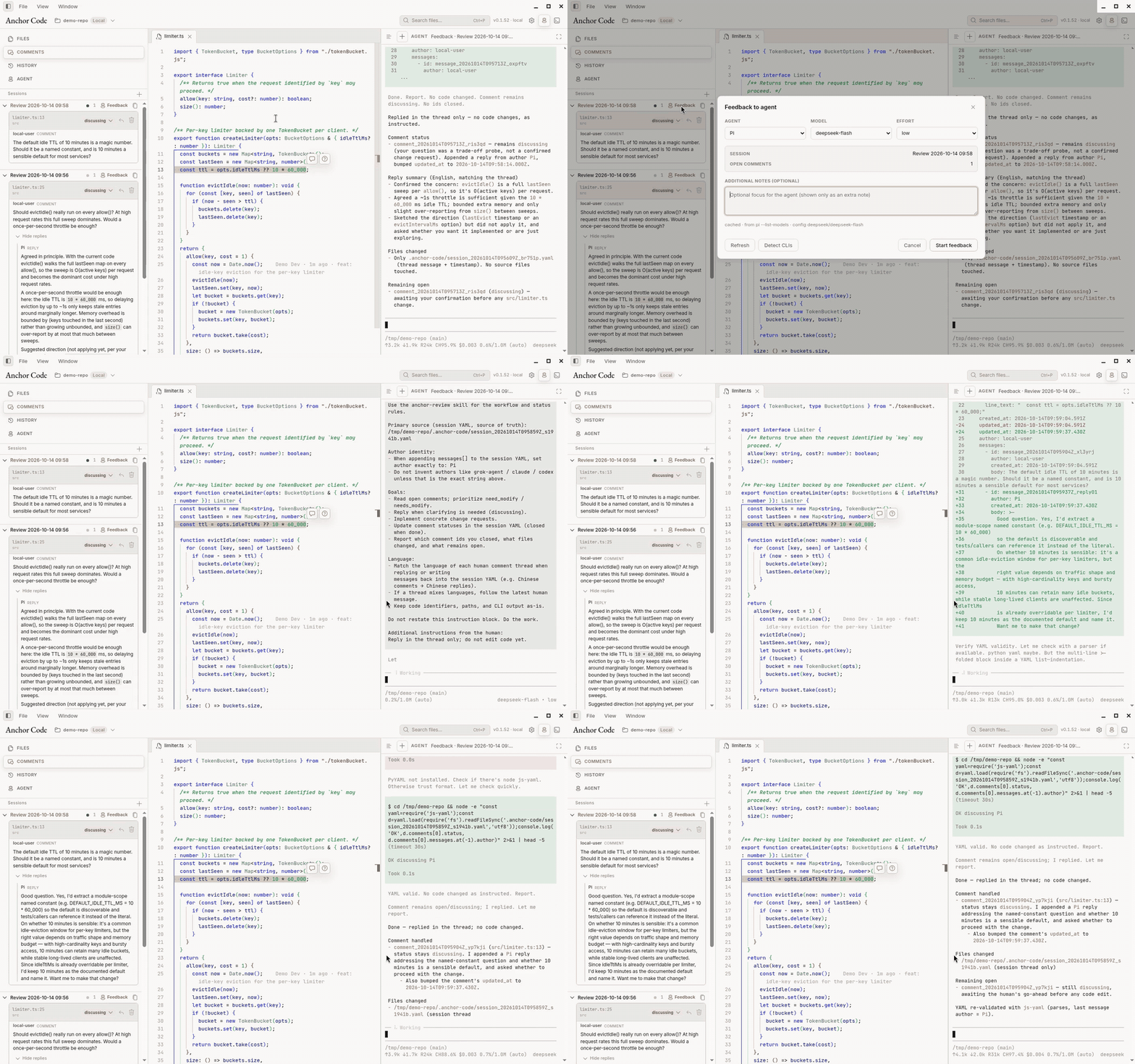
Feedback hands the whole session to the agent. The reply lands back in the thread, with the files it touched and which threads are still open.
Worktree diffs
Open any changed file from History → Changes to see the uncommitted diff side by side or inline, with inline blame for context.
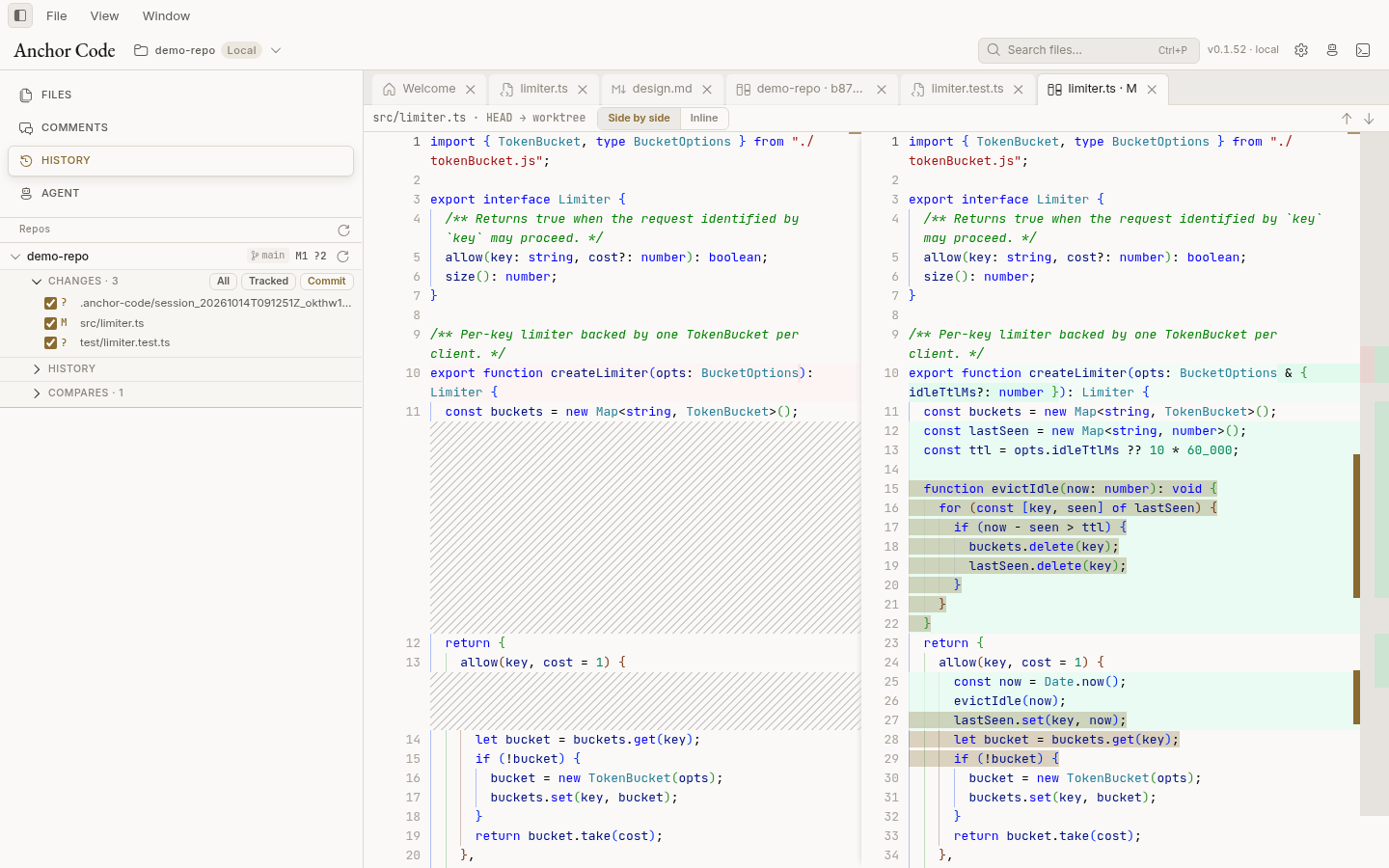
Git history built for inspection
Pick any two commits, or a commit and the current worktree, and Compare opens the complete changed-file set in one diff workspace. Comments made in a diff keep their branch, base, head, file, and line-range context.
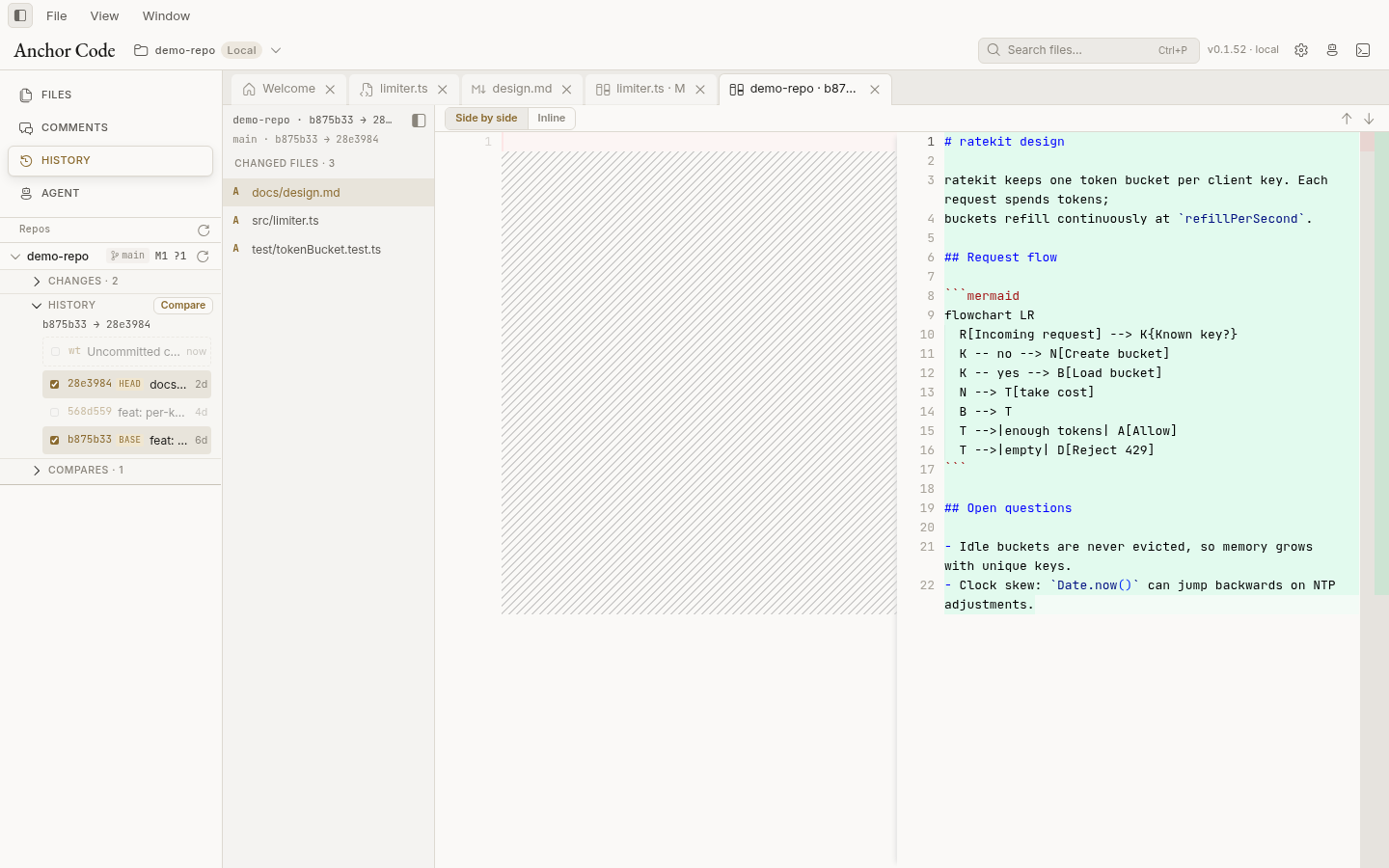
Agent CLI sessions
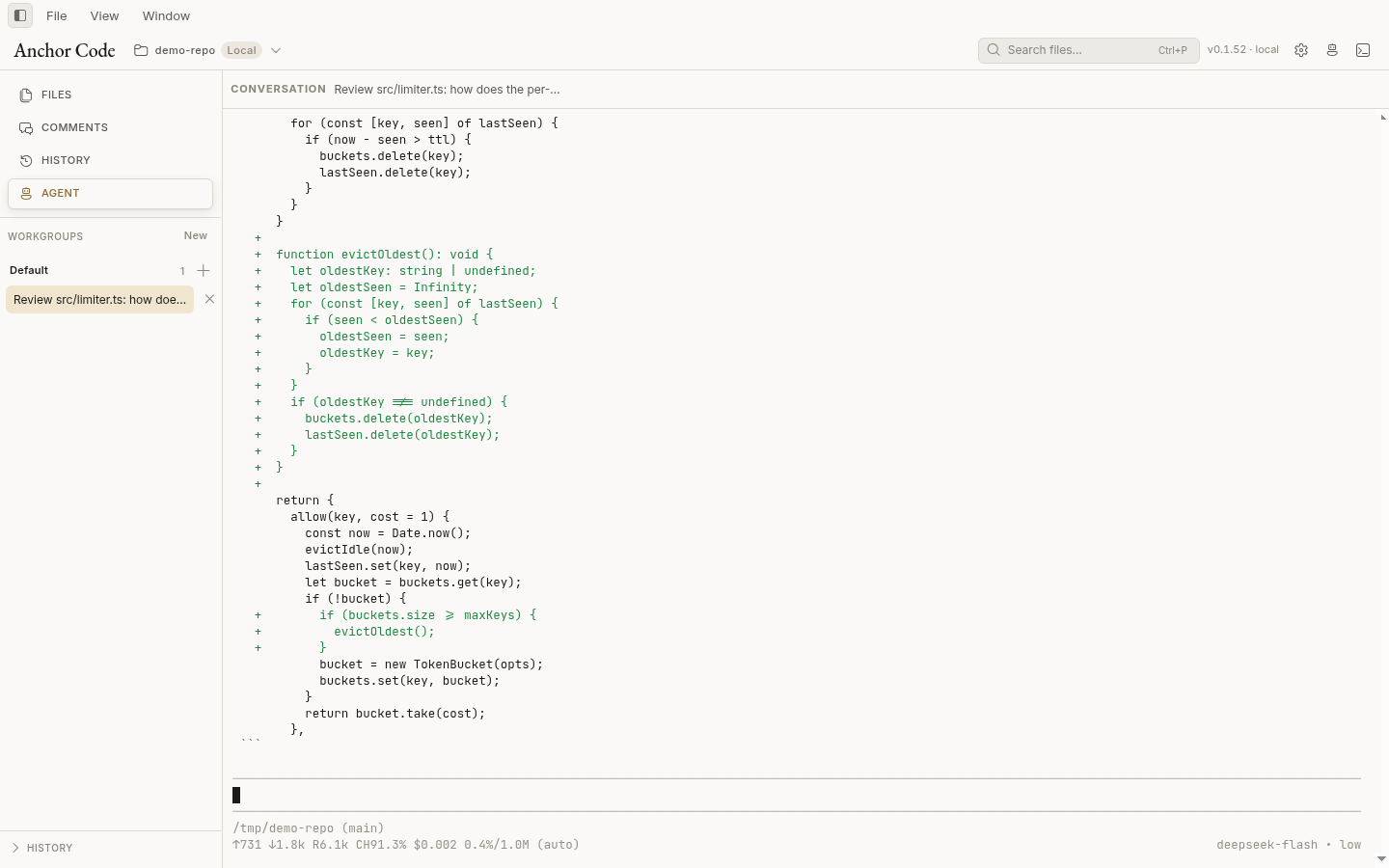
Agents stay in their own terminal. Anchor Code hosts that session in the side panel or the full-width Agent workbench, so the review and the CLI share one window.
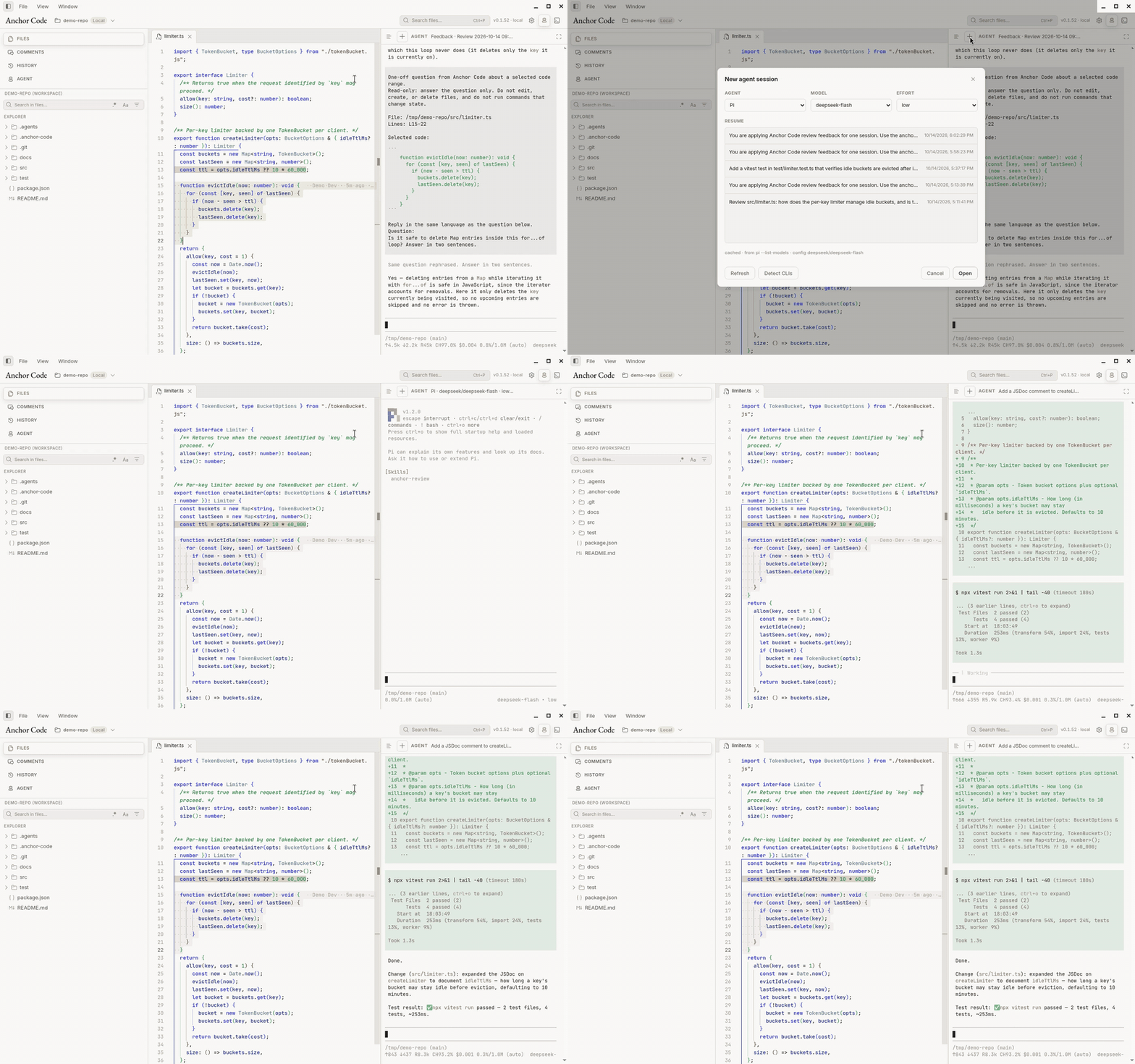
Start a session from the picker — Claude Code, Codex, Gemini CLI, Grok, OMP, Pi, and others — or resume one the CLI already knows. Model and reasoning effort show up when the CLI supports them.
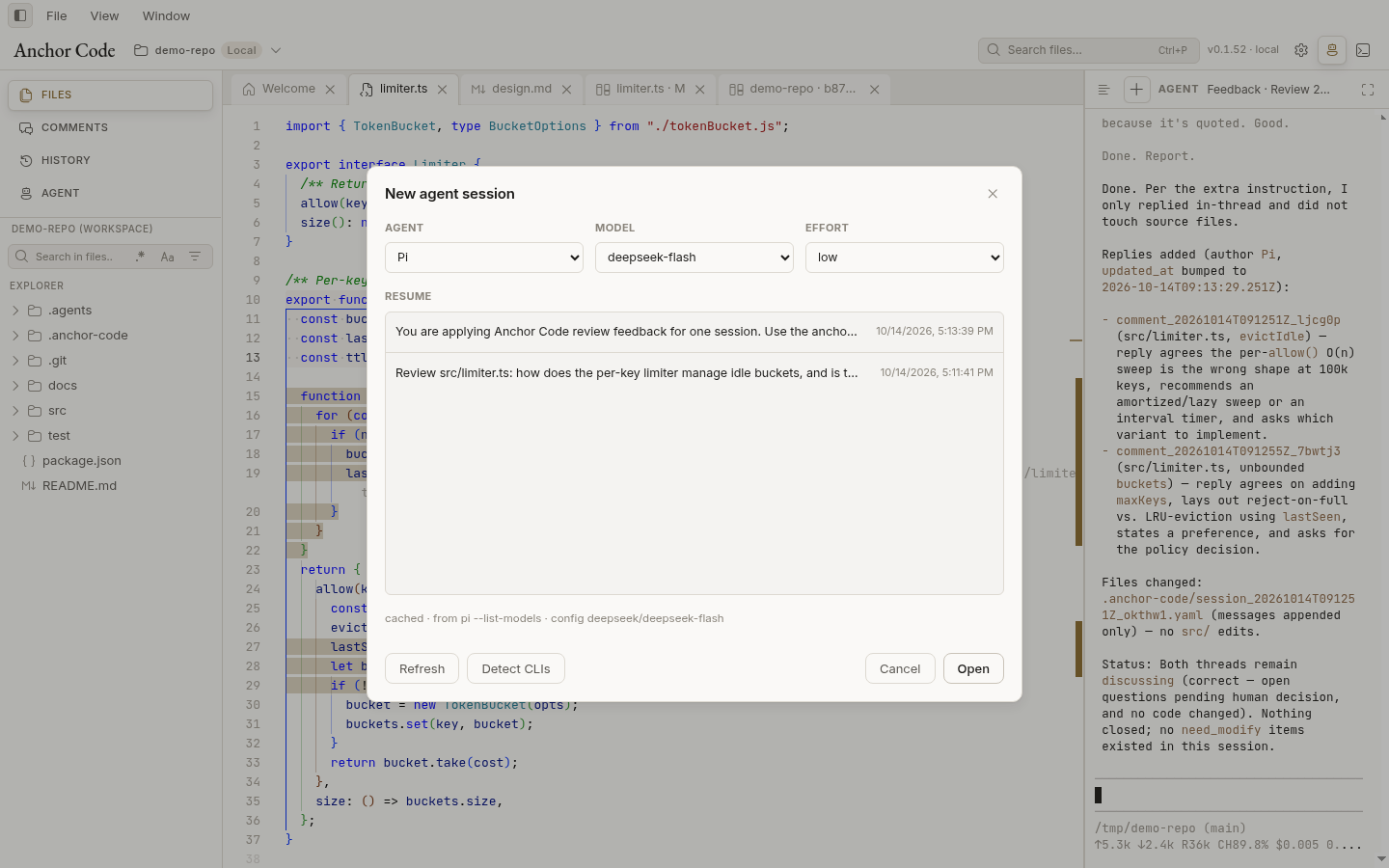
Several sessions can run at once. The list in the panel is how you switch. Each one keeps its own terminal.
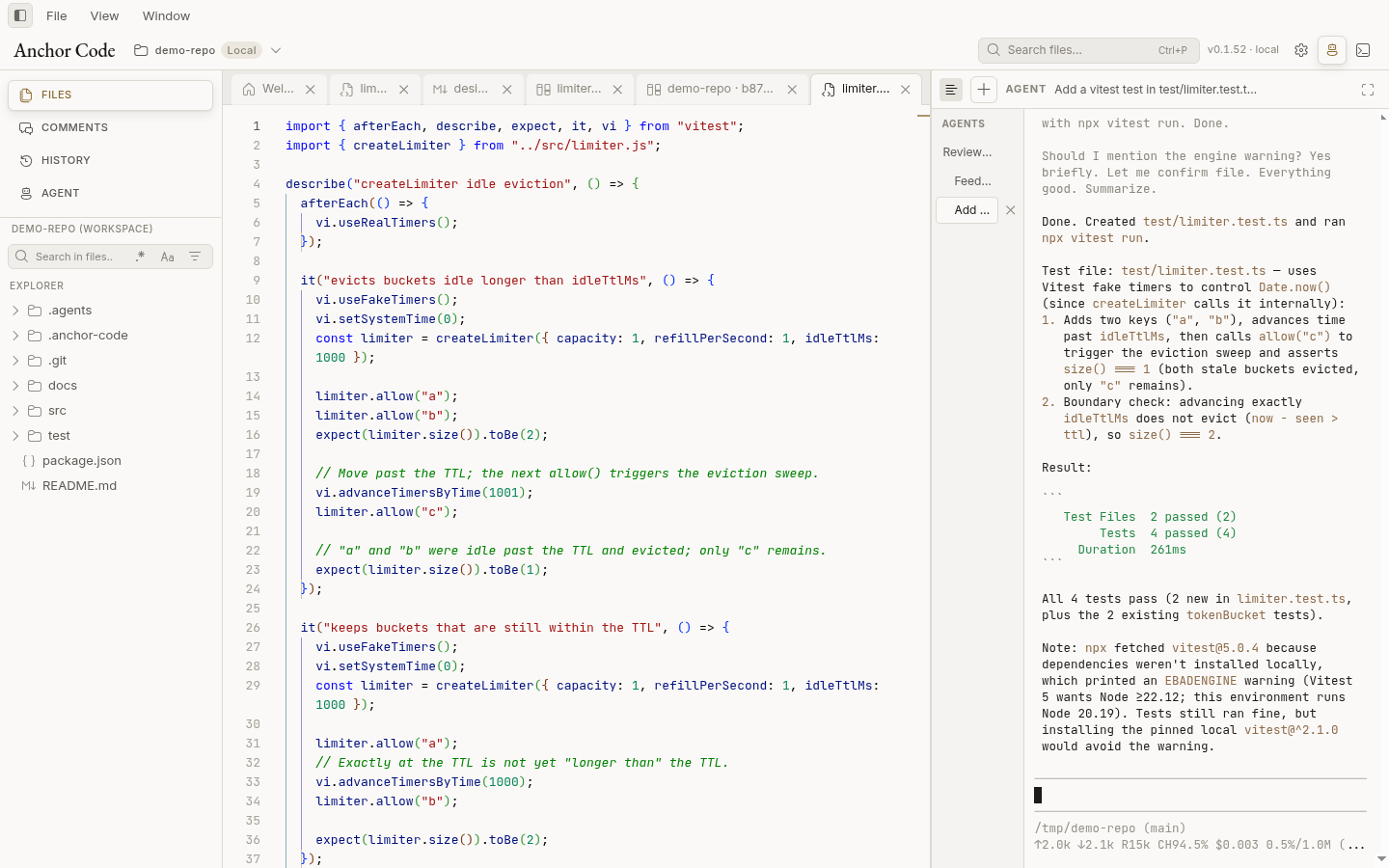
A session is just the CLI. Below, a new Pi session edits the file and runs the tests without leaving the workbench.
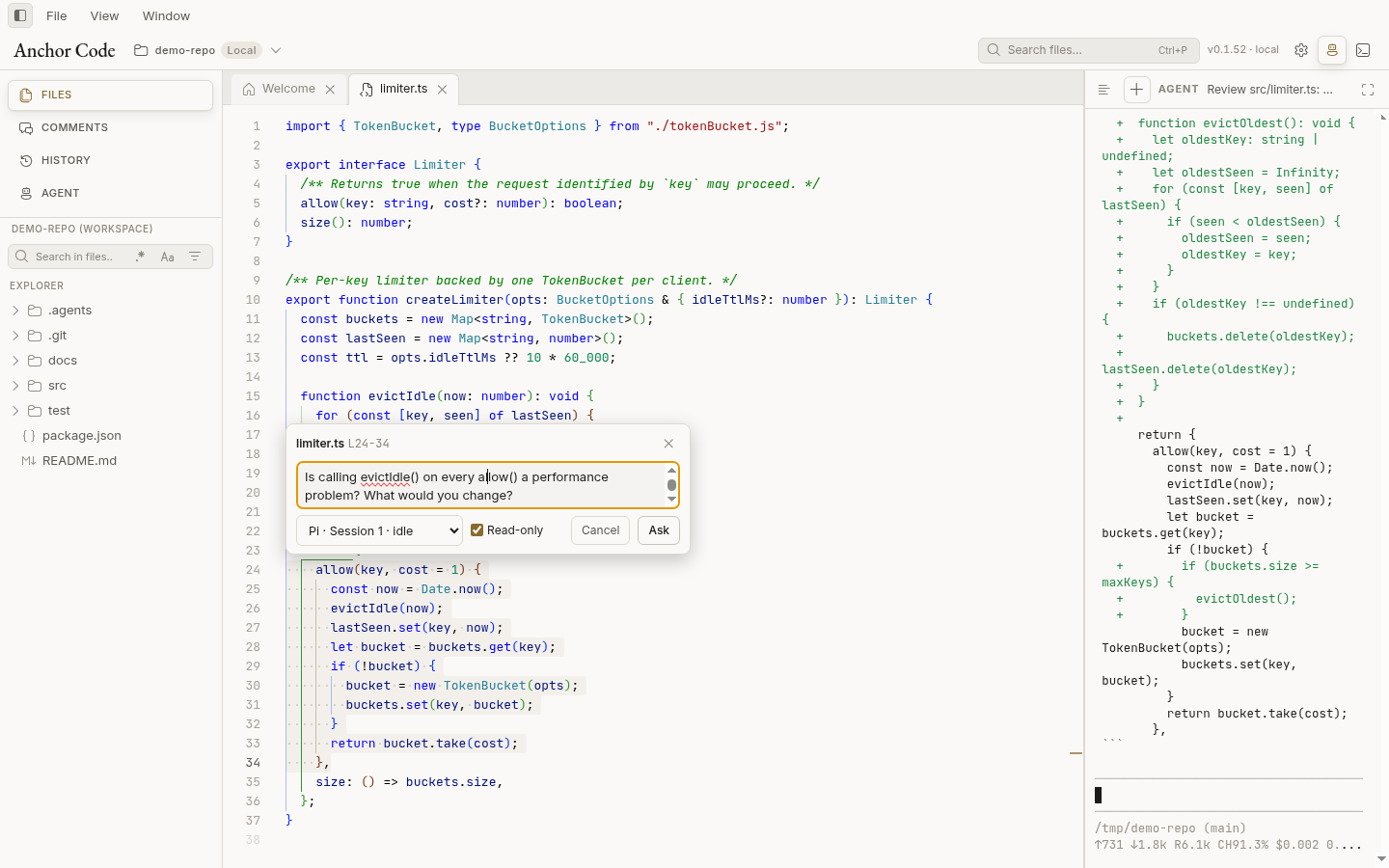
Ask about a selection
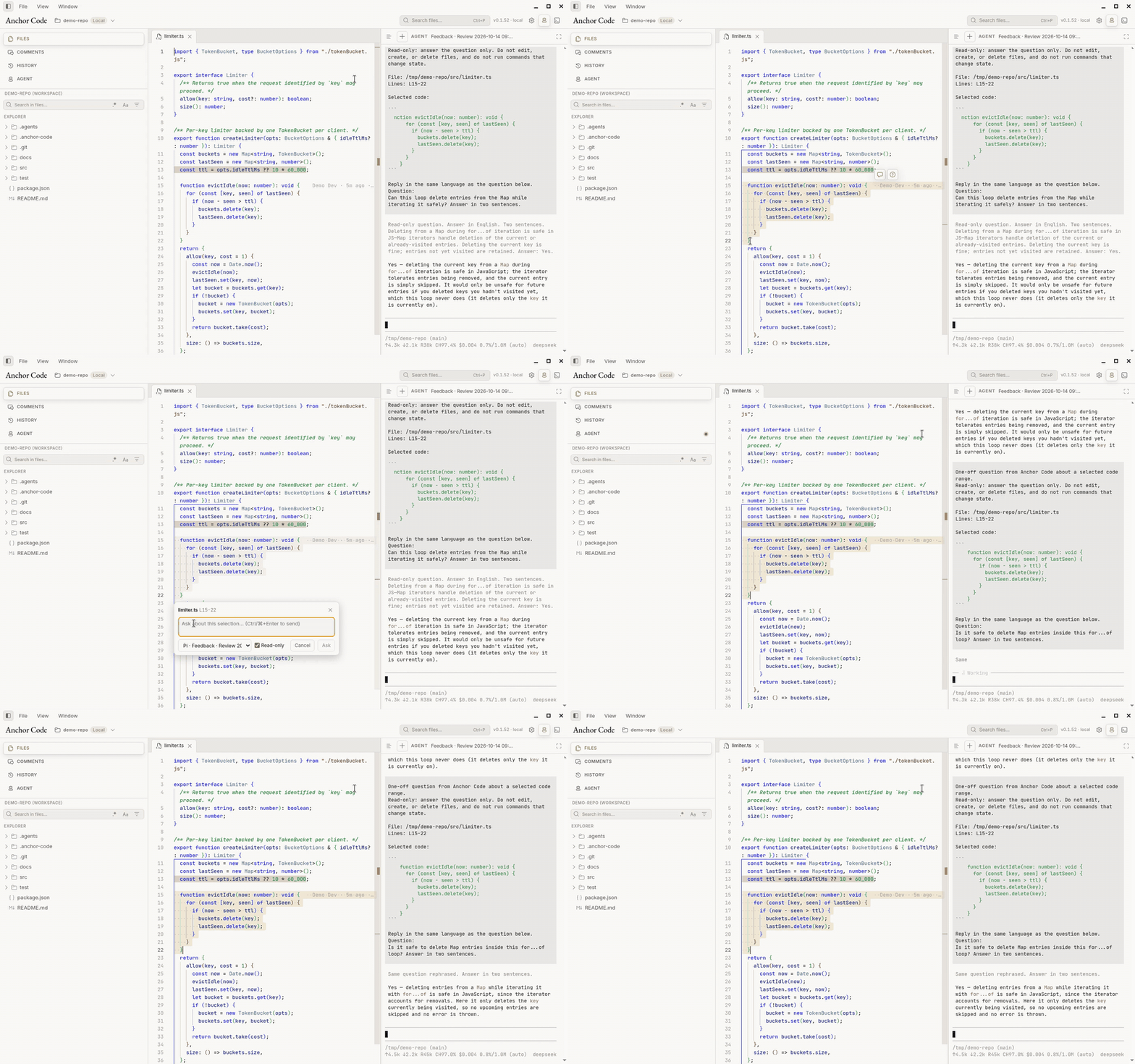
Select lines and press ? when you want an answer, not a review thread. The question sits in a small popover on the selection. Send it to an idle session, or start a new one. Read-only is on by default, so a new agent starts in plan / read-only mode. Ctrl+Enter sends.
The answer comes back in the agent panel, still tied to the lines you selected.
Markdown and Mermaid
Technical documents render in place, including Mermaid diagrams. Rendered text can be commented on the same way as code.
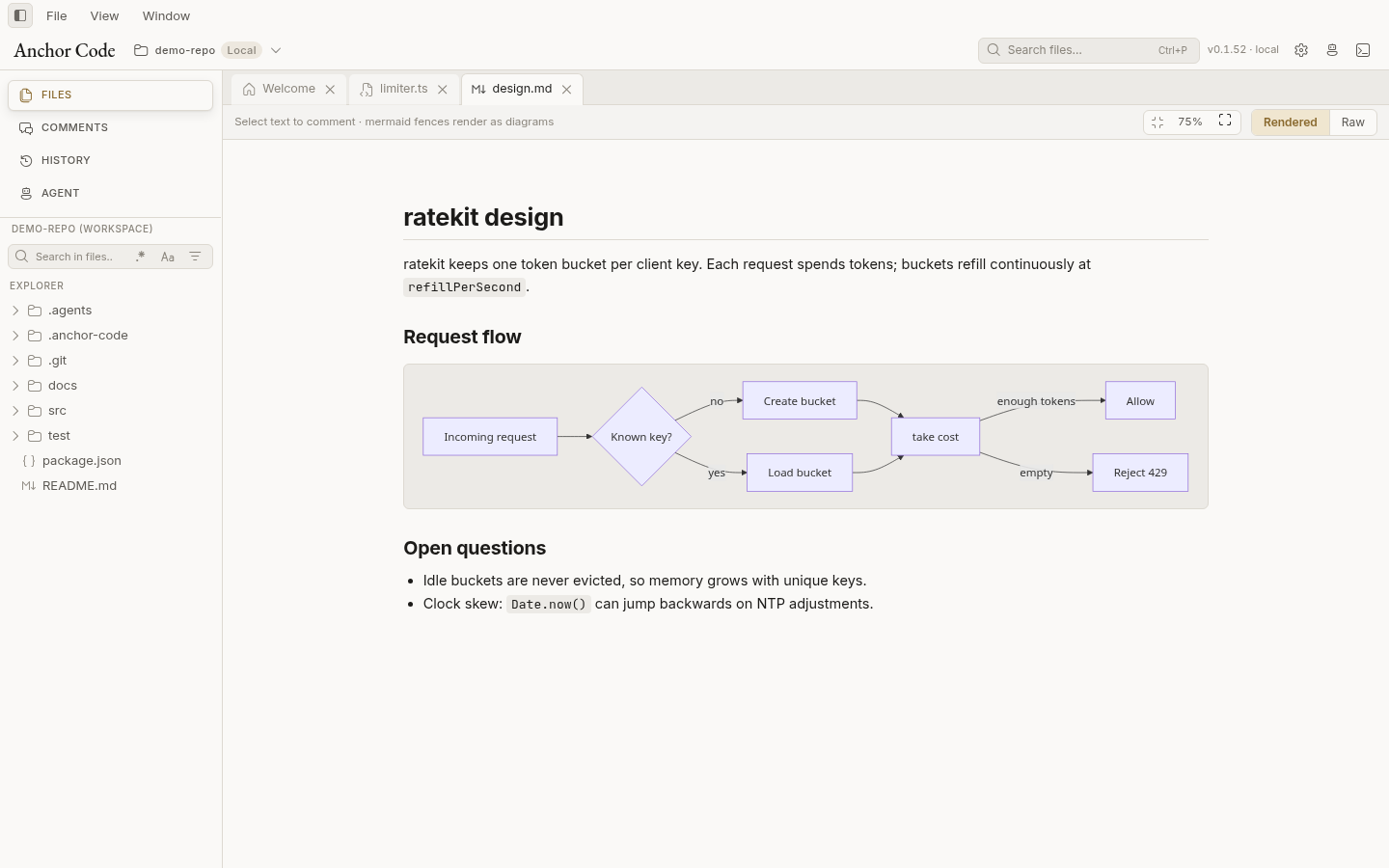
Search and quick open
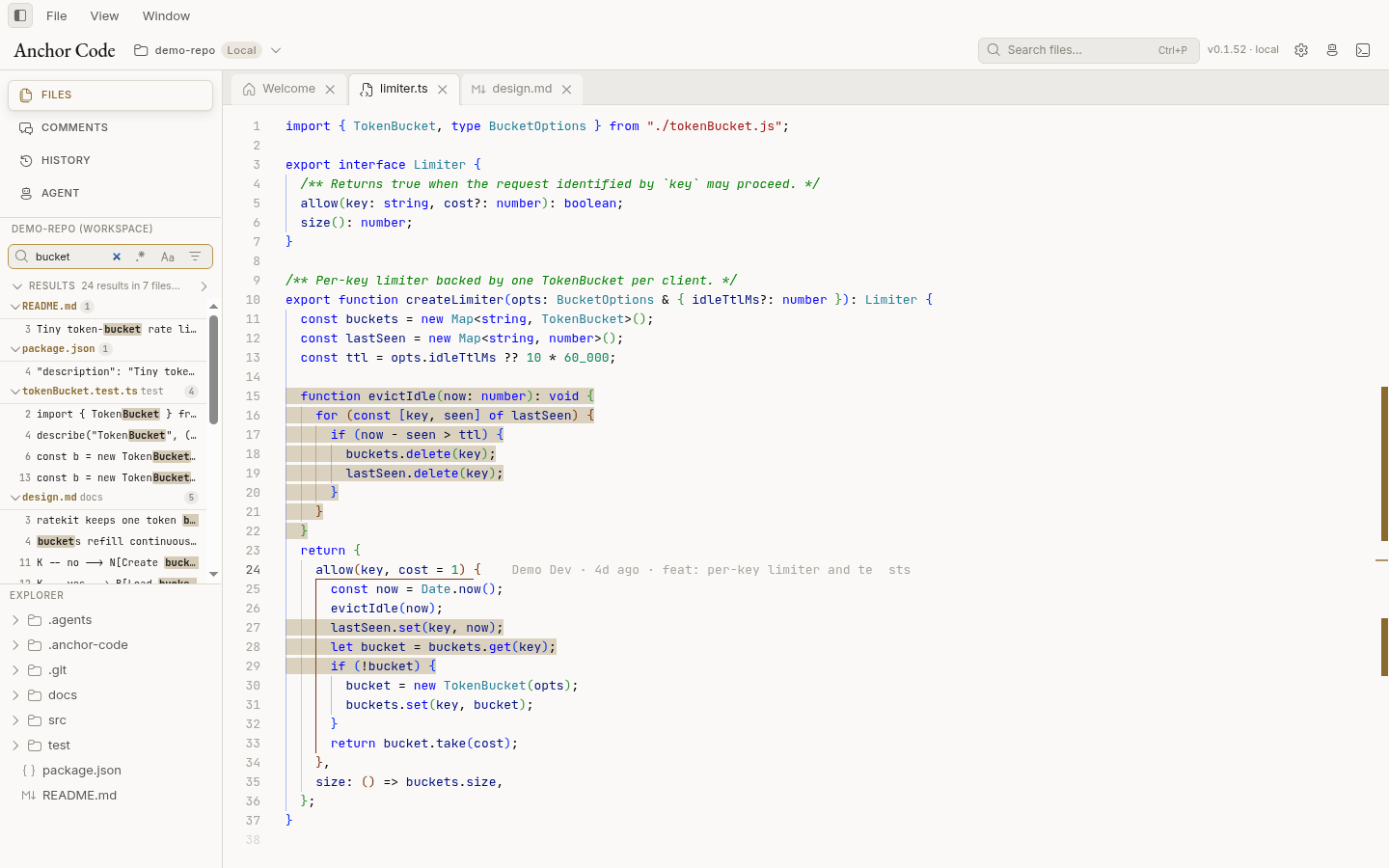
Content search streams matches as ripgrep finds them. Search and quick open both honour .anchorignore and the per-workspace exclude filters.
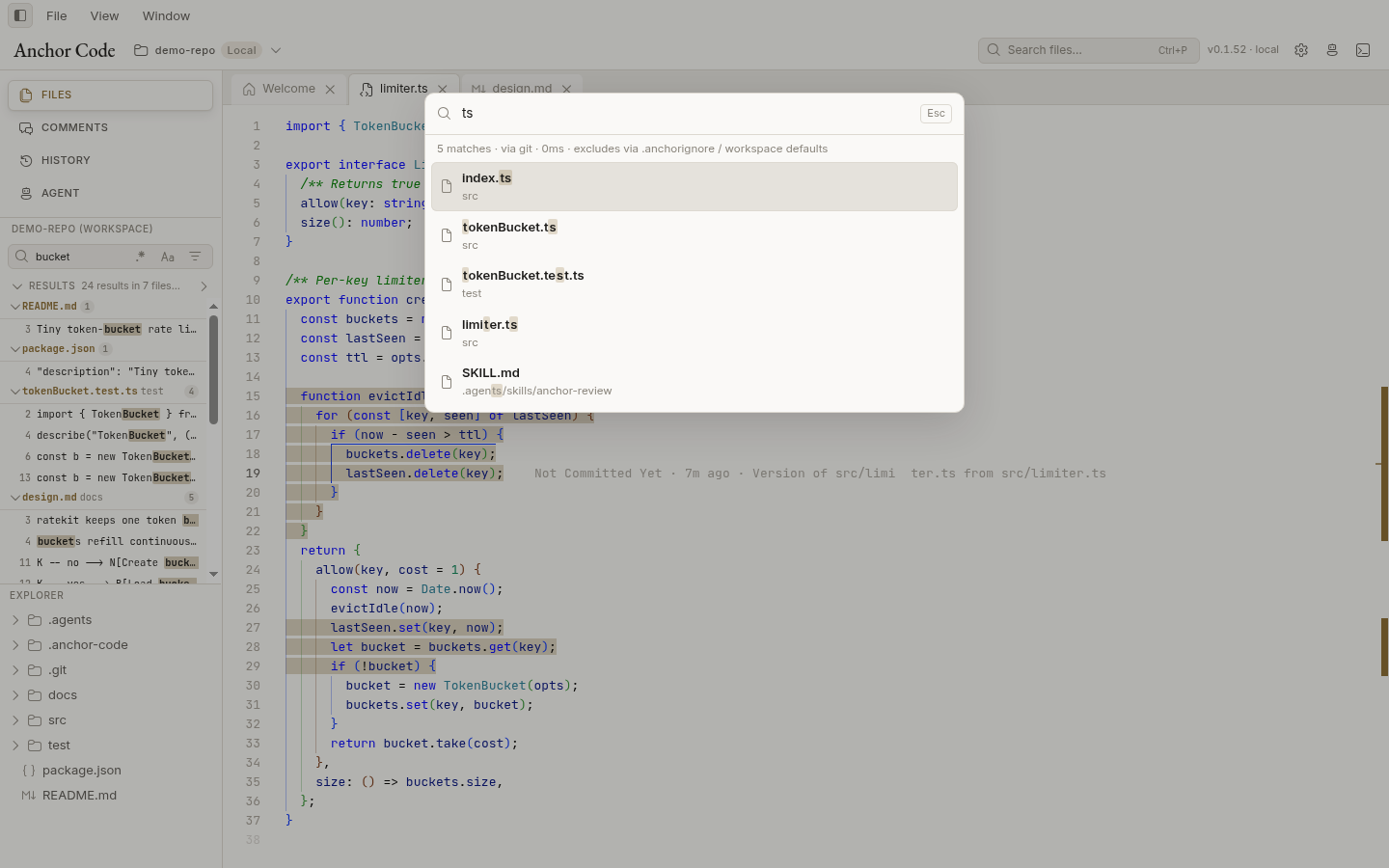
Ctrl+P is the file picker: fuzzy-match a path, then open it.
Workspaces
| Workspace | Where files, Git, and agents run | Notes |
|---|---|---|
| Local | This computer | File tree updates via native file watching. |
| WSL (Windows) | Inside a WSL distro | Uses a helper process inside WSL for fast search and Git. |
| SSH | A remote host over SSH | Requires git on the remote host. |
SSH connections
The SSH workspace picker starts with named hosts from this computer’s ~/.ssh/config and its Include files. Select or type an alias, then click Connect. The system OpenSSH client resolves the configuration at connection time, preserving jump hosts, proxy commands, keys and agent settings. Only use SSH configuration you trust: directives such as ProxyCommand and Match exec can execute local commands. Anchor Code does not edit your SSH config.
Config connections require an installed OpenSSH client and non-interactive key/agent authentication (BatchMode=yes). Load encrypted keys into ssh-agent first. Add / manual connection remains available for direct hosts and session-only passwords; it does not import OpenSSH proxy or other config settings. Remote workspaces require a POSIX/Linux environment with a shell, standard file utilities and git.
Host keys are checked before authentication. Config connections require an already trusted key: connect with ssh your-alias in a terminal, compare the fingerprint with a trusted source, then retry in Anchor Code. Never accept or replace a changed key without investigating. Manual connections default to strict checking of local known_hosts; an explicit Trust first key automatically option records previously unknown keys but still rejects changed keys. Legacy “ignore” profiles now use strict checking. Previously saved passwords are ignored and removed from settings on the next save; re-enter them for the current app session.
Config operations use separate SSH processes with connection sharing disabled so a pre-existing multiplexed connection cannot bypass host-key checks. Forwarding and login prompts are disabled for workspace operations; interactive password/passphrase prompts are not supported on this path. Cancelling or timing out closes the local SSH connection, but remote non-interactive commands may continue running.
Anchor Code reopens the last active workspace on launch (toggle in Settings → Appearance → Startup) and falls back to the Welcome page if it is unavailable.
Supported agent CLIs: Claude Code, Codex, Gemini CLI, Grok, OMP, Pi, Aider, Goose, Cursor Agent, and custom profiles.
Install
Download from Releases:
| Platform | File |
|---|---|
| Windows (x64) | Anchor.Code-<version>-win-x64.exe (installer) or Anchor.Code-<version>-win-x64-portable.exe |
| macOS (Apple silicon) | Anchor.Code-<version>-mac-arm64.zip |
| Linux (x64) | Anchor.Code-<version>-linux-x86_64.AppImage or Anchor.Code-<version>-linux-amd64.deb |
Requirements: git on the host you open (local, WSL, or SSH), plus whichever agent CLIs you want to use on that host. Updates are checked against GitHub Releases (Settings → Updates).
Quick start
- Install and launch Anchor Code, then Open Workspace (Local, WSL, or SSH).
- Start an agent with New agent session, or open a repository that already has changes.
- Read the code and docs; use History to inspect the worktree or compare commits.
- Select lines to comment, and mark actionable ones as
need_modify. - Press Feedback to hand the session to the agent, then review the next diff and close resolved threads.
Install the Anchor Review skill from Settings → Agent skill (or accept the workspace prompt). It teaches compatible agents to read Anchor Code sessions, apply need_modify comments, reply in threads, and update status.
Build from source
Requires Node.js 22 and Git.
git clone https://github.com/Roboaholic/anchor-code.git
cd anchor-code
npm ci            # also prepares node-pty and the bundled ripgrep
npm run dev       # run the app with hot reload

npm run typecheck && npm run lint && npm test

npm run pack:linux   # or pack:win / pack:mac — installers land in release/
License
Reviews (0)
Sign in to leave a review.
Leave a reviewNo results found