agent-voice
Health Gecti
- License — License: MIT
- Description — Repository has a description
- Active repo — Last push 0 days ago
- Community trust — 20 GitHub stars
Code Gecti
- Code scan — Scanned 12 files during light audit, no dangerous patterns found
Permissions Gecti
- Permissions — No dangerous permissions requested
Bu listing icin henuz AI raporu yok.
Give any LLM agent a cloned voice: its reply in, one spoken line out, via an OmniVoice TTS server.
agent-voice
Give any LLM agent a cloned voice: the agent's reply goes in, and one short
spoken line comes out of your speakers in a voice cloned from a 3 to 10 second
clip.


What it is
agent-voice is a small command-line tool, HTTP server and Python library that
turns an agent's text reply into speech. The screen keeps the full technical
answer. The speaker gets one or two sentences, in character, synthesized by an
OmniVoice text-to-speech server from a
short reference clip.
my-agent --reply | agent-voice pipe --voice ship-ai
Why it exists
A coding or operations agent that writes long replies is easy to miss when you
are looking at another window. Reading the whole reply aloud is slow and
unpleasant. agent-voice speaks one short line about the reply, so you hear that
a build passed or a task needs you without switching windows, and the detail
stays on screen. It started as a way to let a Claude Code session talk without
a browser in the loop, and it works with any agent that can print to stdout or
make an HTTP call.
How it works
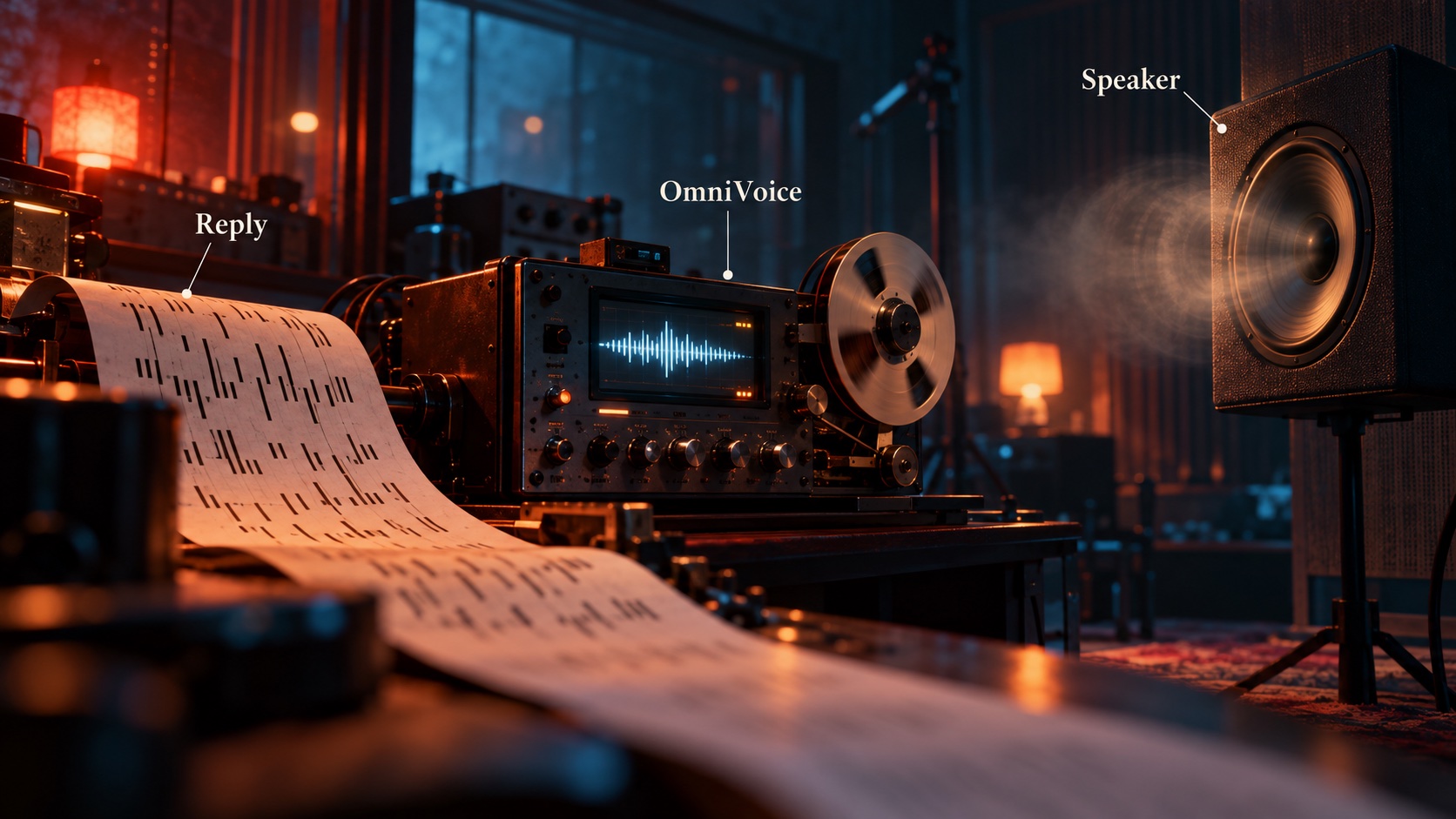
pipe and POST /say take a whole reply and choose the spoken line in a fixed
order (tags.py, writer.py, speaker.py). If the agent wrote<say>One spoken line.</say>, exactly that is spoken; tags quoted inside code
spans are ignored. Otherwise, if a writer model is configured, the reply and
the voice's persona.md go to any OpenAI-compatible endpoint, which answers
with one or two sentences capped at AGENT_VOICE_MAX_WORDS. Otherwise the text
itself is spoken with markup stripped. The chosen line goes to an OmniVoice/synthesize endpoint (tts.py) with the voice's reference clip, and the WAV
is saved and played through the platform's player (play.py). Utterances are
serialized, so two agents talking at once take turns.
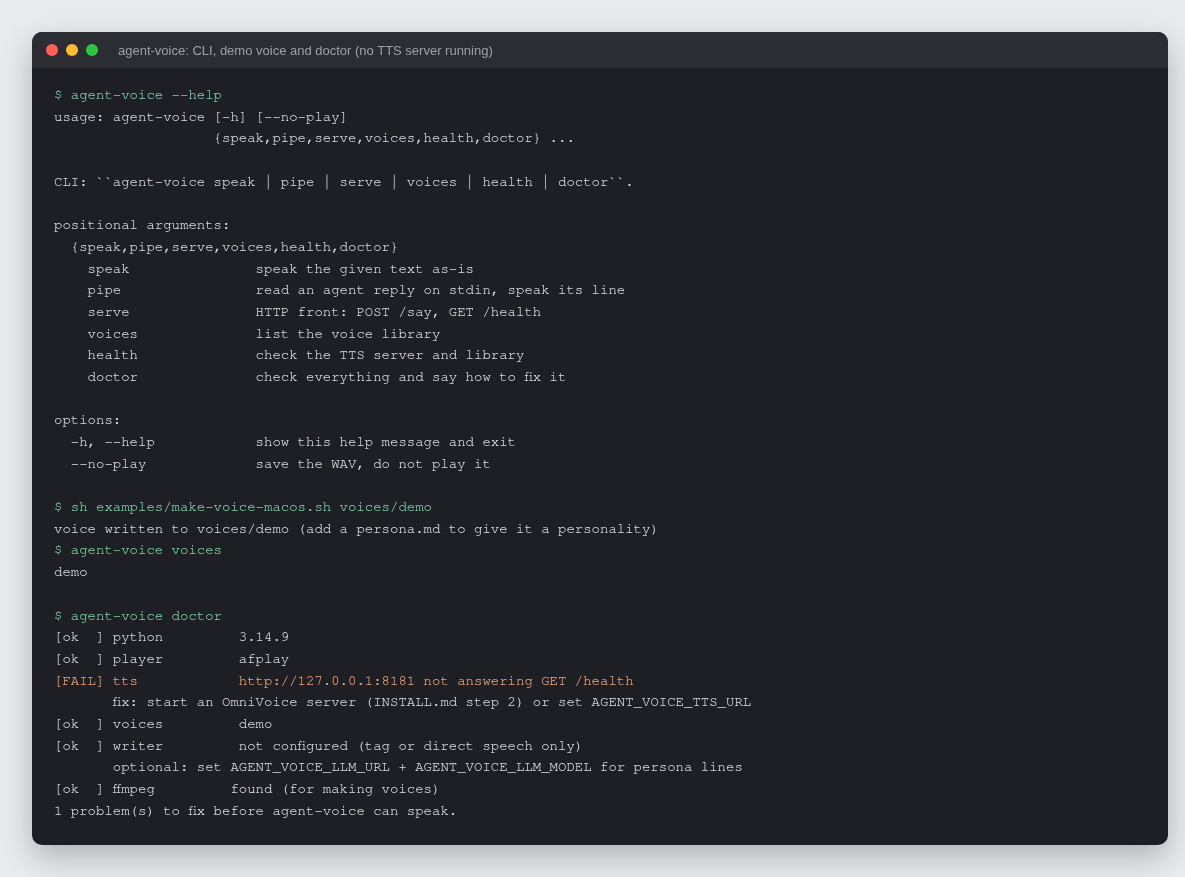
Real output: --help, the macOS demo voice script, voices, and doctor
reporting the one missing piece (no OmniVoice server was running) with its
fix.
Features
- Three ways in:
agent-voice speakfor a string,agent-voice pipefor an
agent's stdout,agent-voice servefor anything that can POST JSON. - Spoken-line cascade:
<say>tag, then writer model with a persona, then
direct text (--mode auto|tag|writer|direct). - Works with any server that speaks the OmniVoice
/health+/synthesize
contract, including
scorbo2/ai-playground
and TalkWithMe. - Voice library on disk:
voices/<name>/{ref.wav, ref.txt, language.txt, persona.md}. agent-voice doctorchecks Python, player, TTS server, voices, writer and
ffmpeg, and prints a fix for each failure.- Playback on macOS (
afplay), Linux (paplay,aplay,ffplay) and Windows
(winsound). - One runtime dependency (
httpx), a standard-library HTTP server, mypy
strict, CI on Linux and macOS for Python 3.11 to 3.13.
Quick start
git clone https://github.com/rodaddy/agent-voice.git
cd agent-voice
sh install.sh --demo          # venv, install, demo voice (macOS), then doctor
Edit agent-voice.env (created for you) so AGENT_VOICE_TTS_URL points at
your OmniVoice server, then:
.venv/bin/agent-voice doctor
.venv/bin/agent-voice speak --voice demo "It works."
printf 'Build passed.\n<say>The build is green.</say>\n' | .venv/bin/agent-voice pipe --voice demo
The full walkthrough, including running an OmniVoice server, cutting a real
reference clip and choosing a writer model, is in INSTALL.md.
HTTP and Python
agent-voice serve                       # http://127.0.0.1:7161
curl -s localhost:7161/say -H 'content-type: application/json' \
  -d '{"text": "Deployed.\n<say>It is live.</say>", "voice": "ship-ai"}'
POST /say takes text, optional voice and optional mode. It answers204 when there was nothing to say, 404 for an unknown voice and 502 if
the TTS or writer failed.
from agent_voice import Config, Speaker

speaker = Speaker(Config.from_env())
spoken = speaker.speak(agent_reply, "ship-ai")   # Spoken(text, wav, voice, source) or None
Configuration
Environment variables, or the same names in agent-voice.env in the working
directory (the environment wins). agent-voice doctor shows what is in effect.
| Variable | Default | Meaning |
|---|---|---|
AGENT_VOICE_TTS_URL |
http://127.0.0.1:8181 |
OmniVoice server |
AGENT_VOICE_VOICES_DIR |
voices |
the voice library |
AGENT_VOICE_VOICE |
first voice | default voice name |
AGENT_VOICE_LLM_URL |
(unset) | OpenAI-compatible base URL of the writer; unset means no writer |
AGENT_VOICE_LLM_MODEL |
writer model id | |
AGENT_VOICE_LLM_API_KEY |
sent as Authorization: Bearer if set |
|
AGENT_VOICE_NUM_STEPS |
10 |
OmniVoice diffusion steps |
AGENT_VOICE_GUIDANCE_SCALE |
1.2 |
|
AGENT_VOICE_MAX_WORDS |
35 |
cap on a writer-produced line |
AGENT_VOICE_OUT_DIR |
out |
where WAVs are saved |
AGENT_VOICE_PLAY |
true |
false to only save the WAV |
AGENT_VOICE_HOST / _PORT |
127.0.0.1 / 7161 |
for agent-voice serve |
Integrations
- Claude Code: two hooks and a toggle make a
Claude Code session speak each reply. - Anything else needs only a way to run
agent-voice pipewith the reply on
stdin, or to POST the reply to/say.
Development
sh install.sh --dev
.venv/bin/pytest && .venv/bin/ruff check && .venv/bin/ruff format --check && .venv/bin/mypy
See CONTRIBUTING.md.
How it was built
agent-voice was written and polished in one day, 2026-08-27, as a 0.1.0 release
followed by one pull request that added the installer, doctor and CI. The
design choices, what changed in review and how it is tested are in
docs/BUILD-STORY.md.
Project status
Finished and small on purpose: version 0.1.0, 22 tests, CI green on Linux and
macOS. New integrations and playback backends are welcome; see
CONTRIBUTING.md.
Credits
- OmniVoice (k2-fsa), the zero-shot
voice-cloning model that does the synthesis. - scorbo2's
server_omnivoice.py
and TalkWithMe, whose/synthesize
contract agent-voice speaks.
Licence
MIT. See LICENSE.
Author
Rico Rojas, https://rico-rojas.com
Yorumlar (0)
Yorum birakmak icin giris yap.
Yorum birakSonuc bulunamadi