romp
Health Uyari
- License — License: Apache-2.0
- Description — Repository has a description
- Active repo — Last push 0 days ago
- Low visibility — Only 6 GitHub stars
Code Gecti
- Code scan — Scanned 12 files during light audit, no dangerous patterns found
Permissions Gecti
- Permissions — No dangerous permissions requested
Bu listing icin henuz AI raporu yok.
Manages multiple Claude Code sessions, so you don't have to.

AI agents like Claude Code can work autonomously for long stretches, allowing several to be run in parallel. But this parallelism creates new management work: tracking what the agents are doing, scrolling through transcripts to find the background a decision needs, and coordinating handoffs of work and context.
Romp simplifies and automates this management: it tracks every agent and its tasks, surfaces what needs your attention, and keeps them moving and working together. You stay focused on what you're trying to accomplish.
Every session, one view
The timeline shows every session: what's running, what's idle, and what needs you.

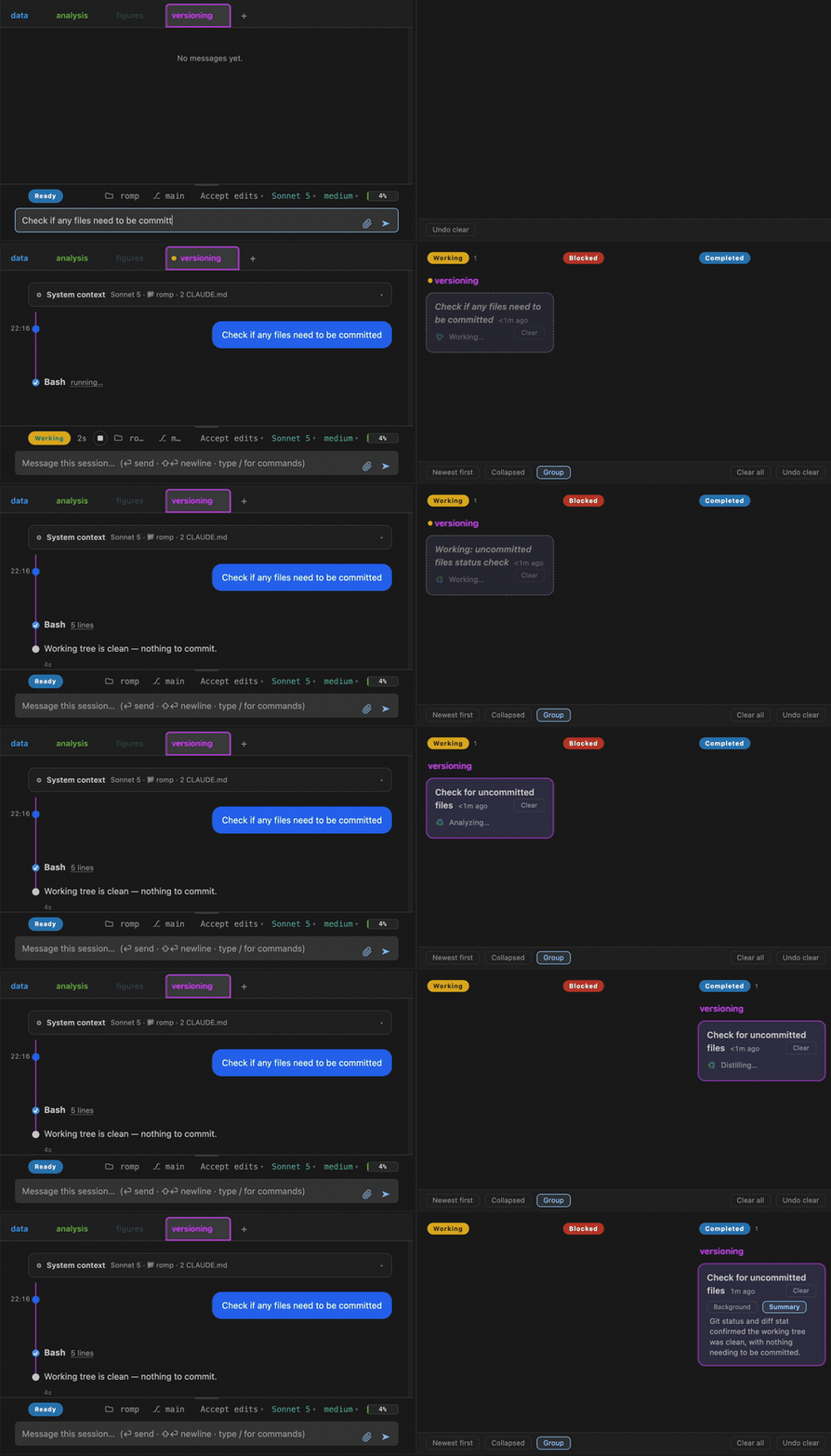
Task management
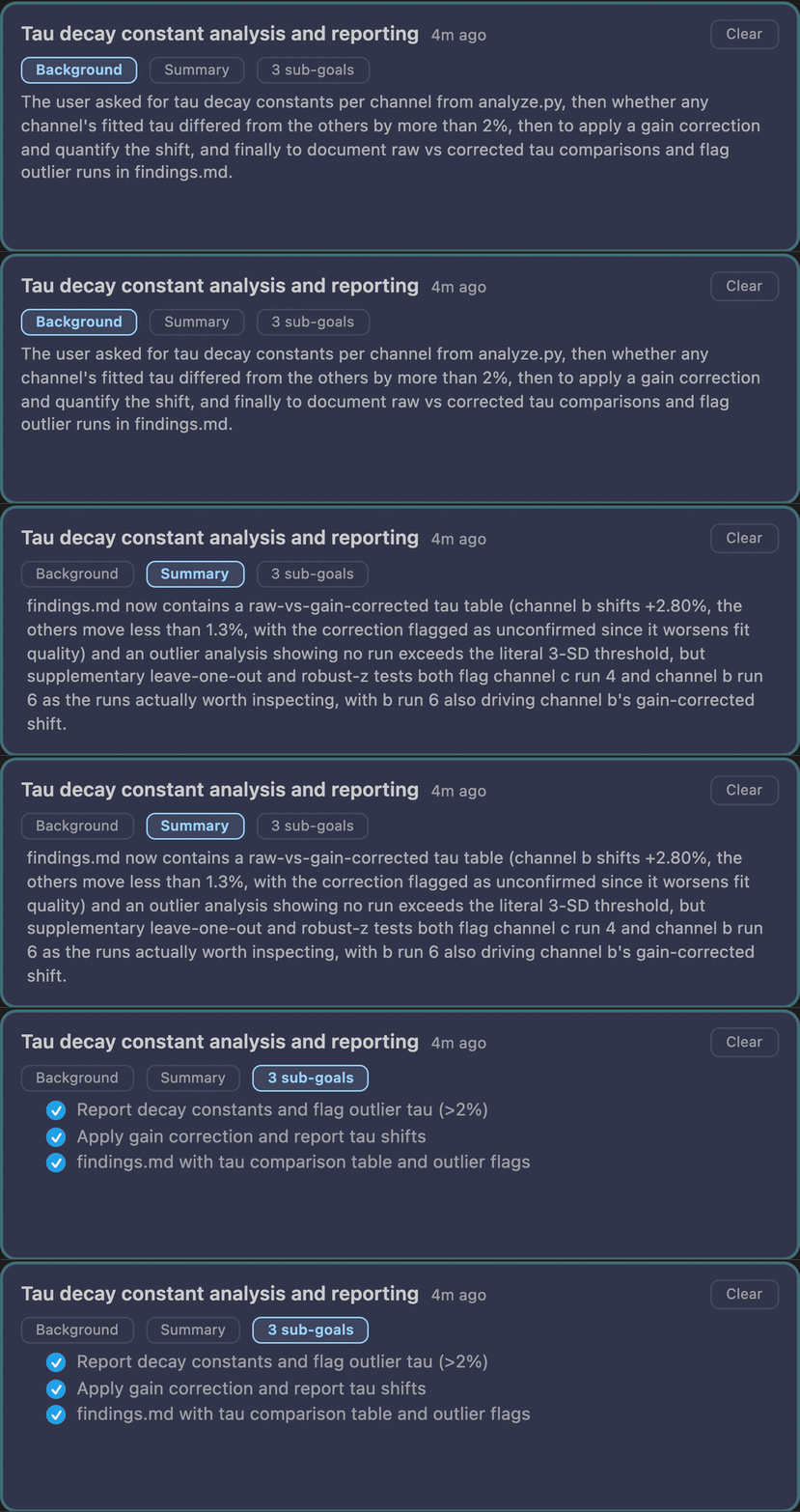
Romp reads the agents' transcripts and tracks the work, so you don't have to.
A card shows each task with the essential information: why the work is happening, what the agent did, and the sub-tasks completed along the way.
Coordination you can see
The Romp Postal Service lets agents ask each other questions and hand off work.

Navigate anywhere, detail on demand
Find any work by when it happened on the timeline or by the task it belonged to, then open it for the full detail.
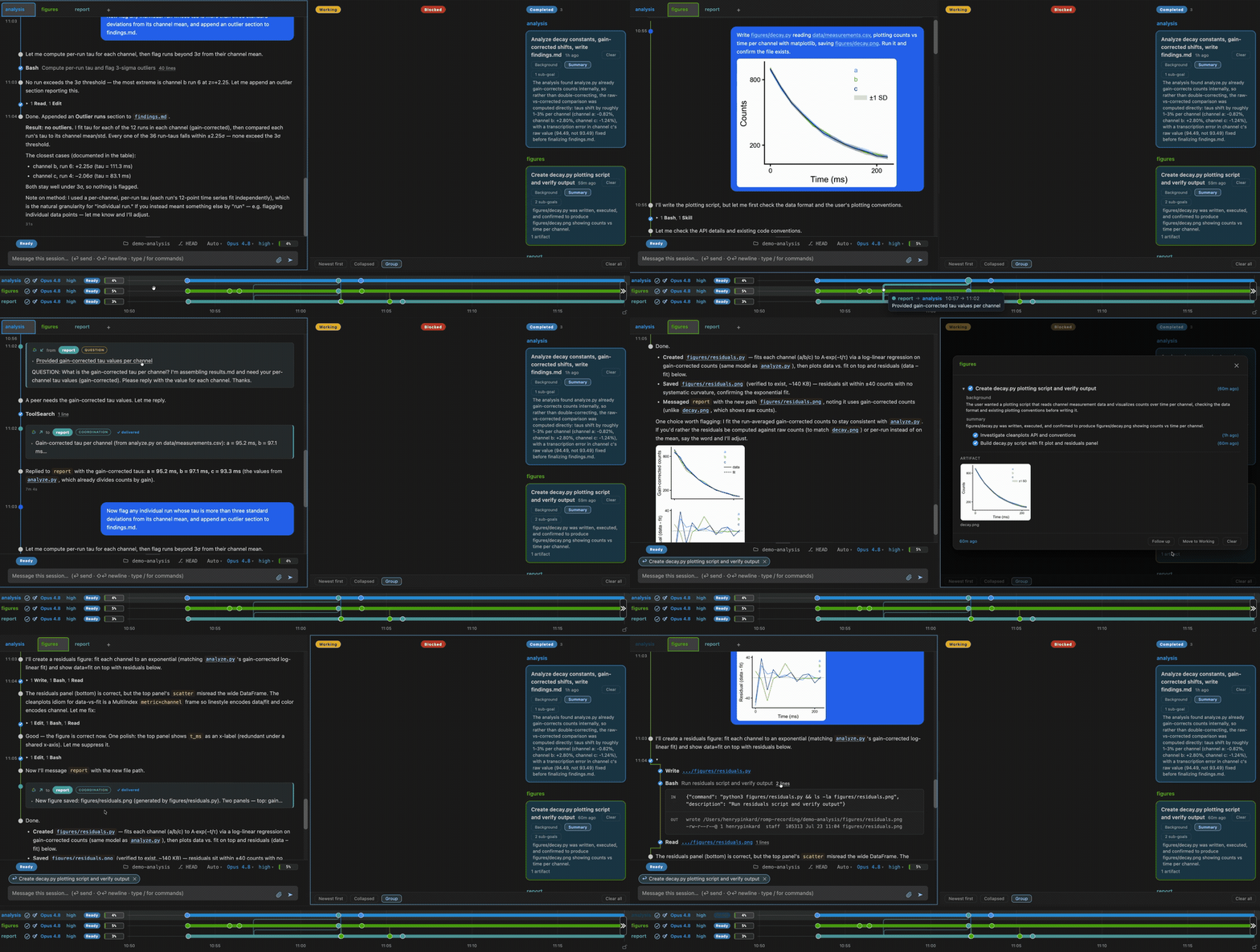
Romp works with Claude Code today. It adds all of this on top of the sessions you already run, without changing how you work.
Self-hosted, reachable from anywhere
You run Romp yourself, on your laptop or a server, with no hosted service in between.
- On your phone. Reach the full dashboard over Tailscale.
- Across machines. Connect several over SSH: agents on different machines message each other, and you steer them all from one place.
- In your editor or a browser. Open it as a VS Code / Cursor extension or a plain browser tab.
Quick start
Needs Claude Code (signed in), Python 3.10+, and Node.js.
curl -fsSL https://raw.githubusercontent.com/romp-on/romp/main/bootstrap.sh | bash
This clones Romp to ~/romp, checks out the newest release, installs it, and adds bin/ to your shell rc. Open a new terminal afterwards. Installing by hand works too.
In that terminal, run romp. It opens the dashboard in your browser and prints
the link as well, so a machine with no browser of its own still gives you a way
in. Start a session from there.
Docs
Requirements, remote-host setup, a guide to each capability, and how Romp works under the hood are in the documentation (source in docs/).
License
Yorumlar (0)
Yorum birakmak icin giris yap.
Yorum birakSonuc bulunamadi