clayrune
Health Gecti
- License — License: MIT
- Description — Repository has a description
- Active repo — Last push 0 days ago
- Community trust — 12 GitHub stars
Code Gecti
- Code scan — Scanned 12 files during light audit, no dangerous patterns found
Permissions Gecti
- Permissions — No dangerous permissions requested
Bu listing icin henuz AI raporu yok.
Open-source mission control for running multiple Claude Code agents across projects - one dashboard, a scheduler, cross-session memory, and browser/phone access. Runs locally on your own Claude subscription (the CLI, not the API). MIT, local-first.
Clayrune
Mission control for your Claude Code agents.
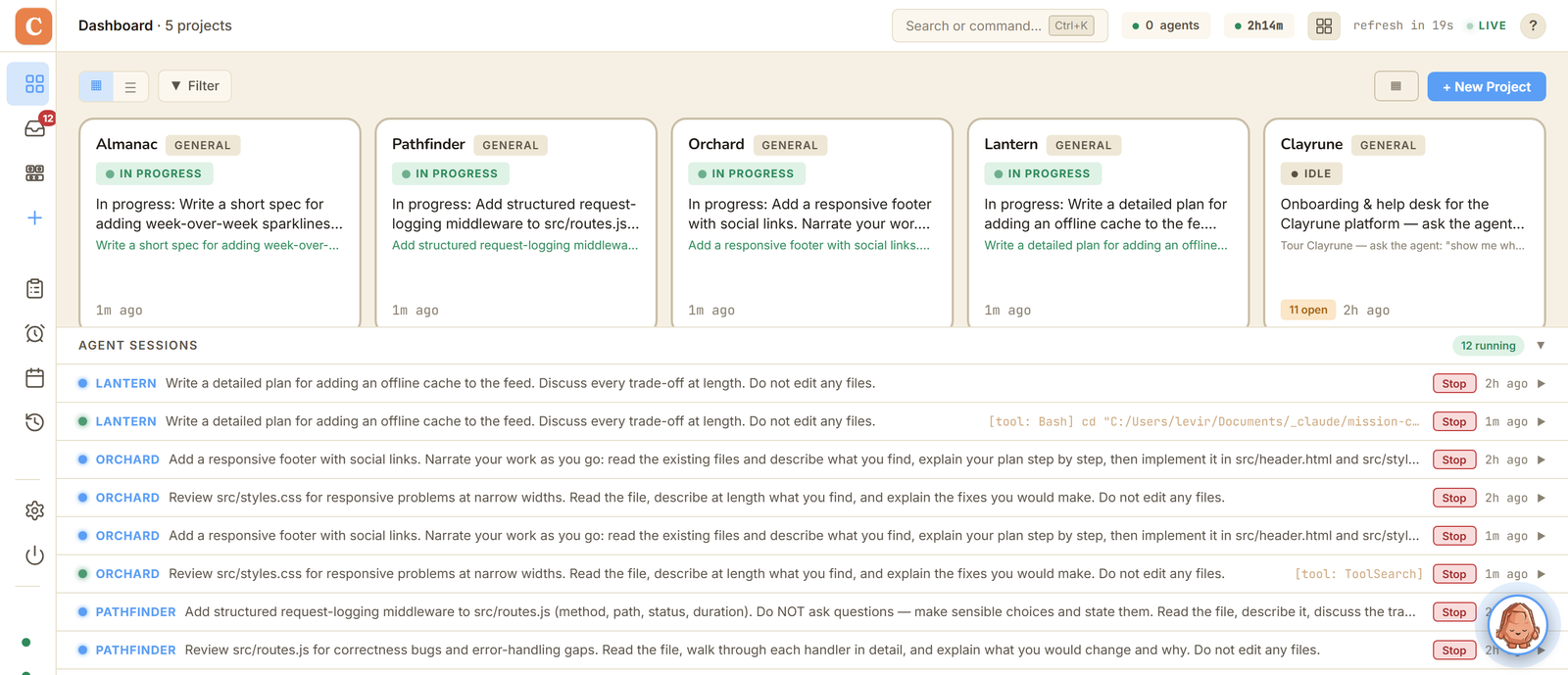
Run many agents, across every project, and keep working while they do.




I kept four Claude Code terminals open and could never tell which one had
stopped and was waiting on me. So I built a board that sits over the sessions
instead of replacing them. Every project's on it, every agent has a name, and
you can see at a glance which one is stuck.
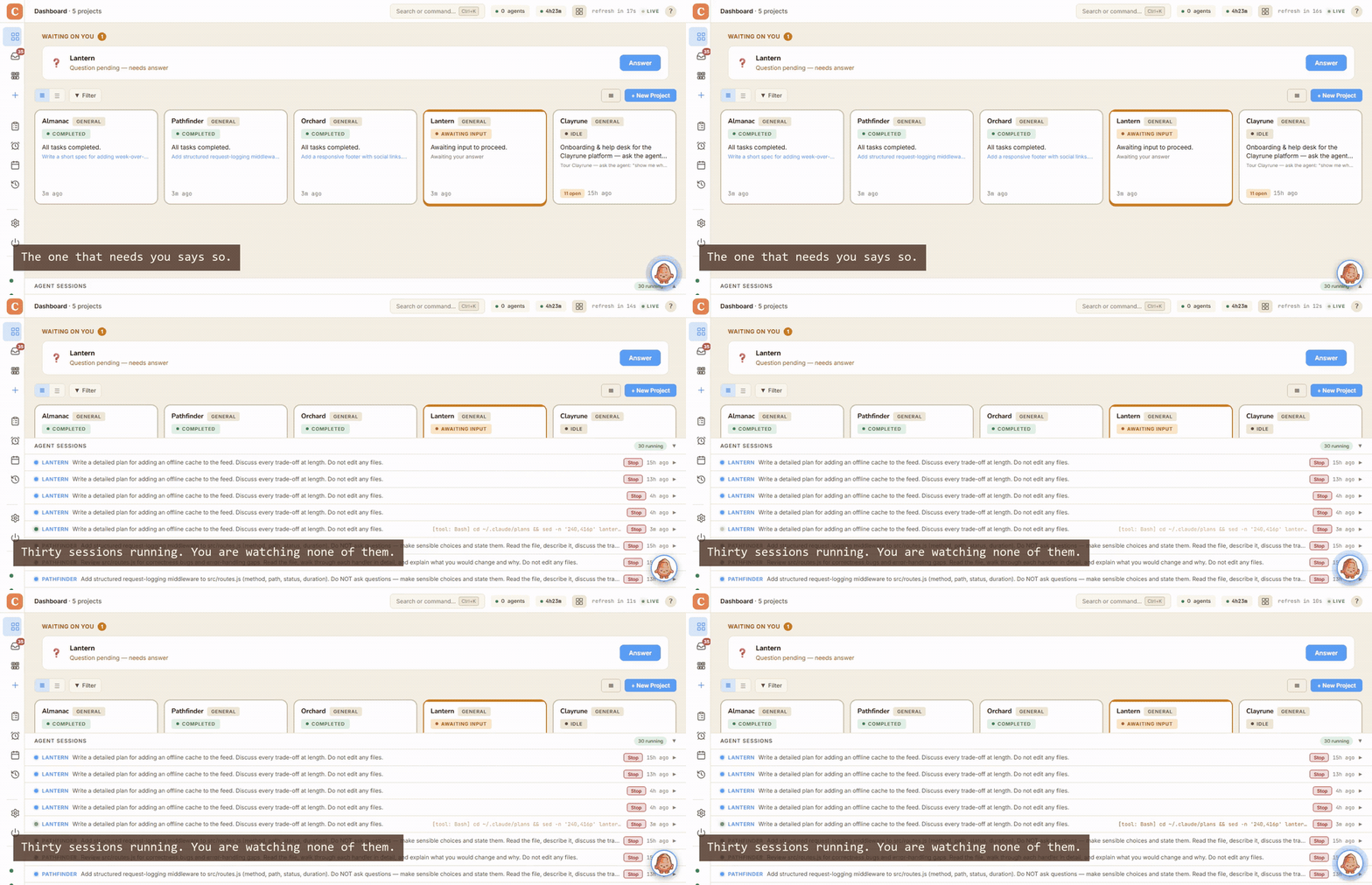
▶ Try the live demo — nothing to install · ⬇ Download — Windows, macOS, Linux
The parts I'd actually show you
Agents that work while I'm asleep
For an agent to get anything done overnight it has to run with permissions
off — one that stops to ask about every file is just waiting for you in a more
expensive way. So I put the guardrail in code instead.steward/fence.py holds a list of 21 things it can never
do: git push, DROP TABLE, npm publish, terraform destroy,gh pr create, rm -rf outside scratch, the cloud spend verbs. It can't edit
that list — the first thing I worried about — and if it can't tell which
session it's in, it stops anyway. 20 tests on it.
The part I'm most pleased with: whatever it refused to run lands in your
inbox, and it carries on with the same job the moment you answer.
Worth saying plainly, because the claim's useless without it: this covers
agents running on their own. Your own interactive sessions aren't fenced.
Memory that I actually measured
Everyone says their agents remember things. I went and checked mine: across
374 real sessions they opened a memory file in 5% of them, and 91 of my
104 notes had never been read once. Turns out giving an agent a folder and
hoping it looks doesn't work. Pushing the notes at it instead took reachable
ones from 47/104 to 97/104.
The scripts are in tools/memory-eval/ and take about a
minute to run against your own notes.
Lots of agents, not one
Every project sits on one board, and each agent gets its own persona, its own
pinned model and its own session. My reviewer and my builder really are
different agents, not the same one with a different opening line. You can put
them on a schedule, or hand one a standing brief and leave it to work.
What you'd see
 |
 |
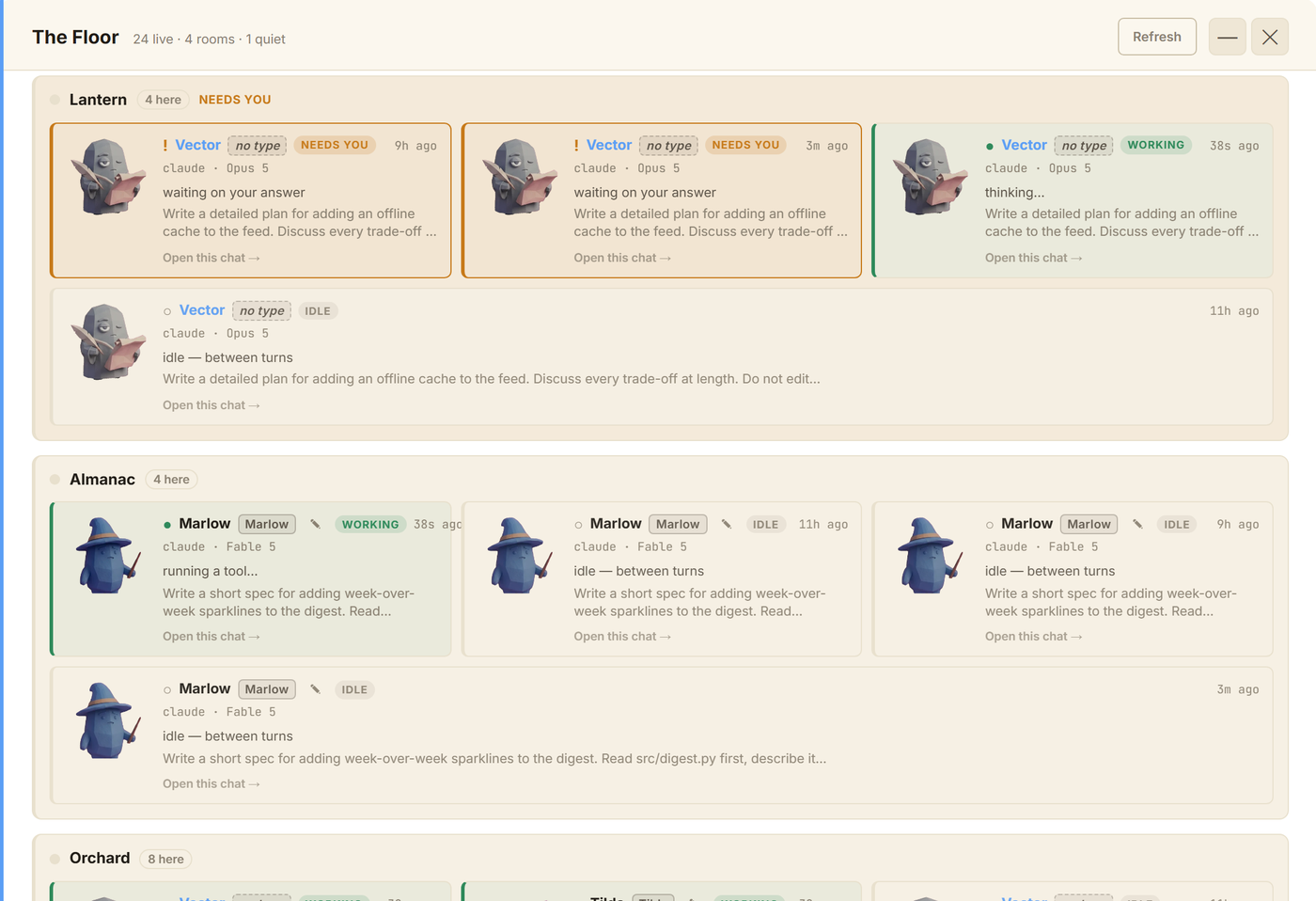
The Floor. Every agent currently running, grouped by project, with a face, a name and whichever model it's pinned to. Anything marked NEEDS YOU is stuck waiting on an answer. |
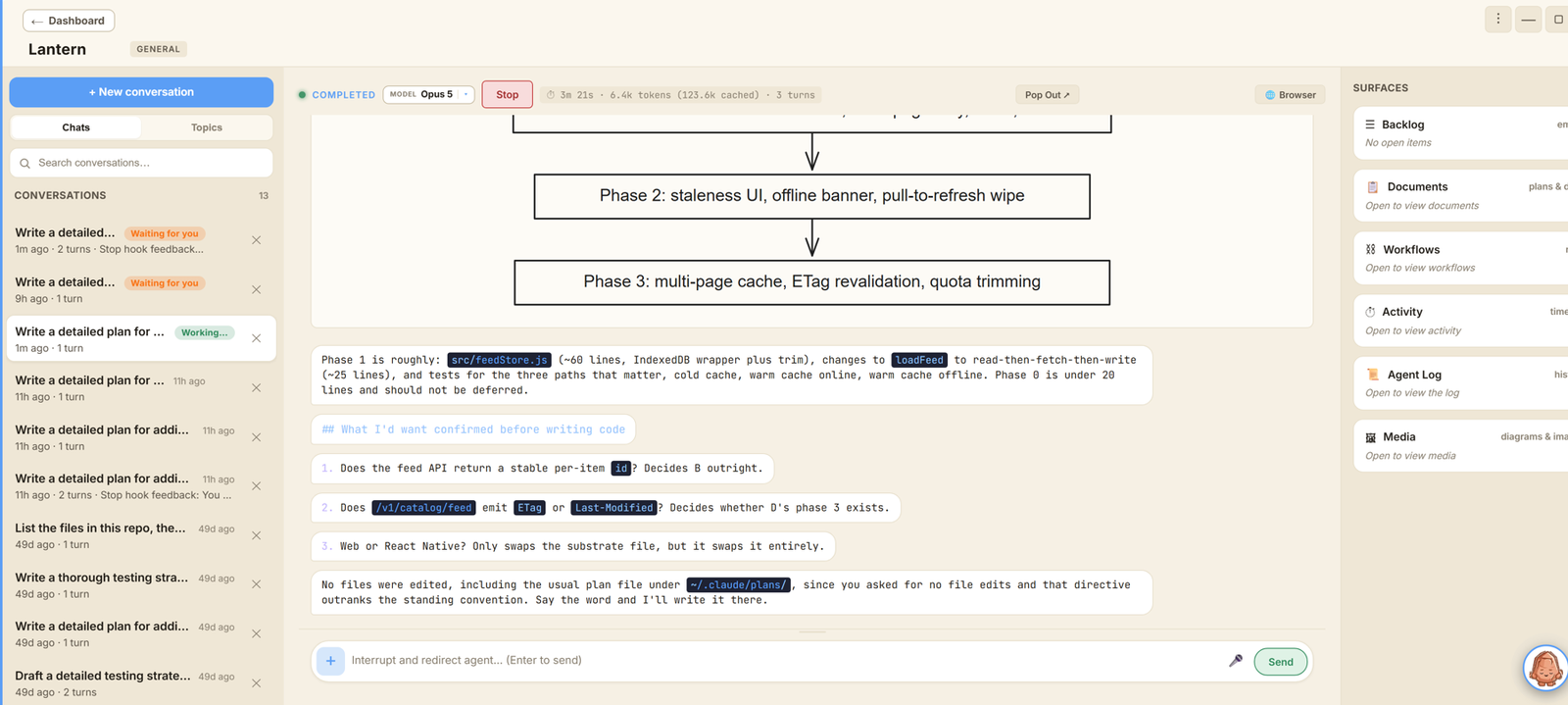
Inside a run. You can read what it decided as it goes, and cut in mid-task without killing the session. |
Install
Windows — open PowerShell, paste one line:
iwr https://clayrune.io/install.ps1 -useb | iex
macOS / Linux:
curl -fsSL https://clayrune.io/install.sh | sh
That installs the Claude CLI, clones the repo and opens the dashboard onhttp://localhost:5199. If you'd rather double-click something, there's a
zip on clayrune.io — it's unsigned, so
Windows will grumble about an "unrecognized app" the first time.
Requires Python 3.9+ and the Claude CLI.
git clone https://github.com/ronle/clayrune.git
cd mission-control
pip install -r requirements.txt
python app.py        # native desktop window
# or: python server.py   → http://localhost:5199
On first run Settings walks you through the port, your projects directory and
which model to use.
Full configuration reference: docs/reference-config-and-features.md.
Two questions I get every time
"Isn't this just Claude Code?"It doesn't replace Claude Code, it runs it. Claude Code is the engine and this
is the cockpit. You'd reach for it once you've got more than one project on the
go, more than one agent, or work you'd rather not sit and babysit.
| Bare Claude Code | Clayrune |
|---|---|
| One repo, one terminal | Every project, one board |
| You're at the keyboard | Scheduled + unattended agents |
| Session ends, context dies | Cross-session memory |
| Desk-bound | Full control from your phone |
Mostly they don't — the parallelism is across projects, and each project's
agent gets its own directory and its own session.
If two really do need the same repo, switch on Worktree isolation in
Settings (it's off by default). The second agent and any after it get dropped
into their own git worktree on their own branch. Committed work merges back
when the session ends, and if it won't apply cleanly the branch is kept and
you get told, rather than something clever happening behind your back.
What that doesn't fix is two agents thinking about the same file at the same
time. Worktrees stop them overwriting each other's bytes. They don't stop the
second one building on something the first just made untrue. I haven't solved
that.
Multi-provider agents (Claude Code first-class, plus Gemini, Codex, Aider,
OpenCode, Goose) · Hivemind multi-agent orchestration · Scheduler (once / daily /
interval / cron) · autonomous Steward · backlogs with GitHub Issues sync ·
Skills and MCP server management · token and cost tracking · multi-window
layouts that survive a reboot · phone access with push over the clayrune.io
tunnel · plan viewer · shared rules across projects.
Detail: docs/reference-config-and-features.md.
How it's built
Flask on the back, plain JS on the front with no build step, JSON files on disk
instead of a database, and the claude CLI spawned as a subprocess. One Python
process, one HTML file, no database.
Contributions welcome — fork, branch, run python server.py, check it, open a PR.
Notes in docs/reference-config-and-features.md.
License
MIT, except two source-available-but-proprietary directories:mc_remote/ andmc_tunnel/, the closed platform-binding modules for
clayrune.io. The open-core seam is mc_remote_iface/ (MIT) — implement that
contract to plug in your own remote-access provider.
Rationale: docs/remote-access/07-licensing.md.
Yorumlar (0)
Yorum birakmak icin giris yap.
Yorum birakSonuc bulunamadi