code-twin
Health Warn
- License — License: MPL-2.0
- Description — Repository has a description
- Active repo — Last push 0 days ago
- Low visibility — Only 5 GitHub stars
Code Pass
- Code scan — Scanned 12 files during light audit, no dangerous patterns found
Permissions Pass
- Permissions — No dangerous permissions requested
No AI report is available for this listing yet.
AI engineering for TwinCAT

AI engineering for TwinCAT: AI agents read, edit and build your TwinCAT PLC code in TwinCAT XAE Shell.
How it works
flowchart LR
    chat["CodeTwin Chat<br/>(in the shell)"] --> mcp
    cli["Copilot CLI /<br/>Copilot app"] -- "twincat plugin<br/>(code-twin-mcp)" --> mcp
    subgraph shell["TwinCAT XAE Shell"]
        mcp["CodeTwin extension<br/>(MCP server)"] --> ai["TwinCAT<br/>Automation Interface"]
    end
- The CodeTwin extension runs inside TwinCAT XAE Shell and gives AI agents tools to list, read, write, create and build PLC elements.
- The chat inside the shell talks to it directly. It runs on Copilot CLI or on Claude Code.
- Copilot CLI and the Copilot app reach it through the
twincatplugin. The plugin finds the shell that has your project open, or starts one. - The AI runs on your own GitHub Copilot or Claude subscription. CodeTwin never touches your credentials.
Install
You need Windows x64, TwinCAT XAE Shell (TwinCAT 3.1.4026), the .NET 10 Runtime and Copilot CLI or Claude Code.
- Close TwinCAT XAE Shell.
- Run
CodeTwin-Setup-<version>.exefrom the releases. No admin rights needed.
To update, run a newer setup. To uninstall, use Settings > Apps.
Use
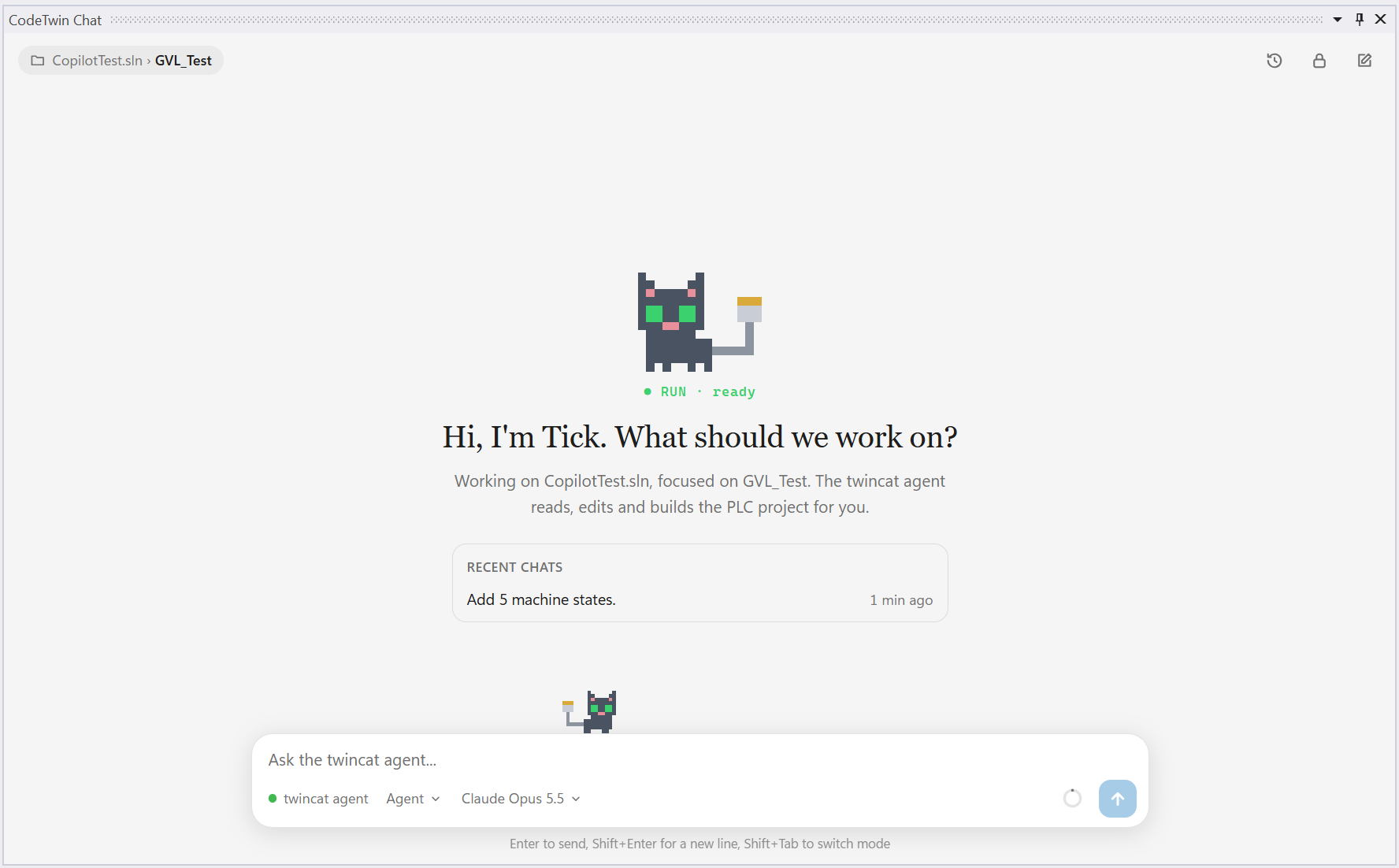
- In the shell: open your solution, then Tools > CodeTwin > Chat. The chat uses GitHub Copilot; to use your Claude subscription instead, set AI provider to Claude in Tools > CodeTwin > Settings.
- In Copilot CLI: run
copilot --agent twincat:twincatin your project folder. - In the Copilot app: open your project folder and ask it to follow the
twincatagent.
Then just ask, for example:
Implement F_Add with two INT inputs and call it from MAIN, then build and fix all errors.Write TcUnit tests for FB_Valve.What does compiler error C0077 mean?
Overview and how to build CodeTwin: docs/overview.md.
What is supported
Supported today:
- Listing, searching and reading PLC elements
- Changing Structured Text code (declaration and implementation)
- Creating folders, programs, function blocks, functions, interfaces, methods, properties, actions, structs, enums, unions, aliases, GVLs and PLC visualizations
- Renaming and deleting PLC elements
- Reading and changing PLC visualizations (also served as web visu) as TcVIS XML
- Building the solution and fixing compiler errors and warnings
- Writing TcUnit tests (running them is up to you)
- Several solutions or repositories open at the same time, each in its own shell
- Clients: CodeTwin Chat (on GitHub Copilot or Claude), Copilot CLI and the Copilot app
- TwinCAT 3.1.4026
Not supported yet:
- Moving PLC elements
- Graphical languages (FBD, LD, SFC, CFC)
- TwinCAT HMI (TE2000)
- I/O tree, devices and EtherCAT configuration
- Motion (NC axes) and TwinCAT Safety configuration
- Adding or changing library references
- Activating the configuration, logging in, downloading and online changes
- Running TcUnit tests
- Clients: Claude Code in the terminal, VS Code, Cursor, Codex CLI and Claude Desktop
- TwinCAT 3.1.4024
More is coming, and this list is updated as features are added.
Licensed under MPL-2.0. Third-party components: THIRD-PARTY-NOTICES.txt.
Not affiliated with or endorsed by Beckhoff Automation. TwinCAT is a registered trademark of Beckhoff Automation GmbH.
Reviews (0)
Sign in to leave a review.
Leave a reviewNo results found