svolder
Health Uyari
- License — License: GPL-3.0
- Description — Repository has a description
- Active repo — Last push 0 days ago
- Low visibility — Only 5 GitHub stars
Code Gecti
- Code scan — Scanned 12 files during light audit, no dangerous patterns found
Permissions Gecti
- Permissions — No dangerous permissions requested
Bu listing icin henuz AI raporu yok.
Svolder lets you automate the way you enjoy your Schiit
svolder
Control Schiit Audio devices that carry the Forkbeard Bluetooth LE module from Linux: a CLI, a TUI,
a background daemon, a web UI, Home Assistant over MQTT and an MCP server for AI assistants. Named
after the Battle of Svolder, won by Sweyn Forkbeard, son of Harald Bluetooth.

We come in peace: svolder is a fan's homage to Schiit's engineering, and Schiit Audio has not made,
endorsed or reviewed it (see LEGAL.md). If you find it useful, the best way to say
thanks is to buy Schiit. It knows Schiit's Forkbeard DACs, preamps, amplifiers and phono stages
through a profile per model.
Before you plug in
svolder is beta software. It has been tested against a fake device, a Bluetooth simulator that
speaks the Forkbeard protocol, and now some real Schiit devices, but not every model. Treat every
first run on a new device as a test:
- Turn the volume down before svolder connects, on the device or on the amplifier after it, and
start low. - Try it with cheap headphones or speakers first, and keep headphones off your ears while you try a
new device, a new version of svolder or a new feature. - Cap the ways in from other devices:
max_volume_dbunder[web],[mqtt]and[mcp]inconfig.tomlrefuses any volume above it. - If something sounds or looks wrong, take the headphones off, turn the volume down on the device,
and stop svolder withsvolder daemon stop. - Tell us what happened, with the output of
svolder doctor, in an
issue.
Confirmed on real hardware: Mimir, Freya+ (reported by users). The other models follow the protocol
and are untested; if yours works or does not, please
open an issue.
LEGAL.md says the same, and you use svolder at your own risk.
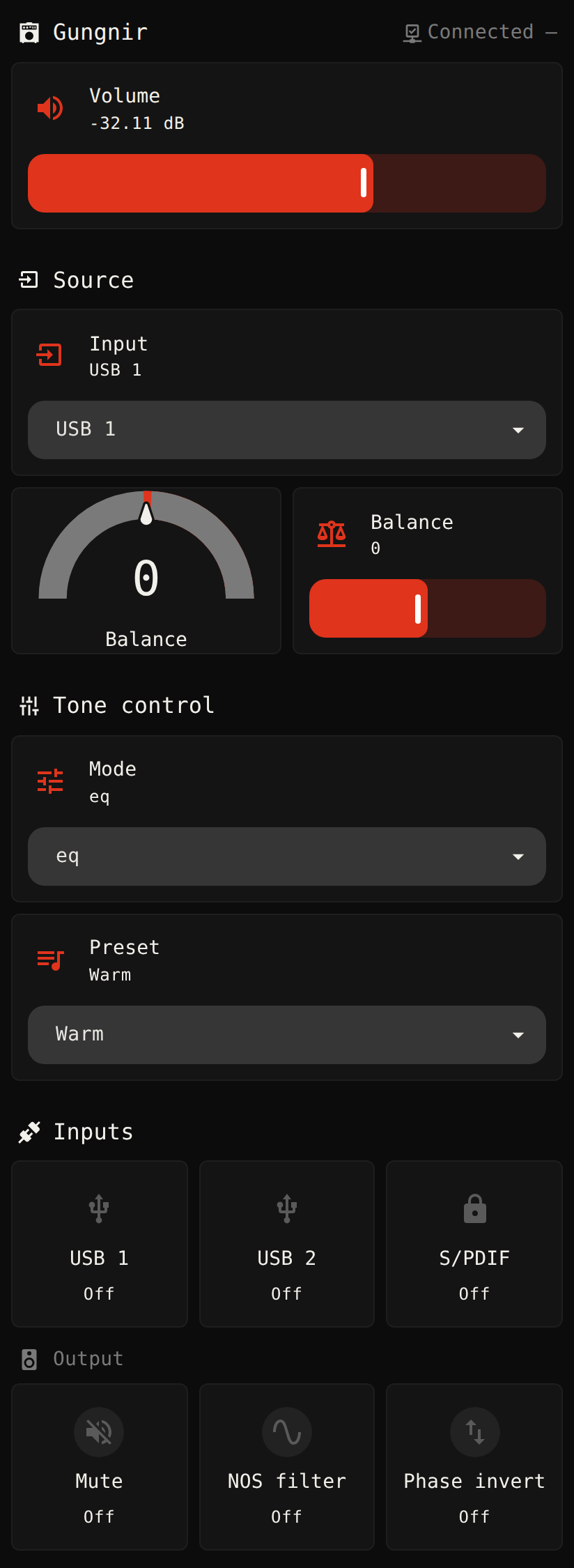
Screenshots
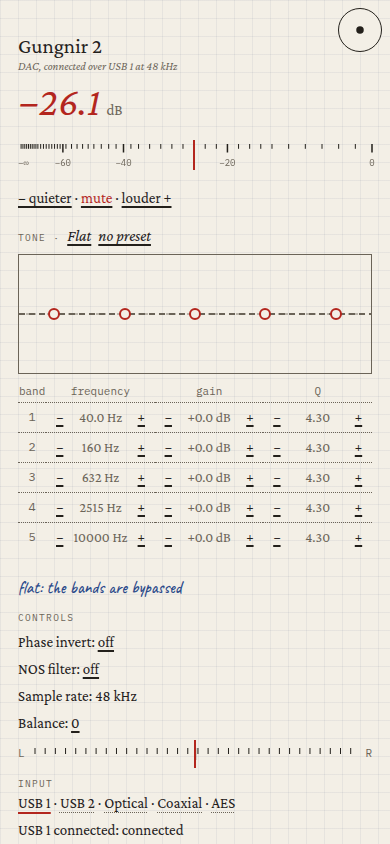
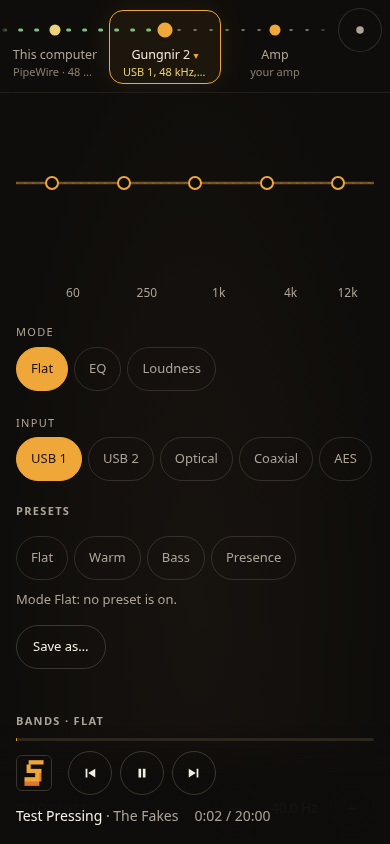
Web
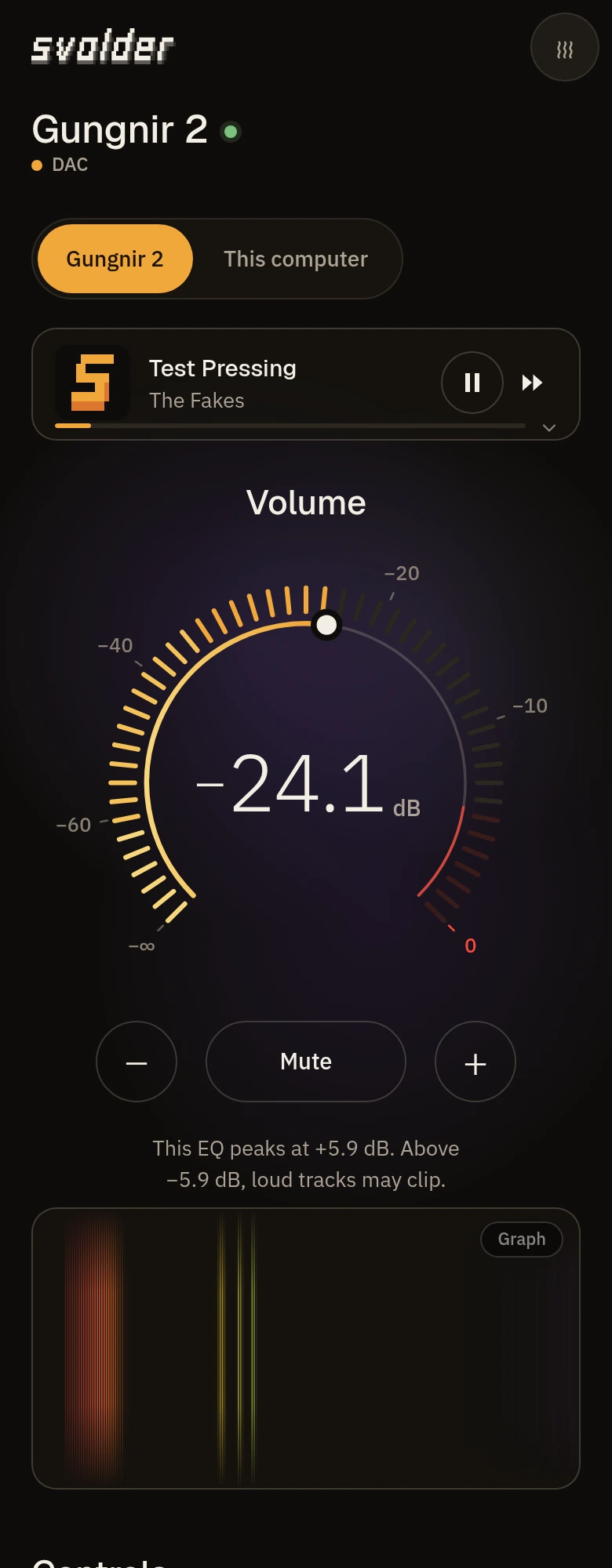
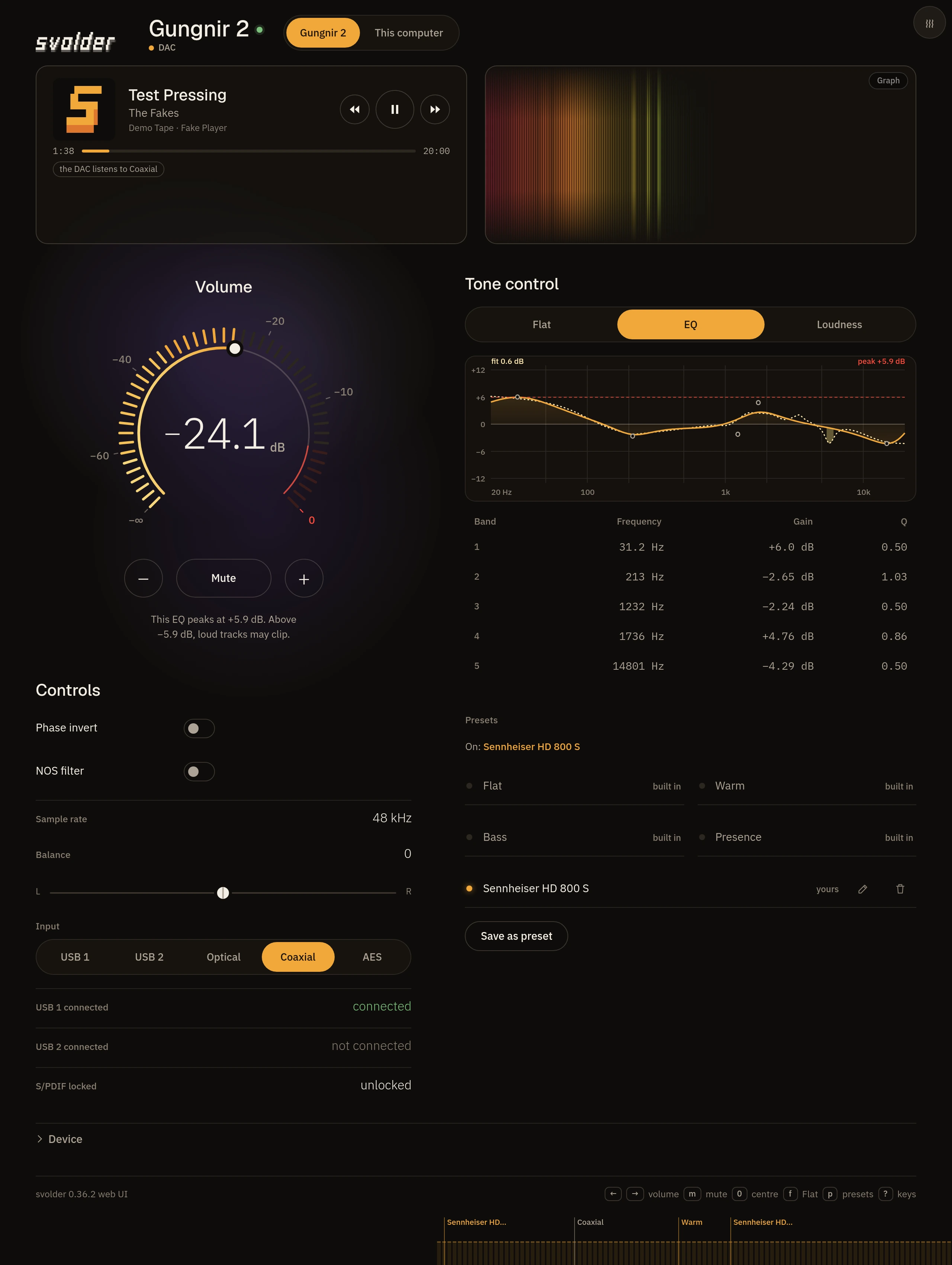
Web themes on a phone
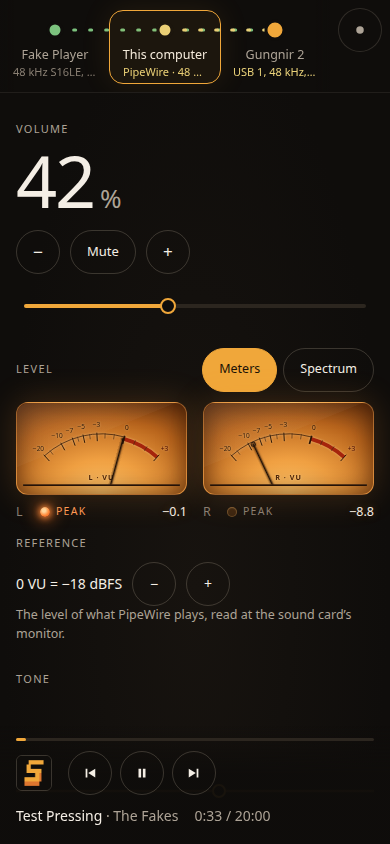
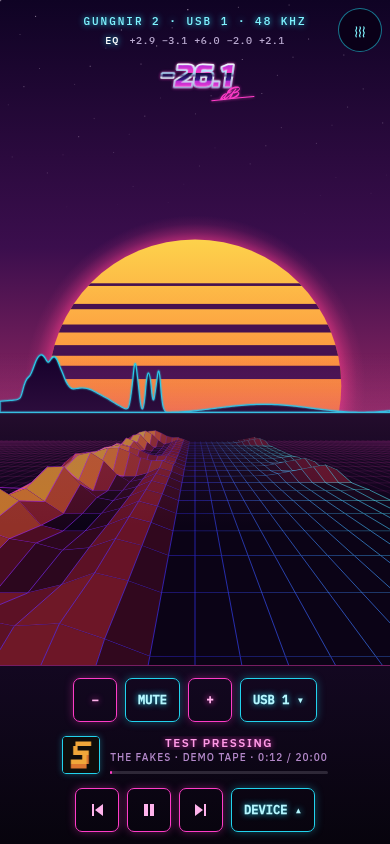
Terminal
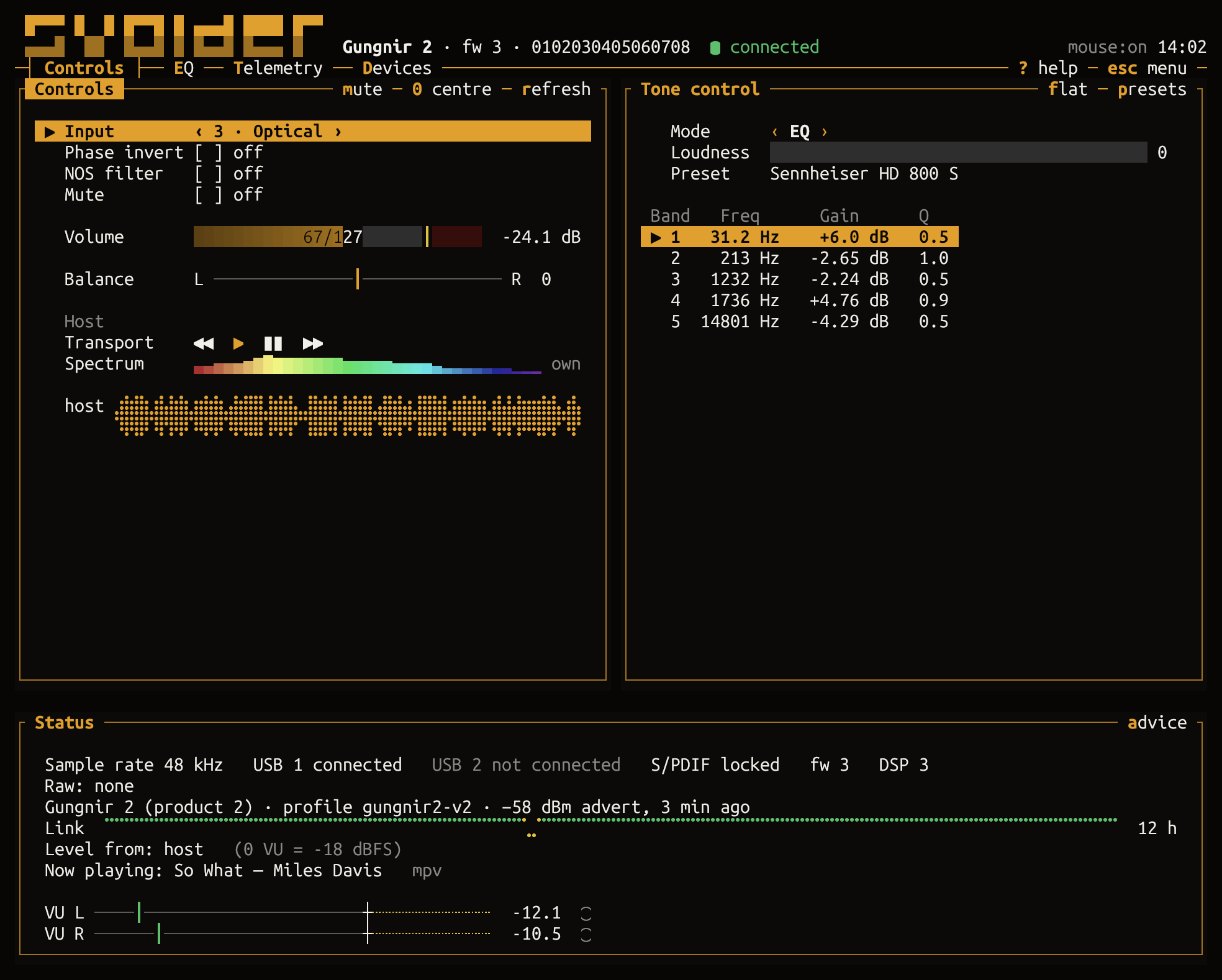
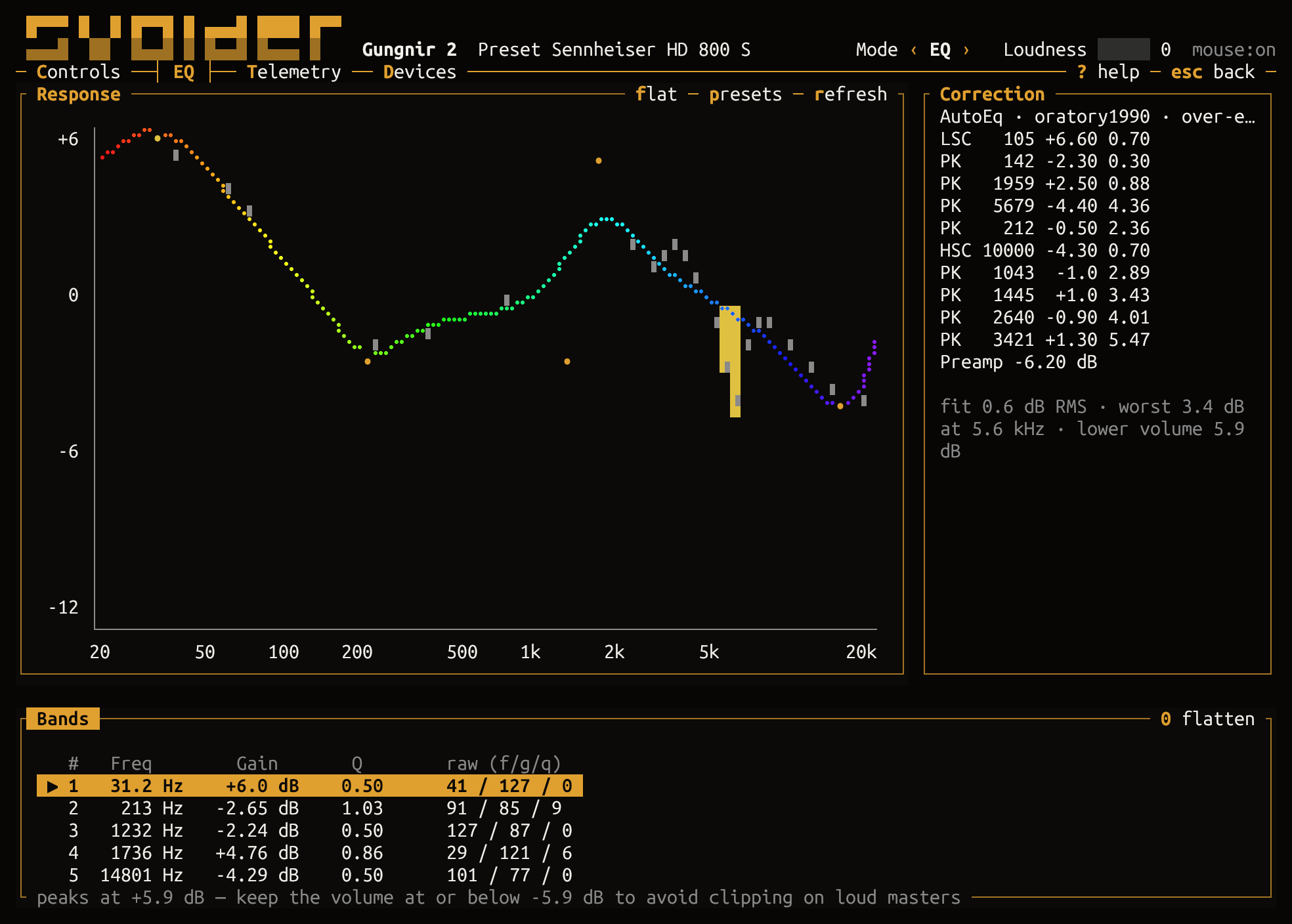
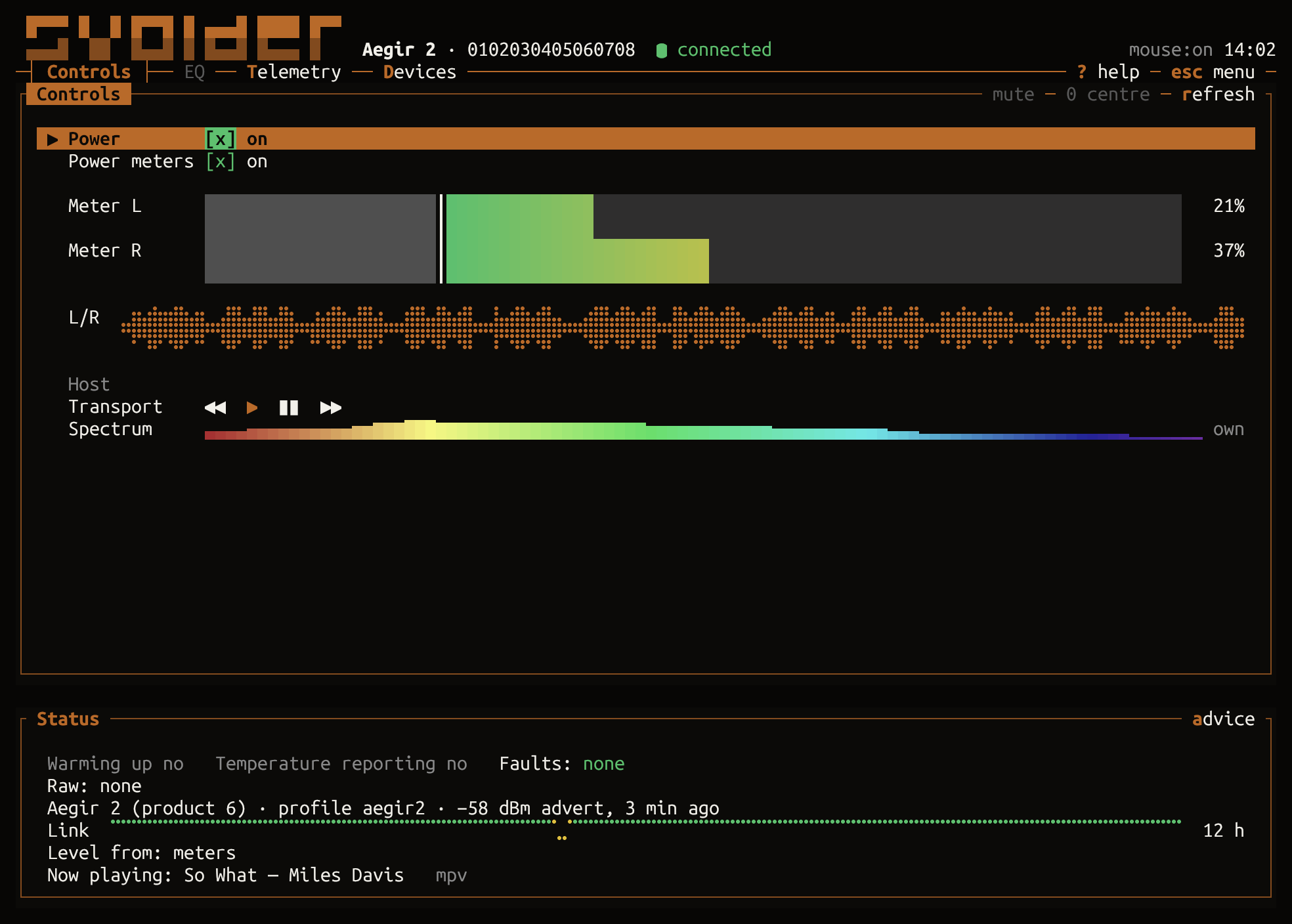
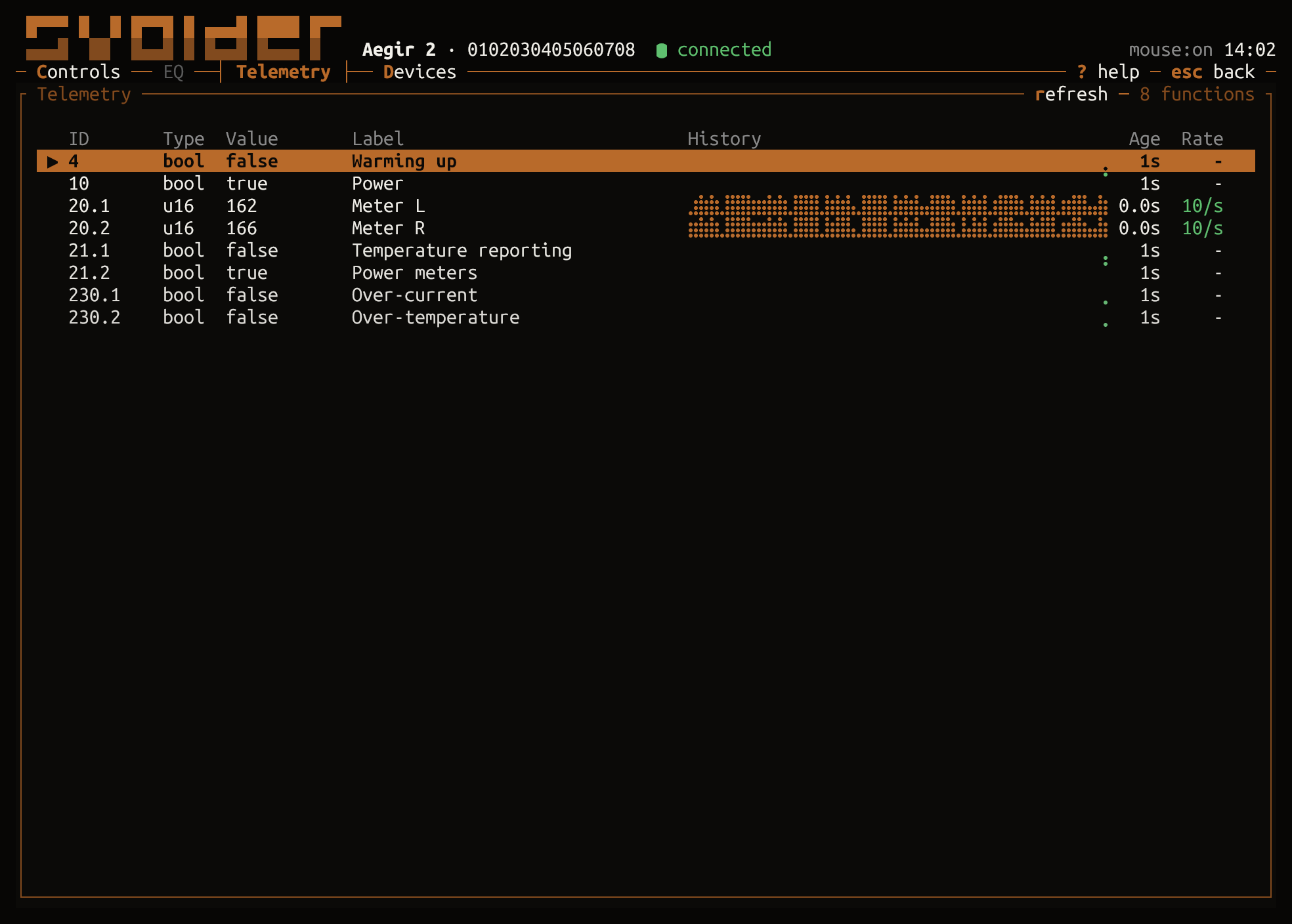
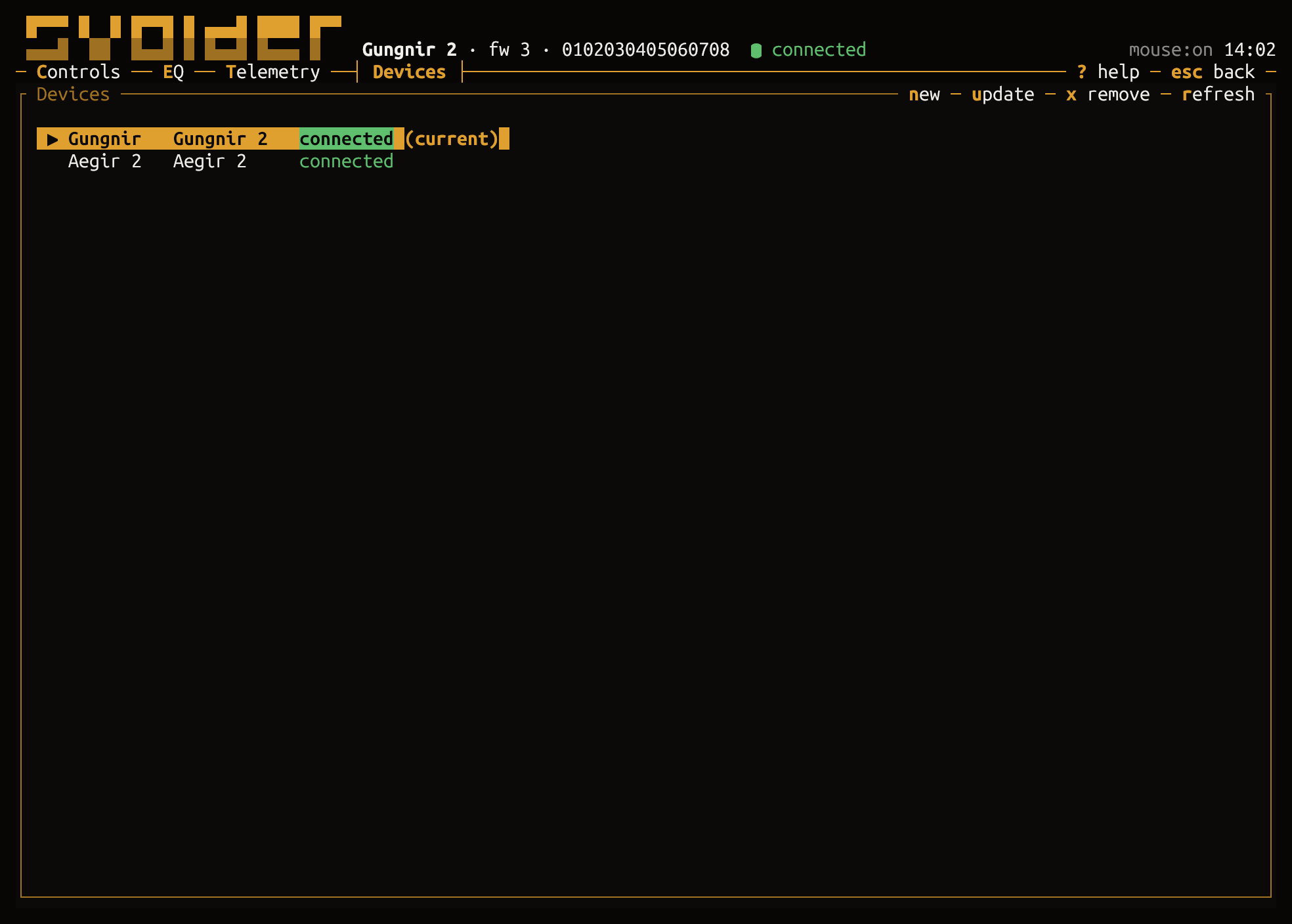
Install
Get the current version from the release page,
for x86_64 and arm64, each file listed in SHA256SUMS:
- Debian, Ubuntu, Raspberry Pi OS:
sudo apt install ./svolder_<version>_amd64.deb
(_arm64.debon arm64, Raspberry Pi OS 64-bit) - Fedora, RHEL:
sudo dnf install ./svolder-<version>-1.x86_64.rpm - Arch:
PKGBUILDand the tarball in one folder, thenmakepkg -si - Nix:
nix run github:RRAlex/svolder/v<version> - Any Linux: the
x86_64-linuxoraarch64-linuxtarball; static binaries, BlueZ only - Container:
docker pull ghcr.io/rralex/svolder:<version>
On a Raspberry Pi whose Bluetooth is blocked or whose service is stopped, svolder doctor names the
fix; see Raspberry Pi.
A package enables nothing: turn the daemon on withsystemctl --user enable --now svolderd.socket svolderd.service (from a tarball:svolder daemon install). Getting started and
The daemon have every file, a machine nobody logs in to and the container.
To build from source, run make deps then make build (Rust 1.93 or later);
CONTRIBUTING.md lists the tools.
First steps
svolder setup                 # scan, name the device, offer to install the daemon
svolder                       # the TUI, or the setup wizard the first time
svolder doctor                # check the host and the daemon, and offer fixes
svolder status                # every control's value
svolder set volume -20dB      # set a control by its key; `svolder set mute on`
svolder eq show               # the tone control; `eq load`, `eq set`, `eq search` AutoEq
svolder web                   # the web UI, signed in; `web --qr` for a phone
svolder daemon install        # keep every device connected for the whole login
No device at hand: svolder tui --demo runs the TUI on a fake device and a throwaway daemon, and
touches nothing of yours. make demo adds --host --web: the same fake device with your computer's
real audio (volume, player, EQ) and the web UI on a free port, for trying the themes with your own
music; make demo-safe is the plain one.
Home Assistant
The daemon publishes each device to an MQTT broker, and Home Assistant's MQTT integration finds it
on its own. Add a section to ~/.config/svolder/config.toml:
[mqtt]
enabled = true
host = "192.168.1.10"     # the broker, such as Home Assistant's Mosquitto add-on
username = "svolder"      # and SVOLDER_MQTT_PASSWORD in the daemon's environment
commands = true           # let Home Assistant change things; leave it out for read-only
max_volume_db = -20.0     # Home Assistant never sets the volume above this
Then run svolder daemon restart; svolder daemon status says when the MQTT client is connected.
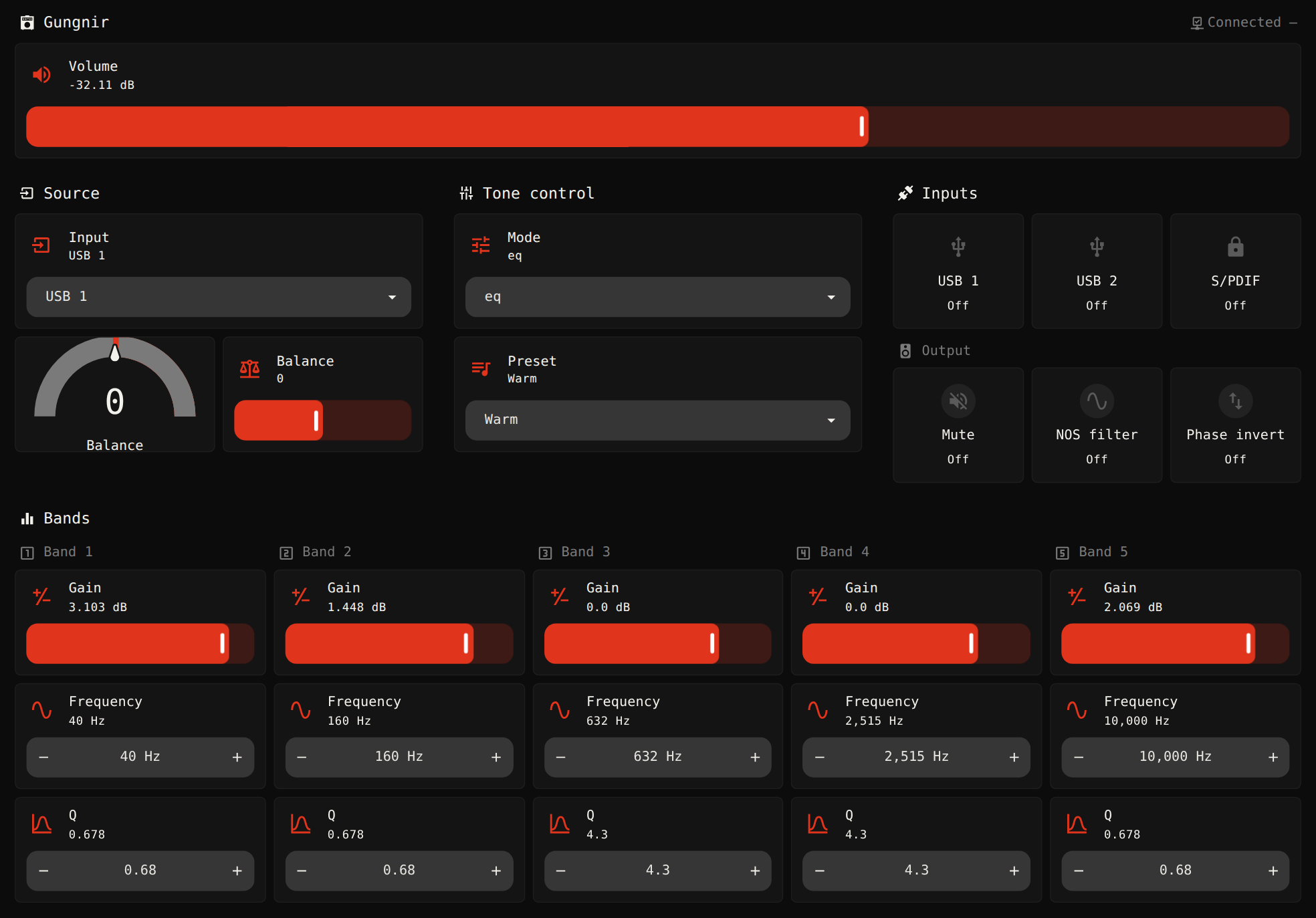
With the MQTT integration on the same broker, each device appears with its controls.
contrib/home-assistant has the broker and login steps and a
dashboard to paste in, and MQTT and Home Assistant has every entity and topic.
AI assistants (MCP)
The daemon can serve the Model Context Protocol on this machine, read-only unless you allow writes:
[mcp]
enabled = true            # 127.0.0.1:8737; add writes = true to let it change things
Run svolder daemon restart, then register it with Claude Code, pasting the token thatsvolder mcp token prints:
claude mcp add --transport http svolder http://127.0.0.1:8737/mcp --header "Authorization: Bearer <token>"
The MCP server covers other clients, the volume rule and the tools.
How it fits together
      svolder CLI / TUI      web page        MCP clients     Home Assistant
            │ unix socket       │ HTTP + events   │ MCP          │ MQTT
            └──────────┬────────┴────────┬────────┴──────┬───────┘
                       ▼                 ▼               ▼
              ┌──────────────────── servers (thin) ─────────────────┐
              │  IPC server · web server · MCP server · MQTT client │
              └──────────────────────────┬──────────────────────────┘
                                         ▼
              ┌──────────── core: one model, one set of ops ────────┐
              │  the view (state every surface draws) + event feed  │
              │  device ops → each device's writer; computer ops →  │
              │  the EQ controller (EQ, crossfeed, virtual          │
              │  speakers, preamp)                                  │
              │  saved truth: config.toml + host-eq.toml (EQ state) │
              └───────────────┬────────────────────────┬────────────┘
                              ▼                        ▼
                 devices (the fleet)          the computer ("host")
                 BLE via BlueZ / fake         PipeWire: sink + route look,
                 one writer per device:       capture → spectrum/tempo,
                 volume rule, glides,         EQ filter chain (systemd unit,
                 readings back                detached process or child),
                                              live sends, crossfeed and
                                              virtual-speakers stages,
                                              preamp rule
- One writer per thing. Each device has one writer that orders its writes and applies the volume
rule, and the computer's sound has one EQ controller; a front end never writes behind a running
daemon, and with none running the TUI or the CLI runs the same core itself. - One view, many surfaces. The words and ranges every screen shows come from the core, so the
TUI, the web page, MCP and Home Assistant agree. - The saved files are the truth. Live state is rebuilt from
config.toml(devices, presets,
servers) and the computer EQ'shost-eq.toml, and anything that could surprise starts off.
The architecture says where each part lives.
Where the details live
- Usage index: every page below, with the transports in one paragraph.
- Getting started: install, the front door and the setup wizard.
- Device verbs and Equaliser and presets: the CLI.
- The terminal UI: every screen and key, themes, effects and the mouse.
- The web UI: turning it on, signing in, a phone, its limits, its themes
(Ember, Paper, Signal and Night drive), the theme menu and Arrange. - MQTT and Home Assistant and The MCP server.
- The daemon, the configuration file and
Transports and Bluetooth: the packages, containers, the simulator. - Exit codes and environment variables.
- Known issues, the protocol and
the architecture: limits, the wire format and how the code fits. - CONTRIBUTING.md: build, test and propose a change; add a device.
- CODE_OF_CONDUCT.md and SECURITY.md: how we behave, and how to
report a security problem privately.
Licence
svolder is free software, under the GNU General Public License, version 3 or (at your option) any
later version, and comes with no warranty: see LICENSE; AUTHORS says who holds
the copyright. LEGAL.md explains how svolder was developed, how it stands with Schiit
Audio (it is independent of it), and why a new device or version should be tried at a low volume.
Yorumlar (0)
Yorum birakmak icin giris yap.
Yorum birakSonuc bulunamadi