openclaw-desktop
Health Gecti
- License — License: MIT
- Description — Repository has a description
- Active repo — Last push 0 days ago
- Community trust — 152 GitHub stars
Code Basarisiz
- execSync — Synchronous shell command execution in electron/main.ts
- spawnSync — Synchronous process spawning in electron/main.ts
- fs.rmSync — Destructive file system operation in electron/main.ts
- process.env — Environment variable access in electron/main.ts
- network request — Outbound network request in electron/main.ts
- crypto private key — Private key handling in electron/main.ts
- exec() — Shell command execution in public/vad/ort-wasm-simd-threaded.mjs
- fs module — File system access in public/vad/ort-wasm-simd-threaded.mjs
- network request — Outbound network request in public/vad/ort-wasm-simd-threaded.mjs
- child_process — Shell command execution capability in scripts/build-electron.js
- execSync — Synchronous shell command execution in scripts/build-electron.js
- fs module — File system access in scripts/build-electron.js
Permissions Gecti
- Permissions — No dangerous permissions requested
Bu listing icin henuz AI raporu yok.
🖥️ A native desktop client for OpenClaw premium UI experience without the browser. Built with Electron + React + TypeScript. Bilingual Arabic/English with full RTL support.

AEGIS Desktop
The desktop client that turns your OpenClaw Gateway into a full mission control center.





🤔 Why AEGIS Desktop?
OpenClaw is powerful — but managing it through a terminal or basic webchat leaves a lot on the table. AEGIS Desktop gives it a proper home:
- 💬 Chat — streaming responses, artifacts, images, voice, in-chat search, and multi-tab sessions
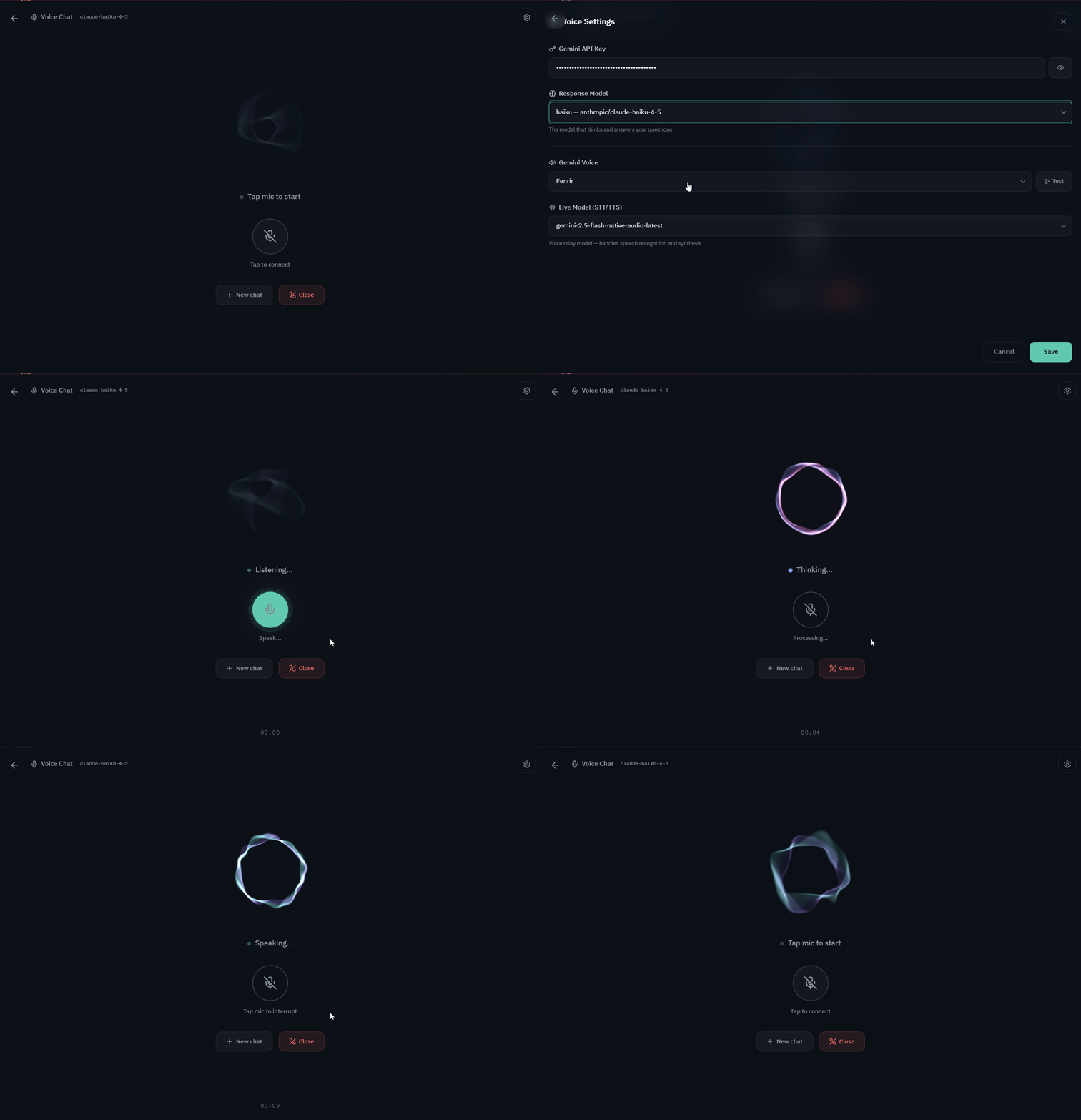
- 🎤 Voice Chat — real-time voice conversations powered by Gemini Live with intelligent Gateway relay
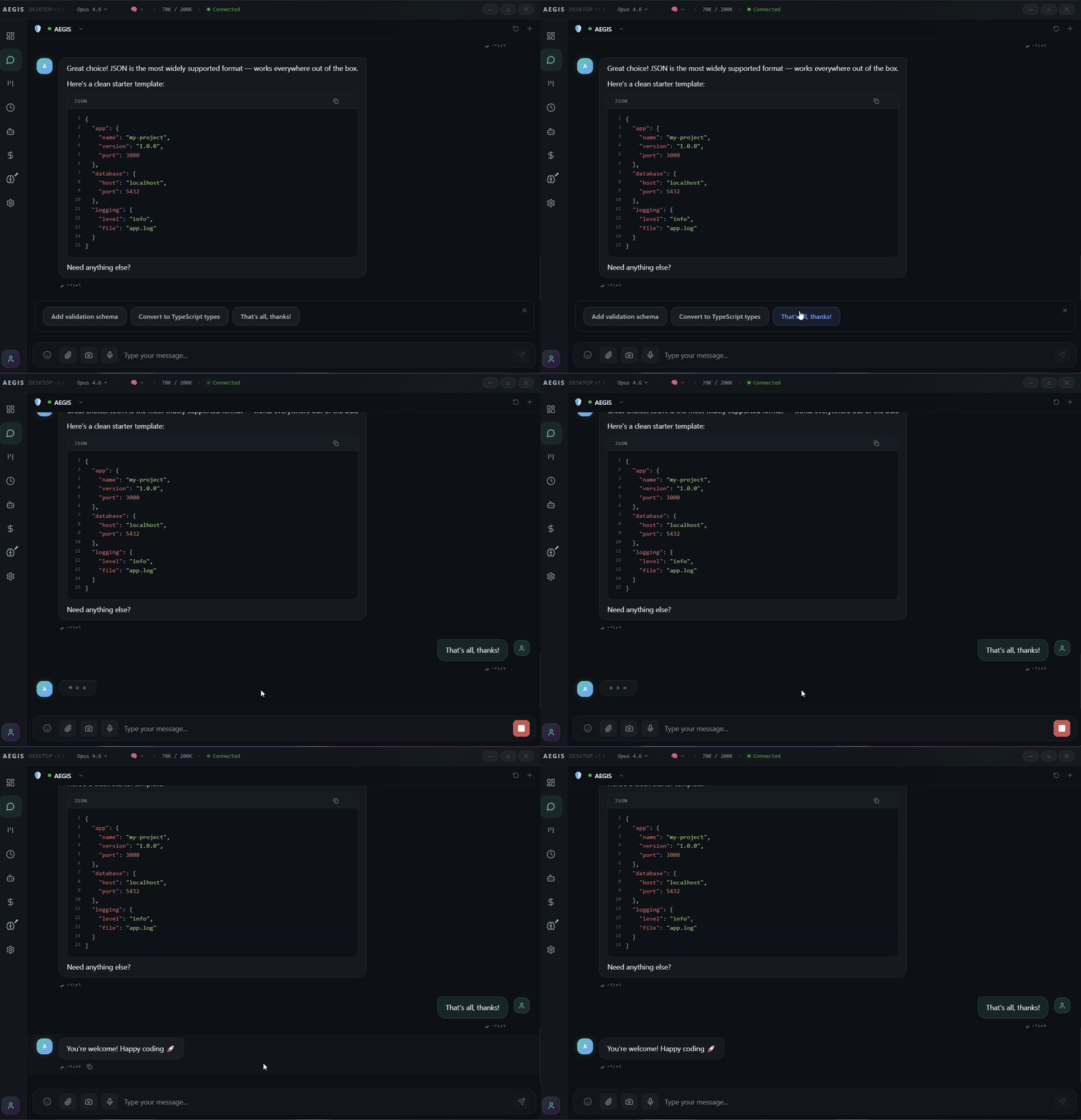
- 🔘 Smart Quick Replies — clickable buttons when the AI needs your decision
- 📅 Calendar — full calendar with Cron-powered reminders delivered to Telegram, Discord, or WhatsApp
- 📊 Analytics — see exactly what you're spending and where, broken down by model and agent
- 🤖 Agent Hub — manage all your agents from a single panel
- ⏰ Cron Monitor — schedule and control jobs visually
- ⚙️ Config Manager — edit your OpenClaw configuration with Smart Merge (preserves external edits)
- 🧩 Plugins — modular system with 9 built-in plugins, inline rendering, and persistent state
- 🔧 Skills & Terminal — browse the marketplace and run shell commands without leaving the app
- 🧠 Memory Explorer — semantic search and CRUD for agent memories
- 📋 Session Manager — monitor and manage all active sessions
- 📜 Logs Viewer — real-time Gateway logs with filtering
- 📁 File Manager — browse and manage workspace files
- 🌍 Multilingual — Arabic (RTL), English, Spanish, and Chinese out of the box
If you run OpenClaw, AEGIS Desktop is the UI it deserves.
📸 Screenshots
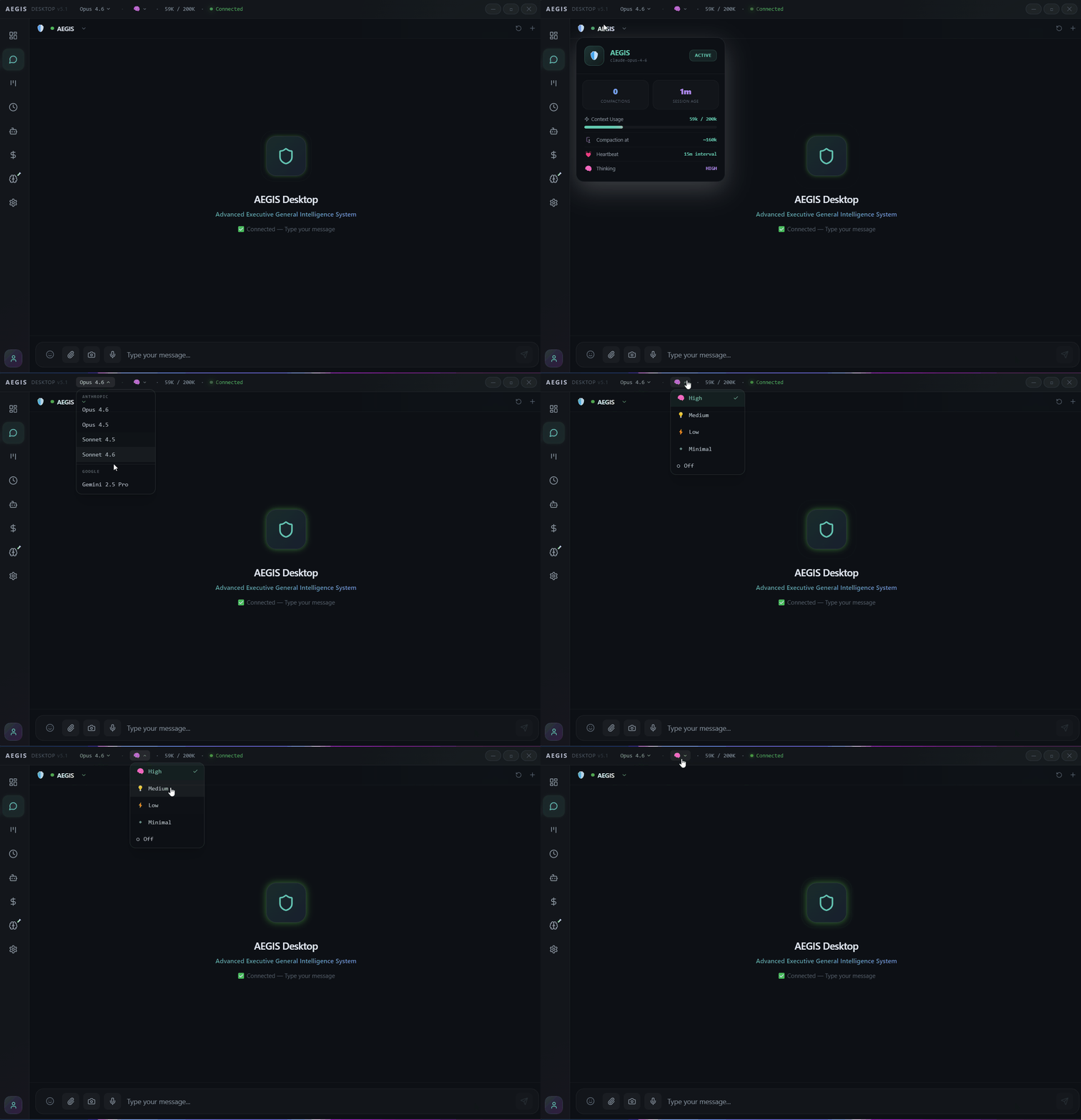
💬 Chat
🔘 Smart Quick Reply Buttons
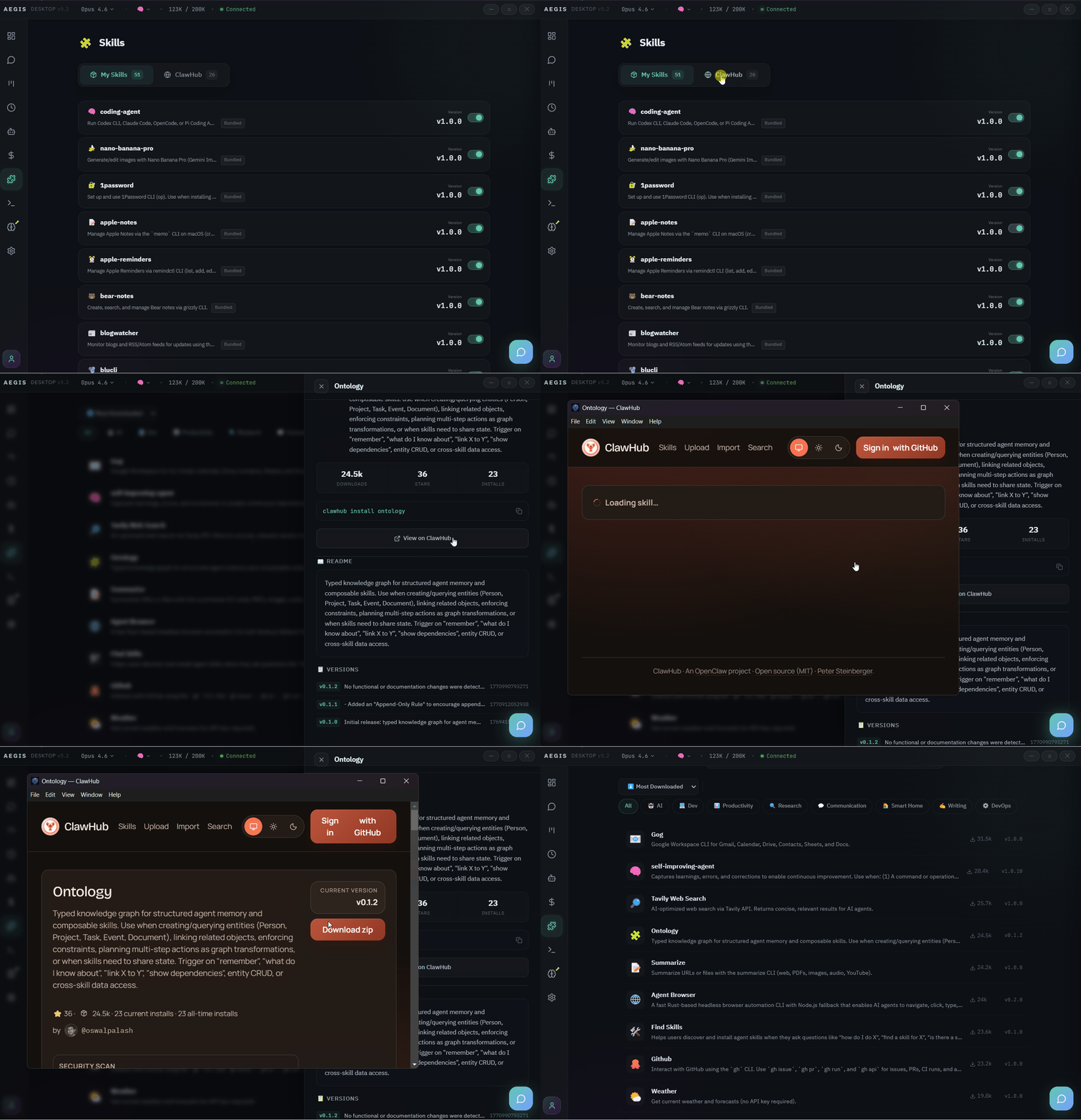
🔧 Skills Marketplace
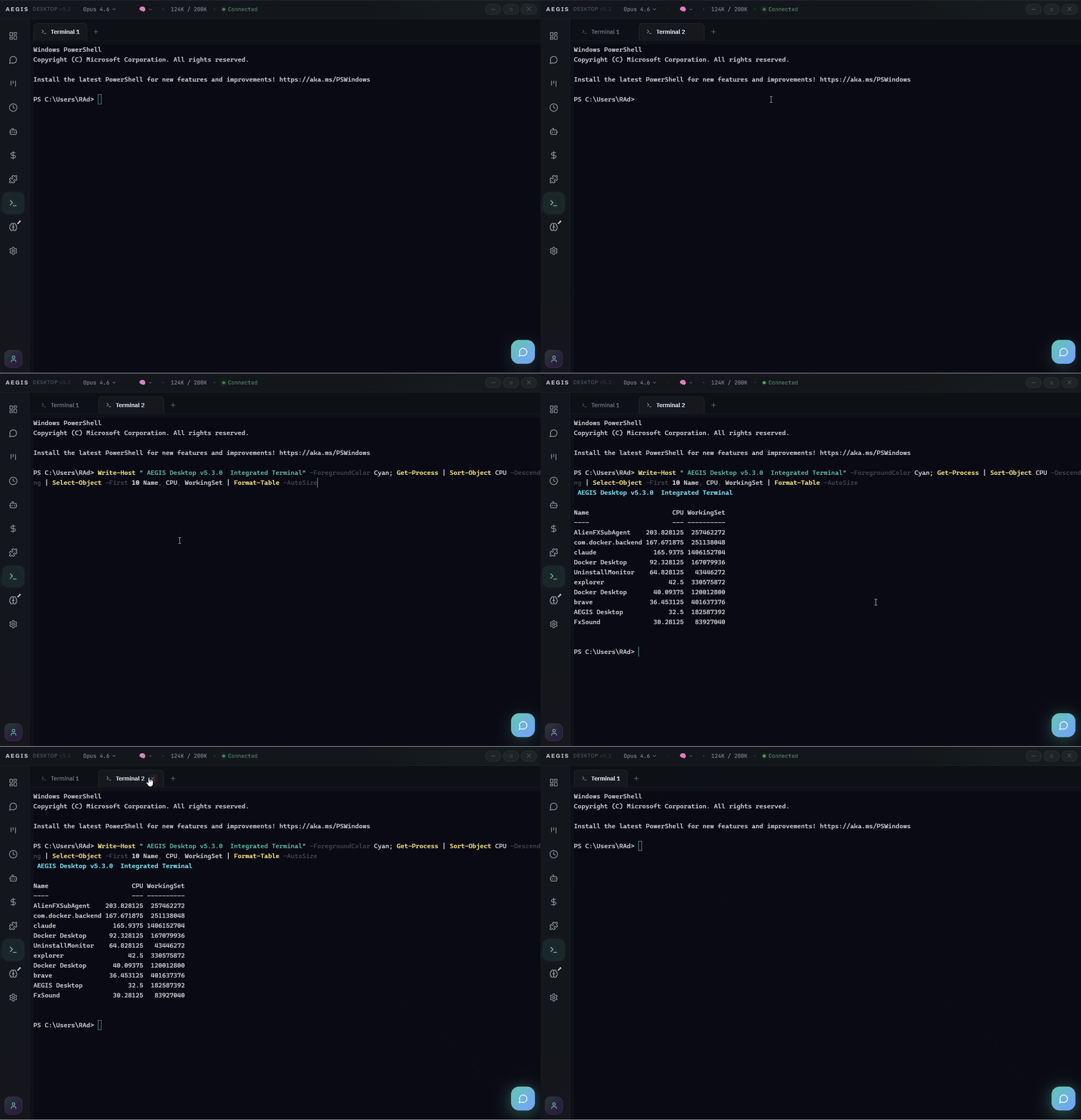
💻 Integrated Terminal
🎤 Voice Chat
🧩 Plugins
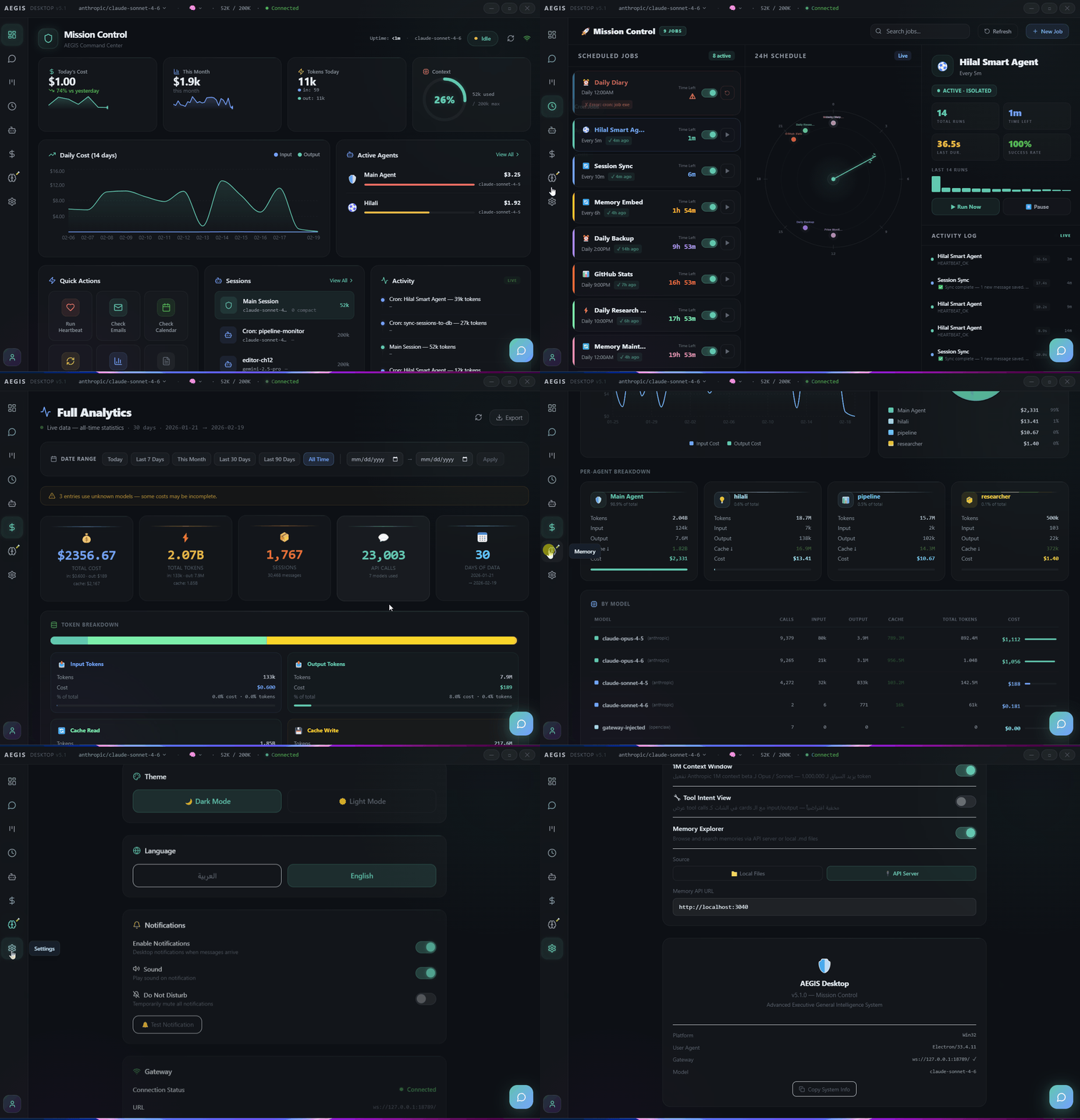
🌑 Dark Mode
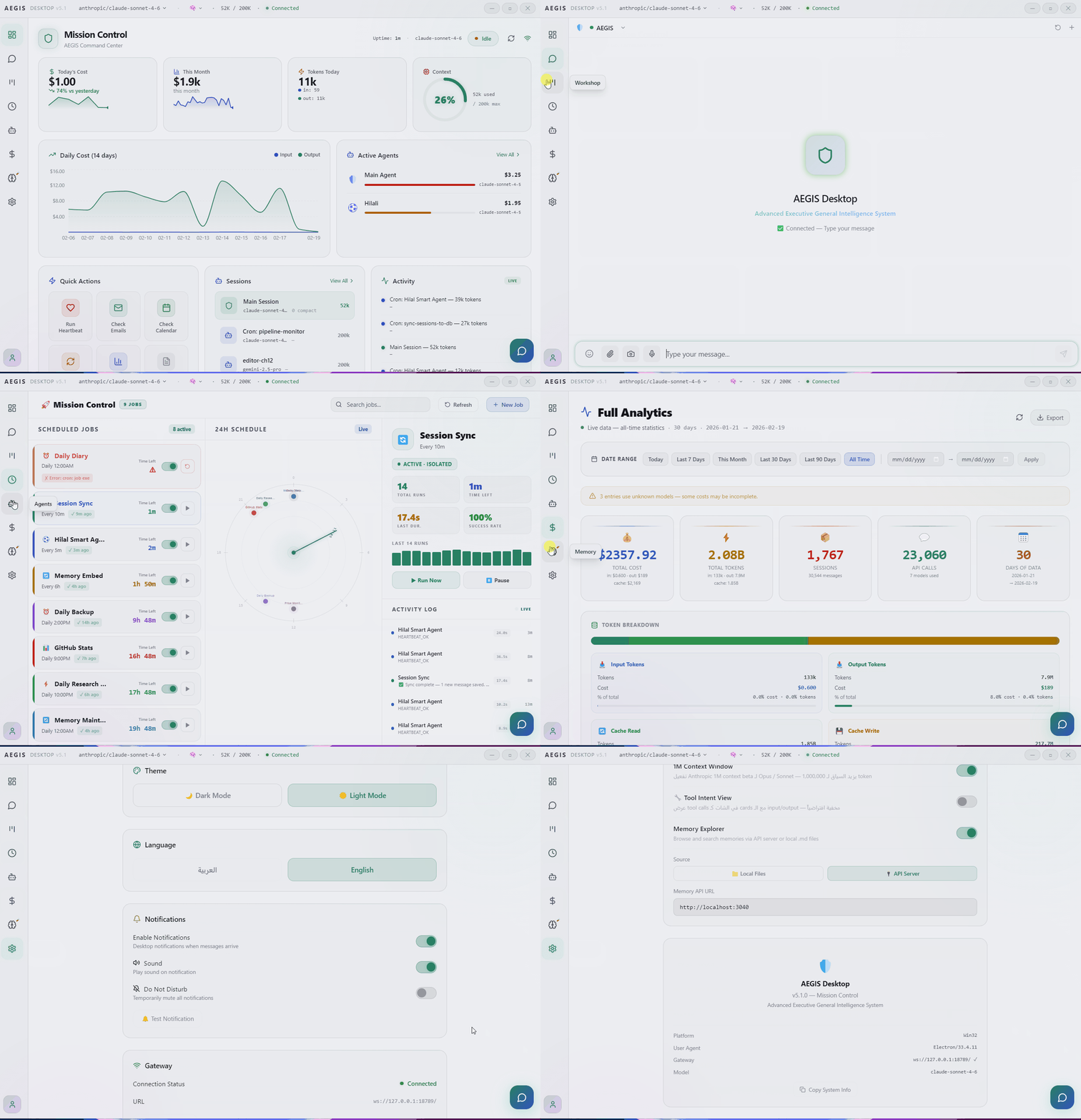
🌕 Light Mode
✨ Features
💬 Chat & Communication
- Streaming markdown with syntax highlighting and theme-aware code blocks
- Multi-tab sessions with
Ctrl+Tabswitching - Smart Quick Reply Buttons — AI presents clickable
[[button:Label]]chips - In-chat search (
Ctrl+F) with result navigation - Image paste/drag/upload, file attachments, video playback, voice messages
- Emoji picker with search and categories
- Artifacts preview — interactive HTML, React, SVG, and Mermaid in a sandboxed window
- Virtuoso virtualized list for smooth scrolling in long conversations
- Message queue with auto-send on reconnect
📅 Calendar
- Three calendar systems — Gregorian, Hijri (Islamic Umm al-Qura), and Chinese
- Month, Week, and Day views with hour-by-hour timeline
- Add, edit, and delete events with color-coded categories (work, personal, health, social, other)
- Recurring events — daily, weekly, monthly, and yearly
- Cron-powered reminders — each event creates an OpenClaw Cron job for automatic notifications (works across all calendar systems)
- Customizable reminder timing — 5, 15, 30, 60 minutes, 2 hours, 1 day, or 1 week before the event
- Delivery channel selection — receive reminders on Telegram, Discord, WhatsApp, or last active channel
- One-shot reminders auto-delete after firing
- Offline-first — events persist in localStorage, sync with Gateway when connected
- Full multilingual support (Arabic, English, Spanish, Chinese)
🎤 Voice Chat
- Real-time voice conversations powered by Gemini Live API as a speech relay
ask_aegisfunction calling — Gemini handles speech-to-text and text-to-speech, Gateway handles the intelligence- AudioWorklet mic capture (PCM16 @ 16kHz) with gapless audio playback (PCM @ 24kHz)
- Silero VAD (Voice Activity Detection) — filters background noise, only sends real speech
- Aura Visualizer — animated orb with four states: idle, listening, thinking, speaking
- Dedicated settings panel — Gemini API Key, response model, voice selection, live model
- Isolated voice session — separate from text chat history
- Session timer with model info display
🧩 Plugins
- Modular plugin system with 9 built-in plugins: Pixel Agents, Session Manager, Logs Viewer, Multi-Agent, File Manager, Code Interpreter, MCP Tools, Skills, Memory Explorer
- Responsive grid layout — 3 columns on desktop, 2 on tablet, 1 on mobile
- Inline rendering — plugins open inside the page without route navigation
- Persistent state — remembers your last opened plugin via localStorage
- Glass-card design with hover animations and glow effects
📊 Monitoring & Analytics
- Dashboard — cost, tokens, sessions, and active agents at a glance
- Full Analytics — date ranges, model/agent/token breakdowns, daily table, CSV export
- Agent Hub — create/edit/delete agents, monitor sub-agents and workers
- Cron Monitor — schedule, run, pause jobs with per-job activity log and templates
⚙️ Configuration
- Config Manager — visual editor for OpenClaw configuration (Providers, Agents, Channels, Advanced)
- Smart Merge — on save, re-reads disk and merges only your changes, preserving CLI/external edits
- Secrets Manager — secrets audit, providers view, and runtime reload
🔧 Tools
- Skills Marketplace — browse and search 3,286+ skills from ClawHub
- Integrated Terminal — PowerShell/Bash via xterm.js with multi-tab support
- Workshop — Kanban board manageable by AI via text commands
- Memory Explorer — semantic search and CRUD for agent memories
🎨 Interface
- Dark and light themes with full CSS variable system (
--aegis-*) - 6 accent colors (teal, blue, purple, rose, amber, emerald)
- 4 languages: Arabic (RTL), English (LTR), Spanish, and Chinese — with logical CSS properties
- Command Palette (
Ctrl+K), keyboard shortcuts, global hotkey (Alt+Space) - Model and reasoning level pickers in the title bar
- Lazy-loaded pages with code splitting for fast startup
- Glass morphism design with Framer Motion animations
- Ed25519 device identity with challenge-response authentication
📦 Installation
Download from Releases:
| File | Type |
|---|---|
AEGIS-Desktop-Setup-X.X.X.exe |
Windows installer |
AEGIS-Desktop-X.X.X.exe |
Portable (no install) |
Requirements
- Windows 10/11
- OpenClaw Gateway running locally or remotely
On first launch, you'll pair with your Gateway — a one-time setup using Ed25519 device authentication.
🔌 How It Works
AEGIS Desktop is a frontend client — it doesn't run AI or store data. Everything lives in your OpenClaw Gateway.
OpenClaw Gateway (local or remote)       Gemini Live API
        │                                      │
        │  WebSocket                           │  WebSocket
        ▼                                      ▼
  AEGIS Desktop ──────────────────────────────────
  ├── Chat        ← messages + streaming responses
  ├── Voice Chat  ← real-time speech via Gemini relay
  ├── Dashboard   ← sessions, cost, agent status
  ├── Calendar    ← events + Cron reminders
  ├── Analytics   ← cost summary + token history
  ├── Agent Hub   ← registered agents + workers
  ├── Cron        ← scheduled jobs
  ├── Plugins     ← modular extension system
  ├── Config      ← visual config editor
  ├── Skills      ← ClawHub marketplace
  ├── Terminal    ← shell via node-pty
  ├── Sessions    ← active session manager
  ├── Logs        ← real-time log viewer
  ├── Memory      ← semantic memory explorer
  ├── Files       ← workspace file manager
  ├── Sandbox     ← code interpreter
  ├── MCP Tools   ← tool management
  └── Settings    ← app preferences
🛠️ Development
npm install
npm run dev              # Electron + Vite (hot reload)
npm run dev:web          # Browser only (no Electron)
npm run build            # Production build
npm run package          # NSIS installer
npm run package:portable # Portable exe
🔧 Tech Stack
| Layer | Technology |
|---|---|
| Framework | Electron 35 |
| UI | React 18 + TypeScript 5.7 |
| Build | Vite 6 |
| Styling | Tailwind CSS + CSS Variables |
| Animations | Framer Motion |
| State | Zustand 5 |
| Charts | Recharts |
| Terminal | xterm.js + node-pty |
| Icons | Lucide React |
| Routing | React Router 7 |
| i18n | react-i18next |
| Emoji | emoji-mart |
⌨️ Keyboard Shortcuts
| Shortcut | Action |
|---|---|
Ctrl+K |
Command Palette |
Ctrl+1 – Ctrl+8 |
Navigate pages |
Ctrl+, |
Settings |
Ctrl+Tab |
Switch chat tabs |
Ctrl+W |
Close tab |
Ctrl+N |
New chat |
Ctrl+F |
Search in chat |
Ctrl+R |
Refresh |
Alt+Space |
Show/hide window (global) |
📚 Documentation
- Changelog — version history and release notes
- Contributing — how to contribute
- Security — vulnerability reporting
- Code of Conduct — community guidelines
📄 License
Yorumlar (0)
Yorum birakmak icin giris yap.
Yorum birakSonuc bulunamadi