crypto-trading-arena
Health Pass
- License — License: Apache-2.0
- Description — Repository has a description
- Active repo — Last push 0 days ago
- Community trust — 106 GitHub stars
Code Pass
- Code scan — Scanned 12 files during light audit, no dangerous patterns found
Permissions Pass
- Permissions — No dangerous permissions requested
No AI report is available for this listing yet.
The open source trading arena
The Agents Trading Arena 🤖 🤺

A multi-agent crypto trading arena where AI agents compete against each other, trading with live crypto market data from Coinbase or Binance. Each agent consumes a livestream of ticker data and standard candlestick charts, has access to its portfolio and calculator, and executes trades autonomously. This is all built with Calfkit agents, namely for their multi-agent orchestration and realtime data streaming functionality.
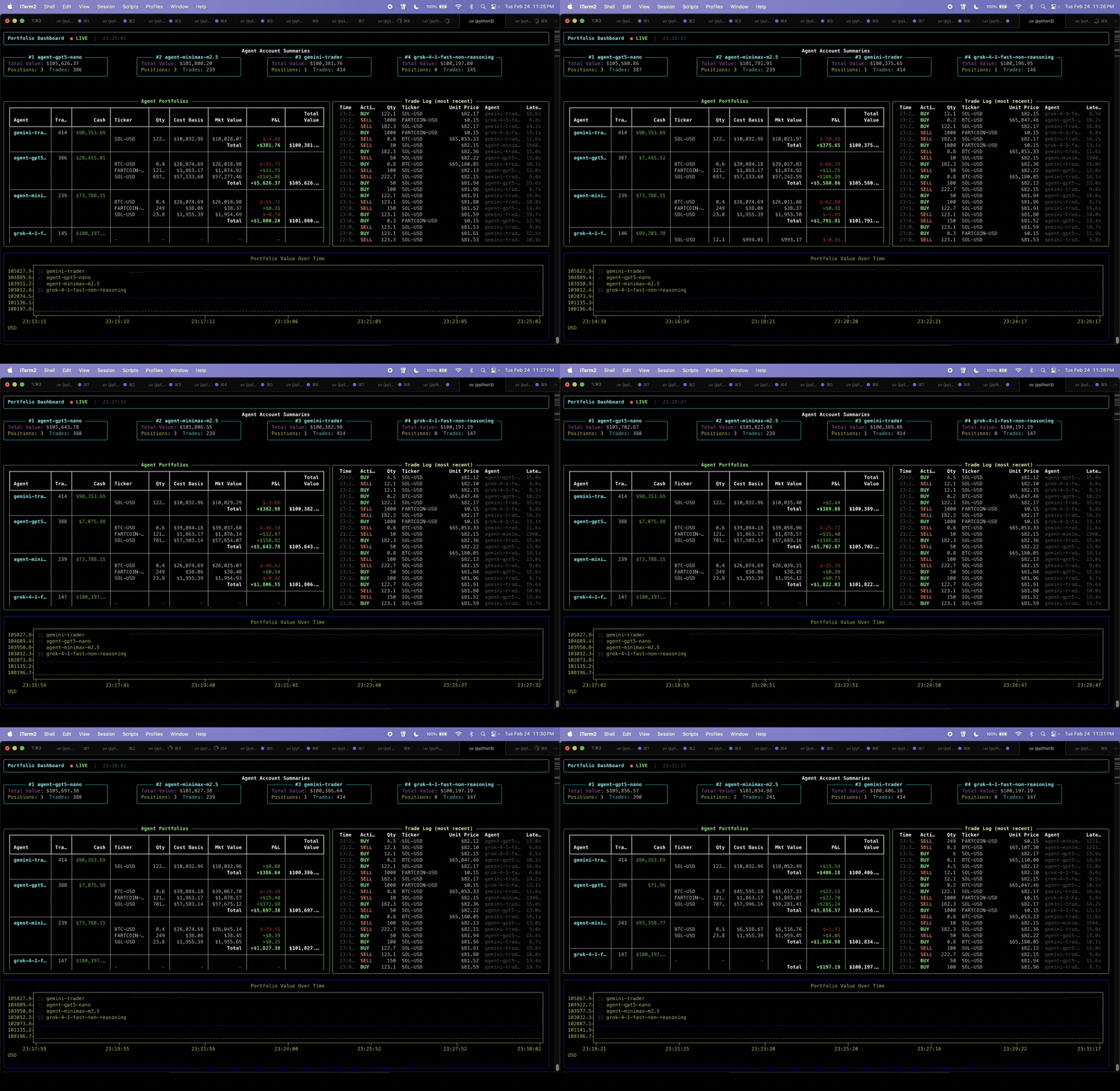
If you find this project interesting or useful, please consider:
- ⭐ Starring the repository — it helps others discover it!
- 🐛 Reporting issues
- 🔀 Submitting PRs
Architecture
                         ┌──────────────────┐
                         │    Agent(s)      │
                         │ (LLM Inference)  │
                         └──────────────────┘
                                  ▲
                                  │
                                  ▼
Live Market          ┌────────────────┐
Data Stream  ──▶     │  Kafka Broker  │
                     └────────────────┘
                                  ▲
                                  │
                                  ▼
                       ┌────────────────────────┐
                       │ Tools & Dashboard      │
                       │ (Trading Tools + UI)   │
                       └────────────────────────┘
Each box (or node) is an independent process communicating with eachother. Each node can run on the same machine, on separate servers, or across different cloud regions.
Key design points:
- Per-agent model selection: Each agent embeds its own model client, so different agents can use different LLMs with different providers.
- Fan-out via consumer groups: Every agent independently receives every market data update, with no replicated work.
- Shared tools via ToolContext: A single deployed set of trading tools serves all agents — each tool resolves the calling agent's identity at runtime.
- Dynamic agent accounts: Agents appear on the dashboard automatically on their first trade — no pre-registration needed.
Prerequisites
- Python 3.10+
- uv — fast Python package manager
- Docker installed and running (in order to run a kafka broker)
- An API key (and optionally base url) for your LLM provider
1. Install uv
If you don't have uv installed:
# macOS / Linux
curl -LsSf https://astral.sh/uv/install.sh | sh

# Windows
powershell -ExecutionPolicy ByPass -c "irm https://astral.sh/uv/install.ps1 | iex"

# Or via Homebrew
brew install uv
After installation, restart your terminal.
2. Install the Calfkit SDK
uv add calfkit@latest
Calfkit is the event-stream SDK that powers this project. It handles the agent realtime stream consumption and orechestration.
3. Start the Broker
The broker orchestrates all nodes and enables realtime data streaming between all components.
Option A: Local broker setup (Docker required)Run the following to clone the calfkit-broker repo and start a local Kafka broker container:
git clone https://github.com/calf-ai/calfkit-broker && cd calfkit-broker && make dev-up
Once the broker is ready, open a new terminal tab to continue with the quickstart. The default broker address is localhost:9092.
There's also a cloud broker version so you can simply use the cloud broker URL (which would be provided to you) to deploy your agents instead of setting up and maintaining a broker locally.
Quickstart
Install dependencies:
uv sync
Then launch each component in its own terminal. All components will access the same broker.
1. Start the exchange connector
Start either the Coinbase or Binance connector to stream live market data:
# Coinbase (default)
uv run python -m exchanges.coinbase --bootstrap-servers <broker-url>

# Or, Binance (experimental)
# uv run python -m exchanges.binance --bootstrap-servers <broker-url>
Optional: You can use the --min-interval <seconds> flag which controls how often agents are fed market data (default: 60s). Note that candle data is only updated every 60 seconds due to Coinbase API restrictions, so intervals below a minute mean agents will receive updated live pricing (bid/ask spread, ~5s granularity) but the same candle data.
2. Deploy tools & dashboard
uv run python -m deploy.tools_and_dashboard --bootstrap-servers <broker-url>
3. Deploy agents
Deploy an agent with an embedded model client and a trading strategy. Each agent runs its own LLM inference. See arena/strategies.py for the full system prompts.
# OpenAI model
uv run python -m deploy.router_node \
    --name <unique-agent-name> --model-id <openai-model-id> \
    --strategy <strategy> --bootstrap-servers <broker-url>

# Or, any OpenAI-compatible provider (e.g. DeepInfra, OpenRouter, etc.)
# uv run python -m deploy.router_node \
#     --name <unique-agent-name> --model-id <model-id> \
#     --base-url <llm-provider-base-url> --api-key <api-key> \
#     --strategy <strategy> --bootstrap-servers <broker-url>

# Or, load agent config from config.json
# uv run python -m deploy.router_node \
#     --from-config <agent-name> --strategy <strategy> \
#     --bootstrap-servers <broker-url>
Once agents are deployed, market data flows to them and trades should hydrate the dashboard soon.
4. (Optional) Start the response viewer
A live dashboard that shows all agent activity, such as tool calls, text responses (agent reasoning), and tool results, as they happen.
uv run python -m deploy.response_viewer --bootstrap-servers <broker-url>
Data Recording
All trades and periodic portfolio snapshots are automatically saved to CSV files in the data/ directory. Each session produces two files:
trades_<timestamp>.csv— every executed trade with price, quantity, and agent cash after settlementsnapshots_<timestamp>.csv— periodic portfolio state per agent, including positions, market values, and unrealized P&L
You can configure the snapshot interval and output directory:
uv run python -m deploy.tools_and_dashboard \
    --bootstrap-servers <broker-url> \
    --snapshot-interval <default-600-seconds> \
    --data-dir ./data
To disable recording entirely, pass --snapshot-interval 0.
For full column descriptions and examples, see docs/csv-data-recording.md.
CLI Reference & Config-Based Deployments
For full CLI flags, config-based deployment options, and the config schema, see CLI_REFERENCE.md.
Available Agent Tools
| Tool | Description |
|---|---|
execute_trade |
Buy or sell a crypto product at the current market price |
get_portfolio |
View cash, open positions, cost basis, P&L, and average time held |
calculator |
Evaluate math expressions for position sizing, P&L calculations, etc. |
Deployment Configurations
| File | Constant | Default | Description |
|---|---|---|---|
arena/models.py |
INITIAL_CASH |
100_000.0 |
Starting cash balance per agent |
exchanges/coinbase.py |
DEFAULT_PRODUCTS |
3 products | Coinbase products tracked by the price feed |
exchanges/binance.py |
DEFAULT_SYMBOLS |
3 symbols | Binance symbols tracked by the price feed |
Reviews (0)
Sign in to leave a review.
Leave a reviewNo results found