bulchimbeon
Health Gecti
- License — License: MIT
- Description — Repository has a description
- Active repo — Last push 0 days ago
- Community trust — 12 GitHub stars
Code Basarisiz
- rm -rf — Recursive force deletion command in scripts/build-app.sh
- rm -rf — Recursive force deletion command in scripts/bump-cask.sh
Permissions Gecti
- Permissions — No dangerous permissions requested
Bu listing icin henuz AI raporu yok.
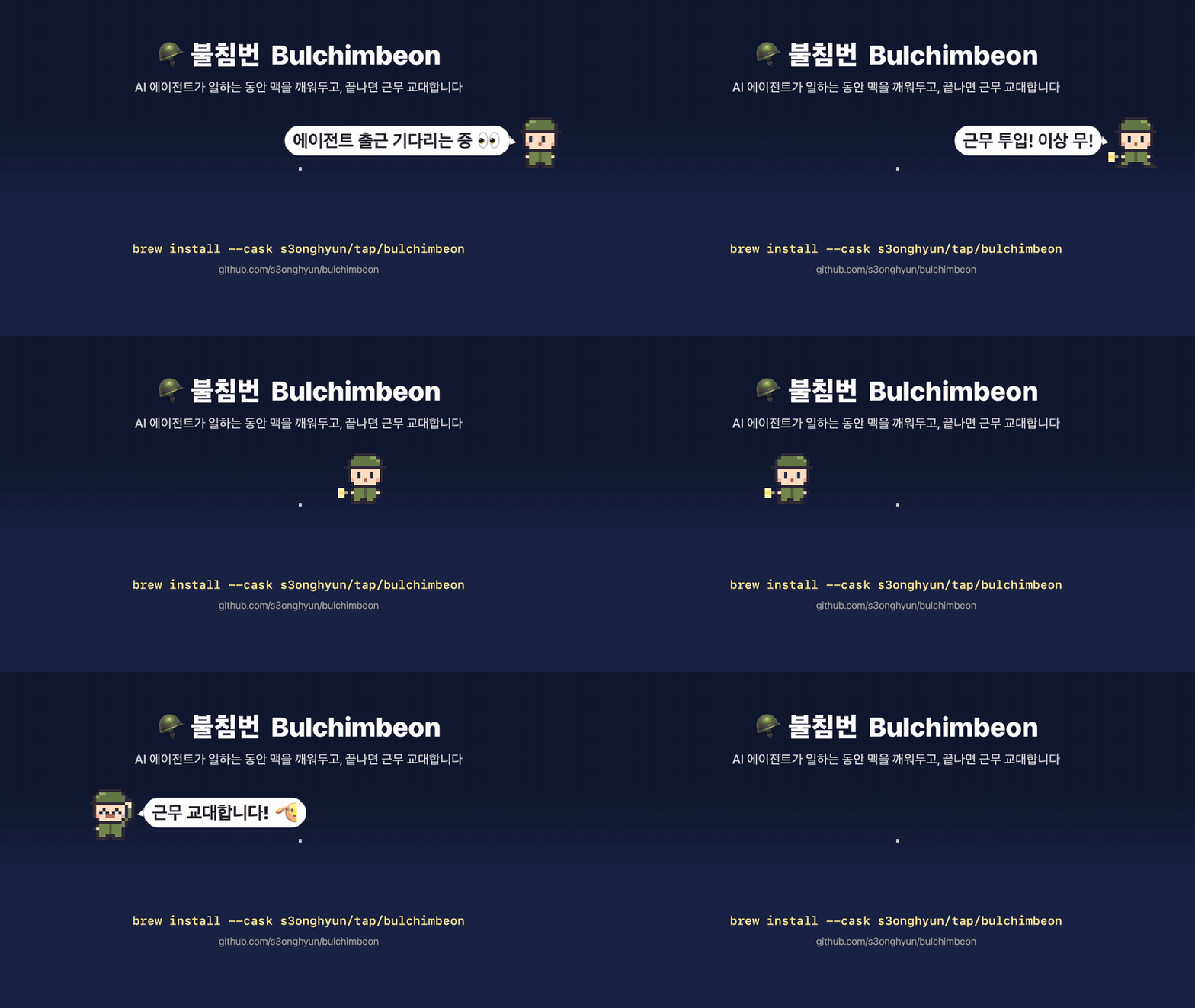
🪖 불침번 — Your Mac's night-watch soldier. Keeps your Mac awake only while AI agents work. No hooks, no daemon, macOS 13+.
🪖 Bulchimbeon (불침번)
Your Mac's night-watch soldier.
A menu bar app that keeps your Mac awake only while your AI coding agents are actually working,
then salutes "Shift over!" and lets it sleep.No hooks, no daemon, no installed root helper. One app. macOS 13 and later.
Bulchimbeon (불침번) is the night-watch duty in the Korean army: someone stays up all night so everyone else can sleep.
A pixel-art private takes that shift for your Mac.
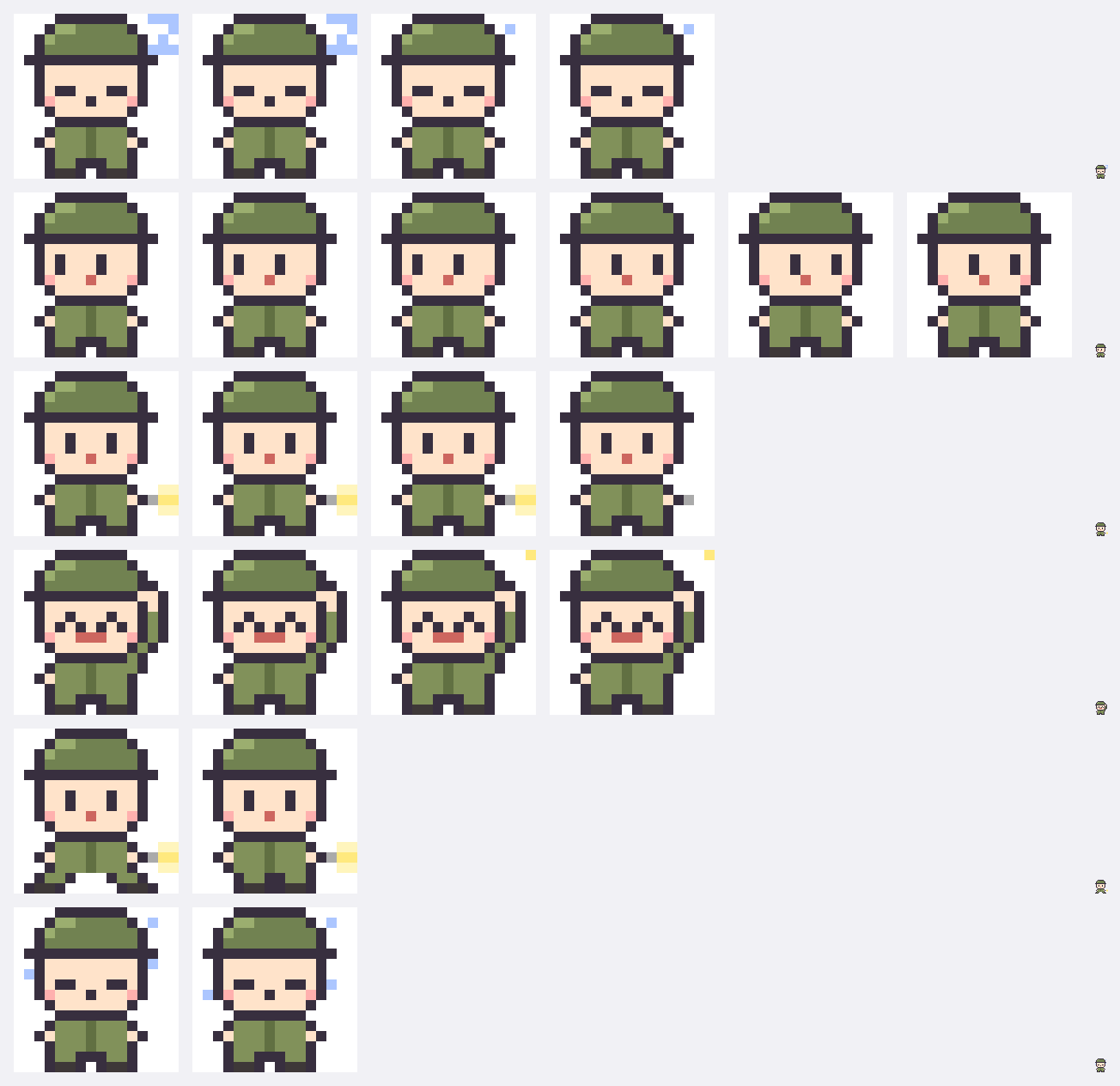
| State | The private | When |
|---|---|---|
| 💤 Off duty | Dozing in his helmet, zzz | Nothing to guard |
| 👀 Standing by | Looking around | Waiting for an agent to clock in |
| 🪖 On duty | Flashlight on, on patrol | The Mac won't sleep |
| 🫡 Shift over | ^ ^ salute |
Agents went quiet / watch time is up |
| 🥵 Combat rest | Sweating, eyes closed | The Mac is overheating |
🚶 Patrol mode
The private patrols just under your menu bar with a flashlight. While standing by he looks around in the corner;
at shift change he salutes with a speech bubble. Clicks pass straight through, he fades when your pointer comes close,
and he stays out of full-screen apps (presentations, screen sharing, video). Size 2× / 3×, or turn him off.
🗣️ The private's lines
| When | He says |
|---|---|
| On watch | "Won't doze off! …probably." · "Sleep tight. I've got this!" |
| Standing by | "Polishing my rifle… standing by." |
| Mac heating up | "Heat advisory! Hydrating 🥵" → "Combat rest! Cooling down 🧊" |
| Low battery | "Reporting to the duty officer 🔋 Battery at 15%… out of strength, standing down." |
| Sleep block lost | "Not AWOL! Back on post! 🫡" |
| You come back | "Handover report! 📋" |
Why
To leave an agent running overnight I used to do this:
caffeinate -d                 # ...and forget to turn it off
sudo pmset disablesleep 1     # ...and forget to turn it back on → battery at 0%
Bulchimbeon stays awake only while an agent is working and hands the Mac back to normal sleep when it's done.
Features
| Feature | What it does |
|---|---|
| 🤖 Agent watch | Detects Claude Code, Codex, Gemini CLI, Cursor Agent, Copilot CLI, Aider, OpenCode (plus your own). Only counts agents that are actually working, not sessions that are merely open. Clocks in when one starts working and hands over 5 minutes (adjustable) after everything goes quiet |
| 🪖 Timed watch | 30 min / 1 h / 2 h / 4 h / indefinitely |
| Watch modes | Keep display on (caffeinate -d) · Display may sleep, Mac stays awake (caffeinate -i) · Stay awake with the lid closed (admin) |
| 🔋 Battery stand-down | Stands down when running on battery below your threshold (default 20%) |
| ⚠️ Lid safety net | Restores normal lid sleep (disablesleep back to off) when the watch ends or the app quits; after a crash, the next launch offers Restore lid sleep in the menu |
| 🌡️ Heat advisory → 🔥 combat rest | Warns when the Mac heats up; when it gets critical, pauses the watch to cool down and resumes automatically once it cools (no more cooking a closed Mac in a bag) |
| ⚠️ Abandoned-post check | If the sleep block disappears for any reason, it is re-engaged immediately |
| 🕵️ Watchdog | In lid-closed mode, the original sleep setting is restored within 5 s even if the app is force-quit |
| 📋 Night-watch handover | Come back after 10+ minutes away and get a report of what happened while you were gone |
| 🔁 Survives restarts | Remaining watch time carries over app restarts, updates and reboots (for security, a lid-closed watch comes back as a system watch; turn lid mode back on from the menu to re-approve it) |
| 🖥️ Who else is holding the Mac awake | The menu shows other apps blocking sleep, e.g. "Vivaldi (video)" |
| 🌐 Korean / English | Follows the system language by default; pick one from 언어 / Language in the menu |
| 📒 Duty log | ~/Library/Application Support/Bulchimbeon/duty-log.txt |
Compared with similar apps
Adrafinil solves the same problem and came first. The two take opposite
approaches, so pick the one that fits. (As of October 2026.)
| Bulchimbeon | Adrafinil | |
|---|---|---|
| How it knows an agent is working | Watches from outside: the agent's caffeinate child and CPU use |
The agent tells it: hooks (acquire on prompt submit, release when the reply ends) plus observation |
| What installing changes | Nothing. One app; agent config files are never touched | Hooks added to agent configs (one-click install/uninstall), a user daemon, a root helper |
| macOS | 13 and later | 26.4 and later |
| Awake with the lid closed | Admin password each time you turn it on; a watchdog guarantees the setting is restored | Approved once at install, no password afterwards |
| Agent asks to stay awake (long builds) | — | CLI and MCP tool |
| Heat | Warns even with the lid open; when it gets too hot, rests and resumes automatically once cool | Force-releases on overheating while the lid is closed |
| Distribution | Ad-hoc signed (notarization planned), personal Homebrew tap | Notarized, official Homebrew cask |
Choose Adrafinil if you're on macOS 26.4+ and want hooks to track turns precisely, or want agents to request
wake time themselves.
Choose Bulchimbeon if you're on macOS 13–15, don't want anything installed into your agent configs or system,
or would rather have a private on watch.
Install
brew install --cask s3onghyun/tap/bulchimbeon

# Update — refresh the tap first, Homebrew's auto-update interval is long
brew update && brew upgrade --cask bulchimbeon
Or download the zip from Releases and move it to /Applications.
macOS 13+, universal (Apple Silicon and Intel).
First launch: the app is ad-hoc signed and not notarized by Apple yet, so macOS blocks it once.
Try to open it, then go to System Settings → Privacy & Security → "Open Anyway".
(Since macOS 15, right-click → Open no longer bypasses this.)
Until it's notarized, macOS won't grant it notification permission, so notifications show up as "Script Editor".
Verify the download (optional)
Release zips are built only in GitHub Actions and carry a build provenance attestation.
gh attestation verify Bulchimbeon-<version>.zip --repo s3onghyun/bulchimbeon
shasum -a 256 -c Bulchimbeon-<version>.zip.sha256
How it works
| Watch mode | Under the hood |
|---|---|
| Keep display on | IOPMAssertion PreventUserIdleDisplaySleep, same as caffeinate -d |
| Display may sleep (default) | IOPMAssertion PreventUserIdleSystemSleep, same as caffeinate -i |
| Lid closed | The above plus pmset -a disablesleep 1. Closing the lid is a hardware trigger that assertions can't block |
Agent detection
Bulchimbeon scans your own user's processes with libproc and matches agents by executable name, argv[0],
install path or script path. Never by substring (Claude Code hooks run node -e "...'.claude'...", which would match).
| Install method | What the process looks like | Matched by |
|---|---|---|
| Claude Code native installer | executable ~/.local/share/claude/versions/2.1.296 (named after the version!) |
argv[0] = claude, or the install path |
| Homebrew / IDE-bundled binary | .../claude, /opt/homebrew/bin/codex |
executable name |
| npm global install | node /opt/homebrew/bin/claude |
script name |
| npx / package path | node .../@anthropic-ai/claude-code/cli.js |
package path |
| bun / deno | bun .../@google/gemini-cli/... |
package path |
Supported: Claude Code · Codex · Gemini CLI · Cursor Agent · Copilot CLI · Aider · OpenCode
Only while working. People keep several Claude Code sessions open, so counting open sessions would never let the
Mac sleep. An agent counts as working when (you can switch back to counting open sessions in the menu):
| Signal | Why (measured on a real machine) |
|---|---|
It has a caffeinate child process |
Claude Code spawns caffeinate -i -t 300 itself, only while it's working |
| Its process tree uses ≥ 2% CPU averaged over 60 s | Covers tool runs like builds and tests. Idle sessions sit at 0–0.1%. A 5-second sample made periodic background jobs look busy forever |
Headless sessions with no tools (--tools=) are ignored |
Plugins such as claude-mem keep helper sessions running |
Check what gets detected on your machine, or add an agent that isn't on the list:
/Applications/Bulchimbeon.app/Contents/MacOS/Bulchimbeon --diagnose
defaults write io.github.s3onghyun.bulchimbeon customAgents -array goose amp
Agents running inside Docker or on a remote host over SSH are not processes on this Mac, so they aren't detected.
pmset -g assertions | grep Bulchimbeon # is it on watch right now?
The duty logic lives in a pure state machine (DutyEngine) with no system calls, tested scenario by scenario with a
fake clock. Design notes, including signals we tried and rejected: docs/design.md.
Security
The app runs pmset with admin rights and reads other processes' metadata, so it has its own threat model:
SECURITY.md.
- No network access, no third-party dependencies
- No shell-injection surface: absolute paths, minimal environment, the only variable value in the admin command is an integer PID
- Never stores or prints other processes' arguments or environment; never reads AI transcripts
- Hardened runtime, SHA-256 checksums and build provenance for releases, CI actions pinned by commit SHA
Development
Only the Command Line Tools are needed, no Xcode.
make test       # unit + scenario tests
make app        # dist/Bulchimbeon.app (ad-hoc signed)
make run        # build and launch
make icons      # regenerate the app icon and preview after editing sprites

# launch and start agent watch right away
open dist/Bulchimbeon.app --args --agent-watch

# print the engine's effects to stderr (for tracing)
BULCHIMBEON_DEBUG=1 dist/Bulchimbeon.app/Contents/MacOS/Bulchimbeon
Want to help? Start with CONTRIBUTING.md.
Release (maintainer)
git tag vX.Y.Z && git push origin vX.Y.Z   # → the Release workflow builds, attests and uploads
./scripts/bump-cask.sh X.Y.Z               # → verifies checksum and provenance, then updates homebrew-tap
Sprites are ASCII grids in Sources/BulchimbeonCore/Sprites.swift: one character per pixel, drawn as vector
rectangles so both the 16 pt menu bar icon and the 1024 px app icon stay crisp.
Roadmap
Tracked as milestones. 1.0 means settings keys, command-line
flags and the duty log format stop changing: see the compatibility promise (in Korean; the
tables are self-explanatory) and the CHANGELOG.
- Pixel-art private, patrol mode, Korean/English UI
- Detect working vs. idle agents
- Homebrew cask (personal tap)
- Apple notarization and the official Homebrew cask
- Privileged helper to remove the admin prompt in lid-closed mode
- Unlockable skins: Joseon night watchman, scholar
Contributing
Bug reports ("🚨 soldier misbehaving"), agent requests, translation fixes, and ideas for lines or sprites are
all welcome. Issues and PRs in English, Korean, Japanese or Chinese are fine. Look forgood first issue to get started, and read
CONTRIBUTING.md.
Caution
Heavy, long-running work with the lid closed makes the Mac warm. Plug in power when you can.
License
MIT
Yorumlar (0)
Yorum birakmak icin giris yap.
Yorum birakSonuc bulunamadi