promptwright
Health Uyari
- No license — Repository has no license file
- Description — Repository has a description
- Active repo — Last push 0 days ago
- Community trust — 110 GitHub stars
Code Basarisiz
- rm -rf — Recursive force deletion command in packages/cli/package.json
- rm -rf — Recursive force deletion command in packages/core/package.json
Permissions Gecti
- Permissions — No dangerous permissions requested
Bu listing icin henuz AI raporu yok.
Login-less, bring-your-own-key desktop agent that turns plain English into browser automation — and generates runnable Playwright, Cypress, and Selenium scripts.
Promptwright
Prompt or record your browser. Get runnable tests.
An AI QA agent that drives a real browser from natural language, or watches you click and turns it into Gherkin you can replay.
Login-less. Bring your own model. Available as a desktop app and a CLI.
Why Promptwright
Most "AI test" tools lock you into one vendor's model and a sign-in. Promptwright flips that:
- Copilot is just the harness, you bring the model. The GitHub Copilot runtime is bundled in, so there is no GitHub Copilot license, token, or global install required. Point it at your own provider key and go.
- Any OpenAI-compatible provider. OpenAI, Azure AI Foundry, Anthropic, Moonshot (Kimi), or a fully local model via Ollama. No cloud, no cost if you run local.
- Two ways in. Describe a test in plain English and watch it run, or hit record and let it observe your workflow and write the Gherkin for you.
- Real browser, two engines. Drives Chrome over CDP using either a token-efficient Playwright CLI agent or Playwright MCP.
Screenshots
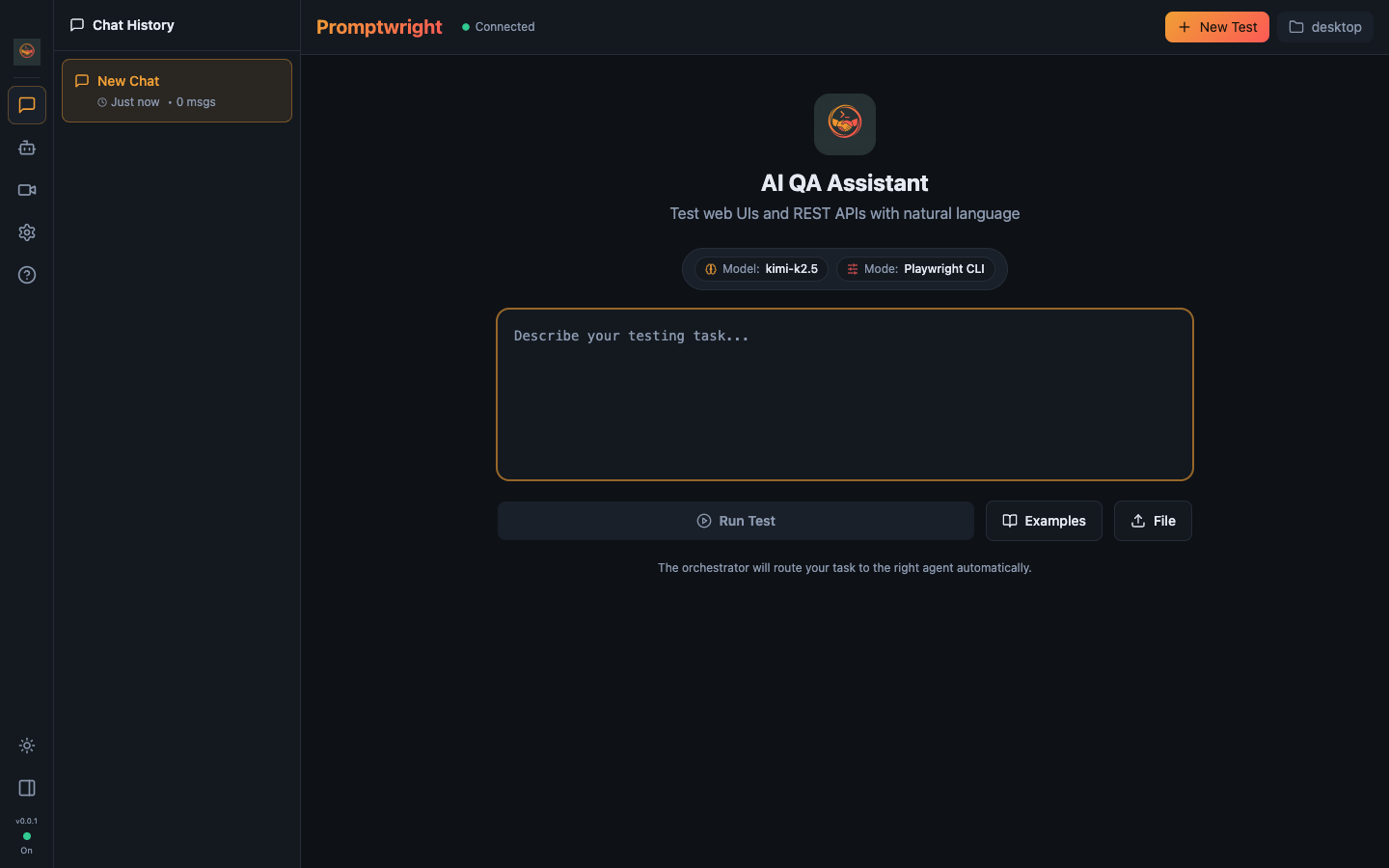
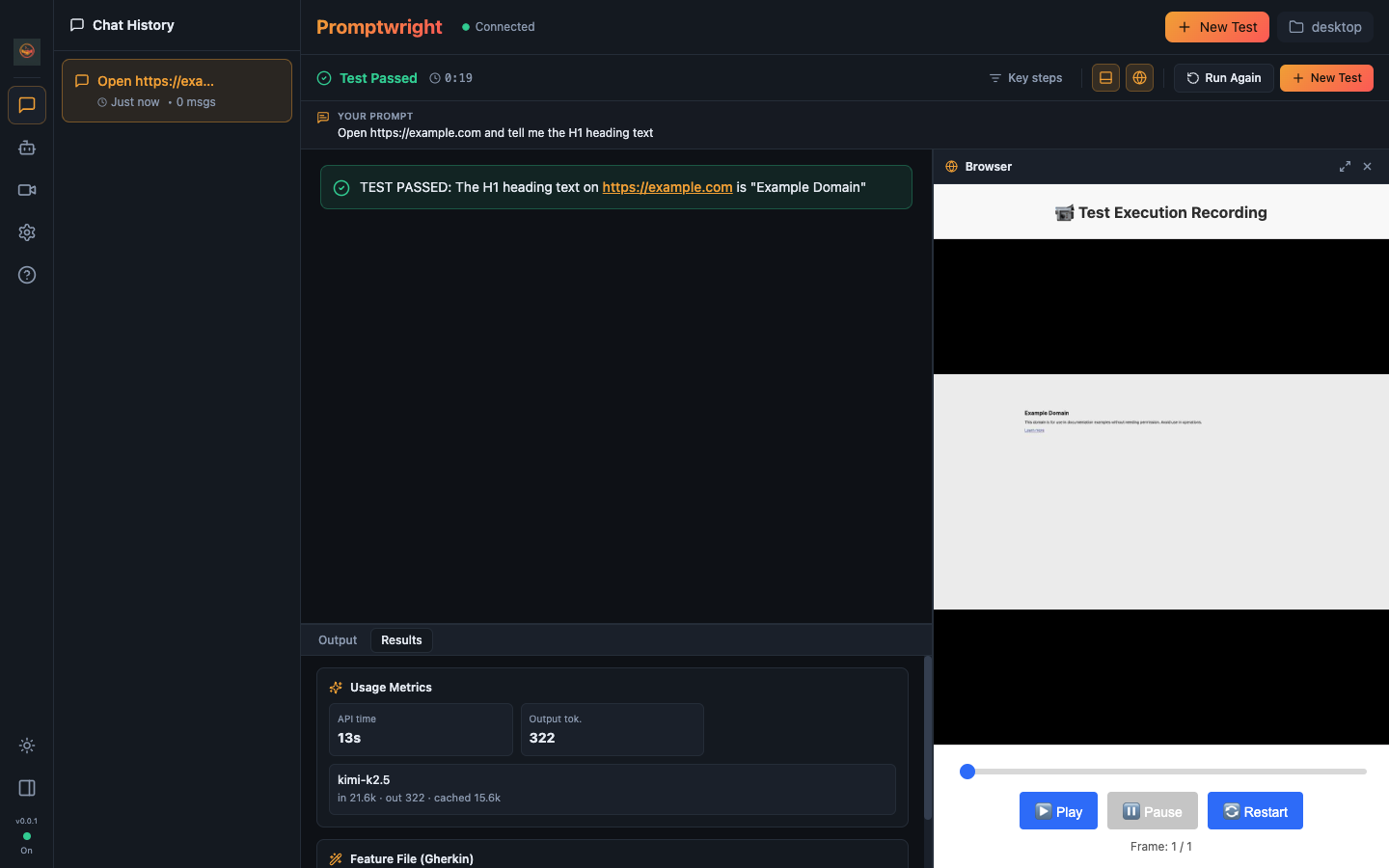
| Home | Live agentic execution |
|---|---|
 |
 |
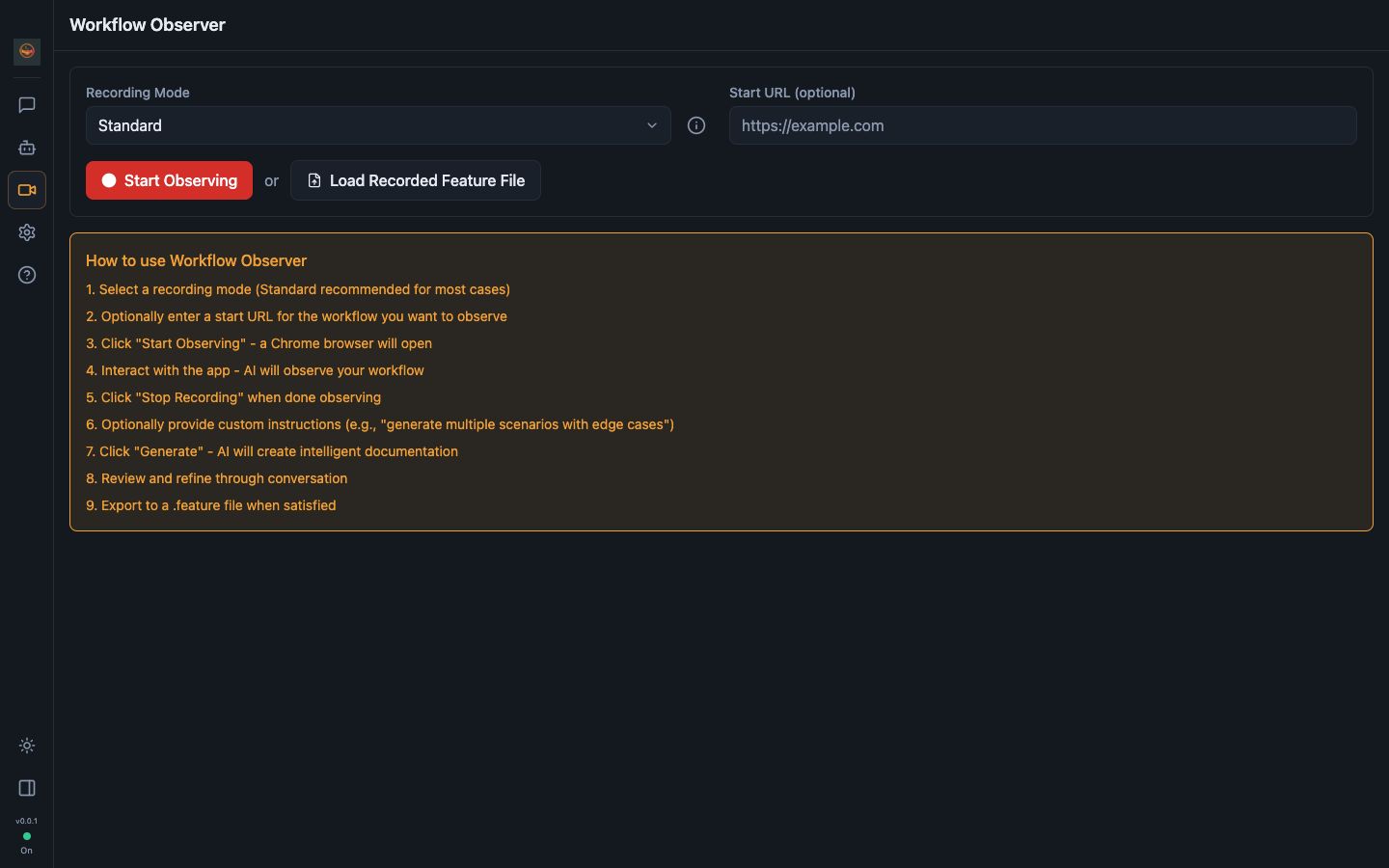
| Workflow Observer (record → Gherkin) | Settings (bring your own key) |
|---|---|
 |
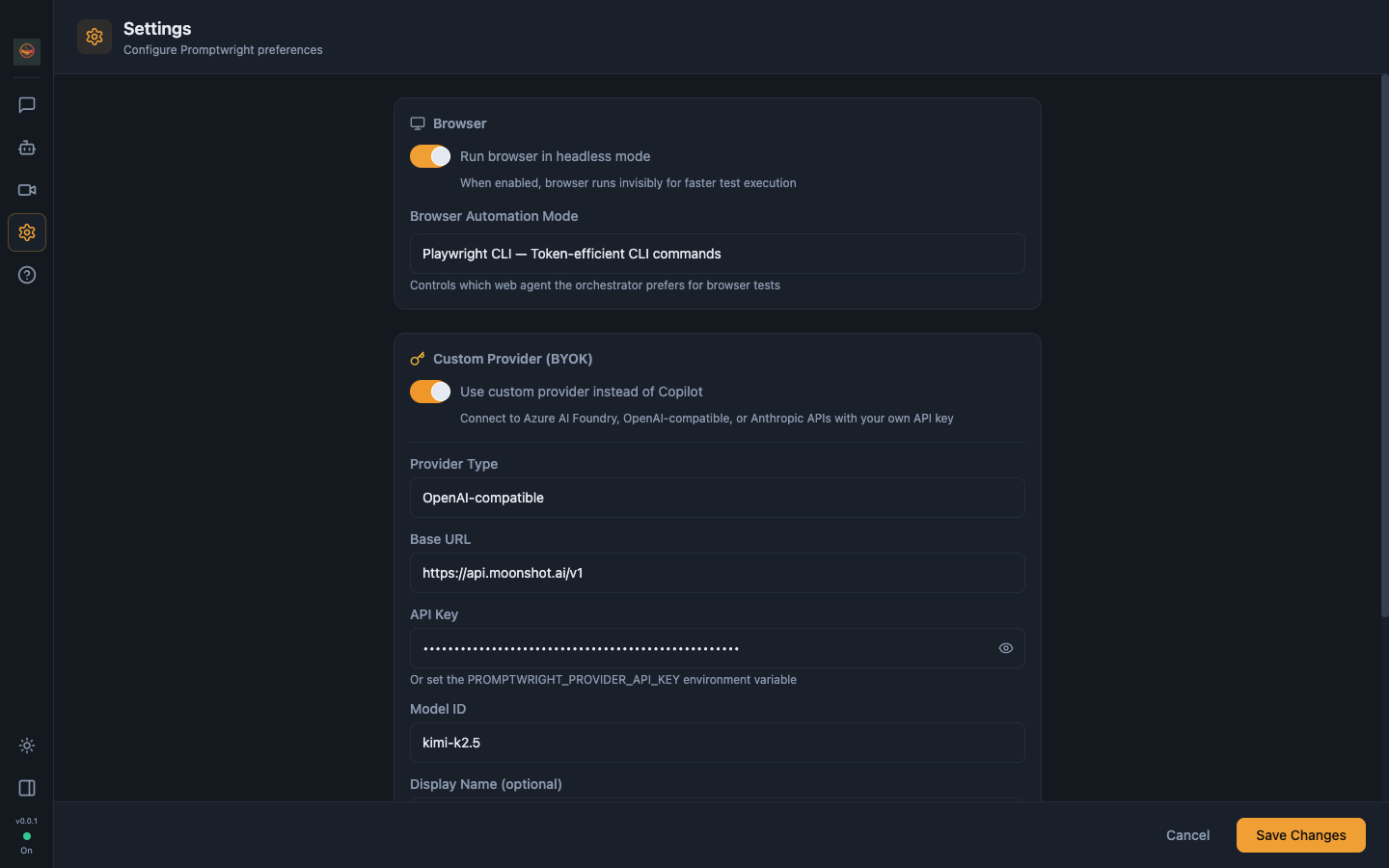 |
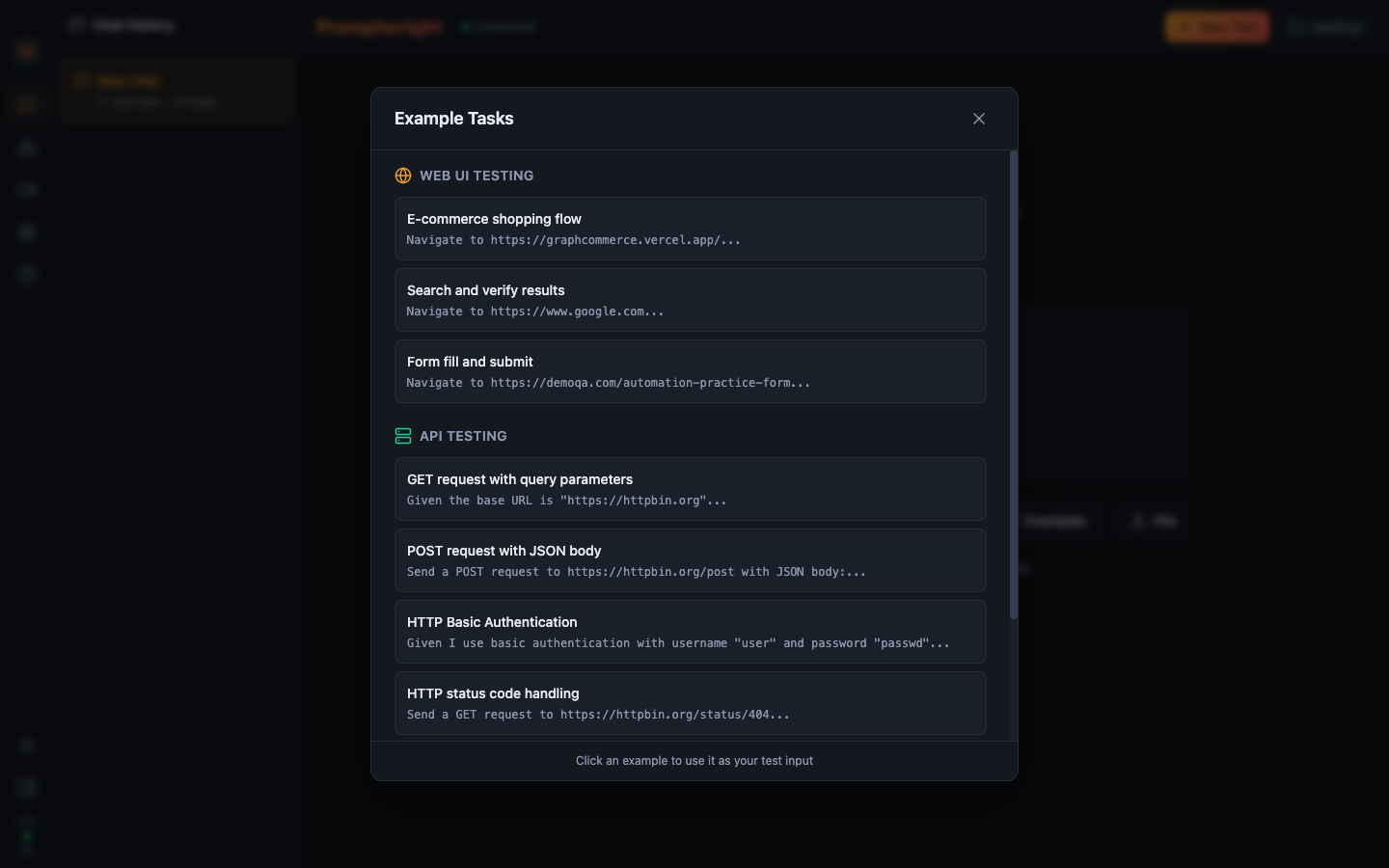
Features
| CLI | Desktop | |
|---|---|---|
| Natural-language browser tests | ✅ | ✅ |
| Real-time streaming of agent steps | ✅ | ✅ |
| Login-less BYOK (any OpenAI-compatible provider) | ✅ | ✅ |
| Local models via Ollama | ✅ | ✅ |
| Orchestrator that routes to specialized agents | ✅ | ✅ |
| Playwright CLI and Playwright MCP modes | ✅ | ✅ |
| Conversation history | — | ✅ |
| Record → Gherkin (Workflow Observer) | — | ✅ |
| Replay generated scenarios | — | ✅ |
| Activity / execution logs panel | — | ✅ |
How it works
You give Promptwright a task. An orchestrator classifies the intent and routes it to the right specialized agent:
pw-cli-agent— runs web tests through the token-efficient Playwright CLI (connects to Chrome over CDP).pw-mcp-agent— runs web tests through Playwright MCP (rich tool integration).api-test-agent— exercises REST APIs.workflow-observer— watches a recorded session and turns it into Gherkin.
Each agent runs as its own model session, so the harness streams every step (route, navigate, snapshot, act, verdict) back to the UI in real time.
Record, generate, replay
The Workflow Observer watches you interact with the browser, then writes a feature file:
Feature: User Login
  Scenario: Successful login
    Given I navigate to "https://example.com/login"
    When I type "[email protected]" in the email field
    And I type "password123" in the password field
    And I click the "Sign In" button
    Then I should see the dashboard
Refine it through conversation, then replay it to verify.
Quick start
git clone https://github.com/sahajamit/promptwright.git
cd promptwright
pnpm install
pnpm build
Then pick a model provider (login-less, no GitHub sign-in):
Option A — Moonshot / Kimi (verified for agentic browser work)
export PROMPTWRIGHT_PROVIDER_TYPE=openai
export PROMPTWRIGHT_PROVIDER_BASE_URL=https://api.moonshot.ai/v1
export PROMPTWRIGHT_PROVIDER_MODEL=kimi-k2.5
export PROMPTWRIGHT_PROVIDER_API_KEY=$MOONSHOT_API_KEY
Option B — Fully local and free (Ollama)
ollama pull llama3.1:8b               # a tool-capable instruct model
export PROMPTWRIGHT_PROVIDER_TYPE=openai
export PROMPTWRIGHT_PROVIDER_BASE_URL=http://localhost:11434/v1
export PROMPTWRIGHT_PROVIDER_MODEL=llama3.1:8b
# no API key needed for local Ollama
Option C — OpenAI / Azure / Anthropic
See promptwright.config.example.yaml for copy-paste presets and the full field list (bearerToken, wireApi, headers, token limits).
You can also configure the provider in the desktop app's Settings → Custom Provider (BYOK) instead of env vars.
Usage
Desktop app
# Development (hot reload)
pnpm --filter @promptwright/desktop dev

# Or run the built app
pnpm --filter @promptwright/desktop build
pnpm --filter @promptwright/desktop start
Type a task ("Go to example.com and verify the main heading"), hit Run Test, and watch the agent work. Or open Record to capture a workflow and generate a feature file.
CLI
# After pnpm build
node packages/cli/dist/index.js

# With an explicit provider (flags override env)
node packages/cli/dist/index.js \
  --provider-type openai \
  --provider-url https://api.moonshot.ai/v1 \
  --provider-model kimi-k2.5 \
  --provider-key "$MOONSHOT_API_KEY"
Model choice for agentic browser work
Agentic browsing requires a model that emits structured tool calls and stays coherent across a multi-step loop (route → navigate → snapshot → act). Not every model qualifies:
- ✅ Kimi K2.5 (Moonshot) — verified end-to-end on the Playwright CLI loop.
- ✅ Frontier OpenAI / Anthropic / Azure models.
- ⚠️ Local models — simple chat works broadly, but agentic tool-use is demanding. Small models can return tool calls as plain text (not executed) or empty content. Prefer a strong instruct model (14B+) with solid tool-calling, or a hosted provider.
For simple chat and exploration, most local models are fine.
Configuration
Settings live in promptwright.config.yaml (or the desktop Settings panel). Highlights:
browser:
  headless: true
  automationMode: playwright-cli   # or playwright-mcp

provider:                          # BYOK — login-less
  type: openai                     # openai | azure | anthropic
  baseUrl: https://api.moonshot.ai/v1
  model: kimi-k2.5
  # apiKey: ...                    # or PROMPTWRIGHT_PROVIDER_API_KEY env
Config-file values win; environment variables fill any gaps, so a pure export-and-run launch works too.
Architecture
A pnpm monorepo with a shared core:
promptwright/
├── assets/                  # logo + screenshots
├── packages/
│   ├── core/                # @promptwright/core — Copilot SDK wrapper, orchestrator,
│   │                        #   agents, BYOK provider resolution, CDP, recording
│   ├── cli/                 # @promptwright/cli — terminal interface
│   └── desktop/             # @promptwright/desktop — Electron + React app
├── promptwright.config.example.yaml
└── README.md
| Package | Description |
|---|---|
@promptwright/core |
Wraps the GitHub Copilot SDK with event streaming, the orchestrator + agent registry, and login-less BYOK provider resolution |
@promptwright/cli |
Terminal interface with colored, streamed output |
@promptwright/desktop |
Electron app with a React UI (chat, execution view, recorder, settings) |
Requirements: Node.js 22+ and pnpm. No GitHub Copilot login is required when a BYOK provider is configured.
License
MIT.
Yorumlar (0)
Yorum birakmak icin giris yap.
Yorum birakSonuc bulunamadi