vibe-tree
Health Pass
- License — License: MIT
- Description — Repository has a description
- Active repo — Last push 0 days ago
- Community trust — 259 GitHub stars
Code Fail
- rm -rf — Recursive force deletion command in .github/workflows/ci.yml
- process.env — Environment variable access in apps/desktop/e2e/final-test.spec.ts
- execSync — Synchronous shell command execution in apps/desktop/e2e/helpers/test-git-repo.ts
- fs.rmSync — Destructive file system operation in apps/desktop/e2e/helpers/test-git-repo.ts
- process.env — Environment variable access in apps/desktop/e2e/helpers/test-launcher.ts
- process.env — Environment variable access in apps/desktop/e2e/menu-structure.spec.ts
- execSync — Synchronous shell command execution in apps/desktop/e2e/open-cwd.spec.ts
- process.env — Environment variable access in apps/desktop/e2e/open-cwd.spec.ts
- process.env — Environment variable access in apps/desktop/e2e/project-close-pty-cleanup.spec.ts
Permissions Pass
- Permissions — No dangerous permissions requested
No AI report is available for this listing yet.
Vibe code with Claude in parallel git worktrees

VibeTree
Run every AI coding agent in its own git worktree, in parallel.


Works with Claude Code, OpenAI Codex CLI, Gemini CLI, Aider, opencode, and any other terminal program.
VibeTree is mission control for parallel AI coding agents. Every task gets its own git worktree: an isolated checkout with its own branch and a persistent terminal. Run one agent per worktree, watch them all at once, review each branch's diff, and throw away failed experiments with one click. Use it as a desktop app, or run the server and drive your agents from any browser, including your phone.
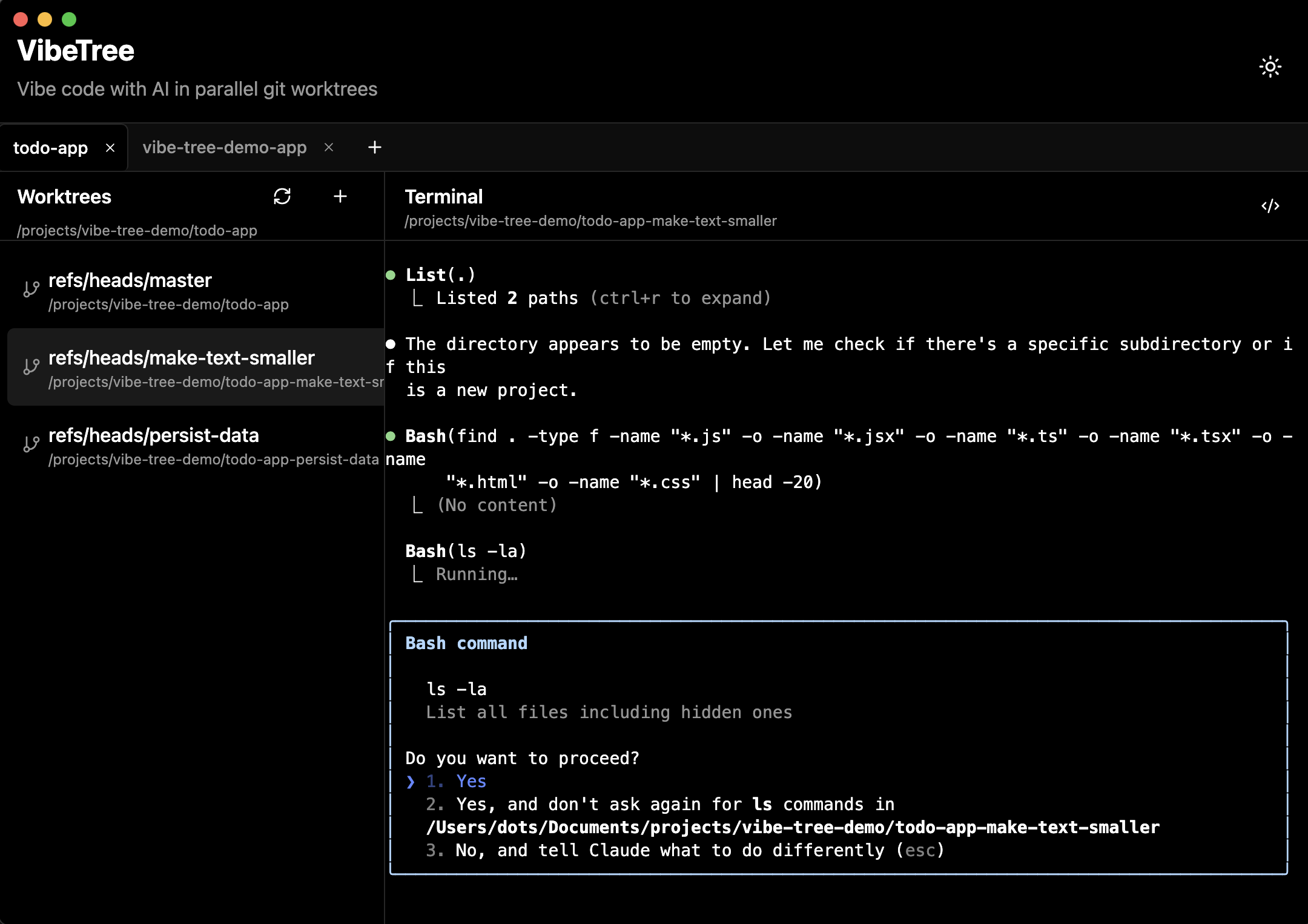
Screenshot
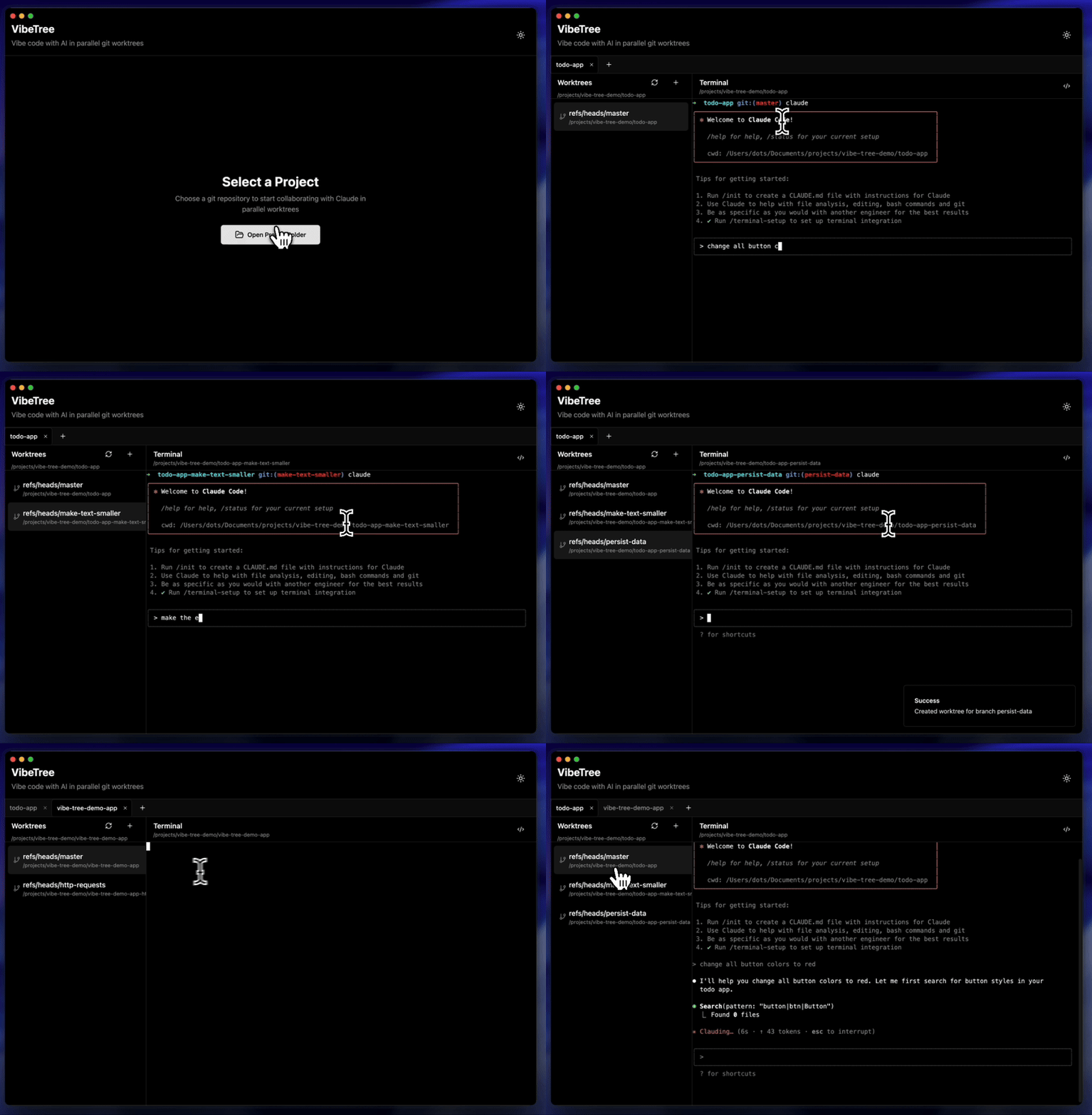
Demo
Why worktrees
- Parallel agents do not stomp on each other: each works in its own checkout on its own branch
- Every conversation maps to one reviewable diff; review and merge per branch
- Failed experiment? Delete the worktree and its branch is gone with it
Quick start
Desktop app
Download the latest dmg, exe, or AppImage from the Releases page, or run from source:
pnpm install
pnpm dev:desktop
Server + web (browser and phone)
pnpm install
pnpm dev:all        # server + web dev servers; scan the QR code with your phone
Single-process production deployment (one server serves the UI and the API):
pnpm build
pnpm start:server   # http://localhost:3002
Or with Docker:
npm run deploy
The web app is an installable PWA: open it on your phone, add it to your home screen, and check on your agents from anywhere on your network.
Features
| Feature | Description |
|---|---|
| Parallel worktrees | One isolated checkout, branch, and terminal per task |
| Any AI CLI | It is a real terminal: claude, codex, gemini, aider, or plain shells |
| Persistent sessions | Terminals keep running and their scrollback survives reloads and reconnects |
| Lifecycle hooks | Run your own scripts when worktrees are created or removed |
| Git diff view | Review unstaged and staged changes per worktree |
| Command scheduler | Queue a command to run in a terminal after a delay, once or repeatedly |
| Desktop notifications | Get notified when your agent finishes or asks a question (desktop) |
| IDE integration | Open any worktree in VS Code or Cursor (desktop) |
| Remote access | Web UI over HTTP/WebSocket with QR pairing for phones |
| Dark/light mode | Follows your system, with manual override |
Worktree hooks
Automate per-worktree setup and teardown by adding executable scripts to your repository, using the same trust model as git hooks:
mkdir -p .vibetree/hooks

cat > .vibetree/hooks/post-create <<'EOF'
#!/bin/sh
# Runs in the new worktree after it is created
cp "$VIBETREE_PROJECT_PATH/.env" .env 2>/dev/null || true
npm install
EOF

cat > .vibetree/hooks/pre-remove <<'EOF'
#!/bin/sh
# Runs in the worktree before it is removed; failure warns but never blocks
docker compose down 2>/dev/null || true
EOF

chmod +x .vibetree/hooks/post-create .vibetree/hooks/pre-remove
Hooks receive VIBETREE_HOOK, VIBETREE_PROJECT_PATH, VIBETREE_WORKTREE_PATH, and VIBETREE_BRANCH. Output is captured and surfaced in the UI; a 120 second timeout kills hung scripts.
Security
- The desktop app embeds its server on 127.0.0.1 with a per-launch token; nothing is exposed to the network.
- The standalone server binds 0.0.0.0 by default so phones can reach it. Authentication is off by default; to require a login, set:
AUTH_REQUIRED=true
VIBETREE_USERNAME=you
VIBETREE_PASSWORD=a-strong-password
The server warns at startup when it is network-reachable without auth. See apps/server/.env.example for all options, including LAN development mode.
Architecture
A pnpm + Turborepo monorepo. Desktop and web share one backend: the same server core is embedded by the Electron app and run standalone for the web.
apps/
  desktop/       Electron app (embeds the server on loopback)
  web/           React PWA (talks to the server over WebSocket)
  server/        Standalone server CLI (QR pairing, static web serving)
packages/
  core/          Git and PTY session logic, shared types, WebSocket adapter
  server-core/   Express + WebSocket server, auth, REST API
  ui/            Shared terminal component
  auth/          Login page and auth context for the web app
See ARCHITECTURE.md for details, and DOCKER.md for cloud deployment.
Development
pnpm install
pnpm dev:desktop   # desktop app
pnpm dev:all       # server + web
pnpm test:run      # unit tests
pnpm --filter @vibetree/desktop test:e2e   # desktop e2e (Playwright)
pnpm --filter @vibetree/web test:e2e       # web e2e (Playwright)
pnpm typecheck && pnpm lint
bin/launch-with-project /path/to/project [--name "CustomName"] launches the desktop app with a project pre-opened.
Roadmap
- Disk-persisted session buffers that survive server restarts
- An "agent needs input" dashboard across all worktrees
- Password setup from the web UI (the auth seam is in place)
- Homebrew, winget, and npx distribution
License
MIT. See LICENSE.
Reviews (0)
Sign in to leave a review.
Leave a reviewNo results found