claude-nodes
Health Uyari
- License — License: MIT
- Description — Repository has a description
- Active repo — Last push 0 days ago
- Low visibility — Only 9 GitHub stars
Code Basarisiz
- child_process — Shell command execution capability in scripts/postinstall.cjs
- fs module — File system access in scripts/postinstall.cjs
- os.homedir — User home directory access in src/main/agents.ts
- exec() — Shell command execution in src/main/boardTools.ts
- fs.rmSync — Destructive file system operation in src/main/boardTools.ts
- exec() — Shell command execution in src/main/discovery.ts
- os.homedir — User home directory access in src/main/discovery.ts
- os.homedir — User home directory access in src/main/env.ts
- process.env — Environment variable access in src/main/env.ts
Permissions Gecti
- Permissions — No dangerous permissions requested
Bu listing icin henuz AI raporu yok.
A spatial board for your Claude Code sessions. See every session at once, spot the ones waiting on you, and start new sessions from old ones. Free and open source.

Claude Nodes
A spatial board for your Claude Code sessions.
See every session in a repo at once, spot the ones waiting on you,
and start new sessions from the context of old ones.
Download for Mac · Intel · Free and open source
If it saves you time, a star helps other people find it.
https://github.com/user-attachments/assets/21921a47-2635-4bc4-83f8-166f83134bde
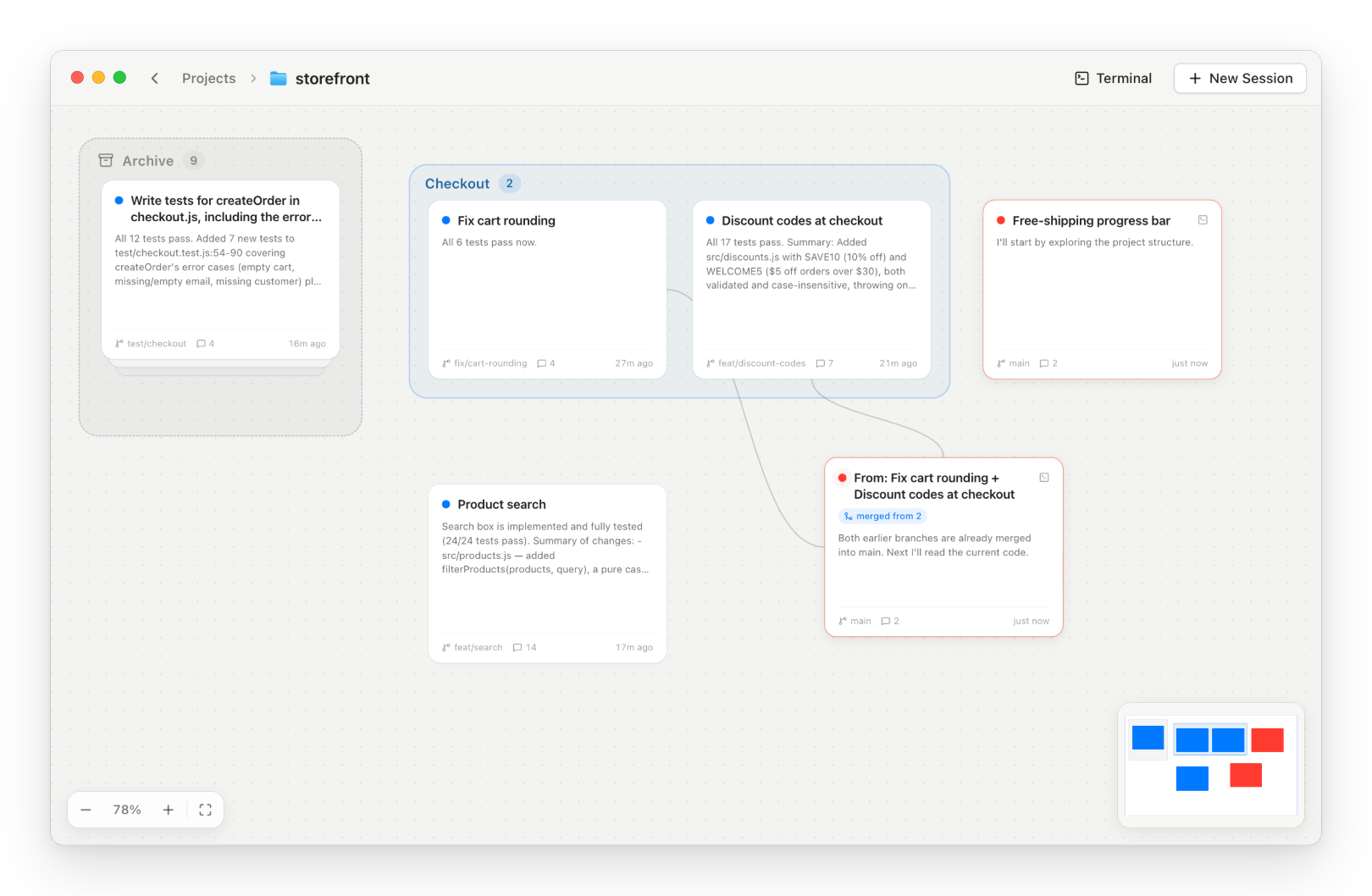
Every session in the repo on one board. Red cards need you. |
|
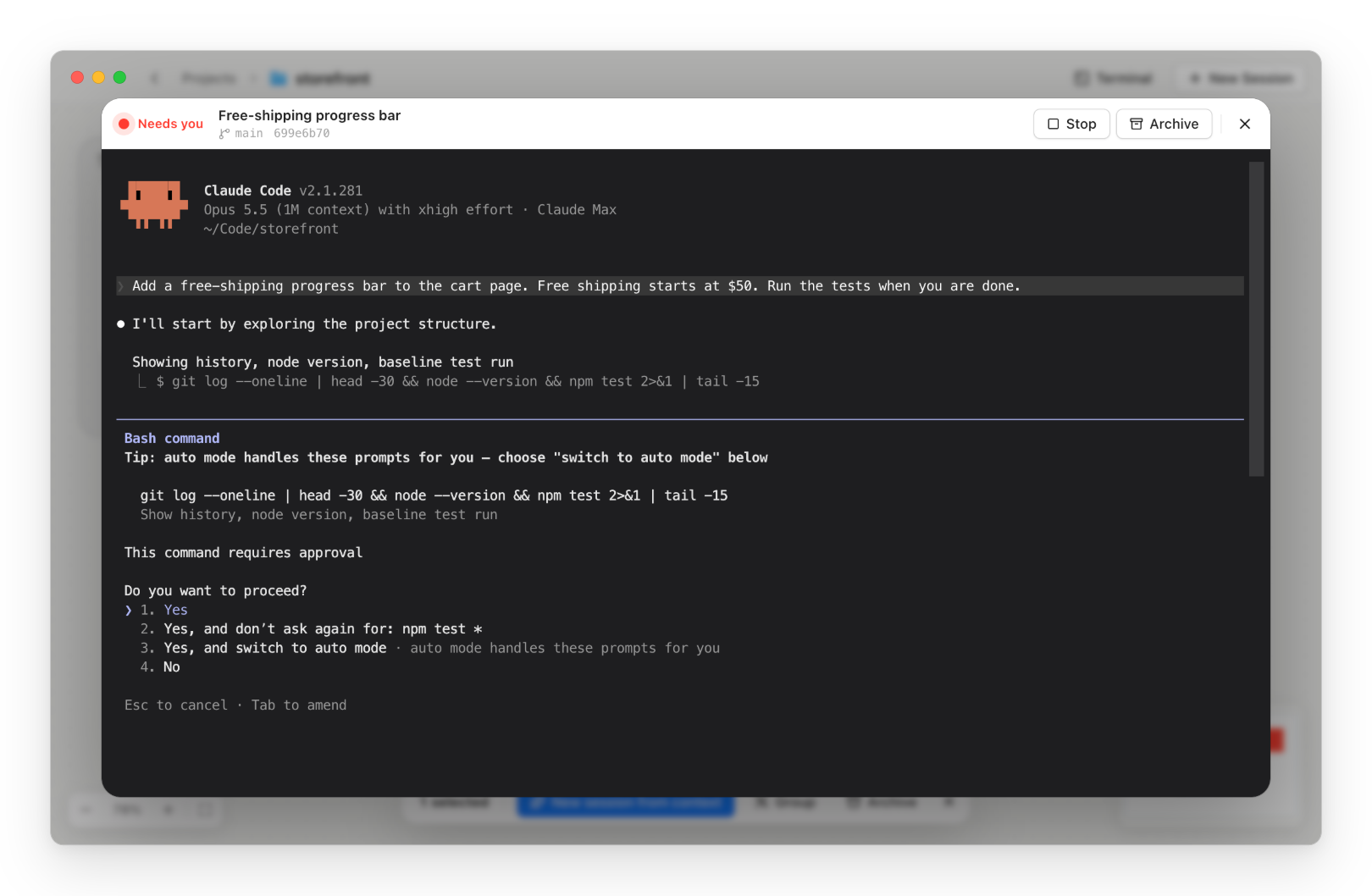
Click a card for the real |
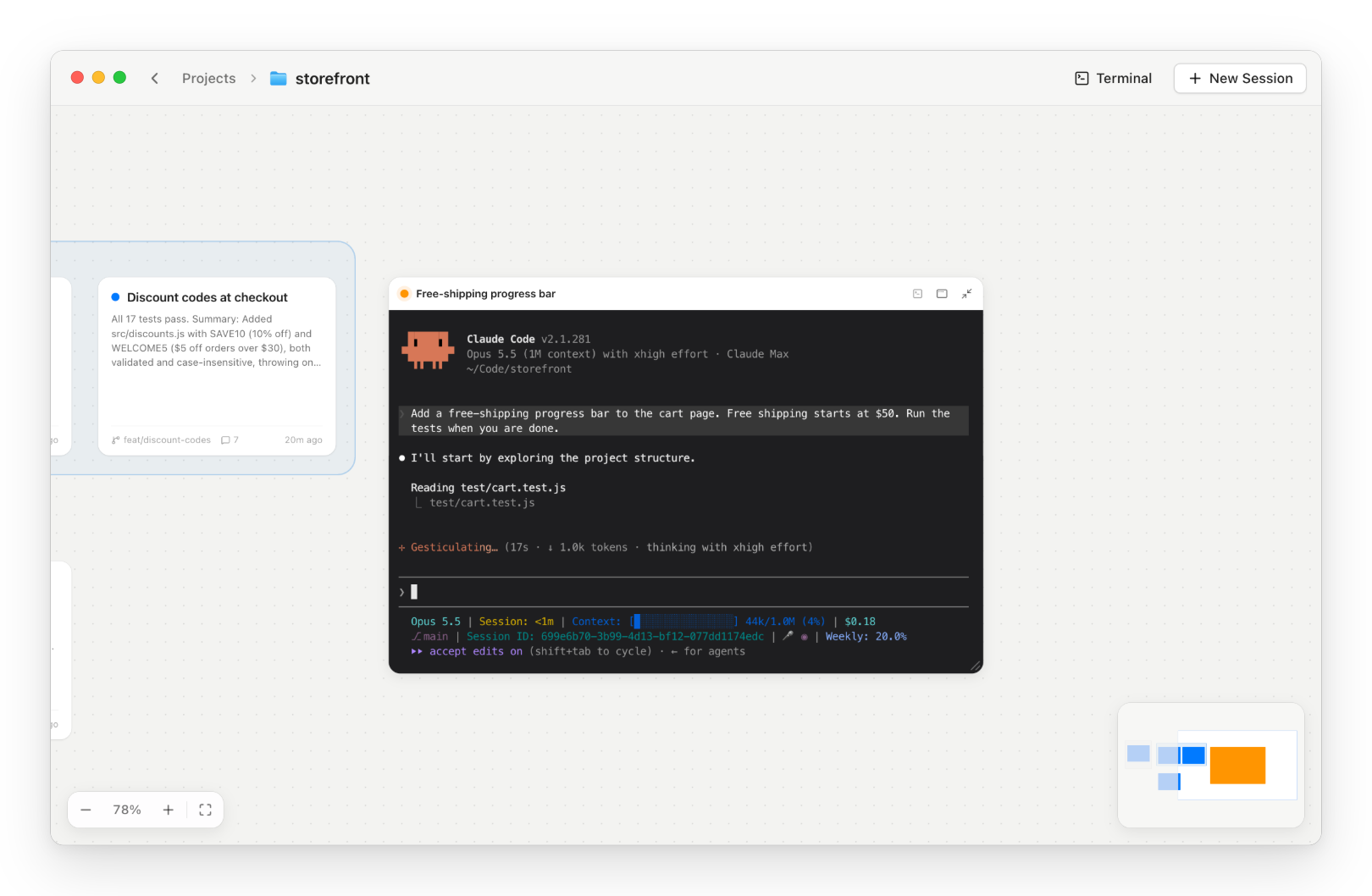
Or expand it in place and watch it work. |
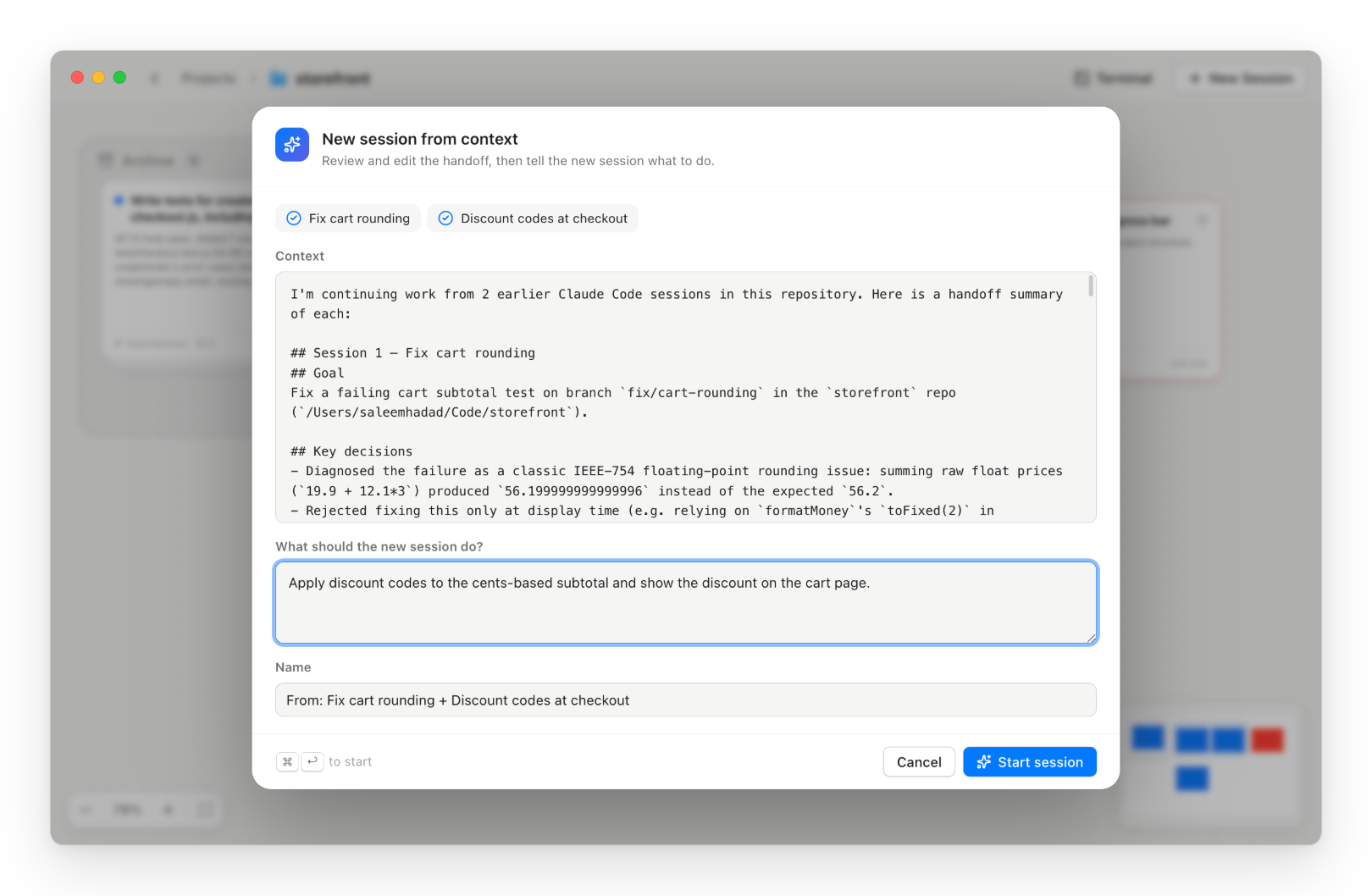
Start a session from the context of others. |
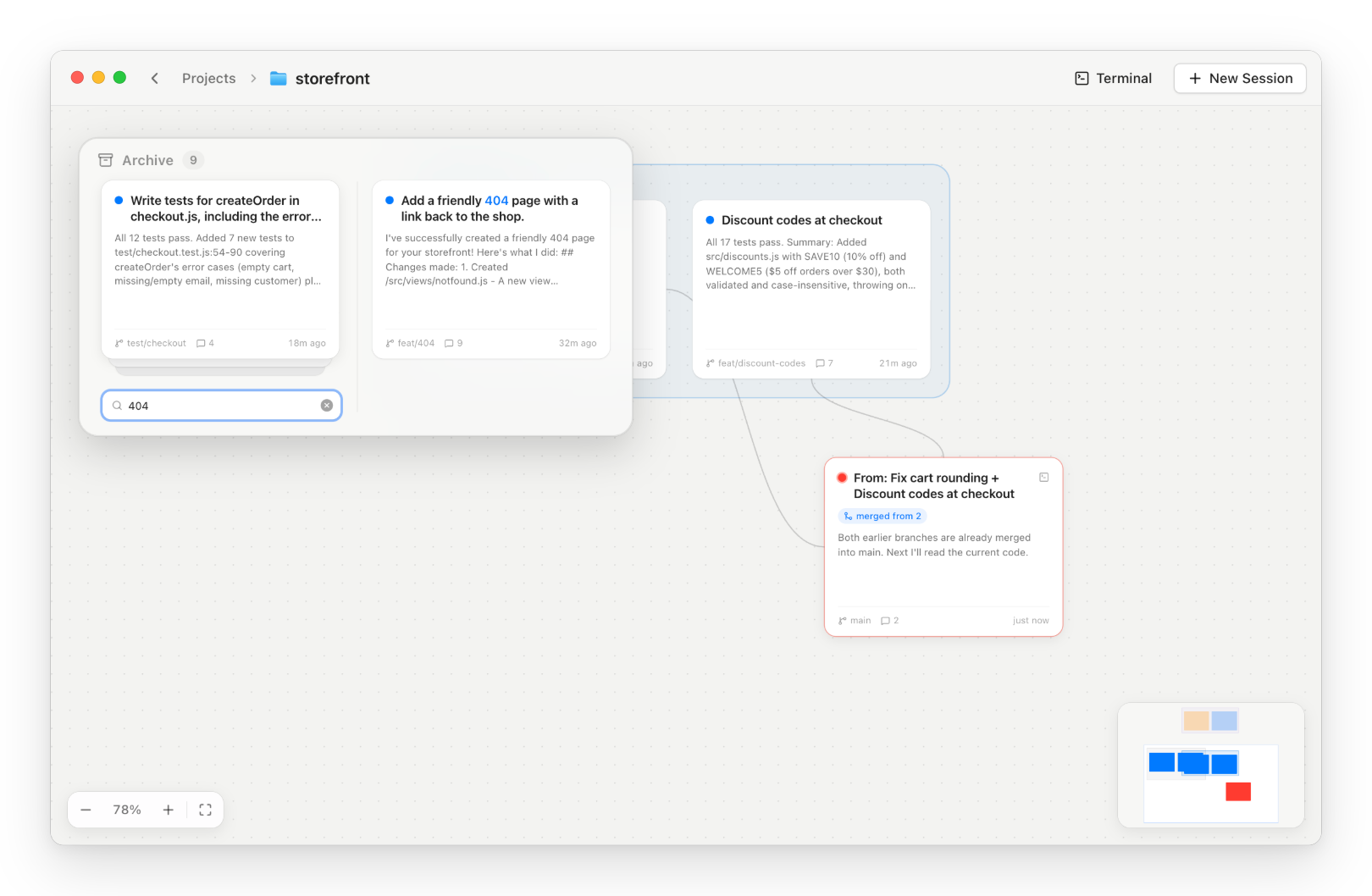
Search the archive and drag a session back out. |
Features
- A card per session with Claude's latest reply, the branch and the last activity. Arrange cards and group them into sections.
- Live status from Claude Code hooks: 🟠 working · 🔴 needs you · 🔵 done.
- The real terminal. Click a card to open the actual
claudeTUI, or expand it right on the board and resize it. Press T for a shell in the project folder. - Agents as a deck. When Claude runs agents, they peek out from under the session's card in their status colours. Point at the deck to fan them out and see what each is doing, or click one for its live transcript.
- Sessions outlive the app. Quit Claude Nodes and your sessions keep working. Open it again and they're right where you left them.
- New session from context. Select a few cards and start a session that already knows what they did.
- Action buttons. Describe a button ("pull and push, resolving conflicts", "archive the sessions that are done") and Claude writes it. Buttons sit in a rail on the right edge. A press runs Claude in the background, with its session fanned out beside the button until it's done.
- A searchable archive. Old sessions stack up in one pile. Drag a card out to pick it up again.
- Sticky notes. Peel a note off the pad under the archive and stick it anywhere on the board, for reminders and scratch notes.
Get started
Download for Apple Silicon · Intel
Open the DMG and drag Claude Nodes into Applications. You also need Claude Code with claude on your PATH.
The app isn't notarized yet, so macOS blocks the first launch. Open it once, then go to System Settings → Privacy & Security and click Open Anyway.
Click New Project, pick a repo and open it. Press N for a new session, or drag one out of the archive to resume it.
To build from source, see Development.
Shortcuts
| Action | Shortcut |
|---|---|
| New session · new terminal | N · T |
| Open a card | Click · Enter |
| Expand a card on the board · collapse it | E |
| Select cards | Drag on empty canvas · ⇧-click |
| Group the selection into a section | ⌘G |
| Archive the selection | ⌫ |
| Search the archive | Hover the stack and type |
| New sticky note | Drag one off the pad under the archive |
Learn more
Everything stays on your machine. The app reads transcripts where Claude Code keeps them and saves only the board layout.
How it works covers the architecture, every shortcut, known limitations and development.
Yorumlar (0)
Yorum birakmak icin giris yap.
Yorum birakSonuc bulunamadi