Tellcut
Health Warn
- License — License: MIT
- Description — Repository has a description
- Active repo — Last push 0 days ago
- Low visibility — Only 9 GitHub stars
Code Pass
- Code scan — Scanned 12 files during light audit, no dangerous patterns found
Permissions Pass
- Permissions — No dangerous permissions requested
No AI report is available for this listing yet.
Video editing, by talking. A local browser video editor that Claude edits with you.

Video editing, by talking.
Drop in your footage and say what you want. An agent watches every clip,
writes the storyboard and cuts a first draft, all on your own computer.
Keep the effects and the style you like: your next film starts from there.
English · 繁體中文
Watch · Three ways to edit · What the agent does · Keep what works · Presets and sample films · Get started · Outside media · Install guide





Watch
"Tellcut in 80 Seconds." Nineteen minutes of Marrakesh footage and one sentence become a reel: the agent watches every clip and writes a storyboard before it cuts. Then fix things by hand, or select a part and ask, and see a preview before anything changes. Keep the effect it wrote, save the way the film was made as your own preset, and the next trip starts from it. Recorded in Tellcut, sped up where the agent works. (credits)
Your phone is full of clips nobody edits
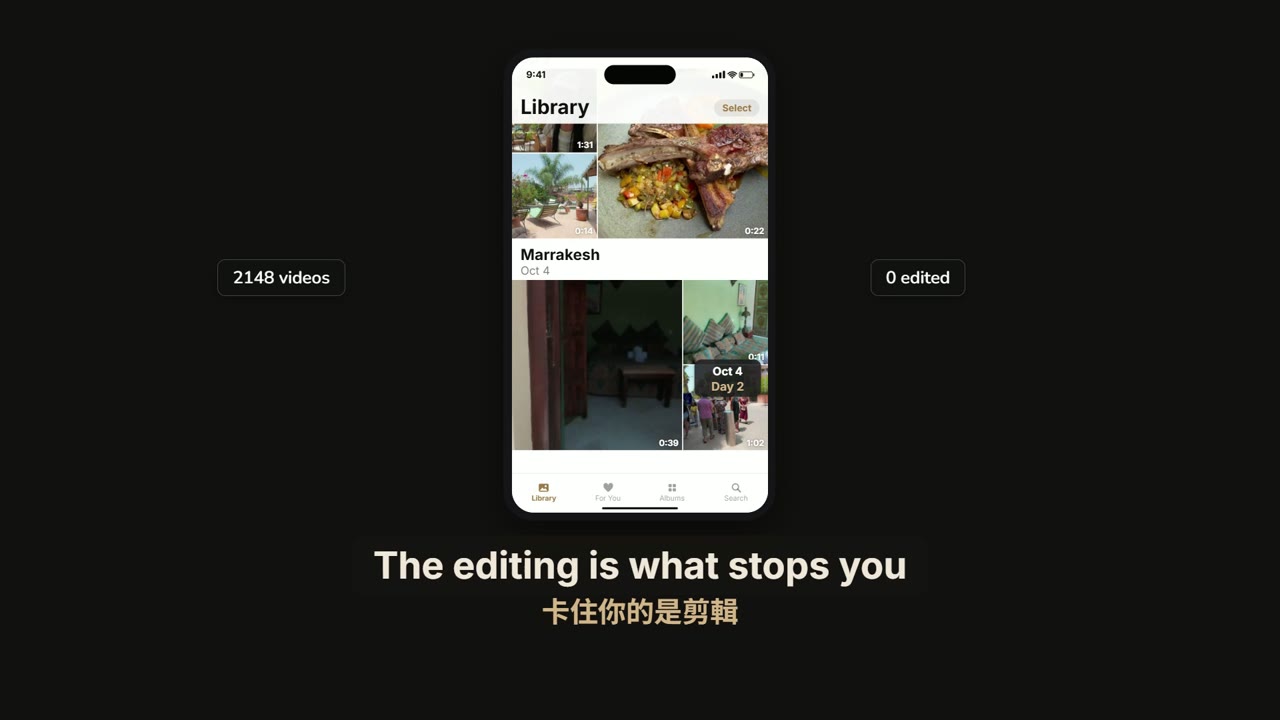
The trip, the birthday, the podcast you recorded last month: the footage is fine. What stops it from becoming a video is the editing: scrubbing through hours of clips, choosing shots, cutting, captioning, finding music.
Tellcut hands that work to an agent and leaves the decisions with you. You describe the film. The agent makes a first cut you can watch. Then you change whatever you like, by hand or by asking.
Three ways to edit
You can switch between these at any time. Nothing the agent does overwrites what you changed yourself.
|
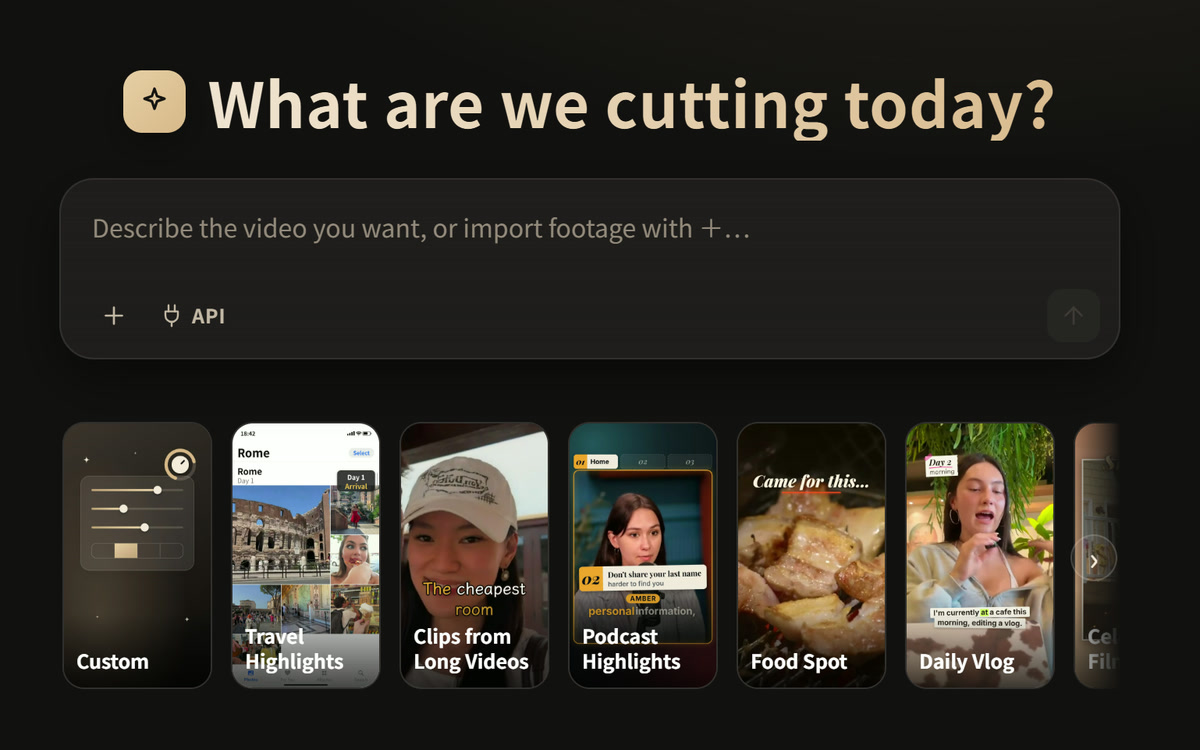
1. Say itImport your footage and say what you want. The agent chooses the angle, the shots, the captions, the effects and the music, and cuts a first draft you can watch straight away.Not sure what to ask for? Pick a preset under the prompt box and it brings in a direction for that kind of film. |
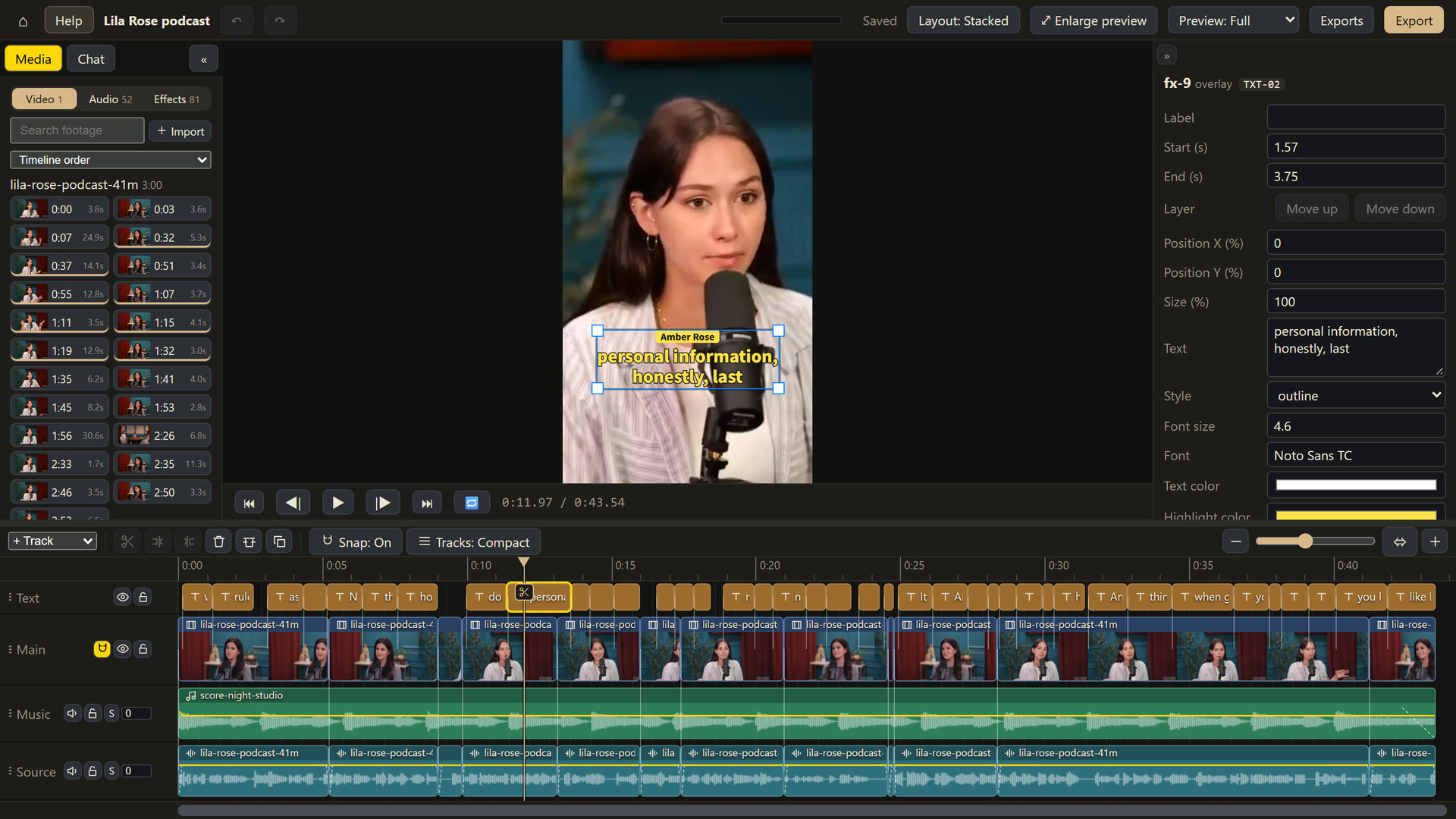
2. Fix it on the timeline. It works like any editor: split clips, swap in another shot from the media panel (or bring in more from your PC with Import), change the volume, edit a caption. Every change can be undone.
3. Ask for changes. Type in the chat, or select part of the timeline, right-click and choose Ask Agent… to describe what that part needs. The agent shows you a preview first. Nothing changes until you press Accept.
What the agent does
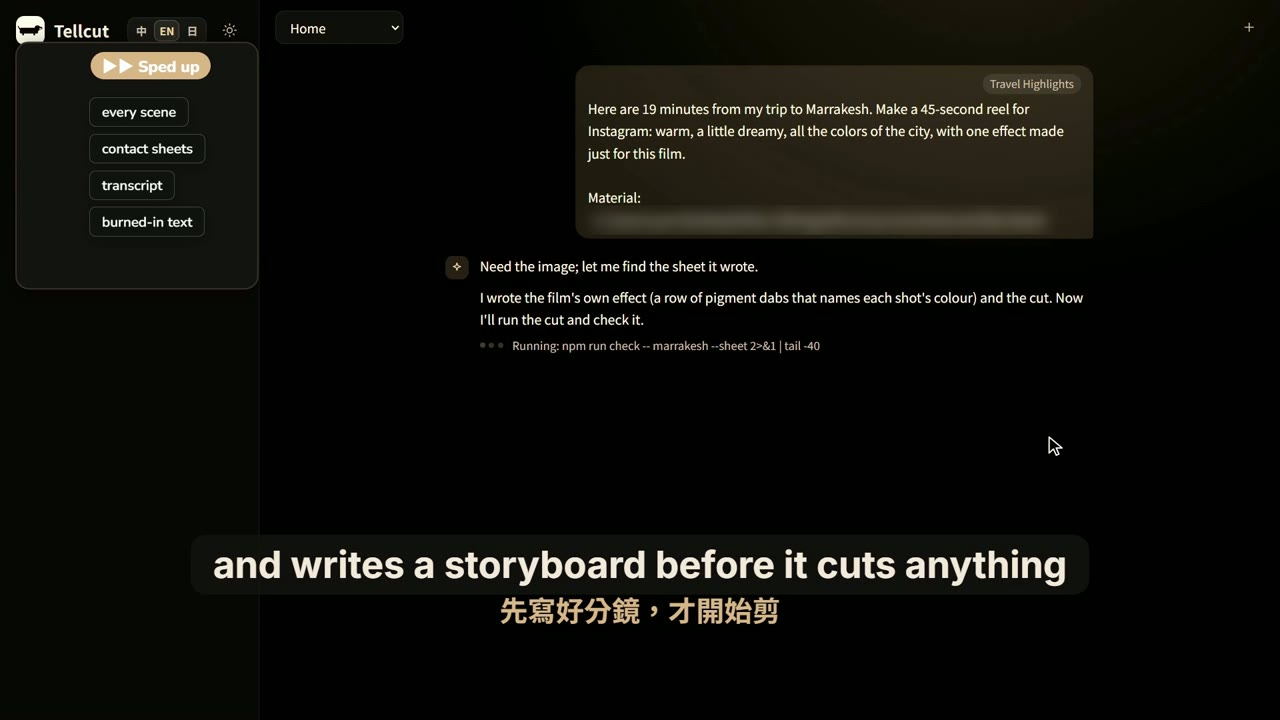 It watches every clip. It splits your footage into scenes, makes contact sheets, transcribes the speech, and finds the subtitles and watermarks burned into the source. |
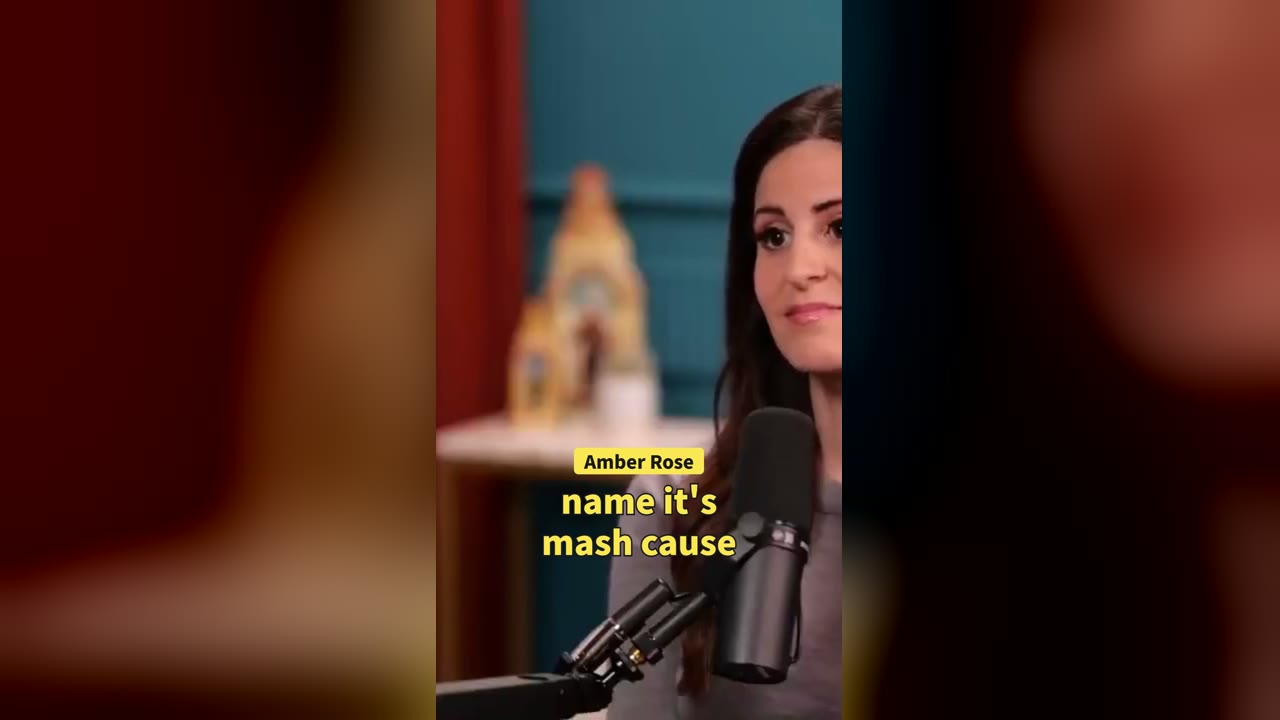 Captions and music, on the beat. It has more than 130 ready-made effects and sounds, and composes a score to fit the length. It can also add voice-over in the film's language, with the captions aligned to it. When nothing in the library fits, it writes a new effect for that film, and you can keep it for the next one. |
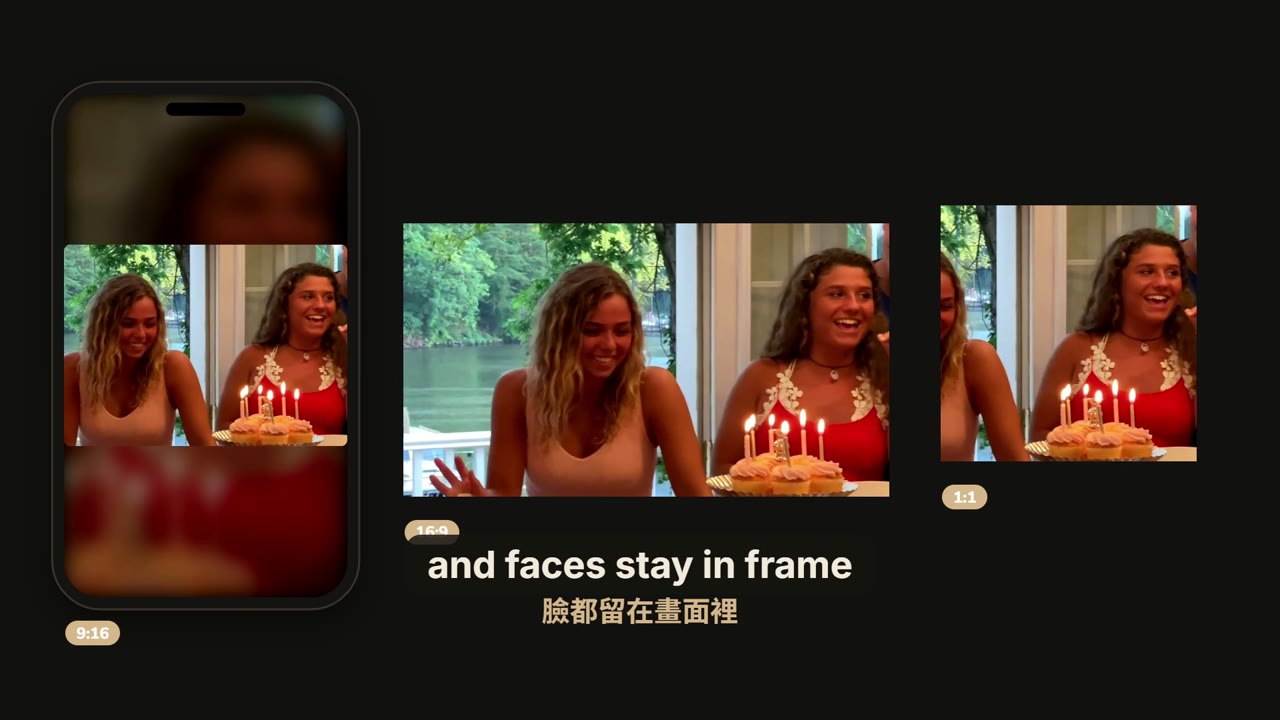 Vertical. Landscape. Square. It exports MP4 in 9:16, 16:9, 1:1 or 4:5, and keeps faces in frame when it reframes footage for vertical. |
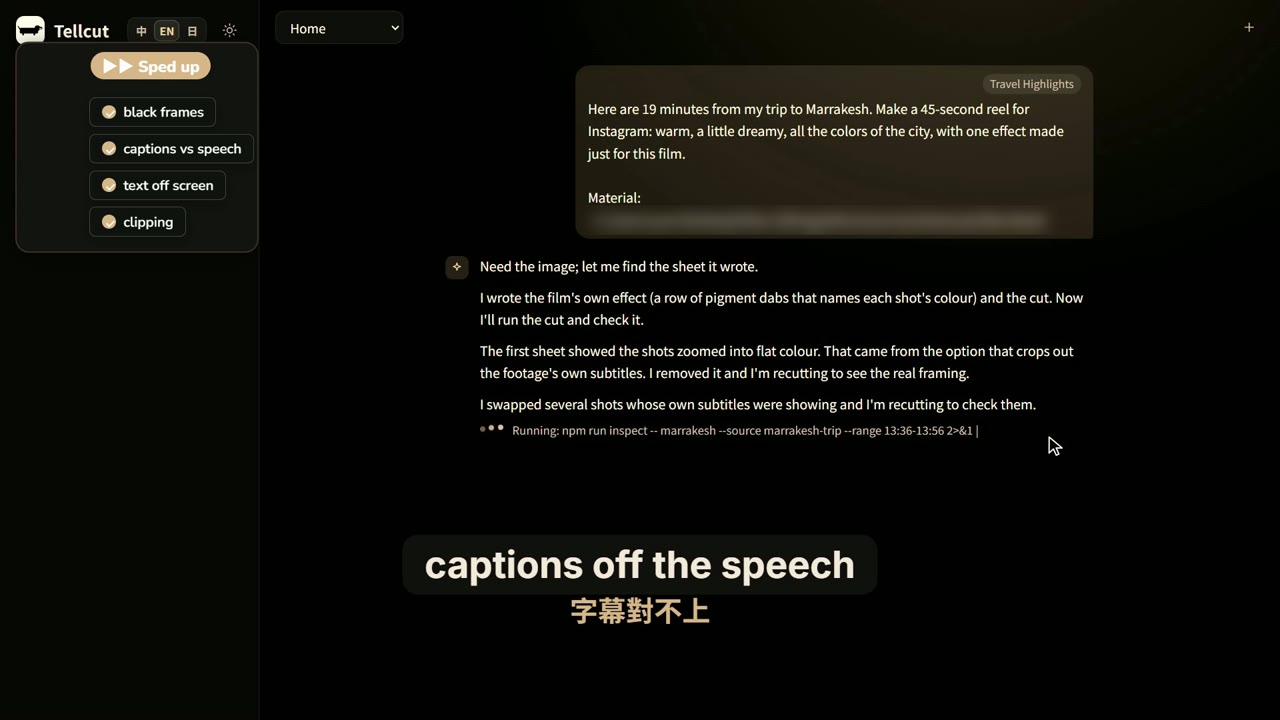 It checks its own work. Before you see the result, it checks for black frames, captions that drift from the speech, text running off the edge, clipped audio, and the source's own text showing through. It fixes what it finds first. |
It first works out what kind of film this is (food, travel, a lesson, an interview…) and writes the storyboard that kind of film needs before it cuts anything.
Every film makes the next one easier
Keep what worked. Start the next film from there.
Most editors forget everything the moment you close the project. Tellcut keeps what you liked.
★ Keep an effectThe agent wrote a chalkboard title for your café video, a receipt that prints the menu, a map that draws your route. Press ☆ next to it and it goes into My blocks.From then on it's in every project's media panel, and the agent reaches for it before writing anything new. Want it to work with any text or colour? Tick Have the Agent make it generic, and whatever was written into it becomes a setting you can change. |
⟳ Keep your styleFound a rhythm you like? Press Save as preset. The agent writes down how this film was made, point by point, in plain words: "open on the best shot within 2 seconds", "captions just below the middle", "no price cards". Cross out what you don't want, add your own, and it becomes a card on your home page, with its fonts, colours, music and effects.Next trip: one click, and the first cut already looks like yours. |
- What you see is everything the agent gets. A preset's points are its whole instruction: delete a point and that instruction is gone.
- Old films never change behind your back. A block is copied into each project that uses it. Improve it later and the other projects show Update; they switch only when you press it.
- No film needed. Choose options in the Custom form and press Save as my preset, or press New preset at the end of the home page's presets and write the points yourself.
- Browse, rename or try them in the block gallery's My blocks category, or ask the agent to change one for you.
Presets
A preset is a starting direction for one kind of film. Click its card under the prompt box to read what it does, then press Confirm. You can also skip presets and just describe what you want.
Each animation below is a sample film made with that preset; click one to see where it came from and what was changed. The live-action samples are adapted from videos published on YouTube under CC BY 3.0, with captions, titles, cards and music added by Tellcut. The Brand Film and Animated Explainer samples use no footage at all: the agent drew everything on screen.
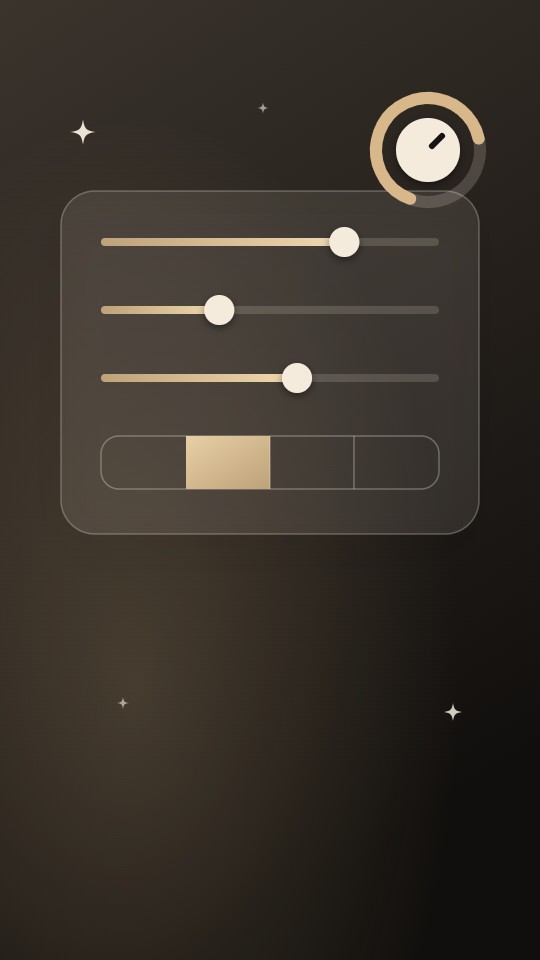 Custom You set the ratio, length, framing and so on; the agent decides the rest. Save your choices as a preset of your own |
 Travel Highlights Scattered clips from a trip, cut into a vertical short for IG or Shorts Sample: 55 s · three days in Rome · footage by Jackie Vlogs |
 Clips from Long Videos The best moment of a finished long video, with a hook if it should send people to the full video Sample: 37 s · one moment of a Marrakesh vlog · footage by Helen |
 Podcast Highlights The best exchange from a podcast or interview, with who's speaking clearly marked and word-by-word captions Sample: 58 s · two speakers · footage by Lila Rose |
 Food Spot A restaurant or a food trip, cut into a short that makes people hungry Sample: 58 s · Seoul BBQ and a bakery · footage by 千千進食中 |
 Daily Vlog A day or a stretch of daily life, with rhythm and a beginning, middle and end Sample: 66 s · three days, one to-do list · footage by Michaela Bento |
 Celebration Film Wedding, birthday, graduation or farewell photos and clips, cut into a film to play on the day Sample: 88 s · a surprise sweet sixteen · footage by It's The Donnellys |
 Brand Film A brand film that looks like the company at a glance, made from its logo, a paragraph about it and its website; even better with your own footage or photos Sample: 57 s, landscape · Tellcut's own brand film · drawn from the logo alone |
 Animated Explainer One idea explained with diagrams, charts, a quiz or a myth to bust, with or without footage of your own Sample: 2 min 9 s, landscape · What is an AI agent? · no footage |
Your own presets come after these, marked Mine: save one from a film you liked (Save as preset in the editor's chat) or from the Custom form. See Every film makes the next one easier.
Get started
You need
- Windows 10 or 11 (64-bit; only Windows is supported for now)
- A Claude account: a Pro, Max, Team or Enterprise plan, or a Claude API account. The editing agent is Claude Code, running on your own account (see Usage and cost)
- About 4 GB of disk space and an internet connection (the first install downloads about 2 GB)
Node.js, Google Chrome, Python, ffmpeg and the rest are taken care of by either way of installing below.
Option 1: let Claude Code install it (recommended)
Claude Code is Claude in your terminal: it can download, install and run commands on your computer, and fixes errors as it goes. Claude on the web (claude.ai) can't reach your computer, so it can only tell you the steps, not do them.
Open PowerShell: press the Start key, type
PowerShelland press Enter. You don't need to run it as administrator.Install Claude Code: paste this line and press Enter:
irm https://claude.ai/install.ps1 | iexThen type
claude --version: a version number means it's installed. Ifclaudeisn't found, close PowerShell and open a new one. You can also usewinget install Anthropic.ClaudeCode(official setup guide).Sign in: type
claude, press Enter and sign in to your Claude account in the browser window it opens.Pick Opus 5.5: in Claude Code, type
/model opusand press Enter. We recommend Opus 5.5: Tellcut's install and its editing are tested with it. Opus 5.5 needs Claude Code 2.1.280 or later; if yours is older, runclaude updatein PowerShell first.Paste this to it:
Please install Tellcut for me: https://github.com/samuel325365/Tellcut
Follow INSTALL.md in the repo. If Node.js 24 or later or Google Chrome is missing, install it with winget first.
Download the repo into a Tellcut folder in my user folder, run npm run setup, then npm run doctor to confirm every item is ticked.
If anything fails, fix it and carry on. When everything is ready, tell me how to open Tellcut from now on.
Claude Code asks before each thing it does: have a look, then allow it. The whole install takes about 15–30 minutes, mostly downloading.
Open Tellcut: from then on, whenever you want to use it, run this in PowerShell:
cd ~\Tellcut
npm run server
Then open http://127.0.0.1:5174/editor/ in your browser. Keep the PowerShell window open while you work; closing it stops Tellcut.
Codex or another AI coding assistant can install it too: give it the text from step 5. The agent inside Tellcut is always Claude Code, though, so you still need steps 2–3.
Option 2: install it yourself
Install Node.js 24 or later (the LTS), Google Chrome and Claude Code, and run
claudeonce in a terminal to sign in.Get Tellcut: with Git, run
git clone https://github.com/samuel325365/Tellcut.git; without it, click the green Code button on GitHub → Download ZIP and unzip it. With git, updating later is easier.Right-click an empty spot in the Tellcut folder → Open in Terminal, then run:
npm run setup     # downloads the tools and models Tellcut needs (10–20 minutes)
npm run server    # then open http://127.0.0.1:5174/editor/ in your browser
The full walkthrough, with troubleshooting, is in INSTALL.md. If something isn't working, npm run doctor lists what's missing and how to fix it; or just tell Claude Code "Tellcut won't open, can you take a look?".
Updating: if you used git, run git pull in the Tellcut folder, then npm run setup again.
Which model
Tellcut's agent uses Claude Code's default model. For Pro, Max, Team, Enterprise and Claude API accounts that is currently Opus 5.5, the model we recommend, so there's nothing to set. The chat in the page doesn't read your personal Claude Code settings, so switching models with /model in the terminal doesn't change what Tellcut uses.
Your first film
In the chat on the right of the home page, click + to import footage and tell the agent what you'd like to make. Not sure what to say? See Try saying, or pick a preset.
The interface comes in English, 中文 and 日本語; switch with 中 / EN / 日 at the top right of the home page. Button labels in the editor are always English; tooltips and help follow your language.
Your footage and your films stay on your computer. When you chat with the agent, your messages and the frames it needs to look at are sent to Anthropic.
Example project
Tellcut's own brand film comes as a project you can open, play and change: the footage, the agent's chat and version history, and the finished film. It was made with the Brand Film preset.
npm run examples -- meet-tellcut # download it and add it to your projects (about 900 MB)
Its CREDITS.md names the footage; it is all Creative Commons (CC BY 3.0).
Outside media sources
Besides your own footage, the agent can find pictures, video, sound effects, music and maps in online libraries and databases. Most work with nothing to sign up for; a few need a free key of your own, and without it that source just isn't available while everything else works as before.
These keys have nothing to do with Claude. The agent runs on the account you signed in to Claude Code with; you don't need a separate Claude API key. Voice-over (Microsoft Edge's online voices), speech-to-text (Whisper, running on your computer) and music (composed to the film's length) are built in and need no key either.
Tellcut records where every downloaded file came from and its licence in the project; npm run tellcut -- assets credits <project> collects them into a CREDITS.md in the project folder. Check the licence column before you publish or use a film commercially: pictures of Pokémon, anime, games and Harry Potter belong to the companies that own them.
Ready to use, nothing to sign up for
| Source | What it gives | Licence |
|---|---|---|
| Wikimedia Commons | Photos, illustrations, historical pictures | Varies by file, mostly CC BY, CC BY-SA or public domain |
| NASA Image and Video Library | Photos and video of space and the Earth | Generally not copyrighted; must not suggest NASA endorses you |
| Maps | Taiwan's national e-map and orthophotos, EOX satellite imagery, for route animations and map scenes | Taiwan's maps: Open Government Data License (commercial use allowed, with credit); EOX satellite: CC BY-NC-SA 4.0 (non-commercial) |
| Countries | Flags, and facts such as capital, population, languages and currency | Flags are public domain |
| TheMealDB, TheCocktailDB | Photos and recipes of dishes and cocktails | Uses the public test key: personal and development use only |
| PokeAPI | Pokémon pictures and Pokédex data | © Nintendo / Creatures / GAME FREAK |
| AniList | Anime and manga character pictures and covers | © each work's rights holders |
| AmiiboAPI | Pictures of amiibo figures | © Nintendo |
| Game wikis | Game pictures from the Super Mario and Zelda wikis | © the game companies (hosted by the wikis as fair use) |
| HP-API + PotterDB | Harry Potter characters, spells and pictures | © Warner Bros. |
Needs a free key
| Source | What it gives | Licence | Where to get the key |
|---|---|---|---|
| Pixabay | Stock video and photos | Pixabay Content License (commercial use allowed, no credit needed) | Sign up at Pixabay; your key is then shown on https://pixabay.com/api/docs/ |
| Freesound | Sound effects | Varies by sound: CC0, CC BY, CC BY-NC… | Sign in to Freesound and apply at https://freesound.org/apiv2/apply; use the "Client secret/Api key" it gives you |
| CARTO | Street-map basemaps for map scenes | Non-commercial use only | Request one with your email at https://carto.com/basemaps (no account needed) |
Off by default, switch on yourself (unofficial, or personal use only)
| Source | What it gives | Licence |
|---|---|---|
| BBC Sound Effects | About 33,000 professional BBC sound effects | RemArc: personal, educational and research use only, no redistribution |
| Incompetech | Kevin MacLeod's music (downloaded from a copy on archive.org) | CC BY 4.0 (commercial use allowed, with credit) |
| Steam | Games' store covers, screenshots and trailers (unofficial API) | © the game developers / publishers |
Adding keys and switching sources
Put the keys in a file called sources.local.json in the tellcut folder. Git ignores it, so it's never committed:
{
  "contact": "[email protected]",
  "keys": {
    "pixabay": "your Pixabay key",
    "freesound": "your Freesound key",
    "carto": "your CARTO key"
  }
}
Or set environment variables instead, which win over the file: PIXABAY_API_KEY, FREESOUND_API_KEY, CARTO_API_KEY.
contact(optional) is an email address or a web address that Tellcut sends in the User-Agent header of every download, so the sources know who is asking. Wikimedia Commons gives callers who say who they are much higher limits. The environment variableTELLCUT_CONTACTdoes the same.- Switching sources on or off: the defaults are in
sources.json. To change one, add it tosources.local.json, for example"sources": { "steam": { "enabled": true } }. BBC Sound Effects, Incompetech and Steam (unofficial, or personal use only) start switched off. - Check your setup with
npm run sources: it lists each source, whether it's on, whether it has its key and whether it answers.npm run sources -- --livealso tries a real search and download from each.npm run doctorshows the same list. - In the chat, the API button next to + opens the list of sources. Tick the ones the agent may use in that conversation. A source that's missing its key is greyed out, with the reason.
Try saying
With footage
"These are from our three days in Rome. Make a 60-second vertical short for IG with an opening that makes people keep watching."
"Pick the best stretch of this podcast episode and make a one-minute Short. Make it clear who's talking."
"Turn these wedding photos and clips into a three-minute film to play at the reception."
With no footage at all
"Make a 45-second animated explainer on why cats purr, with voice-over."
After the first cut
Select a stretch of the timeline, right-click Ask Agent…, and type: "Too much text here. Keep only the key point."
Usage and cost
Tellcut is free. The agent runs on your own Claude login, so what it uses depends on how you sign in:
- A subscription (Pro / Max): nothing extra is charged; the work counts toward your plan's usage limits.
- An API key: you pay per token at Claude API prices.
Under every reply you'll see how many tokens it used; the conversation total also shows roughly what that would cost at Claude API prices.
| For example (made in the page chat) | Tokens | At Claude API prices |
|---|---|---|
| A 1-minute travel short | about 2.5–5.5 million | about US$2–3 |
Limitations
- Windows only.
- The agent can't hear. You have to judge the balance of music and voices, and whether the voice-over sounds natural, by ear.
- Local only: there's no cloud version, and two people can't edit the same project at once.
Documentation
- docs/reference.md: every command, the project folder format and the code architecture.
- CLAUDE.md: what to know when developing Tellcut with Claude Code.
tellcut/
├── apps/
│   ├── player/        the one renderer: editor preview, export, checks and golden images all run it
│   ├── editor/        the timeline editor in the browser
│   └── server/        the local server and the page chat (one headless Claude Code per message)
├── packages/
│   ├── engine/        the project.json schema, compositor, edit commands and mix plan
│   ├── plugin-common/ shared blocks (captions, titles, effects, 3D…) and their golden images
│   ├── plugins/       the one plugin list every part shares
│   ├── media-node/    ffmpeg, analysis, transcription, faces, voice-over, score, export, outside sources
│   └── protocol/      shared types and gallery codes
├── tools/
│   ├── cut/           the Cut API: cut.ts rebuilds the timeline from the footage; recipes
│   ├── check/         the checks before export
│   └── setup/         npm run setup / doctor
└── guides/            what the agent reads: workflow, quality bar, genres, presets
Licence
The code is released under the MIT licence. The MIT licence covers the code only:
- The media in
docs/readme/and the preset samples inguides/presets/*/(poster.jpg,preview.webm) are under the terms given in theCREDITS.mdnext to them: adaptations of CC BY 3.0 videos, and footage under the Pixabay Content License. Credits for the pictures and the film on this page are in docs/readme/CREDITS.md. - Third-party code keeps its own licence: the vertex shader in
packages/plugin-common/src/shader-vertex.tscomes from Paper Shaders (Apache-2.0, see LICENSE.paper-shaders and NOTICE.paper-shaders). - The outside tools and models downloaded during setup (ffmpeg, uv, Python, the Whisper speech model, the MediaPipe face model, fonts) each have their own licences.
Only import footage you have the right to use. Tellcut will download a link you give it (with yt-dlp), but it doesn't check who owns the video.
Reviews (0)
Sign in to leave a review.
Leave a reviewNo results found