santree
Health Uyari
- License — License: MIT
- Description — Repository has a description
- Active repo — Last push 0 days ago
- Low visibility — Only 5 GitHub stars
Code Gecti
- Code scan — Scanned 12 files during light audit, no dangerous patterns found
Permissions Gecti
- Permissions — No dangerous permissions requested
Bu listing icin henuz AI raporu yok.
Your backlog, shipped in parallel — a desktop app that runs Claude agents across your repo's tickets, each in its own git worktree. Triage in, PRs out.

santree
Your backlog, shipped in parallel.
santree is a desktop app that runs Codex and Claude Code across your repo's tickets.
Each agent gets an isolated git worktree you can watch, steer, and merge.
Triage in, PRs out.



Website · Docs · Download for macOS · Changelog
Why santree
Running one coding agent is easy. Running five is a workflow problem: they step
on each other's diffs, you lose track of who's blocked on you, and the actual
job (tickets in, reviewed PRs out) lives scattered across a tracker, a
terminal multiplexer, and a browser.
santree puts the whole loop in one window. Every task gets an isolated git
worktree with a real terminal running the real Codex or Claude Code CLI:
your login, your subscription, no credentials handled by santree. Around the
terminals it builds the workflow: a permanent sidebar that shows every agent's
state across every project, your team's triage queue with its SLA clock, your
tickets as a list or a dependency graph, a review inbox with an AI
co-reviewer, and a work queue that turns failing checks and review comments
into an agent's next task. Nothing is mocked: every view is backed by live
data, and an unconnected view shows its honest empty state.
One window, one loop
The sidebar is the app's index. It never leaves: search, your tickets, the
triage queue, and every project with its worktrees and the agents running on
them, each with a dot that says working, just finished, or needs you.
The area beside it is whatever you picked.
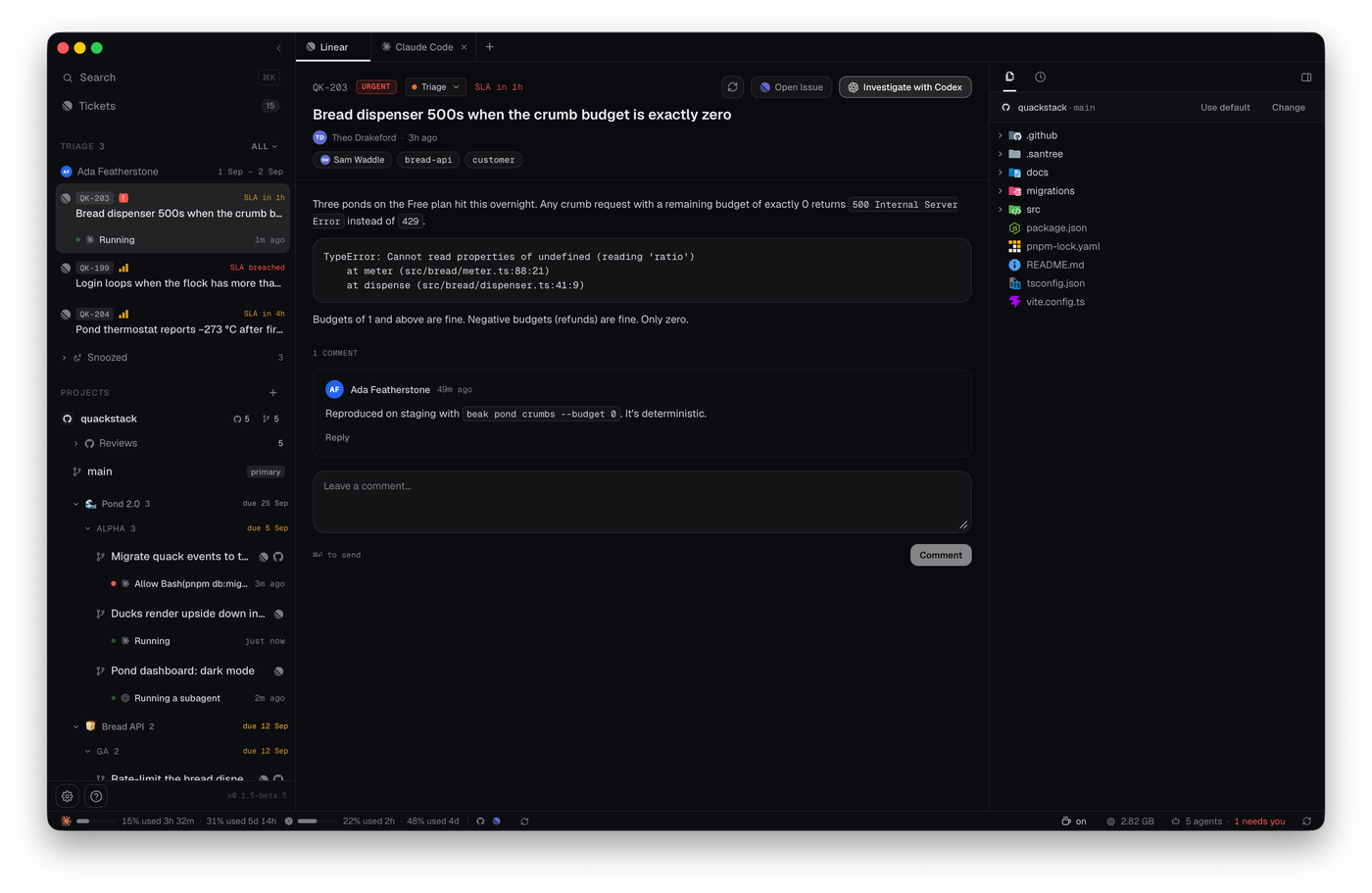
- Triage lives in the sidebar. Who is on rotation, the tickets waiting
with their SLA, and a snoozed group. Open one and it gets a workspace: the
ticket, an Investigate agent digging through the project's main
checkout, and a shell. - Tickets is your Linear queue as a list grouped by project and
milestone, or as a dependency graph. Every row says whether it is ready or
what blocks it. Run starts a ticket in a new worktree; the launch queue
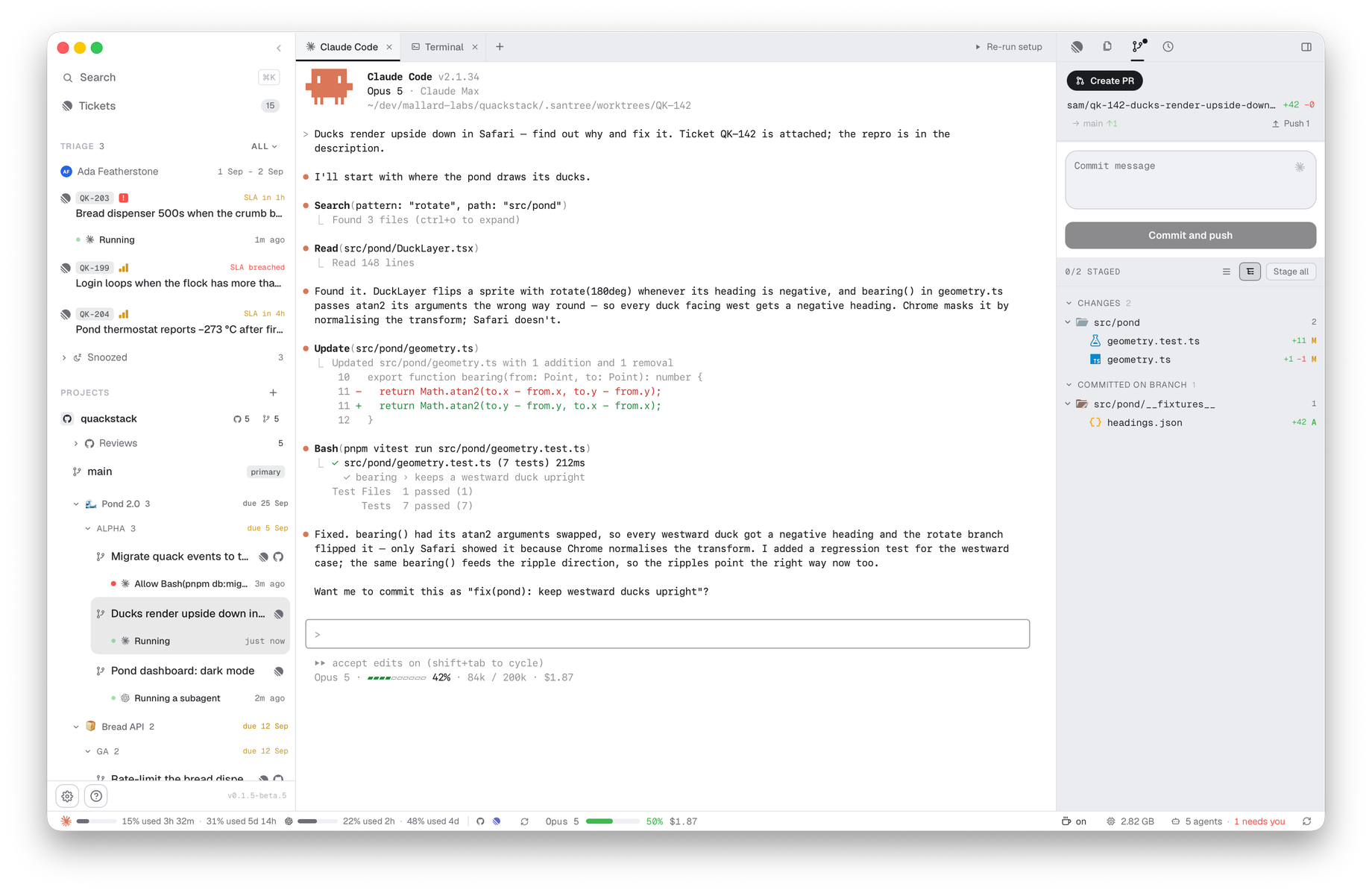
starts several at once, each with its own agent. - Trees is where you spend your time. One worktree per task, and a tab per
agent or shell it has open. Beside the terminal: the ticket, the files, the
branch's changes with a commit box, session history you can resume, and,
once a PR exists, the PR itself and its AI work queue. - Reviews is the inbox: other people's pull requests, per project, ordered
by what needs you. The PR page has the conversation, commits, checks and
files. An AI review reads the diff and writes a brief and draft comments
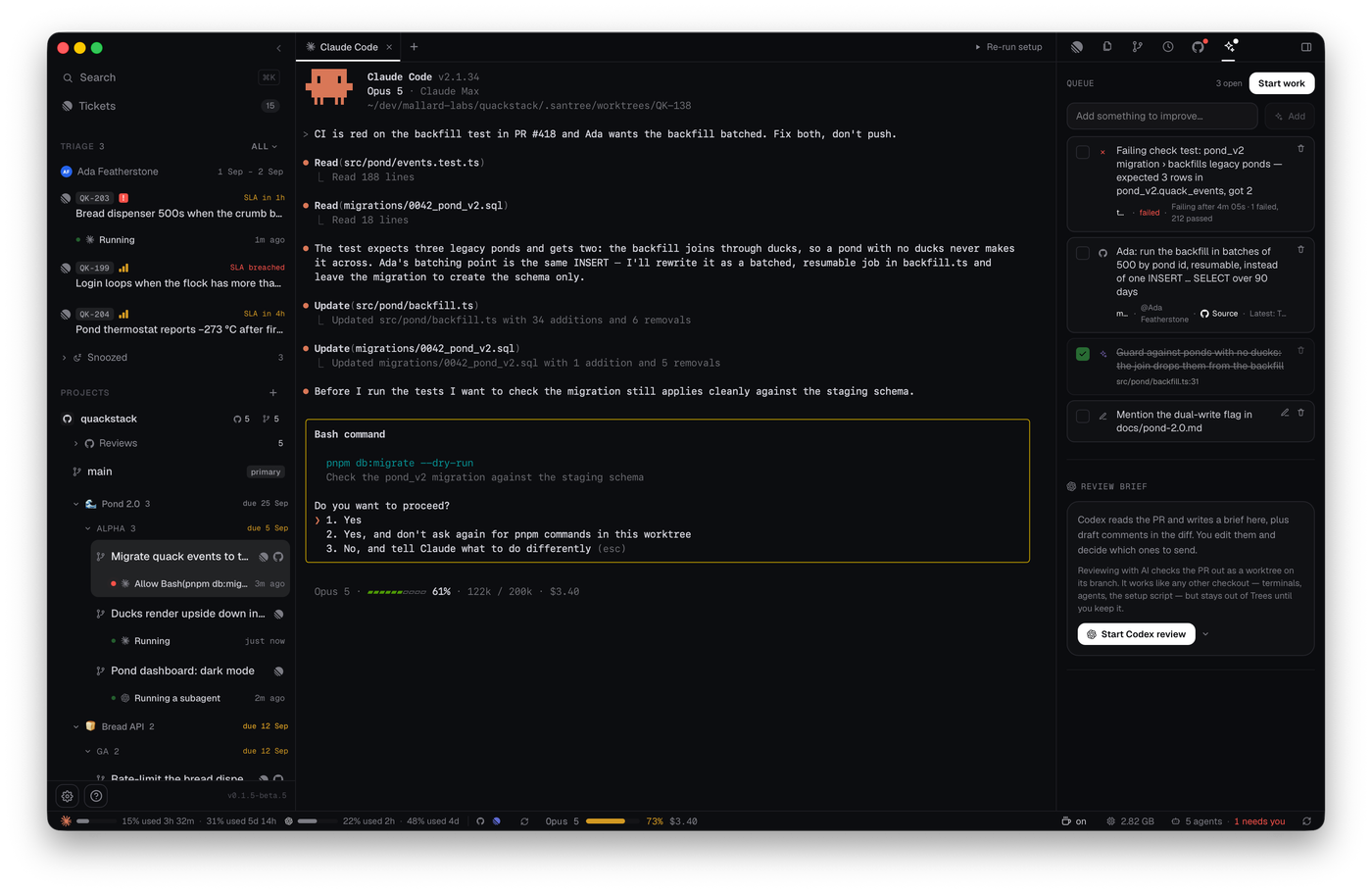
that stay local until you publish them. - Your own PR is worked on next to its worktree, not in the inbox. A
failing check, a reviewer's comment, an AI draft or a diff line you flag all
land in one queue, and Start work hands the whole queue to an agent. - Settings holds the integrations, a provider and model per workflow
(triage, work, reviews), the prompts every launch renders (Jinja templates
you can edit and preview), environment variables, and usage.
 |
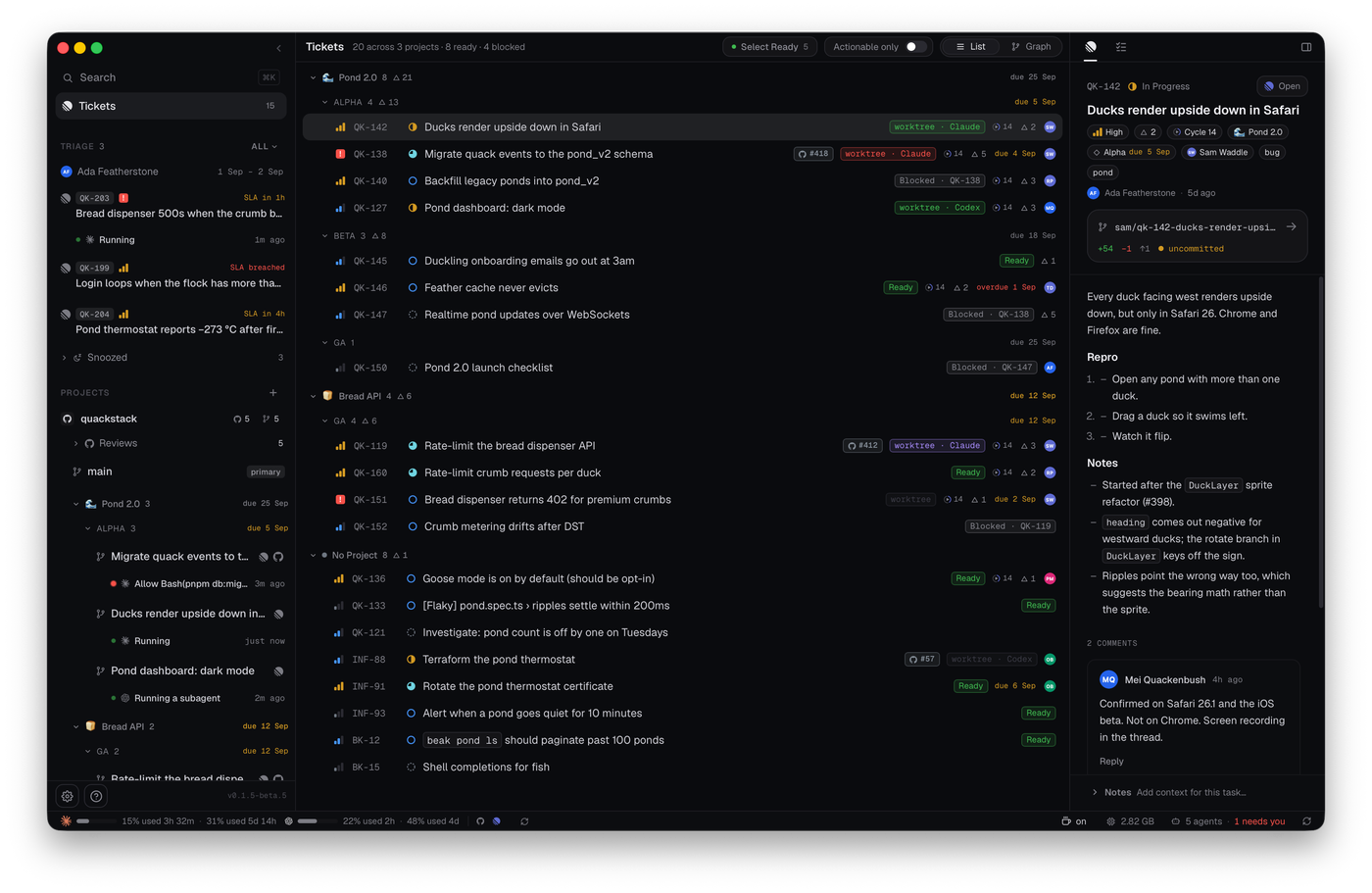 |
| The work queue. Failing checks, review comments and AI drafts, drained by one agent. | Tickets. Grouped by project and milestone; every row says what blocks it. |
 |
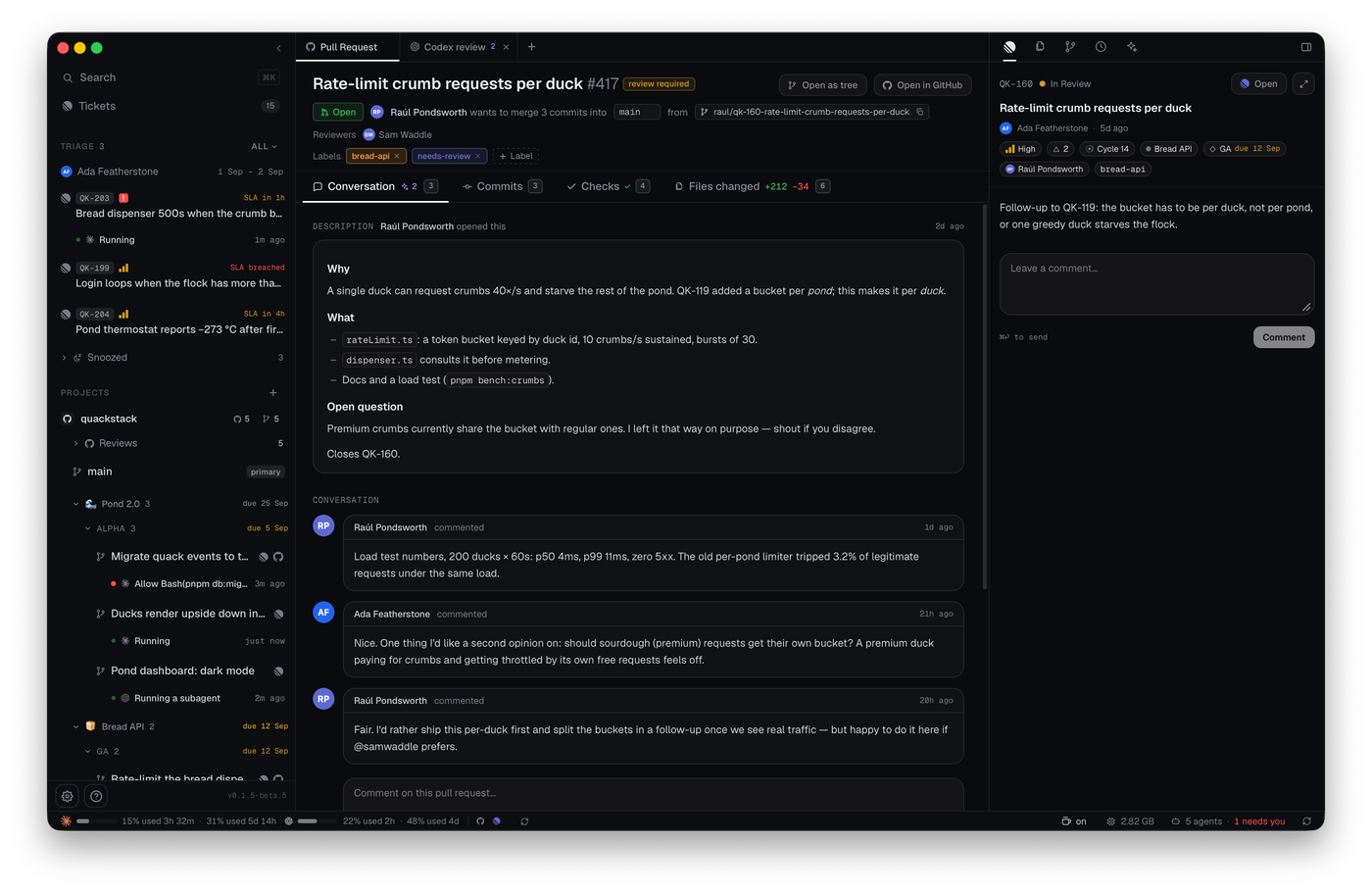 |
| Triage. The ticket, an investigating agent, and the project it runs on. | Reviews. A teammate's PR with its AI review beside it, drafts held until you publish. |
Install
macOS: download the DMG.
It's signed and notarized, and keeps itself up to date (pick the stable or
beta channel in Settings → General).
Linux: no packaged builds yet; build from source
in a few minutes.
You'll also want:
- git: worktrees, diffs, and branches are the real thing.
- At least one coding agent: Codex
or Claude Code, installed and
logged in. santree drives the CLI you already have and never touches its
credentials. - GitHub CLI (
gh), signed in. Optional; it
powers Reviews, the PR panes and the checks. - A Linear workspace. Optional; it powers Tickets
and Triage.
Building from source
You need Rust (the pinned toolchain installs
automatically), Node 22+, and pnpm. On Linux, install the WebKitGTK
dev libraries first; copy-paste commands for Debian/Ubuntu, Fedora, and Arch
are in DEVELOPMENT.md.
pnpm install
pnpm dev        # first run compiles the Rust side, a few minutes, then fast
Development
Architecture, data flow, testing, the release pipeline, and the terminal
internals live in DEVELOPMENT.md. The ground rules for how
santree is allowed to interact with agent CLIs are in
COMPLIANCE.md; they're load-bearing.
The screenshots above come from the app's screenshot fixture mode, a fake
company (Mallard Labs, makers of QuackStack) served to the real views; seesrc/dev/fixtures/README.md to retake them.
santree is pre-release and moving fast. Bug reports and small PRs are very
welcome; for anything bigger, open an issue first so we can talk it through.
License
MIT © Santiago Toscanini
Yorumlar (0)
Yorum birakmak icin giris yap.
Yorum birakSonuc bulunamadi