pi-work
Health Warn
- No license — Repository has no license file
- Description — Repository has a description
- Active repo — Last push 0 days ago
- Low visibility — Only 5 GitHub stars
Code Fail
- rm -rf — Recursive force deletion command in .github/workflows/release-macos.yml
- process.env — Environment variable access in AgentHost/src/extension-packages.ts
Permissions Pass
- Permissions — No dangerous permissions requested
No AI report is available for this listing yet.
A lightweight native macOS desktop app / GUI for Pi Coding Agent, built with SwiftUI. Pi Coding Agent 原生桌面端,支持 AI 编程、技能扩展与定时任务。
pi-work — Native macOS Desktop App for Pi Coding Agent
Let pi work for you.
A lightweight Pi Coding Agent GUI for Mac, built with Swift and SwiftUI. A minimal, native interface for AI chat, coding tasks, skills, extensions, and scheduled work.
Download for macOS · Installation guide
English · 简体中文
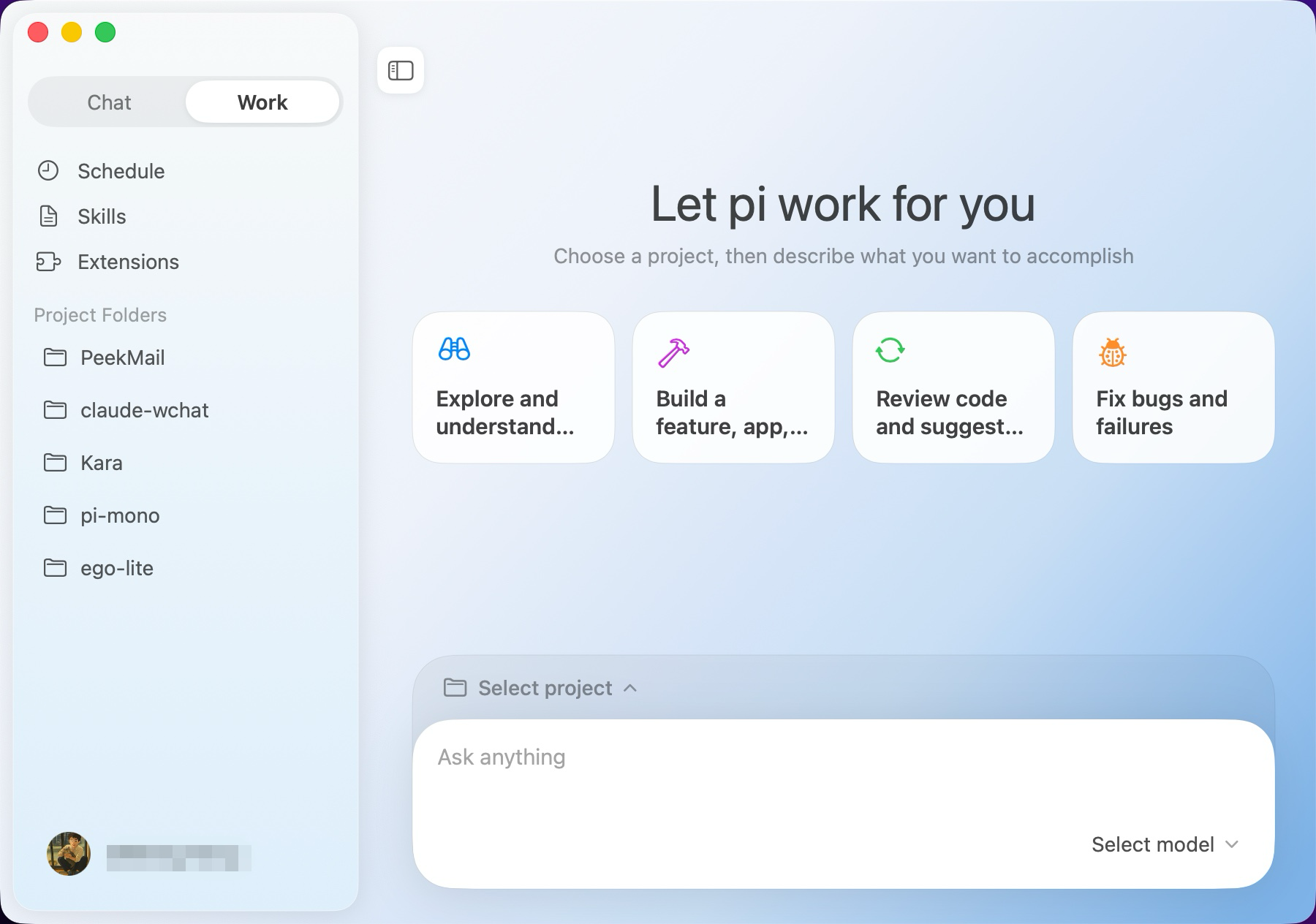
Pi Coding Agent, on your Mac
Pi Coding Agent provides a coding agent CLI and an SDK. pi-work brings that agent to a native macOS desktop app: choose a project, describe the outcome, and review the work in a graphical interface.
The goal is a minimal, responsive Mac experience with a small resource footprint. The interface is written in Swift and SwiftUI, with agent execution in a separate bundled process. Chat, Work, Skills, Extensions, and Schedule keep the essential workflow easy to find.
What you can do
- Chat and code with Pi in a desktop GUI. Use Chat for everyday conversations, or connect a local folder in Work for project tasks with a chosen Git branch and access level.
- Choose your model provider using the OAuth and API key connections available in the app, then select a model and thinking effort for each session.
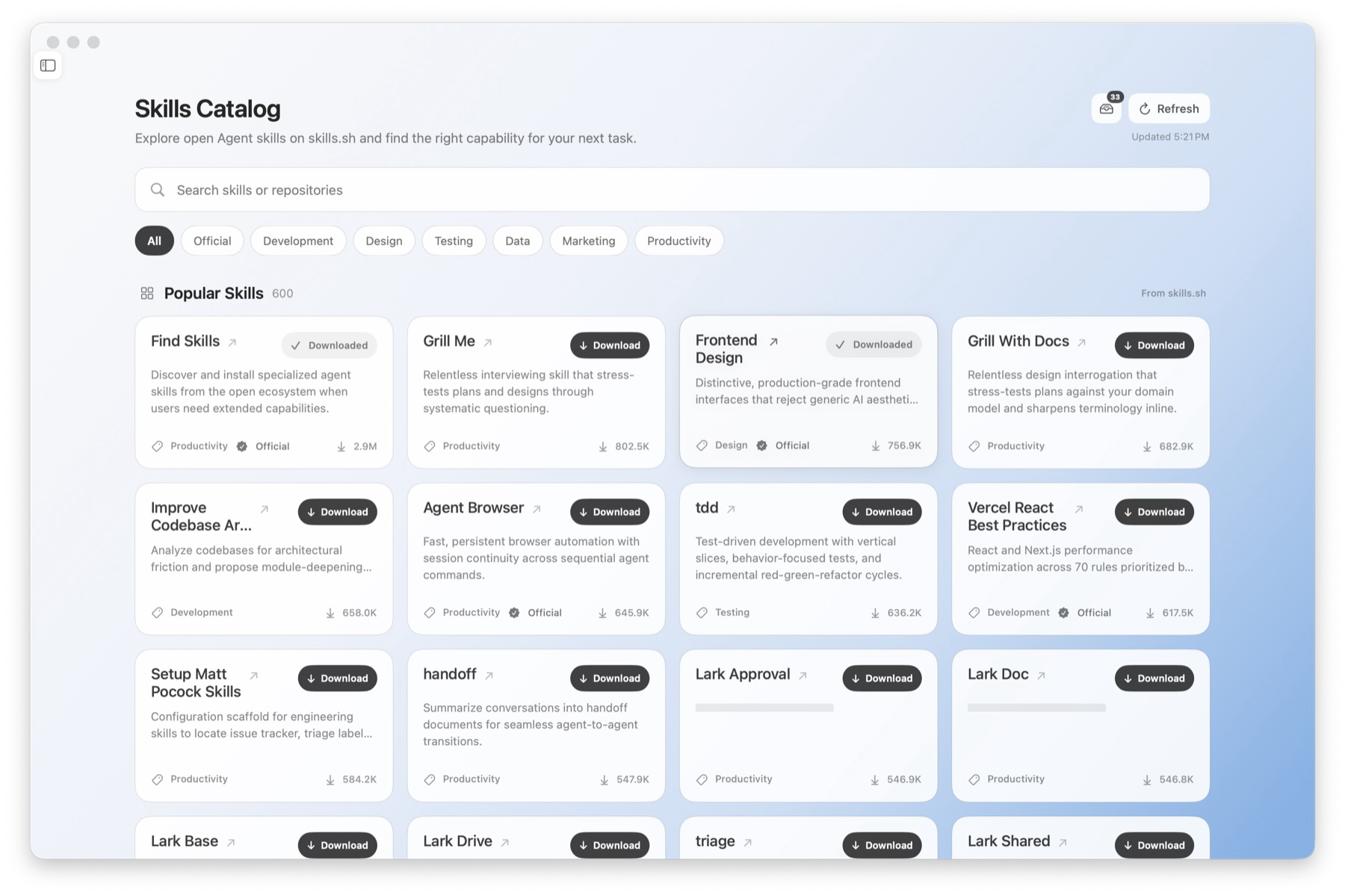
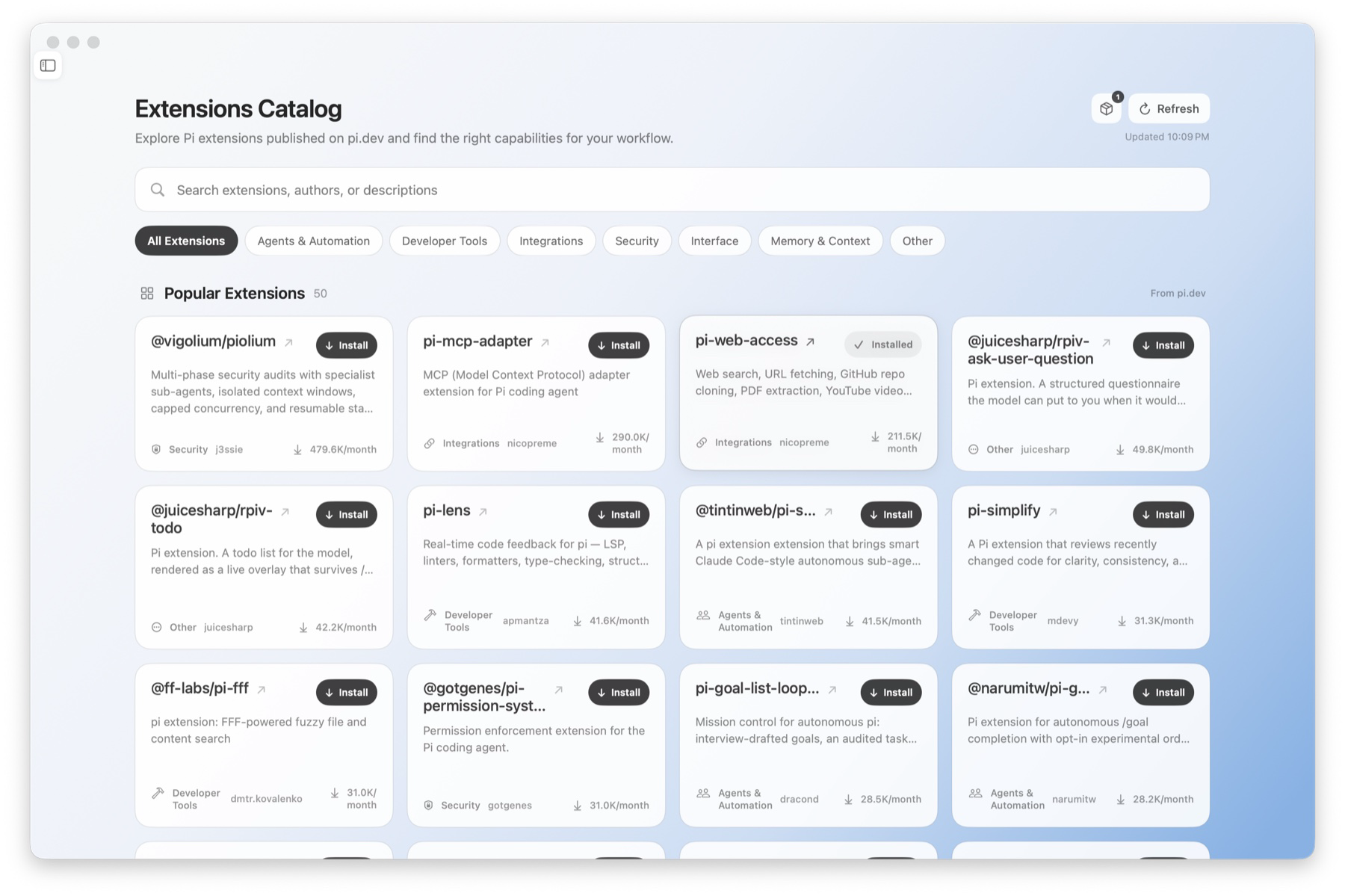
- Skills and Extensions make it easy to discover, install, and manage capabilities from the open pi ecosystem.
- Schedule automates recurring work and keeps every run in view. Scheduled tasks run while pi-work is open.
- Made for macOS with light, dark, and system appearances, plus English, Simplified Chinese, Traditional Chinese, Japanese, Korean, and Spanish interfaces.
Download
Download the latest pi-work release for macOS. Requires macOS 13 Ventura or later. Separate DMG installers are available for Apple Silicon and Intel Macs.
Choose the matching file under Assets on the latest release page. In the filenames below, VERSION is the release version.
| Your Mac | DMG installer |
|---|---|
| Apple Silicon — M-series chips | PiWork-VERSION-macos-arm64.dmg |
| Intel Mac | PiWork-VERSION-macos-x86_64.dmg |
Browse all releases. Each release includes SHA256SUMS.txt to verify your download.
Not sure which Mac you have? Open the Apple menu and choose About This Mac. If you see Chip, download the Apple Silicon version. If you see Processor, download the Intel version.
Install
- Download the DMG that matches your Mac.
- Open the DMG and drag PiWork into your Applications folder.
- Launch PiWork from Applications, sign in, and connect your preferred model provider in Settings.
[!IMPORTANT]
Current builds are ad-hoc signed and are not notarized by Apple. On first launch, macOS may say it cannot verify the developer. In Finder, open Applications, Control-click PiWork, choose Open, then confirm once more. Only download pi-work from this repository's Releases page.
Extend pi as you go
Browse Skills and Extensions without leaving the app. Search or filter the catalogs, find the capability you need, and install it directly into pi-work's isolated environment. Your terminal pi configuration is left untouched.
Start your first task
- Choose Chat for a conversation without a project, or choose Work to connect a local project folder.
- Select a model, thinking effort, and access level.
- Describe the outcome you want. pi-work keeps tool calls, execution progress, and approval requests together in the same session.
Found a problem or have an idea? Open an issue.
Frequently asked questions
Can I use Pi Coding Agent without the terminal?
Yes. pi-work provides a graphical desktop interface for Pi on macOS. Install the app, connect a model provider, and start a chat or project task.
Do I need to install Pi, Node.js, or Bun first?
No. The app bundles its agent host and runtime. A separate command-line installation is not required to use the downloaded app.
Does pi-work share my terminal Pi settings?
pi-work uses its own agent environment for settings, provider connections, skills, and extensions. Configure your providers inside the app, even if you already use Pi in the terminal.
Is pi-work part of the upstream Pi project?
pi-work is a separate desktop client built on the Pi Coding Agent SDK. For the underlying agent framework and CLI, see the upstream Pi repository.
Does pi-work run on Windows or Linux?
pi-work currently targets macOS. Apple Silicon and Intel builds are available from GitHub Releases.
Reviews (0)
Sign in to leave a review.
Leave a reviewNo results found