seira
Health Uyari
- License — License: Apache-2.0
- Description — Repository has a description
- Active repo — Last push 0 days ago
- Low visibility — Only 8 GitHub stars
Code Basarisiz
- process.env — Environment variable access in .github/workflows/ci.yml
- rm -rf — Recursive force deletion command in .github/workflows/package-macos.yml
- process.env — Environment variable access in .github/workflows/package-macos.yml
- rm -rf — Recursive force deletion command in .github/workflows/package-windows.yml
- process.env — Environment variable access in .github/workflows/package-windows.yml
Permissions Gecti
- Permissions — No dangerous permissions requested
Bu listing icin henuz AI raporu yok.
Your own team of AI agents in one chat app. Local first, open source, Apache 2.0.
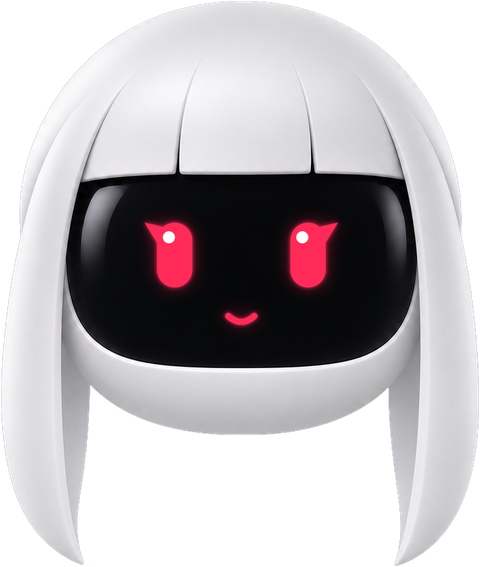

Your own team of AI agents in one chat app.
Give each bot a job. Watch it work. Approve the steps that matter.
Seira runs on your computer and uses the AI plans that you already have.





Website · Quick start · Features · Engines · How it works · Documentation · Contributing
[!NOTE]
Seira is in early development.
Download it for Windows or Linux from the latest release,
run the server withnpx @seira-bot/seira, or build it from source.
Why Seira
Bring your own agentsBots run on the agent programs on your computer: Claude Code, Codex, Gemini, Cursor, GitHub Copilot, and many more. They use the sign-in and the plan that you already have. There is no new account and no proxy in the middle. |
Ready on the first startNo AI on your computer yet? Seira installs OpenCode and its free models as a backup, so you can chat before you connect a paid plan. |
Agents with handsA bot can use a cloud Linux desktop, an isolated local VM, or your own computer after you opt in. With your own Composio key, it can also use more than 500 apps. |
Local first, you stay in controlOne small harness server on127.0.0.1 owns every agent process. Transcripts and keys stay on your computer.
Shell commands, file edits, and questions show as cards that you allow or deny.
|
Features
| Feature | What you get |
|---|---|
| A model for each bot | Pick the engine and the model of each bot from one model picker. Change the model in the middle of a conversation. |
| A character for each bot | Each new bot gets its own character. Pick a different look from the cast at any time. |
| A computer for each bot | Open the Computer panel to start the cloud desktop of a bot. Watch a live preview, or take over in your browser. |
| Approval cards | A permission broker turns each risky action into a card: Allow, Deny, or answer in the chat. |
| Connected apps | Add your Composio key, then connect Gmail, Slack, GitHub, Notion, Linear, and hundreds more. Every bot can use them. |
| Channels | Keep Work, Personal, and each project apart. Each channel has its own transcript, instructions, work folder, and bot roster. |
| Triggers | Tell a bot "every weekday at 9, summarize my inbox". Schedules and webhooks start bots while you do other work. |
| Voice | Listen to replies, or call a bot. Voices come from ElevenLabs, Fish Audio, xAI, built-in Mac voices, or a local Chatterbox server. |
| Teams | Install a full team from one Markdown file. Share a bot or a department as a folder. |
| Run it anywhere | Use the desktop app, or run the same server on a VPS or a home server and open it from your browser or phone. |
| MCP server | Control your bots from Claude Desktop, Cursor, or another MCP client. See docs/mcp-server.md. |
| Scripts and CI | Start a team from the command line, wait for the result, and export what it made. See docs/headless-cli.md. |
Engines
Seira has more than 30 engines. Install an agent program and sign in, or add an API key.
The model picker shows each engine that is ready.
| Kind | Engines |
|---|---|
| Agent programs | Claude Code, Codex, pi |
| Agent programs over ACP | Gemini, Google Antigravity, Grok, Cursor, GitHub Copilot, OpenCode, Qwen, Kimi, Droid, Cline, Kiro, Devin, Hermes, DeepSeek, Mistral (Vibe), Command Code, OMP |
| API and plan engines | Grok, Mistral, Groq, Cerebras, MiniMax, Greenference, ModelGo, Meta Muse, Muse Code, and any OpenAI-compatible endpoint |
To add an ACP program or an endpoint that is not in this list, see docs/custom-engines.md.
To use a custom build of an agent program, set it in Settings → Engines.
Meet Seira
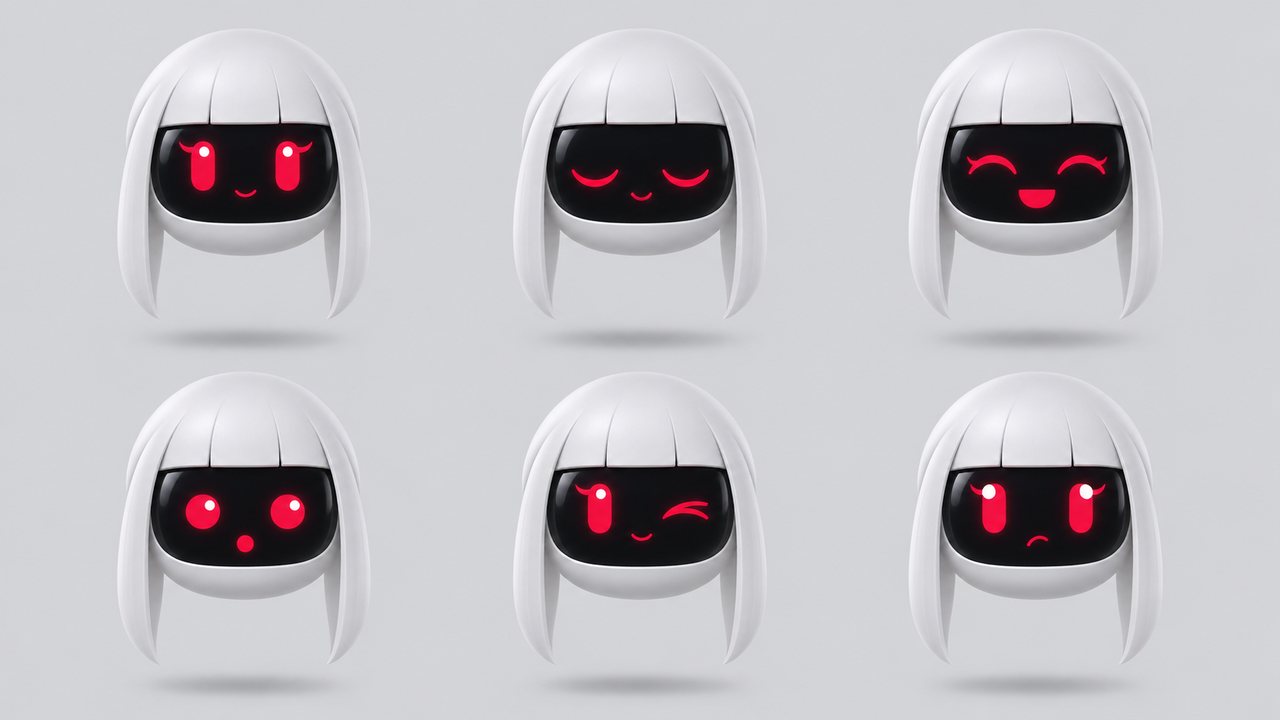
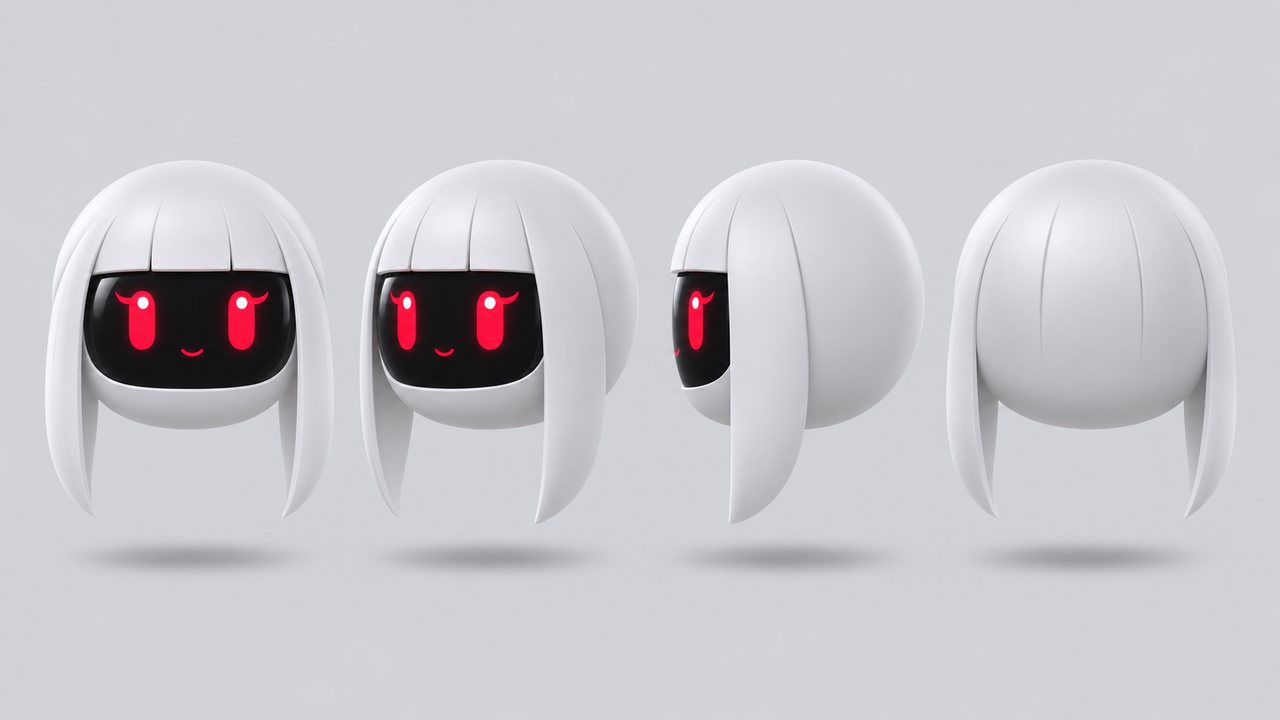
Seira is the face of the project: a small companion bot that floats next to your chats.
The face lives on a black visor screen, so Seira can blink, smile, wink, and think while your agents work.
| Color | Hex | Use |
|---|---|---|
| Ink | #0E1116 |
Head and wordmark on light backgrounds |
| Signal red | #E11D48 |
Eyes, and the dot in seira.bot |
| Mist | #E9ECEF |
Head on dark backgrounds |
The 3D logo, the wordmark, the lockups for light and dark backgrounds, and the avatar are in docs/assets/brand/.
How it works
Seira runs as two processes.
The app sends typed commands over HTTP and reads one event stream (SSE).
The harness server owns every agent process.
It changes the protocol of each engine into one event stream, and logs each thread as NDJSON.
flowchart LR
    subgraph app ["Seira app: React + Tailwind"]
        UI[Chat · model picker · computer panel]
    end
    subgraph server ["Harness server (127.0.0.1)"]
        REG[Driver registry] --> BUS[Event bus → SSE]
        BROKER[Permission broker]
    end
    subgraph agents ["Engines"]
        CLI[Agent programs<br>claude · codex · pi]
        ACP[ACP agents<br>gemini · antigravity · cursor · copilot · opencode · …]
        API[API engines<br>OpenAI-compatible endpoints]
    end
    UI -- "HTTP commands" --> server
    BUS -- "one SSE stream" --> UI
    REG --> CLI & ACP & API
    CLI & ACP -- "permission requests" --> BROKER
    server -- "Boat API" --> BOAT[("Cloud computer")]
    server -- "Composio" --> APPS[("Gmail · Slack · GitHub · …")]
| Layer | Path | What it does |
|---|---|---|
| Drivers | server/drivers/ |
One driver for each engine. ACP agents are in server/drivers/acp/. An unknown driver shows as "unavailable" and does not stop the other bots. |
| Harness | server/harness/ |
The registry that turns configs into live bots, and the event bus that every client reads. |
| API | server/index.ts |
Bots, turns, approvals, models, computers, connectors, and config over HTTP and SSE. |
| Voice | server/tts/ |
Speech for replies and calls. Cloud keys stay on the harness server. |
| App | src/ |
The chat app. One store from the server, one reducer, and no transport in the client. |
| Desktop | electron/ |
The shells for macOS, Windows, and Linux, with the harness server inside. |
Quick start
Download the app from the latest release:
Windows 10 or later:
Seira-setup.exe. If Windows warns you, select More info, then Run anyway.Linux x64:
Seira-<version>-x86_64.AppImage. Make it executable, then open it:chmod +x Seira-*-x86_64.AppImage ./Seira-*-x86_64.AppImage
The app updates itself. Each release also has a SHA256SUMS file for each system, to check your download.
There is no macOS download yet. On macOS, run the server with Node, or build Seira from source.
Run it on a server
The npm package @seira-bot/seira is the same server without the desktop shell.
It needs Node.js 24 or later.
npx @seira-bot/seira setup              # once: AI access and a default model
npx @seira-bot/seira serve --tailscale  # or --lan, --domain, --public-url, --tunnel
The server prints a pairing link. Open it in your browser or on your phone.
docs/self-hosting.md explains each way to reach the server, and the Docker image.
Build from source
You need:
- macOS, Windows, or Ubuntu 24.04 x64.
- Node.js 24 or later, and pnpm 10.
To get pnpm, runcorepack enable.
On Windows, run it in a terminal opened as administrator, or install pnpm withnpm install -g [email protected]. - An engine is optional. If no engine is ready, Seira installs OpenCode with free models at the first start.
For your own plans, install and sign in toclaude,codex, or another engine.
Run each dev command in its own terminal:
git clone https://github.com/seira-bot/seira.git && cd seira
pnpm install

pnpm dev:server    # harness server on 127.0.0.1:8799
pnpm dev           # app on http://127.0.0.1:5199
pnpm dev:desktop   # Electron shell; keep the two commands above running
Optional keys
Local chat works without these keys.
To turn on an integration, paste its key in App Settings (the gear at the bottom of the sidebar).
| Key | What it turns on | Where to get it |
|---|---|---|
Composio project key (ak_…) |
Gmail, GitHub, Slack, Notion, and other apps for your bots | docs/composio.md |
| Boat API key | An isolated remote Linux computer with a desktop and a terminal for each bot | Boat API keys |
| ElevenLabs key | Spoken replies and calls | ElevenLabs API keys |
| Fish Audio key | Spoken replies and calls with Fish Audio voices | Fish Audio API keys |
Composio and Boat are third-party services with their own accounts and terms.
Boat is a paid service after its trial, and a cloud computer can cost money.
Check and build
pnpm typecheck       # app and server
pnpm test            # unit, driver, API, and desktop tests
pnpm build           # typecheck and production build
pnpm check:electron  # syntax check of the Electron files
Package the desktop app
pnpm package:mac     # macOS: DMG and ZIP (needs Swift and Xcode tools)
pnpm package:win     # Windows: installer and ZIP
pnpm package:linux   # Linux x64: AppImage, snap, and the verified Cua runtime
docs/linux-desktop.md covers the snap, and the Flatpak build in packaging/flatpak/.
docs/releasing.md explains how a release is made.
| Capability | macOS | Windows x64 | Ubuntu 24.04 Xorg | Ubuntu 24.04 Wayland |
|---|---|---|---|---|
| Packaged app, harness server inside, local engines | Supported | Supported | Beta | Beta |
| Composio and Boat cloud computers | Supported | Supported | Beta | Beta |
| Preview of the local screen | Supported | Not available | Beta | Beta |
| Bot control of this computer | Supported | Supported | Beta, after you opt in | Off for safety |
| Dictation on the device | Supported | Not available | Planned | Planned |
| Dictation and calls through Fish Audio | Not used | Supported | Supported | Supported |
See docs/linux-desktop.md and docs/computer-use-integration.md.
Privacy
A Seira build sends no analytics.
The code can send them, but only to a PostHog project whose key you give when you build the app.
They are anonymous and never include keys, names, addresses, or conversations.
docs/analytics.md lists each event and each property.
[!IMPORTANT]
This repository has no analytics key.
A build made withoutVITE_SEIRA_POSTHOG_TOKENhas no analytics switch in Settings and sends nothing.
A build made with a key sends analytics until you turn off Settings → General → Usage analytics.
Documentation
| Topic | Guide |
|---|---|
| Your own engines (ACP programs, OpenAI-compatible endpoints) | docs/custom-engines.md |
| OpenCode and its free models | docs/opencode-go.md |
| Your own MCP tool servers | docs/custom-mcp-servers.md |
| Self-hosting on a server | docs/self-hosting.md, docs/deploy-vps.md |
| Command line and CI | docs/headless-cli.md |
| Linux desktop, Snap, and Flatpak | docs/linux-desktop.md |
| Voice | docs/voice-mode.md |
| Team sharing | docs/team-sharing.md |
| Routing with a decision model | docs/decision-model.md |
| Feature switches | docs/feature-flags.md |
| Other model providers | apps/docs/…/model-providers.mdx |
Contributing
Issues and pull requests are welcome.
CONTRIBUTING.md explains how a change lands, the code guide holds the code rules,
and DESIGN.md holds the design rules.
The driver contract in server/contracts.ts is small.
To add an engine, add one file in server/drivers/ and register it with one line in server/drivers/builtIn.ts.
Do not post a security problem in public. Report it through private vulnerability reporting.
SECURITY.md gives the details.
License
- The code is under the Apache License 2.0.
NOTICE names the projects that Seira uses code from, with their authors and licenses.
LICENSING.md gives the details. - Bundled third-party parts keep their own licenses. See
third_party/. - The Apache License does not give rights to the Seira name, logo, or mascot (section 6).
Seira is an independent project. It is not affiliated with or endorsed by Anthropic, OpenAI, Google, or xAI.
Claude, Codex, Gemini, Grok, and the other engine names are trademarks of their owners.
Yorumlar (0)
Yorum birakmak icin giris yap.
Yorum birakSonuc bulunamadi