codex-command-center
Health Gecti
- License — License: Apache-2.0
- Description — Repository has a description
- Active repo — Last push 0 days ago
- Community trust — 29 GitHub stars
Code Gecti
- Code scan — Scanned 12 files during light audit, no dangerous patterns found
Permissions Gecti
- Permissions — No dangerous permissions requested
Bu listing icin henuz AI raporu yok.
A local desktop control center for organizing Codex projects, engineering tasks, sessions, Git changes, Skills, and MCP configuration.
Codex Command Center
Turn Codex sessions into organized engineering work.



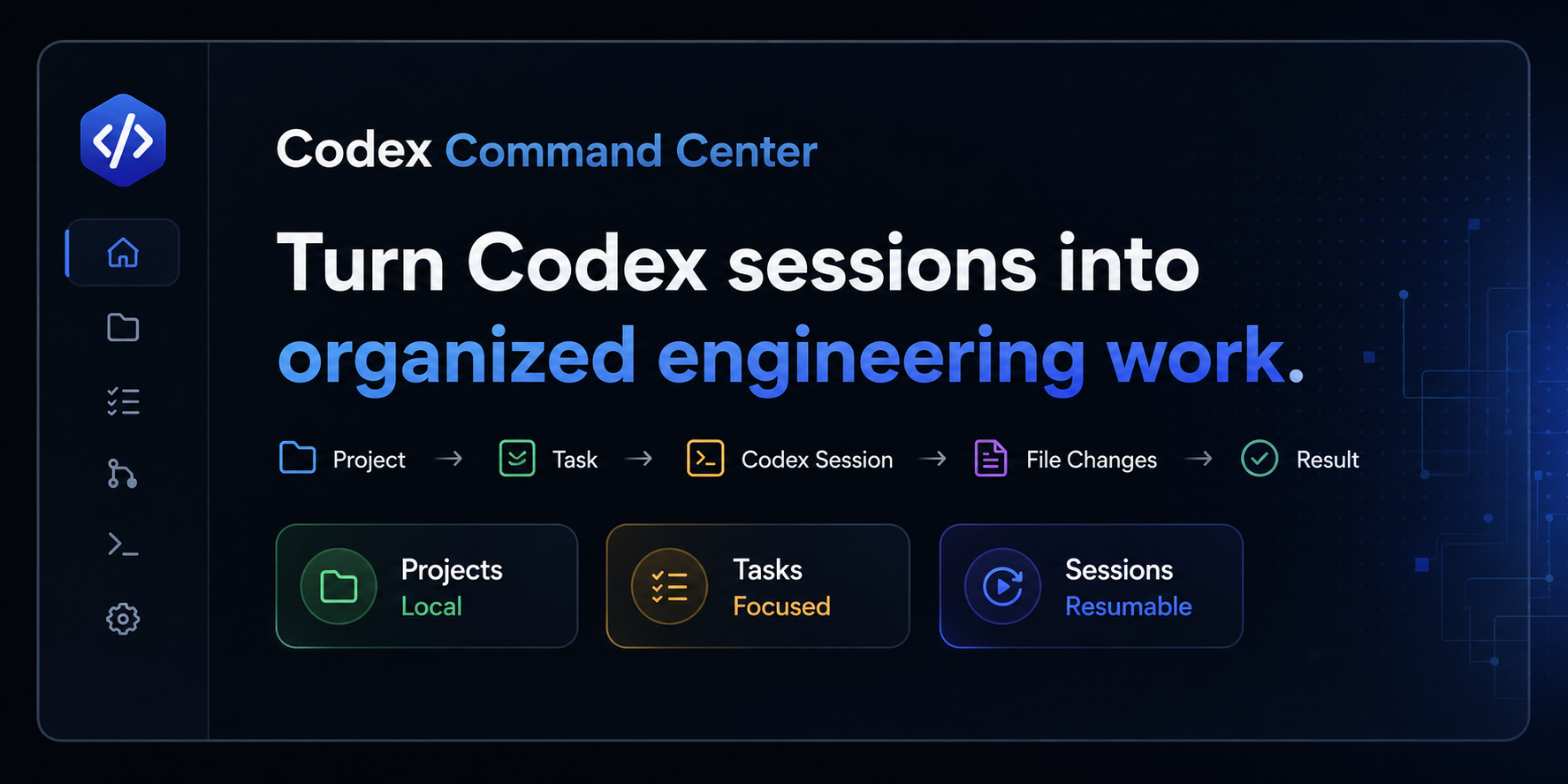
Codex Command Center is a Windows-first, local-first desktop workspace for organizing Codex-based engineering work across projects, tasks, sessions, Git changes, Skills, and MCP configuration.
Codex does the reasoning, editing, commands, and tests. Codex Command Center keeps the surrounding engineering workflow understandable and resumable.
Overview
Heavy Codex usage can leave useful context spread across:
- local repositories;
- engineering objectives;
- Codex session history;
- staged and unstaged Git changes;
- local Skills;
- MCP configuration.
Codex Command Center connects those pieces into one focused workflow:
Project -> Task -> Codex Session -> File Changes -> Result
The app is intentionally smaller than an IDE, terminal emulator, chat client, or advanced Git GUI. It is an organizing layer for local Codex work.
Screenshots
| Dashboard | Projects and tasks |
|---|---|
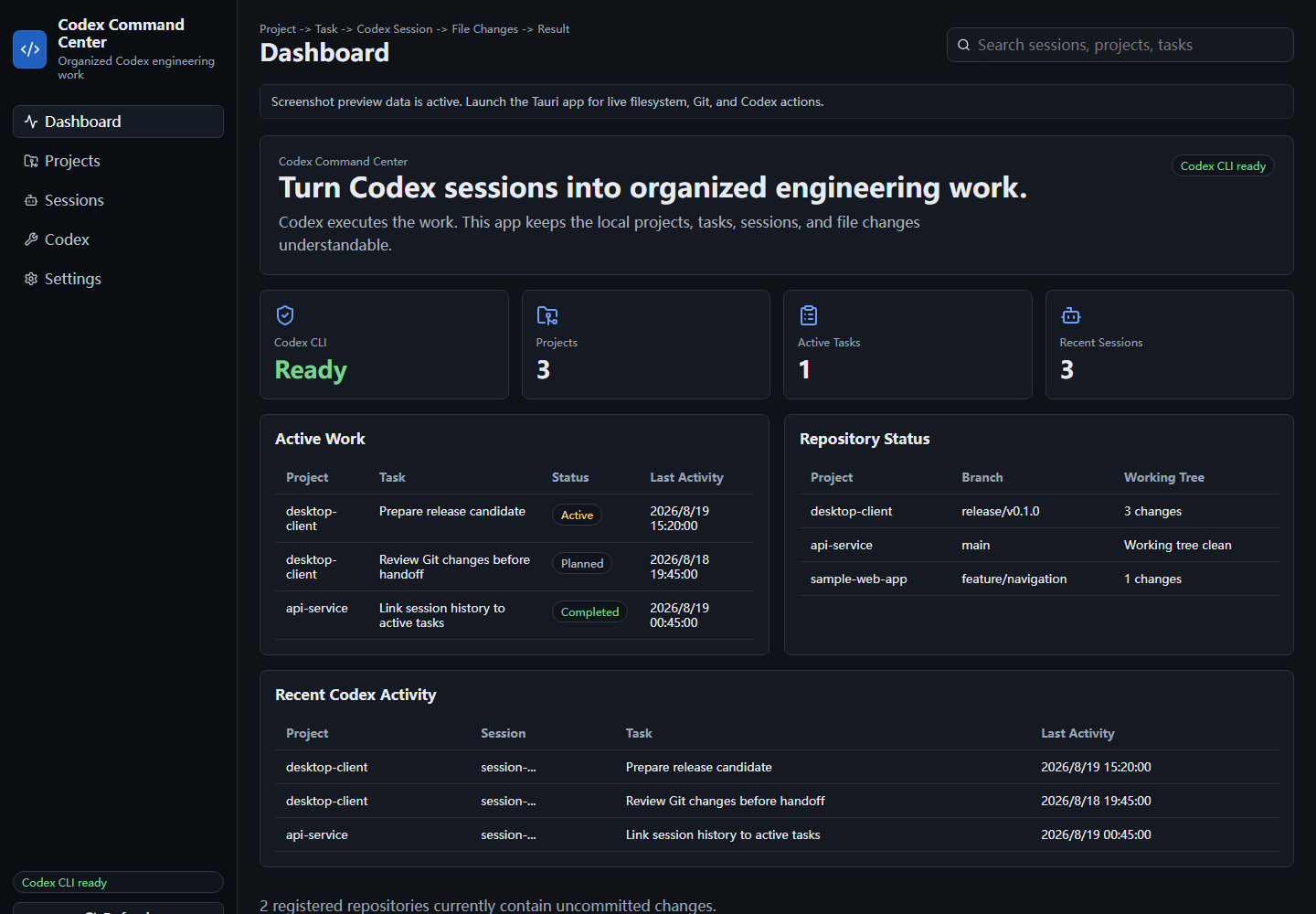 |
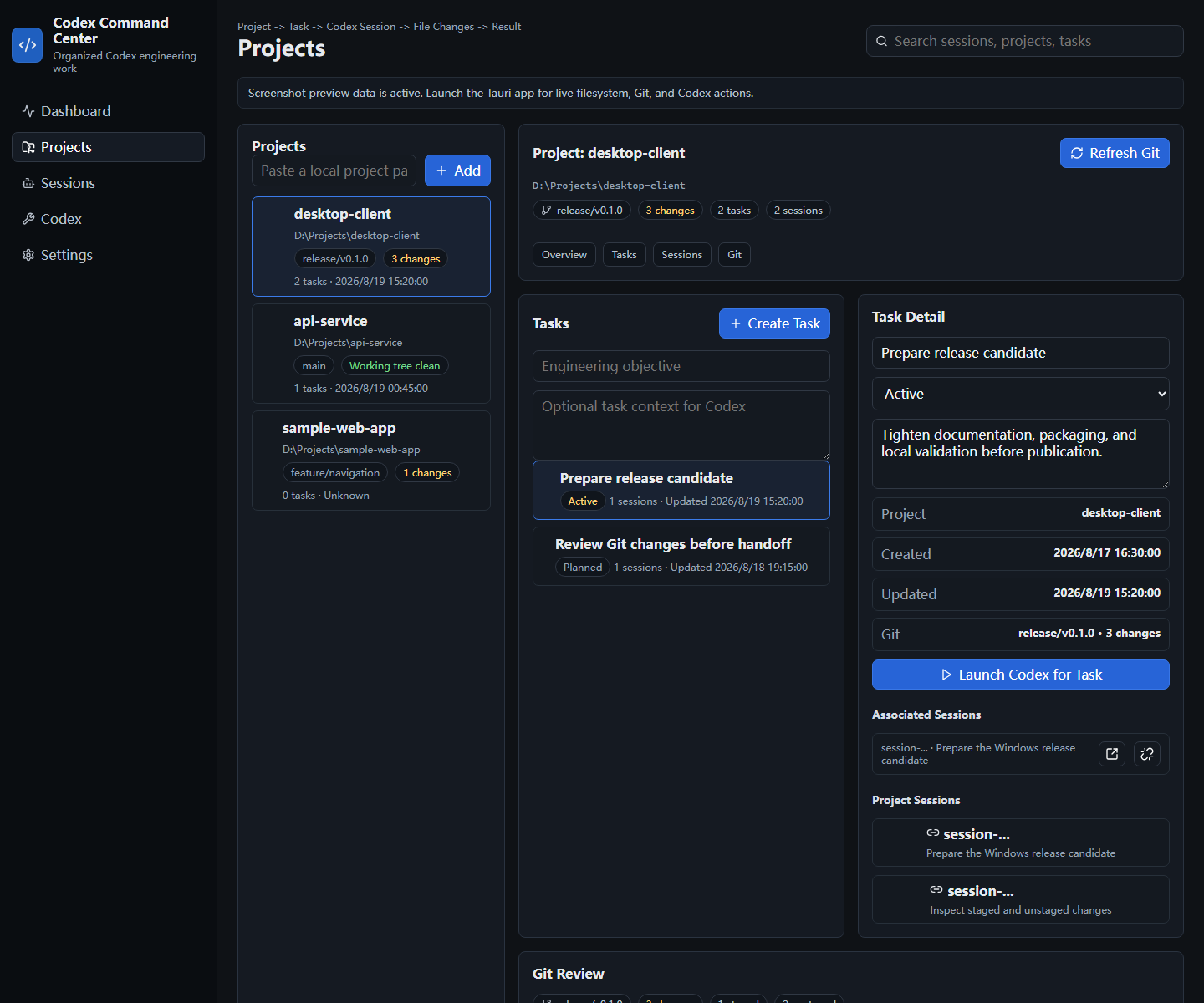 |
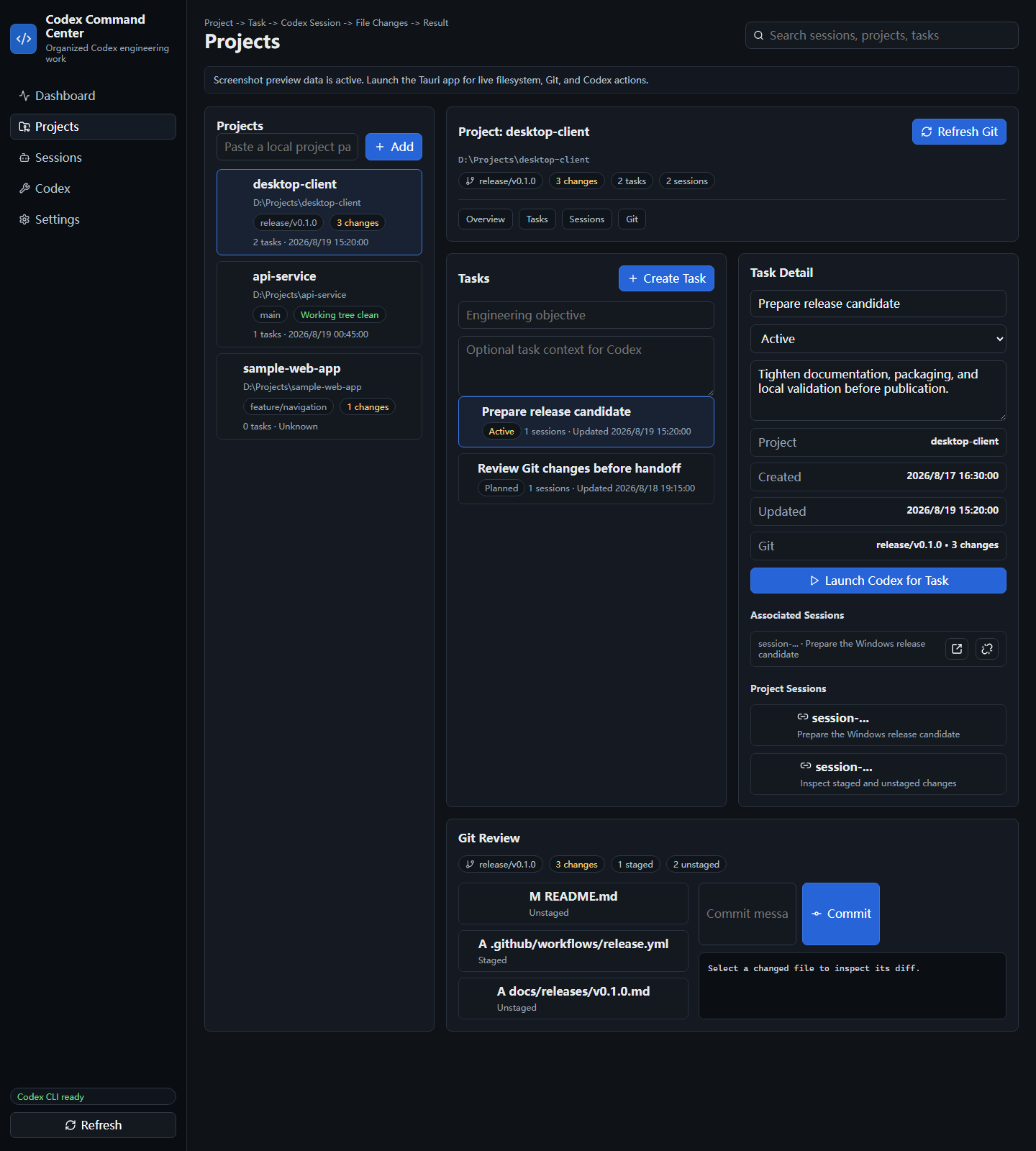
| Sessions | Git changes |
|---|---|
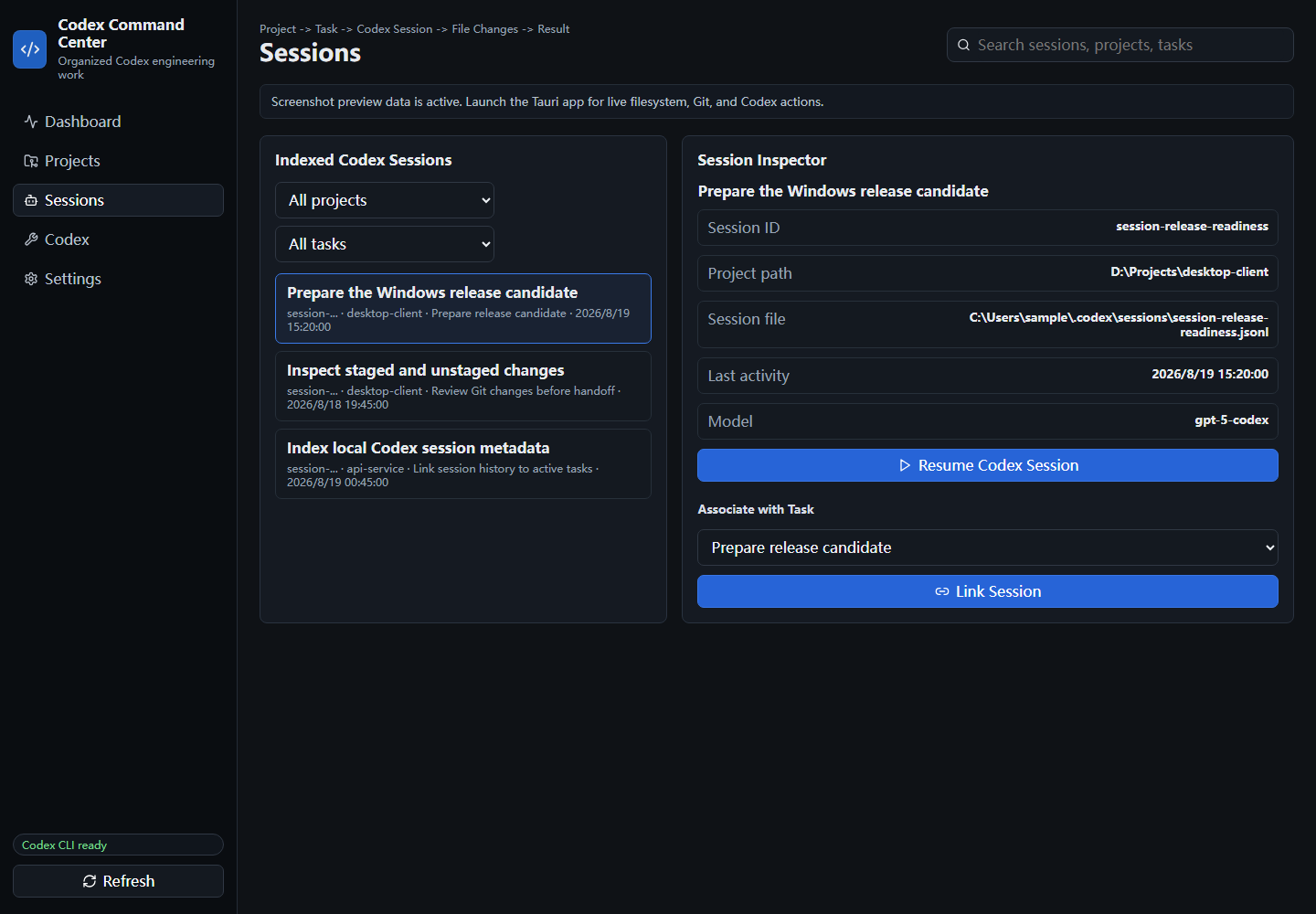 |
 |
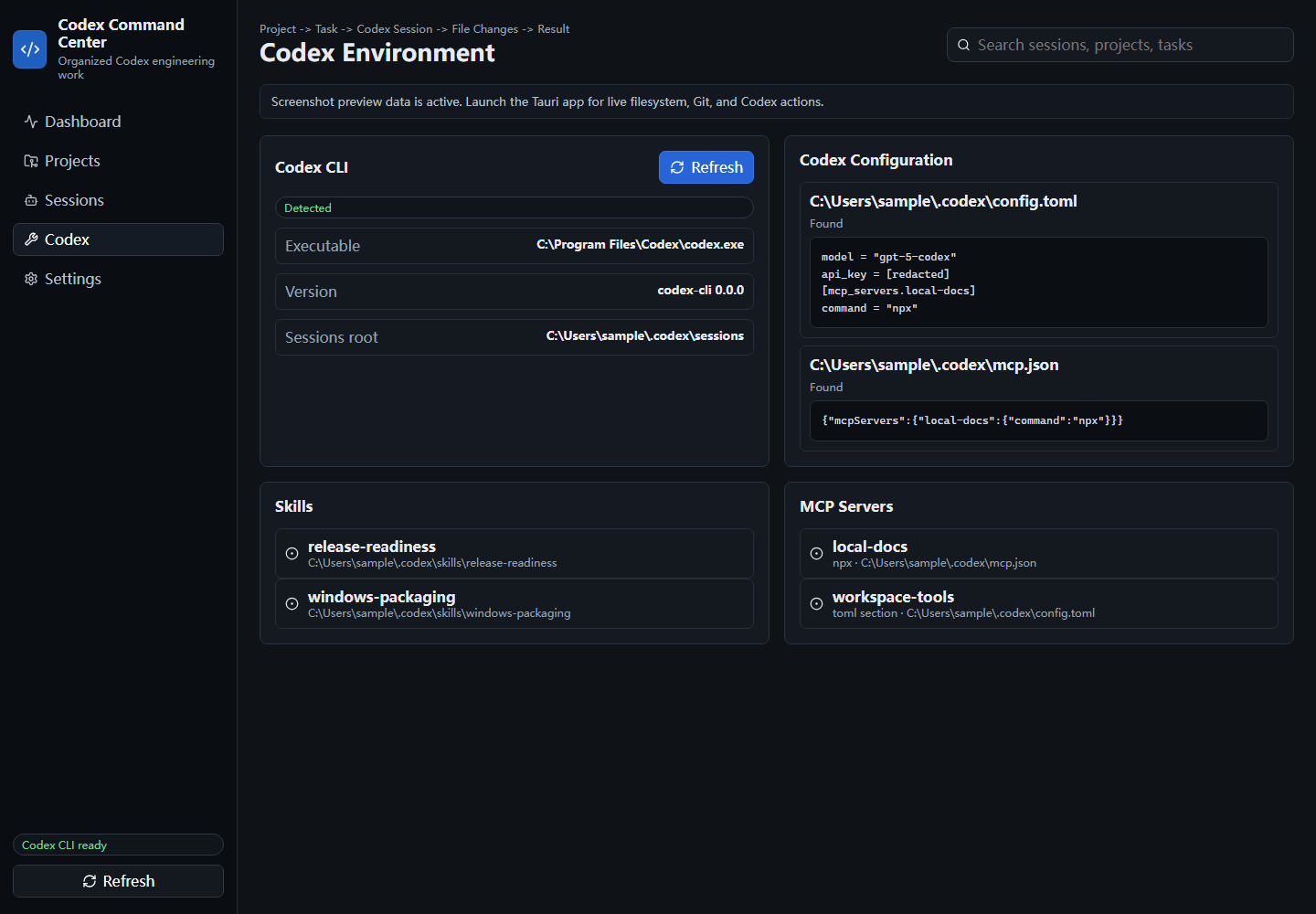
| Codex environment |
|---|
 |
Core features
- Project organization: register local development folders and see branch, Git state, task counts, and recent activity.
- Task tracking: organize engineering objectives with Planned, Active, Completed, and Blocked statuses.
- Codex session discovery: index local Codex session metadata without mutating Codex session files.
- Session workflows: link sessions to tasks, launch Codex for a task, and resume selected sessions through the local Codex CLI.
- Git review: inspect branch, staged files, unstaged files, working-tree state, and per-file diffs; stage, unstage, and commit focused changes.
- Codex environment visibility: show detected Codex CLI path/version, redacted local configuration previews, discoverable Skills, and MCP server summaries.
- Local-first storage: keep projects, tasks, session links, and settings on the local machine.
Typical workflow
Add a repository
-> create or select an engineering task
-> launch or resume Codex work
-> review indexed sessions
-> inspect Git changes
-> continue, complete, or block the task
Local-first behavior
The app stores its own state as local JSON under the user's local application data directory. Registered projects are path references; Codex Command Center does not copy project source code into application storage.
The native layer reads local Codex session metadata, local Codex configuration files, local Skills folders, local MCP configuration, and Git status for registered projects. Configuration previews redact lines that appear to contain keys, tokens, secrets, or passwords.
The project does not add telemetry, analytics, accounts, cloud synchronization, source-code upload, Codex-session upload, or Git-diff upload. The app can still invoke external local tools such as codex and git; those tools have their own behavior and configuration.
Requirements
- Windows 11 is the primary supported platform.
- Git on
PATHfor Git review. - Codex CLI on
PATHfor launch and resume actions. - Node.js 20 or newer, Rust, and Cargo are required only for source development and production builds.
Installation
Windows binaries are available from GitHub Releases.
- NSIS setup executable: recommended for most Windows users. This is the normal interactive installer.
- MSI installer: useful for users or environments that prefer MSI-based installation or deployment.
- Standalone executable: can run directly without a normal installer.
The v0.1.0 Windows binaries are currently unsigned. Source-build instructions remain in the Development and Build sections below.
Development
Install dependencies:
npm ci
Run the browser development surface:
npm run dev
Run the desktop app:
npm run tauri:dev
Run the frontend production build:
npm run build
Run the lightweight tracked-file secret scan:
npm run check:secrets
Build
Build the desktop application:
npm run tauri:build
For native checks when Cargo is available:
cargo fmt --manifest-path src-tauri/Cargo.toml -- --check
cargo check --manifest-path src-tauri/Cargo.toml
cargo test --manifest-path src-tauri/Cargo.toml
cargo clippy --manifest-path src-tauri/Cargo.toml --all-targets --all-features -- -D warnings
Architecture
- Frontend: React and TypeScript under
src/. - Desktop shell: Tauri 2 configuration under
src-tauri/. - Native commands: Rust commands for local filesystem, process launch, Git, Codex session indexing, Skills discovery, and MCP configuration summaries.
- Storage: local JSON state under the user's local application data directory.
- Codex integration: local Codex CLI detection plus launch/resume commands.
- Git integration: local Git CLI calls for branch, status, diff, stage, unstage, and commit operations.
Relationship to CodMate
Codex Command Center evolved from the open-source CodMate project by Loocor. Upstream work is acknowledged, and applicable Apache-2.0 licensing and attribution are preserved in LICENSE, NOTICE, and THIRD-PARTY-NOTICES.md.
This project has been substantially refocused and reworked around a Windows-first, Codex-centric workflow for projects, tasks, sessions, and Git changes. It should not be described as built entirely from scratch.
Contributing
See CONTRIBUTING.md.
Security
See SECURITY.md.
Roadmap
See ROADMAP.md.
Release notes
Release notes for v0.1.0 are available under docs/releases/v0.1.0.md and on the GitHub Releases page.
License
Codex Command Center is distributed under the Apache License 2.0.
Disclaimer
Codex Command Center is an independent open-source project and is not an official OpenAI product. OpenAI, Codex, and related marks belong to their respective owners.
Yorumlar (0)
Yorum birakmak icin giris yap.
Yorum birakSonuc bulunamadi