aipocket
Health Gecti
- License — License: Apache-2.0
- Description — Repository has a description
- Active repo — Last push 0 days ago
- Community trust — 13 GitHub stars
Code Gecti
- Code scan — Scanned 12 files during light audit, no dangerous patterns found
Permissions Gecti
- Permissions — No dangerous permissions requested
Bu listing icin henuz AI raporu yok.
Chrome extension wallet for user-owned AI API access
AIPocket
AIPocket is a Chrome MV3 AI access wallet that lets websites request user-approved model access without receiving your provider API keys.
It keeps provider credentials in the extension, lets websites request scoped permission, and streams approved model output back through the extension.
Screenshots
| Wallet | Connection approval |
|---|---|
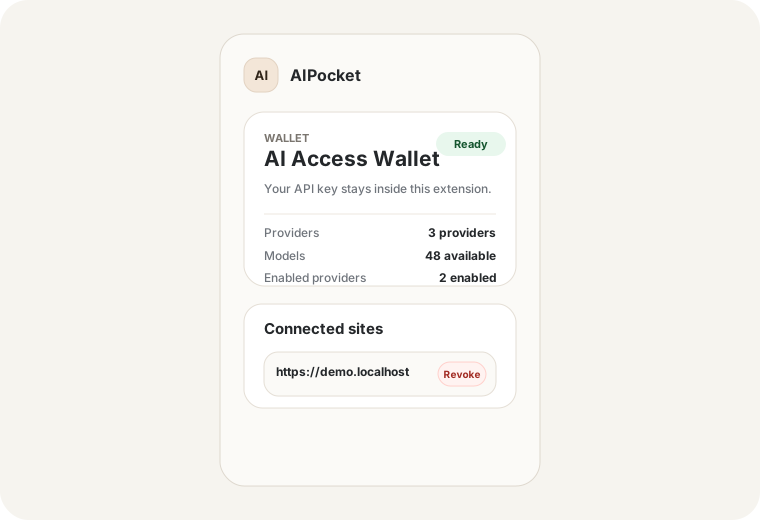 |
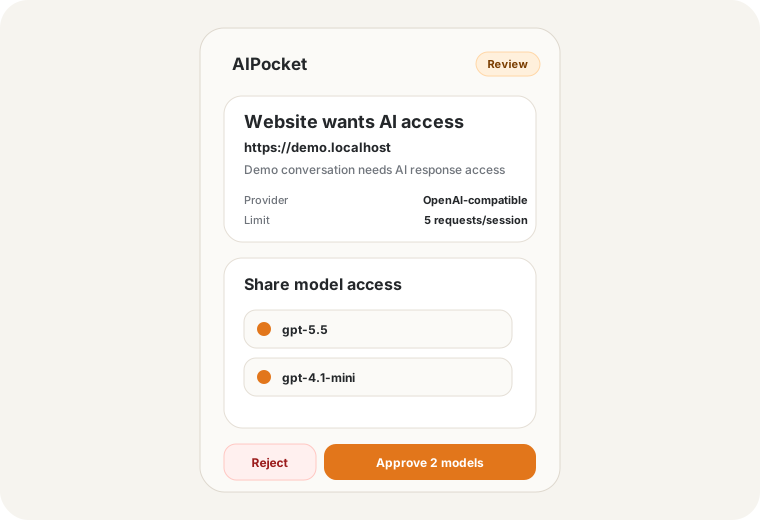 |
| Provider management | Demo app |
|---|---|
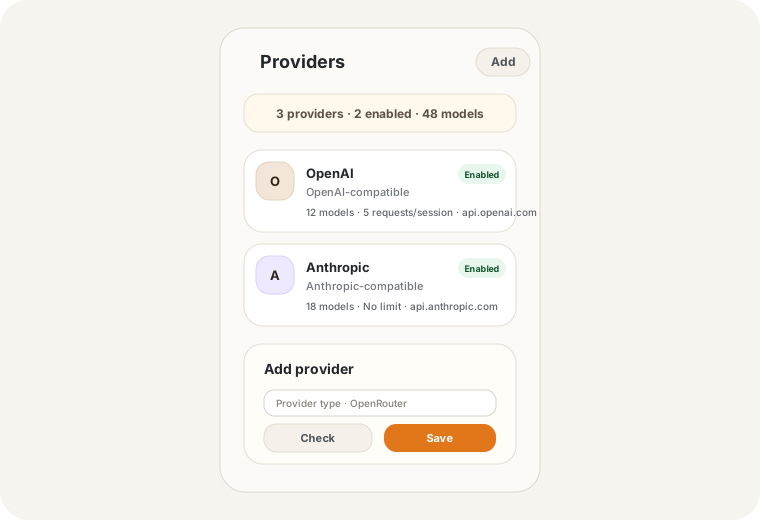 |
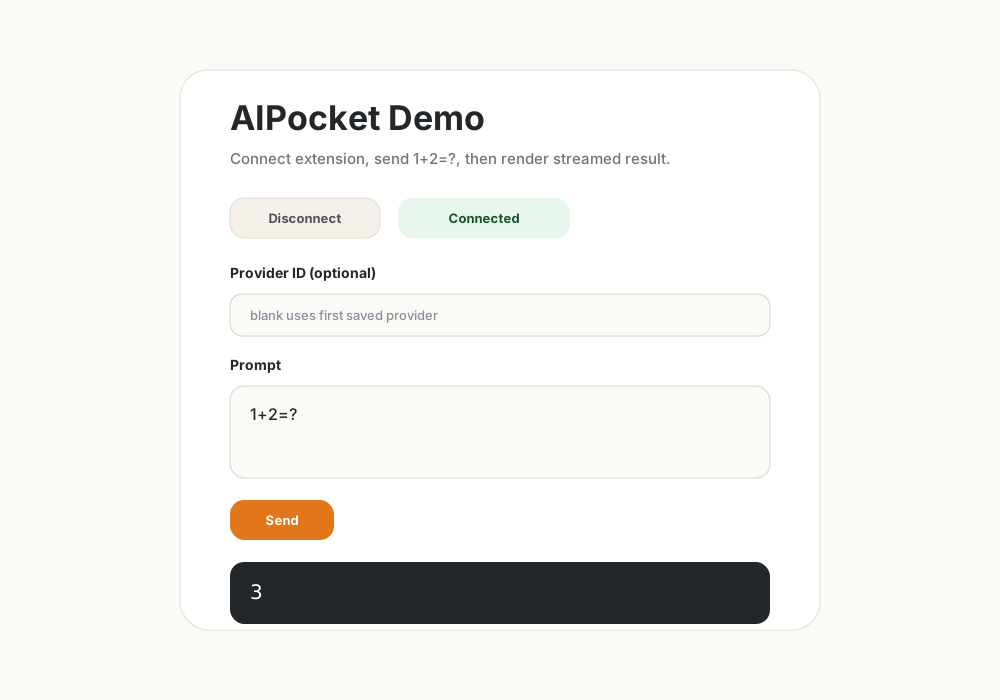 |
Why
Many AI-powered websites ask users to paste provider API keys directly into the web app. That gives the website long-lived credentials it does not need.
AIPocket moves API keys into a browser extension. Websites receive only scoped, revocable access to approved providers and models.
Features
- Store provider API keys inside the extension.
- Add OpenAI-compatible, Anthropic-compatible, OpenRouter, and Gemini providers.
- Approve website access per origin, provider, model list, and session.
- Enforce optional per-session request limits.
- Stream model output back to websites without exposing provider keys.
- Use
@aipocket/connect-modalto integrate with web apps.
Quick Start
npm install
npm run build
Load apps/extension/dist in Chrome:
- Open
chrome://extensions. - Enable
Developer mode. - Click
Load unpacked. - Select
apps/extension/dist.
Configure A Provider
- Open the extension popup.
- Go to
Providers. - Click
Add. - Choose
OpenAI-compatible,Anthropic-compatible,OpenRouter, orGemini. - Enter provider name and API key.
- Enter endpoint when the provider type shows an endpoint field.
- Optionally set
Max requests per session. - Click
Check connection. - Click
Save provider.
Developer Integration
AIPocket uses the aiWallet provider protocol internally for website integrations.
import { connectAiWallet, requestResponseStream } from "@aipocket/connect-modal";

const permission = await connectAiWallet({
  providerId: "provider_openai",
  models: ["gpt-5.5"],
  reason: "This app needs AI access for chat responses"
});

await requestResponseStream({
  sessionId: permission.sessionId,
  providerId: permission.providerId,
  model: permission.models[0],
  input: "1+2=?",
  onDelta(delta) {
    console.log(delta);
  }
});
See docs/integration.md for full integration details.
Local Demo
npm run dev -w @aipocket/demo-web
Open the local URL in the same Chrome profile where AIPocket is installed. Connect the demo, approve access in the extension, keep the prompt 1+2=?, and send. Expected output: 3.
Demo video: docs/assets/videos/demo.mov
See docs/local-demo.md for a full walkthrough.
Monorepo
apps/extension: Chrome MV3 extension.apps/demo-web: React demo website.packages/connect-modal: website-facing integration helper.packages/protocol: shared protocol types and validation helpers.docs: architecture, setup, and integration guides.
Commands
npm run test
npm run typecheck
npm run build
Security Model
Websites never receive API keys. The extension validates origin, session, provider, approved model, expiration, and request limit before brokering any upstream request.
Current MVP protections:
- Provider API keys stay in extension storage.
- Websites only receive session metadata and streamed output.
- Sessions are scoped to origin, tab, frame, provider, approved models, and expiration.
- Stream requests are rejected when provider/model/session checks fail.
- Optional request limits are enforced per approved session.
Status
AIPocket is preparing for a public Chrome Web Store v0.1.0 release.
Roadmap
- Improve provider discovery and provider selection UX for websites.
- Add usage visibility and stronger quota controls.
- Harden MV3 stream lifecycle behavior.
- Prepare Chrome Web Store listing assets and review checklist.
- Publish integration packages when protocol stabilizes.
License
Apache-2.0. See LICENSE.
Yorumlar (0)
Yorum birakmak icin giris yap.
Yorum birakSonuc bulunamadi