vibe-schooling
Health Gecti
- License — License: MIT
- Description — Repository has a description
- Active repo — Last push 0 days ago
- Community trust — 78 GitHub stars
Code Basarisiz
- network request — Outbound network request in canvas-sniper/background.js
- Hardcoded secret — Potential hardcoded credential in canvas-sniper/background.js
- Hardcoded secret — Potential hardcoded credential in glasses-auto-answer/android-scripts/study_dictation_full.sh
- network request — Outbound network request in glasses-auto-answer/debug-tool/static/app.js
Permissions Gecti
- Permissions — No dangerous permissions requested
This tool is an academic automation toolkit designed to help users cheat on educational platforms. It consists of a Chrome extension that auto-answers Canvas LMS quizzes using AI, integrates with smart glasses to secretly solve exam questions via audio, and automates homework generation.
Security Assessment
The overall risk is High. The repository fails basic security checks due to the presence of hardcoded credentials in multiple files, including the Canvas Sniper background script and an Android shell script. The extension actively makes outbound network requests to send your academic data to third-party AI APIs (like Gemini and OpenAI) to generate answers. While no dangerous system-level permissions were flagged, the hardcoded secrets pose a severe risk of inadvertently exposing your accounts or personal data. Additionally, the tool is explicitly designed to intercept and manipulate sensitive educational interfaces.
Quality Assessment
The project appears to be actively maintained, with its last push occurring today. It has attracted a fair amount of attention for its niche, boasting 78 GitHub stars, and includes a standard MIT license. However, "quality" in this context is a double-edged sword: while the code is actively updated and documented, it is highly polished to facilitate academic dishonesty and bypass detection mechanisms on school platforms.
Verdict
Not recommended.
Vibe Schooling — AI-powered academic automation toolkit. Canvas auto-answering, smart glasses exam pipeline, Claude Code homework methodology.
Vibe Schooling
You're not learning. You just have the vibe.
"Vibe Coding" got its name because you let the AI write code while you just... vibe. It has a bad reputation — and maybe it should. But here's the thing: that metaphor fits education perfectly. When you use AI to breeze through assignments, quizzes, and exams, you walk away with nothing but the atmosphere of having studied. The transcript says you learned. You know you didn't. That's Vibe Schooling.
There's a strange irony unfolding right now. Every industry on Earth is racing to integrate AI — except schools. Schools are the last holdout, the one place still pretending the walls can keep it out. And what do schools assign? Homework, quizzes, essays, lab reports — precisely the kind of work that AI handles most effortlessly. The fortress is made of paper.
This repository doesn't resolve that contradiction. It just makes it harder to ignore.
Screenshots
 |
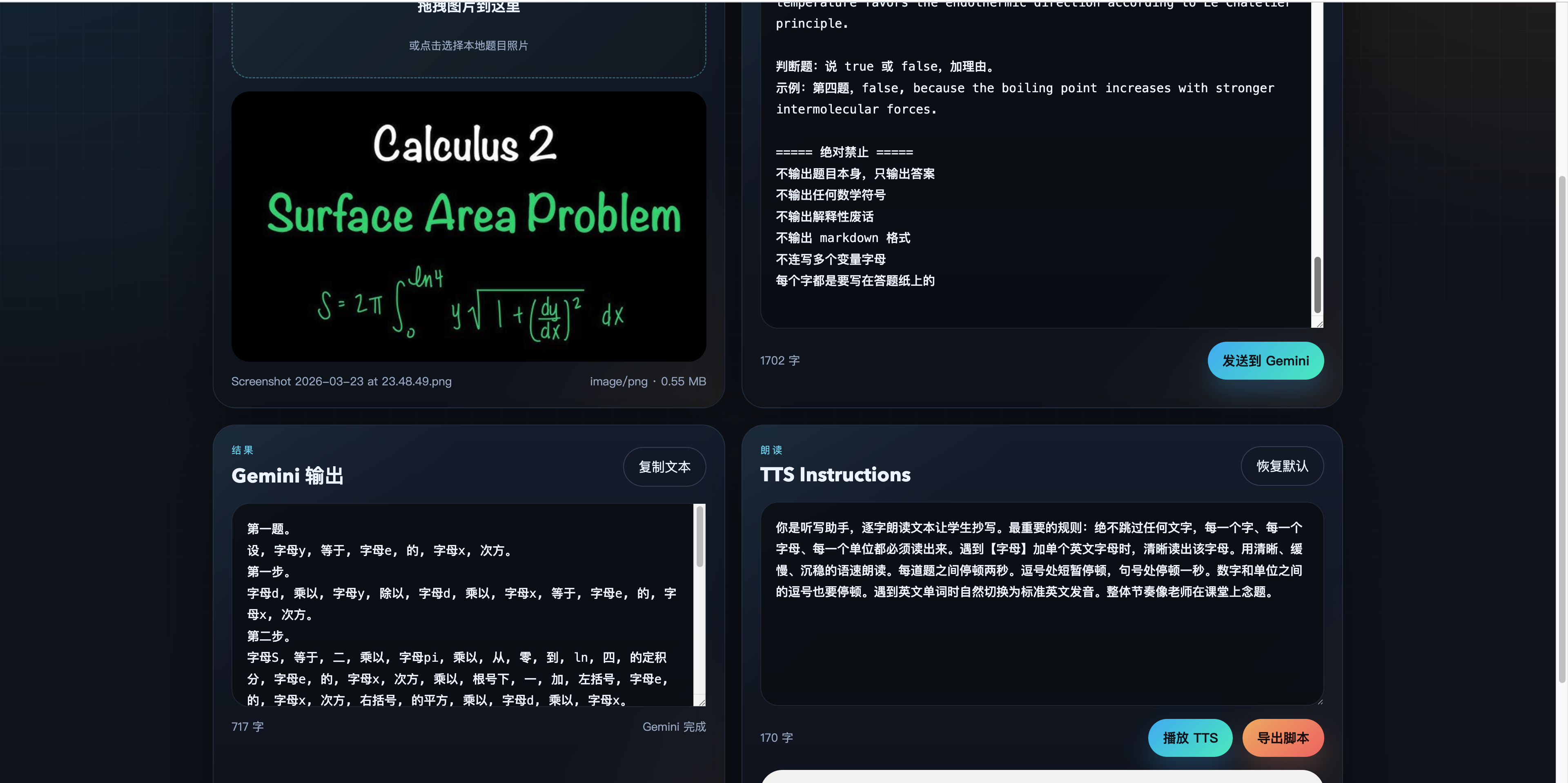 |
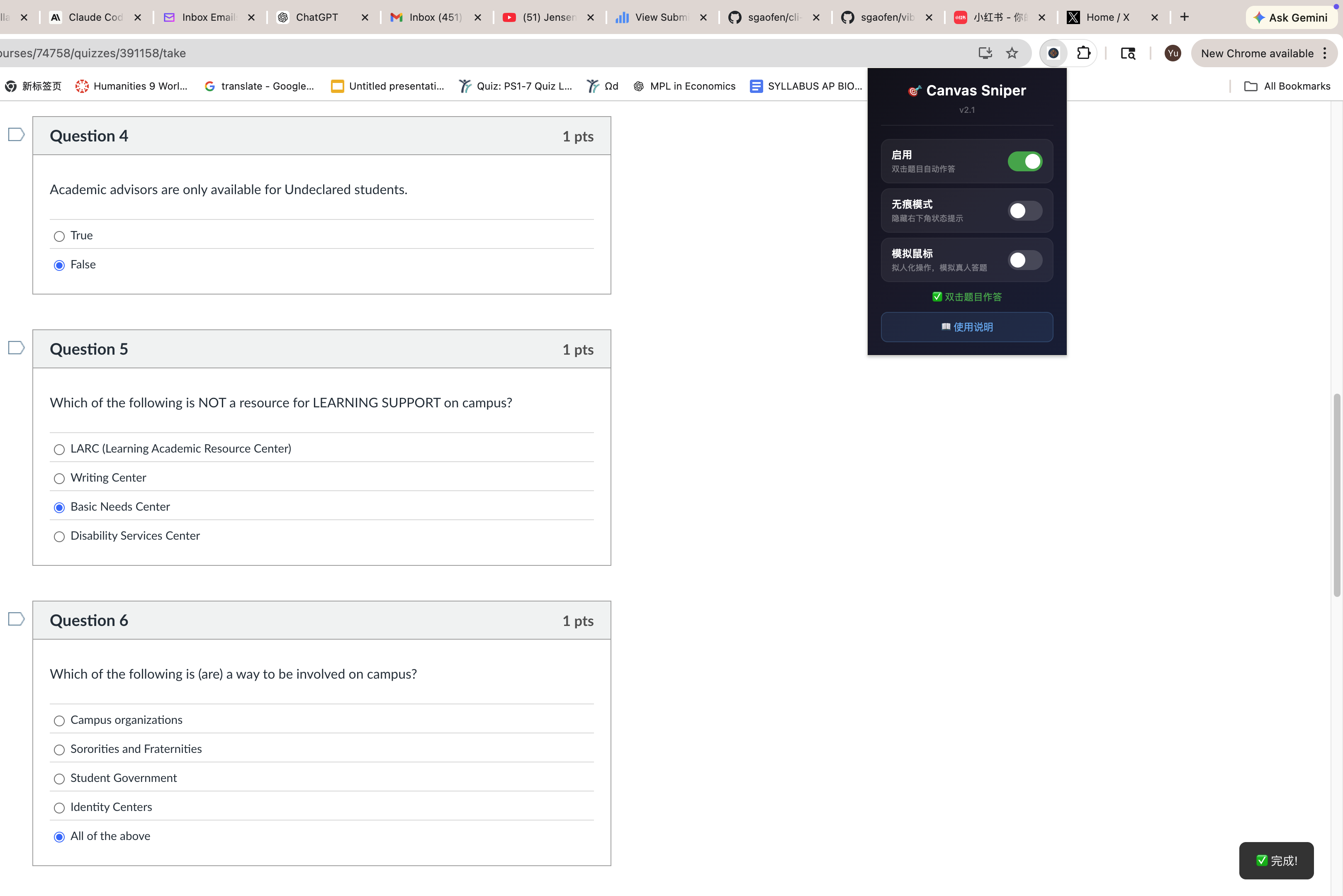
| Canvas Sniper auto-answering a Canvas quiz | Debug tool: Calculus problem → Gemini solves → TTS preview |
 |
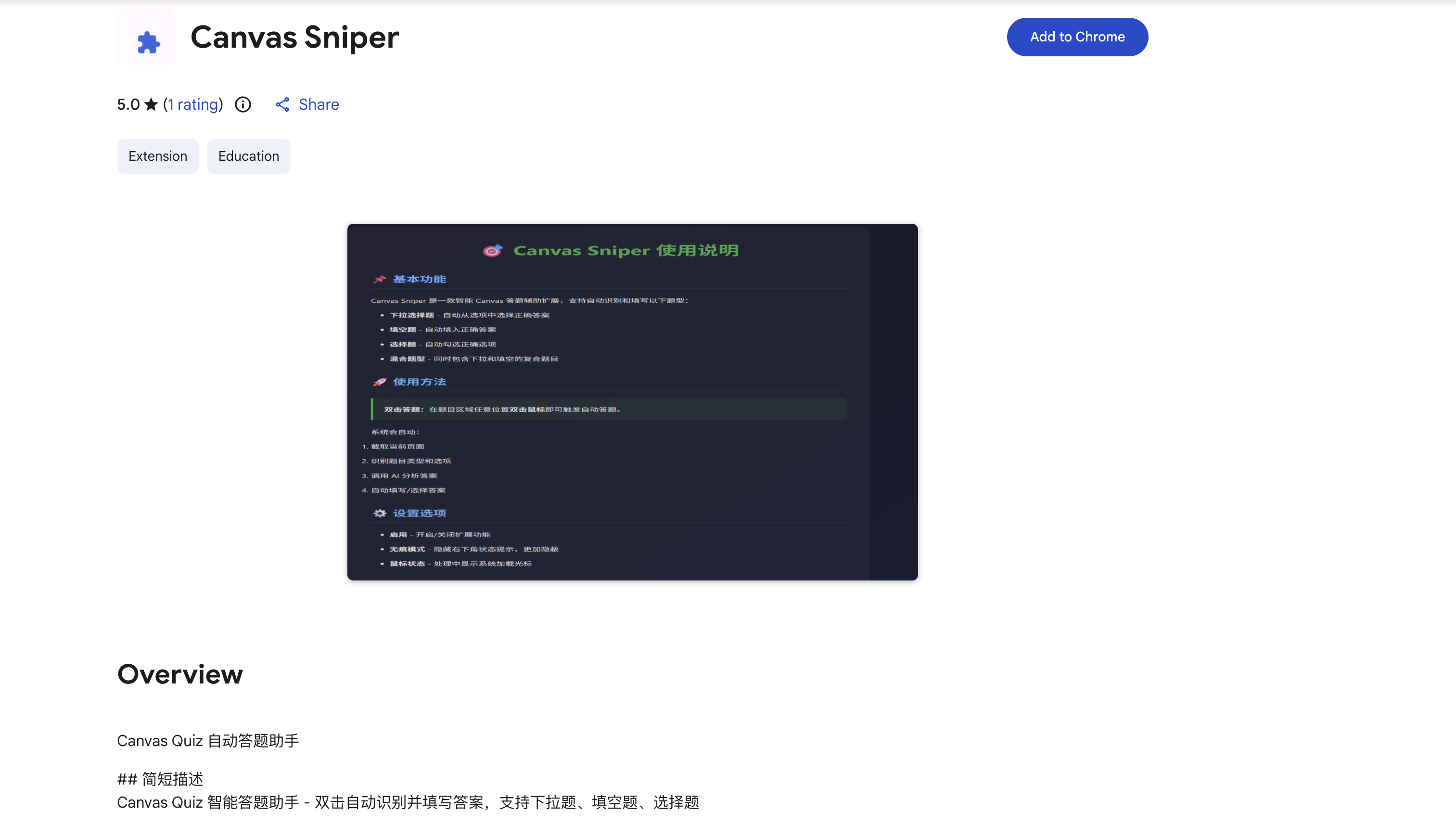 |
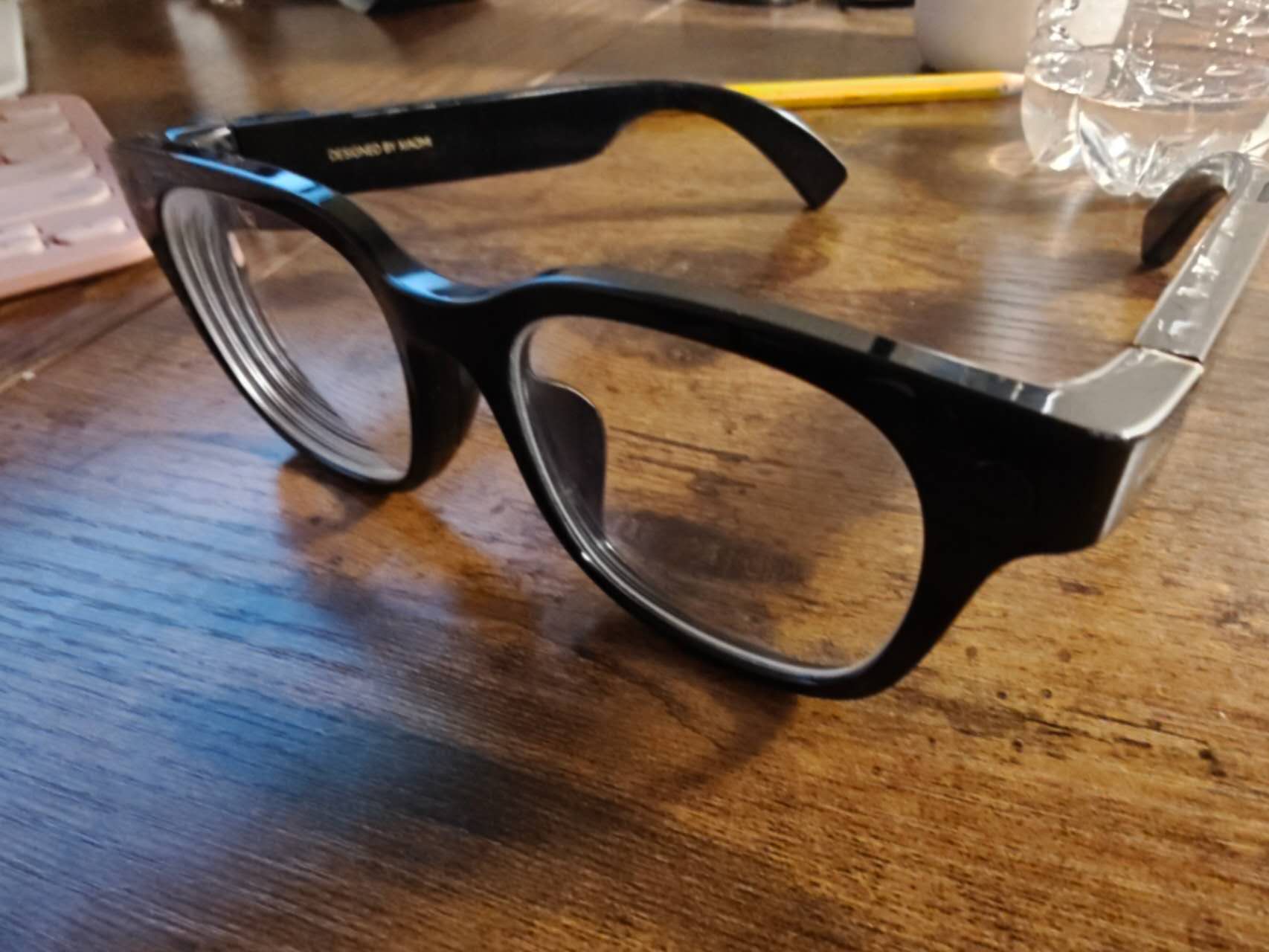
| The glasses — just looks like a normal pair of frames | Canvas Sniper on the Chrome Web Store (5.0 rating) |
Modules
| Module | What it does | Stack |
|---|---|---|
| Canvas Sniper | Auto-answers Canvas LMS quizzes via Chrome extension | Chrome Extension, Gemini AI, GhostCursor |
| Glasses Auto-Answer | Smart glasses → photo → AI solves → audio answer in your ear | Xiaomi AI Glass, MacroDroid, Gemini Flash, OpenAI TTS |
| Claude Cowork | Full homework automation with Skills + Chrome MCP browser control | Claude, Skills, Chrome MCP |
Canvas Sniper
Originally at sgaofen/canvas-sniper.
A Chrome extension that answers Canvas LMS quiz questions using Gemini AI. Double-click any question. That's the entire workflow.
It handles the question types you'd expect — multiple choice, multi-select, dropdown, fill-in-the-blank, mixed inputs, and full essay responses. But the interesting part is how it behaves. Turn on Mouse Simulation and it stops acting like a bot: the cursor traces bezier curves across the page with GhostCursor, types characters one at a time with irregular pauses, opens dropdown menus before selecting, and adds the kind of micro-hesitations a real hand produces. With CDP integration, the mouse movement happens at the browser level — not just DOM events.
Stealth mode hides the status notification overlay entirely. The extension runs in the page's background. Canvas sees a student clicking through a quiz.
Does not bypass Lockdown Browser. If your school uses Respondus, this won't help you. For proctored exams, use the glasses system instead.
Glasses Auto-Answer
The pipeline: Xiaomi AI Glass → take a photo → Android phone detects the new image via MacroDroid → shell script sends the image to Gemini Flash for analysis → answer text goes to OpenAI TTS → audio plays back through the glasses' speakers. The whole loop finishes in seconds.
The critical design choice is pure audio, no screen. Every screen-based smart glasses product on the market today has the same fatal flaw: light leakage. Even if the front looks fine, the back of the lens glows. Anyone sitting behind you — or a proctor walking past — can see it. Audio through the glasses' built-in speakers, with privacy mode enabled and volume low, is invisible. The glasses look like ordinary glasses because, functionally, they are. An anti-flash sticker covers the indicator light that would otherwise blink when taking a photo.
The debug-tool/ directory contains a local web UI (Python server) for testing and refining the Gemini prompt and TTS pipeline without needing the glasses or phone.
Claude Cowork
How I do lab reports, stats assignments, and long essays without actually writing them.
You don't even write the Skill yourself — Claude has a built-in skill for that. Just give it your rubric and past graded assignments. It reads through the feedback, figures out what your professor cares about, and generates a Skill tailored to that class. After two or three rounds, it knows the grading patterns better than you do.
Combined with Chrome MCP, Claude can read the assignment page, generate the content, fill in the submission form, and you just review before hitting submit. For structured assignments with clear grading criteria, it's basically hands-off.
More detail in the claude-cowork/ folder.
Quick Start
Path 1: Canvas Sniper
git clone https://github.com/sgaofen/vibe-schooling.git
- Open
chrome://extensions/, enable Developer mode - Click Load unpacked, select the
canvas-sniper/folder - Click the extension icon → enter your Gemini API key on the Help page
- Open any Canvas quiz → double-click a question
Path 2: Glasses Auto-Answer
- Install MacroDroid on your Android phone
- Follow the MacroDroid Setup Guide step by step
- Fill in your API keys in the shell script
- Take a photo with your glasses — listen for the answer
To test without hardware, use the debug tool:
cd glasses-auto-answer/debug-tool
GEMINI_API_KEY=your_key OPENAI_API_KEY=your_key python3 app.py
# Open http://127.0.0.1:8765
Path 3: Claude Cowork
- Install Claude Code and set up Chrome MCP
- Look at the example Skills in
claude-cowork/example-skills/ - Write a Skill for your course — rubric, professor's quirks, past feedback
- Point Claude at your assignment, let it work, review and submit
Prerequisites
| Module | Requirements |
|---|---|
| Canvas Sniper | Chrome/Chromium browser, Gemini API key (free tier works) |
| Glasses Auto-Answer | Android phone, Xiaomi AI Glass, MacroDroid, Gemini API key, OpenAI API key |
| Claude Cowork | Claude Code CLI, Chrome MCP, Anthropic API access |
Documentation
| Guide | Description |
|---|---|
| AI Model Selection Guide | Which models to use for which tasks, and why |
| TTS Provider Comparison | OpenAI vs alternatives for text-to-speech |
| Stealth & Privacy Tips | Practical advice on staying undetected |
API Keys & Security
All modules require API keys. Never commit your keys to version control.
- Copy
.env.exampleto.envand fill in your keys - The
.gitignorealready excludes.envand all*.envfiles - For the Android shell script, replace the placeholder values directly in the script on your phone — do not push the modified script
Why This Exists
The idea behind Vibe Schooling isn't to help students cheat. It's bigger than that.
Before you enter the workforce, your job is school. Assignments, exams, reports — that's the work. And right now, AI can do most of it faster and better than you can. That's not a moral judgment. It's just where the technology is.
What I actually want is for students — young people who haven't entered the workforce yet — to experience what AI can do for them now, while the stakes are lower. Not by chatting with a chatbot in a text box, but by building real pipelines. Writing a shell script that turns a photo into audio. Configuring an automation macro that runs on your phone. Encoding your professor's grading rubric into a reusable Skill file. These are small programs, simple integrations — but they put AI to work in your actual life.
Every two or three months, a new model drops. The frontier keeps moving. The people who benefit most aren't the ones who wait for someone to wrap it in a product — they're the ones who tinker with the raw capabilities the week they come out. Explore the edges. Build something that solves a problem you actually have. That habit will serve you long after school ends.
This project exists to lower the barrier. To show that with a Chrome extension, a pair of smart glasses, or a well-written Skill file, AI stops being a novelty and starts being infrastructure. The sooner you get on that train, the better.
Disclaimer
This repository is published for educational and research purposes — to demonstrate what is technically possible and to contribute to the conversation about AI in education.
Using these tools to violate your institution's academic integrity policies is your decision and your responsibility. The authors do not endorse cheating and are not liable for how you use this code.
If your school's policy says don't do it, then the risk is yours.
License
MIT — sgaofen, 2026
Yorumlar (0)
Yorum birakmak icin giris yap.
Yorum birakSonuc bulunamadi