tube-scholar
Health Gecti
- License — License: MIT
- Description — Repository has a description
- Active repo — Last push 0 days ago
- Community trust — 22 GitHub stars
Code Gecti
- Code scan — Scanned 12 files during light audit, no dangerous patterns found
Permissions Gecti
- Permissions — No dangerous permissions requested
Bu listing icin henuz AI raporu yok.
Turn any YouTube video into a bilingual (Arabic/English) study guide: timestamped explanation, 5-minute summary, animated concept visuals, scenario quiz and spaced-repetition flashcards. A Claude Code plugin.








Tube Scholar is a Claude Code skill that turns a YouTube video into a complete, interactive study guide. It reads the entire transcript, writes an academic explanation of everything the speaker teaches in Arabic and English, has an independent agent fact-check every number and claim against the transcript, and publishes the result as a single page you can share.
A 38-minute lecture becomes a 5-minute summary. A 3-hour course becomes nineteen sections you can skim, search, quiz yourself on and jump back into the video from, at the exact minute.
Open the live demo: the full guide for a 3-hour freeCodeCamp system-design course, built by this skill. Switch languages, search for "sharding", take the quiz, flip the flashcards.
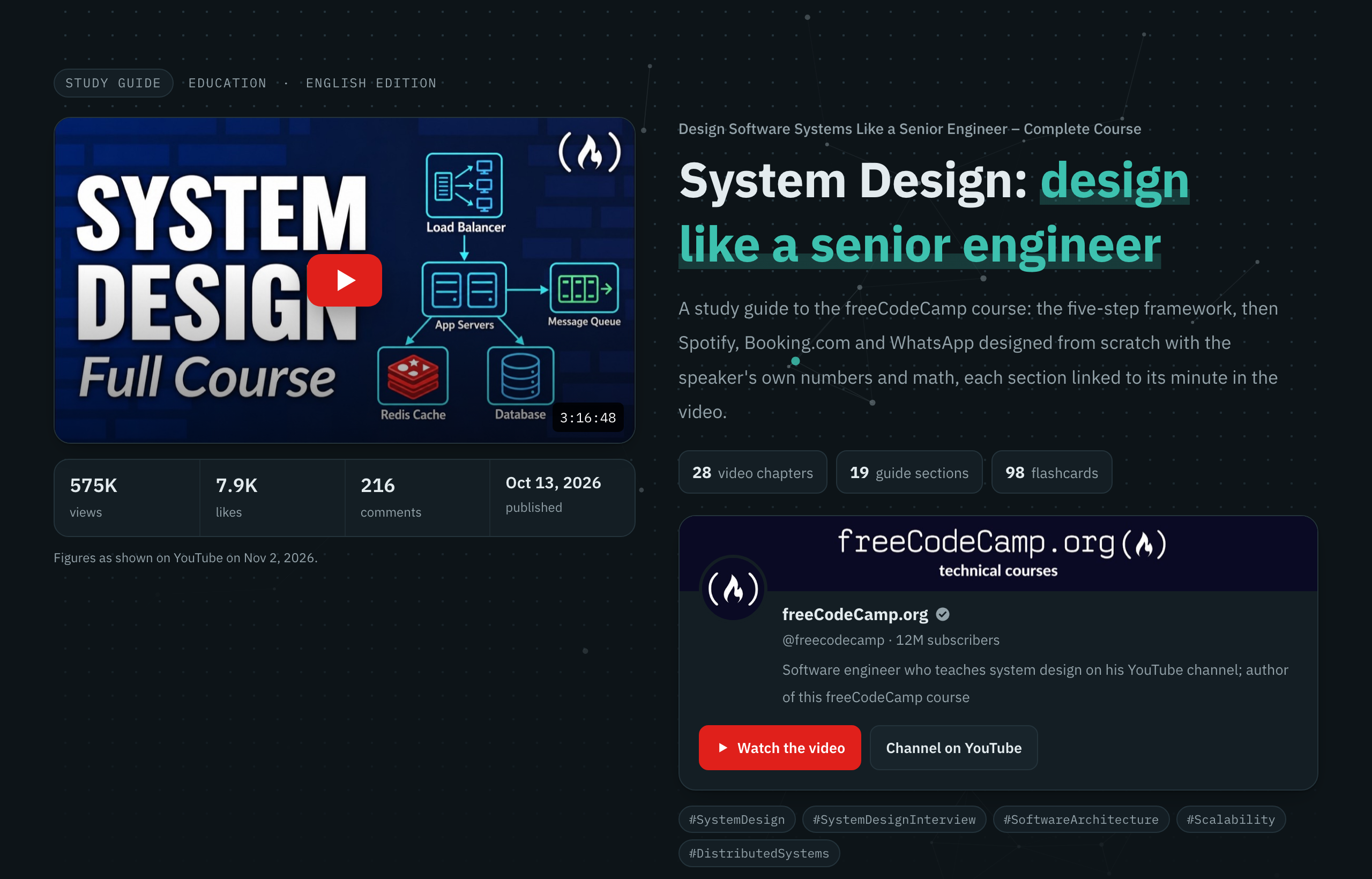
What you get
⚡ A fast path
📖 The full explanation
⏱️ Timestamps you can trust
|
🎯 Practice
🧭 Navigation
📦 Take-aways
|
A tour of a guide
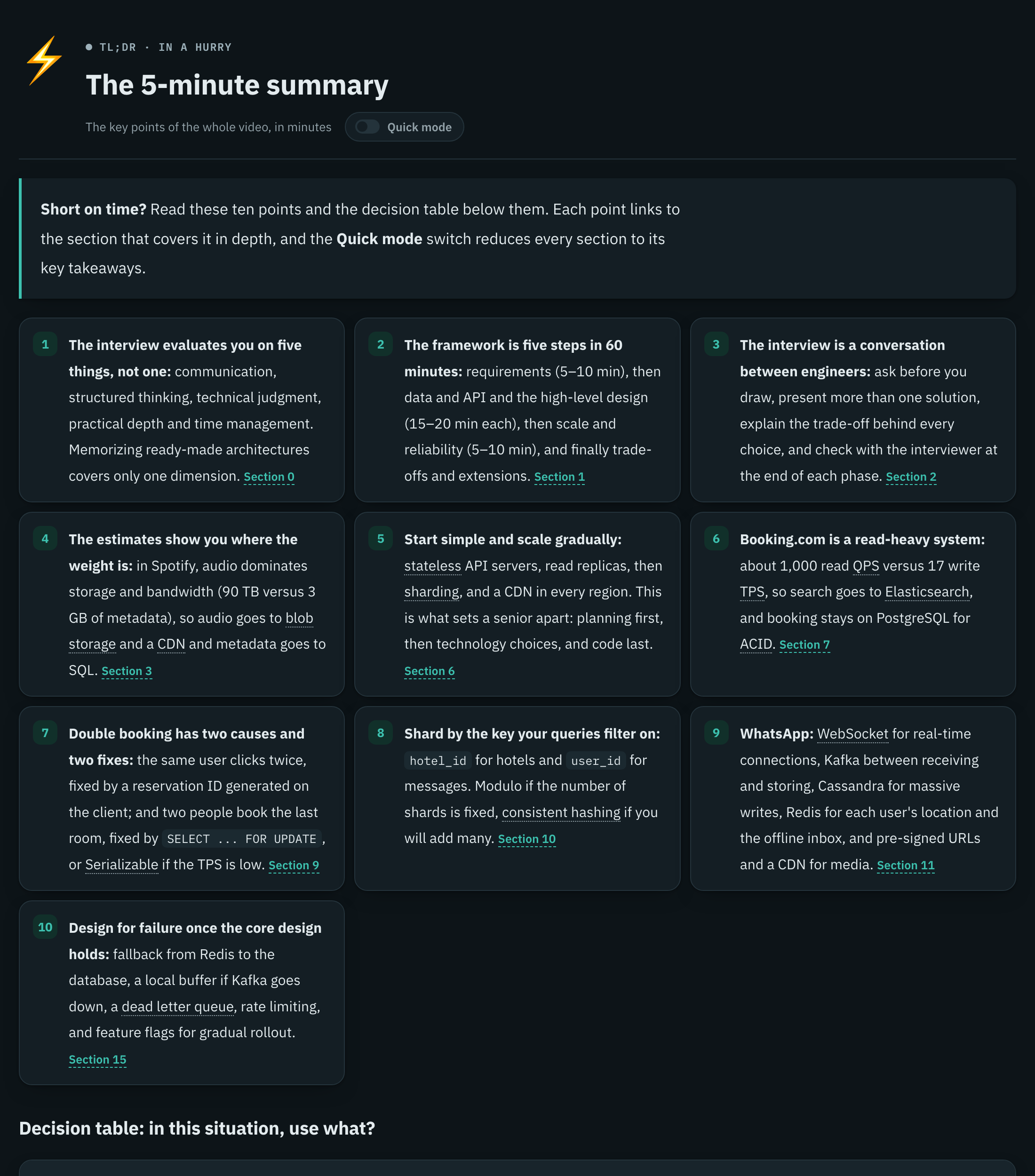
The 5-minute summary. Ten linked points, glossary terms underlined, and the quick-mode switch. |
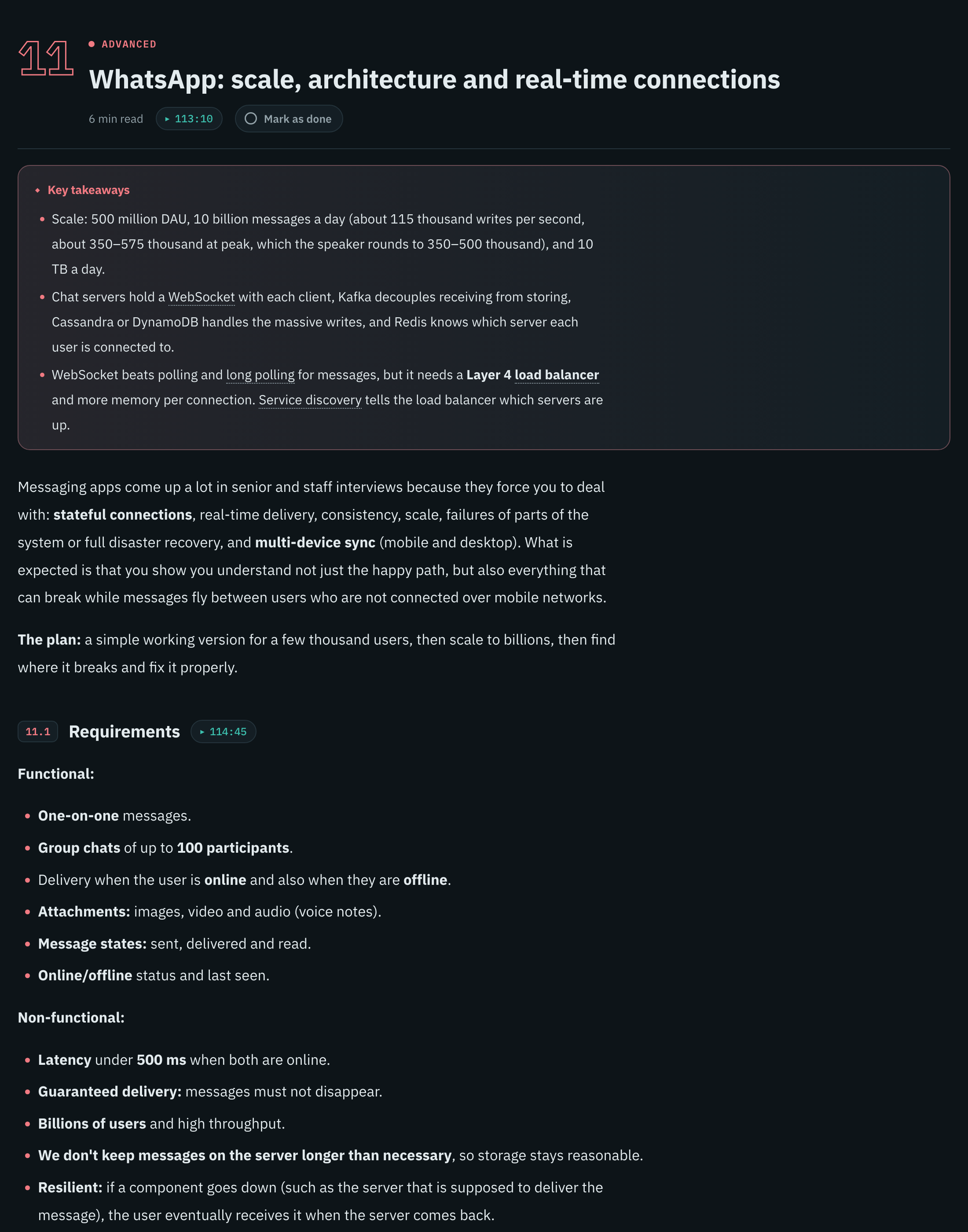
A section. Level colour, reading time, a link to the minute in the video, and the key takeaways first. |
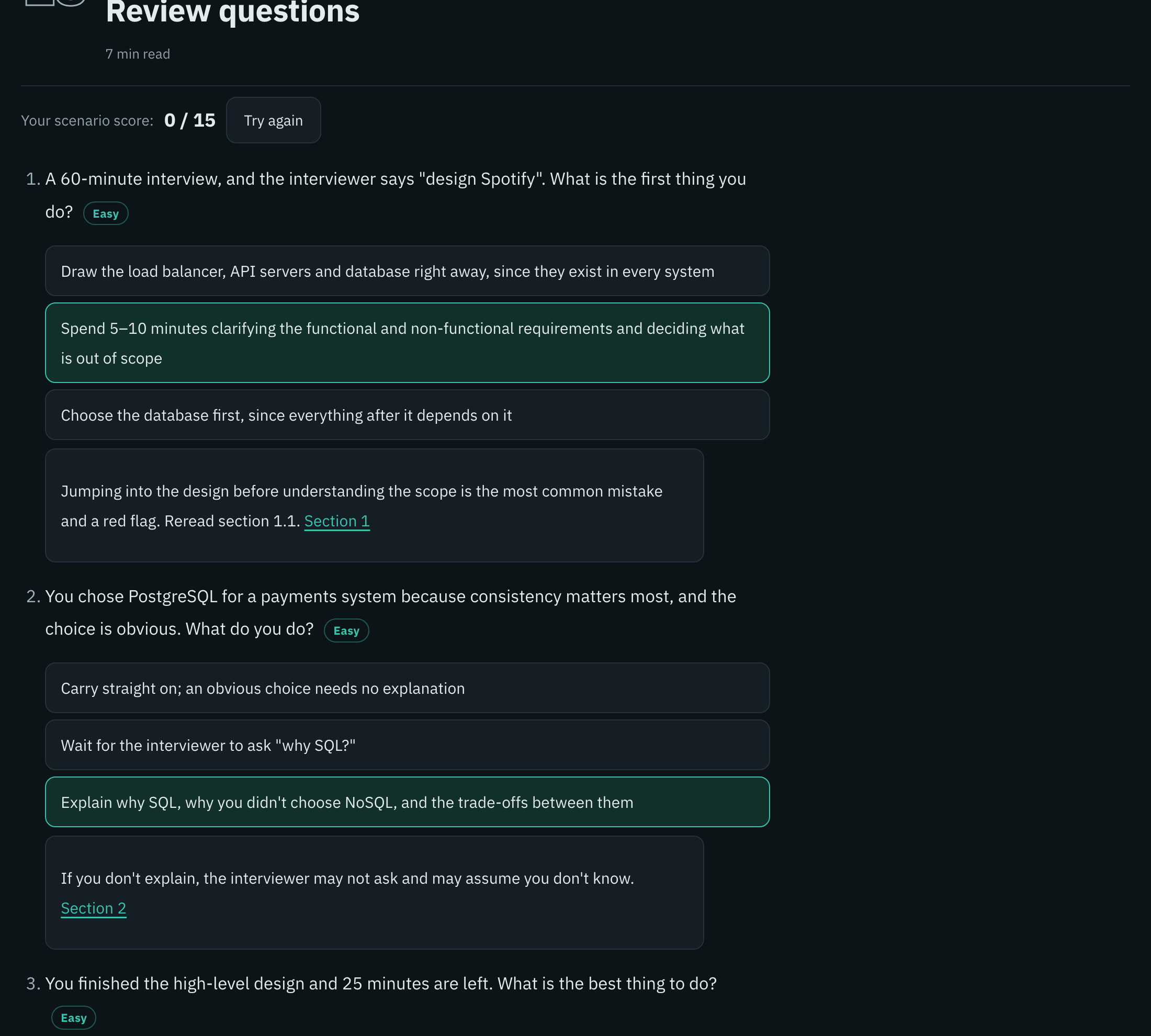
Scenario questions. Pick an answer to see why, with a running score and difficulty levels. |
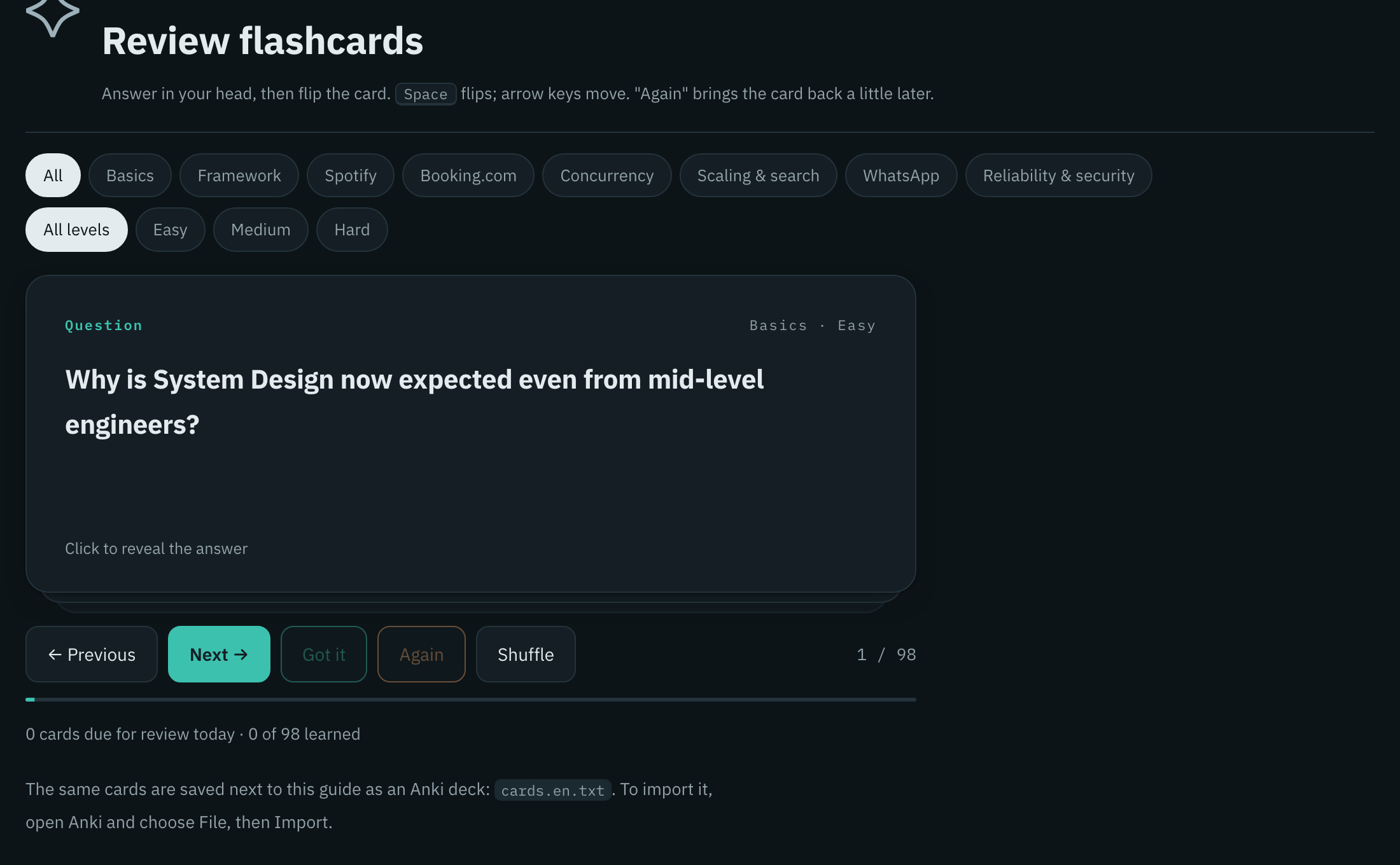
Flashcards. Filter by topic and level; "Got it" and "Again" drive the spaced-repetition schedule. |
Install
As a Claude Code plugin (recommended, updates with /plugin):
/plugin marketplace add Shalaby-VBS/tube-scholar
/plugin install tube-scholar@tube-scholar
Or as a plain skill:
git clone https://github.com/Shalaby-VBS/tube-scholar.git
cp -R tube-scholar/skills/tube-scholar ~/.claude/skills/
Then install the one hard dependency:
brew install yt-dlp # or: pipx install yt-dlp
Quick start
Give Claude Code a link:
/tube-scholar https://www.youtube.com/watch?v=VIDEO_ID
That's it. Claude reads the video, writes both editions, fact-checks them, previews the page and publishes it, then replies with the link and a short report of what it added or corrected.
[!TIP]
A bare video link always builds the full guide. Ask for "subtitles", "audio" or "download the video" when you want just the files.
How it works
flowchart LR
    A([YouTube link]) --> B[Subtitles and<br/>clean transcript]
    B --> C[Metadata, thumbnail,<br/>channel art, related videos]
    C --> D[Arabic guide written<br/>from the transcript]
    D --> E[English translation,<br/>line by line]
    E --> F[Timestamps resolved<br/>from spoken words]
    F --> G[Independent<br/>fact-check and fixes]
    G --> H[Build the page]
    H --> I{Preview<br/>checks pass?}
    I -- no --> H
    I -- yes --> J([Publish + cheat-sheet PDF])
| Mode | Triggered by | Output |
|---|---|---|
| Study guide (default) | a single video link, "explain", "study guide" | the interactive page, Anki decks, cheat-sheet PDFs, fact-check report |
| Subtitles | "subtitles", "transcript", or a playlist/channel link | .vtt captions plus a clean .txt transcript |
| Audio | "audio", "mp3" | MP3 at the best available quality |
| Video | "download the video" | MP4 up to 1080p |
| Course hub | a playlist plus "make guides" | one guide per video and a hub page linking them all |
How it stays accurate
A study guide is only useful if you can trust it. Every guide goes through four gates before it is published:
| Gate | What it does | What it catches |
|---|---|---|
| 1. Transcript first | The guide is planned around what the speaker actually teaches, with the description's chapters as the skeleton | Generic filler, topics the video never covers |
| 2. Spoken-word timestamps | Each heading carries a few words copied from the transcript; resolve_ts.py finds them in the word-timed captions |
Links to the wrong minute, sections the speaker never said |
| 3. Independent fact-check | A separate agent audits every number, quoted claim, explainer's note, quiz answer and a sample of flashcards, then writes audit.md |
Wrong arithmetic, misquotes, dropped caveats, unlabelled additions |
| 4. Pre-publish preview | Headless Chrome screenshots desktop, phone and every visual, checks for horizontal scroll and parses every Mermaid diagram | Broken layouts, clipped text, diagrams that would render empty |
[!NOTE]
On a 3-hour system-design course, the fact-check caught a wrong peak-load calculation, a link 2 minutes late and two claims the speaker never made. All of them were fixed before publishing.
Concept visuals
Ideas that have a shape get an animated, theme-aware component instead of a plain table. Each one is a fenced block in the guide's Markdown.
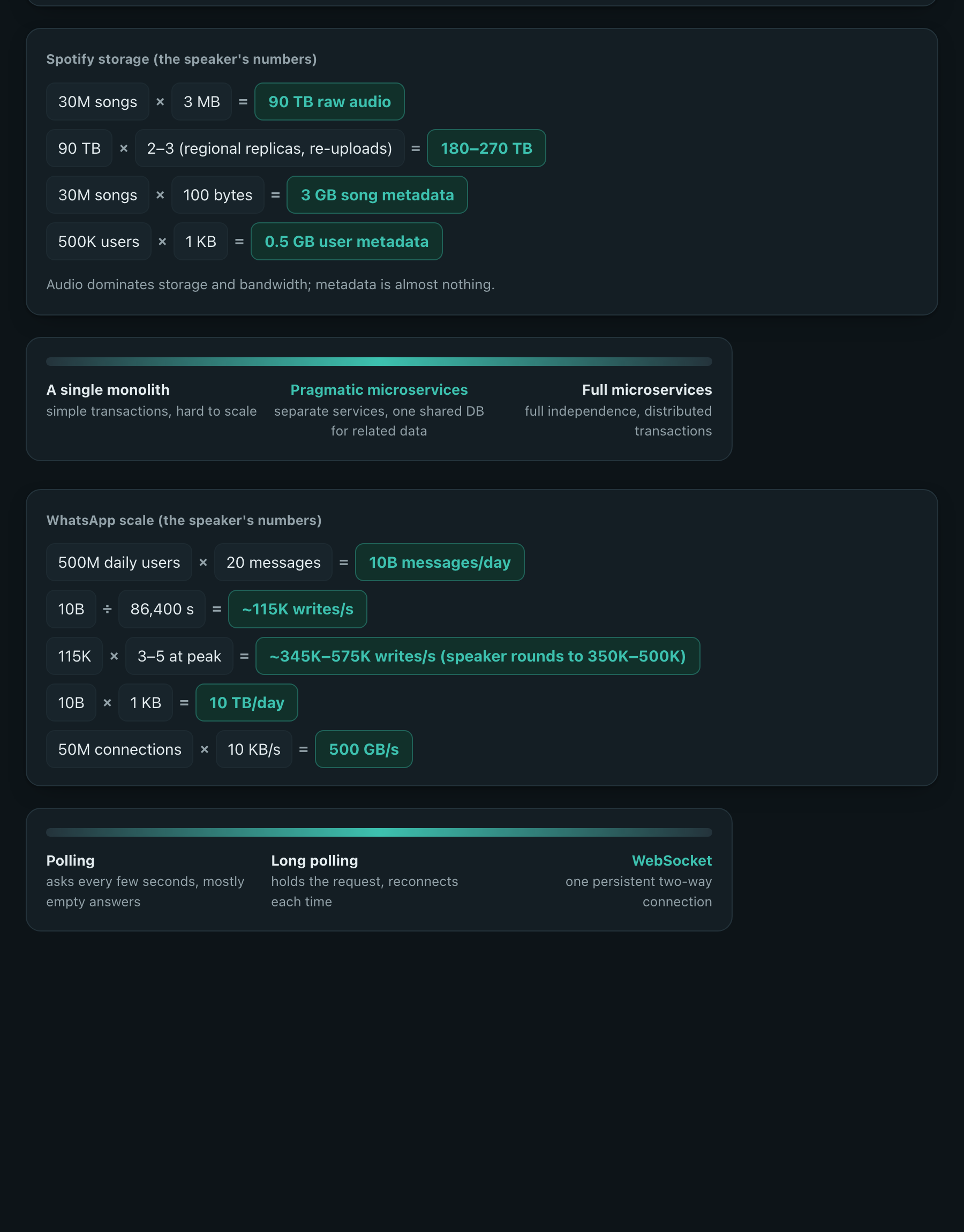
| Component | Use it for | Syntax |
|---|---|---|
loop | cycles: an agent loop, a feedback loop, retries. A dot travels the cycle and lights each stage. |
|
matrix | 2×2 trade-offs, with one cell highlighted |
|
spectrum | a range of options, with the recommended one marked |
|
timeline | steps with a time budget, drawn to scale |
|
calc | back-of-the-envelope maths, results highlighted |
|
Every component follows light and dark themes, flips correctly in right-to-left layouts, rises in on scroll and stands still when the reader prefers reduced motion.
Reference
Requirements
| Tool | Needed for | Install |
|---|---|---|
| Claude Code | running the skill and publishing the page | docs |
| yt-dlp | subtitles, metadata, thumbnails | brew install yt-dlp |
| Python 3.9+ | every script | preinstalled on macOS |
markdown |
the page builder | installed automatically into ~/.cache/tube-scholar/venv |
| Google Chrome | previews, the Mermaid check, cheat-sheet PDFs | google.com/chrome |
| ffmpeg | audio and video downloads only | brew install ffmpeg |
Output
Every video gets its own folder under ~/Downloads/tube-scholar/:
<video title>/
├── guide.ar.md · guide.en.md     the explanation, one file per language
├── cards.ar.txt · cards.en.txt   Anki flashcard decks
├── guide.json                    page copy, resources, chapter map
├── audit.md                      the fact-check and how each finding was fixed
├── guide.html                    the published page (generated, never edited by hand)
├── cheatsheet.ar.pdf · .en.pdf   A4 cheat sheets
├── meta/                         video metadata, thumbnail, channel art
└── preview/                      pre-publish screenshots
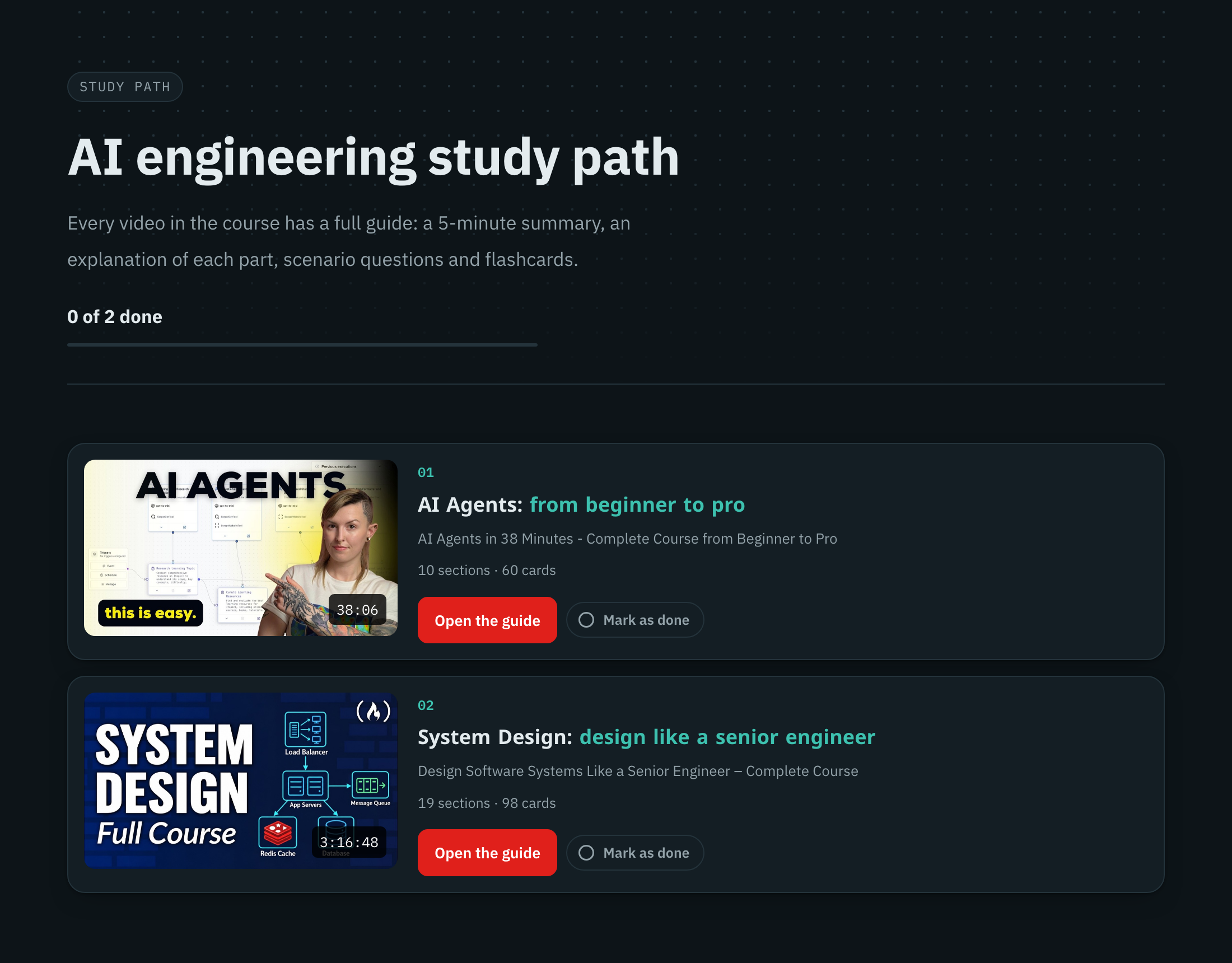
Playlist hub. Every video's guide in one place, with progress across them. |
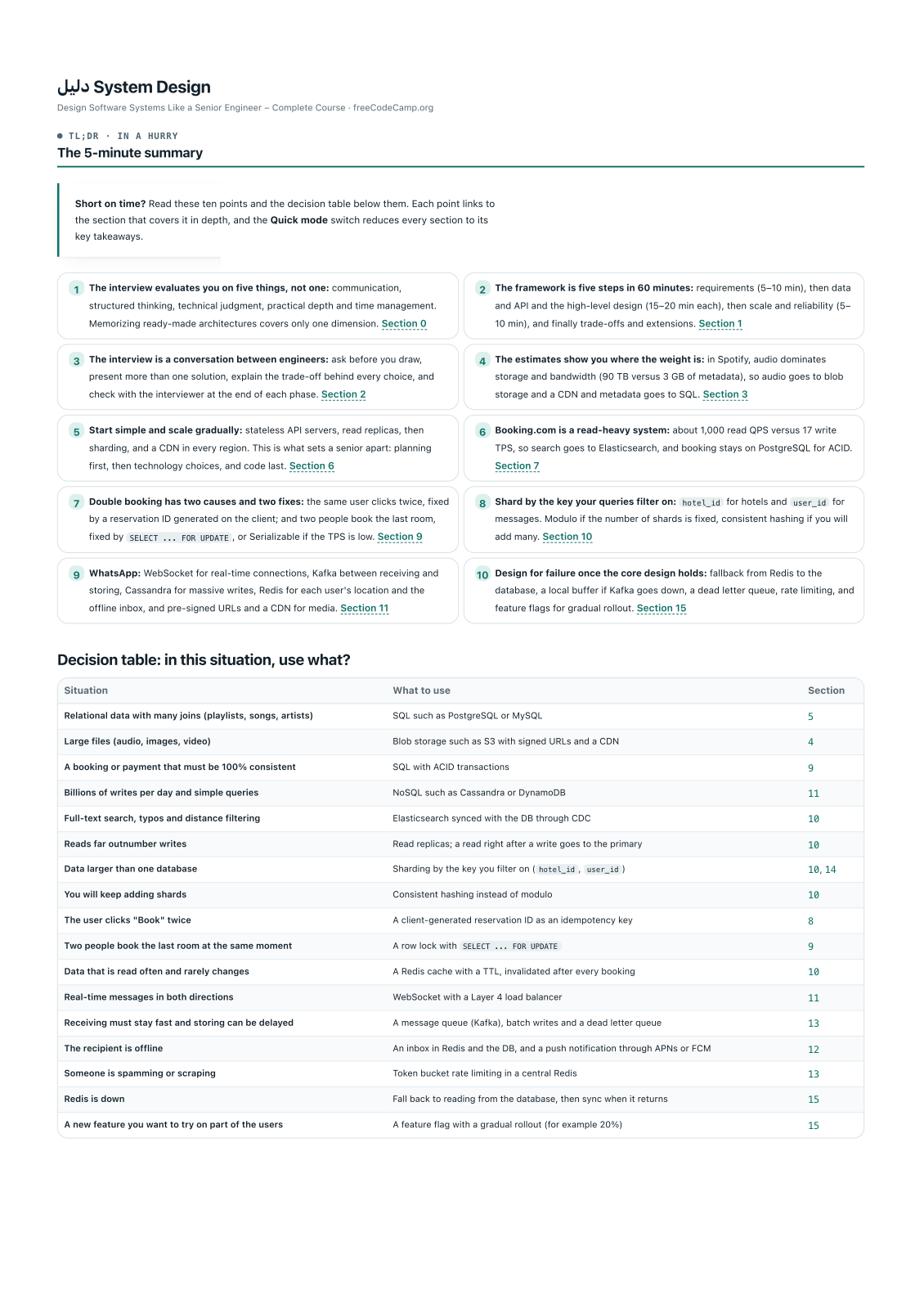
Cheat sheet. A4 PDF with the summary, decisions, maths and glossary. |
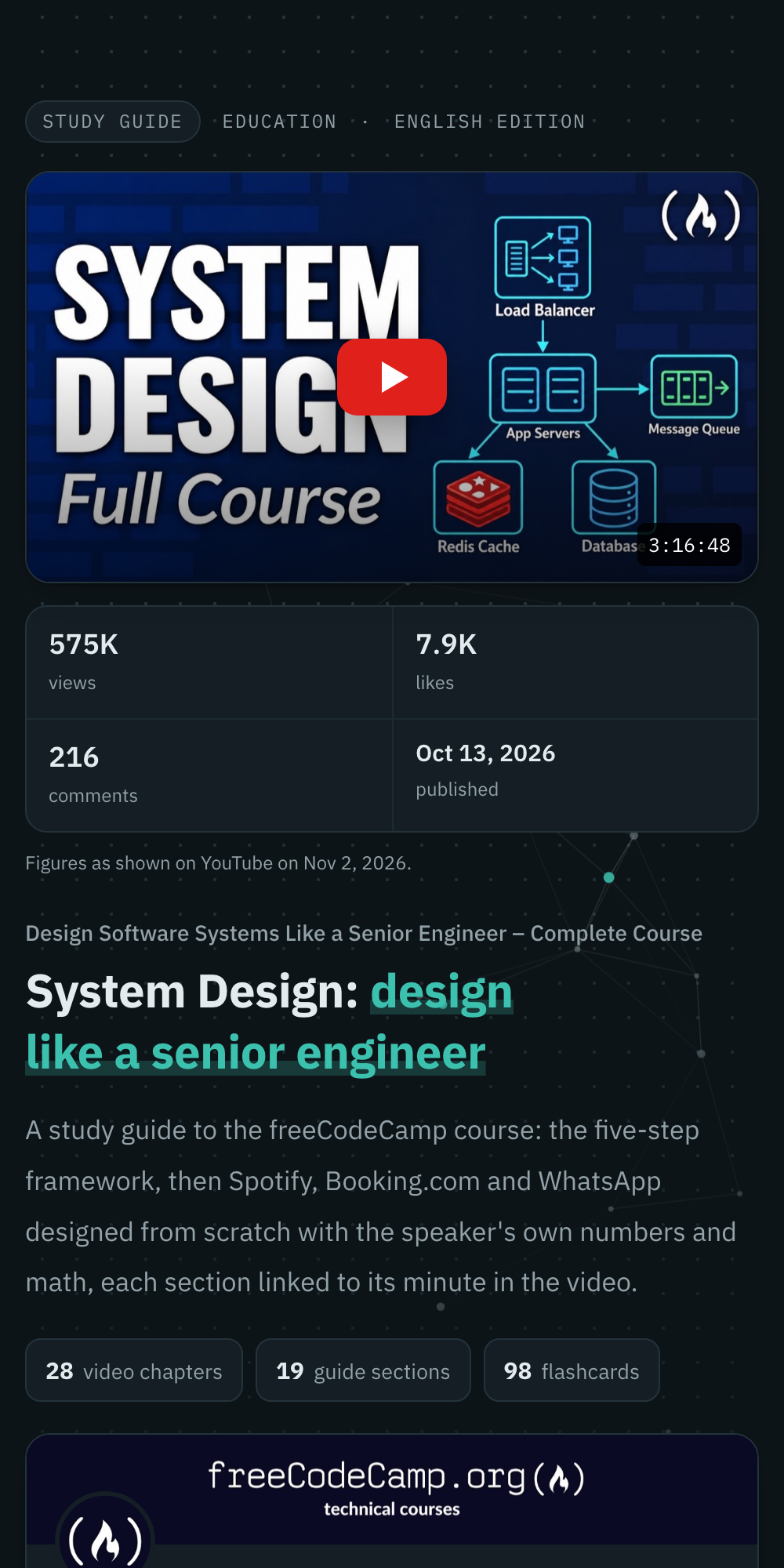
On a phone. Responsive, with light and dark themes. |
Scripts
| Script | Job |
|---|---|
vtt2txt.py |
Auto-captions to clean, de-duplicated paragraphs |
fetch_meta.py |
Metadata, thumbnail, channel avatar and banner, related videos |
resolve_ts.py |
[[ts: spoken words]] markers to timestamp links; fails on words never said |
build_guide.py |
The bilingual page from the Markdown, the cards and guide.json |
preview_guide.py |
Screenshots plus overflow and Mermaid checks; exits non-zero on a problem |
cheatsheet.py |
An A4 cheat-sheet PDF per language |
build_hub.py |
The playlist hub page |
Repository layout
tube-scholar/
├── .claude-plugin/
│   ├── plugin.json               plugin manifest
│   └── marketplace.json          lets `/plugin marketplace add` find it
├── skills/tube-scholar/
│   ├── SKILL.md                  what Claude follows, step by step
│   ├── references/
│   │   ├── guide-format.md       the file contract and the quality bar
│   │   └── fact-check-brief.md   the brief for the independent audit agent
│   ├── scripts/                  the pipeline above
│   └── assets/                   page template, styles and behaviour
├── tests/                        end-to-end tests on a bilingual fixture
└── docs/                         README images and the live demo
FAQ
Does it work for videos that aren't in English?The pipeline reads whatever caption track it downloads (English by default). For another source language, ask for that subtitle language; the guide is still written in Arabic and English. Where is the page hosted, and who can see it?
It is published with Claude's Artifact tool, so it lives at a private claude.ai link. Only you can open it until you share it from the page's Share menu. Where are my progress and flashcard schedule stored?
Only in your browser's local storage. Nothing about your progress leaves your device. YouTube says "Sign in to confirm you're not a bot" or returns HTTP 429.
Update yt-dlp first (
brew upgrade yt-dlp), then retry with --cookies-from-browser chrome --sleep-requests 1.
Can I edit a guide after it is published?
Yes. Edit the
.md, cards.*.txt or guide.json files and ask Claude to rebuild; it re-runs the checks and republishes to the same link. Never edit guide.html directly, because it is regenerated.
Is the content mine to share?
Guides are unofficial study notes. Each page credits the speaker and the channel, keeps their disclaimers, labels sponsored segments and links back to the original video. Does it run on Linux or Windows?
The scripts are plain Python and run anywhere; CI runs them on Ubuntu. Two conveniences are macOS-only and skip themselves elsewhere: shrinking images with
sips and reading PDF thumbnails. The preview and cheat sheet need Google Chrome or Chromium on PATH.
Contributing
Bug reports, ideas and pull requests are welcome. Read CONTRIBUTING.md for the setup, the tests and the ground rules, and see CHANGELOG.md for what changed in each release.
Acknowledgements
Built on yt-dlp, Python-Markdown and Mermaid, set in IBM Plex and Noto Kufi Arabic.
License
Released under the MIT License. Generated guides are unofficial study notes; the videos, thumbnails and channel art belong to their creators.
Yorumlar (0)
Yorum birakmak icin giris yap.
Yorum birakSonuc bulunamadi