rssh
Health Pass
- License — License: MIT
- Description — Repository has a description
- Active repo — Last push 0 days ago
- Community trust — 495 GitHub stars
Code Fail
- rm -rf — Recursive force deletion command in .github/scripts/fix-appimage-icon.sh
Permissions Pass
- Permissions — No dangerous permissions requested
No AI report is available for this listing yet.
An SSH tool dedicated to addressing all pain points · (macOS/Windows/Linux/Android/iOS)
RSSH
The SSH client built to be an AI ops copilot.
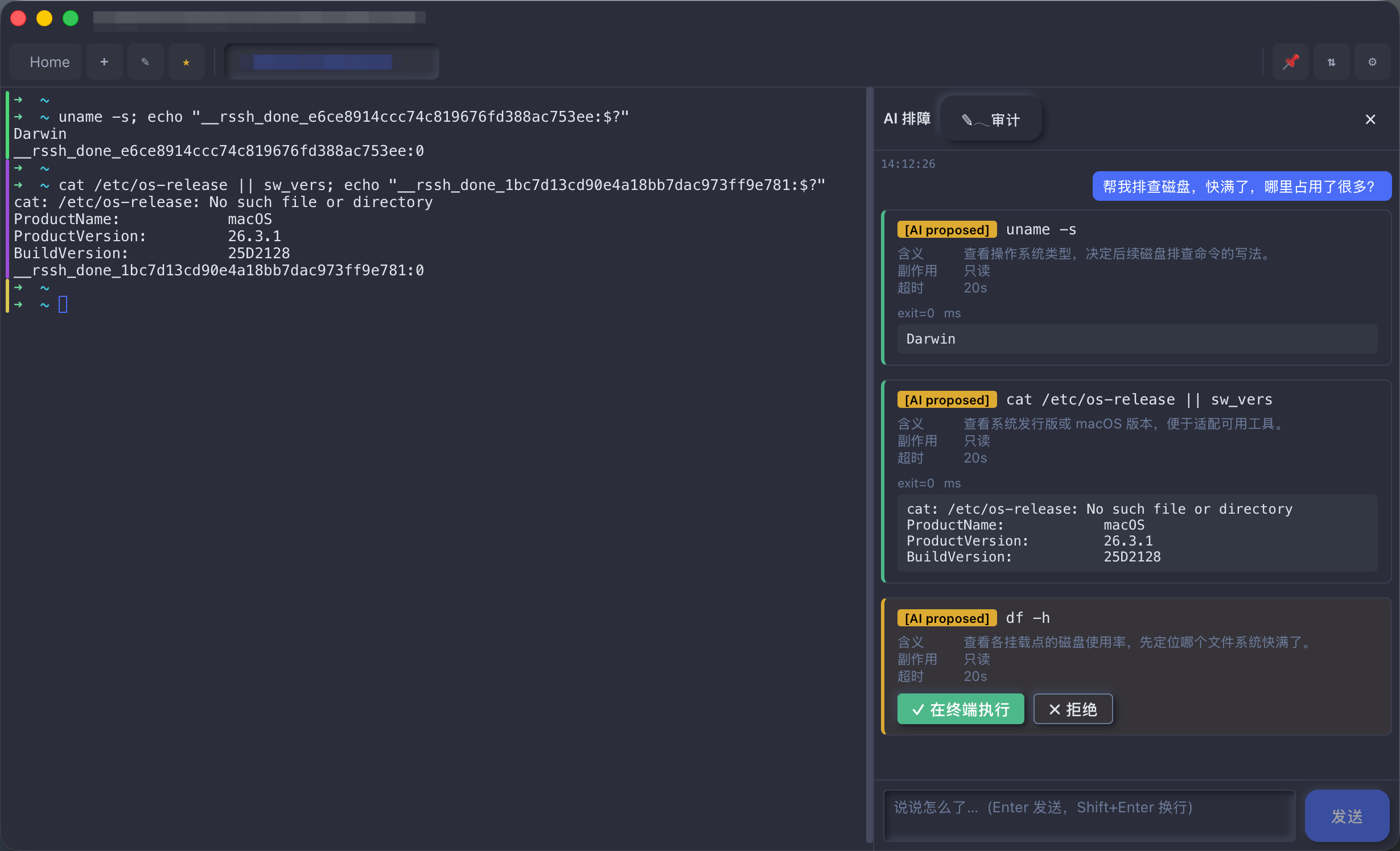
Connect to a host and just ask "why is the disk full?" — the AI proposes commands, flags their side effects, and runs them in your terminal only after you approve. Sensitive data is redacted locally before anything leaves your machine.
Desktop · Mobile · JetBrains · CLI — one shared data store.





⬇️ Download latest · Why RSSH?
Why RSSH
🤖 AI triageNot another chat box. Nothing to install on your servers — it works like a human operator, reading the terminal's input and output directly. 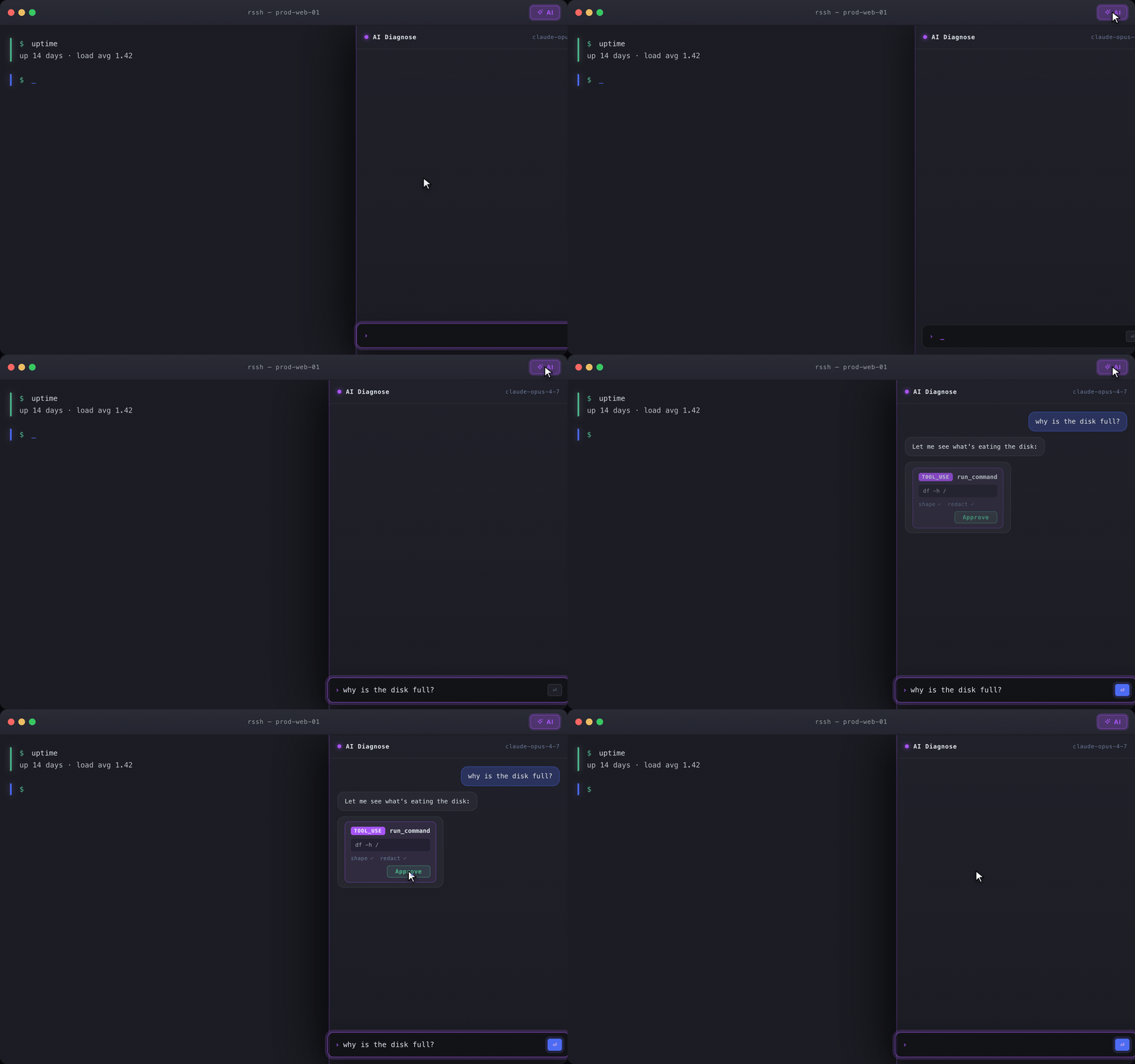
|
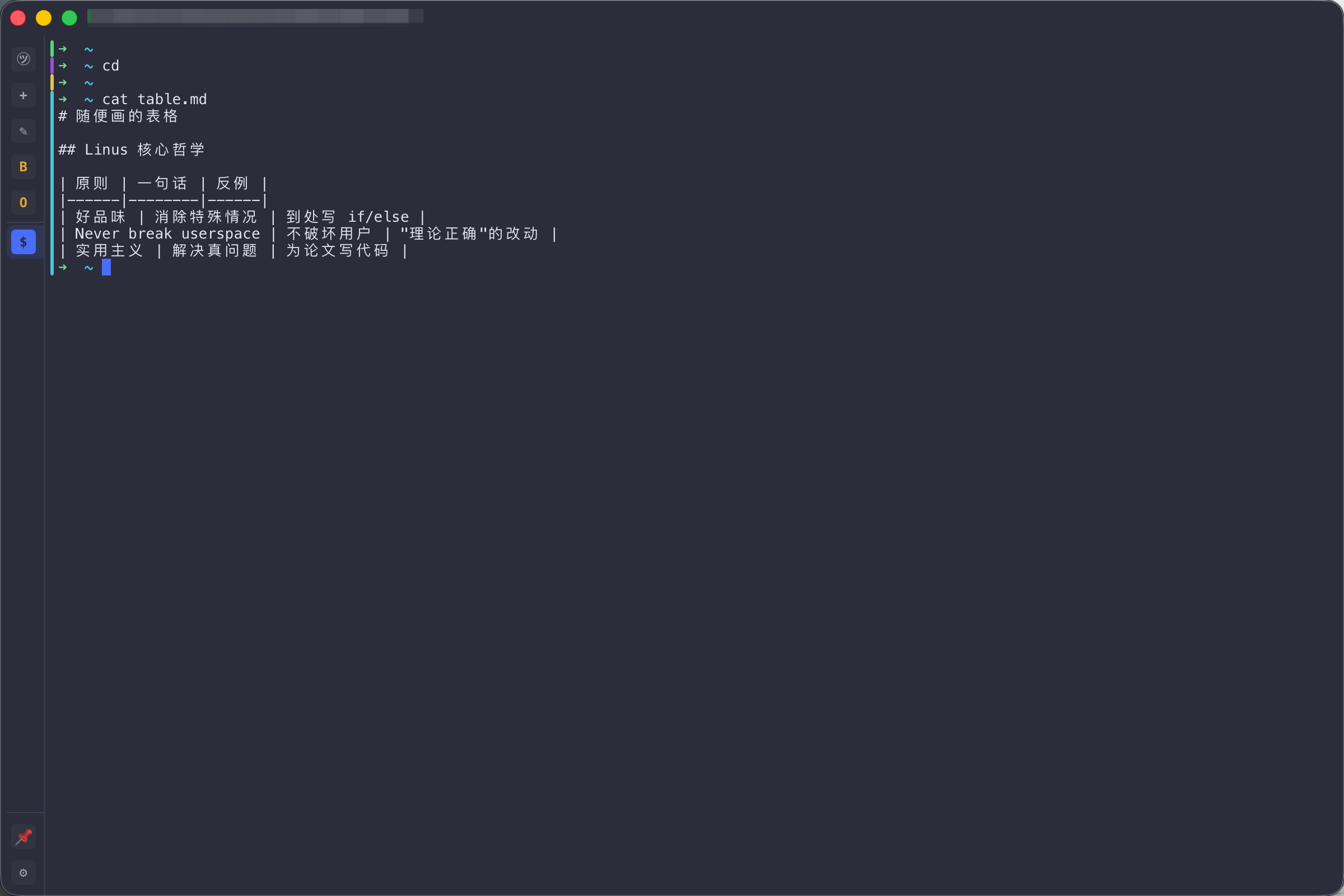
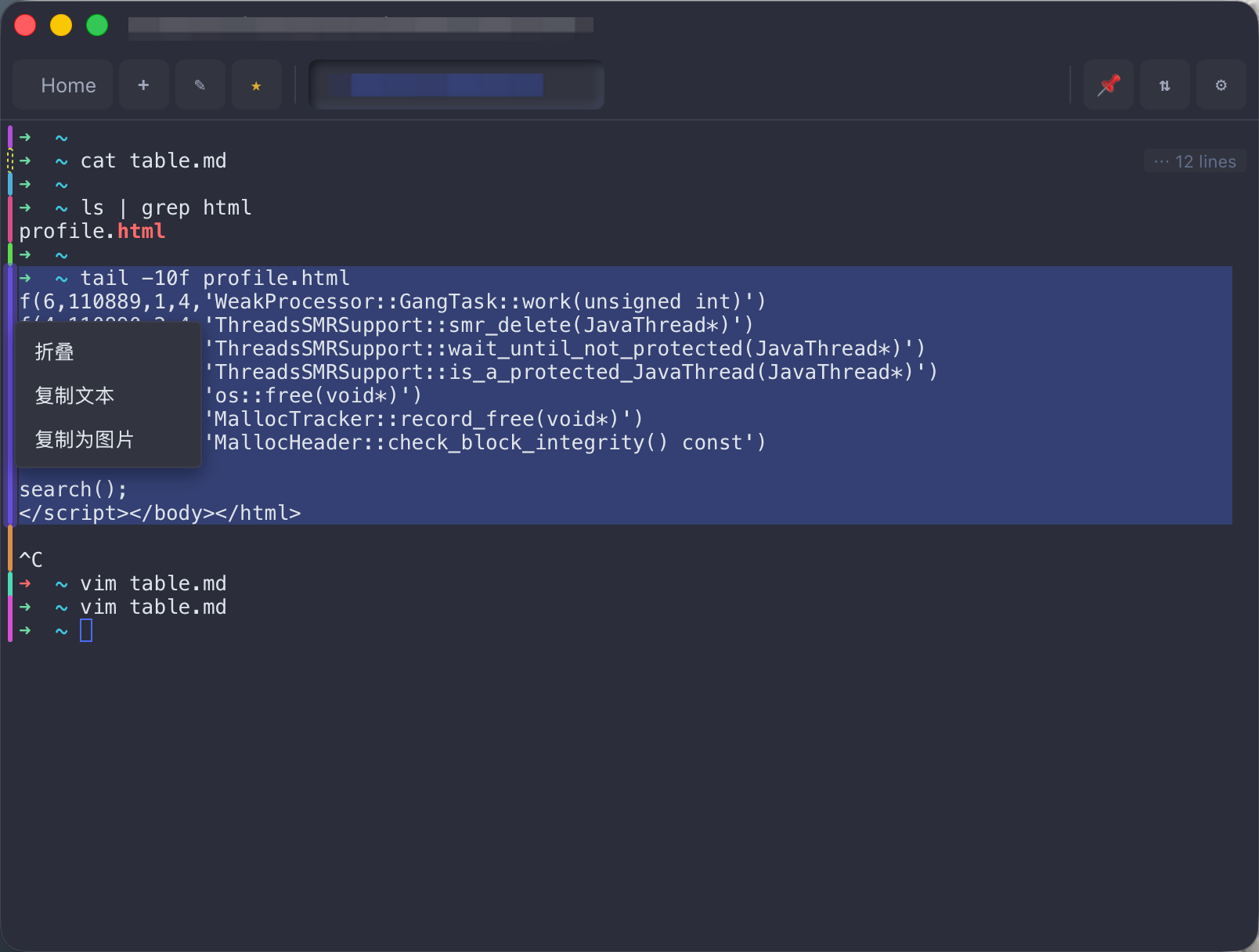
🎨 Color-coded command blocksEvery command and its output become a block with a color-coded left edge — spot the last command's output at a glance. Rendered fully locally, zero remote dependency. 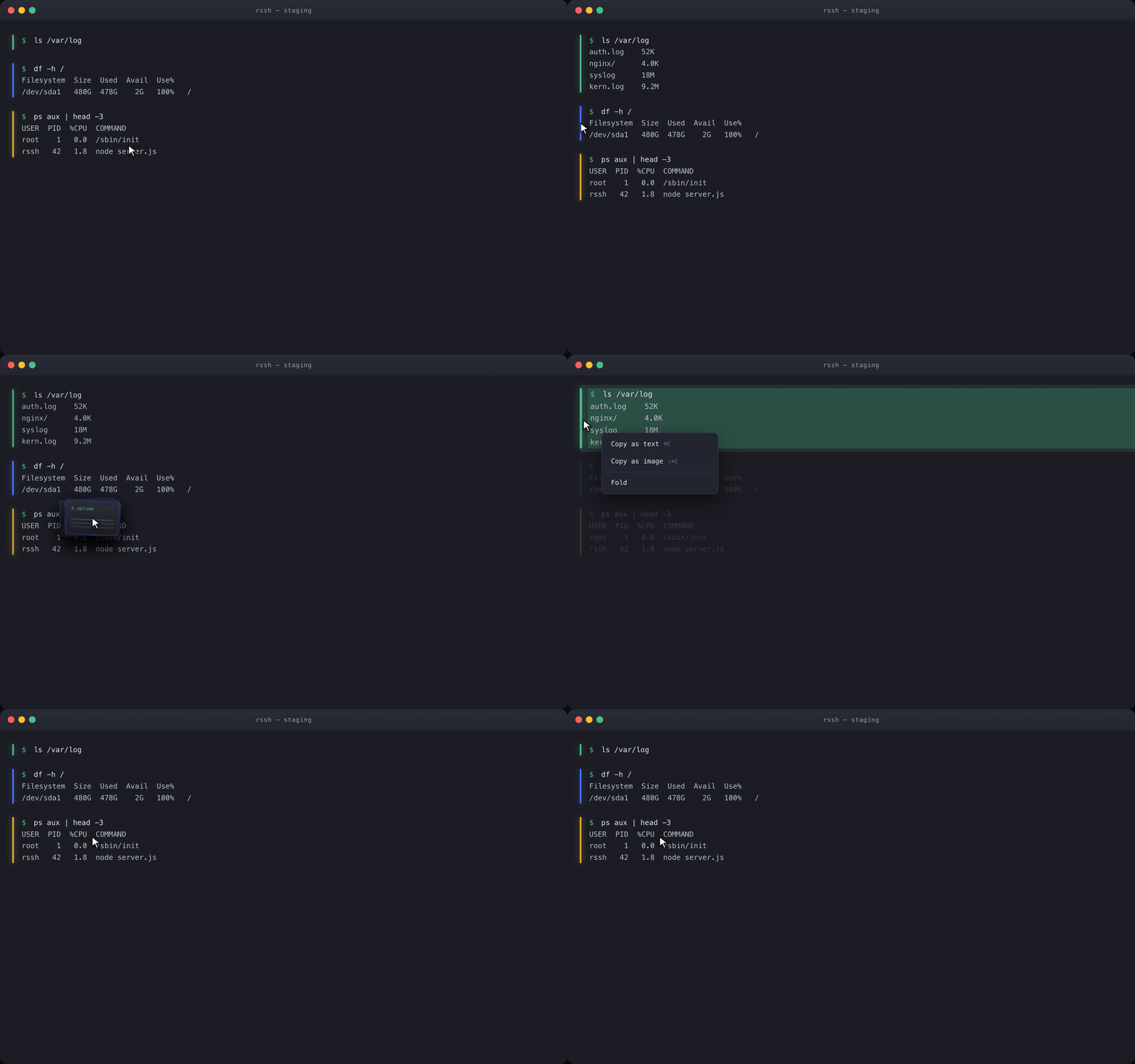
|
🐳 Dynamic discoveryContainers and pods change by the minute — connecting to servers by static IP is obsolete. RSSH dynamically discovers the containers in your local dev and test environments. 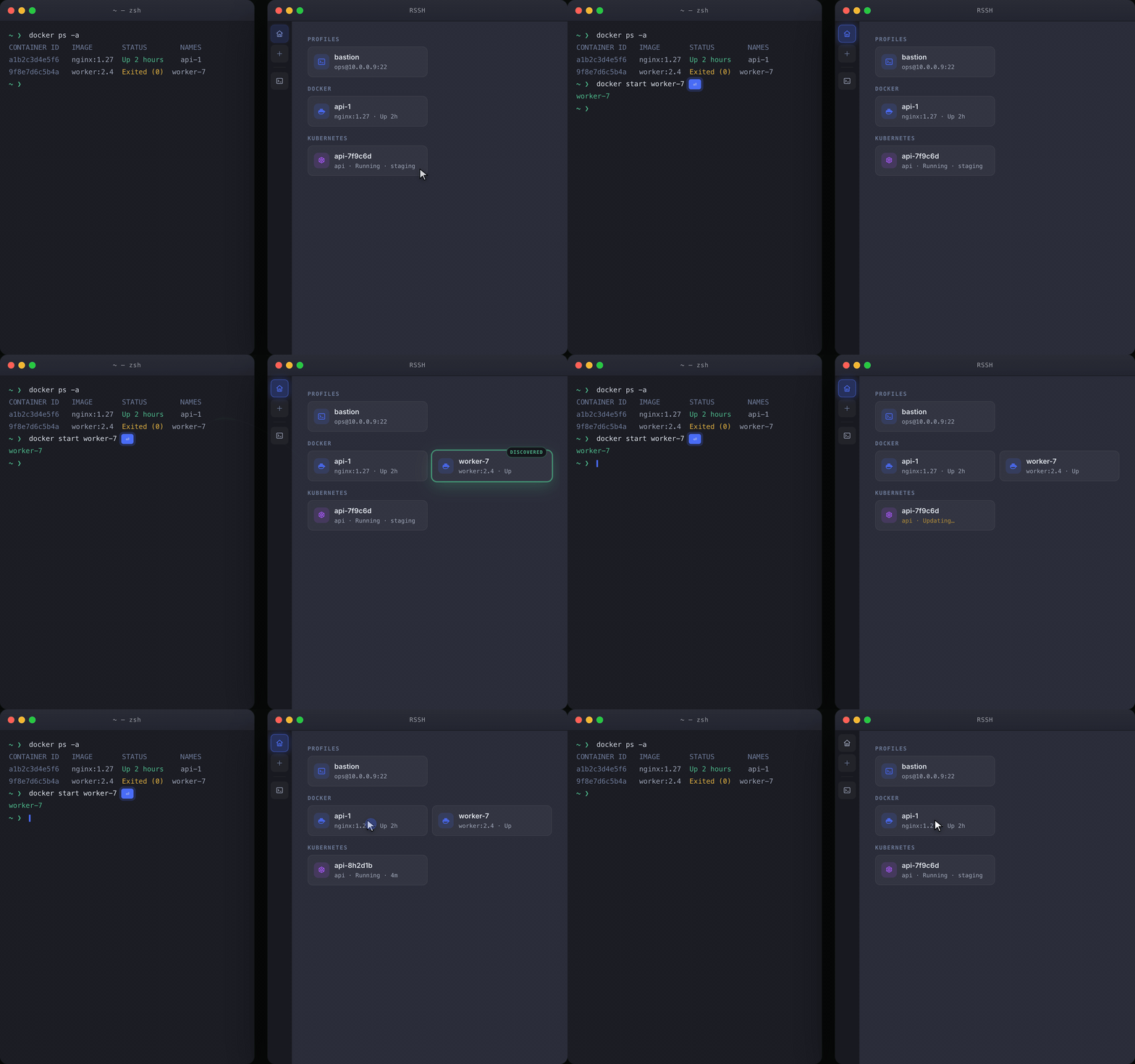
|
🔐 Multi-platform data syncKeys stay in your local OS keyserver; connection configs are encrypted into your own private GitHub repo — nothing sits on a third-party server. 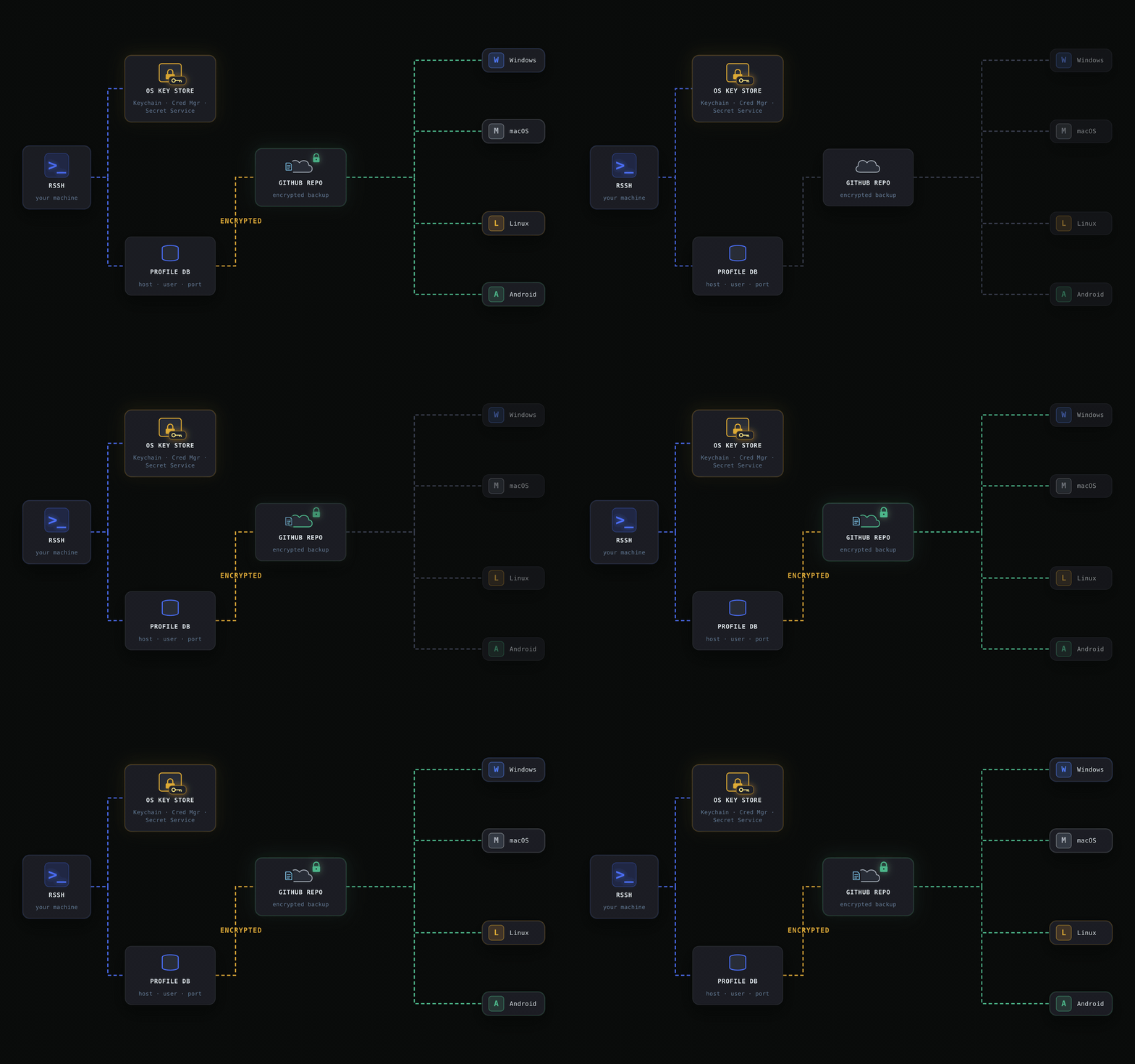
|
Features
- SSH -- password, private key, SSH agent/Pageant, keyboard-interactive, jump host (ProxyJump)
- Telnet -- saved profiles, echo negotiation, line controls, expect/send login scripts
- Serial Console (desktop) -- saved UART profiles, text/hex modes, flow control, login scripts, DTR/RTS/break
- Dynamic Discovery (Docker/K8S) -- discover Docker containers and running Kubernetes pods through local CLI contexts, then open ephemeral exec terminals
- Terminal -- xterm emulation, 10 000-line scrollback, foldable color-coded command blocks, regex highlighting, search
- Multi-session Workbench (desktop) -- live terminal previews and selection-aware broadcast across connected sessions
- SFTP -- remote file browser and upload/download
- Port Forwarding -- local, remote and dynamic (SOCKS5), named configs, real-time stats
- Local Terminal (desktop) -- auto-detect zsh/bash/PowerShell
- Session Recording -- asciicast v2 format, variable-speed playback
- Connections & Credentials -- SQLite storage, import from
~/.ssh/config - Security & Sync -- secrets encrypted locally with ChaCha20-Poly1305, master key in the platform keychain when available, selective remote sync, encrypted backup to your own GitHub repo or WebDAV server
- Snippets -- reusable command shortcuts (Cmd+E)
- Mobile -- virtual keybar (Ctrl/Alt/arrows/Tab/Esc), safe area, stack navigation
- IDE Plugin -- run RSSH inside JetBrains IDEs in a tool window (shared data dir)
Install
Download from Releases:
| Platform | File | Notes |
|---|---|---|
| macOS Apple Silicon | rssh-{ver}-macos-aarch64.dmg |
|
| macOS Intel | rssh-{ver}-macos-x86_64.dmg |
|
| Linux (deb) | rssh-{ver}-linux-x86_64.deb |
Debian/Ubuntu |
| Linux (rpm) | rssh-{ver}-linux-x86_64.rpm |
Fedora/RHEL |
| Linux (AppImage) | rssh-{ver}-linux-x86_64.AppImage |
Any distro |
| Windows | rssh-{ver}-windows-x86_64.msi |
Silent install: msiexec /i |
| Windows | rssh-{ver}-windows-x86_64-setup.exe |
GUI installer |
| Windows | rssh-{ver}-windows-x86_64-portable.zip |
Portable GUI + CLI |
| Android (arm64) | rssh-{ver}-android-arm64.apk |
64-bit phones, 3x smaller |
| Android | rssh-{ver}-android-universal.apk |
All ABIs (emulators too) |
| iOS | AppStore, by @paradoxie |
IntelliJ / JetBrains plugin
Run the full RSSH UI inside a JetBrains IDE tool window — same hosts, keys and
settings as the desktop app (shared ~/.rssh). Each zip bundles a headlessrssh-server, so it's self-contained and per-OS:
| Platform | File |
|---|---|
| macOS Apple Silicon | rssh-{ver}-macos-aarch64-jetbrains-plugin.zip |
| macOS Intel | rssh-{ver}-macos-x86_64-jetbrains-plugin.zip |
| Linux | rssh-{ver}-linux-x86_64-jetbrains-plugin.zip |
| Windows | rssh-{ver}-windows-x86_64-jetbrains-plugin.zip |
Install: Settings → Plugins → ⚙ → Install Plugin from Disk…, pick the zip for
your OS and restart. Open the RSSH tool window (bottom) to start; the ✕ in its
title bar stops the embedded server.
Development
See CONTRIBUTING.md.
License
MIT
Friend Link
Reviews (0)
Sign in to leave a review.
Leave a reviewNo results found