omniharness
Health Warn
- License — License: MIT
- Description — Repository has a description
- Active repo — Last push 0 days ago
- Low visibility — Only 5 GitHub stars
Code Pass
- Code scan — Scanned 12 files during light audit, no dangerous patterns found
Permissions Pass
- Permissions — No dangerous permissions requested
No AI report is available for this listing yet.
OmniHarness is a local-first, event-driven agent execution platform that combines deterministic task analysis, capability-based model selection, configurable agent roles, dependency-aware multi-agent scheduling, policy-gated tools, persistent state, evaluation, repair loops, budgets, performance memory, MCP integration, and a TUI around OmniRoute.
OmniHarness
The agent harness built for OmniRoute.
Route once, run anywhere — plan, build, research, or turn a swarm loose.


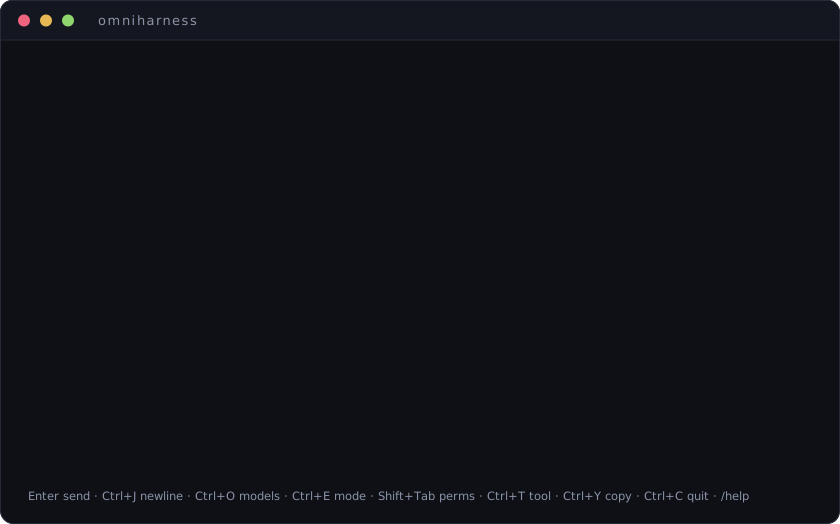
Why
If you use OmniRoute, generic coding agents feel slow against it — they were built for one provider and bolt routing on afterward. OmniHarness is the other way round: OmniRoute is the execution layer, and everything above it is native to that model. One provider/model intent goes out; routing, quota, failover, and provider translation stay where they belong. The harness stays fast on your gateway and still works if you point it somewhere else.
It ships as a terminal UI today; a web and desktop front end are on the roadmap over the same core.
Install
npm install -g omniharness-cli
omniharness            # launch the interactive TUI in the current directory
omniharness doctor     # check the gateway connection + auth, safely
omniharness models     # list the routing catalog — combos · auto/* · providers
Point it at your gateway (defaults shown):
export OMNIROUTE_URL=http://127.0.0.1:20128
export OMNIROUTE_API_KEY=sk-…          # Authorization: Bearer, in memory only — never written to disk
export OMNIROUTE_MGMT_TOKEN=sk-…       # optional: exposes OmniRoute's MCP tools to the agent
If the key is unset, the TUI asks for it on launch and holds it in memory only. It is redacted from every surface — logs, sessions, telemetry.
Modes
Cycle with Ctrl+E. Each reshapes the system frame and what the agent may touch.
| Mode | What it does | Tools | Approvals |
|---|---|---|---|
| plan | Investigate, name risks, produce a concrete plan | read-only | — |
| build | Implement with minimal changes; a mandatory read → change → verify discipline | full | prompts on writes & commands |
| research | Answer with evidence from the workspace | read-only | — |
| crazy | Fully autonomous. Auto-approves every call, keeps its own todo queue, and once a plan has ≥ 2 independent steps fans them out across parallel worker agents | full | auto |
Shift+Tab cycles a permission mode that is independent of the working mode — manual (ask before every write & command), accept edits (auto-approve file edits, still ask for commands), bypass (auto-approve everything). Crazy mode always runs as bypass.
The terminal
Everything on screen exists to make agent intent, action, and history legible — nothing decorative hides information.
- Native scrollback is the history. Settled turns flow straight into your terminal's own buffer; on exit the full plain-text transcript is restored to the primary screen — a real audit trail, no parallel log to maintain.
- Tear-free streaming via synchronized output (DECSET 2026), probed at startup alongside the kitty keyboard protocol.
- Route ribbon. Every reply is labelled with the provider it actually came from —
via openrouter (failover)— and failovers land in the transcript as first-class events. - Context meter against the resolved model's window, green → amber → red at 70 / 90 %.
- Per-tool cards —
$ cmdwith exit-coloured output,read,edit, unified diffs — collapsed by default,Ctrl+Tto expand. - Scoped-trust approvals —
yonce ·ndeny ·talways · pick a scope: exact command → base command → whole tool. - Swarm rail — one lane per parallel worker in crazy mode, coloured by identity, with live progress.
- Input stays live during a run: what you type is queued and sent the moment it ends.
Ctrl+Ycopies the last reply over OSC 52 (works through SSH); a bell + OSC 9 notification fire when a long run finishes unfocused.- Session resume, prompt history,
/find,/chapters, and aCtrl+Llayout-budget overlay.
| Key | Action |
|---|---|
Ctrl+O |
model picker (combos + auto/*) |
Ctrl+E |
cycle mode |
Ctrl+T |
expand / collapse the latest tool card |
Ctrl+Y |
copy the last reply to the clipboard |
Ctrl+L |
layout-budget overlay |
Ctrl+J |
newline (Shift+Enter on kitty terminals) |
Ctrl+C |
cancel the run, or quit when idle |
/help · /clear · /sessions · /save <name> · /forget <name> · /attach <files> · /find <text> · /chapters
Architecture
Two front ends over one core. internal/gateway is the only place that talks to OmniRoute — swap it for a direct provider or an in-process stub and the whole suite runs offline.
        TUI (npm, Ink/React)          headless CLI (Go, cobra)
                    \                 /
             ┌───────────────────────────────┐
             │          core runtime         │   wiring · lifecycle · typed event spine
             └───────────────┬───────────────┘
        task analyzer → strategy → orchestrator → agents
             │          │            │          │
          budget     policy      tools + MCP   evaluate → repair
                                     │
                          model selection (capability-based)
                                     │
                          gateway.Client  ──►  OmniRoute   ← the only boundary
The Go side (internal/**) carries the orchestration engine and a scriptable CLI:
omniharness doctor                       # check endpoint + auth, safely
omniharness run "fix the failing test"   # headless, current directory
omniharness stack                        # choose the model combo
omniharness stats                        # spend, tool use and outcomes — by model, tool and strategy
omniharness sessions | models | serve
Prebuilt binaries ship with every release — linux, macOS and Windows, amd64 and arm64. Download the archive for your platform, or build from a checkout with go build ./cmd/omniharness.
Each release carries a SHA256SUMS file:
sha256sum -c SHA256SUMS --ignore-missing
Note these are two different programs on a shared version line: omniharness-cli on npm is the terminal UI, and the release archives are this Go CLI.
Full write-up: docs/architecture.md.
Development
# TypeScript CLI
cd npm && npm install && npm test && npm run build

# Go core
gofmt -l ./cmd ./internal && go vet ./... && go test ./...
Every pull request runs ci.yml — gofmt, go vet, the Go suite, and the TypeScript suite + build — and both checks are required to merge. That is where the Go side is gated. A push to main that changes shipped code then runs publish.yml, which re-runs the TypeScript suite, publishes omniharness-cli via npm trusted publishing (OIDC) — no token is stored, provenance is attached automatically — then cross-compiles the Go CLI for all six targets and attaches them to a tagged GitHub release with notes generated from that release's commits.
A version number is something people depend on, so documentation, the landing page, tests and workflow edits do not cut one; a commit touching both docs and code still does. To release anyway — a corrected README inside the npm tarball, or a release that failed partway — run the workflow by hand from the Actions tab.
The Go suite is hermetic: tests pin an explicit workspace, so results never depend on whether your checkout has uncommitted changes. Point a run at a different tree with --workspace or OMNIHARNESS_WORKSPACE.
License
Reviews (0)
Sign in to leave a review.
Leave a reviewNo results found