cmux-pocket
Health Uyari
- License — License: AGPL-3.0
- Description — Repository has a description
- Active repo — Last push 0 days ago
- Low visibility — Only 9 GitHub stars
Code Gecti
- Code scan — Scanned 12 files during light audit, no dangerous patterns found
Permissions Gecti
- Permissions — No dangerous permissions requested
Bu listing icin henuz AI raporu yok.
Android app for cmux: watch and drive your Mac's cmux terminals and AI agents from your phone. Live multi-workspace streaming, QR pairing, Tailscale or Cloudflare Tunnel. Open source.
cmux Pocket



cmux Pocket is an independent Android companion for cmux on macOS, delivering authoritative multi-workspace terminal streaming, an immersive viewport, and one-tap QR pairing over a secure Gateway.
Disclaimer: Independent community project. Not affiliated with or endorsed by cmux. “cmux” identifies the compatibility target only.
Download Signed APK · Install with Obtainium · Quick Start · Networking Guide · Design System · Changelog
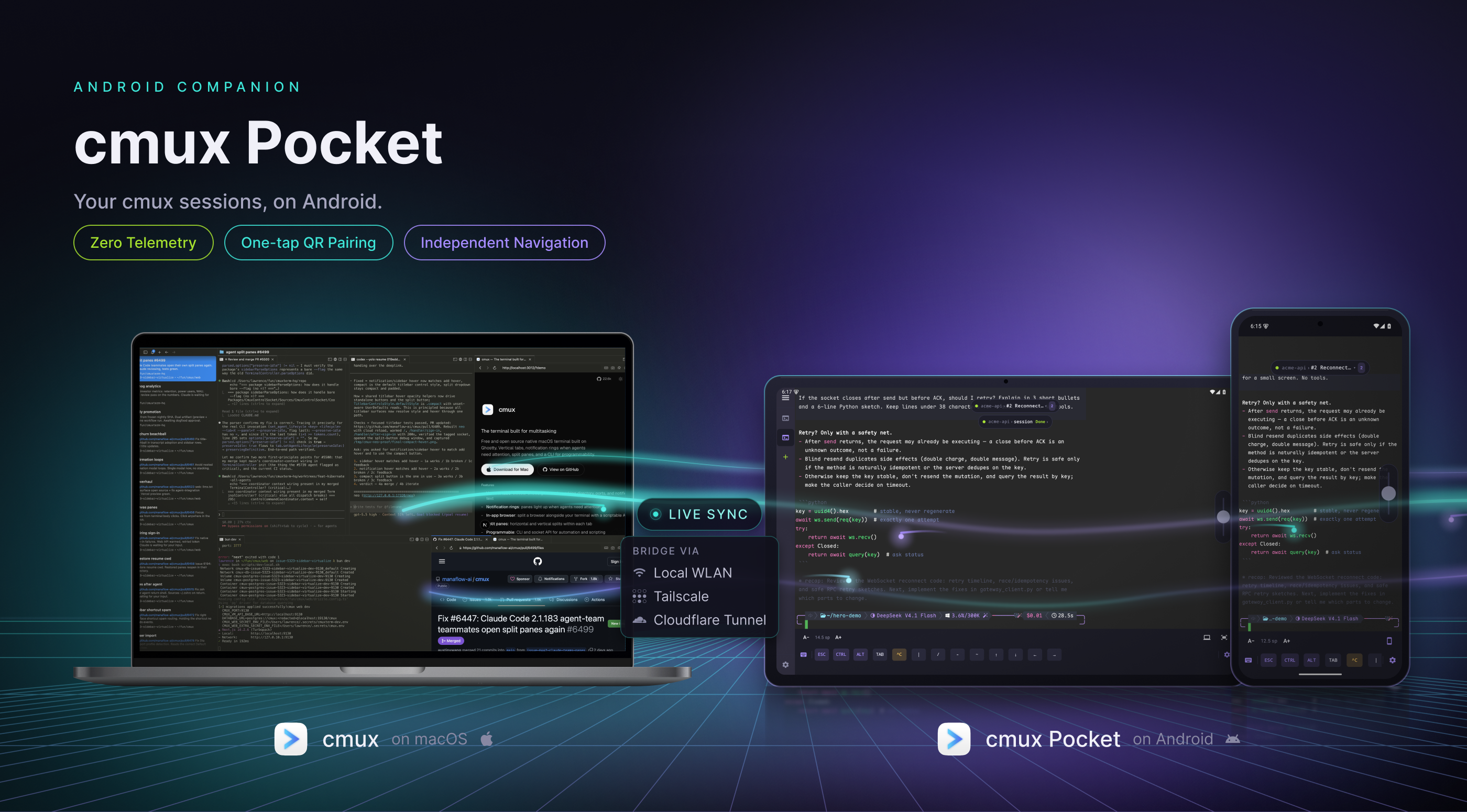
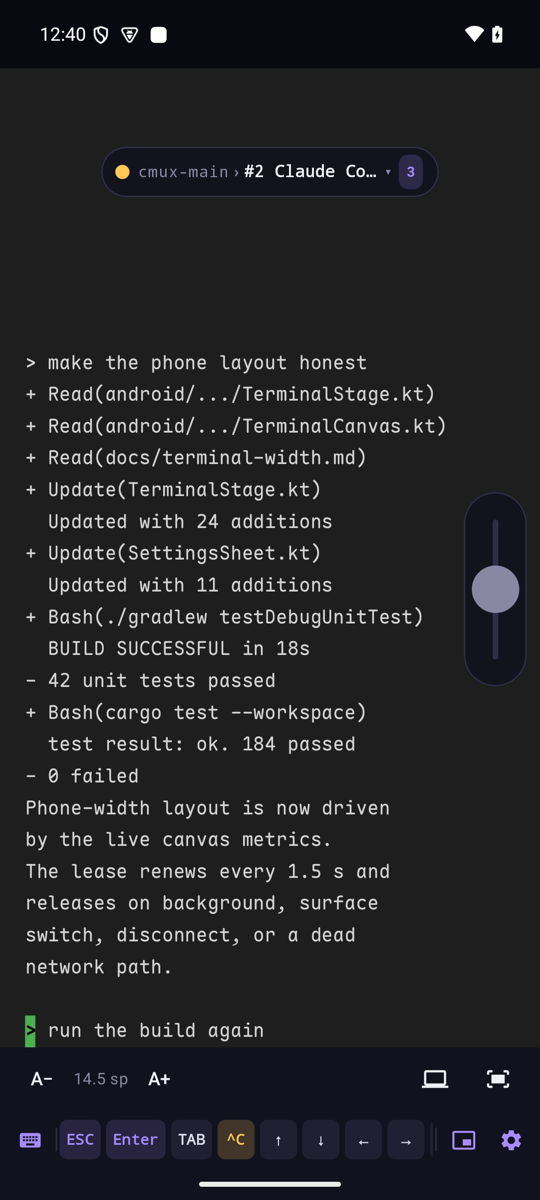
Screenshots
 |
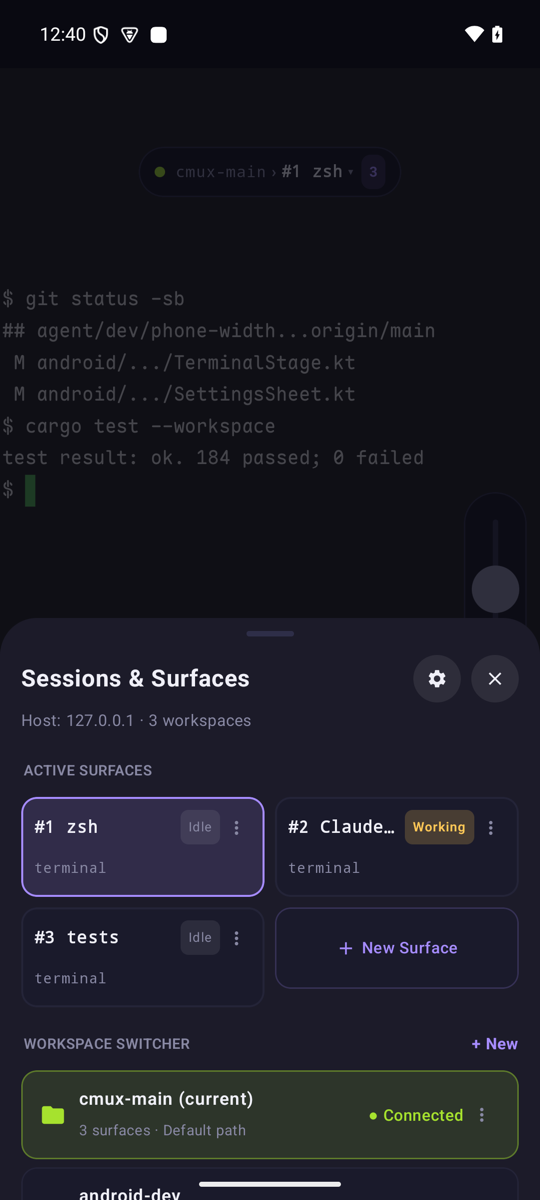 |
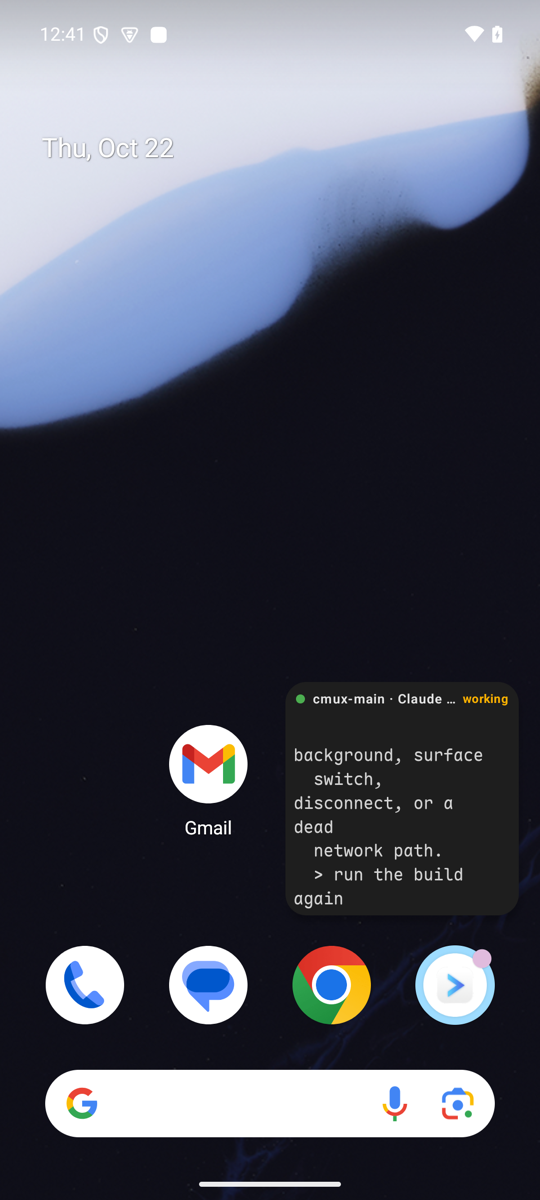 |
 |
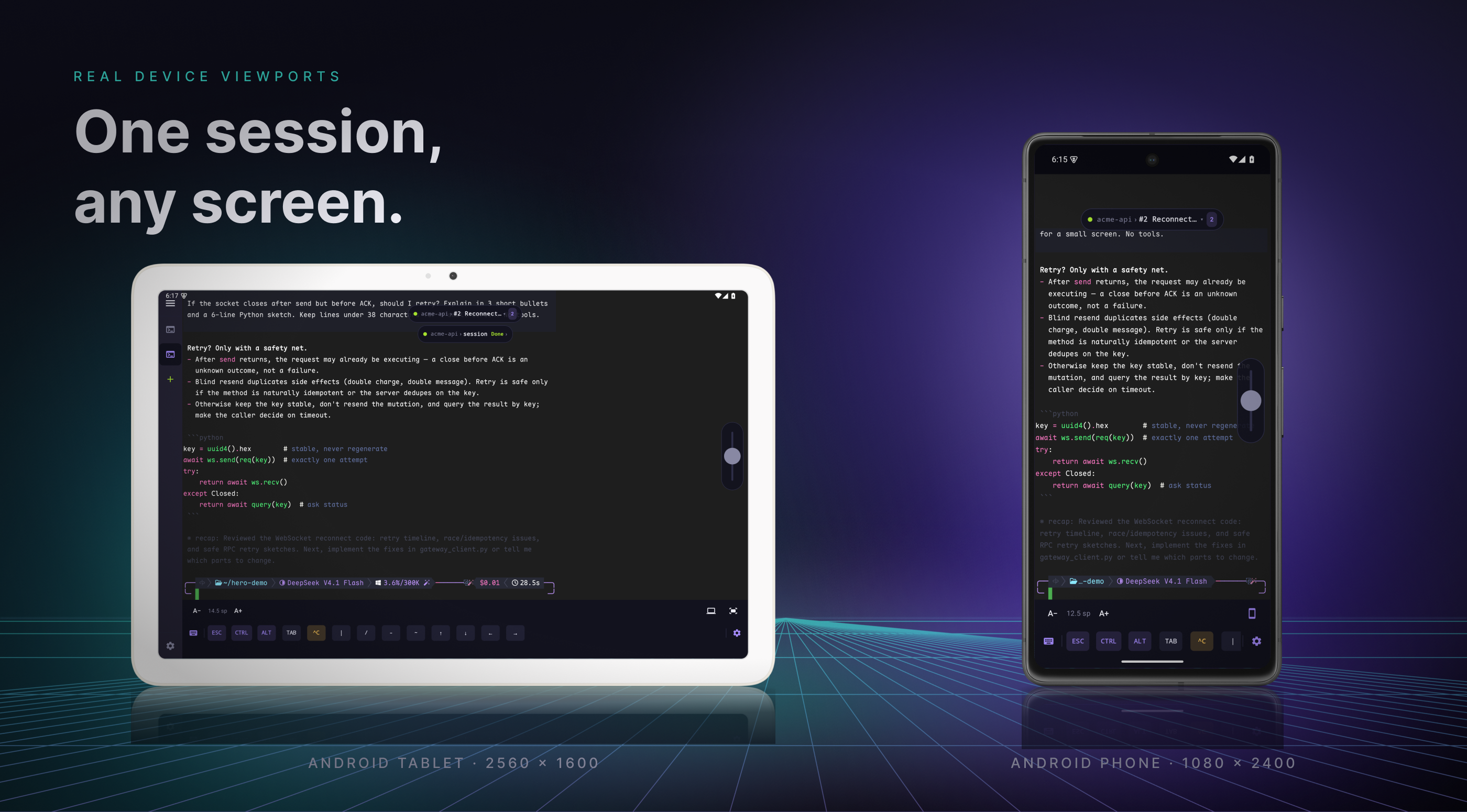
Captured on a 1080 × 2400 Android emulator against a local Gateway.
Highlights
- Pure Immersive Viewport & Floating Island: Fullscreen terminal canvas with a dynamic breadcrumb island pill (
[status] workspace > #session [count]) for instant session context, switching, and status indication. - Authoritative Terminal Streaming: Renders
cmux.render-grid.v1differential grid frames directly over WebSocket (wss://). The Mac owns the PTY and VT parsing—Android runs zero local shells, ensuring 100% terminal state fidelity. - Decoupled Dual-End Navigation: Switch workspaces or tabs on the phone without changing your Mac's active focus; main-screen scrollback stays local to Android while alternate-screen/TUI scrollback remains cmux-managed.
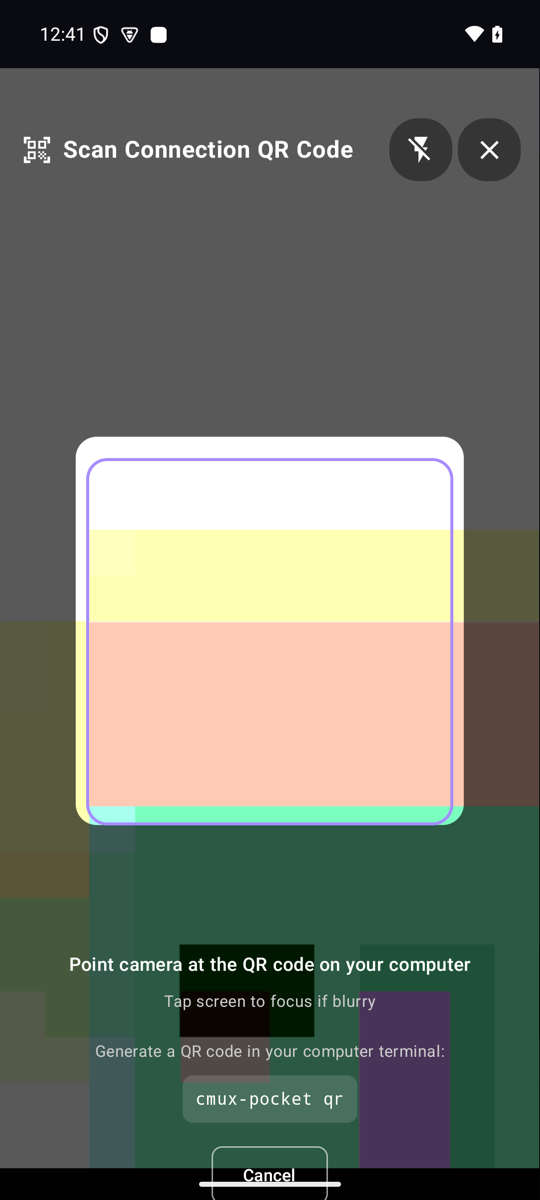
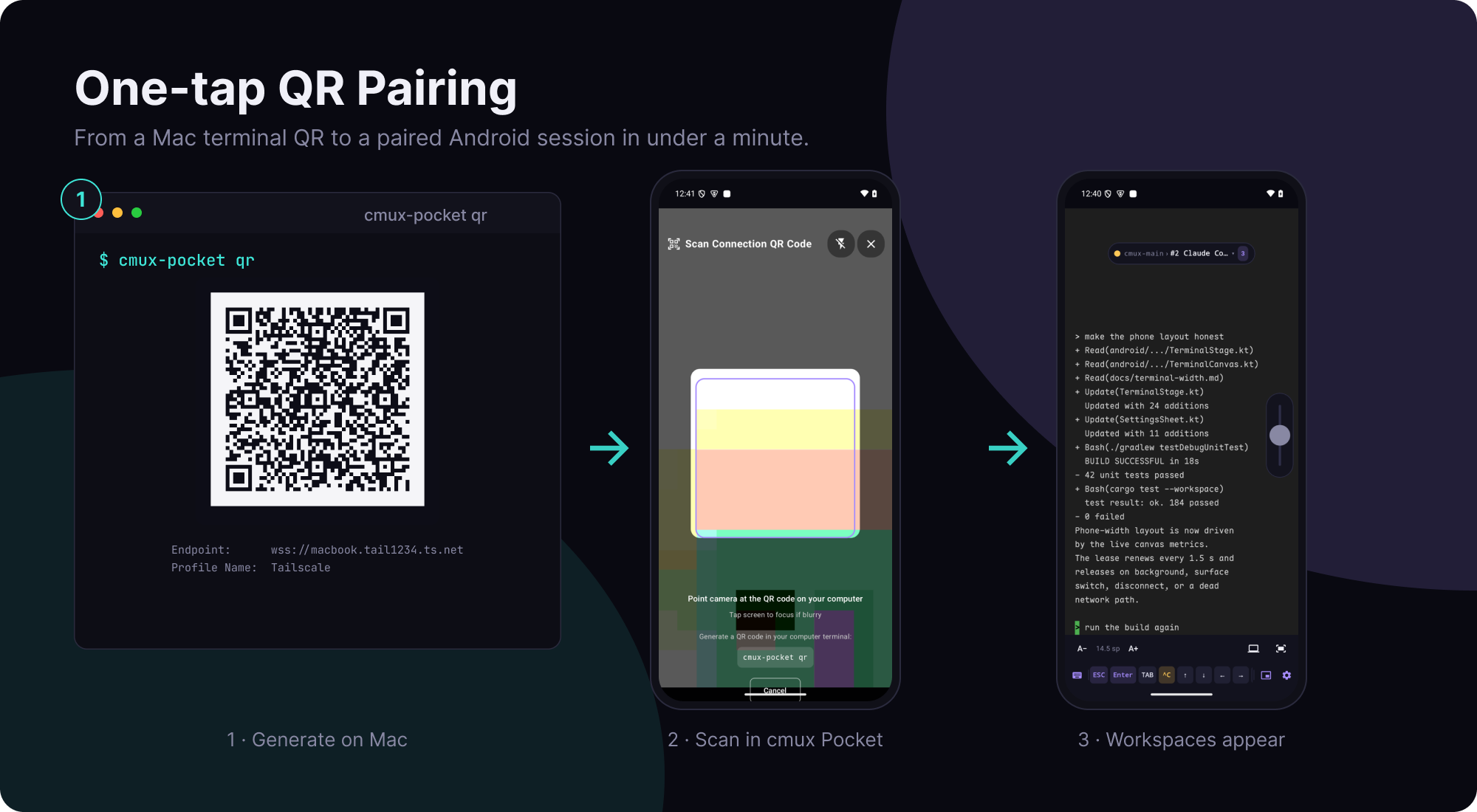
- One-Tap Pairing via CLI QR Code: Generate pairing QR codes in your Mac terminal (
cmux-pocket qr) — with an interactive picker for saved, Tailscale, Cloudflare Tunnel, and USB endpoints — and scan with the in-app camera for instant, validated profile import with overwrite protection. - Remote Wake & Version Transparency: If the Gateway is online but cmux.app is not running, the terminal offers Wake cmux on Mac and switches to the live terminal once the socket is ready. Settings → Connection shows the Gateway, app, and protocol versions with a compatibility badge and a copyable Mac upgrade command.
- Modernized Settings Hub: Sectioned navigation with a 500-line diagnostics log, profile backup/restore via clipboard, and an in-app GitHub Releases update checker.
- Neon Grid Color System: Unified violet/neon-cyan/lime color palette optimized for OLED screens, with a first-class tuned light mode and contrast WCAG AA compliance.
- High-Performance Rendering: Batched text runs, memoized ARGB cell parsing, and cached row pictures keep scrolling and resizing smooth.
- Bilingual Localization: Native English and 简体中文 support across all screens and notifications, switchable at runtime.
- Local-First & Zero Telemetry: Loopback-only Mac Gateway with a random bearer token and encrypted Android Keystore storage. There is no backend server and no analytics; the camera is used only for QR pairing, and notifications are optional.
Architecture
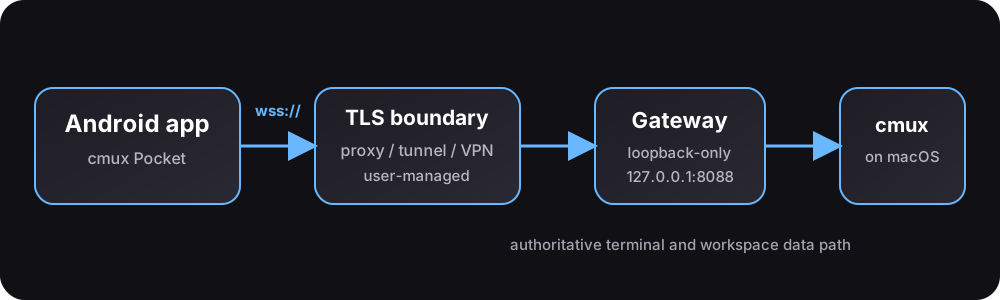
cmux Pocket uses a local-first, decoupled architecture:
- cmux (macOS): Runs the real terminal instances and manages terminal state, window geometry, and process lifecycles.
- cmux-pocket Gateway (macOS): A lightweight Rust daemon listening strictly on
127.0.0.1:8088. Queries cmux via its UNIX domain socket and streams differential render grids over WebSocket. - Secure Network Boundary: Tailscale HTTPS Serve (
.ts.net), LAN reverse proxy (Caddy / Nginx), or SSH/VPN tunnel terminates TLS before forwarding traffic to the loopback Gateway. - cmux Pocket (Android): A Jetpack Compose application rendering grid cells with Maple Mono Nerd Font, handling local touch gestures and accessory keyboard input without running a local terminal parser.
Quick Start
1. Prerequisites
- macOS: cmux installed and running (
cmux ping). - Android: Android 8.0+ (API 26+) device or emulator.
- Networking: Tailscale (recommended), Cloudflare Tunnel, or a user-managed TLS reverse proxy.
2. Install the macOS CLI & Gateway
Install the Gateway CLI via Homebrew and start the background service:
brew install shiquda/cmux-pocket/cmux-pocket
cmux-pocket setup
cmux-pocket status
cmux-pocket setup is idempotent: it provisions an authenticated bearer token with user-only permissions (0600), creates a macOS LaunchAgent, and tests local connectivity.
To upgrade, run cmux-pocket upgrade: it compares the installed build with the latest GitHub Release, hands the upgrade to whichever package manager installed the CLI (brew upgrade shiquda/cmux-pocket/cmux-pocket, or cargo install --force --git … --tag <release> cmux-pocket-cli), and restarts the LaunchAgent so the new Gateway serves the phone immediately. cmux-pocket upgrade --check only reports whether an update exists, and --json keeps it scriptable. The command never overwrites the binary itself: an install it cannot attribute to Homebrew or cargo install is reported with both commands to run by hand.
If cmux-pocket --version reports an older build than brew list --versions cmux-pocket, a duplicate binary earlier in PATH (for example an old ~/.local/bin/cmux-pocket from a manual cargo install) is shadowing Homebrew: remove it, then rerun cmux-pocket setup so the LaunchAgent points at the Homebrew opt path again. cmux-pocket upgrade prints the same warning when the registered LaunchAgent runs a different binary than the one it just upgraded.
3. Install the Android App
Install cmux Pocket using either Obtainium for source updates or by downloading the signed APK directly:
Option A: Automatic Updates via Obtainium (Recommended)
Obtainium checks GitHub Releases for updates and lets you install them on Android:
- In Obtainium, tap Add App and paste the repository URL:
https://github.com/shiquda/cmux-pocket - Leave the asset filter settings at default. Obtainium detects release APKs automatically (
app-release.apkon existing releases andcmux-pocket-vX.Y.Z.apkon upcoming releases). Do not add a custom filename filter that matches only one pattern. - Tap Add to fetch and install the release.
Option B: Direct Signed APK Download
Download the latest signed release APK directly from GitHub Releases and install it on Android.
Verification details:
- Application ID:
app.cmuxpocket - Signing Certificate SHA-256:
c801d49f10948b465936c3155fa5ffef4fea7b2a1b0f029804bf4a7ea68282fa
4. Pair with Android in One Tap
Generate a pairing QR code in your Mac terminal:
cmux-pocket qr
In a terminal this opens an interactive picker with the first endpoint's QR already rendered:
switch between saved endpoints, a verified Tailscale Serve route, Cloudflare Tunnel hostnames,
and USB with ↑/↓ and the QR re-renders live; press Enter to confirm that endpoint. --endpoint
skips the picker, and --no-interactive, --json, and --url-only keep single-shot behavior.
Save additional endpoints once:
cmux-pocket endpoint add wss://gateway.lan.example --name LAN
cmux-pocket endpoint list
Pairing steps on your phone:
- Open Settings → Connection and tap Scan QR.
- Point your camera at the Mac terminal. Review the Import Preview dialog and tap Import & Connect.
Your cmux workspaces and tabs appear immediately on Android.
Interface & Interactions
Terminal Navigation & Sessions
- Floating Island Pill: Shows current workspace, active session number, and connection status. Tapping the pill opens the Sessions & Surfaces Drawer to switch workspaces or create new tabs on the fly.
- Landscape Sidebar: On wider screens and landscape orientation, a collapsible sidebar displays workspaces and tabs alongside the terminal.
Touch Gestures & Viewport
- Pinch to Zoom: Adjust text size smoothly via pinch gesture, or use A− / A+ controls.
- Pan & Scroll: Drag with one or two fingers to scroll through scrollback or navigate wide columns.
- Double Tap: Instantly fits the terminal width to your screen.
- Phone-width layout: The bottom bar's Width control shows the computer's grid and the grid the phone would request, then asks cmux to resize the shared PTY so host-side TUIs reflow for the phone. A restore button returns to the Mac layout; backgrounding or leaving a surface releases this device's report. The mode is shared, the host clamps it, and another connected client always wins the minimum — see docs/terminal-width.md.
- Contextual Action Bubble: Long-press any terminal text to select and access one-tap actions: Copy selection, Copy screen, Paste at cursor, Send interrupt (Ctrl+C), or Clear screen.
Accessory Keyboard Bar
A compact, scrollable accessory row above the keyboard provides the developer keys missing from mobile software keyboards: ESC, Enter, TAB, ^C, navigation arrows (↑, ↓, ←, →), symbol shortcuts (|, /, -, ~), plus shortcuts for the floating window and settings. The full Computer Keyboard panel (F1–F12, function combinations) is one tap away.
Settings & Diagnostics
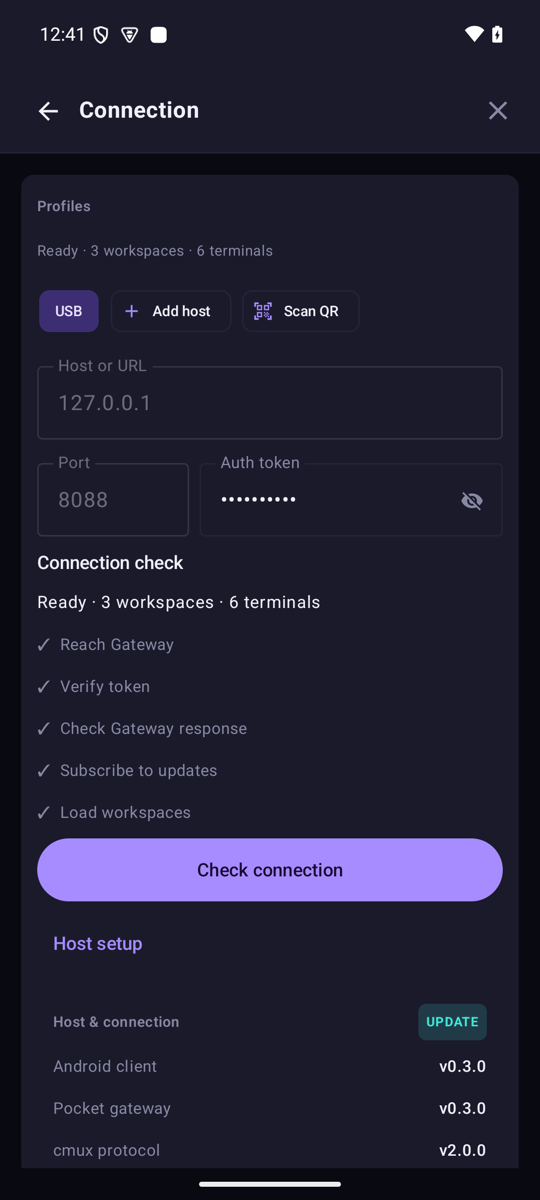
- Connection Profiles: Manage multiple hosts (Tailscale, LAN, Cloudflare Tunnel, USB Reverse) with encrypted credential storage in Android Keystore.
- Gateway Versions & Upgrades: The Connection page reports Gateway, app, and cmux protocol versions, flags protocol mismatches or a Gateway that lacks remote wake, and offers a one-tap copy of the Mac upgrade command plus a direct latest-APK link.
- Live Diagnostics: Built-in 500-line log captures WebSocket handshakes, connection state changes, and RPC traffic. Export redacted JSON logs directly to clipboard for troubleshooting.
- Data & Backup: Export and import host profiles via clipboard JSON. Export asks whether to include the Gateway access keys: without them the JSON carries endpoints only, and you can fill a key in after importing.
- In-App Updates: Check for new releases directly against GitHub Releases and download updated APKs in one tap.
Networking Options
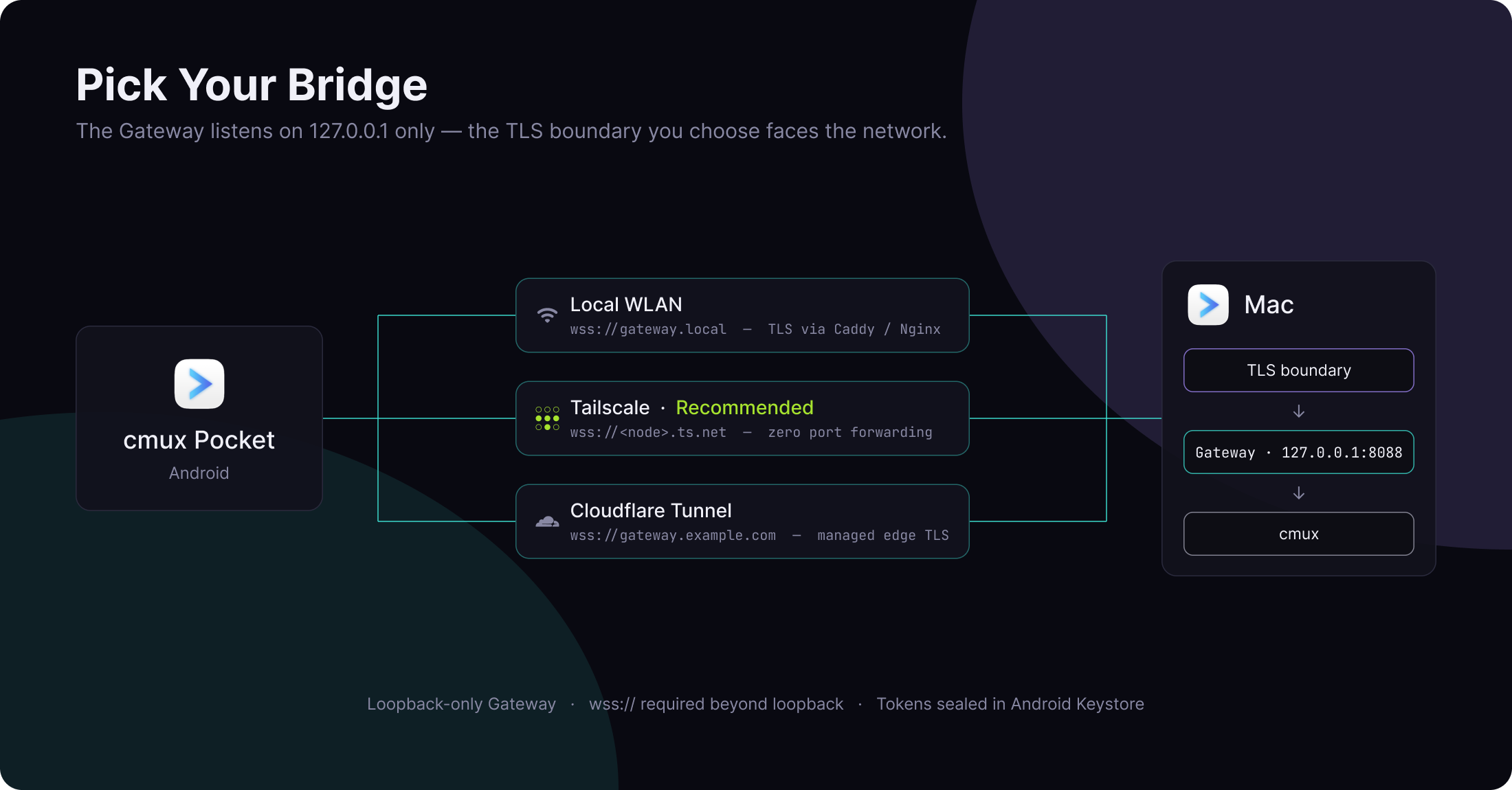
| Method | Endpoint | Security | Recommended For |
|---|---|---|---|
| Tailscale (Recommended) | wss://<node>.ts.net:443 |
TLS via Tailscale HTTPS | Remote and LAN use with zero port forwarding |
| LAN Reverse Proxy | wss://gateway.local |
TLS (Caddy / Nginx / Certbot) | High-speed local network setups |
| USB Reverse (Dev) | ws://127.0.0.1:8088 |
Cleartext loopback only | Local testing with adb reverse tcp:8088 tcp:8088 |
🔒 Security Notice: The Gateway strictly refuses non-loopback binds. The Android client requires
wss://for any non-loopback address. Cleartextws://is strictly limited to loopback/USB testing.
For detailed Caddy, Nginx, Tailscale Serve, and LaunchAgent configurations, see docs/networking.md.
Development & Building
Requirements
- Rust: 1.75+ (stable)
- Android: JDK 17, Android SDK 35
- Python: 3.11+ (legacy gateway reference test suite only)
Rust Gateway & CLI
# Run unit and integration tests
cargo test --workspace --locked

# Run CLI doctor diagnostics
cargo run -p cmux-pocket-cli -- doctor --offline --json

# Build release CLI binary
cargo build --release -p cmux-pocket-cli
Android App
cd android

# Run unit tests
./gradlew testDebugUnitTest

# Assemble debug APK
./gradlew assembleDebug

# Stop Gradle daemon after build (resource hygiene)
./gradlew --stop
Releases & Changelog
Release bodies are generated directly from CHANGELOG.md. Before tagging a v* release, add a ## [X.Y.Z] - YYYY-MM-DD section. The release workflow extracts this section using scripts/release-notes-from-changelog.sh to populate GitHub Releases notes automatically. Bump the workspace version in Cargo.toml and the Android versionName to the tag's number first: the APK workflow rejects a mismatched versionName, and the Homebrew tap rejects a tag whose Cargo.toml version differs.
The Gateway's formula lives only in shiquda/homebrew-cmux-pocket. Its scheduled workflow resolves the latest GitHub Release, verifies that tag's Cargo.toml, and rewrites Formula/cmux-pocket.rb to install that tag at its exact commit, so brew upgrade reaches a new Gateway without editing the tap by hand. This repository intentionally keeps no copy of the formula.
Security & Vulnerability Reporting
- Loopback Enforcement: The Gateway strictly binds to
127.0.0.1. - Encrypted Storage: Connection profiles and auth tokens are stored using
EncryptedSharedPreferencesbacked by the Android Keystore. Android app backup (allowBackup) is disabled. - Data Protection: Zero telemetry, zero analytics, zero external cloud servers.
- Reporting: Report security vulnerabilities privately via GitHub's Security Advisory. Never post tokens, tunnel URLs, or credentials in public issues.
License
- Code: Licensed under the GNU Affero General Public License v3.0 (AGPL-3.0).
- Fonts: Bundled Maple Mono NF is licensed under the SIL Open Font License 1.1.
- See THIRD_PARTY_NOTICES for third-party dependencies.
Yorumlar (0)
Yorum birakmak icin giris yap.
Yorum birakSonuc bulunamadi