fenna
Health Uyari
- License — License: AGPL-3.0
- Description — Repository has a description
- Active repo — Last push 0 days ago
- Low visibility — Only 5 GitHub stars
Code Basarisiz
- spawnSync — Synchronous process spawning in apps/crew-mobile/scripts/apk.mjs
- process.env — Environment variable access in apps/crew-mobile/scripts/apk.mjs
- exec() — Shell command execution in apps/crew-mobile/src/bridge.ts
Permissions Gecti
- Permissions — No dangerous permissions requested
Bu listing icin henuz AI raporu yok.
Always-on AI bots that work on your own computer with the Claude Code, Codex or Antigravity plan you already have. Builder makes the apps and tools they need. Free, open source, no account.

Fenna Crew
A crew of always-on bots that do real work on your own computer, with the AI plan you already pay for.
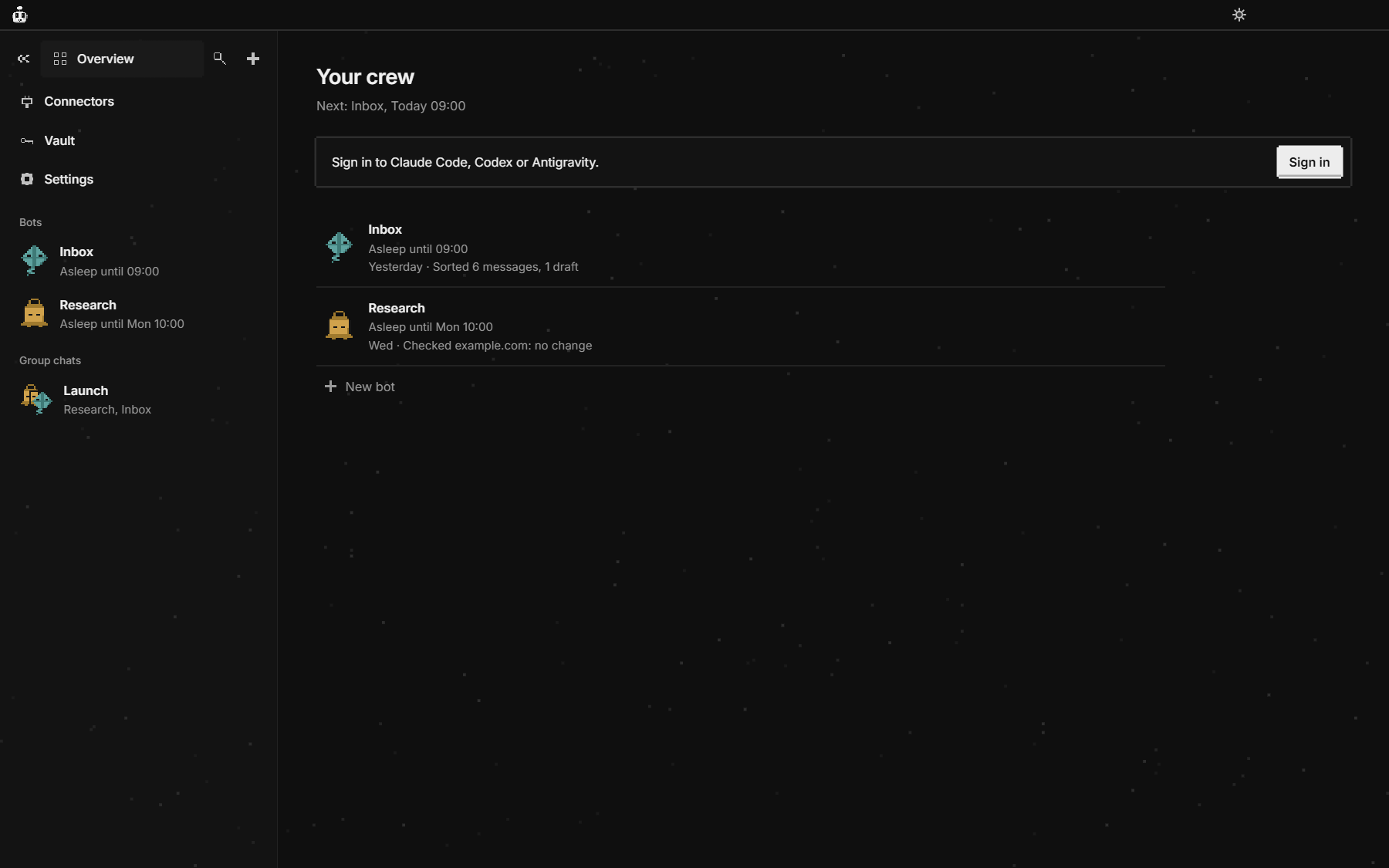
Give a bot a job and a schedule. It wakes on time, or when you message it,
and works on its own computer: a real browser, its own files, and Fenna's
slides, docs, sheets, whiteboard and design editors. You watch it work and
can take control at any moment.
- Builder makes the apps it needs. Every crew comes with Builder: ask
for an app or a tool and it builds it on its computer, tests it, and then
uses it for you. Apps run sealed, with only what you allow. It also builds
and runs small Node websites. - Its own computer. Each bot has a desktop with a browser (up to 8 tabs,
sign-ins kept), a file library and the Fenna editors as windows. - Files in and out. Drop files and images into a chat; bots read Excel,
CSV and pictures, hand files to each other, and you drag files back out. - Many chats per bot. Start a new chat, compact a long one, see how full
the context is; scheduled runs keep their own Runs chat. - Group chats. Put bots in a team and @mention who should answer.
- Bots in your calls. Send a bot a Google Meet link. It joins, keeps a
transcript from the captions, answers in the meeting chat when you say its
name, and shares its screen to show a doc as it writes it. - Skills, memory and usage. Give bots skills, import what another AI
remembers about you, and see each CLI's and bot's usage. Bots can also run
on local models. - Connectors and a vault. Give a bot MCP connectors and saved logins;
it never sees a password, the app fills it. - Use the AI you already pay for. Bots run Claude Code, Codex or
Antigravity on your own plan, on this computer. - No account. Your files stay yours. A crew is a plain folder on your
computer; nothing is uploaded. Crew sends an anonymous daily count of how
it is used, which you can turn off (what is sent).
The editors your bots work in
Crew opens these as windows in each bot's computer. Each one is also its own
free app, and any AI can work in it through MCP as easily as you can:
| App | For | |
|---|---|---|
 |
Fenna Slides | Decks and presentations, with present mode and PowerPoint, PDF and web export |
 |
Fenna Docs | Memos, plans and notes, with tabs, comments and suggested edits, and Word and Markdown export |
 |
Fenna Sheets | Spreadsheets with formulas, charts and conditional formatting, and Excel and CSV import and export |
 |
Fenna Whiteboard | Brainstorms, flowcharts and retros on an infinite canvas |
 |
Fenna Design | A canvas of artboards for screens, landing pages, posters and social posts, exported to PNG, SVG and PDF |
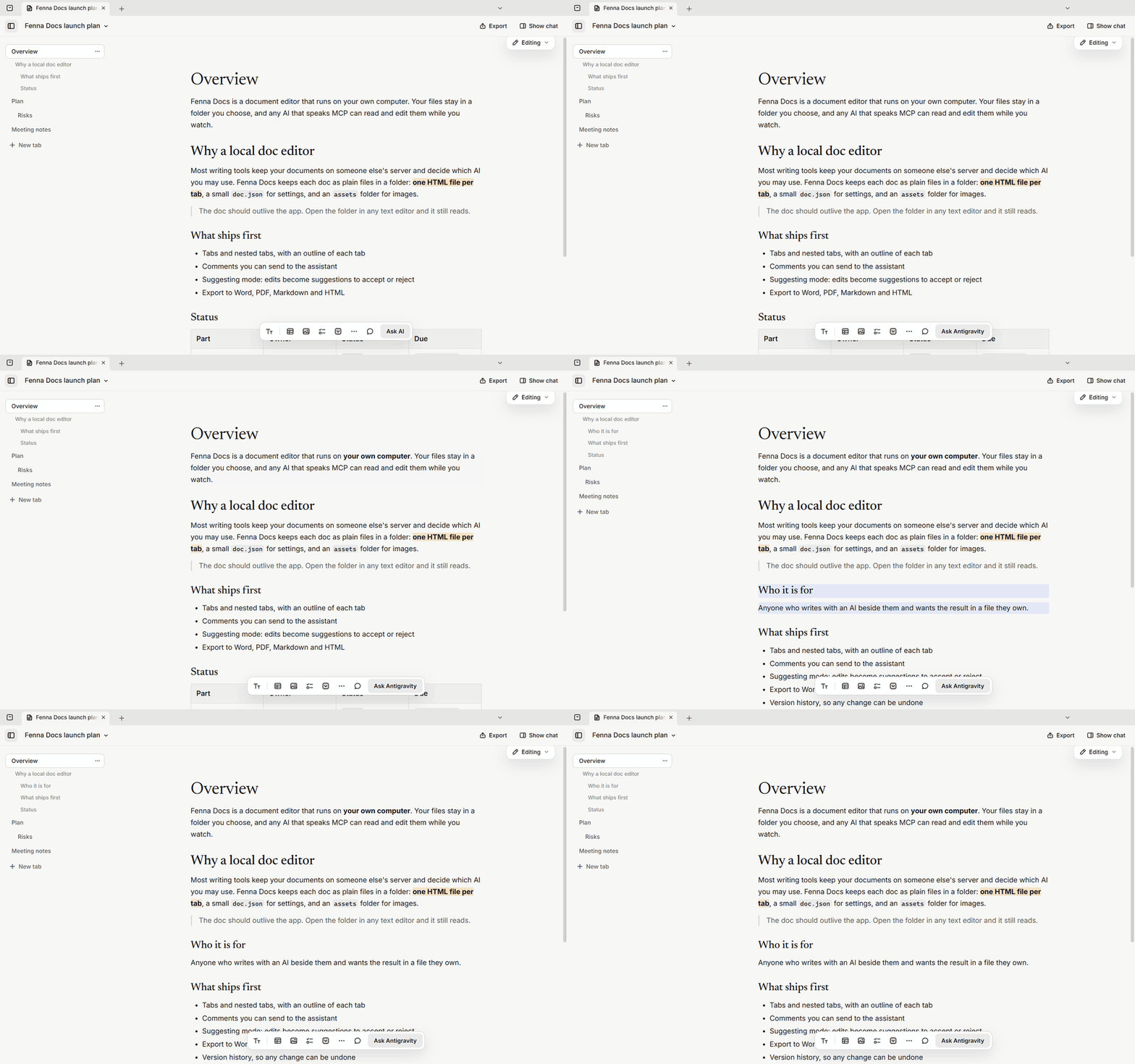
Edits made through the MCP server land in the open doc as they happen.
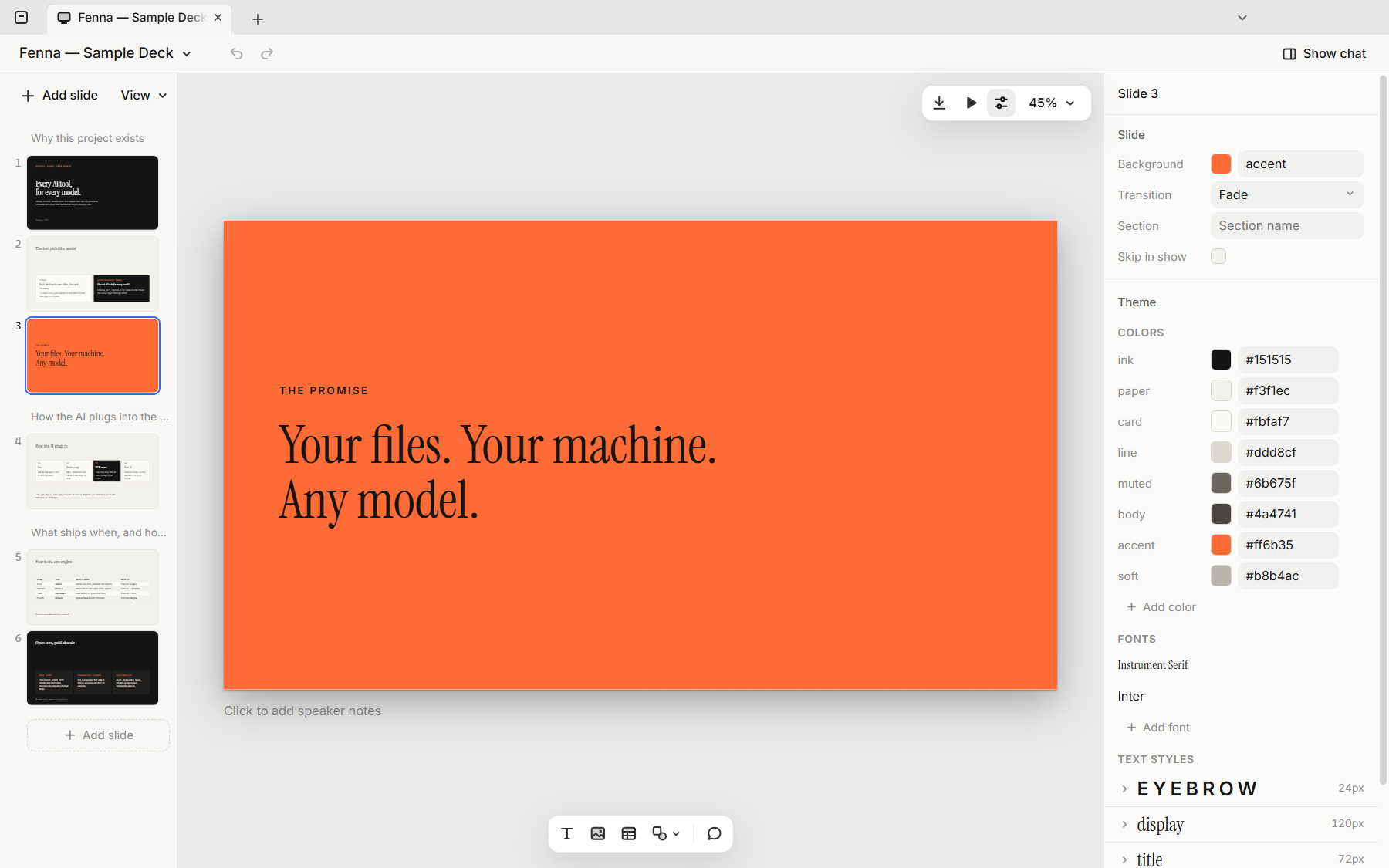 Slides |
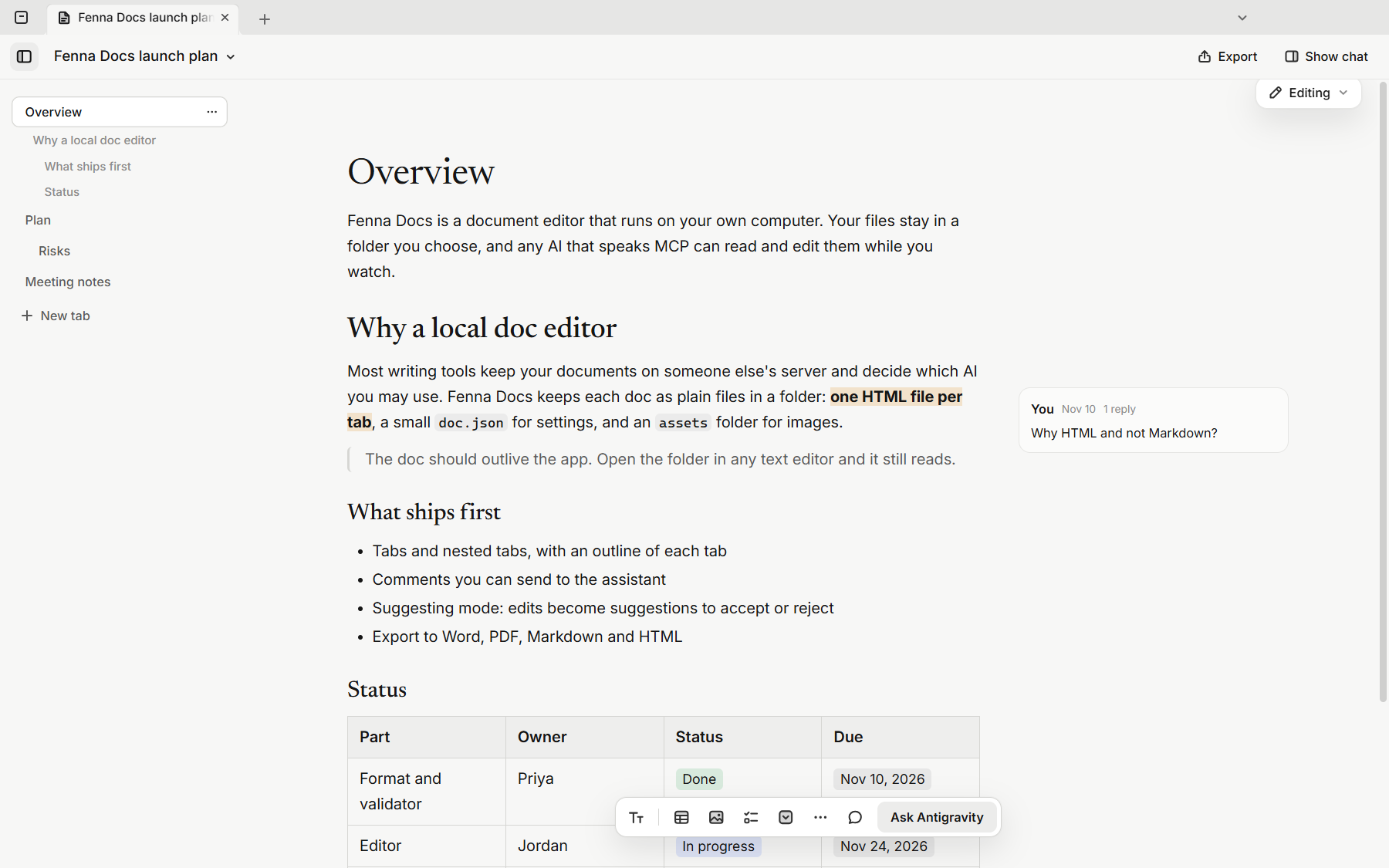 Docs |
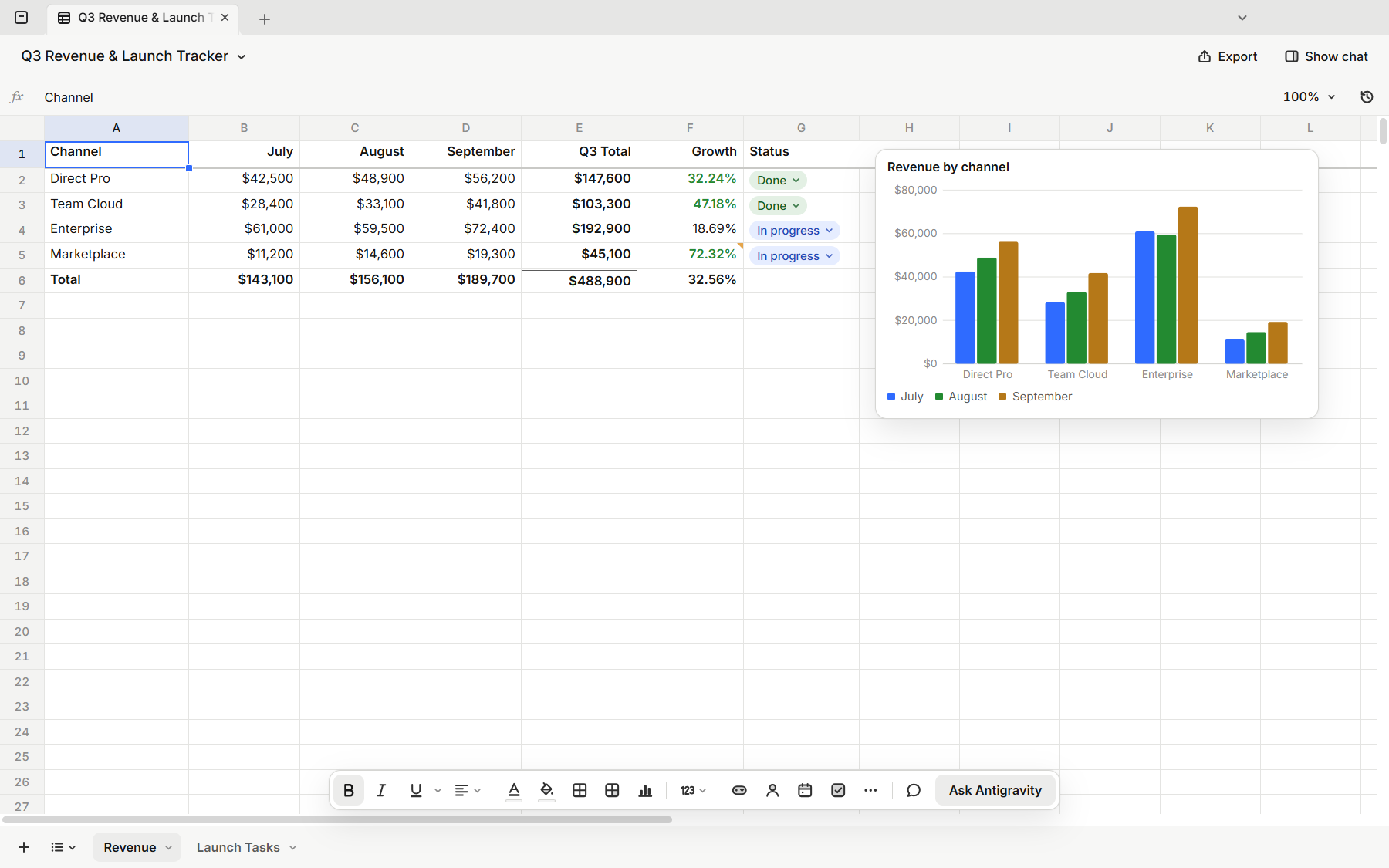 Sheets |
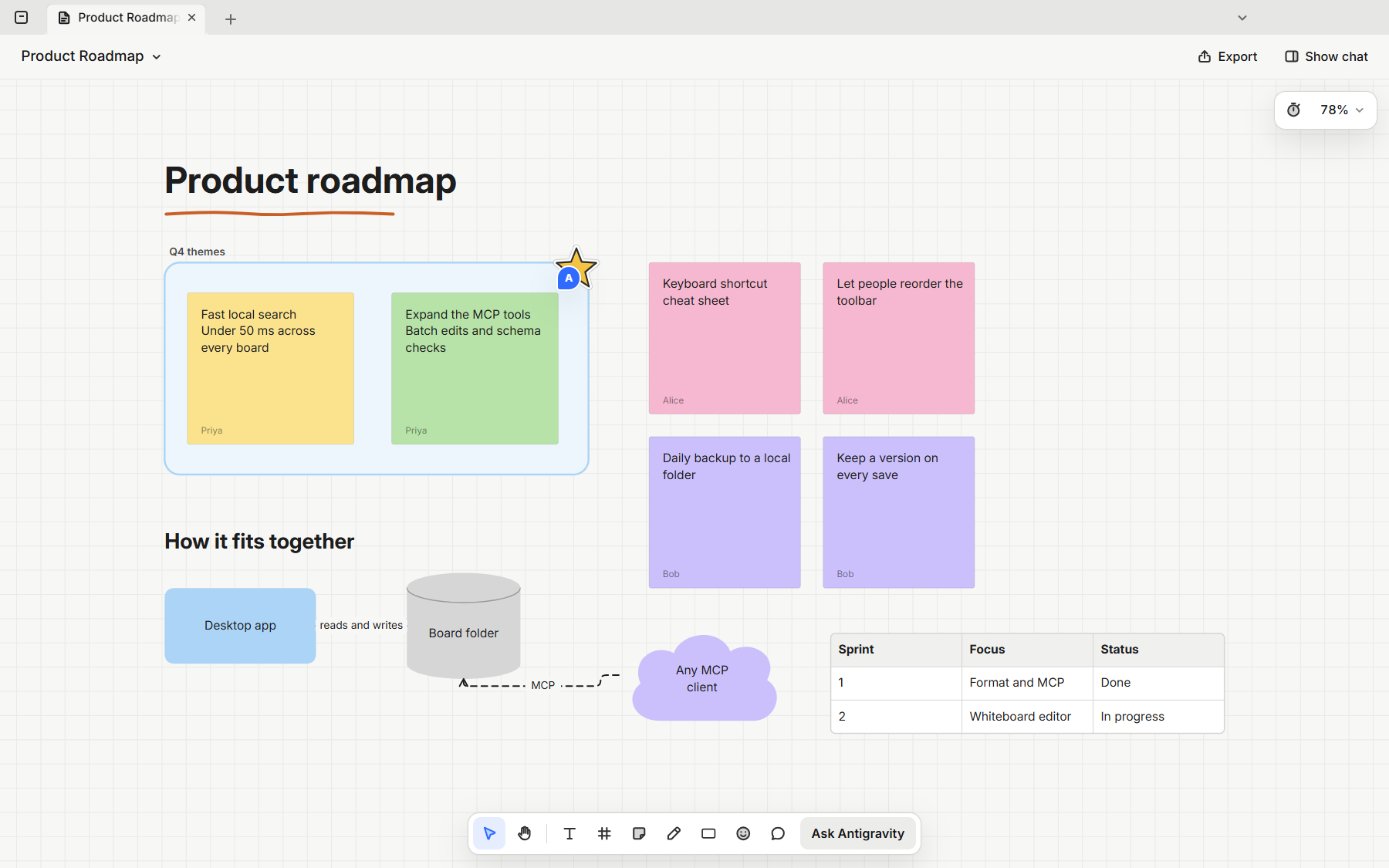 Whiteboard |
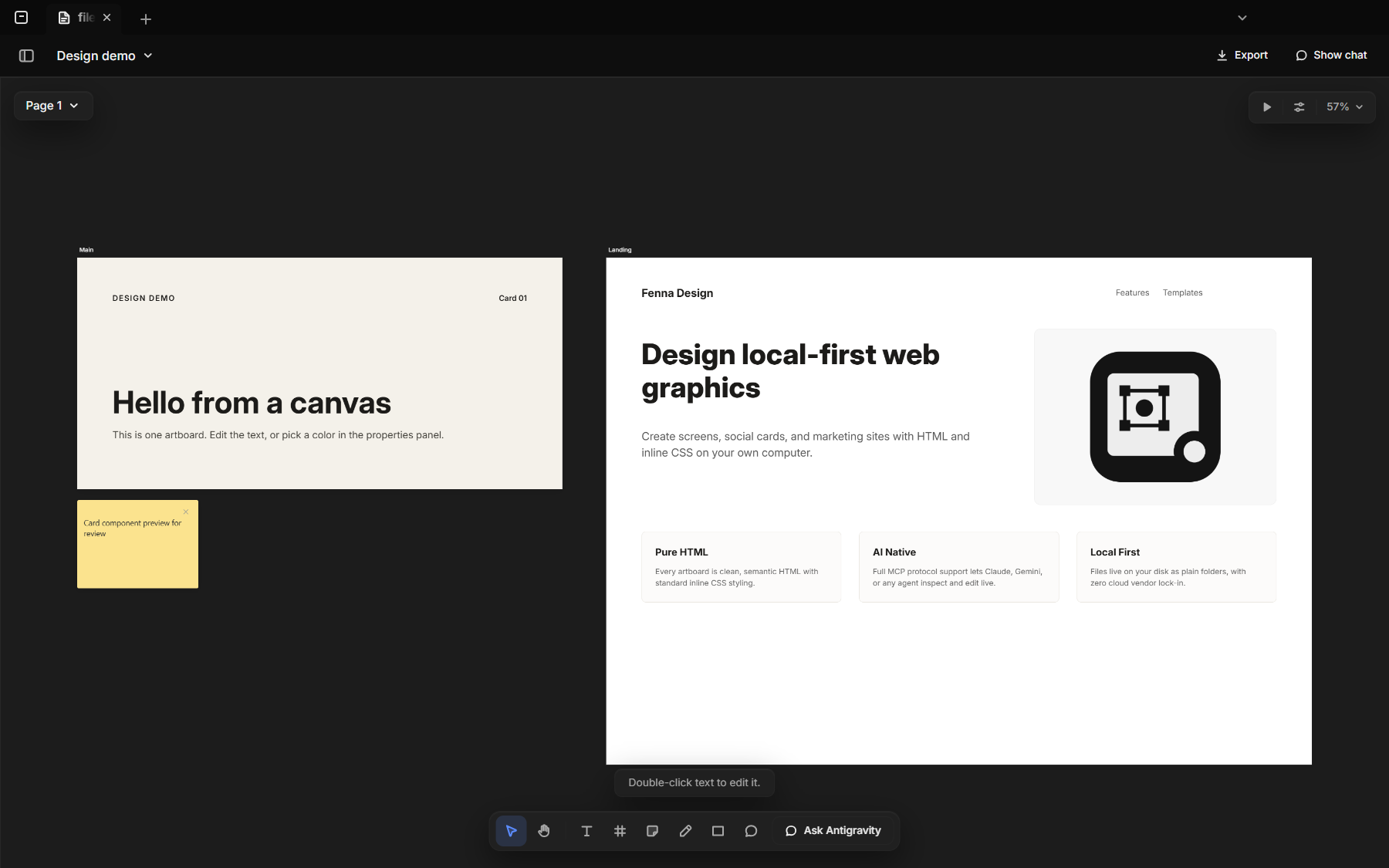 Design |
Fenna is new (version 0.9). Expect rough edges, and please
tell us about them.
Coming next: Fenna Data, Brand, Meeting and Motion, built side by
side; bots already join Google Meet calls. See the roadmap.
Download
Get Fenna Crew, and the editors as their own apps if you want them, from the latest release:
| Windows | macOS (Apple silicon / Intel) | Linux | |
|---|---|---|---|
| Crew | Fenna-Crew-…-setup.exe |
Fenna-Crew-…-arm64.dmg / -x64.dmg |
.AppImage or .deb |
| Slides | Fenna-Slides-…-setup.exe |
Fenna-Slides-…-arm64.dmg / -x64.dmg |
.AppImage or .deb |
| Docs | Fenna-Docs-…-setup.exe |
Fenna-Docs-…-arm64.dmg / -x64.dmg |
.AppImage or .deb |
| Sheets | Fenna-Sheets-…-setup.exe |
Fenna-Sheets-…-arm64.dmg / -x64.dmg |
.AppImage or .deb |
| Whiteboard | Fenna-Whiteboard-…-setup.exe |
Fenna-Whiteboard-…-arm64.dmg / -x64.dmg |
.AppImage or .deb |
| Design | Fenna-Design-…-setup.exe |
Fenna-Design-…-arm64.dmg / -x64.dmg |
.AppImage or .deb |
The apps aren't code-signed yet, so your system will ask before the first start:
- Windows: "Windows protected your PC" → More info → Run anyway.
- macOS: open the app once, then System Settings → Privacy & Security →
Open Anyway. - Linux AppImage: make it executable (
chmod +x Fenna-*.AppImage), then run it.
When a new version is out, Home shows it with a download link. Nothing
installs by itself.
Use it with any AI
Each app comes with an MCP server. The chat inside the app uses it already;
any other MCP client can use it on a file directly. From a clone of this
repository (Node 22.18 or later, which runs TypeScript directly):
npm install
node packages/workspace-mcp/src/cli.ts --workspace examples     # fenna-workspace-mcp (all five kinds of file)
node packages/mcp/src/cli.ts          --deck   examples/sample-deck     # fenna-slides
node packages/doc-mcp/src/cli.ts      --doc    examples/sample-doc      # fenna-docs
node packages/sheet-mcp/src/cli.ts    --sheet  examples/sample-sheet    # fenna-sheets
node packages/board-mcp/src/cli.ts    --board  examples/sample-board    # fenna-whiteboard
node packages/artboard-mcp/src/cli.ts --design examples/sample-design   # fenna-design
For example, in Claude Code:
claude mcp add fenna-docs -- node /path/to/fenna/packages/doc-mcp/src/cli.ts --doc /path/to/my-doc
| Server | Tools |
|---|---|
fenna-workspace-mcp |
workspace_overview, workspace_guide, deck_overview, read_slides, write_slide, edit_slide, doc_overview, read_tab, write_tab, edit_blocks, sheet_overview, read_range, write_cells, board_overview, read_board, add_board_items, design_overview, read_artboard, write_artboard |
fenna-slides |
deck_overview, format_guide, read_slides, edit_slide, write_slide, write_slides, check_slide, delete_slides, arrange_slides, update_deck, read_comments, comment |
fenna-docs |
doc_overview, format_guide, read_tab, edit_blocks, write_tab, check_tab, delete_tab, update_doc, read_comments, comment |
fenna-sheets |
workbook_overview, format_guide, read_range, find, write_cells, format_cells, clear_cells, edit_structure, manage_rules, manage_charts, add_sheet, delete_sheet, update_workbook, read_comments, comment |
fenna-whiteboard |
read_board, add_items, edit_items, delete_items, arrange, rename_board, format_guide, read_comments, comment |
fenna-design |
design_overview, format_guide, read_artboards, edit_artboard, write_artboard, check_artboard, delete_artboards, arrange_artboards, update_design, read_comments, comment |
Every edit is checked against the file format and saved whole or not at all.
Files carry versions, so an AI never overwrites a change you made after it
last read.
How a file works
| App | Folder |
|---|---|
| Slides | deck.json (title, slide order, sections, theme) and one small HTML file per slide in slides/ |
| Docs | doc.json (title, tabs, fonts) and one HTML file per tab |
| Sheets | sheet.json (title, locale, sheet list) and one JSON file per sheet |
| Whiteboard | board.json and canvas.json (every item and connector) |
| Design | design.json (pages, artboard positions, tweaks, text styles) and one standalone HTML file per artboard in artboards/ |
| Crew | bots/<name>/bot.md (job, schedule, AI), state.json (chats), one JSON-lines log per run in runs/, and the bot's documents in library/ |
Images and fonts sit in assets/. The formats are strict, documented
subsets that people and models can both read and write by hand.
Build from source
npm install
npm test
npm run typecheck
npm run build -w @opendeck/crew-app       # Fenna Crew (builds the five editors it opens, too)
npm start -w @opendeck/crew-app            # run Fenna Crew
npm run dev -w @opendeck/desktop           # one editor with hot reload (also docs, sheets, whiteboard, design)
npm run dist -w @opendeck/crew-app         # installers in apps/crew/release/
On Windows, use PowerShell and a path with a capital drive letter
(D:\...). The code's internal package names (@opendeck/*) are from
before the Fenna name.
Repository
packages/shell        what every app shares: tabs, Home, the AI chat, UI kit
packages/format       slides: format          packages/mcp        slides: MCP server
packages/render       slides: one renderer for editor, thumbnails, present and export
packages/doc          docs: format            packages/doc-mcp    docs: MCP server
packages/sheet        sheets: format          packages/sheet-mcp  sheets: MCP server
packages/board        whiteboard: format      packages/board-mcp  whiteboard: MCP server
packages/artboard     design: format          packages/artboard-mcp  design: MCP server
packages/crew         crew: bot folder format  packages/crew-mcp   crew: MCP servers for bots
packages/workspace-mcp  one MCP server for all five kinds of file
apps/crew             Fenna Crew
apps/workspace        Fenna Workspace, retired; Crew reuses its folder hosts
apps/desktop          Fenna Slides            apps/docs           Fenna Docs
apps/sheets           Fenna Sheets            apps/whiteboard     Fenna Whiteboard
apps/design           Fenna Design
examples/             a sample of each kind of file
Contributing
Bug reports and pull requests are welcome. Read CONTRIBUTING.md
first: it has the code rules, and every contributor signs the
Contributor License Agreement once.
- Where it's going: ROADMAP.md
- Security problems: SECURITY.md
- What the apps send over the network: PRIVACY.md
- Using the Fenna name: TRADEMARKS.md
License
AGPL-3.0. A commercial license is available for companies that
want to ship Fenna inside a closed product or service; open an issue to ask.
Fenna is made by Sidhilynx.
Yorumlar (0)
Yorum birakmak icin giris yap.
Yorum birakSonuc bulunamadi