tugra
Health Warn
- License — License: AGPL-3.0
- Description — Repository has a description
- Active repo — Last push 0 days ago
- Low visibility — Only 5 GitHub stars
Code Fail
- rm -rf — Recursive force deletion command in .github/workflows/release.yml
Permissions Pass
- Permissions — No dangerous permissions requested
No AI report is available for this listing yet.
Open-core, self-hostable PaaS for fleets and AI agents — deploy & operate apps + databases across your own servers.

Tugra
Your seal on every server.
Open-core, self-hostable PaaS built for fleets and AI agents.



Website · Docs · Releasing · Roadmap
 English ·
 Türkçe ·
 Español ·
 Deutsch ·
 Français ·
 Português ·
 简体中文 ·
 日本語
Status: Beta. Under active development; APIs may change between minor releases. Stars, issues and feedback are very welcome — see the beta tester guide for what to try and how to report.
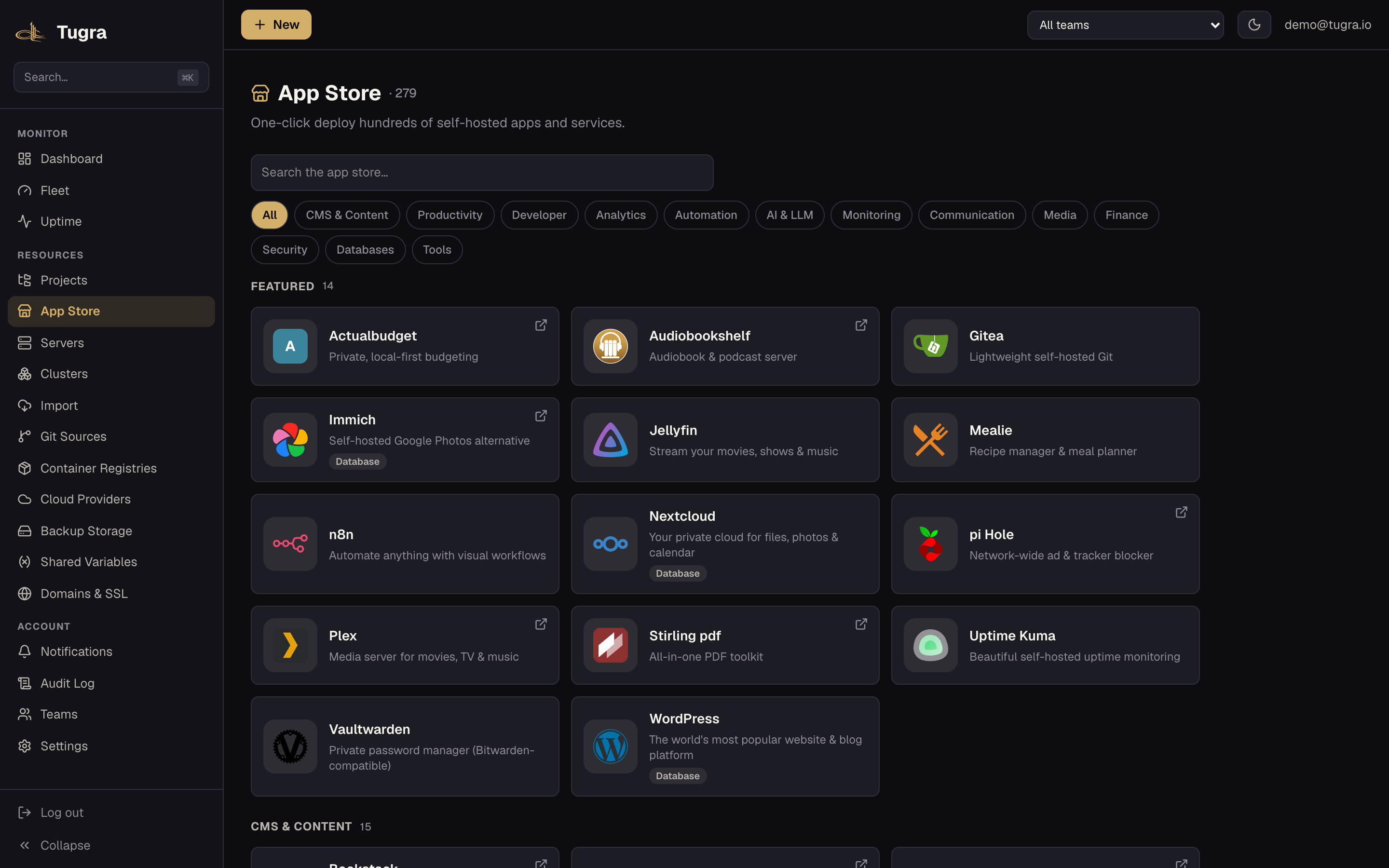
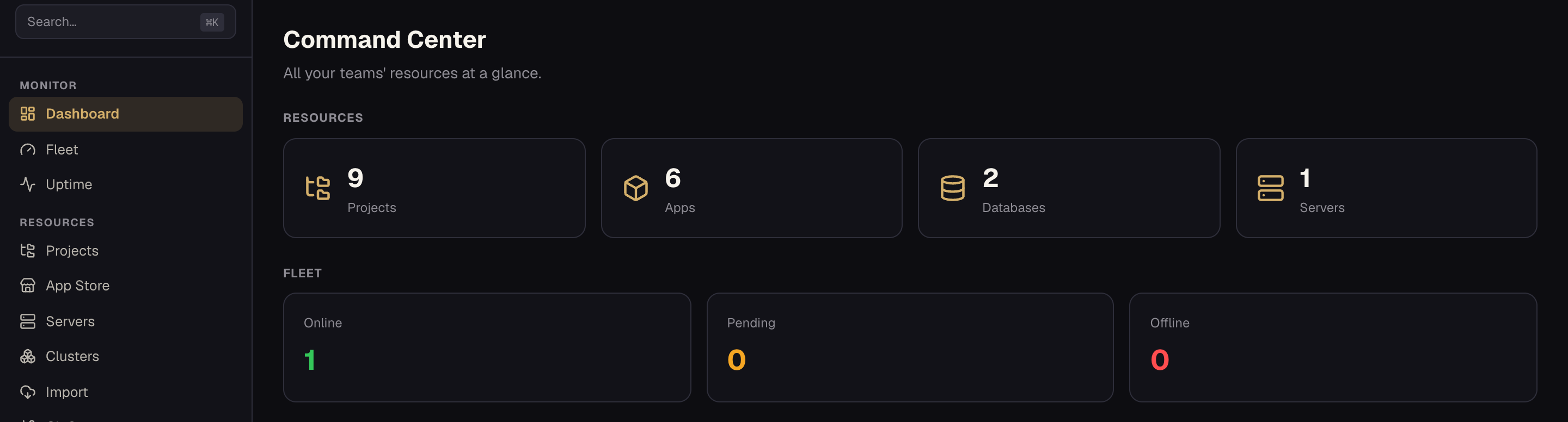
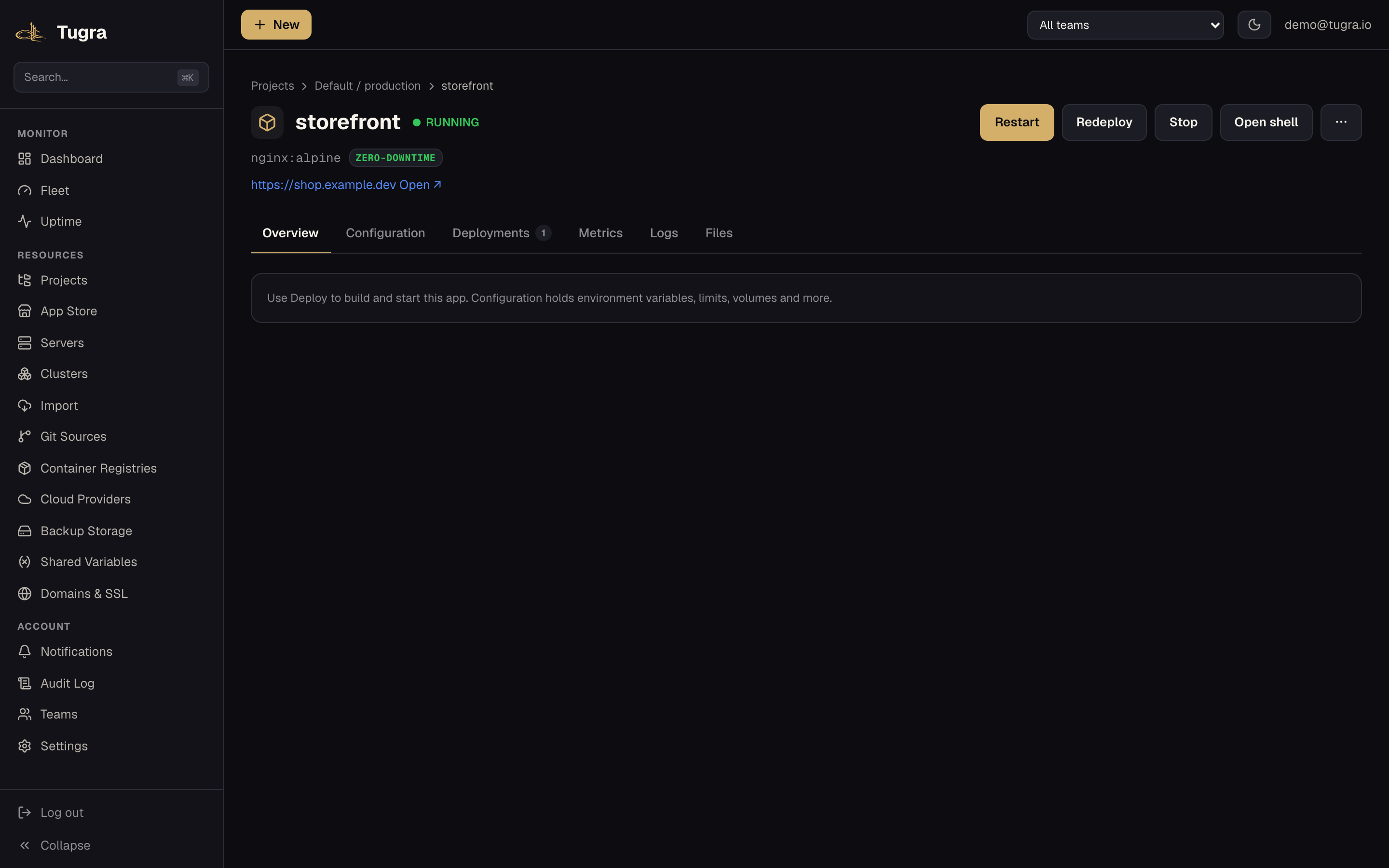
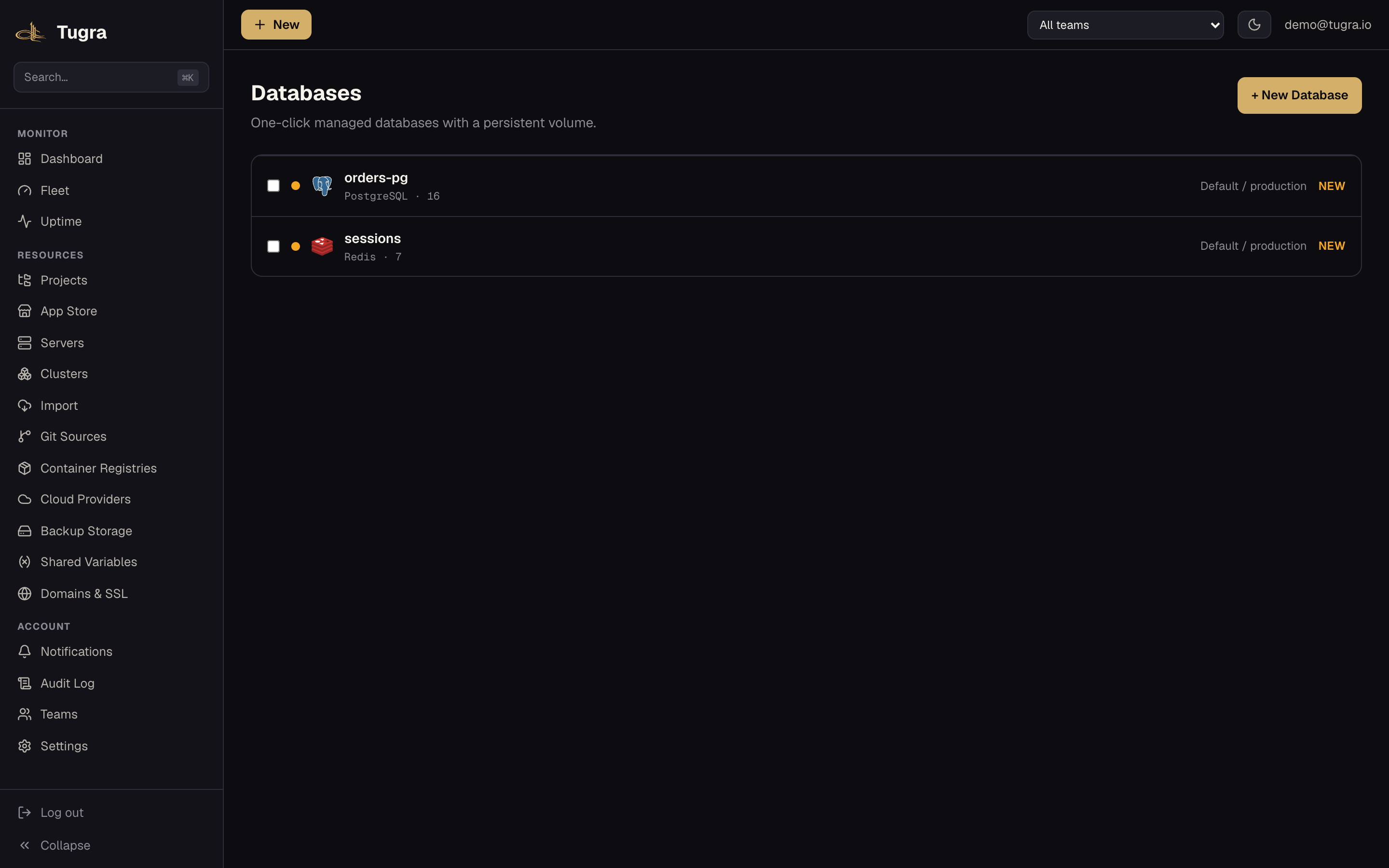
Agent-native by default
Tugra ships a native MCP server — point Claude, Cursor or your own agent at your infrastructure to inspect, deploy, scale and operate it, using the same personal-access tokens, scopes and audit trail as the REST API. No separate integration package, no secret values ever returned to the model.
# List every tool the server exposes
curl -s https://your-tugra-host/api/v1/mcp \
  -H "Authorization: Bearer $TUGRA_PAT" \
  -H "Content-Type: application/json" \
  -d '{"jsonrpc":"2.0","id":1,"method":"tools/list"}'

# Ask it something real: what's actually deployed right now?
curl -s https://your-tugra-host/api/v1/mcp \
  -H "Authorization: Bearer $TUGRA_PAT" \
  -H "Content-Type: application/json" \
  -d '{"jsonrpc":"2.0","id":2,"method":"tools/call","params":{"name":"list_applications","arguments":{}}}'
It's the same POST /api/v1/mcp endpoint, the same personal-access-token auth, scopes and IP allowlist as the REST API underneath — no separate credential to manage, and no decrypted secret values are ever returned to the model. The catalog is 56 tools: 33 read-only (including one-call fleet status / health / app-listing rollups and a sandboxed volume file browser), plus 23 PAT-scoped mutate/ops tools (deploy · cancel a queued deploy · restart · live-scale · roll back · set env · form/grow a swarm · fleet-wide actions across a cluster · one-click domain DNS setup). Every mutate tool reuses the REST API's exact team-permission checks and audit trail, and the irreversible ones (dissolve a swarm, remove an app) require an explicit name-confirmation. OAuth for third-party clients is still on the roadmap.
What is Tugra?
Tugra is a self-hostable, open-core control plane for deploying, monitoring and operating apps and databases across your own servers — the day-to-day of Heroku, Render or Railway, without handing your infrastructure to someone else's cloud. Its focus is the fleet: real Docker Swarm clusters across your servers (not just one-box-at-a-time management), fleet-wide bulk operations, and a built-in MCP server for AI-driven ops — all under a license you can actually read.
Why Tugra
- Fleet-first, not single-box — group servers into clusters, form a real Docker Swarm across them, and run one command across your whole fleet in a single bulk-ops call instead of SSH-ing into each box.
- Agent-native too — a built-in MCP server exposes 56 tools (read + PAT-scoped mutate/fleet ops) over
POST /api/v1/mcp, scoped by the same personal-access tokens as the REST API. - 9 database engines, one workflow — PostgreSQL, MySQL, MariaDB, MongoDB, Redis, KeyDB, Dragonfly, ClickHouse and LibSQL, all provisioned the same way; eight have built-in logical dump/restore backups (LibSQL, which has no dump tool, is covered only by file-level volume backups — stop the app first for a consistent copy).
- Real TLS, real wildcards — automatic Let's Encrypt per app via Traefik, plus DNS-01 wildcard certificates (
*.yourdomain.com) for clustered/Swarm ingress — not just single-domain HTTP-01. - Backups that leave the building — scheduled dumps to local disk or S3-compatible storage (S3/R2/MinIO), encrypted by default (gpg AES-256, with a recovery key shown once), with one-click restore; scheduled restore-verify drills prove a backup actually restores, and PostgreSQL gets point-in-time recovery (WAL shipping + base backups, restore to any second from the panel).
- Deploys you can trust — rolling deploys with a health gate and automatic rollback on a failed gate (plus an opt-in post-cutover soak that auto-reverts), fleet rollouts (canary → waves → halt/rollback), build secrets that never land in the image, and deploys that survive a control-plane restart.
- Open-core, not open-washed — everything above ships free under AGPL-3.0 in this repository. Pro/Cloud features (SSO, audit-log export, whitelabel) unlock with a separately-licensed signed key — nothing here nags you to upgrade or silently caps what you can do. Tugra sends anonymous usage stats, on by default — aggregate counts (servers, apps, databases, deploys, teams, users, clusters, monitors) plus your version, release channel, edition, OS, CPU architecture and Node.js major version, under a random id; no names, IPs, domains or secrets, and the receiver doesn't store your IP — and you can turn them off anytime with
--no-telemetry/TUGRA_TELEMETRY=0or in Settings. Update checks are on by default too — one signed ~2 KB manifest fetch per hour, no identifiers; turn them off with--no-update-checks/TUGRA_UPDATE_CHECKS=0. Public-IP detection stays opt-in.
How Tugra compares
A side-by-side with the self-hostable PaaS tools people actually evaluate (competitor data checked 2026-11). ✅ built-in · ~ partial / limited · — no documented built-in equivalent · 🔜 on Tugra's roadmap. Spotted an error? Open an issue.
| Tugra | Coolify | Dokploy | Portainer | CapRover | Dokku | |
|---|---|---|---|---|---|---|
| Deploy & build | ||||||
| Web UI dashboard | ✅ | ✅ | ✅ | ✅ | ✅ | — |
| Deploy from Git | ✅ | ✅ | ✅ | ~ | ~ | ✅ |
| Docker Compose deploy | ✅ | ✅ | ✅ | ✅ | ~ | ~ |
| Preview deployments (PR apps) | ✅¹¹ | ✅ | ✅ | — | — | ~ |
| Rollbacks | ✅ | ✅ | ✅ | ~¹² | ✅ | ~ |
| App store / one-click templates | ✅ | ✅ | ✅ | ✅ | ✅ | — |
| Data | ||||||
| Managed database engines | 9 | 9 (SQLite experimental)¹² | 6 | — | — | ~¹² |
| Scheduled S3 backups + restore | ✅ | ✅ | ✅ | — | — | ~ |
| App Docker-volume backups (file-level, not a snapshot) | ✅ | ~¹² | ✅ | — | — | — |
| Domains & TLS | ||||||
| Custom domains + automatic SSL | ✅ | ✅ | ✅ | — | ✅ | ✅ |
| DNS-01 wildcard certificates | ✅ | ~ | — | — | ~¹² | ~ |
| Fleet & HA | ||||||
| Multi-node clustering | ✅ Swarm | Individual¹ | ✅ Swarm | ✅ | ✅ | ~ k3s⁶ |
| Multi-manager Raft HA + ingress HA | ✅ | — | — | — | — | — |
| Fleet-wide bulk ops (one call) | ✅ | — | — | — | — | — |
| OS patching (per-server + fleet) | ✅ | ~¹² | — | — | — | — |
| Point-in-time recovery (PostgreSQL WAL) | ✅¹⁰ | — | — | — | — | — |
| Scheduled restore-verify drills | ✅ | — | — | — | — | — |
| Fleet rollouts (canary → waves → auto-halt/rollback) | ✅ | — | — | ~¹² | — | — |
| Post-cutover auto-rollback (soak window, opt-in per app) | ✅ | — | ~¹² | — | — | — |
| Observability | ||||||
| Built-in metrics (CPU/RAM/disk) | ✅ | ~ | ✅ | ~ | ~¹² | — |
| Uptime monitors + notifications | ✅ | ~ | ~¹² | — | — | — |
| App / container log viewer | ✅ | ✅ | ✅ | ✅ | ✅ | ✅ |
| Access & agent | ||||||
| Teams / RBAC | ✅ | ✅ | ✅ | ~⁷ | — | — |
| SSO / OIDC | ✅ (Pro)⁸ | ✅ | ✅ | ~⁷ | — | — |
| Audit log | ✅ | ✅ | ✅ | ~⁷ | — | — |
| MCP / agent control | ✅ 56 tools⁵ | ✅ | ✅ | ~⁷ | — | ~² |
| Trust & license | ||||||
| Telemetry | Anonymous, opt-out (counts only) | n/a | n/a | n/a | n/a | n/a |
| Migrate in (import from Coolify) | ✅⁹ | — | — | — | — | — |
| Core license | AGPL-3.0 | Apache-2.0 | Apache-2.0³ | zlib + BE⁷ | Apache-2.0 + terms⁴ | MIT |
¹ Coolify v4 manages servers individually (no built-in clustering); its Docker Swarm support is deprecated (removal planned in v5), and deploying one image to several servers needs your own load balancer. ² A third-party, early-stage Dokku MCP project, not an official release. ³ Dokploy's core is Apache-2.0; a separate Source-Available license covers its enterprise proprietary/ directory (SSO, audit logs, whitelabel) — the same open-core shape Tugra uses. ⁴ CapRover's LICENSE is Apache-2.0 with an appendix restricting modification/redistribution of paid features. ⁵ Tugra, Coolify and Dokploy all ship MCP servers with read and write tools, so agent control is at parity; Tugra adds fleet-wide actions (one call across a cluster), name-confirmation on destructive tools, and secret redaction. ⁶ Dokku has no Docker Swarm support; its multi-node option is the scheduler-k3s plugin (k3s/Kubernetes), a different architecture. ⁷ Portainer's full RBAC, AD/OIDC SSO templates and audit logs are Business Edition (free up to 3 nodes); Community has basic users and limited LDAP/OAuth. Its official MCP server repo is unsupported; the supported AI path (Portainer Command) is Business Edition. ⁸ Tugra's core is free and full-featured (teams/RBAC, audit log, backups, monitoring, MCP, migrator, multi-node HA); SSO/OIDC is a Pro feature. ⁹ Imports Coolify apps + their config/env as new Tugra resources (copy-mode; Dokploy projects can also be imported, in the web wizard or via API / MCP / CLI); a separate local-Docker adopter takes over same-host containers in place (keeping their named volumes). Database data for Postgres, MySQL, MariaDB, Redis, KeyDB and Dragonfly moves cross-host with a one-command migrator you paste on the Coolify host; MongoDB data moves by a guided dump-and-restore (import-from-url), app volume data by the migrator's streamed, resumable volume copy, LibSQL by tar/rsync, and ClickHouse has no migration tool yet (docs/coolify-migration.md). ¹⁰ PostgreSQL only; other engines keep scheduled logical dumps. ¹¹ Pull/merge-request events from GitHub, GitLab, Gitea/Forgejo and Bitbucket (Cloud and Server) create, update and remove previews; previews need a Git-built app with previews enabled, and pull requests from forks are ignored. ¹² Competitor notes from official docs, 2026-11: Coolify Server Patching is per-server and Beta, its storage backups have no UI restore, and it documents 9 DB engines but scheduled backups for 6; Dokploy monitoring thresholds are labelled Cloud-only and its rollback is Docker Swarm-native update rollback you configure yourself; Portainer's canary-style group rollout is Business Edition and Edge Stacks only; CapRover DNS-01 and Netdata monitoring are manual/opt-in setups; Dokku database engines are official CLI plugins with no UI. Product names are trademarks of their respective owners; Tugra is not affiliated with or endorsed by them.
Quick start
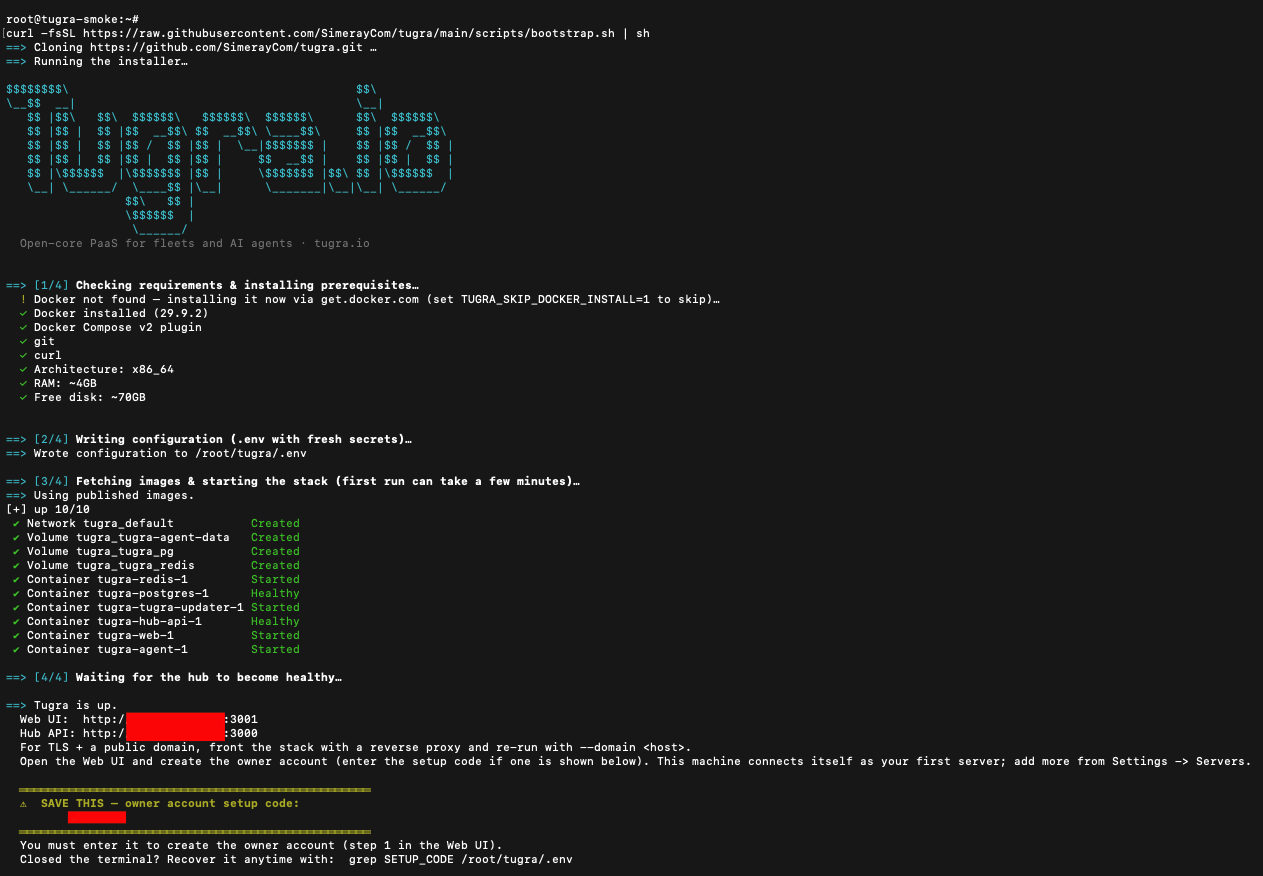
On a fresh Linux host, one command installs the prerequisites (git, Docker), clones the repo and brings the stack up:
curl -fsSL https://raw.githubusercontent.com/SimerayCom/tugra/main/scripts/bootstrap.sh | sh
Prefer to read before you run (sensible for any script you're handing root-ish Docker access)? Clone and run the installer yourself — it only writes a local .env and calls docker compose, installs Docker if it's missing, and is idempotent (safe to re-run):
git clone https://github.com/SimerayCom/tugra.git
cd tugra
less scripts/install.sh   # review it first
./scripts/install.sh
The installer generates strong secrets into a local .env (re-running preserves them), then brings up the hub, web UI, PostgreSQL and Redis with docker compose. When it finishes, open the printed Web UI URL (http://<host-ip>:3001; the hub/API base is http://<host-ip>:3000) and create the first account — it becomes the instance owner. On a fresh install the installer also prints a one-time setup code to enter when creating that account (recover it with grep SETUP_CODE .env). Then follow the onboarding wizard to connect your first server.
Re-running ./scripts/install.sh (e.g. after git pull) is safe — it keeps your secrets and only updates configuration, so it doubles as the upgrade path.
Production (TLS + a domain). The stack ships plain HTTP on this host's ports for a quick start; put it behind your own reverse proxy that terminates TLS and re-run with your domain:
./scripts/install.sh --domain tugra.example.com
Route most traffic to the web (:3001) — it proxies the REST API and OAuth start to the hub for you — and send only the paths the web can't handle to the hub (:3000):
| Path prefix | → |
|---|---|
/agent, /terminal (WebSocket), /install, /webhooks, /auth/oauth |
hub :3000 |
everything else (/, /api/*) |
web :3001 |
Notes:
- TLS: bring your own reverse proxy (Caddy, Traefik, nginx, …) or add
--auto-tls --acme-email you@domainto let Tugra provision the panel's HTTPS (bundled Traefik + Let's Encrypt).--domainsetsCOOKIE_SECURE=true+HUB_TRUSTED_PROXY=true. - Lock down the raw ports. With
HUB_TRUSTED_PROXY=truethe hub honorsX-Forwarded-For(only from private/loopback/docker peers, orHUB_TRUSTED_PROXY_CIDRS), and the raw:3000/:3001ports should reach only the proxy. A fresh--domaininstall binds them to127.0.0.1(same-host proxy), and an existing install turning https is moved there too (--keep-raw-portsopts out). If the proxy runs on another host, setHUB_BIND/WEB_BINDto this box's private-interface IP and firewall the ports — Docker-published ports bypassufw. - "Sign in with GitHub" works only in this single-origin proxy deployment (the hub and web share a public origin so the session cookie is visible to the SPA); it isn't available in the plain two-port quick start.
Published images (
ghcr.io/simeraycom/tugra-*) are pulled automatically; on a host without a published image for its architecture (arm64 today) the installer builds from your checkout — same command, no changes needed. Every release is digest-pinned and ships signed provenance; see docs/upgrade.md.
MCP quick start. Once Tugra is up, mint a personal access token (Settings → API tokens) and point any MCP client at it:
curl -s http://<web-url>/api/v1/mcp \
  -H "Authorization: Bearer $TUGRA_PAT" -H "Content-Type: application/json" \
  -d '{"jsonrpc":"2.0","id":1,"method":"initialize"}'
Self-hosted vs. cloud
Everything in Why Tugra above is free and open-source forever, under AGPL-3.0, self-hosted on your own servers — no artificial cap, no feature flag waiting to be flipped on for money. The Community edition in this repository is the real product, not a crippled demo.
Pro and Cloud editions (SSO, audit-log export, whitelabel, managed control plane) are offered under a separate commercial license. For a non-AGPL license or something Community can't do, contact [email protected].
Architecture
| Component | Stack |
|---|---|
| Hub (API + brain) | NestJS · PostgreSQL (Prisma) · Redis / BullMQ |
| Web | Next.js |
| Agent | Go (single binary, per server) |
| Proxy | Traefik (automatic SSL, incl. DNS-01 wildcard) |
Live logs, metrics and the terminal stream over WebSockets. Full breakdown in docs/architecture.md.
Roadmap
Shipped
- Hub ↔ Agent protocol + server enrollment (dial-out WSS · ed25519 · signed commands + capability scope)
- Deploy from Git / Docker Compose / image (Nixpacks · Railpack · Heroku buildpacks · Dockerfile · static-site)
- Reverse proxy + automatic SSL (Traefik · Let's Encrypt, incl. DNS-01 wildcard)
- Live metrics, build logs & web terminal (WebSocket streams; the terminal is capability-gated and off by default)
- Databases (9 engines) with backups & restore (local + S3/R2 off-site)
- Multi-server clusters + Docker Swarm formation, bulk ops across the fleet
- Native MCP server — 56 tools (read + PAT-scoped mutate/fleet ops) + guided prompts
- App store — 280+ one-click templates + Home-mode launcher
- File manager for app volumes — browse, download, upload, edit, rename, permissions and delete (writes are an opt-in server capability; web UI, plus MCP
list_filesfor reads) - Preview deployments (per pull request)
- Uptime monitoring (HTTP/TCP/metric) + 12 notification channels (webhook · Telegram · ntfy · Discord · Slack · Gotify · SMTP · Pushover · Teams · Mattermost · Lark · Resend)
- Scheduled tasks (cron) · rollbacks · resource limits & health checks
- Projects / environments · teams, roles & invites · tags · shared variables
- Public API (OpenAPI) + CLI (
tugra) - Server patching (OS package updates)
- Self-update (signed releases) + guided onboarding
- Migrator — adopt local Docker containers + import from Coolify (web wizard) and Dokploy (web wizard / API / MCP / CLI) (connect · plan · apply · rollback) + one-command cross-host DB-data migration (Postgres · MySQL · MariaDB · Redis · KeyDB · Dragonfly) + streamed, resumable app-volume copy
- Restore-verify drills (scheduled, with a liveness watchdog) · PostgreSQL point-in-time recovery (WAL shipping · base backups · restore to any second)
- Rolling deploys with a health gate + opt-in post-cutover soak and auto-revert · fleet rollouts (canary → waves → health gate → halt/resume/rollback)
- Deploys survive a hub restart (agent command journal + outcome adoption) · per-deployment detail page (timeline · live log · config diff)
- Build secrets via BuildKit
--secret(Dockerfile builds) · master-key rotation (resumable re-encrypt job, nothing re-entered, apps untouched; the hub restarts twice) · digest-pinned, signed self-updates with a pre-update restore point - Cloud server provisioning (Hetzner · DigitalOcean · Vultr) · Cloudflare Tunnel · built-in traffic analytics (local GeoIP, no phone-home) · log drains · private registries · Vault secret provider (Pro)
Next
- MCP OAuth for third-party clients (dynamic client registration, PKCE)
- One-click migration for ClickHouse + MongoDB data
- More migration sources (CapRover)
- Mobile app
Community & docs
- Full documentation — install, architecture, API, CLI, security, open-core
- Issues — bug reports & feature requests
- Discussions — questions, ideas, show-and-tell
- Contributing · Code of Conduct · CLA
- Security policy
Contributors
Sponsors
Tugra is built and maintained in the open. If it's useful to you or your team, consider sponsoring the project on GitHub — there's no sponsor tier yet, so you'd be the first, and every bit helps keep development independent.
Star history
License
Tugra uses an open-core model:
- Core (this repository) — GNU AGPLv3. Free to use, self-host, study and modify. If you run a modified version as a network service, you must share your changes under the same license.
- Agent & CLI — MIT. Use them anywhere, no strings attached.
- Tugra Cloud & Pro features — proprietary, not published yet (see Self-hosted vs. cloud).
Commercial license: If you cannot comply with the AGPLv3 (e.g. you want to build a proprietary or SaaS offering on top of Tugra), a commercial license is available. Contact [email protected]. Full breakdown in docs/open-core.md.
Reviews (0)
Sign in to leave a review.
Leave a reviewNo results found