visual-mode
Health Warn
- License — License: MIT
- Description — Repository has a description
- Active repo — Last push 0 days ago
- Low visibility — Only 5 GitHub stars
Code Fail
- network request — Outbound network request in example/reload.js
- child_process — Shell command execution capability in media/src/render.cjs
- process.env — Environment variable access in media/src/render.cjs
- process.env — Environment variable access in media/src/social.cjs
Permissions Pass
- Permissions — No dangerous permissions requested
No AI report is available for this listing yet.
Visual mode for Claude Code: talk and point at your screen, and your coding agent changes the code
/visual
[!WARNING]
After a day with /visual, it is hard to go back. Describing a change in words, without being able
to point at it, suddenly feels very cumbersome.
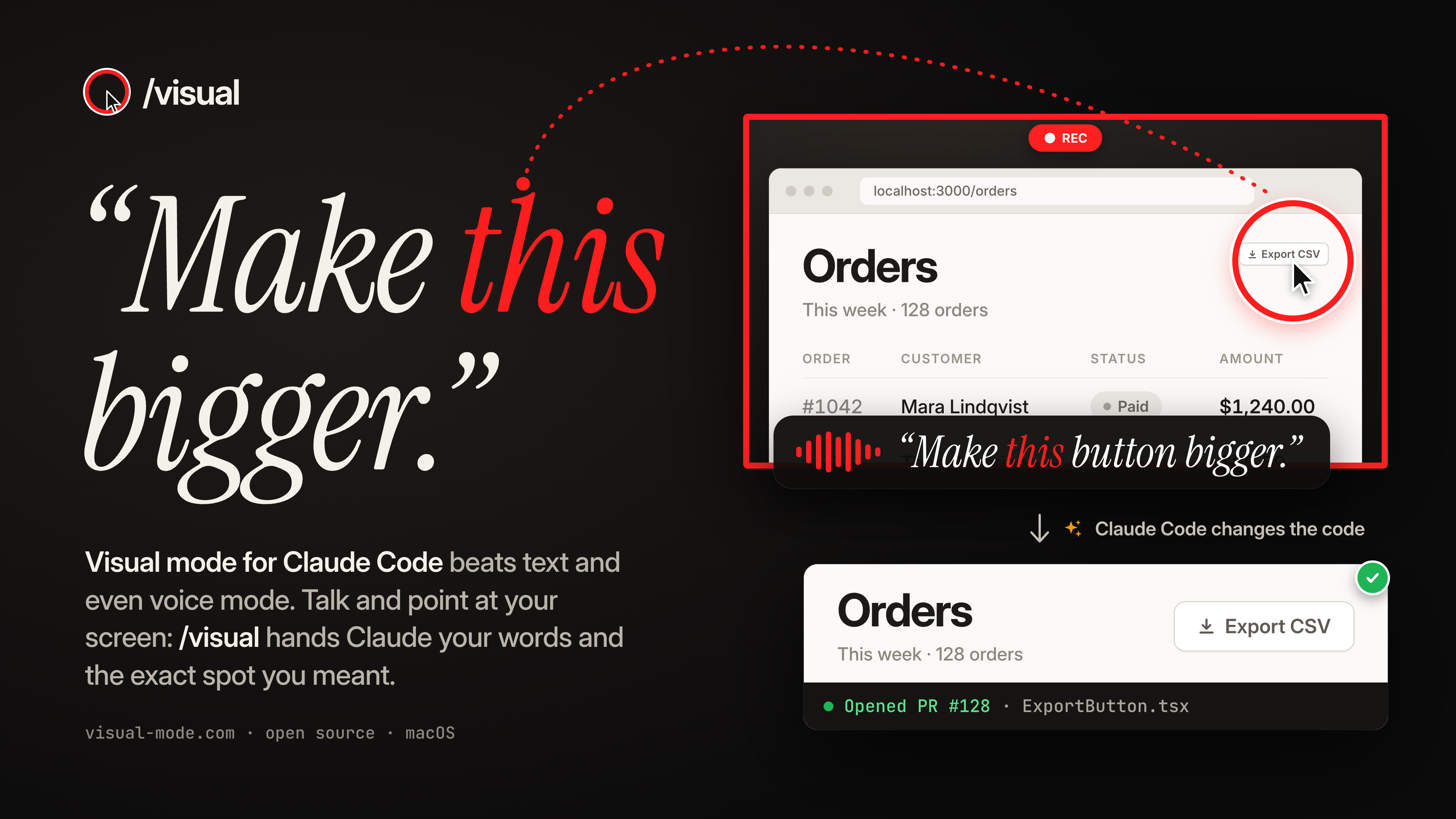
Show Claude what you mean. Talk while pointing at your screen with the mouse, and /visual turns it
into batches your coding agent can act on. You start it by typing /visual in your agent.
Built for and tested with Claude Code; the skill also loads in other agents that read the Agent Skills format
(Codex, Gemini CLI, opencode, …).
Install
curl -fsSL https://visual-mode.com/install.sh | sh
For macOS with Homebrew (tested on Apple Silicon). The installer:
- installs ffmpeg, whisper-cpp and uv with Homebrew, if they are missing
- downloads the speech model (about 1.6 GB, once)
- puts the tool in
~/.local/share/visual-modeand links the command into~/.local/bin - installs the skill for your coding agent
Run it again to update. You can also install by hand, and there is an
experimental Windows version.
Use
Open your coding agent in the project you want to improve and type /visual (or say "start visual
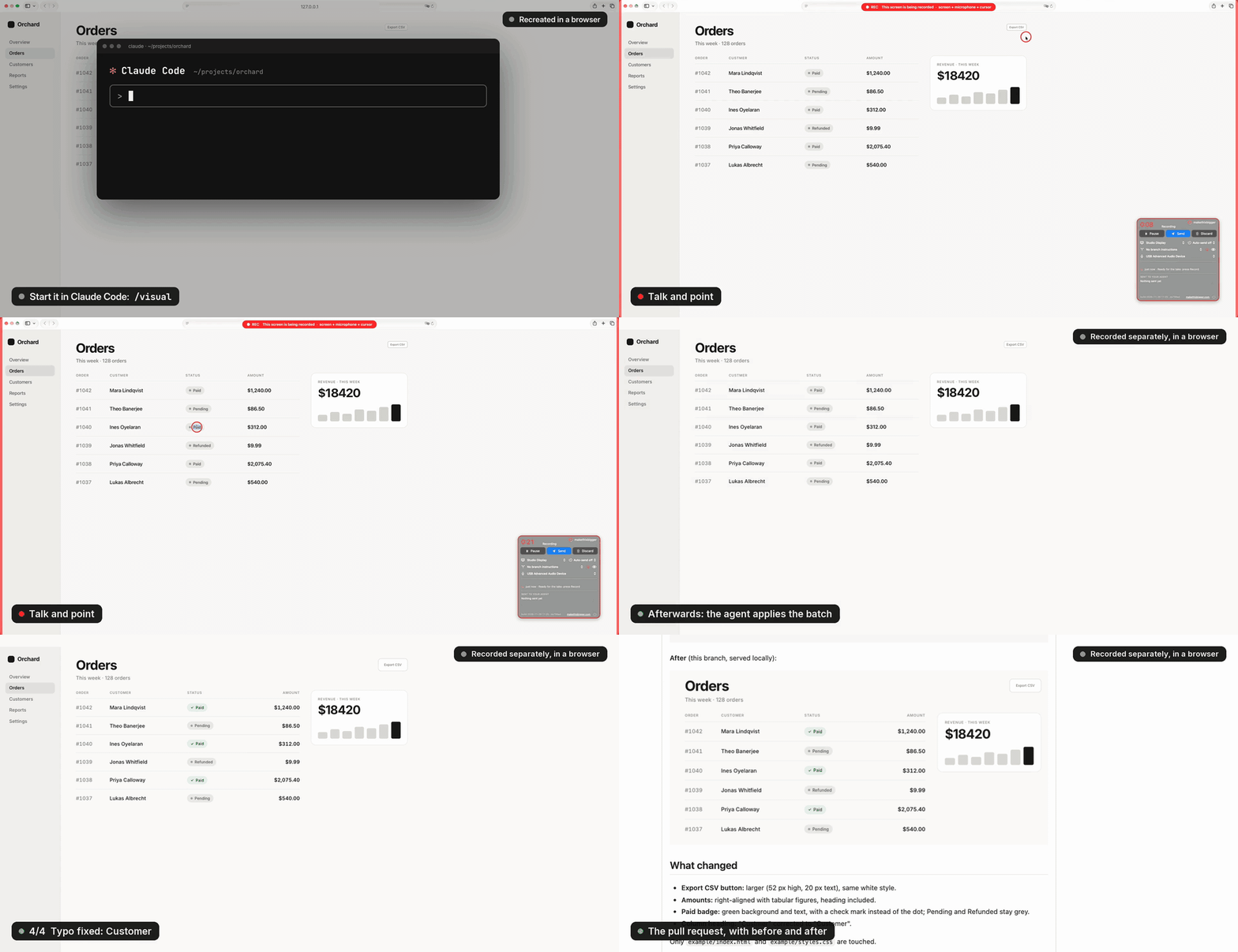
mode"). A small floating widget appears. Press Record, talk and point, press Send. Your agent
reads the batch, changes the code, and reports back in the widget.
/visual needs Screen Recording and Microphone permission for the app your agent runs in, for
example the terminal (System Settings, Privacy & Security). The widget shows a banner while one is missing.
In the widget you also pick the display and the microphone, turn on automatic sending, and choose where the
agent puts its changes: a new pull request per batch (the default), commits on main, one branch or pull
request, or no instructions at all. Discard throws away what was recorded but not sent yet. The display
that is recorded has a frame around it, grey when ready and red while recording.
To try it, serve example/, a small orders page with a few flaws on purpose, and say what bothers
you while pointing at it:
python3 -m http.server 8770 --bind 127.0.0.1 --directory example # then open http://127.0.0.1:8770
How it works
The widget records the screen you pick, your microphone, and the mouse cursor. Every batch becomes a folder
with a timeline.md:
- what you said, transcribed locally with whisper.cpp (English and German by default; other languages
can be set) - where you pointed while you said it: for each sentence, the moment the cursor rested or clicked,
as a zoomed crop and a full-screen frame with a red ring around the cursor - clicks in between (navigation context) and an end state frame
Your agent watches for new batches, reads them, and changes the code of whatever you were showing.
Three ways to work with it
- Review it together. Go through your product in a call and improve it as you talk. Every improvement
becomes its own pull request (Deliver: New PR per batch). - Build a feature together. Discuss a new feature, decide on the go, and watch it take shape in a single
feature branch (Deliver: Branch / PR). - Polish it on your own. Browse through your product and fix the small details you never reported, because
describing them was too cumbersome.
Troubleshooting
Every action is logged to ~/.visual-mode/visual-mode.log (rotated to .log.1 at 5 MB): widget
clicks, CLI calls, each recorder (ffmpeg) start and stop with its pid, exit code and file size, sends,
batch processing, and uncaught errors with tracebacks. When a batch does not arrive, look there first.~/.visual-mode/app.log has the app's raw stdout and stderr.
Privacy
Everything runs locally; transcription uses a local whisper model. Raw video is deleted after each
batch is processed, but batch folders in ~/.visual-mode/batches (frames and transcripts) stay until
you delete them, and they contain whatever was on screen. Whatever your agent reads from a batch is sent
to its model provider like any other file it reads.
Reference
docs/reference.md has the rest: every control of the widget, the command line
(visual-mode help lists it too), keyboard shortcuts, the skill, configuration, how recording works and why
no batch gets lost, Windows, installing by hand, and upgrading from makethisbigger or screenfeed.
License
MIT, see LICENSE.
Reviews (0)
Sign in to leave a review.
Leave a reviewNo results found