claude-meter-for-windows
Health Uyari
- License — License: MIT
- Description — Repository has a description
- Active repo — Last push 0 days ago
- Low visibility — Only 5 GitHub stars
Code Gecti
- Code scan — Scanned 2 files during light audit, no dangerous patterns found
Permissions Gecti
- Permissions — No dangerous permissions requested
Bu listing icin henuz AI raporu yok.
Windows system-tray monitor for Claude usage limits - live session/weekly meters, usage graph, alerts. Unofficial.
Claude Usage Meter for Windows






A tiny Windows system-tray app that shows your Claude usage limits in real time —
the same Session (5h) / Weekly / per-model weekly percentages you see in
Claude Code's /usage, always one click away.
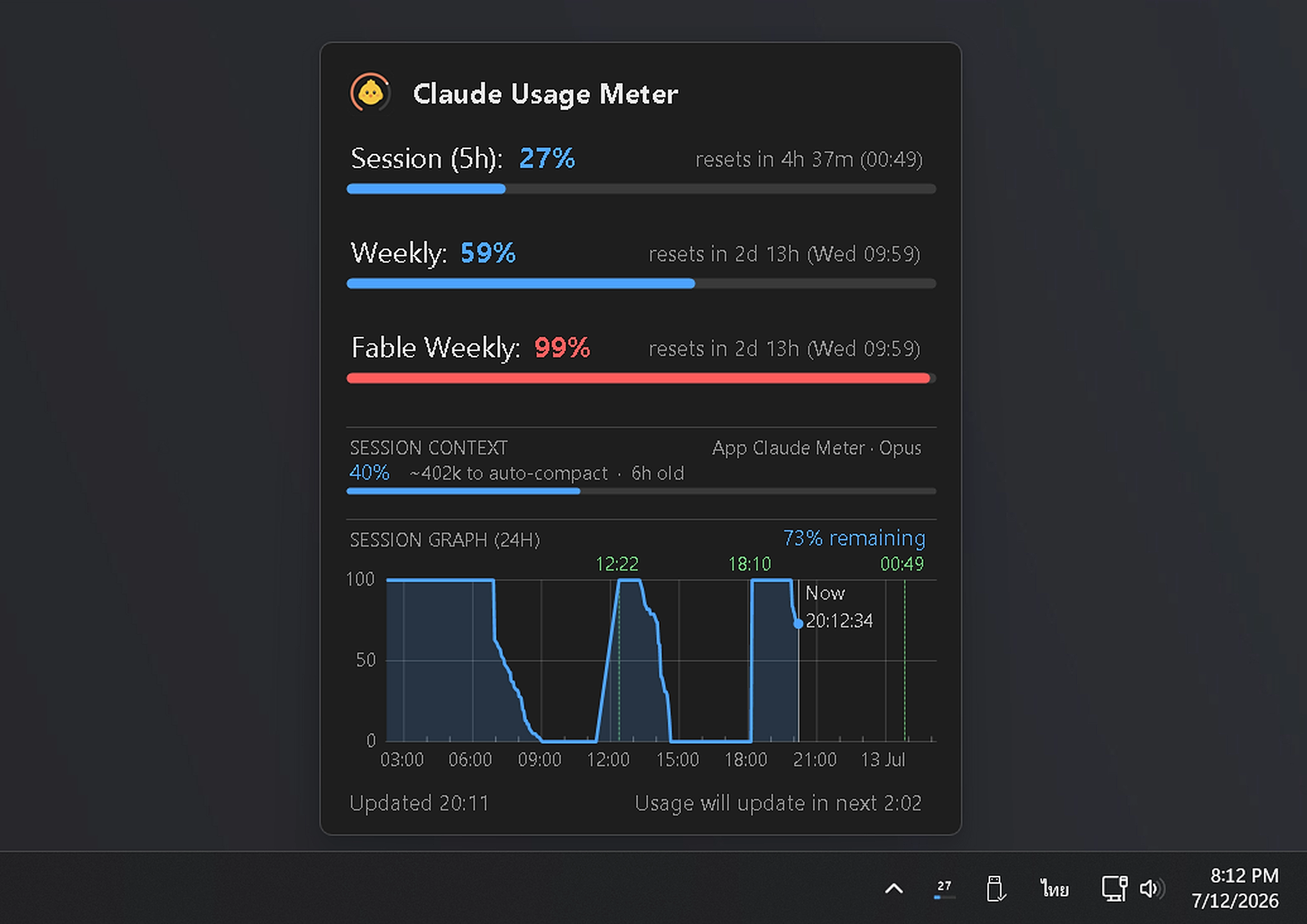
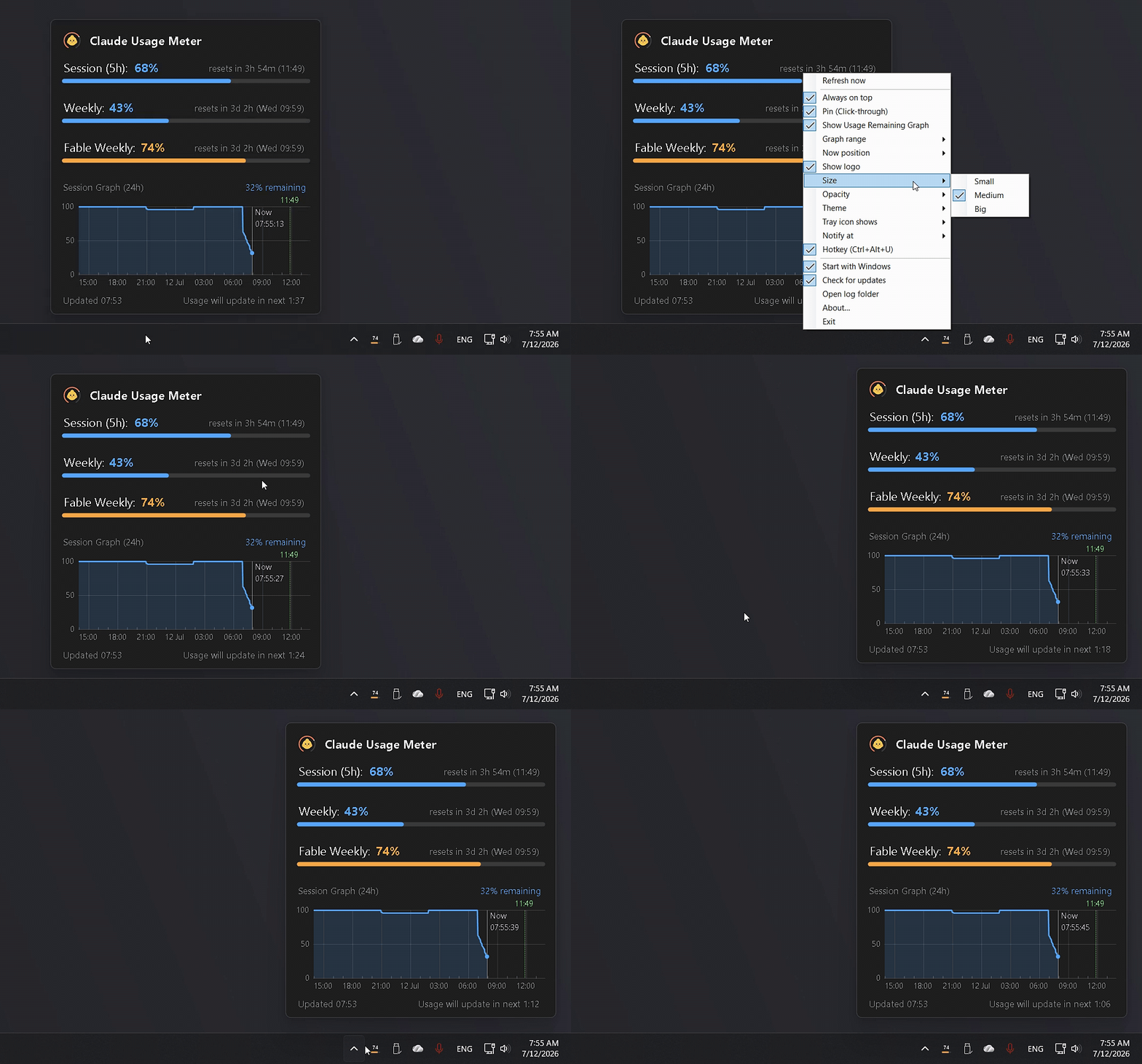
Popup, usage graph and tray menu:
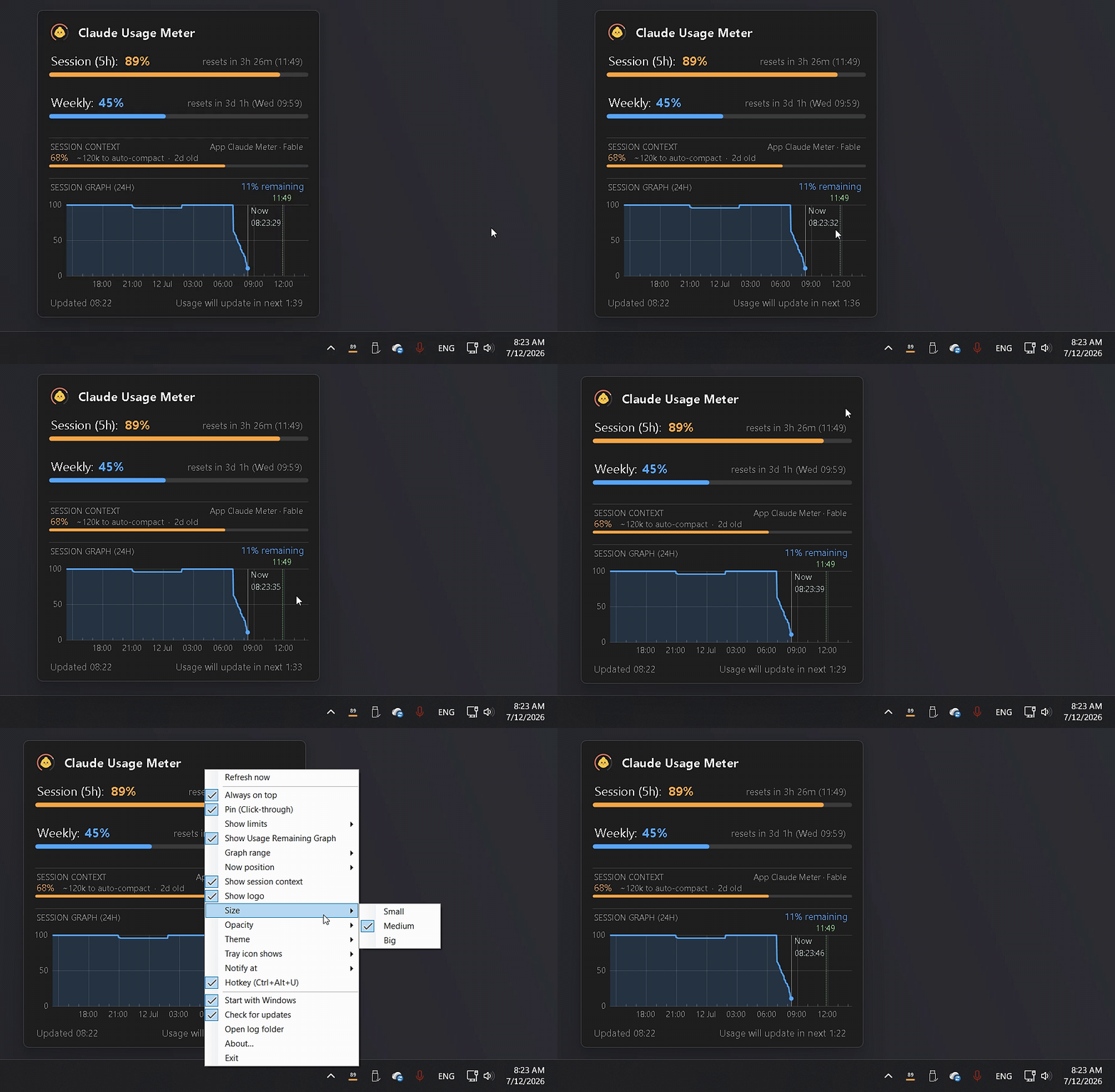
Session context section, per-limit visibility and section dividers:
Features
- Tray icon renders your highest usage percentage live, shifting color as you approach the limit
- Popup shows a progress bar, reset countdown and exact reset time for every limit window
- Usage graph plots session remaining over a 12 or 24 hour axis, with hourly ticks, reset markers for both past and upcoming resets, and an adjustable "now" position
- Pin the popup anywhere on screen; optionally let mouse clicks pass through it while pinned
- Dark and light themes, three popup sizes, five opacity levels with full opacity restored on hover
- Usage alert notifications at any threshold from 50 to 95 percent
- One-click login recovery when the Claude session expires, plus local diagnostic logs for troubleshooting
- Global hotkey to toggle the popup — Ctrl+Alt+U by default, seven combos to pick from — plus autostart with Windows, automatic update check, single instance
- Every preference persists across restarts
Download
Grab ClaudeMeter-portable.zip from the latest Release —
a single self-contained exe, no .NET installation required.
Windows SmartScreen may warn because the exe is not code-signed:
click More info → Run anyway.
Requirements
Windows 10/11 (64-bit)
Claude Code CLI logged in once with your Claude account:
claude
/login
The app reads the OAuth token that Claude Code stores on your machine
(%USERPROFILE%\.claude\.credentials.json) — it never sees your password and
never modifies Claude Code's files.
Usage
| Action | Result |
|---|---|
| Left-click tray icon | Show/hide the usage popup |
| Right-click tray icon | Refresh now · Always on top · Pin (Click-through) · Show Usage Remaining Graph · Show logo · Size ▸ · Opacity ▸ · Notify at ▸ · Start with Windows · About… · Exit |
| Drag (while pinned) | Move the popup anywhere; position is remembered |
| Esc | Hide the popup |
Data refreshes every 3 minutes — Anthropic's usage endpoint rate-limits
anything faster.
Build from source
Requires the .NET 8 SDK.
dotnet run                                                  # develop
dotnet publish -c Release -r win-x64 --self-contained false `
  /p:PublishSingleFile=true -o publish                      # ~200 KB (needs .NET 8 runtime)
dotnet publish -c Release -r win-x64 --self-contained true `
  /p:PublishSingleFile=true /p:EnableCompressionInSingleFile=true `
  /p:IncludeNativeLibrariesForSelfExtract=true /p:DebugType=none `
  -o portable                                               # ~68 MB portable exe
How it works
The app calls Anthropic's OAuth usage endpoint
(https://api.anthropic.com/api/oauth/usage) with the token from your local
Claude login — the same source that powers /usage. It reads whichever login is
fresh: the Claude Code CLI's credentials file, or the Claude Desktop app's own
token cache (so it stays live even if you only ever use Desktop's Code tab and
never open a terminal). Usage windows are parsed dynamically, so new limit types
added by Anthropic appear automatically.
Every login source is treated as strictly read-only — the app never refreshes or
rotates a token, so it can't disrupt Claude Code's or Desktop's own session. When
every source has gone stale, the meter shows your last-known usage as stale and
updates again automatically the next time you use Claude.
Privacy: no telemetry, no third-party servers. The only network calls are to
Anthropic's own API. Settings and history live in %APPDATA%\ClaudeMeter\.
Troubleshooting: the app writes small daily logs (activity + errors, never
tokens) to %APPDATA%\ClaudeMeter\logs — tray menu → Open log folder.
Logs older than 7 days are deleted automatically. Attach the latest log when
reporting an issue.
Disclaimer
This is an unofficial hobby project, not affiliated with Anthropic.
The usage endpoint is undocumented and may change or stop working at any time.
License
Yorumlar (0)
Yorum birakmak icin giris yap.
Yorum birakSonuc bulunamadi