claude-code-session-bot
Health Pass
- License — License: MIT
- Description — Repository has a description
- Active repo — Last push 0 days ago
- Community trust — 11 GitHub stars
Code Fail
- process.env — Environment variable access in src/config.ts
- exec() — Shell command execution in src/db.ts
Permissions Pass
- Permissions — No dangerous permissions requested
No AI report is available for this listing yet.
Telegram bot to warm up your Claude code session while you're AFK
Claude Code Session Bot
Telegram bot to warm up Claude Code sessions and track session timing.
Why?
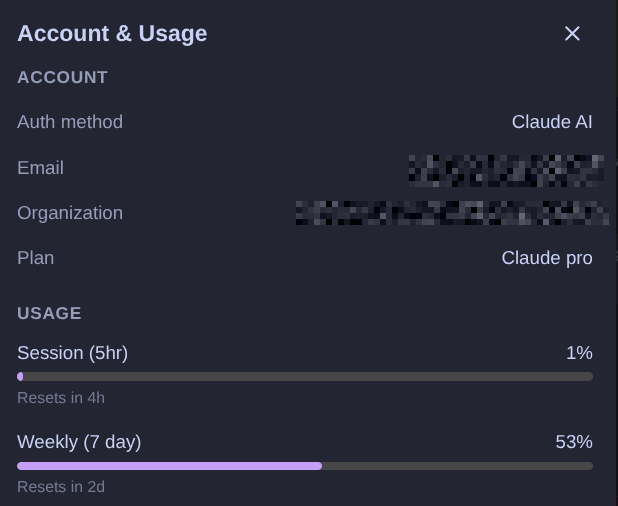
Claude Code Pro's 5-hour session cooldown means hours of dead time between sessions. If you exhaust your session at 3pm, you can't use Claude Code again until 8pm. That's half a workday gone.
This bot starts sessions while you sleep. Schedule /schedule tomorrow 9am and the bot warms up at 6am — by 9am you still have 2 hours of usage left, enough for a productive morning. By 11am the session expires, the cooldown starts, and by the afternoon you have a fresh session ready to go.
Commands
| Command | Description |
|---|---|
/warmup |
Start a session now via claude -p |
/session |
Show active session info (time remaining, tokens, expiry) |
/schedule <datetime> [hours] |
Schedule a warmup. At <datetime>, you'll have [hours] remaining (default: 2) |
/schedules |
List pending scheduled warmups |
/cancel <id> |
Cancel a scheduled warmup |
/history |
Show recent session history |

Schedule examples
/schedule tomorrow 9am        # 2h remaining at 9am → warmup at 6am
/schedule monday 14:00 3      # 3h remaining at 14:00 → warmup at 12:00
/schedule jan 30 8:00 4h      # 4h remaining at 8:00 → warmup at 7:00
The bot computes: warmup_time = target - (5h - hours_remaining).
How it works
- Warmup: Runs
claude -p "ready" --output-format jsonwhich sends a minimal prompt to Claude, starting the 5-hour session timer. The JSON response includessession_idand token usage. - Session tracking: Each warmup is recorded in a local SQLite database with start time, expiry (start + 5h), and token usage.
- Scheduling: Schedules are persisted in SQLite and restored on bot restart using
setTimeout. - Auth: Only Telegram user IDs listed in
TELEGRAM_ALLOWED_USER_IDScan use the bot.
Limitations
Session tracking is self-managed — the bot records when it starts a session and computes time remaining locally. There is no Anthropic API to query session status, and we intentionally avoid reverse-engineering internal endpoints to prevent account bans.
This means:
- Sessions started outside the bot (e.g. from your dev machine) are not tracked. The bot only knows about sessions it started itself.
- If you start a session manually and then ask the bot, it may show "no active session" or stale data.
- The bot is designed to be the sole session starter — use it from a dedicated VPS for best results.
Setup
Prerequisites
- Claude Code CLI must be installed and authenticated on the host machine (or inside the Docker container).
Installation
# edit .env with your values
cp .env.example .env
pnpm install
pnpm build
pnpm start
Environment variables
| Variable | Description |
|---|---|
TELEGRAM_BOT_TOKEN |
Bot token from @BotFather |
TELEGRAM_ALLOWED_USER_IDS |
Comma-separated Telegram user IDs |
TIMEZONE |
Display timezone (default: UTC) |
DB_PATH |
SQLite database path (default: data/bot.db) |
CLAUDE_CODE_OAUTH_TOKEN |
OAuth token for Claude CLI auth (used in Docker) |
Docker
docker compose up -d --build
Set CLAUDE_CODE_OAUTH_TOKEN in your .env file for Claude CLI auth inside the container.
Reviews (0)
Sign in to leave a review.
Leave a reviewNo results found