contop
Health Uyari
- License — License: MIT
- Description — Repository has a description
- Active repo — Last push 0 days ago
- Low visibility — Only 5 GitHub stars
Code Basarisiz
- network request — Outbound network request in contop-cli-proxy/src/codex-direct-session.ts
- execSync — Synchronous shell command execution in contop-cli-proxy/src/index.ts
Permissions Gecti
- Permissions — No dangerous permissions requested
This agent acts as an AI-powered remote desktop interface, allowing you to control a desktop computer autonomously from a mobile phone using typed or spoken commands.
Security Assessment
This tool carries a High overall security risk. Its core functionality involves controlling a desktop, which is reflected in the code analysis: it utilizes synchronous shell command execution (`execSync`) and makes outbound network requests to facilitate communication between the phone and the desktop. By design, the application has deep access to your operating system and can execute sensitive actions. While no hardcoded secrets or explicitly dangerous repository permissions were found, granting a remote tool the ability to run shell commands inherently requires the user to place a massive amount of trust in the software.
Quality Assessment
The project is relatively new but actively maintained, with repository pushes occurring as recently as today. It uses a standard permissive MIT license and includes clear documentation. However, it currently suffers from extremely low community visibility, evidenced by having only 5 GitHub stars. Because the codebase has not been widely reviewed or battle-tested by the open-source community, its underlying reliability and security remain unproven.
Verdict
Use with caution—while functional, the combination of low community trust and high-risk shell execution capabilities means you should thoroughly inspect the source code before relying on it.
Your Desktop, From Anywhere. AI-powered remote desktop control from your phone.

Contop
Your Desktop, From Anywhere
AI-powered remote desktop control from your phone









Contop turns your phone into an AI remote control for any desktop. Speak or type a command on your mobile, and an autonomous agent on your computer observes your screen, runs CLI commands, clicks buttons, fills forms, automates browsers, and streams progress back - all in real time over a peer-to-peer WebRTC tunnel.
No port forwarding. No VPN. No SSH. Scan a QR code and start working.
Install
Desktop App
macOS (Homebrew - recommended):
brew install slopedrop/contop/contop

# Update to latest version
brew update && brew upgrade contop
No security warnings. Python dependencies install automatically on first launch.
macOS (manual):
Download the .dmg from Releases, open it, and drag to Applications.
First launch: right-click the app → Open → click Open in the dialog. This is standard for open-source apps without code signing.
Windows (Scoop - recommended):
scoop bucket add contop https://github.com/slopedrop/scoop-contop
scoop install contop

# Update to latest version
scoop update && scoop update contop
No SmartScreen warnings. Python dependencies install automatically on first launch. NVIDIA GPU with CUDA is auto-detected.
Windows (manual):
Download the .exe installer from Releases and run it.
SmartScreen may show a warning - click More info → Run anyway. This is standard for open-source apps without code signing.
Linux:
# AppImage (any distro)
chmod +x Contop*.AppImage && ./Contop*.AppImage

# Debian / Ubuntu
sudo dpkg -i contop-desktop_*.deb
Download from Releases.
Mobile App
Download the Android .apk from Releases.
Enable Install from unknown sources when prompted.
iOS is not yet available for public alpha.
How It Works
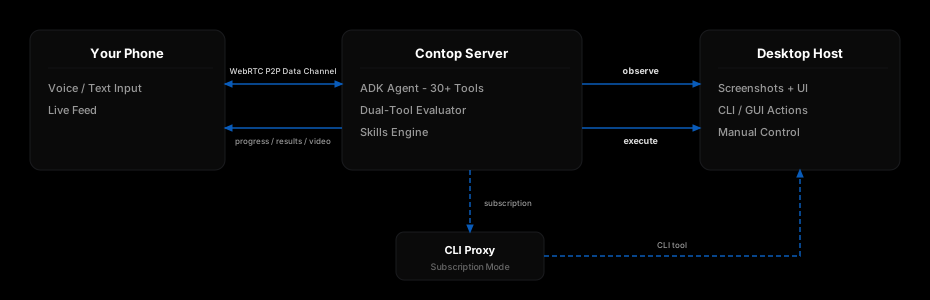
Demo
https://github.com/user-attachments/assets/98705f2a-72f3-4e26-ae48-bbb889ec9c97
Screenshots
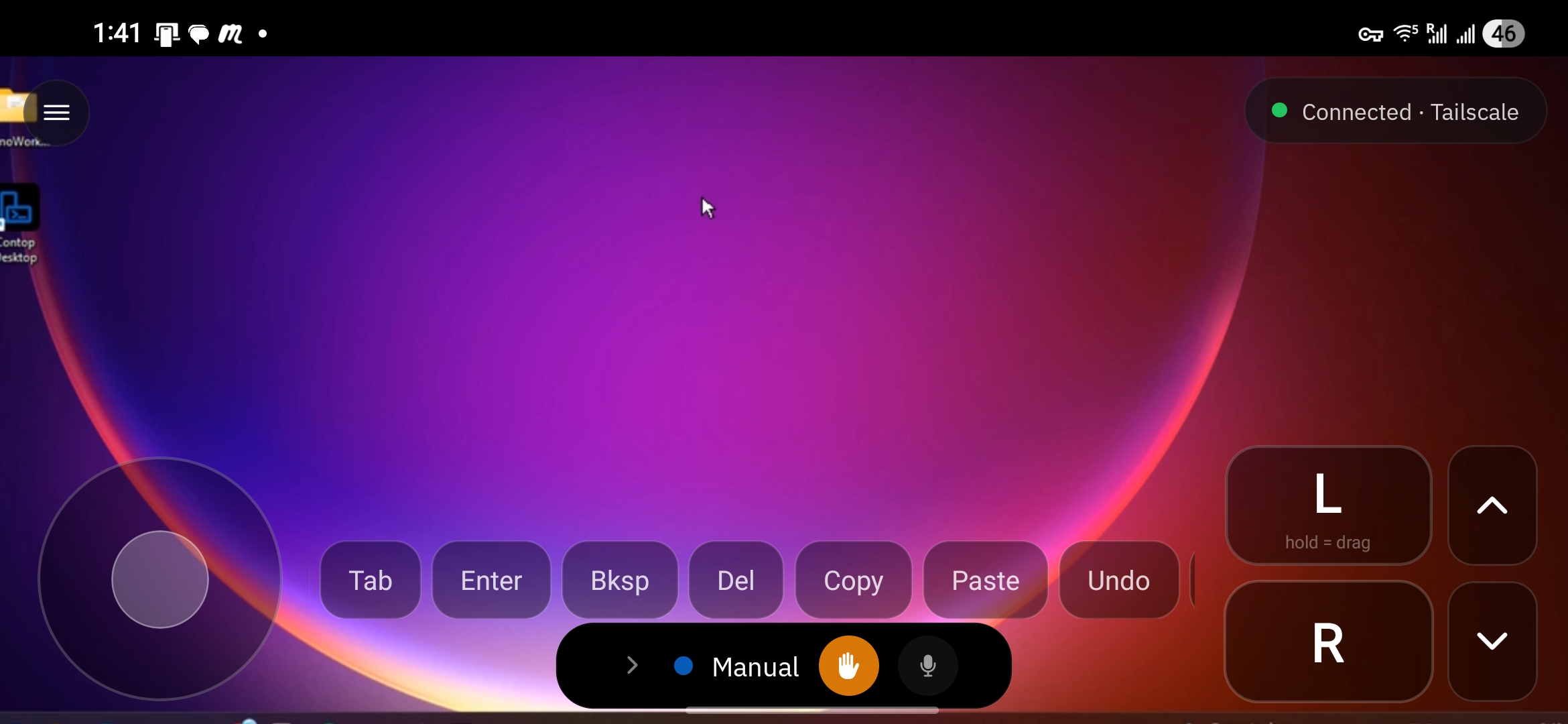 Manual Control - direct touch control of the remote screen |
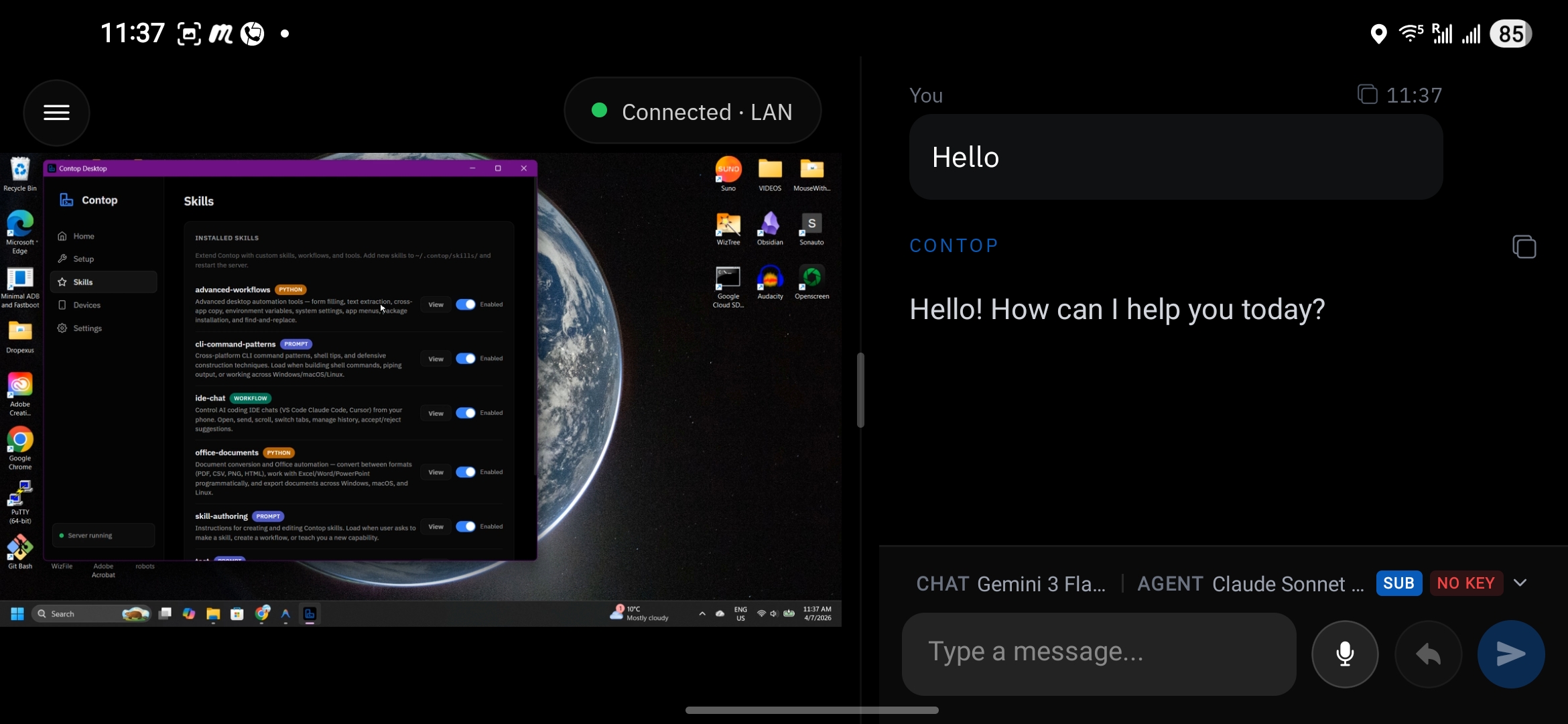 Landscape Split View - live video beside the execution thread |
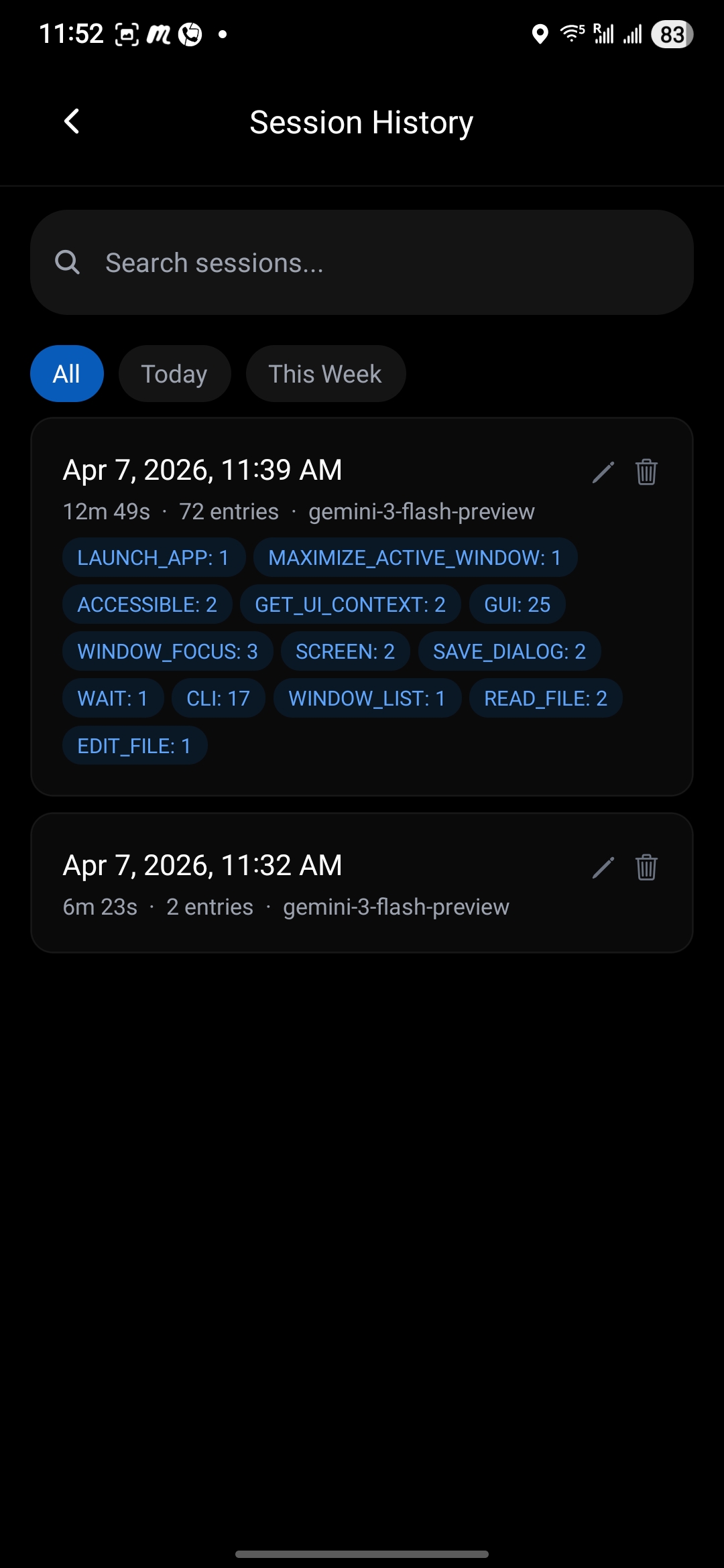 Session History |
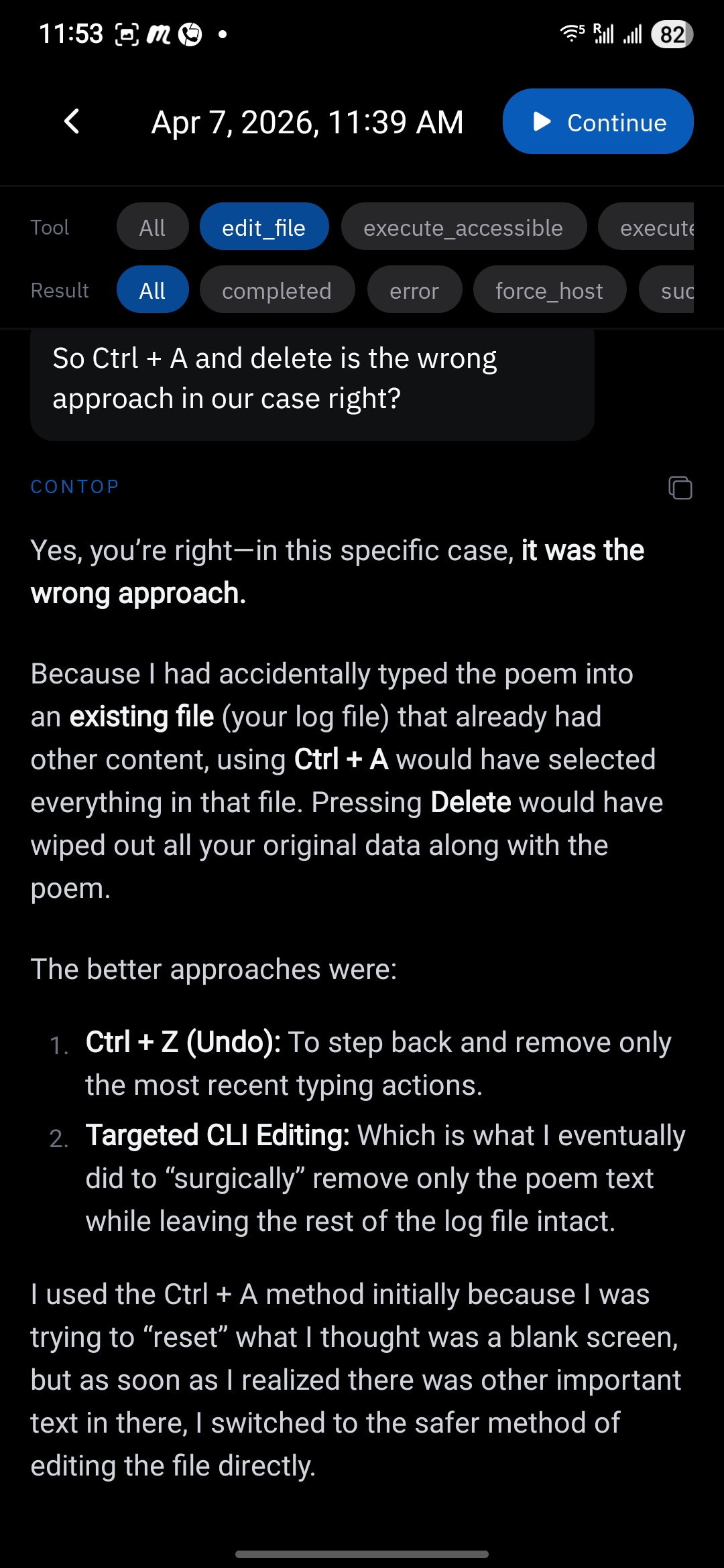 Restored Session |
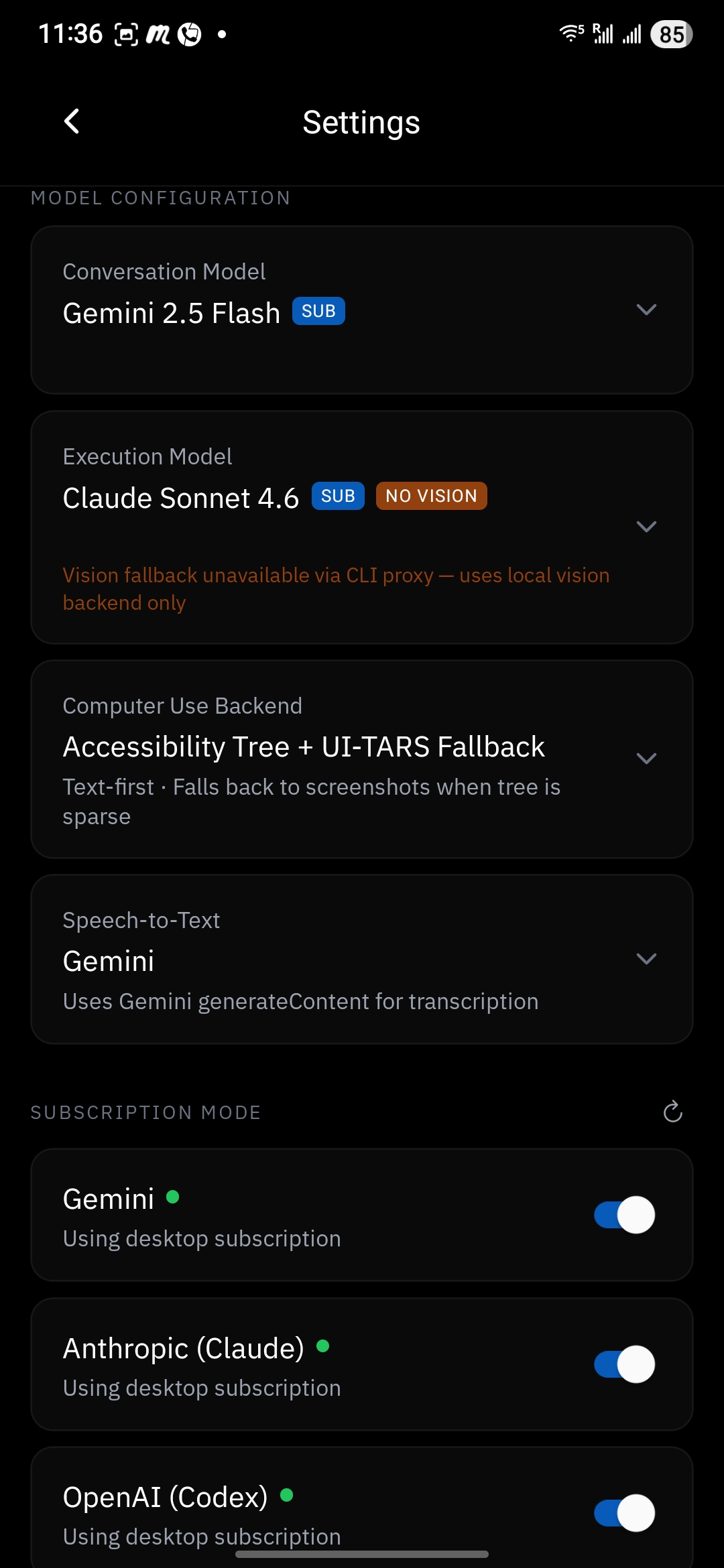 Settings - Models |
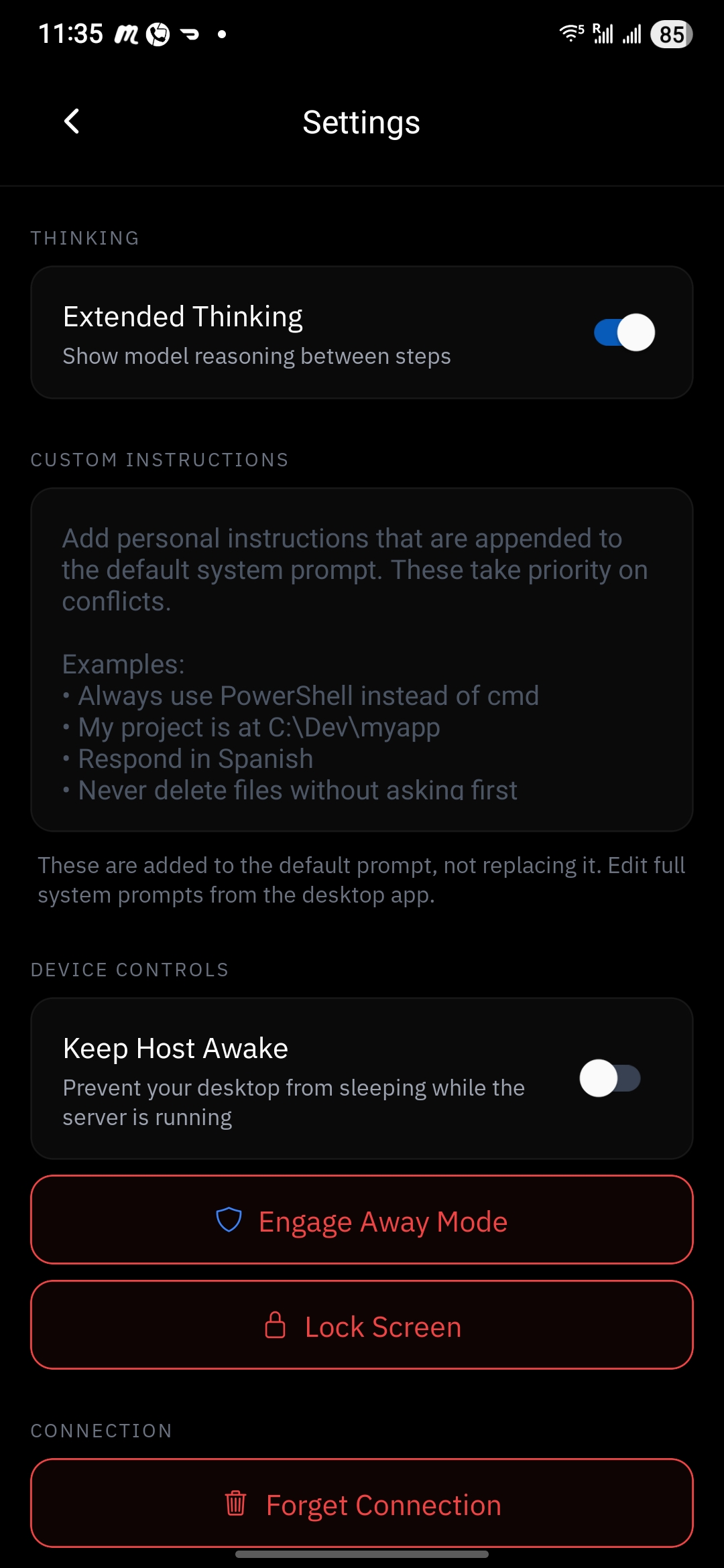 Settings - Security |
Features
Autonomous AI Agent
- 30+ execution tools - CLI, GUI automation, file operations, browser control, window management, document processing, app lifecycle, and more
- Smart vision routing - 9 backends: OmniParser V2, Gemini Computer Use, Accessibility Tree, and 6 OpenRouter vision models (UI-TARS, Kimi, Qwen, Phi, Molmo, Holotron)
- Multi-step planning - plan-generation tool with research sub-agent, tool chaining, and up to 50 iterations per task
- Multi-provider LLM - Gemini, OpenAI, Anthropic, and OpenRouter (100+ models including Groq, Mistral, DeepSeek, and more) via LiteLLM
- Subscription mode - use your existing Claude Pro/Max, Gemini Pro, or ChatGPT Plus/Pro subscription instead of API keys via the built-in CLI proxy (Claude Code, Gemini CLI, Codex CLI - text-only, no LLM vision fallback)
- Skills system - extensible via SKILL.md standard with YAML workflows and Python tool loading
- Real-time feedback - step-by-step progress, screenshots, and model/backend transparency streamed to your phone
Security
- Dual-Tool Evaluator - every command classified and routed through a security gate before execution
- Destructive action approval - dangerous operations require explicit user confirmation
- Sandboxed execution - high-risk commands run in an isolated Docker container
- Restricted path isolation - prevents agent from accessing protected directories
- JSONL audit log - every tool call logged with timestamps, commands, and outcomes
- Away Mode - PIN-locked secure overlay with auto-engage on idle (Windows)
Connectivity
- QR code pairing - scan to connect with 30-day persistent tokens, no IP configuration needed
- Cloudflare Tunnel - automatic public URL, zero port forwarding
- WebRTC P2P - dual data channels (reliable + unreliable) with live video streaming
- Paired device management - geo-location tracking, connection path visibility, per-device revoke, OS notifications
- Connection loss resilience - automatic execution kill on disconnect, chat-only fallback mode
Desktop App (Tauri v2)
- Lightweight native shell (Rust) with settings GUI
- Manages the Python server as a sidecar process
- API key and subscription mode configuration, security rules, system prompts
- CLI proxy lifecycle management - auto-start, health monitoring, and watchdog restart
- Cross-platform: Windows, macOS, Linux
Mobile App (Expo / React Native)
- Adaptive layouts: split-view, side-by-side, fullscreen video, thread-focus
- Real-time execution thread with tool outputs and screenshots
- Session history with persistence and restore
- Model selection, extended thinking toggle, custom instructions
Architecture
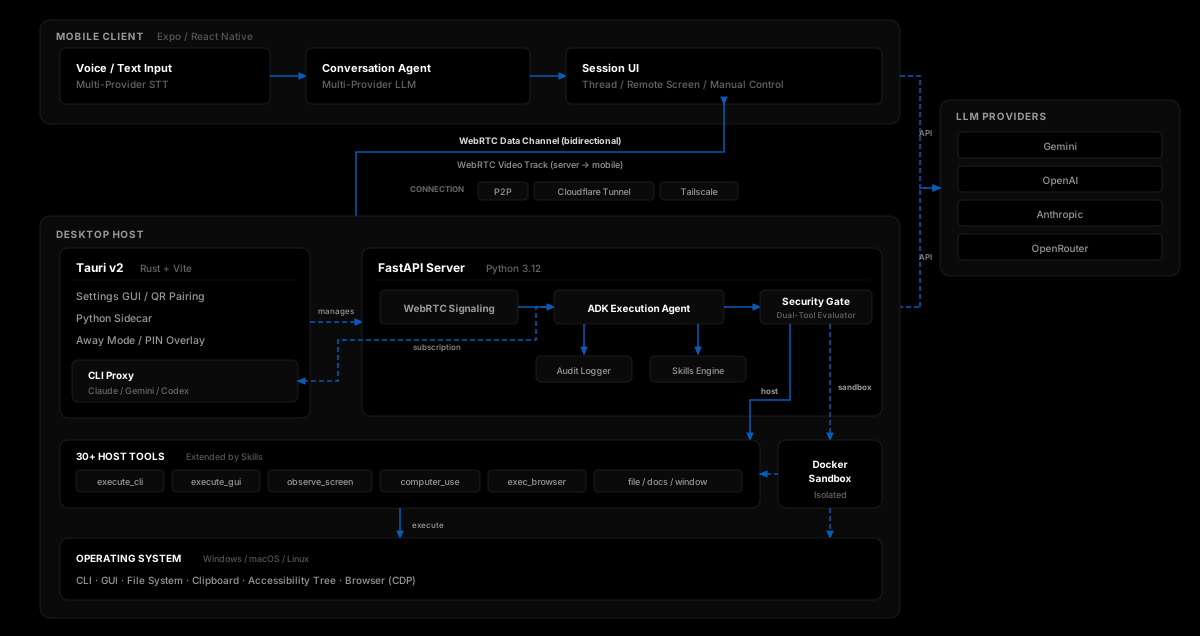
Tech Stack
| Layer | Technology |
|---|---|
| Mobile | React Native 0.83, Expo 55, TypeScript, NativeWind v4, Zustand |
| Desktop | Tauri v2 (Rust + Vite), Win32 APIs for Away Mode |
| Server | Python 3.12, FastAPI, asyncio, aiortc |
| AI Agent | Google ADK, LiteLLM (multi-provider routing) |
| AI Models | Gemini, OpenAI, Anthropic, Any model on OpenRouter (API keys or CLI subscriptions) |
| Vision | OmniParser V2, Gemini Computer Use, Accessibility Tree, 6 OpenRouter models |
| Automation | PyAutoGUI, platform adapters (Win/Mac/Linux), PinchTab CDP |
| Networking | WebRTC (aiortc), Cloudflare Tunnels, DTLS encryption |
| Security | Dual-Tool Evaluator, Docker sandbox |
Development Setup
Prerequisites
- Python 3.12+ with uv
- Node.js 18+
- At least one LLM API key: Gemini, OpenAI, Anthropic, or OpenRouter - or an existing Claude Pro/Max, Gemini Pro, or ChatGPT Plus/Pro subscription via the built-in CLI proxy
- Android / iOS device with Expo dev build
1. Start the Server
cd contop-server
uv sync
uv run uvicorn main:app --host 0.0.0.0 --port 8000
2. Run the Desktop App (optional)
cd contop-desktop
npm install
npm run tauri dev
3. Run the Mobile App
cd contop-mobile
npm install
npx expo run:android   # or: npx expo run:ios
4. Pair and Go
- Open the desktop app (or visit
http://localhost:8000) to see the QR code - Scan the QR code from the mobile app
- Start speaking or typing - the agent observes your screen and executes your commands
For detailed setup, platform-specific instructions, and configuration options, see the full documentation.
Project Structure
contop/
├── contop-server/           # Python FastAPI server + AI agent
│   ├── core/                # Agent, evaluator, signaling, pairing, skills engine
│   ├── tools/               # Vision backends, Docker sandbox, browser automation
│   ├── platform_adapters/   # OS-specific automation (Win / Mac / Linux)
│   ├── skills/              # Built-in skills (web research, IDE chat, CLI patterns)
│   ├── prompts/             # Agent system prompts
│   └── tests/               # pytest (unit + ATDD)
├── contop-mobile/           # Expo / React Native mobile client
│   ├── app/                 # Expo Router screens
│   ├── components/          # ExecutionThread, ExecutionInputBar, RemoteScreen
│   ├── hooks/               # useWebRTC, useConversation
│   ├── stores/              # Zustand state management
│   └── services/            # AI settings, session storage
├── contop-cli-proxy/        # CLI subscription proxy (Node.js / TypeScript)
│   └── src/                 # OpenAI-compatible proxy wrapping Claude/Gemini/Codex CLIs
├── contop-desktop/          # Tauri v2 desktop app
│   ├── src/                 # Vite frontend (HTML/CSS/JS)
│   └── src-tauri/           # Rust backend, Away Mode, sidecar + proxy management
├── website/                 # Next.js 15 marketing site
└── docs/                    # Docusaurus 3 documentation
Testing
cd contop-server && uv run pytest                # all server tests
cd contop-mobile && npx jest                     # all mobile tests
Links
| Resource | URL |
|---|---|
| Website | contop.app |
| Documentation | docs.contop.app |
| Releases | GitHub Releases |
| Issues | GitHub Issues |
License
Yorumlar (0)
Yorum birakmak icin giris yap.
Yorum birakSonuc bulunamadi