snyvi
Health Uyari
- License — License: MIT
- Description — Repository has a description
- Active repo — Last push 0 days ago
- Low visibility — Only 9 GitHub stars
Code Basarisiz
- rm -rf — Recursive force deletion command in .github/workflows/ci.yml
- process.env — Environment variable access in bench/browser.mjs
- process.env — Environment variable access in bench/bytes.mjs
- network request — Outbound network request in bench/bytes.mjs
- process.env — Environment variable access in bench/chrome.mjs
- network request — Outbound network request in bench/chrome.mjs
- rm -rf — Recursive force deletion command in bench/desk-window.sh
- new Function() — Dynamic code execution via Function constructor in bench/faces.mjs
Permissions Gecti
- Permissions — No dangerous permissions requested
Bu listing icin henuz AI raporu yok.
All your passion projects, in one calm place.

snyvi
All your passion projects, in one calm place.
A desktop app where your coding agents work, one desk for each project,
and everything they write is kept as a page you can read.




snyvi.com · Install · Tour · How it works · Guide · Questions
https://github.com/user-attachments/assets/71a5b82e-3eaa-4529-9160-dbe453b6b430
You have more passion projects than hours in the day. With coding agents,
you can finally build them all, at the same time.
But the work scatters. Plans get lost in terminal scrollback. What's left to
do lives in your head. And every project pulls you away from the last.
Agents make it easy to start. snyvi helps you finish.
One desk for each project, its agents side by side, and everything they
write kept where you can read it. It runs on your machine, with no account
and nothing to configure.
Install
| macOS | brew install --cask snymrova/snyvi/snyvi |
| Linux | curl -fsSL https://raw.githubusercontent.com/snymrova/snyvi/main/install.sh | sh |
| Windows | scoop bucket add snyvi https://github.com/snymrova/scoop-snyvi then scoop install snyvi, or the installer; winget install snymrova.snyvi once Microsoft's review is through |
Then open snyvi from your apps, or run snyvi app. It asks what you're
working on, makes that project's first desk, and connects Claude Code from
the window. From then on it updates itself, once a day, when you're not
looking.
The one-liner works on a Mac too, with no root on Linux. It checks every
download against its checksum. Read it first..deb, cargo install snyvi and the rest are in the install guide.
One desk for each project
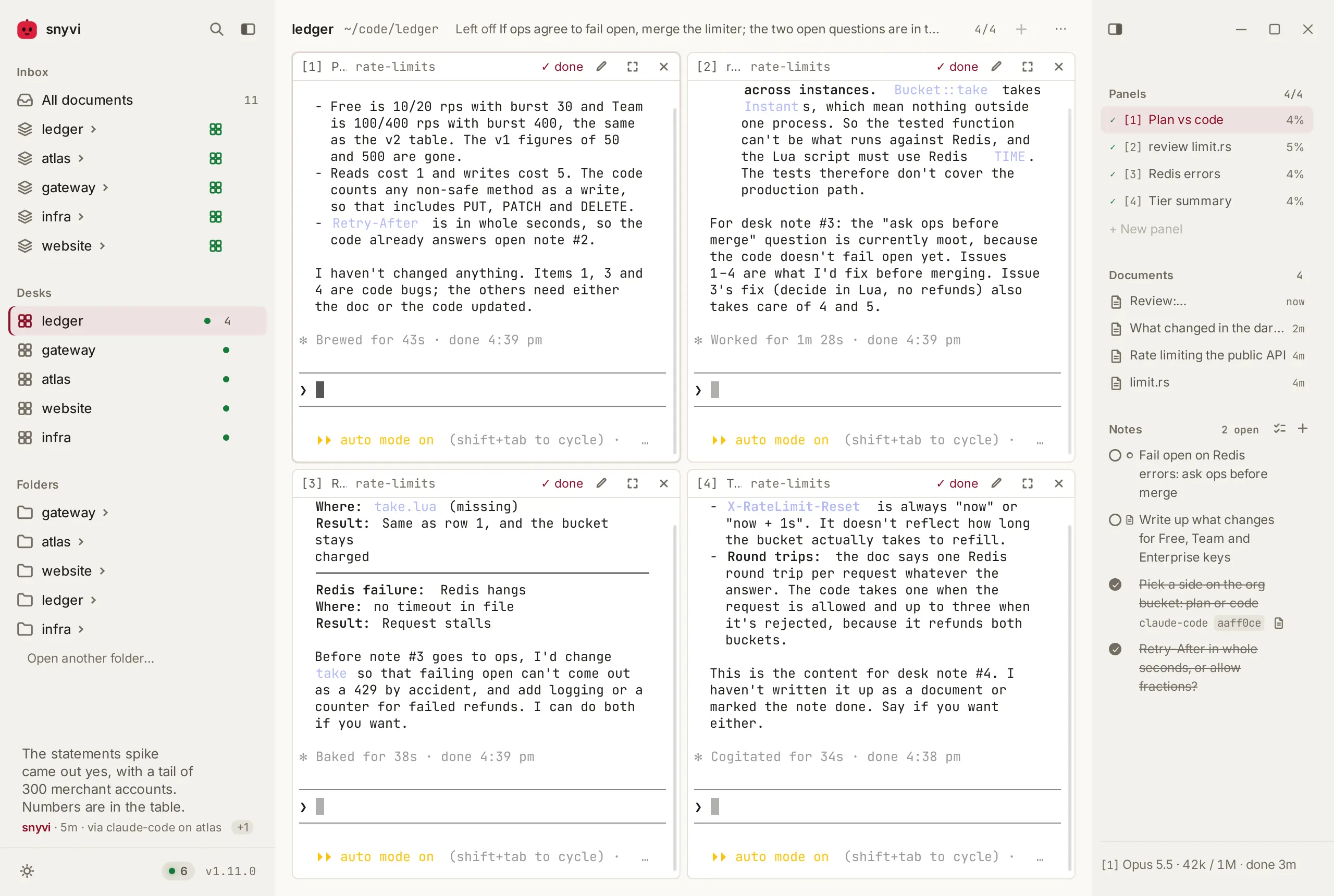
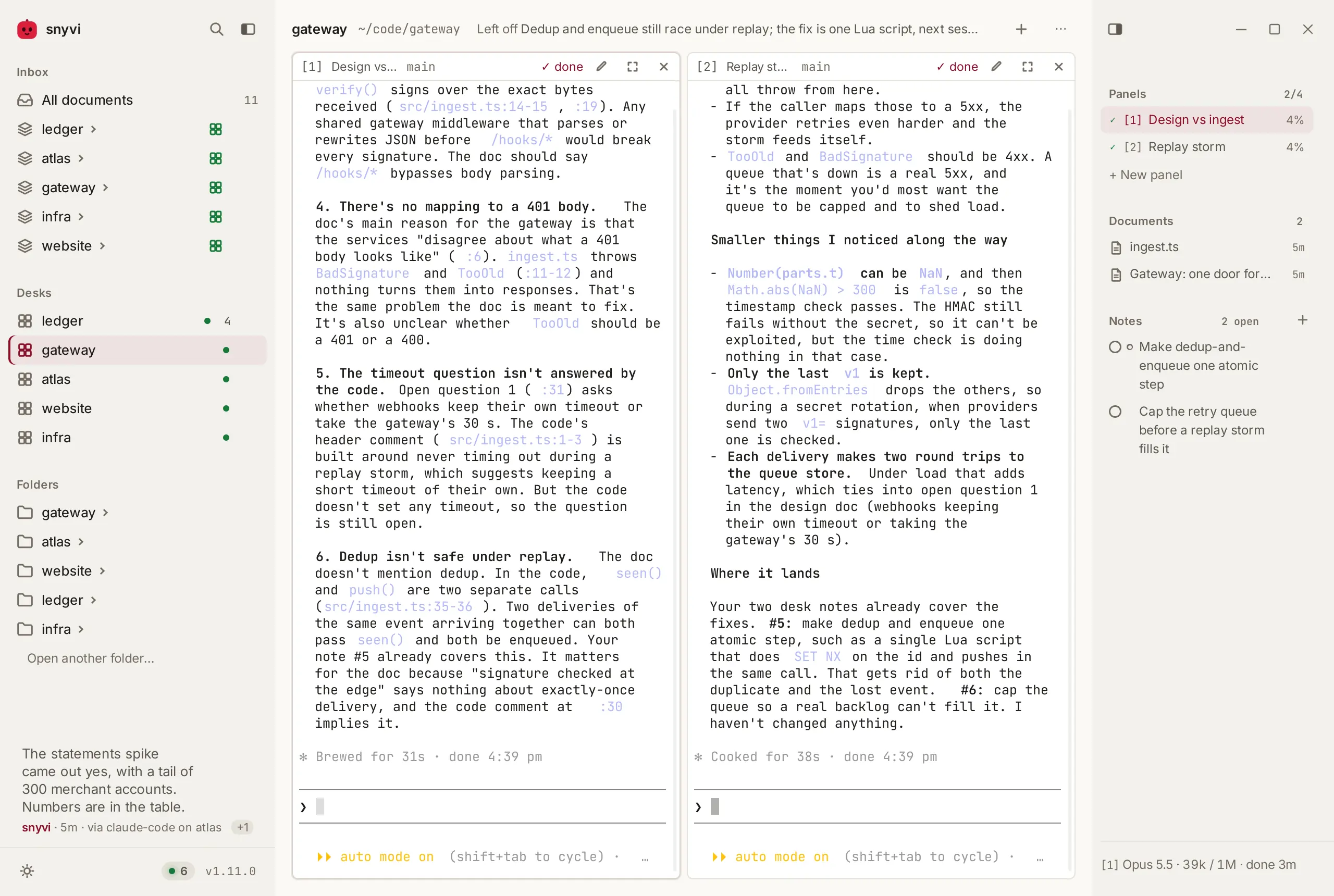
A project's folder with up to four real shells in it: Claude Code, Codex,
your tests, a git log. Every agent on the project works in view, and each
panel says whether its agent is working, done, or waiting on you.
A friend's snyvi
Pair once, with three words said over a call, and a document's menu gains
Send to… It lands in your friend's sidebar under From you within a
second, sealed to their key on the way; a relay holds the ciphertext for a
week at most, reads none of it, and keeps it for a snyvi that is asleep. An agent can offer a document to a friend, and you press
Send. Nothing else travels.
Room to focus
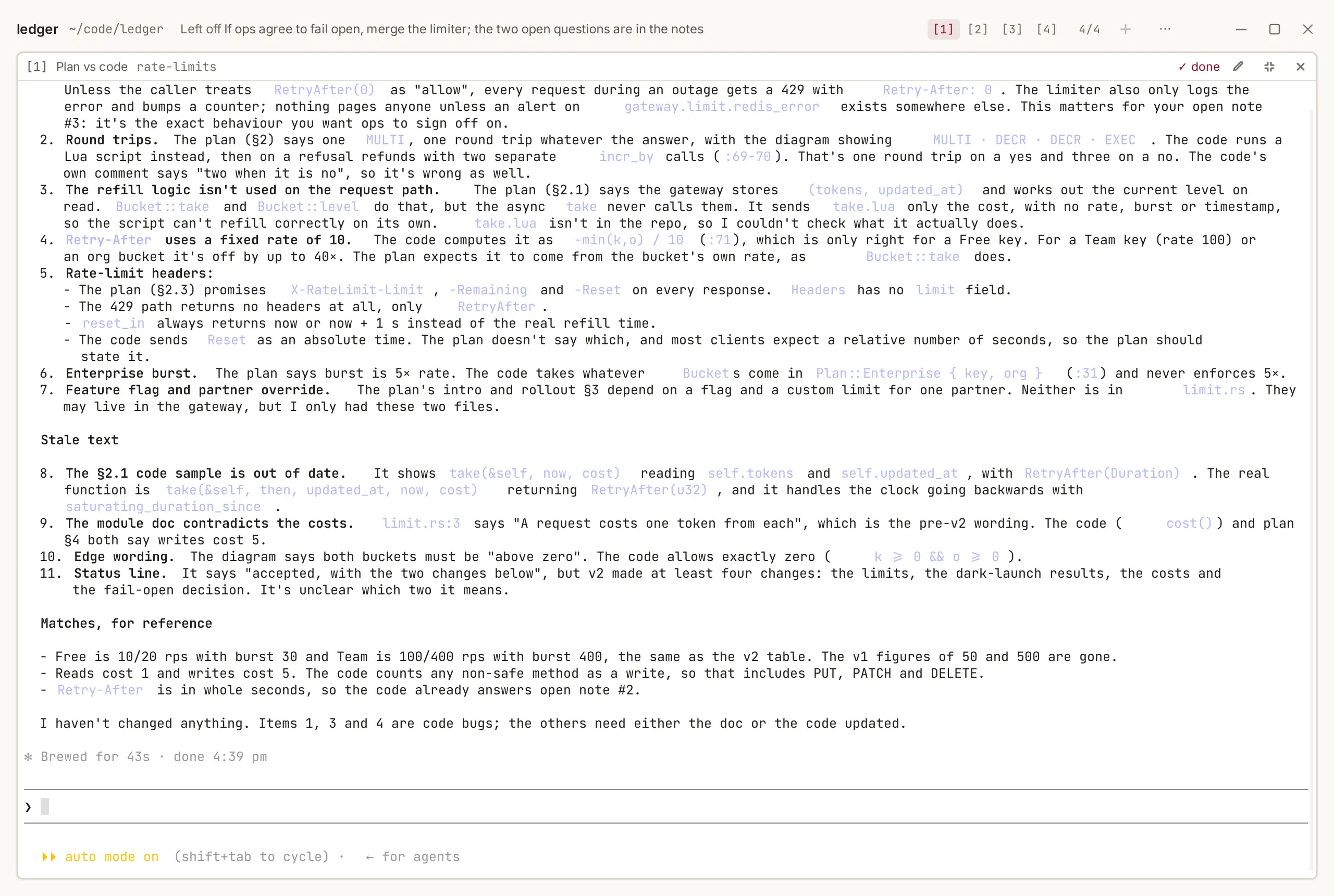
When one agent needs all of you, fold the sidebar and the rail away and give
its panel the whole window. ⌃⌥Z puts it back in the grid. The others keep
working, and their tabs say when one needs you.
Nothing scrolls away
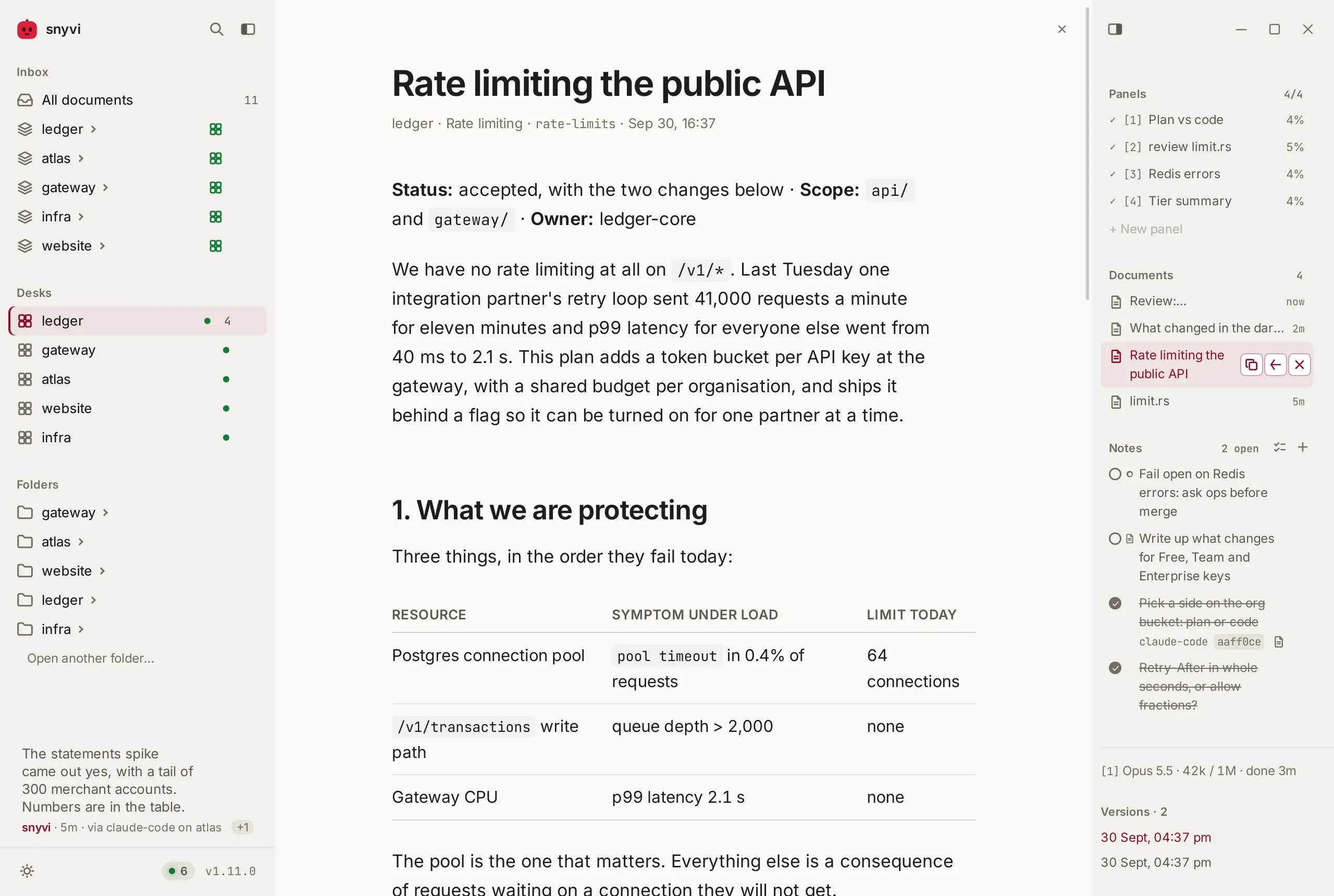
Plans and reviews land on the desk that wrote them, marked with the panel
they came from, and open as clean pages. They're filed under their project
and kept with every earlier version. c shows what changed.
Out of your head
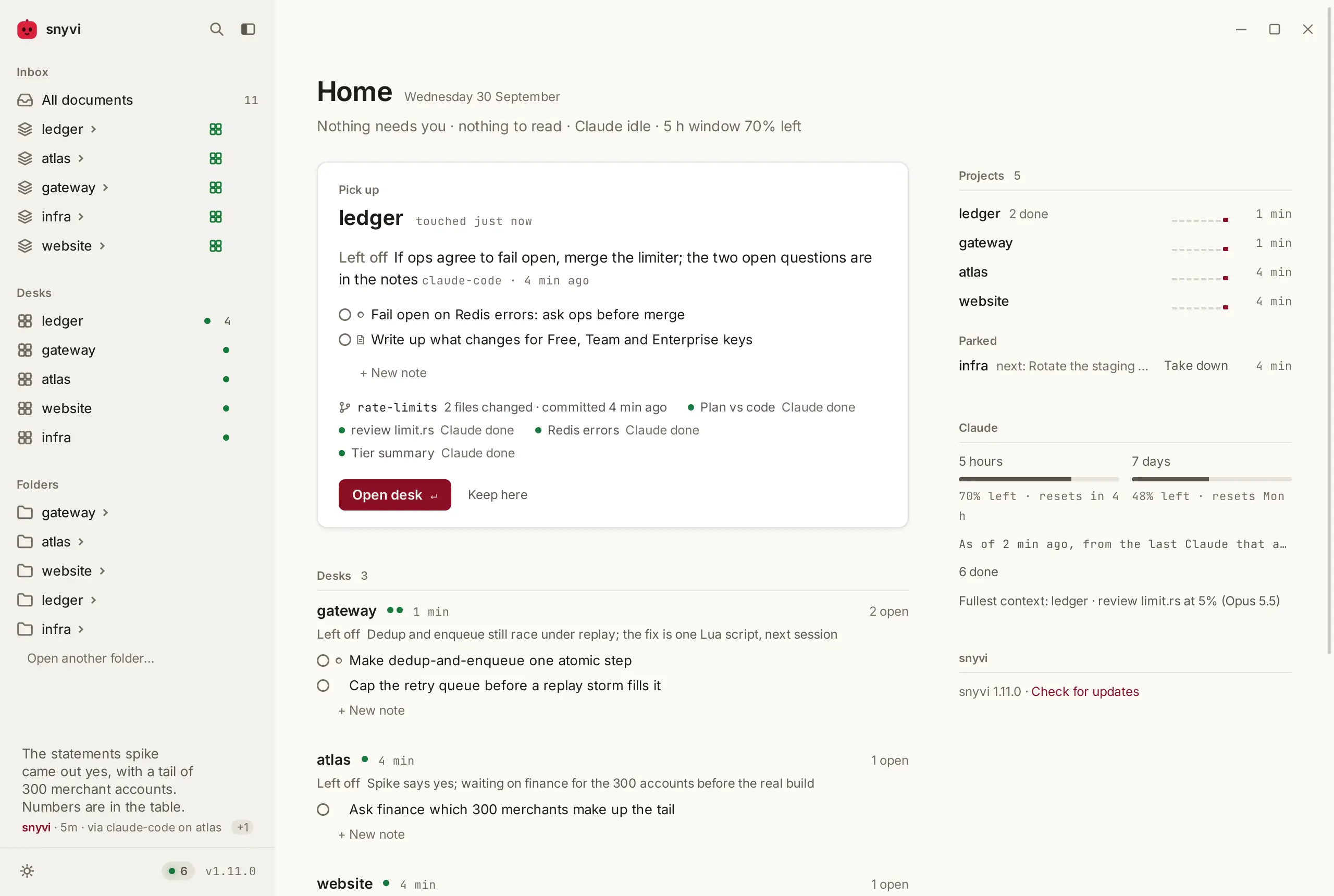
Each desk keeps its own notes, so what's left to do stays with the project.
The agents at that desk read them, say how far they've got, and tick one off
with the commit it went into. Home shows every desk's list and where each was
left.
Just as you left it
Switch projects and each desk is exactly as you left it. The agents you
walked away from keep working. ⌘K searches everything any agent ever sent.
Any agent
Claude Code, Codex, Cursor, Gemini, and anything else that speaks MCP.
snyvi init-claude --auto   # Claude Code
snyvi init codex           # also cursor, claude-desktop, gemini, windsurf, vscode, zed
Your sidebars
Arrange both sidebars on /sidebars: drag, switch off, reset. Give a desk
a small status box an agent keeps up to date, or one a script fills, or one
snyvi runs for you on a timer, like the branch you're on and how far ahead
it is. Write a widget. A desk's gallery holds what an
image or video model made for you, as it lands: click one to see it big,
and pick one to tell the agent (A gallery).
snyvi widget set backups --tone ok "Nightly backup **done**"
snyvi widget new git && snyvi widget check git
snyvi gallery add out/hero.png --caption "warm" --model flux --cost 0.04 --desk 3
How it works
flowchart LR
  A["An agent in a panel<br/>Claude Code, Codex, a shell"] -- "send_document, notes, leave_off<br/>over MCP" --> D["snyvi<br/>one binary on 127.0.0.1"]
  A -. "hooks: working, done, needs you" .-> D
  D --> K["The desk<br/>panels, its documents, its notes"]
  D --> L["The library<br/>every version, searchable"]
  D --> H["Home<br/>where each project was left"]
snyvi runs the panels itself, so an agent in one is a real terminal session
on your machine. What the agent writes arrives over MCP, is filed by the
folder it came from, and lands on the desk of the panel that sent it. A
document sent from anywhere else lands in the inbox, under its project.
Private, and fast
- One static binary, and a small window that opens it, listening on
127.0.0.1only. - No account, no telemetry, and nothing leaves your machine.
- Up in 11 ms, and every budget is checked on every push.
- Updates are signed, and checked before they're applied.
Questions
Is it free?Yes, and open source under the MIT licence. There is no paid tier.
Does anything leave my machine?No. snyvi listens only on 127.0.0.1, has no account and sends no
telemetry. The one request it makes to the outside is the daily update
check, and snyvi update off turns that off.
No. Any agent anywhere can send snyvi what it writes, and it lands in the
inbox under its project. Desks are for when you want the agents in view.
Yes. Sign in to another account from a desk's keys sheet, and that desk's
panels start as that account. Right-click a panel to run it as
another, back into the same conversation. Your settings, hooks and history
stay shared. How.
The Windows installer isn't signed yet, so SmartScreen asks once: More
info, then Run anyway. Scoop installs without the prompt. Signing is on
its way; the code signing policy says what will be
signed, and how.
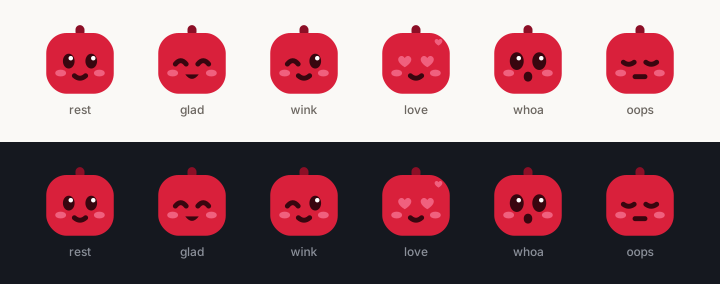
The one in the corner is snyvi, and the app icon is the same drawing. It has
six faces and speaks only when spoken to. They're MIT like the rest, so use
them for anything about snyvi.
Guide · Desks · Roadmap · The film · Code signing · MIT
Yorumlar (0)
Yorum birakmak icin giris yap.
Yorum birakSonuc bulunamadi