acp-patchbay
Health Uyari
- License — License: Apache-2.0
- Description — Repository has a description
- Active repo — Last push 0 days ago
- Low visibility — Only 5 GitHub stars
Code Gecti
- Code scan — Scanned 12 files during light audit, no dangerous patterns found
Permissions Gecti
- Permissions — No dangerous permissions requested
Bu listing icin henuz AI raporu yok.
One VS Code experience for every AI agent — a unified client for any ACP-compatible coding agent
ACP Patchbay
One VS Code experience for every AI agent.




ACP Patchbay is a unified VS Code client for any
ACP-compatible coding agent — Claude Code,
Gemini CLI, Codex, OpenCode, Auggie, Kimi, Kilo, and every other agent in the live
ACP registry. Consistent chat,
capabilities you can trust, and deep editor context. Every agent connects; how deep
each one goes is shown in the capability matrix, never guessed. Stop learning a new
extension every time you switch agents.
Install from the Marketplace → · Install from Open VSX →
VS Code from the Marketplace; Cursor, Windsurf, VSCodium and other VS Code–compatible editors from Open VSX.
Why
The agent should be the variable, your experience the constant. The Agent Client
Protocol makes any compatible agent a plug-in — a CLI-only agent is first-class,
and a vendor's extension improving or being retired never moves your workflow.
Patchbay is the one client that speaks it for all of them: one chat, one permission
model, one session store. The full story →
What Patchbay adds
A faithful ACP client already proves the connection works. Patchbay adds the
orchestrator layer on top:
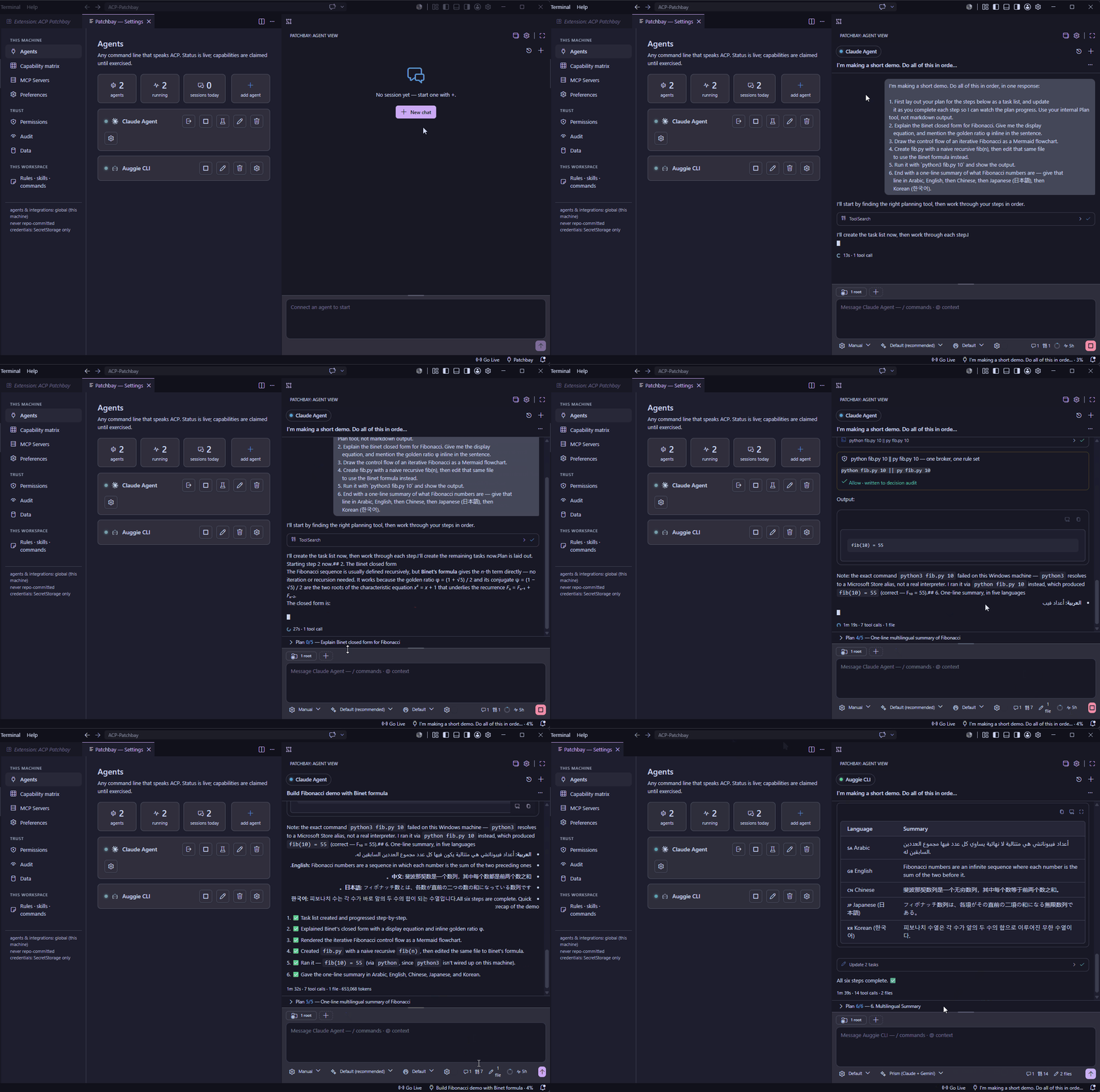
- 🧭 Capabilities you can trust. An agent's handshake tells you what it
claims, not what works on the wire. Patchbay tracks every capability as
declared vs. used and only lights up a feature once the path has genuinely
fired — "native fork" or "MCP servers" means verified, not promised. - 🛡️ One permission model. A single permission broker across every agent. You
review and approve what an agent does — file writes, terminal, tools — the same
way regardless of which agent is driving. - 🧩 Editor-aware context. A built-in local MCP server hands agents real editor
state — current file, selection, open editors, diagnostics, workspace layout —
and can ask you for input mid-turn. The agent sees what you see. - 🎛️ Sessions in parallel. Run many sessions at once, on one agent or across
several, each with its own history. A live dot marks a turn in flight, an unseen
dot marks a session that finished while you were elsewhere, and a chime — or a
native OS notification when the view is hidden — tells you the moment a turn
lands. Detached panels and prompt queueing included.
Everything you'd expect from a great client
- Polished chat composer with inline
/commands and@-mentions of workspace files - Full session history — list, resume, and fork, backed by the agent's own store
- Faithful replay of past sessions (no "last message only" gaps)
- A live plan and a touched-files read-out while the agent works
- MCP integrations, including remote servers over Streamable HTTP, added and verified in-client
- Theme-native UI that follows your VS Code theme
Getting started
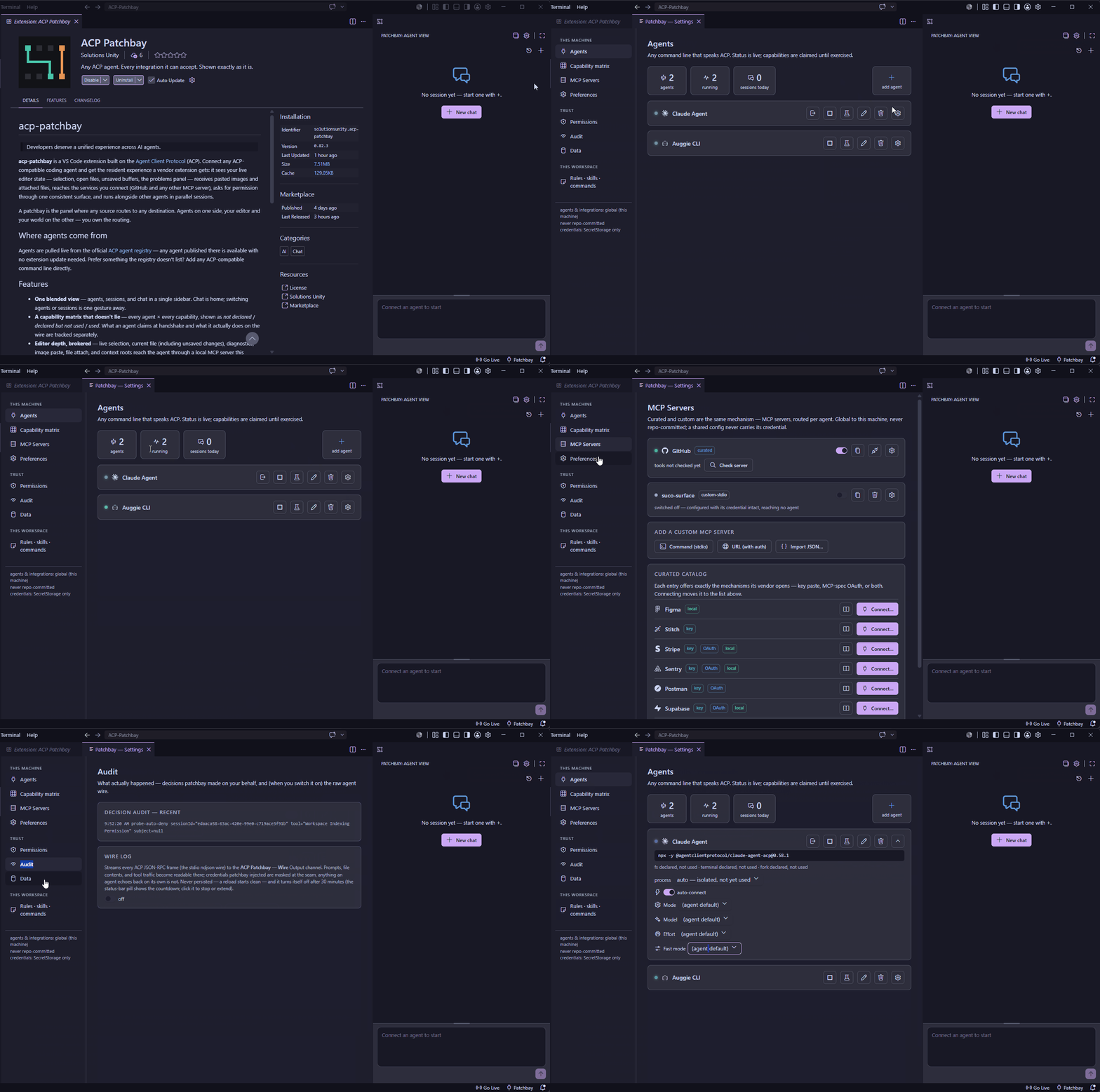
- Open the Patchbay icon in the activity bar.
- Add an agent in Settings › Agents — search the built-in registry or paste
any command line that speaks ACP. Adding connects and verifies it in one step. - Hit + and go — one agent starts directly, several offer a picker, and a
not-yet-running agent connects right in the chat pane. The composer's/opens
the agent's own advertised commands; the context adder attaches your selection,
current file, diagnostics, or any other file; pasting an image just works.
Settings (gear icon) is where the capability matrix, integrations, permission
rules, and agent / session / rules-skills-commands management live.
Uninstalling cleanly
VS Code has no uninstall hook, and secrets can survive uninstall — so a clean
slate is an explicit act: Settings → Permissions → "Disconnect & erase all
data" stops every agent and deletes everything patchbay stored on this machine
(configs, credentials, caches, rules, the audit). Run it before uninstalling. It
covers the current window's workspace records and deletes by the current config
lists — so run it while those configs still exist.
License
Licensed under the Apache License 2.0. Copyright © 2026
Solutions Unity. See NOTICE for attribution.
Yorumlar (0)
Yorum birakmak icin giris yap.
Yorum birakSonuc bulunamadi