cc-same
Health Warn
- License — License: MIT
- Description — Repository has a description
- Active repo — Last push 0 days ago
- Low visibility — Only 5 GitHub stars
Code Fail
- rm -rf — Recursive force deletion command in scripts/bundle-linux.sh
- rm -rf — Recursive force deletion command in scripts/bundle-macos.sh
Permissions Pass
- Permissions — No dangerous permissions requested
No AI report is available for this listing yet.
Keep Claude Desktop's local sessions identical across all your accounts. Desktop app (macOS, Windows, Linux) and CLI.

CC Same


Keep Claude Desktop's local sessions identical across all your accounts.
Sign out, sign in with another account, and everything is still there.
Why
Claude Desktop keeps a separate list of local Code sessions for every account and organization.
Switch accounts and the sidebar is empty, even though every conversation is still on disk in~/.claude/projects. CC Same keeps every account's list in step: sessions, titles, archive
state, deletions, scheduled tasks and task suggestions. Whichever account you sign in to looks the same.
It works on macOS, Windows and Linux (unofficial Linux builds of Claude Desktop), and
comes as a small desktop app and a command-line tool. Both share one engine.
The app
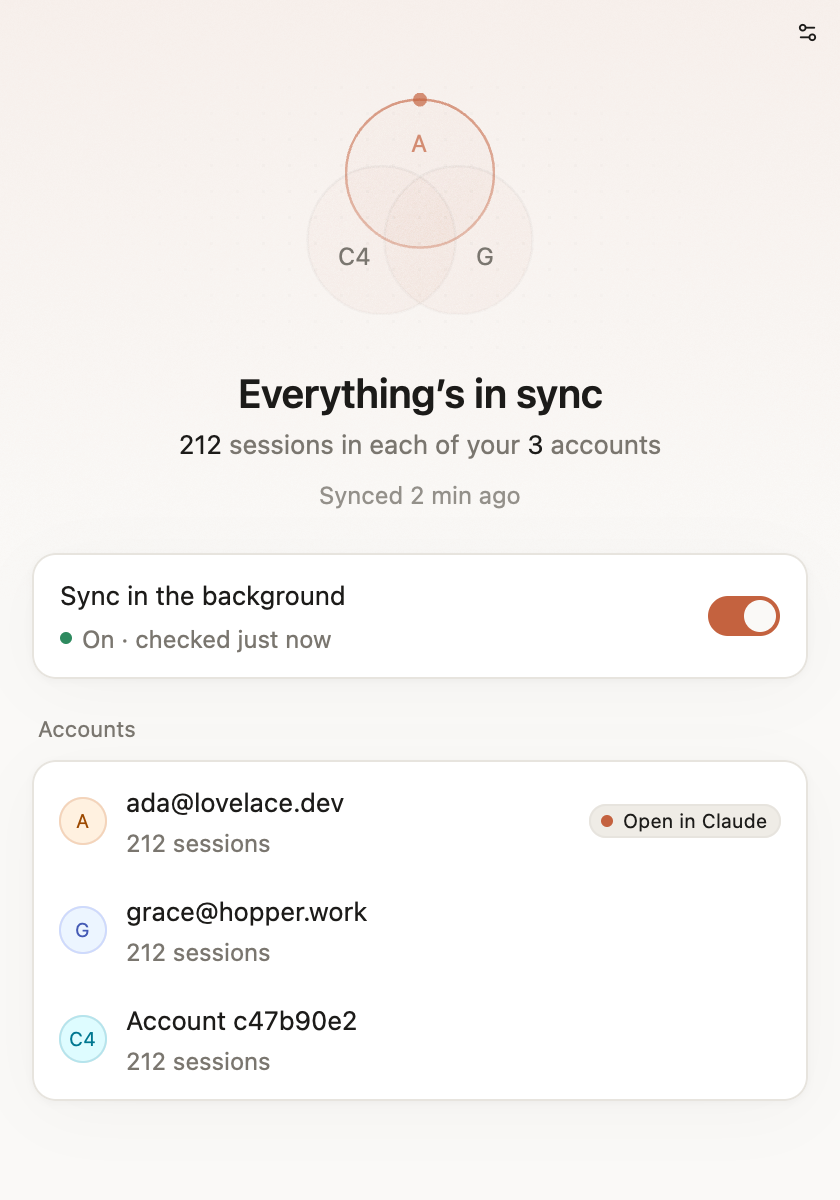
- One glance. Each account is a ring; rings that share every session overlap, and one that is
behind drifts out until it catches up. One sentence says what is going on. - One switch. Sync in the background keeps every account identical from login, even with the
window closed. - Menu bar / system tray. The status, Sync now and the background switch are a click away.
Hide the icon in Settings, and choose whether the app opens quietly at login. - Speaks your language. English, 简体中文, 繁體中文, 日本語, 한국어, Français, Deutsch, Español,
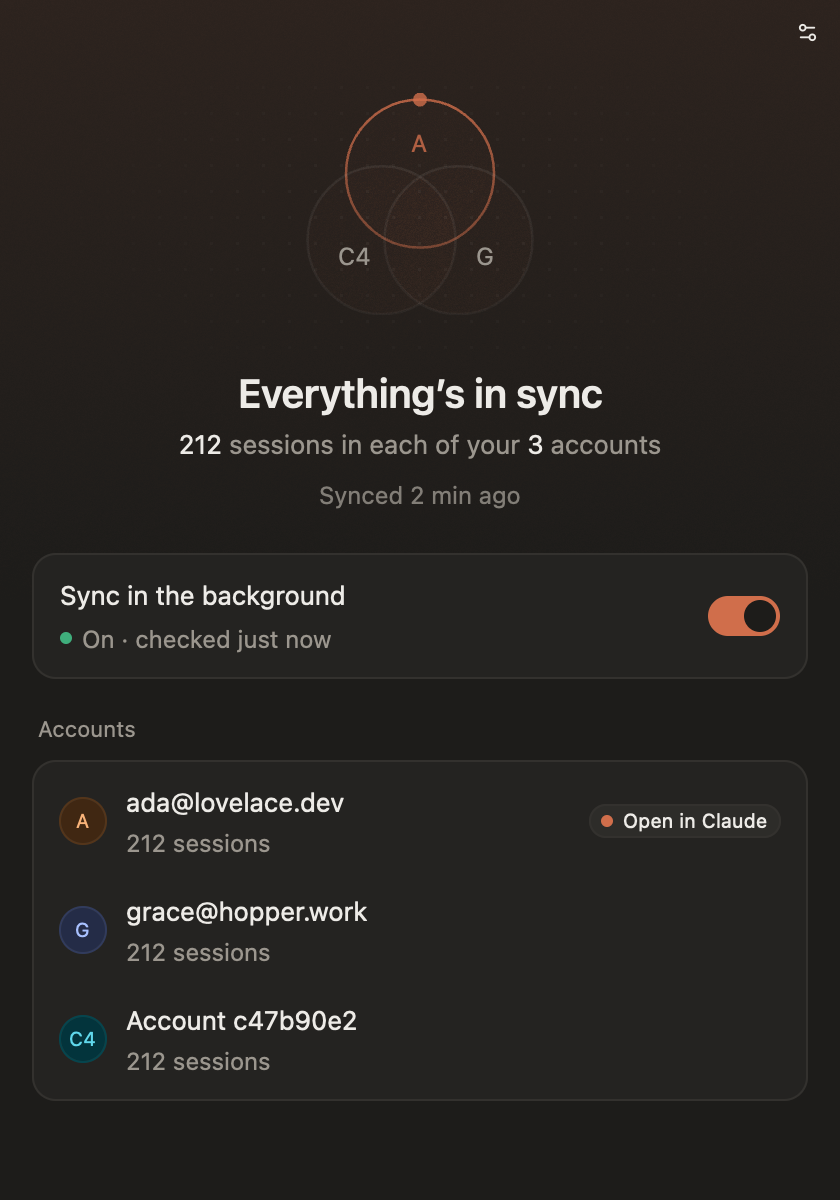
Português (Brasil) and Русский, following the system unless you pick one. Light and dark follow
the system too. - Undo built in. Snapshots of every session list, restorable from Settings.
- One-click account switching (macOS). Switch Claude to another account from the window or the
menu bar, without signing out: CC Same keeps each sign-in and trades them while Claude restarts.
Your accounts form a numbered list, the way claude-swap
keeps one: Next Account goes round it, and each account shows its 5-hour and weekly plan
usage as Claude last read it. - Keeps itself up to date. A new version downloads in the background and installs when the
window is closed or the app quits; What's new shows what changed.
Install
App. Download CC-Same-<version>-<platform> from
Releases: the .dmg for macos-arm64 or macos-x64,
or the archive for windows-x64, linux-x64 or linux-arm64. Open it and switch on
Sync in the background. That's all: from then on the app updates itself (Settings › Updates).
- The Mac app is signed with a Developer ID and notarized by Apple.
- The Windows build is not code-signed yet, so SmartScreen may ask first: More info → Run anyway.
- On Linux, unpack the archive into
~/.local:tar -xzf CC-Same-<version>-linux-x64.tar.gz -C ~/.local --strip-components=1.
The tray icon needs StatusNotifier support: KDE has it, and so does GNOME with the AppIndicator
extension (on by default in Ubuntu). Without it, closing the window quits the app; background
sync keeps running either way.
Command line.
cargo install --locked --git https://github.com/songkeys/cc-same cc-same
cc-same install
or grab cc-same-cli-<version>-<platform> from Releases.
The first time a sync copies sessions into the account Claude has open, quit and reopen Claude
once: it only reads its session list at startup. After that, switching accounts needs nothing.
Using the command line
cc-same doctor         what every account has, and anything that needs attention
cc-same plan           what a sync would change (dry run)
cc-same sync           sync once
cc-same install        sync, then keep syncing in the background from login
cc-same uninstall      stop background syncing (every account keeps its full copy)
cc-same status         background sync and the last sync
cc-same snapshots      list snapshots
cc-same restore <id>   put every session list back as it was (quit Claude first)
cc-same retention      how long Claude Code keeps transcripts (--keep, --undo)
cc-same accounts       your accounts, numbered, with their plan usage (--json)
cc-same switch [<who>] switch Claude to an account, or the next one (--strategy best) (macOS)
cc-same add            restart Claude signed out, to add an account (the current one is kept)
cc-same remove <who>   take an account off the list, forgetting the sign-in kept for it
cc-same alias <who> <name>, disable <who>, enable <who>, move <who> <number>
cc-same config         --exclude <account-id>, --auto-join off, …
What stays in sync
| Local Code sessions: title, archive state, model, permission mode, folder grants, linked PRs, worktrees | ✅ |
| Deletions (to a trash folder, recoverable) | ✅ |
| Code scheduled tasks and task suggestions | ✅ |
Transcripts, CLAUDE.md, skills, settings.json, local MCP servers |
Already shared by Claude |
| Connectors, Remote Control links, published artifacts, pins | Kept per account |
| Sidebar groups and order | ✗ Synced with each account's server settings, replaced at every sign-in |
| claude.ai chats, projects, memory, cloud sessions | ✗ Stored in each account in the cloud |
| Cowork tasks | ✗ On Pro and Max plans, new ones run in the cloud too |
How it works
Claude Desktop writes only the index of the account it has open, and reads it only when that
account loads. CC Same never touches an index Claude has loaded. It mirrors that index to the
others, and catches up the one you left after you switch accounts or quit. For each session the
newest copy wins; deletions travel as Claude's own deleted_<id> markers.
Every index stays a real folder. The popular "merge the folders and symlink them" trick is
unsafe with current Claude Desktop, which silently stops saving sessions through a symlinked
folder. CC Same can undo that setup for you (cc-same fix-symlinks).
docs/how-it-works.md has the details and the evidence.
Safety
- A copy-on-write snapshot of every index is taken before the first change (kept forever) and at
most hourly afterwards;restoreputs any of them back. - Nothing is deleted: anything removed or replaced goes to a trash folder for 30 days.
- Writes are atomic, keep file times, never follow symlinks, and never overwrite a file that
appeared or changed since planning. - Fields that belong to one account (its connectors, Remote Control mirrors, published
artifacts, pins) never travel to another. - Syncing needs no network access: everything happens on your machine. The app only goes online
to ask GitHub for a new version once a day and to download it; Settings › Updates turns that off.
Building from source
cargo build --release                        # CLI (Rust 1.85+)
cargo test                                   # engine + CLI tests
cargo app                                    # run the app
cargo app-test                               # app tests
scripts/bundle-macos.sh                      # CC Same.app + archives in dist/
cargo app --example screenshot -- out/       # render every app state to PNG (macOS)
The app lives in crates/app as a workspace of its own, so the CLI never pulls in the GUI
framework; cargo app, cargo app-build, cargo app-clippy and cargo app-test are aliases for it.
Interface text is in crates/app/locales/app.yml, one entry per
message with a line per language.
Linux needs clang cmake libfontconfig-dev libssl-dev libvulkan1 libwayland-dev libx11-xcb-dev libxkbcommon-x11-dev libzstd-dev pkg-config for the app.
Releasing
Bump version in Cargo.toml and crates/app/Cargo.toml and add a ## <version> - <date> section
to CHANGELOG.md: it becomes the release notes, and the app shows it as What's new.
Pushing a v* tag builds every platform and attaches the files to a GitHub release. Mac builds are
signed with a Developer ID, notarized and stapled when the repository has these (otherwise they are
ad-hoc signed):
| Name | Kind | What |
|---|---|---|
APPLE_CERTIFICATE_P12_BASE64 |
secret | The Developer ID Application certificate and key, exported as .p12, base64 |
APPLE_CERTIFICATE_PASSWORD |
secret | The .p12 password |
APPLE_API_KEY_P8_BASE64 |
secret | An App Store Connect API key (.p8), base64 |
APPLE_API_KEY_ID |
variable | That key's ID |
APPLE_API_ISSUER |
variable | The issuer ID shown with the key in App Store Connect |
APPLE_SIGNING_IDENTITY |
variable | Developer ID Application: <name> (<team>) |
The same on your Mac: CODESIGN_IDENTITY=… NOTARIZE=1 APPLE_API_KEY=… APPLE_API_KEY_ID=… APPLE_API_ISSUER=… scripts/bundle-macos.sh.
The app is built with Longbridge's GPUI Kit on
GPUI, Zed's GPU-accelerated UI
framework.
License
MIT. CC Same is an independent project, not affiliated with or endorsed by Anthropic.
Claude is a trademark of Anthropic.
Reviews (0)
Sign in to leave a review.
Leave a reviewNo results found