lun
Health Warn
- No license — Repository has no license file
- Description — Repository has a description
- Active repo — Last push 0 days ago
- Low visibility — Only 8 GitHub stars
Code Warn
- process.env — Environment variable access in bin/lun.js
- network request — Outbound network request in bin/lun.js
Permissions Pass
- Permissions — No dangerous permissions requested
No AI report is available for this listing yet.
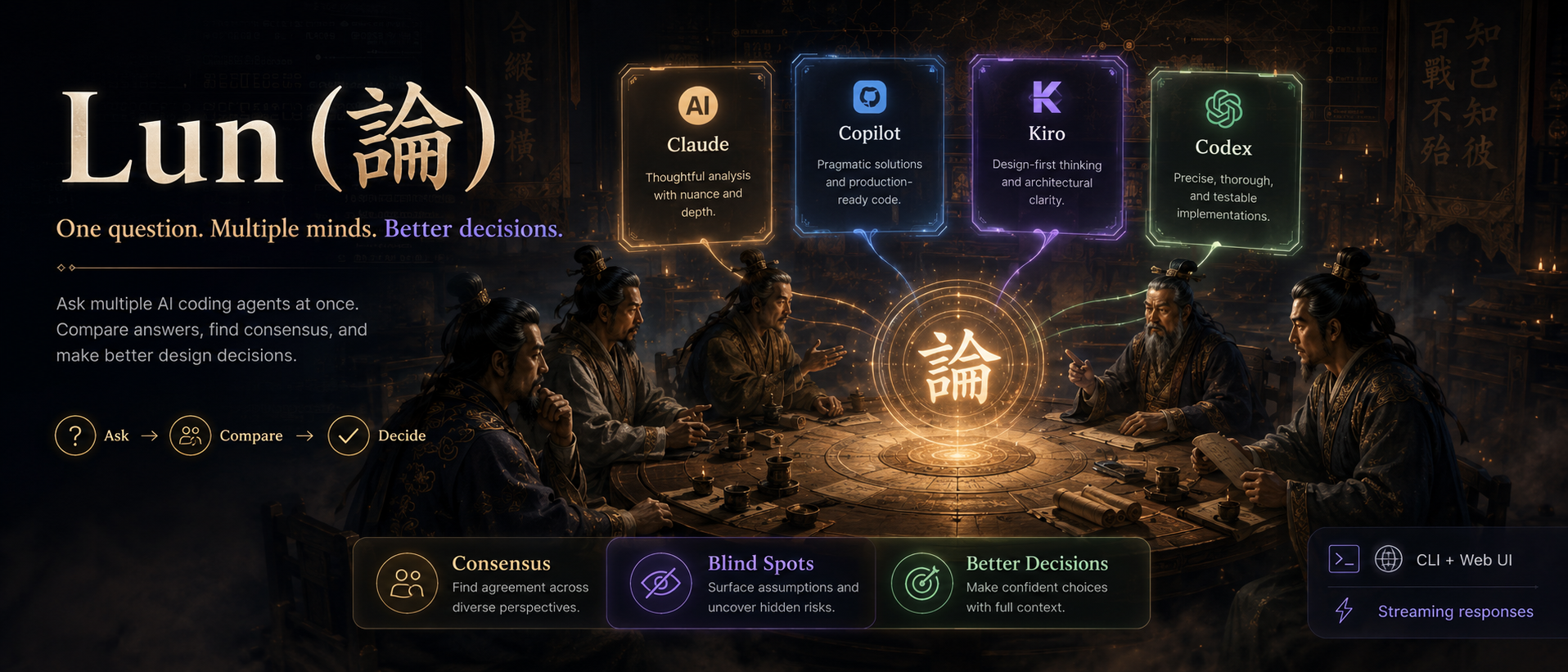
論 — Ask multiple AI agents, get consensus. CLI tool for multi-agent design decisions. Currently supports Kiro, Claude Code, Copilot — more coming.
      ╦   ╦ ╦ ╔╗╔
      ║   ║ ║ ║║║
      ╩═╝ ╚═╝ ╝╚╝
One question. Multiple minds. Better decisions.
Not sure about that AI answer?
Ask multiple agents at once and compare.



What is Lun?
Lun (論) is a CLI tool that asks multiple AI coding agents the same question in parallel and shows you their answers side-by-side — so you can spot consensus, catch blind spots, and make better design decisions.
Currently supports Kiro, Claude Code, GitHub Copilot, Antigravity, and Codex. Cline is also defined as an optional provider when its CLI is available.
$ lun "Should I use REST or GraphQL for this API?"

  Lun — Asking kiro, claude, copilot, agy, codex...

  --- Kiro (4.2s, auto) ---
  REST is the better fit here. Your API is resource-oriented
  with simple CRUD operations, and REST gives you caching,
  standard HTTP semantics, and simpler client code...

  --- Claude (3.8s, sonnet) ---
  I'd lean toward GraphQL. You mentioned multiple frontend
  clients with different data needs — GraphQL's flexible
  queries avoid over-fetching and reduce round trips...

  --- Copilot (5.1s, auto) ---
  Consider a hybrid: REST for public endpoints, GraphQL
  for your internal dashboard that needs flexible queries...

  ────────────────────────────────────────────────────────
Results stream in as each agent finishes. No waiting for the slowest one.
Why?
A single AI opinion can be confidently wrong. When you're making decisions that matter — architecture, tech stack, API design — you want multiple perspectives:
- 2 out of 3 agree? → Higher confidence
- All 3 disagree? → The problem needs more thought
- One has a unique angle? → You might have missed something
Lun makes this a 10-second habit instead of a 10-minute tab-switching ritual.
Install
Install straight from GitHub:
npm install -g github:soonsoon2/lun
You need at least one AI agent CLI installed:
| Agent | Install | What you get |
|---|---|---|
| Claude Code | npm i -g @anthropic-ai/claude-code |
Anthropic's reasoning |
| GitHub Copilot | gh extension install github/gh-copilot |
OpenAI/GPT models |
| Kiro CLI | npm i -g kiro-cli |
AWS-backed multi-model |
| Antigravity CLI | agy install |
Google Antigravity agent |
| Codex CLI | npm i -g @openai/codex |
OpenAI Codex agent |
| Cline CLI | npm i -g @anthropic-ai/cline |
Multi-provider |
Antigravity CLI setup
Lun calls Antigravity through agy in print mode:
agy install
agy -p "hello"
Adding a new provider is a single file edit in
src/providers.js.
Quick Start
# First time — pick language, agents, models
lun --init

# Ask all agents (results stream as they arrive)
lun "How should I structure this microservice?"

# Interactive mode — keep asking
lun

# Specific models for deeper analysis
lun -M claude:opus,copilot:gpt-4.1 "Review this architecture"

# Pipe a file as context
cat design.md | lun "What are the risks here?"

# Auto-synthesize all answers into one recommendation
lun -s "Redis vs Memcached for session storage?"
For Agent Integration
Other AI agents can call lun and parse the output:
lun -j "Should I use a monorepo?"
Outputs NDJSON (one event per line, results stream as they arrive):
{"event":"start","providers":["kiro","claude","copilot","agy","codex"]}
{"event":"chunk","provider":"claude","delta":"I'd recommend..."}
{"event":"result","provider":"claude","model":"sonnet","text":"...","elapsed":3.8,"error":false}
{"event":"result","provider":"kiro","model":"auto","text":"...","elapsed":5.2,"error":false}
{"event":"result","provider":"copilot","model":"auto","text":"...","elapsed":12.1,"error":false}
{"event":"result","provider":"agy","model":"auto","text":"...","elapsed":6.8,"error":false}
{"event":"result","provider":"codex","model":"gpt-5.4","text":"...","elapsed":8.1,"error":false}
{"event":"done","total":5,"errors":0}
Tell your agent to use lun
Add to your project's agent rules, or just say:
"Use
lun -j "question"to get opinions from other AI agents before making this decision."
Or auto-install rules for all agents:
lun --setup-rules
This creates rule files for Claude (CLAUDE.md), Kiro (.kiro/steering/lun.md), Copilot (.github/copilot-instructions.md), Antigravity, and Codex.
All Options
lun [options] [prompt]

Modes:
  lun                        Interactive (REPL)
  lun chat                   PM-style Lun Agent conversation
  lun "prompt"               One-shot
  cat file | lun "review"    Pipe context
  lun serve                  Start web UI (localhost:3456)
  lun daemon                 Start daemon dashboard in foreground
  lun daemon start           Start daemon in background
  lun daemon stop            Stop background daemon
  lun daemon status          Show daemon status

Options:
  -P, --providers <list>     Agents to use (kiro,claude,copilot,agy,codex)
  -M, --models <list>        Models (claude:opus,copilot:gpt-4.1)
  -s, --summarize            Synthesize all answers
  -d, --discuss              Autonomous discussion mode
  --chat                     Use daemon PM chat mode for one-shot prompt
  --ask                      Use daemon multi-agent ask mode
  -j, --json                 NDJSON streaming output
  -t, --timeout <sec>        Timeout (default: 120)

Info:
  -l, --list                 Available providers
  -H, --sessions             Saved sessions
  -v, --version              Version
  -h, --help                 Help

Setup:
  --init                     First-time config
  --config                   View config
  --setup-rules              Install agent rules in project
Sessions
Every conversation is auto-saved to ~/.lun/sessions/ as both .md (human-readable) and .json (machine-parseable).
# View recent sessions
lun --sessions

# Sessions are at:
~/.lun/sessions/2026-05-09T15-30-22.md
~/.lun/sessions/2026-05-09T15-30-22.json
Web UI
Lun also has a local web interface with a group-chat style UI:
lun serve
# → http://localhost:3456
Custom port:
LUN_PORT=8080 lun serve
Features: real-time streaming, session history sidebar, per-agent model settings, smart routing with system messages, daemon usage stats, logs, and worker status.
Daemon worker model
lun daemon start keeps the dashboard API and warm agent workers running in the background. By default, persistent workers are prewarmed for the workspace where the daemon starts; requests from a different workspace create that workspace's worker on first use. Worker status is visible in the web UI, VS Code panel, or with @lun /workers.
| Agent | Daemon strategy | Notes |
|---|---|---|
| Kiro | Persistent ACP worker | kiro-cli acp stays alive; each prompt gets a fresh ACP session by default. |
| GitHub Copilot | Persistent ACP worker | copilot --acp --stdio stays alive; each prompt gets a fresh ACP session by default. |
| Claude Code | Persistent stream-json worker | claude stays alive and receives prompts over stdin. |
| Codex | Persistent SDK thread cache | Uses @openai/codex-sdk threads instead of spawning codex exec each turn. |
| Antigravity | Queued spawn-per-turn worker | agy currently has no stable ACP/stdio daemon protocol exposed, so Lun keeps queueing/usage/logging but still invokes print mode per request. |
The daemon removes process startup overhead where the agent exposes a machine protocol. Kiro and Copilot keep the ACP process warm but use a fresh ACP session per prompt by default, which avoids long-lived context buildup while still skipping CLI cold start. Set LUN_ACP_REUSE_SESSION=1 only if you explicitly want provider-side session memory.
CLI requests use the same streaming daemon endpoint as VS Code, so long Kiro runs show ACP phase changes, streamed chunks when the agent emits them, and heartbeat lines while the worker is busy. Model thinking time, tool use, network latency, and project file reading still remain the real floor.
VS Code Extension
Lun can also run inside VS Code and Copilot Chat.
Download and install the bundled VSIX from this repository:
Direct raw download:
https://github.com/soonsoon2/lun/raw/main/extensions/vscode-lun/lun-0.2.5.vsix
In VS Code:
- Open Extensions.
- Choose
Install from VSIX.... - Select the downloaded
lun-0.2.5.vsixfile. - Run
Developer: Reload Window.
The extension connects to the local daemon at http://127.0.0.1:3456. If the daemon is not running, it can start it automatically.
VS Code Chat and Copilot Chat
When VS Code Chat or Copilot Chat is available, Lun registers as @lun:
@lun review this project
@lun /review
@lun /diagnostics
@lun /status
@lun /workers
Long-running requests stream progress before the final answer, so you can see which stage is active:
0.1s: Lun daemon received the request
0.2s: claude PM is planning the request
0.3s: claude PM thinking, round 1
1.8s: claude is drafting or routing
8.4s: Calling all available specialist agents
15.2s: agy finished in 6.8s
The separate Lun: Open Panel command remains useful for daemon status, workers, usage, and logs.
When Lun delegates to other agents, the Chat response shows the PM summary first and saves each model's full output to a Markdown report you can open on demand.
Configuration
Stored at ~/.lun/config.json:
{
  "language": "en",
  "providers": ["kiro", "claude", "copilot", "agy", "codex"],
  "models": {
    "kiro": "glm-5",
    "claude": "opus",
    "copilot": "claude-haiku-4.5",
    "agy": "auto",
    "codex": "gpt-5.4"
  },
  "pmAgent": "claude",
  "pmModel": "sonnet",
  "moderator": "copilot",
  "timeout": 120,
  "sessionsPath": "~/.lun/sessions"
}
Environment Variables
| Variable | Default | Description |
|---|---|---|
LUN_PORT |
3456 |
Web UI port |
LUN_HOST |
127.0.0.1 |
Web UI bind address |
LUN_PREWARM_WORKERS |
1 |
Set to 0 to skip daemon worker prewarm on startup |
LUN_DISABLE_ACP_WORKER |
unset | Set to 1 to force Kiro/Copilot back to spawn-per-turn mode |
LUN_ACP_REUSE_SESSION |
unset | Set to 1 to reuse Kiro/Copilot ACP sessions across prompts |
PORT |
3456 |
Alternative port variable |
Adding a Provider
Edit src/providers.js:
myagent: {
  name: "My Agent",
  bin: "myagent-cli",
  defaultModel: "default",
  installHint: "npm i -g myagent",
  buildArgs: (prompt, model, opts) => ["-p", prompt, "--model", model],
  env: { TERM: "dumb" },
  getModels: () => [{ id: "default", label: "default" }],
},
Requirements
- Node.js >= 18
- At least one AI agent CLI installed and authenticated
License
MIT
Reviews (0)
Sign in to leave a review.
Leave a reviewNo results found