ccsession
Health Warn
- License — License: MIT
- Description — Repository has a description
- Active repo — Last push 0 days ago
- Low visibility — Only 9 GitHub stars
Code Pass
- Code scan — Scanned 3 files during light audit, no dangerous patterns found
Permissions Pass
- Permissions — No dangerous permissions requested
No AI report is available for this listing yet.
pick any past Claude Code session via fzf, then resume it from the right cwd
ccsession
An fzf-powered session picker for
claude --resume.
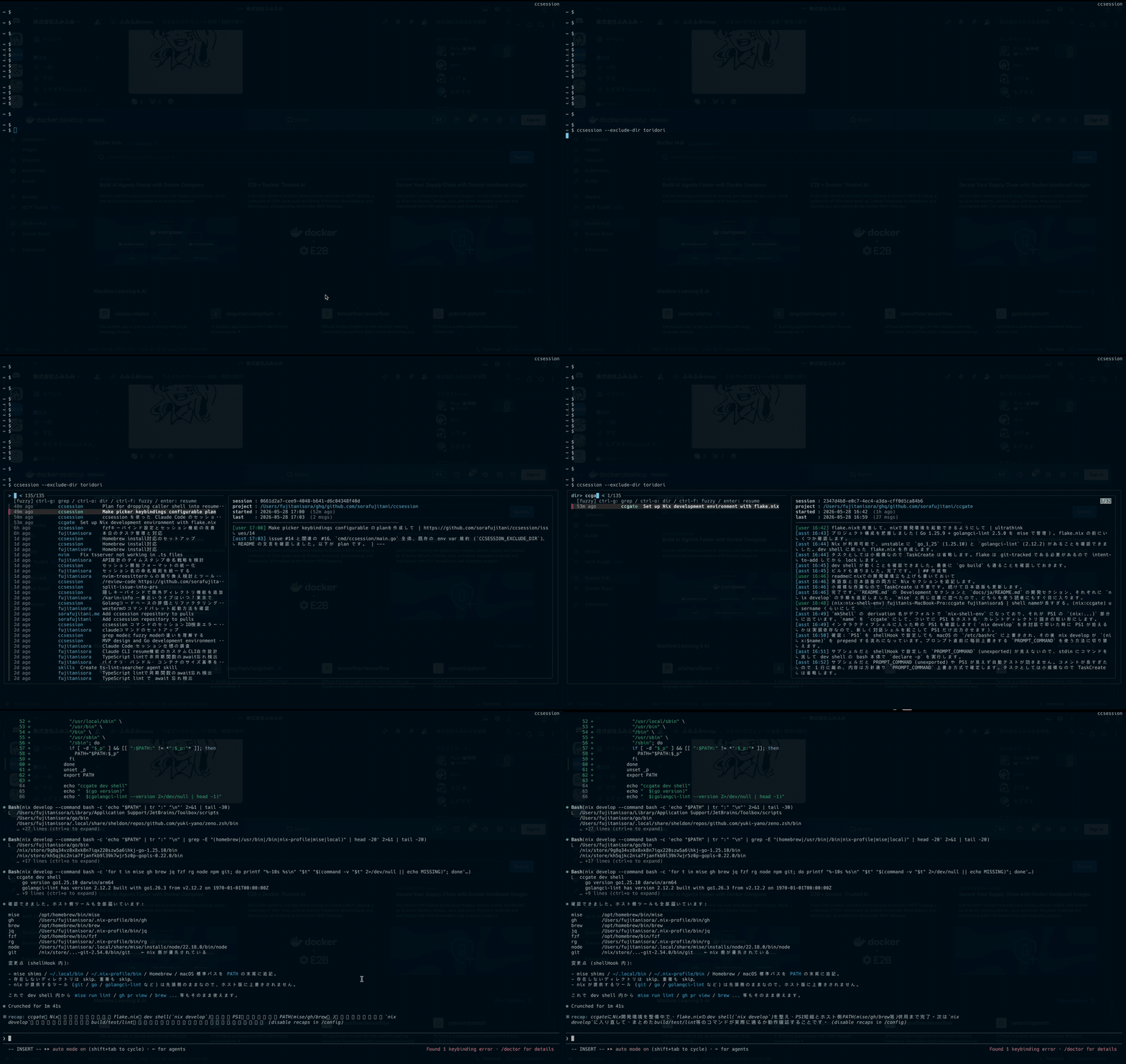
ccsession lists every Claude Code session under ~/.claude/projects, lets
you fuzzy-find across all of your projects with a live preview pane, and
resumes the one you pick in its original working directory.
Features
- Cross-project listing — every session from every project in one view,
sorted by last activity. - Three search modes — fuzzy (default), directory-only, and full-text
grep over JSONL transcripts. - Live preview — last 30 messages of the highlighted session, with
timestamps and roles. - Faithful resume —
chdirs back to the session's originalcwdbefore
exec'ingclaude --resume, so paths and tooling Just Work. - Single static binary — written in Go with only the standard library.
Requirements
| Tool | Required for |
|---|---|
fzf |
interactive picker |
claude (Claude Code CLI) |
resuming sessions |
Install
Go
go install github.com/sorafujitani/ccsession/cmd/ccsession@latest
Version metadata is recovered from runtime/debug.ReadBuildInfo, soccsession --version works for go install builds as well.
Pre-built binaries
Grab the ccsession_<ver>_<os>_<arch>.tar.gz for your platform from the
Releases page, extract
it, and drop the binary somewhere on your PATH:
tar xzf ccsession_0.1.0_darwin_arm64.tar.gz
install -m 0755 ccsession ~/.local/bin/
If macOS Gatekeeper complains:
xattr -d com.apple.quarantine ~/.local/bin/ccsession
Nix flake
nix run github:sorafujitani/ccsession             # one-off
nix profile install github:sorafujitani/ccsession # install into a profile
Homebrew
brew install sorafujitani/tap/ccsession
The formula lives insorafujitani/homebrew-tap
and GoReleaser refreshes it on every tagged release. fzf is installed as a
dependency; the claude CLI must be installed separately.
Usage
ccsession                            # list -> fzf -> resume
ccsession list  [--grep Q] [--regex] # emit TSV rows to stdout
ccsession preview <id>               # render the preview pane
ccsession resume  <id>               # chdir to the session's cwd, exec `claude --resume`
ccsession --version
ccsession --help
Keys inside fzf
| Key | Mode |
|---|---|
Ctrl-G |
grep — refilters by user/assistant content on every keystroke |
Ctrl-O |
dir — fuzzy match restricted to the directory column |
Ctrl-F |
fuzzy — default; matches across time / dir / label |
Enter |
resume the selected session |
Esc |
cancel |
How it works
ccsession listwalks~/.claude/projects/*/, reads the tail of each
JSONL transcript in parallel, and prints one TSV row per session
(id,epoch, relative time, cwd basename, label).fzfconsumes the TSV. The three key bindings swap fzf's matcher
between fuzzy mode, directory-only mode, and grep mode (which reloads
viaccsession list --grep <query>on every keystroke).- On
Enter,ccsession resume <id>resolves the session's originalcwd,chdirs into it, andexecvesclaude --resume <id>so the
resumed process fully replaces the picker.
Development
nix develop                    # Go + fzf + gopls + goreleaser
go build ./cmd/ccsession
go test ./...
Snapshot a release locally
goreleaser release --snapshot --clean --skip=publish
ls dist/
Build with Nix
nix build
./result/bin/ccsession --version
Contributing
Bug reports and pull requests are welcome at
https://github.com/sorafujitani/ccsession. For larger changes, please
open an issue first to discuss what you'd like to change.
License
Reviews (0)
Sign in to leave a review.
Leave a reviewNo results found