owlmail
Health Pass
- License — License: MIT
- Description — Repository has a description
- Active repo — Last push 0 days ago
- Community trust — 73 GitHub stars
Code Pass
- Code scan — Scanned 12 files during light audit, no dangerous patterns found
Permissions Pass
- Permissions — No dangerous permissions requested
No AI report is available for this listing yet.
OwlMail is a self-hosted, AI-native email testing gateway for developers, CI pipelines, and coding agents. Capture, inspect, wait for, validate, and route application emails through REST, Webhooks, WebSocket, and MCP.
OwlMail
🦉 A self-hosted, AI-native email testing gateway for developers, CI pipelines, automation, and coding agents.





🌍 Languages / 语言 / Sprachen / Langues / Lingue / 言語 / 언어
OwlMail captures application email before it reaches a real inbox and turns it
into deterministic, inspectable test data. Developers can review messages in
the Web UI, test suites can use the versioned REST API and OpenAPI contract,
automation systems can consume durable events, and AI agents can wait for and
inspect delivery through a bounded, read-only MCP interface.
Capture once, then verify the same committed message through the interface that
fits each workflow:
| Consumer | Interface | Typical workflow |
|---|---|---|
| Developers | Web UI and browser notifications | Inspect HTML, text, headers, source, links, and attachments |
| Test suites and CI | REST API, OpenAPI 3.1, and WebSocket | Verify registration, password-reset, and notification mail |
| Automation | Signed Webhooks and optional Redis Streams | Convert committed email into restart-safe downstream events |
| AI coding agents | Read-only MCP over Streamable HTTP or stdio | Search, retrieve, and wait for email without destructive access |
| SMTP operators | Manual and automatic Relay | Forward selected test mail under explicit TLS and retry policies |

📸 Preview
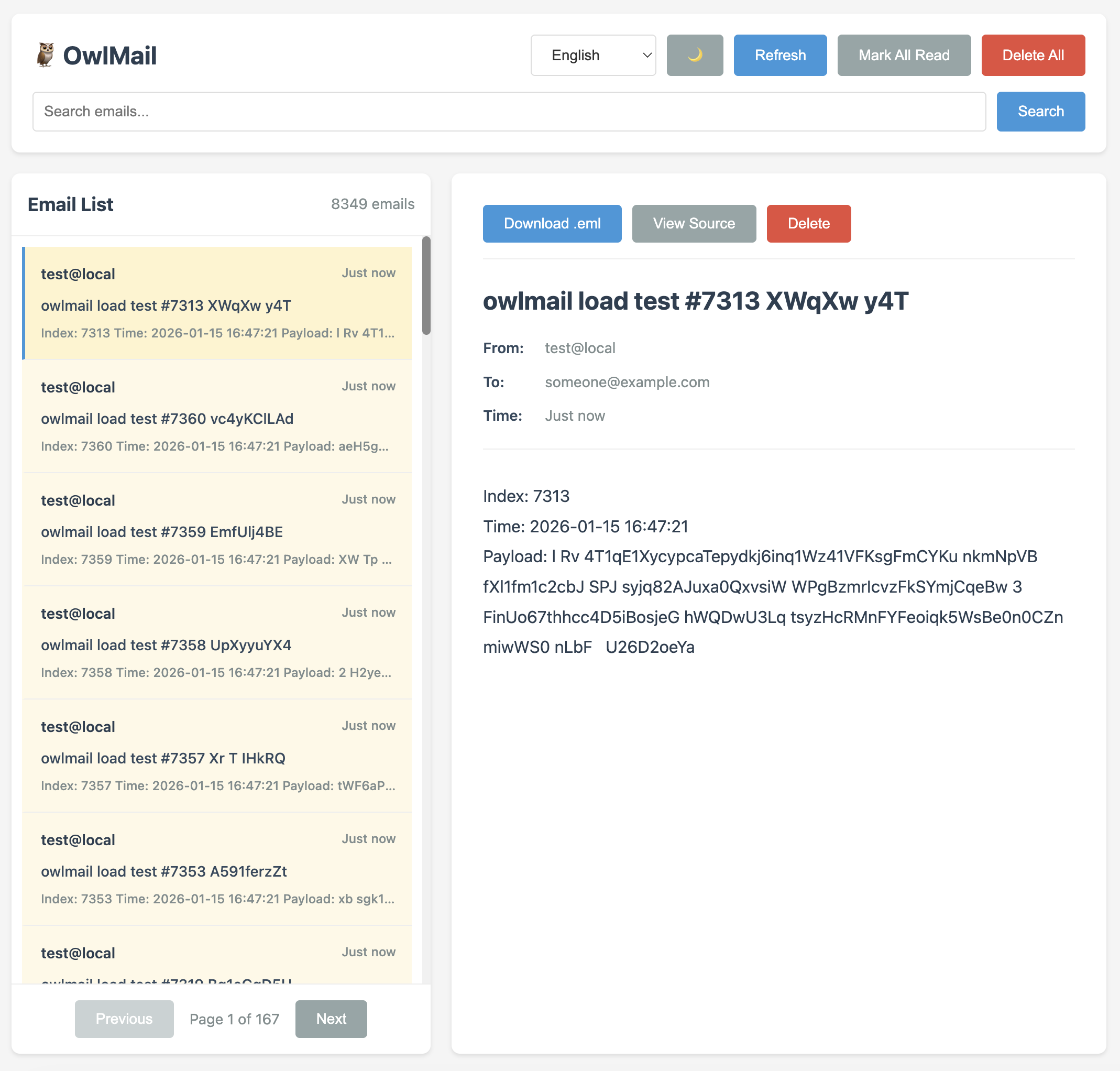
🎥 Demo Video
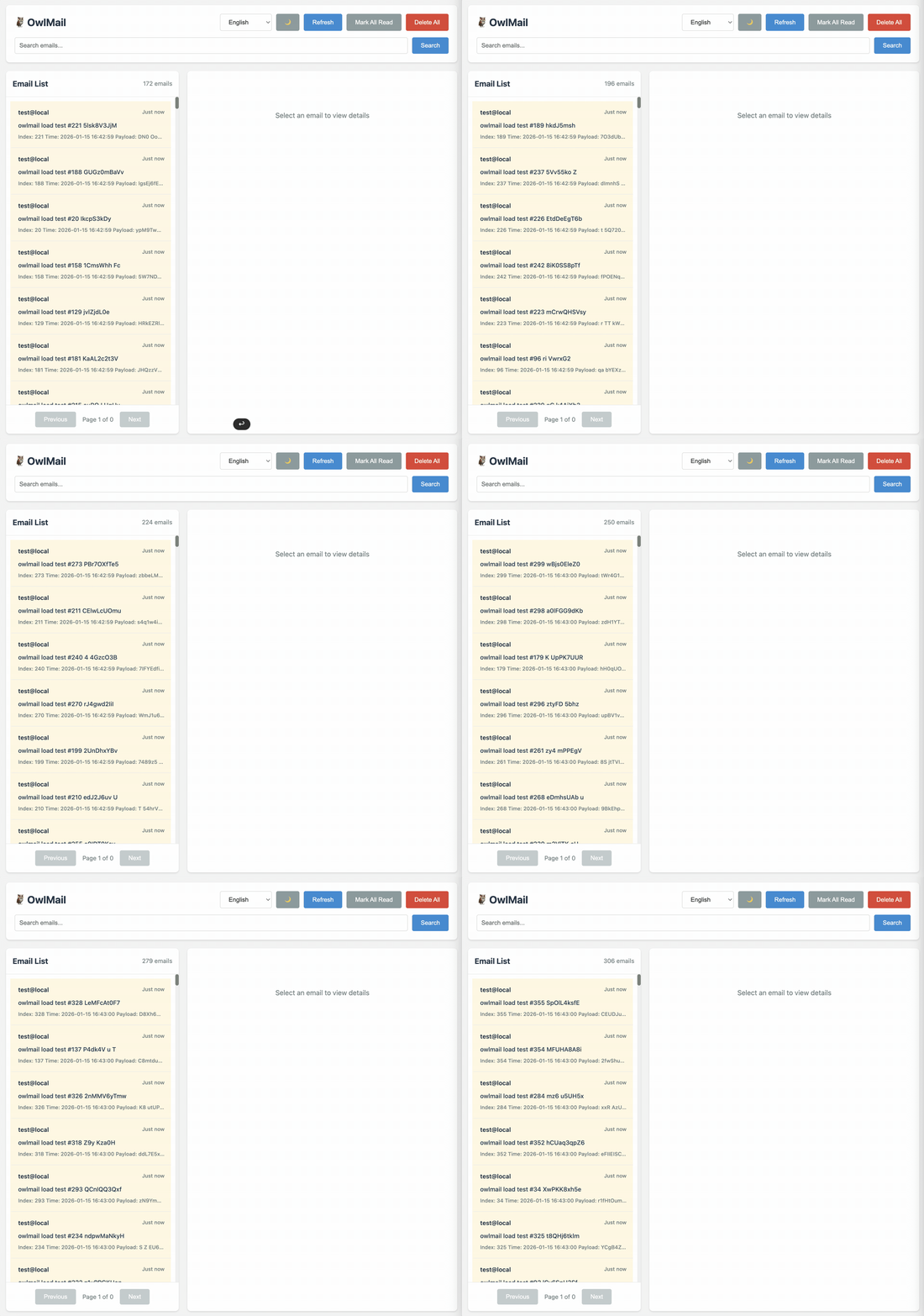
✨ Why OwlMail
Deterministic capture — EML, metadata, and attachments are staged before
one atomic commit makes a message visible to APIs and event consumers.Integration-test ready — Versioned
/api/v1routes, OpenAPI 3.1, native
WebSocket events, health/readiness probes, search, filtering, and exports.AI-native, not AI-dependent — The default-off MCP service exposes seven
closed-world read-only tools, bounded resources, prompts, and event-drivenwait_for_email; OwlMail itself does not require an LLM.Durable automation — Local Webhook outbox, optional Redis Streams, HMAC
signatures, stable delivery IDs, retry limits, and graceful drain.Operationally explicit — SMTP capacity limits, persistence, optional S3
attachments, SQLite indexing, Prometheus metrics, JSON logs, and recovery.Controlled delivery — Persistent asynchronous Relay jobs use immutable
configuration snapshots, streaming DATA, explicit TLS modes, and status lookup.Migration paths — Default-off MailDev and MailCatcher REST facades support
selected existing workflows without claiming Socket.IO or exact equivalence.Local tooling — Build Webhook rules in the embedded
/webhookseditor and
use the sendmail guide for legacy programs. Source and
browser tests use Bun; the deployed binary needs no Go, Bun, or Node.js runtime.
🆕 OwlMail 0.8.0
v0.8.0 is the current stable release. It brings persistent Relay jobs, layered
YAML/JSON configuration, optional SQLite indexing, Prometheus metrics, structured
logging, the MailCatcher REST facade, the MCP stdio bridge, expanded Web inbox
navigation, stricter API validation, SMTP capacity controls, and hardened
attachment downloads.
All installation examples below pin ghcr.io/soulteary/owlmail:0.8.0.
For repeatable CI and production-like test environments, prefer the exact
version or ghcr.io/soulteary/owlmail@sha256:<digest> over moving tags.
See the 0.8.0 release notes and
CHANGELOG.md for the complete contract.
[!IMPORTANT]
OwlMail is built for development, testing, CI, and trusted internal networks.
It is not a public production MTA, an exactly-once queue, or a multi-tenant
mail service.
🚀 Quick Start
Installation
Build from Source
# Clone repository
git clone https://github.com/soulteary/owlmail.git
cd owlmail

# Build
go build -o owlmail ./cmd/owlmail

# Run
./owlmail
Install with Go
go install github.com/soulteary/owlmail/cmd/owlmail@latest
owlmail
Basic Usage
# Start with default configuration (SMTP: 1025, Web: 1080)
./owlmail

# Custom ports
./owlmail -smtp 1025 -web 1080

# Use environment variables
export MAILDEV_SMTP_PORT=1025
export MAILDEV_WEB_PORT=1080
./owlmail
Open http://localhost:1080 for the inbox. The Help button opens the local
guide at http://localhost:1080/help, while Webhooks opens the local
configurator at http://localhost:1080/webhooks. The configurator generates and
downloads JSON; it does not change the running server. Select the file with-webhook-config and restart OwlMail to activate it. All pages and assets are
embedded in the executable, so installed binaries do not need a separate web
folder.
Docker Usage
Pull from GitHub Container Registry (Recommended)
The easiest way to use OwlMail is to pull the pre-built image from GitHub Container Registry:
# Pull release 0.8.0
docker pull ghcr.io/soulteary/owlmail:0.8.0

# Pull an image for one exact commit (example)
docker pull ghcr.io/soulteary/owlmail:sha-b130f33

# Run container
docker run -d \
  -p 1025:1025 \
  -p 1080:1080 \
  --name owlmail \
  ghcr.io/soulteary/owlmail:0.8.0
Available Tags:
0.8.0- Exact release tag;0.8and0move with later releases in those seriessha-<commit>- Image for a specific short commit SHA (for example,sha-b130f33)main- Moving image from the latestmainbranch buildlatest- Moving default-branch image; it is not a stable-release selector
Multi-Architecture Support:
The image supports both linux/amd64 and linux/arm64 architectures. Docker will automatically pull the correct image for your platform.
View all available images: GitHub Packages
Build from Source
Basic Build (Single Architecture)
# Build image for current architecture
docker build -t owlmail .

# Run container
docker run -d \
  -p 1025:1025 \
  -p 1080:1080 \
  --name owlmail \
  owlmail
Multi-Architecture Build
For aarch64 (ARM64) or other architectures, use Docker Buildx:
# Enable buildx (if not already enabled)
docker buildx create --use --name multiarch-builder

# Build for multiple architectures
docker buildx build \
  --platform linux/amd64,linux/arm64 \
  -t owlmail:latest \
  --load .

# Or build and push to registry
docker buildx build \
  --platform linux/amd64,linux/arm64 \
  -t your-registry/owlmail:latest \
  --push .

# Build for specific architecture (e.g., aarch64/arm64)
docker buildx build \
  --platform linux/arm64 \
  -t owlmail:latest \
  --load .
Note: The Dockerfile now supports multi-architecture builds using TARGETOS and TARGETARCH build arguments, which are automatically set by Docker Buildx.
Browser Notifications
Browser notifications are off by default. Click Notifications off in the
inbox header to request permission and enable them. The preference is stored in
that browser and can be switched off from the same button. Only messages arriving
through the live WebSocket after notifications are enabled create a notification;
loading existing messages does not.
The Notifications API requires HTTPS or a trusted local origin such ashttp://localhost. If permission was denied, allow OwlMail in the browser's site
settings before trying again. Notifications show the subject and sender but not
the message body; clicking one focuses OwlMail and opens the message.
📖 Configuration Options
Command Line Arguments
| Argument | Environment Variable | Default | Description |
|---|---|---|---|
-config |
OWLMAIL_CONFIG_FILE |
- | Flat YAML or JSON file whose keys use CLI option names |
-smtp |
MAILDEV_SMTP_PORT / OWLMAIL_SMTP_PORT |
1025 | SMTP port |
-ip |
MAILDEV_IP / OWLMAIL_SMTP_HOST |
localhost | SMTP host |
-smtp-max-message-mb |
OWLMAIL_SMTP_MAX_MESSAGE_MB |
100 | Maximum inbound message size in MiB |
-smtp-max-concurrency |
OWLMAIL_SMTP_MAX_CONCURRENCY |
8 | Concurrent DATA transactions per process across SMTP, STARTTLS, and SMTPS; 0 is unlimited; a full limit returns retryable 451 4.3.2 |
-smtp-read-timeout |
OWLMAIL_SMTP_READ_TIMEOUT |
10s | SMTP command and DATA read timeout |
-smtp-write-timeout |
OWLMAIL_SMTP_WRITE_TIMEOUT |
10s | SMTP response write timeout |
-smtp-max-recipients |
OWLMAIL_SMTP_MAX_RECIPIENTS |
50 | Maximum recipients accepted per message |
-web |
MAILDEV_WEB_PORT / OWLMAIL_WEB_PORT |
1080 | Web API port |
-web-ip |
MAILDEV_WEB_IP / OWLMAIL_WEB_HOST |
localhost | Web API host |
-web-external-url |
OWLMAIL_WEB_EXTERNAL_URL |
- | Browser-visible HTTP(S) origin used in generated email deep links; configure reverse-proxy paths separately with -base-pathname |
-base-pathname |
MAILDEV_BASE_PATHNAME / OWLMAIL_BASE_PATHNAME |
- | URL path prefix such as /owlmail; root remains the default |
-maildev-rest-compat |
OWLMAIL_MAILDEV_REST_COMPAT |
false | Enable the opt-in MailDev /api REST facade; Socket.IO remains unsupported |
-mailcatcher-rest-compat |
OWLMAIL_MAILCATCHER_REST_COMPAT |
false | Enable the opt-in MailCatcher /messages REST facade |
-metrics-enabled |
OWLMAIL_METRICS_ENABLED |
false | Expose Prometheus metrics at the base-path-aware /metrics endpoint; protected by Web Basic Auth when configured |
-mcp-enabled |
OWLMAIL_MCP_ENABLED |
false | Enable the read-only MCP Streamable HTTP endpoint at /mcp |
-mcp-session-timeout |
OWLMAIL_MCP_SESSION_TIMEOUT |
30m | Close idle MCP sessions |
-mcp-shutdown-timeout |
OWLMAIL_MCP_SHUTDOWN_TIMEOUT |
5s | Deadline for closing MCP sessions during shutdown |
-mail-directory |
MAILDEV_MAIL_DIRECTORY / OWLMAIL_MAIL_DIR |
- | Mail storage directory |
-mail-retention-days |
OWLMAIL_MAIL_RETENTION_DAYS |
0 | Mail retention days; 0 is unlimited |
-mail-max-messages |
OWLMAIL_MAIL_MAX_MESSAGES |
0 | Maximum stored messages; 0 is unlimited |
-mail-max-disk-mb |
OWLMAIL_MAIL_MAX_DISK_MB |
0 | Maximum mailbox MiB; 0 is unlimited |
-mail-cleanup-interval |
OWLMAIL_MAIL_CLEANUP_INTERVAL |
1h | Background cleanup interval |
-mail-index-path |
OWLMAIL_MAIL_INDEX_PATH |
- | Optional path for a rebuildable SQLite mailbox query index; EML files remain authoritative |
-s3-enabled |
OWLMAIL_S3_ENABLED |
false | Store decoded attachments in S3-compatible object storage |
-s3-endpoint |
OWLMAIL_S3_ENDPOINT |
- | Custom S3-compatible endpoint; empty uses AWS S3 |
-s3-region |
OWLMAIL_S3_REGION |
us-east-1 | S3 signing region |
-s3-bucket |
OWLMAIL_S3_BUCKET |
- | Existing bucket for attachments |
-s3-prefix |
OWLMAIL_S3_PREFIX |
owlmail/attachments | Attachment object-key prefix |
-s3-access-key |
OWLMAIL_S3_ACCESS_KEY |
- | Optional static access key; otherwise use the AWS credential chain |
-s3-secret-key |
OWLMAIL_S3_SECRET_KEY |
- | Optional static secret key |
-s3-session-token |
OWLMAIL_S3_SESSION_TOKEN |
- | Optional static credential session token |
-s3-use-path-style |
OWLMAIL_S3_USE_PATH_STYLE |
false | Use path-style bucket addressing for compatible services |
-s3-startup-check |
OWLMAIL_S3_STARTUP_CHECK |
false | Fail startup if the initial read-only S3 bucket check fails |
-s3-health-check-interval |
OWLMAIL_S3_HEALTH_CHECK_INTERVAL |
30s | Background S3 readiness refresh interval |
-s3-health-check-timeout |
OWLMAIL_S3_HEALTH_CHECK_TIMEOUT |
5s | Deadline for each S3 readiness probe |
-web-user |
MAILDEV_WEB_USER / OWLMAIL_WEB_USER |
- | HTTP Basic Auth username |
-web-password |
MAILDEV_WEB_PASS / OWLMAIL_WEB_PASSWORD |
- | HTTP Basic Auth password |
-https |
MAILDEV_HTTPS / OWLMAIL_HTTPS_ENABLED |
false | Enable HTTPS |
-https-cert |
MAILDEV_HTTPS_CERT / OWLMAIL_HTTPS_CERT |
- | HTTPS certificate file |
-https-key |
MAILDEV_HTTPS_KEY / OWLMAIL_HTTPS_KEY |
- | HTTPS private key file |
-outgoing-host |
MAILDEV_OUTGOING_HOST / OWLMAIL_OUTGOING_HOST |
- | Outgoing SMTP host |
-outgoing-port |
MAILDEV_OUTGOING_PORT / OWLMAIL_OUTGOING_PORT |
587 | Outgoing SMTP port |
-outgoing-user |
MAILDEV_OUTGOING_USER / OWLMAIL_OUTGOING_USER |
- | Outgoing SMTP username |
-outgoing-pass |
MAILDEV_OUTGOING_PASS / OWLMAIL_OUTGOING_PASSWORD |
- | Outgoing SMTP password |
-outgoing-secure |
MAILDEV_OUTGOING_SECURE / OWLMAIL_OUTGOING_SECURE |
false | MailDev-compatible alias for implicit TLS/SMTPS |
-outgoing-tls-mode |
OWLMAIL_OUTGOING_TLS_MODE |
- | Transport mode: unset is plain; or choose mandatory starttls or implicit smtps |
-outgoing-insecure-skip-verify |
OWLMAIL_OUTGOING_INSECURE_SKIP_VERIFY |
false | Disable certificate and hostname verification (unsafe, explicit opt-in) |
-outgoing-connect-timeout |
OWLMAIL_OUTGOING_CONNECT_TIMEOUT |
10s | TCP connection and SMTP greeting deadline |
-outgoing-tls-handshake-timeout |
OWLMAIL_OUTGOING_TLS_HANDSHAKE_TIMEOUT |
10s | TLS/STARTTLS handshake deadline |
-outgoing-auth-timeout |
OWLMAIL_OUTGOING_AUTH_TIMEOUT |
10s | AUTH deadline |
-outgoing-envelope-timeout |
OWLMAIL_OUTGOING_ENVELOPE_TIMEOUT |
10s | MAIL/RCPT deadline |
-outgoing-data-timeout |
OWLMAIL_OUTGOING_DATA_TIMEOUT |
30s | DATA write and acknowledgement deadline |
-outgoing-quit-timeout |
OWLMAIL_OUTGOING_QUIT_TIMEOUT |
5s | QUIT deadline |
-auto-relay |
MAILDEV_AUTO_RELAY / OWLMAIL_AUTO_RELAY |
false | Enable auto relay |
-auto-relay-addr |
MAILDEV_AUTO_RELAY_ADDR / OWLMAIL_AUTO_RELAY_ADDR |
- | Auto relay address |
-auto-relay-rules |
MAILDEV_AUTO_RELAY_RULES / OWLMAIL_AUTO_RELAY_RULES |
- | Auto relay rules file |
-webhook-config |
OWLMAIL_WEBHOOK_CONFIG |
- | JSON webhook forwarding configuration file |
-webhook-max-concurrency |
OWLMAIL_WEBHOOK_MAX_CONCURRENCY |
8 | Concurrent email webhook deliveries; 0 disables the limit |
-webhook-redis-url |
OWLMAIL_WEBHOOK_REDIS_URL |
- | Redis URL for durable, restart-safe webhook delivery |
-webhook-redis-prefix |
OWLMAIL_WEBHOOK_REDIS_PREFIX |
owlmail:webhooks | Redis Streams key prefix |
-webhook-shutdown-timeout |
OWLMAIL_WEBHOOK_SHUTDOWN_TIMEOUT |
15s | Graceful webhook drain deadline |
-smtp-user |
MAILDEV_INCOMING_USER / OWLMAIL_SMTP_USER |
- | Inbound SMTP username; configure together with the password to require AUTH |
-smtp-password |
MAILDEV_INCOMING_PASS / OWLMAIL_SMTP_PASSWORD |
- | Inbound SMTP password; configure together with the username to require AUTH |
-smtp-auth-require-tls |
OWLMAIL_SMTP_AUTH_REQUIRE_TLS |
false | Reject PLAIN/LOGIN before TLS; requires SMTP TLS to be enabled |
-tls |
MAILDEV_INCOMING_SECURE / OWLMAIL_TLS_ENABLED |
false | Enable SMTP TLS |
-tls-cert |
MAILDEV_INCOMING_CERT / OWLMAIL_TLS_CERT |
- | SMTP TLS certificate file |
-tls-key |
MAILDEV_INCOMING_KEY / OWLMAIL_TLS_KEY |
- | SMTP TLS private key file |
-log-level |
MAILDEV_VERBOSE / MAILDEV_SILENT / OWLMAIL_LOG_LEVEL |
normal | Log level |
-log-format |
OWLMAIL_LOG_FORMAT |
console | Log output format: console or json |
-use-uuid-for-email-id |
OWLMAIL_USE_UUID_FOR_EMAIL_ID |
false | Use UUID for email IDs (default: 8-character random string) |
When TLS terminates at a reverse proxy, set OWLMAIL_WEB_EXTERNAL_SCHEME to https.
When HTTP Basic Auth is enabled, browser API and WebSocket requests are limited
to OwlMail's own origin. Command-line and server-to-server clients that omit the
browser Origin header continue to work normally.
Web authentication also fails closed when only one credential is configured:
| Configured values | Effective credentials |
|---|---|
| Neither value | Authentication disabled |
| Username only | The username plus a cryptographically random 32-character temporary password, printed once to stderr at startup |
| Password only | Username admin plus the configured password |
| Both values | The configured username and password |
A generated password changes on every restart. Read it from the process output
(docker logs owlmail for the container example), or configure both values for
stable credentials. Startup fails if the generated password cannot be written
to stderr. Basic Auth credentials should only be used over localhost or HTTPS.
Read-only MCP
MCP is disabled by default. Enable the official Streamable HTTP endpoint with-mcp-enabled or OWLMAIL_MCP_ENABLED=true, then connect tohttp://localhost:1080/mcp. With -base-pathname /owlmail, the endpoint is/owlmail/mcp. It shares the Web listener, HTTPS settings, and HTTP Basic Auth;
an authenticated Web deployment therefore requires the same Basic Auth
credentials for every MCP request.
Local MCP clients may instead launch owlmail mcp-stdio -mail-directory DIR.
This reuses the same read-only tools over stdio without opening a listener;
protocol output stays on stdout and logs are sent to stderr.
The server exposes seven read-only tools, adding get_latest_email and the
event-driven wait_for_email testing workflow to the existing compact query,
detached detail, bounded source, and attachment-metadata tools. It also exposes
bounded owlmail://inbox, owlmail://stats, and owlmail://email/{id}
resources plus registration verification, password reset, and delivery-wait
prompts. Email results include Web UI deep links. For a reverse proxy, set-web-external-url https://mail.example.com (orOWLMAIL_WEB_EXTERNAL_URL) and configure its path separately with-base-pathname. No tool returns attachment bytes, and HTML remains opt-in only
for get_email. See the
operations guide for
the complete security and lifecycle contract.
Environment Variable Compatibility
OwlMail supports the MailDev environment aliases shown in the table above,
preferring them over the corresponding OWLMAIL_* variables. Options that are
not listed are not supported automatically.
# Use MailDev environment variables directly (recommended)
export MAILDEV_SMTP_PORT=1025
export MAILDEV_WEB_PORT=1080
export MAILDEV_OUTGOING_HOST=smtp.gmail.com
./owlmail

# Or use OwlMail environment variables
export OWLMAIL_SMTP_PORT=1025
export OWLMAIL_WEB_PORT=1080
./owlmail
S3-compatible attachment storage
S3 storage is disabled by default. OwlMail otherwise keeps decoded attachments
under -mail-directory. Enabling S3 moves only decoded attachments to object
storage; raw .eml files, metadata, transaction markers, and webhook outbox
data remain local and still require a persistent mail directory.
export OWLMAIL_S3_ENABLED=true
export OWLMAIL_S3_ENDPOINT=http://minio:9000
export OWLMAIL_S3_REGION=us-east-1
export OWLMAIL_S3_BUCKET=owlmail
export OWLMAIL_S3_PREFIX=owlmail/attachments
export OWLMAIL_S3_ACCESS_KEY=replace-me
export OWLMAIL_S3_SECRET_KEY=replace-me
export OWLMAIL_S3_USE_PATH_STYLE=true
# Optional: fail startup if the first HeadBucket check fails.
export OWLMAIL_S3_STARTUP_CHECK=true
./owlmail -mail-directory ./owlmail-data
The bucket must already exist. Omit the endpoint to use AWS S3. Omit OwlMail's
static key settings to use the AWS SDK credential chain, including workload
roles. Attachment keys use<prefix>/<email-id>/<generated-filename>; email deletion and retention cleanup
remove that email's object prefix. Failed remote deletion retains a durable
per-message fence and all local recovery evidence, then retries on the next
request or startup; pending deletions are not republished. Upload must finish
before SMTP accepts the message transaction. OWLMAIL_MAIL_MAX_DISK_MB measures
local files and does not include S3 object bytes.
OwlMail prefers the read-only HeadBucket operation and falls back to a
one-key, prefix-scoped ListObjectsV2 check for least-privilege policies. By default the
initial check runs asynchronously: startup remains compatible, whileGET /readyz and GET /api/v1/ready return 503 until a check succeeds.
Set OWLMAIL_S3_STARTUP_CHECK=true to make only the initial check fatal.
Subsequent S3 outages never terminate the process; they make readiness fail
until a background check recovers. Readiness requests return the cached result
and never wait on S3. Liveness remains available at /healthz and/api/v1/health.
📡 API Documentation
API Response Format
OwlMail uses a standardized API response format:
Success Response:
{
  "code": "EMAIL_DELETED",
  "message": "Email deleted",
  "data": { ... }
}
Error Response:
{
  "code": "EMAIL_NOT_FOUND",
  "error": "EMAIL_NOT_FOUND",
  "message": "Email not found"
}
The code field contains standardized error/success codes that can be used for internationalization. The message field provides English text for backward compatibility.
Basic Auth and browser same-origin middleware failures are plain-text 401 or403 responses because they occur before API handlers.
Email ID Format
OwlMail supports two email ID formats, and all API endpoints are compatible with both:
- 8-character random string: Default format, e.g.,
aB3dEfGh - UUID format: 36-character standard UUID, e.g.,
550e8400-e29b-41d4-a716-446655440000
When using the :id parameter in API requests, you can use either format. For example:
GET /email/aB3dEfGh- Using random string IDGET /email/550e8400-e29b-41d4-a716-446655440000- Using UUID ID
Optional MailDev REST facade
Current MailDev REST clients can opt into its /api route and payload contract:
owlmail -maildev-rest-compat
# or: OWLMAIL_MAILDEV_REST_COMPAT=true owlmail
This enables /api/email, /api/email/summary, /api/email/delete, detail,
HTML, source, EML download, attachment, relay, /api/config, /api/healthz,
and /api/reloadMailsFromDirectory. The facade uses the configured Basic Auth,
HTTPS, and base pathname; its health route stays public like MailDev's. OnlyGET /api/email/:id marks the message read. Disabling the option removes every
new /api route. Socket.IO is not implemented: live MailDev clients must
still migrate to OwlMail's native WebSocket protocol. See the
API reference.
MailDev-style Compatibility API
OwlMail retains unversioned routes for common MailDev-style workflows. They are
not exact current MailDev API equivalents; see the compatibility boundary in
the API reference.
Email Operations
GET /email- Get all emails (supports pagination and filtering)- Query parameters:
limit(default: 50, max: 1000) - Number of emails to returnoffset(default: 0) - Number of emails to skipq- Full-text search queryfrom- Filter by sender email addressto- Filter by recipient email addressdateFrom- Filter by date from (YYYY-MM-DD format)dateTo- Filter by date to (YYYY-MM-DD format)read- Filter by read status (true/false)sortBy- Sort by field (time, subject, from, size)sortOrder- Sort order (asc, desc, default: desc)
- Example:
GET /email?limit=20&offset=0&q=test&sortBy=time&sortOrder=desc
- Query parameters:
GET /email/:id- Get single emailDELETE /email/:id- Delete single emailDELETE /email/all- Delete all emailsPATCH /email/read-all- Mark all emails as readPATCH /email/:id/read- Mark single email as read
Email Content
GET /email/:id/html- Get email HTML contentGET /email/:id/attachment/:filename- Download attachmentGET /email/:id/download- Download raw .eml fileGET /email/:id/source- Get email raw source
Email Relay
POST /email/:id/relay- Relay email to configured SMTP serverPOST /email/:id/relay/:relayTo- Relay email to specific address
Configuration and System
GET /config- Get configuration informationGET /healthz- Process liveness checkGET /readyz- Cached dependency readiness checkGET /reloadMailsFromDirectory- Reload emails from directoryGET /socket.io- WebSocket connection (standard WebSocket, not Socket.IO)
OwlMail Enhanced API
Email Statistics and Preview
GET /email/stats- Get email statisticsGET /email/preview- Get email preview (lightweight)
Batch Operations
POST /email/batch/delete- Batch delete emailsPOST /email/batch/read- Batch mark as read
Email Export
GET /email/export- Export emails as ZIP file
Configuration Management
GET /config/outgoing- Get outgoing configurationPUT /config/outgoing- Update outgoing configurationPATCH /config/outgoing- Partially update outgoing configuration
Improved RESTful API (/api/v1/*)
OwlMail provides a more standardized RESTful API design:
GET /api/v1/emails- Get all emails (plural resource)- Query parameters: Same as
GET /email(limit, offset, q, from, to, dateFrom, dateTo, read, sortBy, sortOrder) - Example:
GET /api/v1/emails?limit=20&offset=0&q=test&sortBy=time&sortOrder=desc
- Query parameters: Same as
GET /api/v1/emails/:id- Get single emailDELETE /api/v1/emails/:id- Delete single emailDELETE /api/v1/emails- Delete all emailsDELETE /api/v1/emails/batch- Batch deletePATCH /api/v1/emails/read- Mark all emails as readPATCH /api/v1/emails/:id/read- Mark single email as readPATCH /api/v1/emails/batch/read- Batch mark as readGET /api/v1/emails/stats- Email statisticsGET /api/v1/emails/preview- Email previewGET /api/v1/emails/export- Export emailsPOST /api/v1/emails/reload- Reload emailsGET /api/v1/settings- Get all settingsGET /api/v1/settings/outgoing- Get outgoing configurationPUT /api/v1/settings/outgoing- Update outgoing configurationPATCH /api/v1/settings/outgoing- Partially update outgoing configurationGET /api/v1/health- Process liveness checkGET /api/v1/ready- Cached dependency readiness checkGET /api/v1/version- Version infoGET /api/v1/ws- WebSocket connectionGET /api/v1/openapi.json- OpenAPI 3.1 contract (JSON)GET /api/v1/openapi.yaml- OpenAPI 3.1 contract (YAML)
For the current contract, including sub-resources, authentication, response
shapes, and WebSocket events, see the API Reference
or the version-controlled OpenAPI contract. The served
contract automatically includes the configured base pathname.
🔧 Usage Examples
Basic Usage
# Start OwlMail
./owlmail -smtp 1025 -web 1080

# Configure SMTP in your application
SMTP_HOST=localhost
SMTP_PORT=1025
Configure Email Relay
# Relay to Gmail SMTP
./owlmail \
  -outgoing-host smtp.gmail.com \
  -outgoing-port 587 \
  -outgoing-user [email protected] \
  -outgoing-pass your-password \
  -outgoing-tls-mode starttls
starttls fails if the server does not advertise STARTTLS or the TLS handshake
or certificate/hostname verification fails. Use smtps (or the legacy
MailDev-compatible -outgoing-secure) for implicit TLS, commonly on port 465.
OwlMail refuses outgoing AUTH in plain mode.
Auto Relay Mode
# Create auto relay rules file (relay-rules.json)
cat > relay-rules.json <<EOF
[
  { "allow": "*" },
  { "deny": "*@test.com" },
  { "allow": "[email protected]" }
]
EOF

# Start auto relay
./owlmail \
  -outgoing-host smtp.gmail.com \
  -outgoing-port 587 \
  -outgoing-user [email protected] \
  -outgoing-pass your-password \
  -auto-relay \
  -auto-relay-rules relay-rules.json
Webhook Forwarding
Use the embedded configurator at http://localhost:1080/webhooks to build a new
version 1 configuration or import and validate an existing one. Editing stays
inside the browser. Download the resulting JSON, then select it with-webhook-config and restart OwlMail; downloading a file does not activate it.
# Terminal 1: local test receiver
go run ./examples/webhooks/receiver

# Terminal 2: forward every new email with the default JSON payload
./owlmail -webhook-config ./examples/webhooks/minimal.json
Webhook targets support case-insensitive wildcard rules, custom JSON-safe body templates, environment-backed secrets, HMAC-SHA256 signatures, timeouts, and bounded retries. See the scenario examples for filtering, custom APIs, multiple targets, plain text, and a runnable soulteary/webhook stack. The Webhook forwarding guide is the complete reference.
Using HTTPS
./owlmail \
  -https \
  -https-cert /path/to/cert.pem \
  -https-key /path/to/key.pem \
  -web 1080
Inbound SMTP Authentication Modes
With neither -smtp-user nor -smtp-password configured, OwlMail uses the
default NO AUTH mode. It accepts unauthenticated delivery and also advertises
PLAIN/LOGIN, accepting arbitrary credentials for applications that insist on
SMTP authentication settings during local development.
Configure both values to require real SMTP AUTH. OwlMail rejects a transaction
before authentication with 530 5.7.0 and rejects invalid credentials with535 5.7.8. Configuring only one value fails startup instead of silently
falling back to NO AUTH.
Set -smtp-auth-require-tls (or OWLMAIL_SMTP_AUTH_REQUIRE_TLS=true) together
with SMTP TLS to prevent credentials from crossing a cleartext connection.
Plaintext SMTP then neither advertises nor accepts PLAIN/LOGIN, while AUTH works
after STARTTLS and over SMTPS. Anonymous delivery remains available in NO AUTH
mode. Enabling this option without an enabled, usable SMTP TLS configuration
fails startup.
[!WARNING]
NO AUTH deliberately provides no access-control boundary. PLAIN and LOGIN can
also run without TLS for development compatibility, so use localhost or a
trusted network, and enable TLS before using real credentials.
Using TLS
./owlmail \
  -tls \
  -tls-cert /path/to/cert.pem \
  -tls-key /path/to/key.pem \
  -smtp 1025
Note: When TLS is enabled, OwlMail automatically starts an SMTPS server on port 465 in addition to the regular SMTP server. The SMTPS server uses direct TLS connection (no STARTTLS required).
Using UUID for Email IDs
OwlMail supports two email ID formats:
- Default format: 8-character random string (e.g.,
aB3dEfGh) - UUID format: 36-character standard UUID (e.g.,
550e8400-e29b-41d4-a716-446655440000)
Using UUID format provides better uniqueness and traceability, especially useful for integration with external systems.
# Enable UUID using command line flag
./owlmail -use-uuid-for-email-id

# Enable UUID using environment variable
export OWLMAIL_USE_UUID_FOR_EMAIL_ID=true
./owlmail

# Use with other configurations
./owlmail \
  -use-uuid-for-email-id \
  -smtp 1025 \
  -web 1080
Notes:
- Default uses 8-character random string, compatible with MailDev behavior
- When UUID is enabled, all newly received emails will use UUID format IDs
- The API supports both ID formats, allowing normal query, delete, and operation of emails
- Existing email ID formats will not change; only new emails will use the new ID format
🔄 Migrating from MailDev
OwlMail covers common MailDev workflows, but current MailDev clients may require
small, explicit adaptations. Follow the
migration guide.
1. Environment Variable Compatibility
OwlMail accepts the MailDev environment variables listed in the configuration
table. Verify every variable used by your deployment:
# MailDev configuration
export MAILDEV_SMTP_PORT=1025
export MAILDEV_WEB_PORT=1080
export MAILDEV_OUTGOING_HOST=smtp.gmail.com

# These listed variables can also be read by OwlMail
./owlmail
2. API Compatibility
Existing REST clients can explicitly enable the default-off MailDev facade;
new integrations should use OwlMail's versioned API. The facade does not add
Socket.IO compatibility:
# Existing MailDev REST client
OWLMAIL_MAILDEV_REST_COMPAT=true ./owlmail
curl http://localhost:1080/api/email

# New OwlMail integration
curl http://localhost:1080/api/v1/emails
3. WebSocket Adaptation
If using WebSocket, you need to change from Socket.IO to standard WebSocket:
// MailDev (Socket.IO)
const socket = io('/socket.io');
socket.on('newMail', (email) => { /* ... */ });

// OwlMail (Standard WebSocket)
const ws = new WebSocket('ws://localhost:1080/socket.io');
ws.onmessage = (event) => {
  const data = JSON.parse(event.data);
  if (data.type === 'new') { /* ... */ }
};
For detailed migration guide, see: OwlMail × MailDev: Full Feature & API Comparison and Migration White Paper
🧪 Testing
# Run all tests
go test ./...

# Run tests with coverage
go test -cover ./...

# Run tests for specific packages
go test ./internal/api/...
go test ./internal/mailserver/...
📦 Project Structure
OwlMail/
├── cmd/
│   └── owlmail/          # Main program entry
├── internal/
│   ├── api/              # Web API implementation
│   ├── common/           # Common utilities (logging, error handling)
│   ├── maildev/          # MailDev compatibility layer
│   ├── mailserver/       # SMTP server implementation
│   ├── outgoing/         # Email relay implementation
│   ├── types/            # Type definitions
│   └── webhook/          # Webhook filtering, templates, signing, and delivery
├── docs/                 # API, operations, webhook, and migration documentation
├── examples/             # Runnable integration examples
├── tests/                # Browser and documentation contract tests
├── web/                  # Embedded web frontend and local help assets
├── go.mod                # Go module definition
└── README.md             # This document
🤝 Contributing
Contributions are welcome! Please follow these steps:
- Fork the repository
- Create a feature branch (
git checkout -b feature/AmazingFeature) - Commit your changes (
git commit -m 'Add some AmazingFeature') - Push to the branch (
git push origin feature/AmazingFeature) - Open a Pull Request
📄 License
This project is licensed under the MIT License - see the LICENSE file for details.
🙏 Acknowledgments
- MailDev - Original project inspiration
- emersion/go-smtp - SMTP server library
- emersion/go-message - Email parsing library
- Fiber - Web framework
- gorilla/websocket - WebSocket library
📚 Related Documentation
- OwlMail 0.8.0 Release Notes
- Integration Testing and CI Quickstart
- AI Agent Testing and MCP Reference
- Testing Recipes and Runnable Examples
- Architecture and Security Model
- OwlMail 0.7.0 Release Notes
- Changelog
- OwlMail × MailDev: Full Feature & API Comparison and Migration White Paper
- API Reference
- Operations and Troubleshooting
- Webhook Forwarding
- Runnable Webhook Scenarios
- Release Process (maintainers)
- API Refactoring Record (historical)
🐛 Issue Reporting
If you encounter any issues or have suggestions, please submit them in GitHub Issues.
⭐ Star History
If this project helps you, please give it a Star ⭐!
OwlMail — one self-hosted email test gateway for developers, CI, automation, and AI agents. 🦉
Reviews (0)
Sign in to leave a review.
Leave a reviewNo results found