soundkit
Health Gecti
- License — License: MIT
- Description — Repository has a description
- Active repo — Last push 0 days ago
- Community trust — 10 GitHub stars
Code Gecti
- Code scan — Scanned 12 files during light audit, no dangerous patterns found
Permissions Gecti
- Permissions — No dangerous permissions requested
Bu listing icin henuz AI raporu yok.
Free video sound effects for Remotion and React: 250 CC0 sounds and music beds added with one shadcn command, plus an agent skill that places each hit on the exact frame.
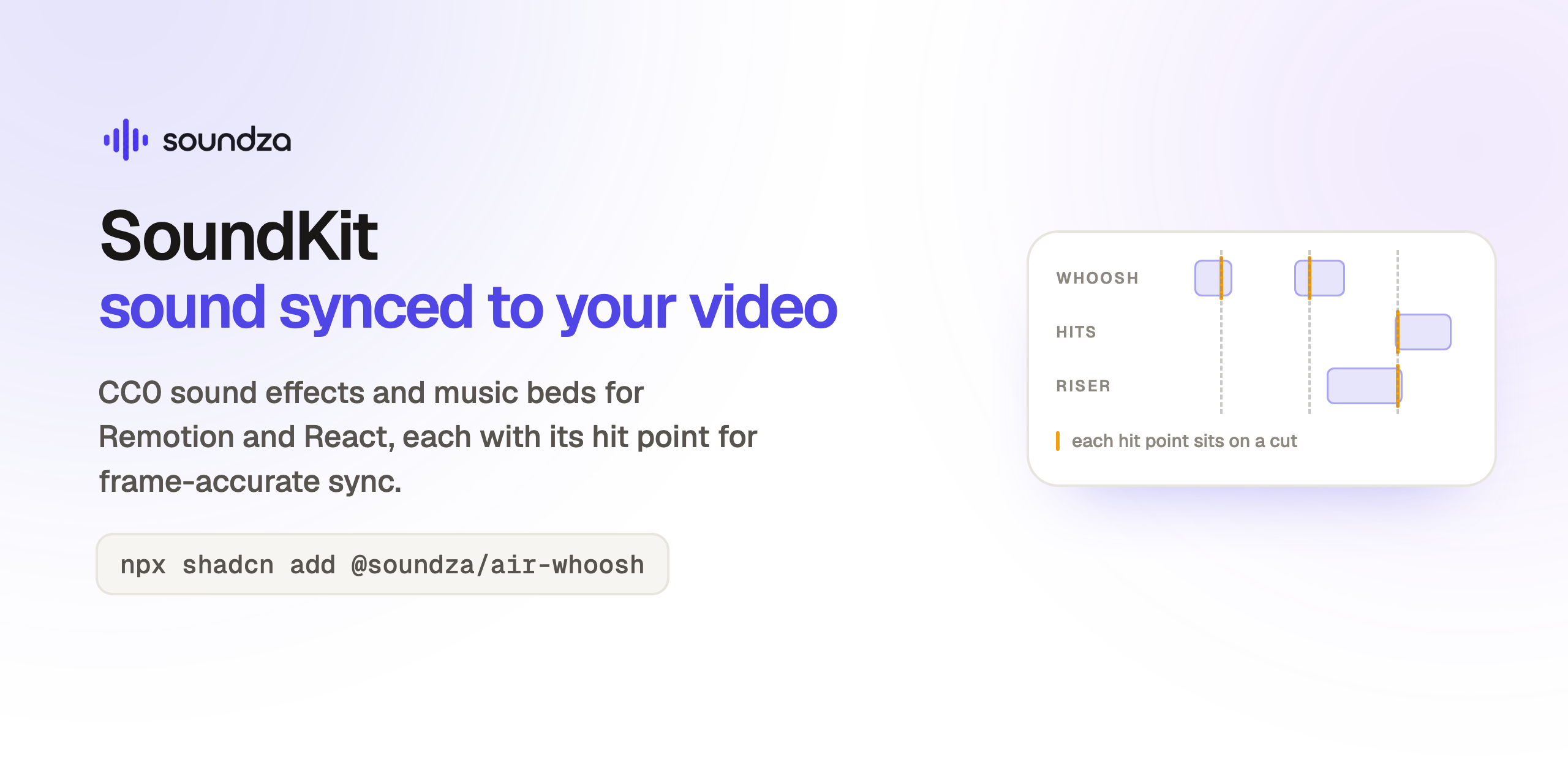




SoundKit
Free video sound effects for Remotion and React, in two parts:
- 225 non-AI, CC0 sound effects and 25 non-AI, CC0 music beds made for video (whooshes, transitions, hits, risers, logo stings, beds and the clicks of a product demo), added with one shadcn command. Each comes with its hit point, so a whoosh peaks on the cut and an impact lands on the title, on the exact frame.
- An agent skill for Claude Code, Codex and Cursor that adds sound design to a Remotion video on its own: it finds the moments that need a sound, searches thousands more on Soundza, and places each one on its frame.
Browse and listen: soundza.com/soundkit. Building an app? SoundKit UI has 200 UI sounds (below).
▶ Watch the 11-second demo: a Remotion promo where every whoosh, hit, pop and chime is a SoundKit sound placed on its frame (source).
Using a coding agent? Give it soundza.com/soundkit/agent-prompt.txt: it picks sounds by name, installs them and places each hit on its frame.
Add a sound
No account, no key.
npx shadcn add @soundza/air-whoosh
(Until @soundza is in the shadcn directory, use the full URL: npx shadcn add https://soundza.com/r/air-whoosh.json.)
That adds sounds/air-whoosh.ts with the sound embedded as a small MP3, plus lib/soundza.ts (the SoundzaAsset type and playSound()). Nothing loads from a server when it plays.
import { playSound } from "@/lib/soundza";
import { airWhoosh } from "@/sounds/air-whoosh";

<button onClick={() => playSound(airWhoosh)}>Send</button>
In Remotion
npx shadcn add @soundza/remotion @soundza/air-whoosh
import { SoundzaSound } from "@/components/soundza-remotion";
import { airWhoosh } from "@/sounds/air-whoosh";

<SoundzaSound sound={airWhoosh} at={60} /> {/* the whoosh peaks on frame 60 */}
<SoundzaSound> starts the file early by its syncMs, so the hit lands on at. <SoundzaMusicBed> loops, fades and ducks a music bed under the hits.
SoundKit UI: sounds for apps
Building an app instead of a video? SoundKit UI is 200 non-AI, CC0 sound effects for interfaces: clicks, toggles, notifications, pops and typing. Add all of them with one command:
npx shadcn add https://soundza.com/r/ui-sounds.json
Each sound lands as its own small file in sounds/, ready to play with playSound(). Or add a few by name, like npx shadcn add https://soundza.com/r/switch-1.json. There's a live demo at the top of the page where you can click the controls and hear them.
The sounds
Whooshes and transitions: fast-cloth-whoosh, fast-cloth-swish, bamboo-swoosh-3, air-whoosh, light-rope-whoosh, super-slow-whoosh, compressed-air-whoosh, metal-skimmer-whoosh, plastic-ruler-swoosh, high-cello-bow-swoosh, fast-metal-whoosh, explosive-impact-whoosh, swipe-ui-transition, high-whoosh-transition, bamboo-swing-transition, sliding-trailer-whoosh, punch-swish, bright-cloth-swish, glassy-reverse-sweep, reverse-whoosh, airy-sweep, reversing-noise-sweep, breath-whoosh, echoed-pitch-bend-sweep, mouth-swoosh-sweep, ascending-space-sweep, filtered-sweep-in-c, radio-static-transition, reverse-reverbed-breath-whoosh, quick-air-whoosh, reversed-clap-sweep, space-swoosh, big-whoosh-swipe, whoosh-for-whip-zoom, white-noise-sweep, funky-morph-swoosh, record-rewind-whoosh
Hits, booms and braams: metal-hammer-hit-1, metallic-grate-hit, hit-4, distant-bass-boom, metallic-riser-hit, muffled-sub-drop, deep-bass-thump, aggressive-braam, cinematic-braam
Risers and drops: epic-descending-riser, noise-riser-sound-fx, fast-ascend-riser, strong-cymbal-riser, reverse-mallet-riser, glassy-tension-riser, cymbal-reverse-riser, reverse-impact-riser, lofi-reverse-riser, deep-sub-drop, power-down-sweep, cinematic-tension-riser, airy-shimmer-riser, noise-fade-riser, accelerating-cinematic-riser, filtering-build-riser, white-noise-riser-1, gated-noise-riser, organic-noise-riser, cinematic-crash-riser, cinematic-dramatic-film-riser, abstract-movement-riser, cinematic-sub-drop, digital-textured-riser, cinematic-strings-riser, orchestral-tension-riser, filtered-sci-fi-riser, reversed-cymbal-crash, dubbed-sub-drop
Logo stings: melodic-shimmer-sting, crystalline-shimmer-sting, level-complete-stinger, sparkling-star-shimmer, brass-fanfare-stinger, level-up-success-fanfare, vibraphone-sting, success-fanfare, uplifting-success-stinger, victory-fanfare-sting, bah-dum-tss-sting, money-bag-jingle, steel-drum-jingle-12, pizzicato-jingle-6
Music beds: peaceful-days, emotional-piano, happy-adventure, ambient-arp-pad, summer-memories, first-light-particles, at-home, a-place-i-call-home, where-was-i, prairie-nights, field-of-dreams, flowerbed-fields, where-time-stands-still, observing-the-star, hot-spring-town, magic-town, cyberpunk-moonlight-sonata, insistent, casual-afternoon, cinematic-synth-pad, sand-castles, orchestral-ending, now-thats-automation, power-of-the-beat, techno-drive
Glitch transitions: digital-zap, sci-fi-glitch-blip, retro-menu-click, glitch-transition-fx, glitchy-impact, stuttering-glitch, glitchy-digital-hit, vhs-glitch, digital-glitch-transition, grimy-radio-static-texture, digital-glitch-hit, stuttering-digital-glitch, glitchy-robotic-whoosh, glitchy-synth-hit, glitchy-beepy-digital-static, glitchy-sci-fi-sweep, mechanical-glitch-stutter
Pops for text and icons: champagne-cork-pop, bubble-1, crisp-mouth-pop, low-bubble-pop, cartoon-balloon-pop, short-pop, pop-lip-cork, cartoon-pop, popping-squeak, vocal-bubble-pop, cartoon-pop-up-appearance, bubble-1-2, clean-mouth-pop, cute-pop-up-zip, magic-potion-cork-pop, lip-pop, party-popper-pop-with-air-rush, plop-2
Clicks for screen recordings: ui-click, waterdrop-ui-click, mouse-click, light-switch-click, toggle-1, mouse-button-click, mouse-release, toggle-switch, soft-ui-button-click, crisp-block-click, mouse-click-crisp, digital-click, menu-selection-click, sharp-mouse-click, standard-mouse-click, soft-mouse-click, light-switch-click-off, soft-ui-tap, short-ui-click
Typing: mechanical-keyboard-click, spacebar-keystroke, mechanical-keyboard-keystroke, typewriter-ding
Notifications and chimes: bright-notification-chime, bell-chime-synth, success-beep, achievement-sparkle, glass-3, ui-chime, sci-fi-success-chime, two-tone-hint-chime, microwave-ding, reverberant-synth-bell, bright-bell-chime, glockenspiel-chime, glockenspiel-success-chime, glass-ding, power-up-apply-chime, fantasy-ui-chime, phone-notification-chime, synthetic-bell-tone, warm-piano-bell, affirmative-decision-chime, pop-up-notification-chime
Errors and buzzers: wrong-answer-buzzer, wrong-answer-buzzer-long, game-show-buzzer, error-notification-tone, computer-error-beep, buzzer, classic-bleep-error-sound, quick-wrong-buzzer, horn-fail-wah-wah-low, incorrect-buzzer, error-wrong-action, error-beep, fail-party-horn-wah-wah, sports-buzzer, clean-digital-error
Sparkles: sparkle-1, big-sparkle-26, cartoon-wink-sparkle, reverse-bell-sweep, shimmering-harp-arpeggio, glassy-shimmer, sparkle-shimmer, fairy-dust-shimmer, crystal-shimmer, magical-sparkle-shimmer, teleport-shimmer, magical-appearance-poof, magic-shimmer-burst, distant-star-sparkle
Crashes, snaps and crowds: reverse-cymbal-crash, stadium-crowd-applause, dubstep-drum-roll, vinyl-scratch, vinyl-rewind, low-reversed-crash, finger-snap, crowd-clapping, roomy-finger-snap, quick-finger-snap, snare-drumroll, short-crash-cymbal, warm-crash-cymbal, long-crash-cymbal, cymbal-scrape, tight-snare-drumroll
Camera, paper and countdowns: camera-shutter-snap, cash-register-closing, camera-shutter-flash, countdown-beeper, book-page-flip, olympus-camera-shutter-click, camera-flash-clicks, dslr-camera-shots, camera-shutter-click, cover-paper-tear-1, paper-tear-8, paper-3
Want the full-quality WAV instead? Each sound's download field links to it, for example https://soundza.com/soundkit/air-whoosh.wav.
Music beds are too big to embed in a code file, so npx shadcn add @soundza/casual-afternoon adds a small module and prints a one-line download into public/sounds/:
curl -L --create-dirs -o public/sounds/casual-afternoon.mp3 https://soundza.com/soundkit/casual-afternoon.mp3
<SoundzaMusicBed sound={casualAfternoon} volume={0.25} duckAt={[60]} />
Need more sounds? The agent skill
Soundza has thousands more, searchable by description, including music beds and ambiences. The skill in skills/soundza-remotion lets your agent use all of them.
Ask your agent for it in plain words:
add sound design to this video
put a whoosh on every transition and a calm music bed under it
The agent reads your compositions, lists every moment that should make a sound, searches thousands of sounds by description, lets you pick by ear on one audition page, makes a sound with AI when nothing fits, downloads only the ones you use, and places each one so its hit lands on the exact frame.
Install the skill
npx skills add soundza/soundkit
Works with Claude Code, Codex, Cursor and any agent that reads Agent Skills. It pairs well with Remotion's own skills (npx skills add remotion-dev/skills).
Soundza is free. The first time, the agent asks you to approve a one-click sign-in and saves a key to your project's .env (kept out of git). You can also make a key at soundza.com/developers/keys and set SOUNDZA_API_KEY yourself.
What it adds to your project
public/sounds/<name>.wav: the sounds you chose, downloaded once.src/soundza-sounds.json: what each sound is, where its hit lands (sync_ms) and its attribution.src/soundza.tsx: two components.
import { SoundzaMusicBed, SoundzaSound } from "./soundza";

<SoundzaSound name="whoosh" at={60} />                 // the whoosh peaks on frame 60
<SoundzaSound name="title-hit" at={TITLE_IN} volume={0.8} />
<SoundzaMusicBed name="music" volume={0.25} duckAt={[TITLE_IN]} />
<SoundzaSound> starts the file early by its sync_ms, so the hit (a whoosh's peak, an impact's transient, the top of a riser) lands on the frame you give it, not just the start of the file. <SoundzaMusicBed> loops if needed, fades in and out, and dips under big hits.
CREDITS.md: one attribution line per sound. Credit is appreciated, not required.
Renders never need the key: the files are in your project.
Example
example/ is an 11-second promo with a title hit, slide whooshes, pops, a ticking counter, a riser into a logo hit and a music bed, all placed by the skill.
cd example
npm install
./get-sounds.sh   # one-click sign-in, then downloads the 8 sounds it uses
npm run dev       # Remotion Studio
npm run render    # out/promo.mp4
Measured on a render: each hit lands within one frame (33 ms at 30 fps) of the frame it was placed on.
Without an agent
The helper the skill uses works on its own (Node 18+, no dependencies). Run it from your Remotion project's root:
node skills/soundza-remotion/scripts/soundza.mjs signin
node skills/soundza-remotion/scripts/soundza.mjs search "fast airy whoosh" --type sound_effect --good-for transition --max-duration 2
node skills/soundza-remotion/scripts/soundza.mjs add <id> --name whoosh
node skills/soundza-remotion/scripts/soundza.mjs generate "glass marble dropping on wood" --duration 2
Then copy templates/soundza.tsx into src/.
How this repo works
registry.jsonandregistry/: the SoundKit shadcn registry, served fromhttps://soundza.com/r/{name}.json.node scripts/sync.mjsregenerates both from the live registry.skills/soundza-remotion/: the agent skill.example/: an 11-second promo made with the skill.
License
- Code (the components, helpers, skill and scripts): MIT.
- SoundKit's 250 sounds (the audio in
registry/soundza/sounds/and their downloads): CC0 1.0. Use them for anything, no attribution needed. - SoundKit UI's 200 sounds (served from soundza.com): CC0 1.0 too.
- Sounds the skill downloads from the wider Soundza library come under the Soundza License: free for personal and commercial videos, no attribution needed.
- Remotion has its own license for companies.
Yorumlar (0)
Yorum birakmak icin giris yap.
Yorum birakSonuc bulunamadi