spring-ai-playground
Health Gecti
- License — License: Apache-2.0
- Description — Repository has a description
- Active repo — Last push 0 days ago
- Community trust — 102 GitHub stars
Code Basarisiz
- fs module — File system access in electron/launcher-config.js
- child_process — Shell command execution capability in electron/main.js
- fs.rmSync — Destructive file system operation in electron/main.js
- process.env — Environment variable access in electron/main.js
- fs module — File system access in electron/main.js
- network request — Outbound network request in electron/main.js
- spawnSync — Synchronous process spawning in electron/scripts/prepare-resources.mjs
- fs.rmSync — Destructive file system operation in electron/scripts/prepare-resources.mjs
- process.env — Environment variable access in electron/scripts/prepare-resources.mjs
Permissions Gecti
- Permissions — No dangerous permissions requested
This cross-platform desktop application allows developers to build, test, and expose executable MCP tools locally without needing to set up a complex backend environment.
Security Assessment
Overall risk: Medium. The tool inherently requires deep system access to run its cross-platform desktop environment and execute the custom tools you build. Consequently, the codebase contains multiple FAIL-level security flags, including shell command execution capabilities, synchronous process spawning, and destructive file system operations (fs.rmSync). It also features warnings for reading environment variables, accessing the file system, and making outbound network requests. While this level of system access is typical for a desktop runtime like Electron, it means the application possesses the necessary privileges to cause significant harm if fed malicious configurations or compromised dependencies. No hardcoded secrets or dangerous manifest permissions were found.
Quality Assessment
The project demonstrates strong health indicators. It is actively maintained with repository updates happening as recently as today, and it is protected by the standard Apache-2.0 license. With over 100 GitHub stars, it has achieved a fair baseline of community trust and visibility. The provided documentation is thorough and offers clear installation and quick-start guides for users.
Verdict
Use with caution — while the project is active and legitimate, its broad system control capabilities mean you should only run it in secure, isolated environments.
Build once, test locally, and expose reusable MCP tools from a cross-platform desktop app.
Spring AI Playground
Spring AI Playground is a cross-platform desktop app for building, testing, and exposing executable MCP tools for MCP-compatible hosts and clients.
It helps you create reusable MCP tools once and use them across macOS, Windows, and Linux through a self-contained runtime.
Unlike playgrounds that stop at prompt testing and chat visualization, Spring AI Playground connects AI conversations to real actions by letting you build executable tools that can be inspected, validated, and reused across MCP-compatible workflows.
You do not need to know Java, Spring, or JVM internals to use it. If you can install a desktop app and write a small JavaScript function, you can build tools here and connect them to hosts and clients such as Claude Desktop, Claude Code, Cursor, IDEs, and other MCP-compatible environments.
Who is this for?
- Developers who want to build and test executable MCP tools without setting up a full backend project first.
- Developers and teams building AI agents who need reusable MCP tools across Python, Node.js, or mixed AI stacks.
- Users of Claude Desktop, Claude Code, Cursor, IDEs, and other MCP-compatible environments who need reusable self-hosted MCP tools.
- Anyone who wants to connect AI to real actions without building backend infrastructure first.
- Spring AI users who want a practical tool-first environment for prototyping and operationalizing MCP workflows.
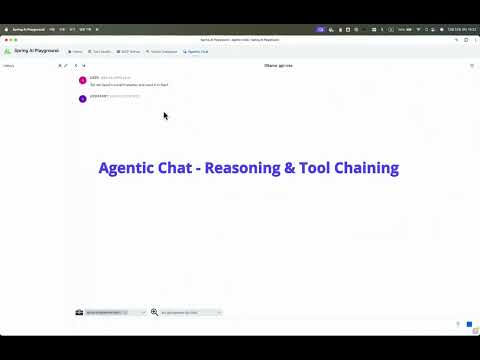
Agentic Chat Demo
Tool-enabled agentic AI built with Spring AI and MCP
Quick Start
The fastest path is the desktop app distributed through GitHub Releases.
Spring AI Playground is a standalone desktop app, so you can install it and start building MCP tools without setting up a Java project, Docker environment, or source build first.
1. Download the Desktop App
Open the Spring AI Playground Releases page and install the package for your operating system:
- Windows: NSIS installer
- macOS Apple Silicon: DMG for
arm64 - macOS Intel: DMG for
x64 - Linux: DEB or RPM package
2. Install and Launch
Install the app like a normal desktop application, then launch Spring AI Playground from your applications menu.
The desktop app bundles the backend runtime together with a launcher that provides provider starter templates, YAML override editing, environment-variable based secret handling, and one-click launch.
If you install the app, you can run Spring AI Playground immediately without setting up Docker or running the source manually.
macOS note
For macOS-specific install notes, Gatekeeper guidance, and quarantine troubleshooting, see the Getting Started guide.
Documentation
Detailed installation, configuration, features, and tutorials now live in the documentation site:
- Documentation site: spring-ai-community.github.io/spring-ai-playground
- Getting Started: Desktop app, model setup, Docker, and source run
- Features: Architecture, Tool Studio, MCP Server, Vector Database, and Agentic Chat
- Tutorials: Tool creation, MCP setup, RAG, and Agentic Chat workflows
Alternative runtimes are still supported:
- Docker for server-style deployment
- local source execution for development workflows and MCP STDIO testing
Why Spring AI Playground?
- Proven MCP Runtime: The built-in MCP runtime is based on a high-performance foundation that recorded sub-millisecond average latency in a third-party multi-language benchmark.
- Built-In MCP Server: Publish tools directly from the app and expose them immediately through the built-in MCP server instead of wiring ad-hoc local scripts by hand.
- Executable Tool Validation: Test tools with real inputs, outputs, and runtime constraints before you reuse them from other MCP-compatible hosts and clients.
- Secure Secret Management: Keep API keys and sensitive configuration out of YAML and manage them through the desktop app's secret storage and launcher-backed environment settings.
- Tool-to-Agent Workflow: Create tools in Tool Studio, inspect them through MCP, and use them in Agentic Chat in one continuous workflow.
- Provider Agnostic: Switch between Ollama, OpenAI, and other OpenAI-compatible APIs without changing the overall workflow.
- OS-Independent Tool Runtime: Tools are authored once as JavaScript and run through the same bundled runtime, so the same tool definition works consistently across macOS, Windows, and Linux.
The intended workflow is practical and composable:
- create or adapt tools in Tool Studio
- validate them through MCP Inspector
- index knowledge in Vector Database
- combine tools and documents in Agentic Chat
Project Scope & Positioning
Spring AI Playground is a tool-first environment for building, validating, and operationalizing MCP tools in a practical workflow.
Note: This project is intentionally focused in its early stages.
The goal is to make MCP tool building, validation, and runtime exposure simple and reliable,
so the tools you create here can be reused from MCP-compatible hosts and clients such as Claude Code, Claude Desktop, IDEs, and other agent environments.
Current focus:
- providing a UI-driven environment for building, testing, and validating MCP tools in a practical workflow
- testing tool execution flows, environment-backed tool configuration, and RAG integration in one place
- making tools easier to inspect, easier to test, and easier to operationalize before they are reused elsewhere
- promoting validated tools to standalone, deployment-ready MCP servers that can be reused by multiple MCP-compatible hosts and clients
It is not trying to replace the tools where agents actually run. It is designed to give you a clearer path from local tool prototype to inspectable, reusable MCP server.
Contributing & Scope
Please read this section before opening issues or submitting contributions.
Current Scope
- bug reports with reproducible steps
- documentation improvements
- usage examples
Out of Scope For Now
- broad feature requests that significantly expand project scope
- experimental model integrations outside the current supported provider list
- high-level agent orchestration layers
Reporting Issues
Before opening an issue:
- use the Bug Report template for reproducible failures
- submit a documentation PR for documentation fixes or improvements
- read the project scope above before requesting broader changes
We triage issues regularly, and issues outside the current scope may be closed with guidance.
If you believe you have a contribution that fits the current scope, submit a PR or a targeted issue.
Upcoming Features
These are the near-term areas we plan to improve while keeping the project focused on trusted, reusable tool execution rather than expanding into a broad agent platform.
Observability
- Execution Visibility: improve tracing and inspection for tool execution, MCP calls, failures, and runtime behavior.
- Operational Insight: make it easier to understand what ran, why it failed, and how a published tool behaves in practice.
Hardening Existing Capabilities
- Tool Runtime Improvements: strengthen the existing workflow for building, validating, and publishing tools.
- Secret Handling: continue improving how tool configuration and environment-backed values are stored, managed, and used at runtime.
- Validation and Reuse: make validated tools easier to inspect, share, and promote into reusable MCP-hosted runtimes.
Infrastructure & Enterprise Features
- Authentication: login and access control features
- Multimodal Support: image and audio input and output with multimodal-capable models
Yorumlar (0)
Yorum birakmak icin giris yap.
Yorum birakSonuc bulunamadi