locus
Health Uyari
- License — License: AGPL-3.0
- Description — Repository has a description
- Active repo — Last push 0 days ago
- Low visibility — Only 5 GitHub stars
Code Gecti
- Code scan — Scanned 12 files during light audit, no dangerous patterns found
Permissions Gecti
- Permissions — No dangerous permissions requested
Bu listing icin henuz AI raporu yok.
A local-first AI agent for Android: bring your own model (API key, ChatGPT plan, local server or on-device Gemma), with a Linux workspace, a browser you can watch, sub-agents and approvals.

Locus
An AI agent that lives on your Android phone and works with the model you choose.



Download · What it does · Safety model · Screenshots · ▶ Launch video · Build · Roadmap
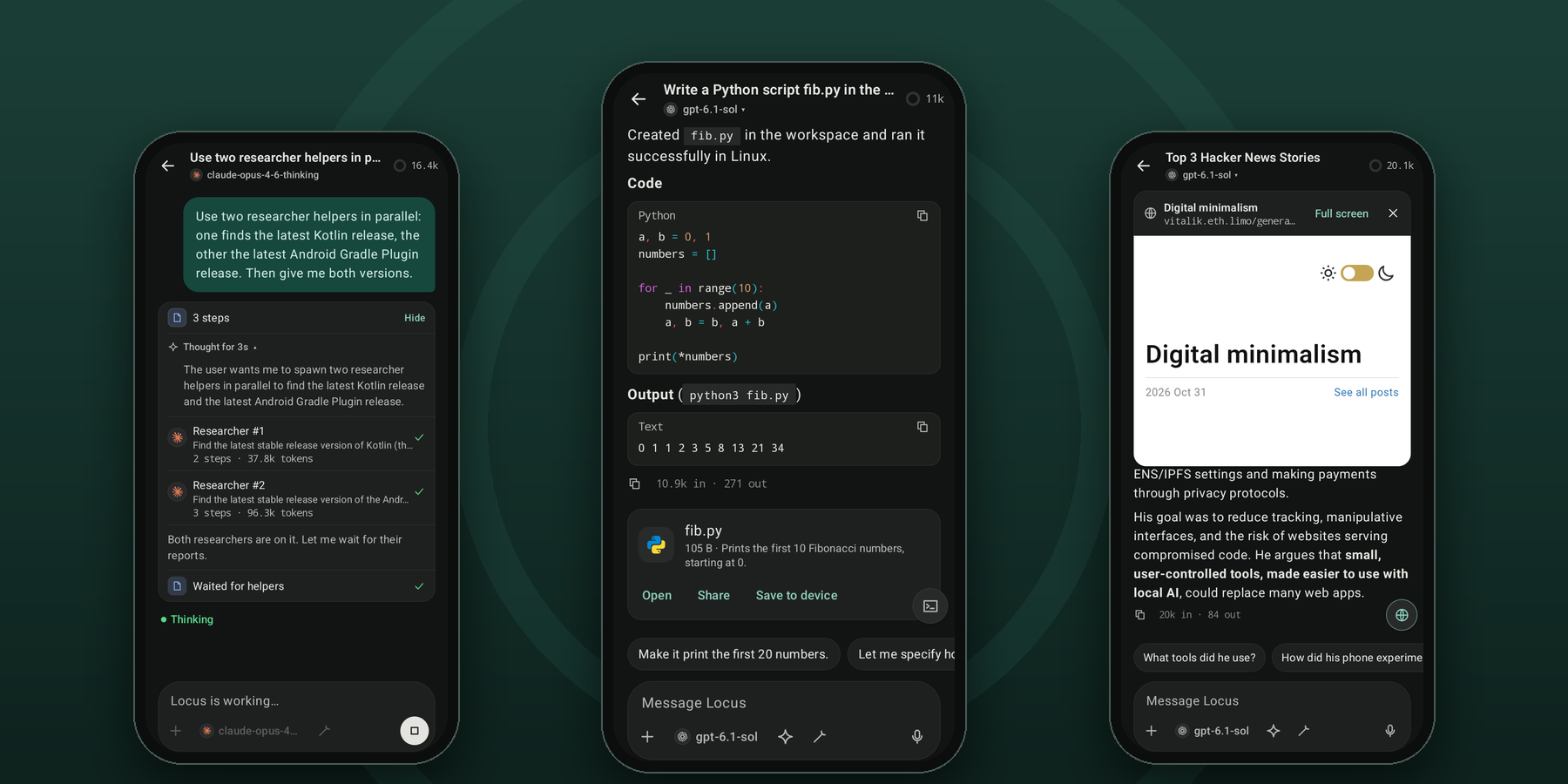
Locus gives a capable model hands on your phone: a Linux shell, a browser you can watch, your files, your servers. It plans, works through many steps and asks before anything that matters. There's no Locus account and no Locus server. Your keys stay encrypted on the device, and requests go straight to the provider you picked, or nowhere at all if you run the model on the phone.
Download
Grab the latest release from Releases and open it on a phone running Android 8.0 or newer. There's one APK per ABI: locus-v<version>-arm64-v8a.apk is the one for nearly every phone, and locus-v<version>-x86_64.apk is for x86_64 Chromebooks and emulators. Locus needs a 64-bit device. SHA256SUMS.txt lists the checksums.
Staying up to date. Either:
- Turn on Check GitHub for new versions (in setup, or Settings → About & privacy). It's off by default. When it's on, Locus asks GitHub about once a day on Wi-Fi; when there's a newer release it shows the notes, downloads the APK for your phone, checks it against
SHA256SUMS.txtand the installed app's signing key, and hands it to Android's installer for you to confirm. Check now works with it off. See docs/design/updates.md. - Or track releases with Obtainium: add
https://github.com/springmusk026/locusas a GitHub source, and if it asks which APK, filter witharm64-v8a(orx86_64). When Obtainium installed Locus, Locus leaves updates to it.
[!NOTE]
Locus is in active development, and the way data is stored can still change between versions.
On first launch a short setup walks you through choosing a model, naming your agent and, if you want it, installing the Linux workspace.
What it does
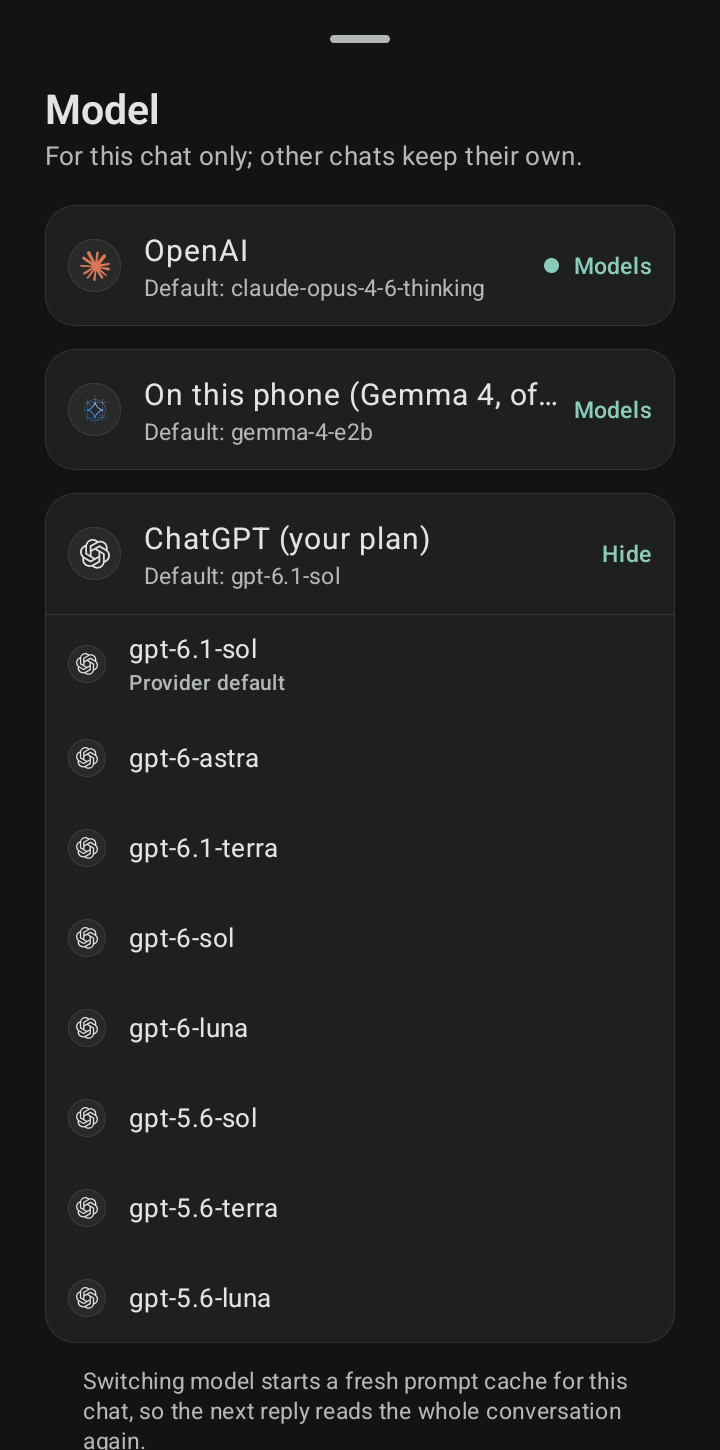
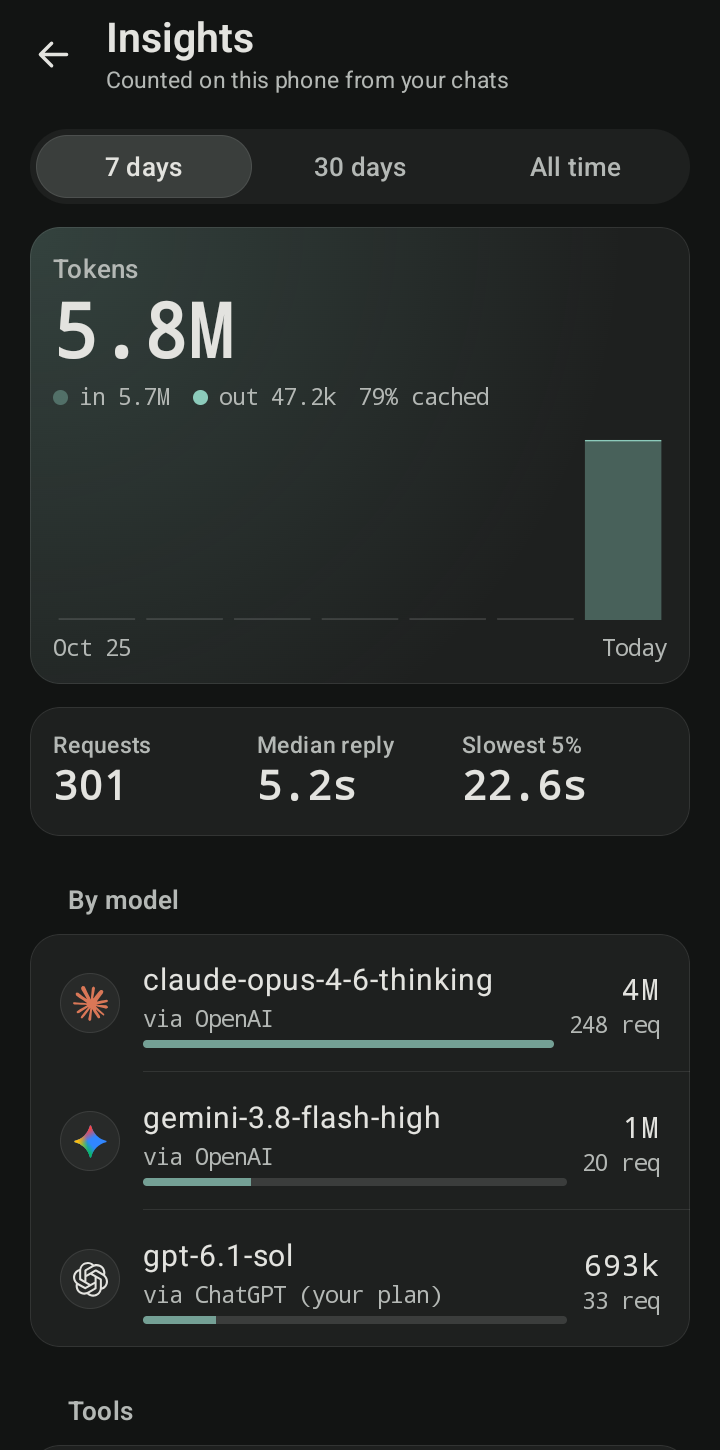
Bring any model. Use an Anthropic or OpenAI API key, any OpenAI-compatible server (OpenRouter, Groq, Gemini, Ollama, LM Studio, vLLM), your ChatGPT Plus or Pro plan through OpenAI's official sign-in, or Gemma 4 running entirely on the phone. Switch models per chat.
- Backup models and backup keys: when a model is out of quota, rate limited or overloaded, the next one on your list answers; when a key runs out, the next key takes over.
- Locus checks what a model can do (tools, vision, context window) before routing a chat, a helper or a backup to it, and says why one was skipped.
Real tools, not a demo:
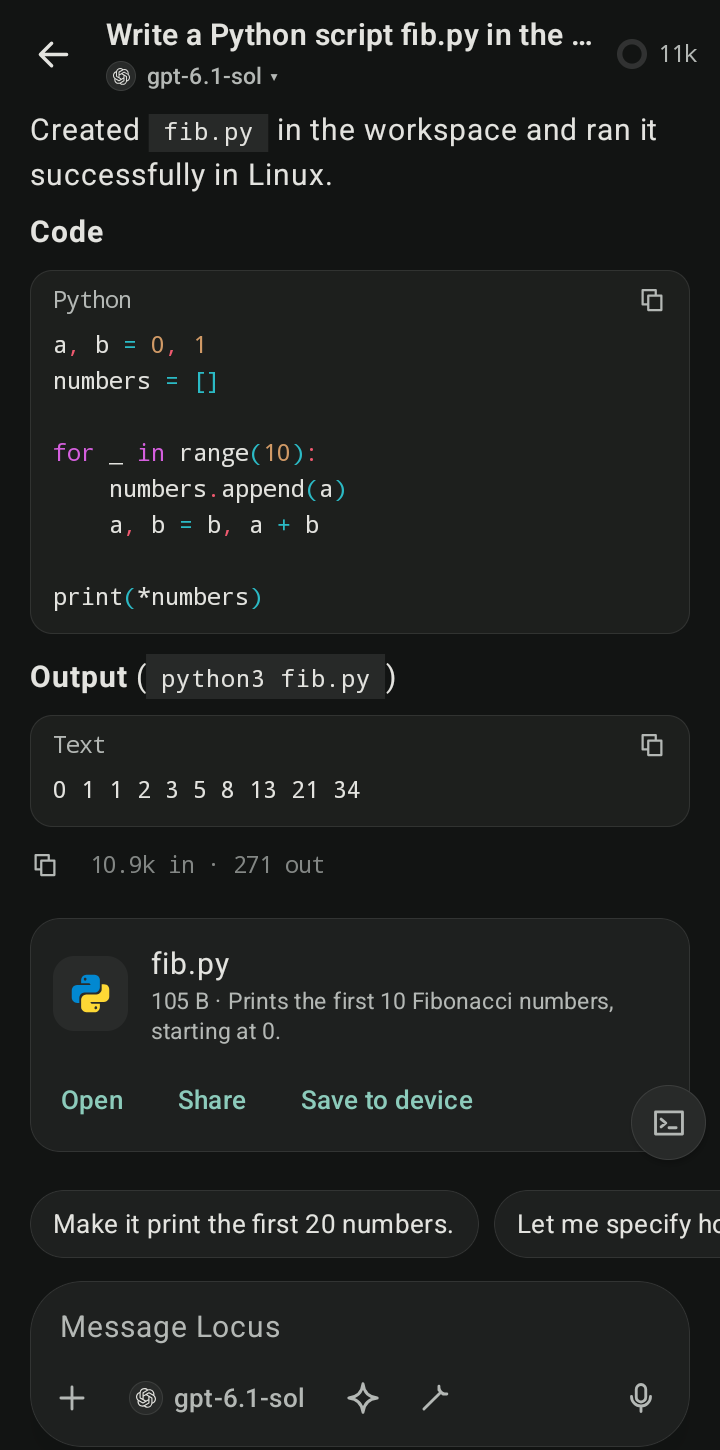
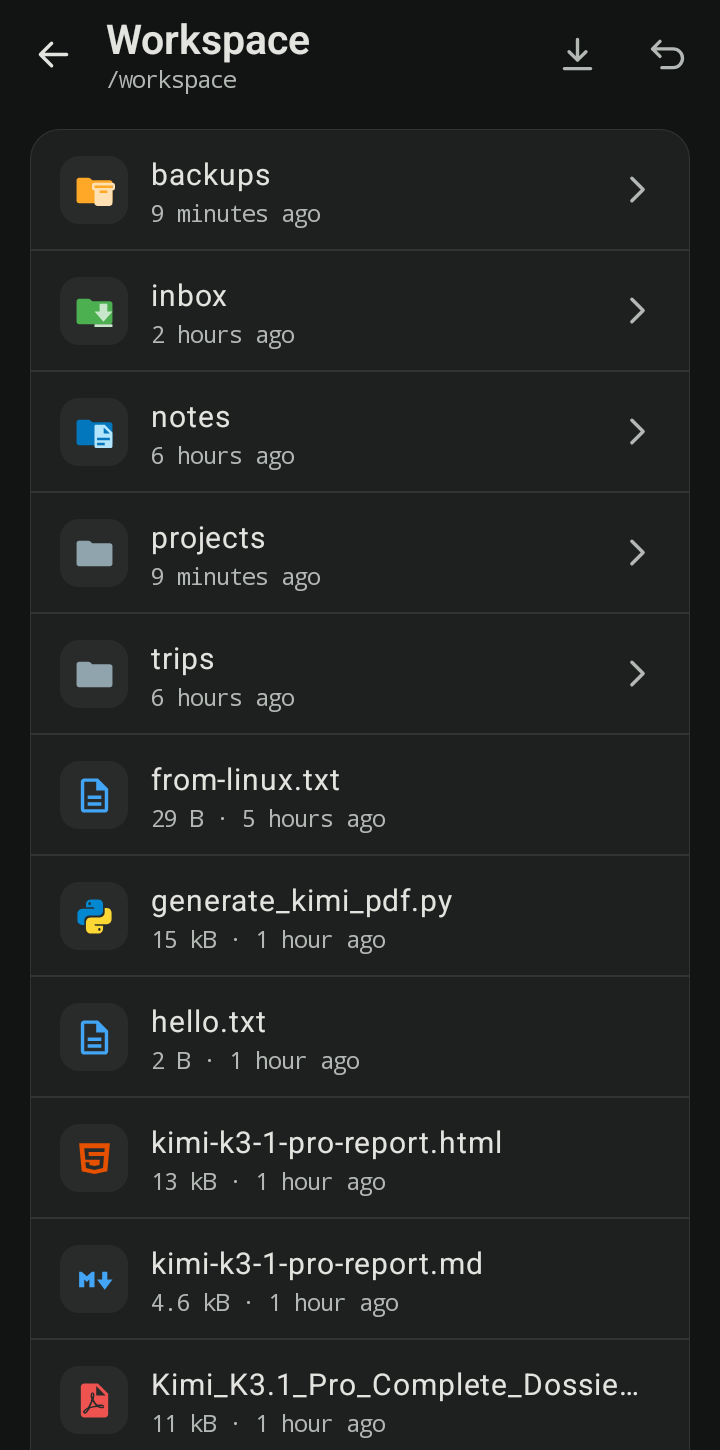
- An Alpine Linux shell on the phone, no root needed, with Python, Node and git a command away. Install, repair and check it from the Workspace, with a health page and a package list
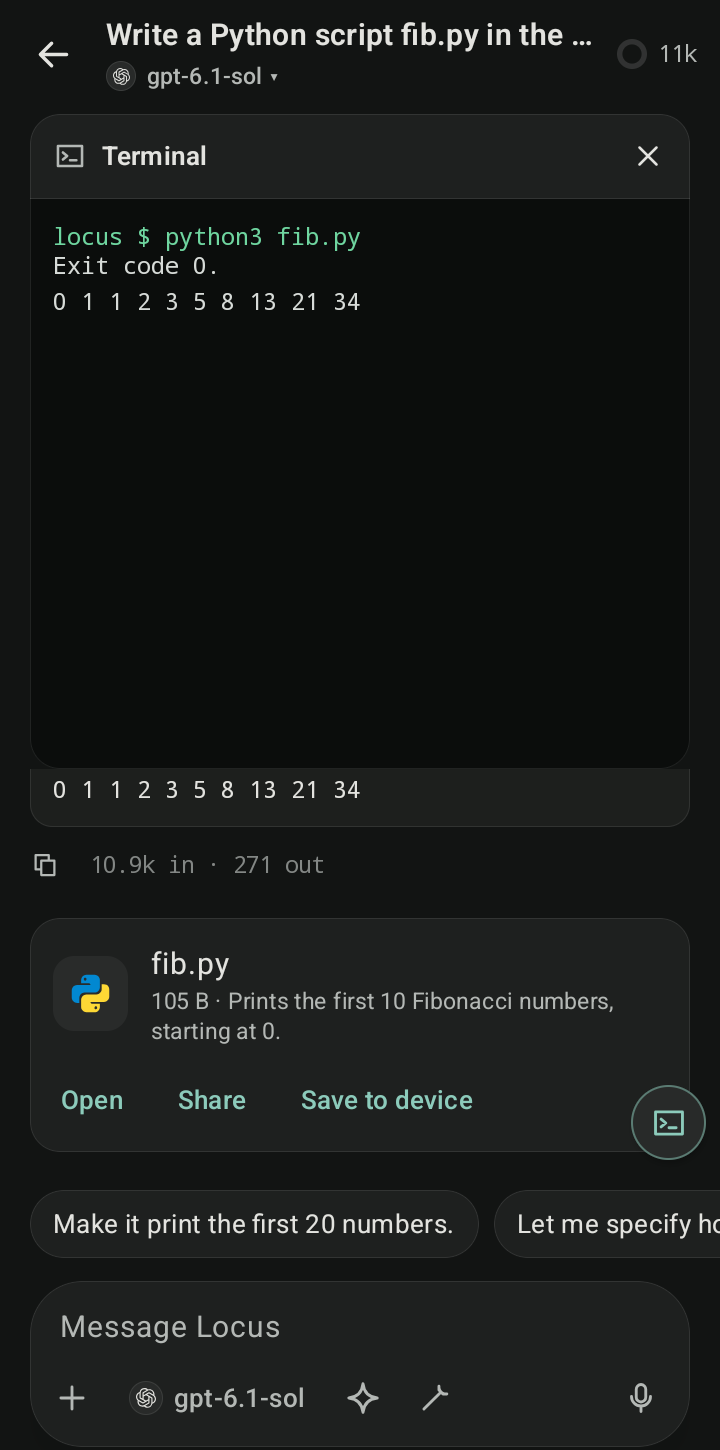
- A real terminal into that Linux, with tabs and an extra-keys row, for when you want to type yourself
- A browser the agent drives while you watch, with logins, payments and form submits always confirmed by you
- SSH to your own servers, including long jobs that survive disconnects. A project can run its commands on one of your machines, with files synced over SFTP and approvals kept on the phone
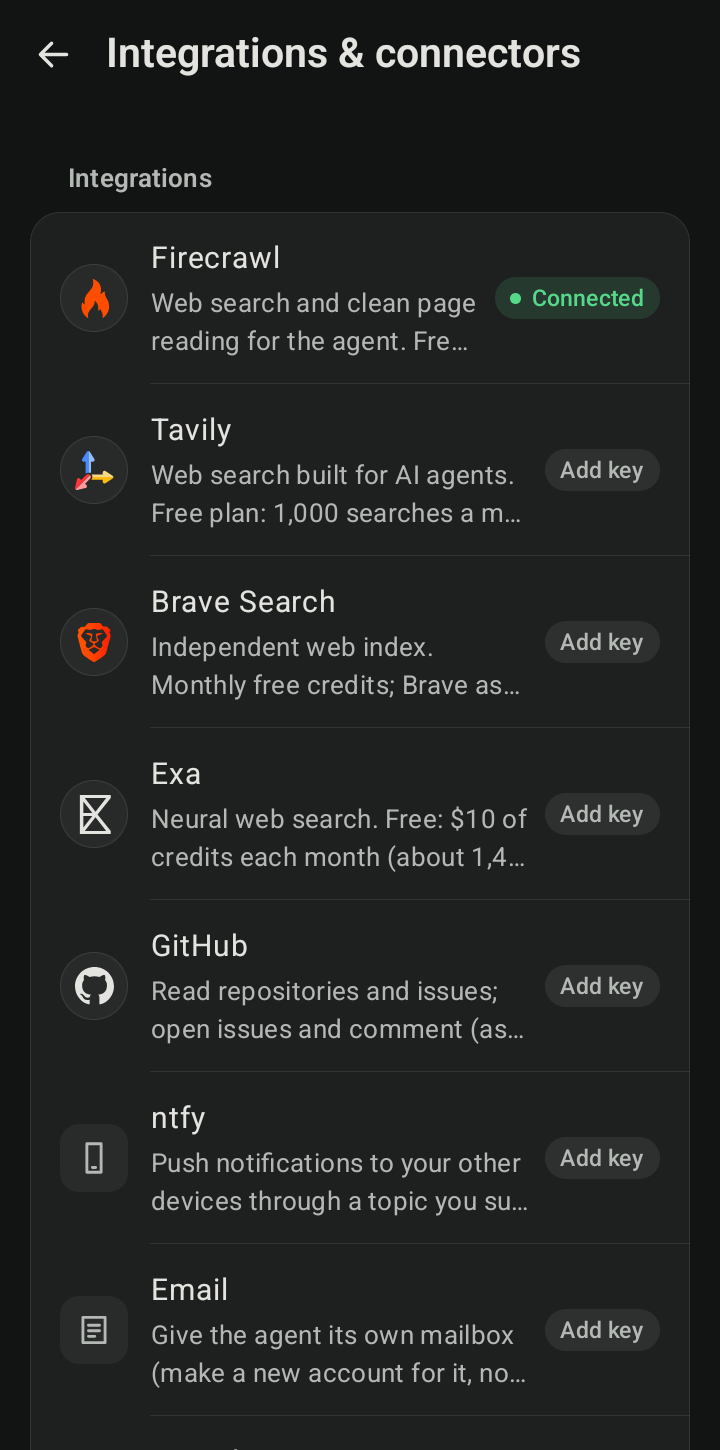
- MCP servers, HTTP connectors, and integrations for search (Firecrawl, Tavily, Brave, Exa), GitHub, Vercel, Netlify, Cloudflare, Supabase, Render, email, and notifications through ntfy or your own Telegram bot
- A workspace you can open from Android's Files app, with viewers for PDF, code, Markdown, tables and media
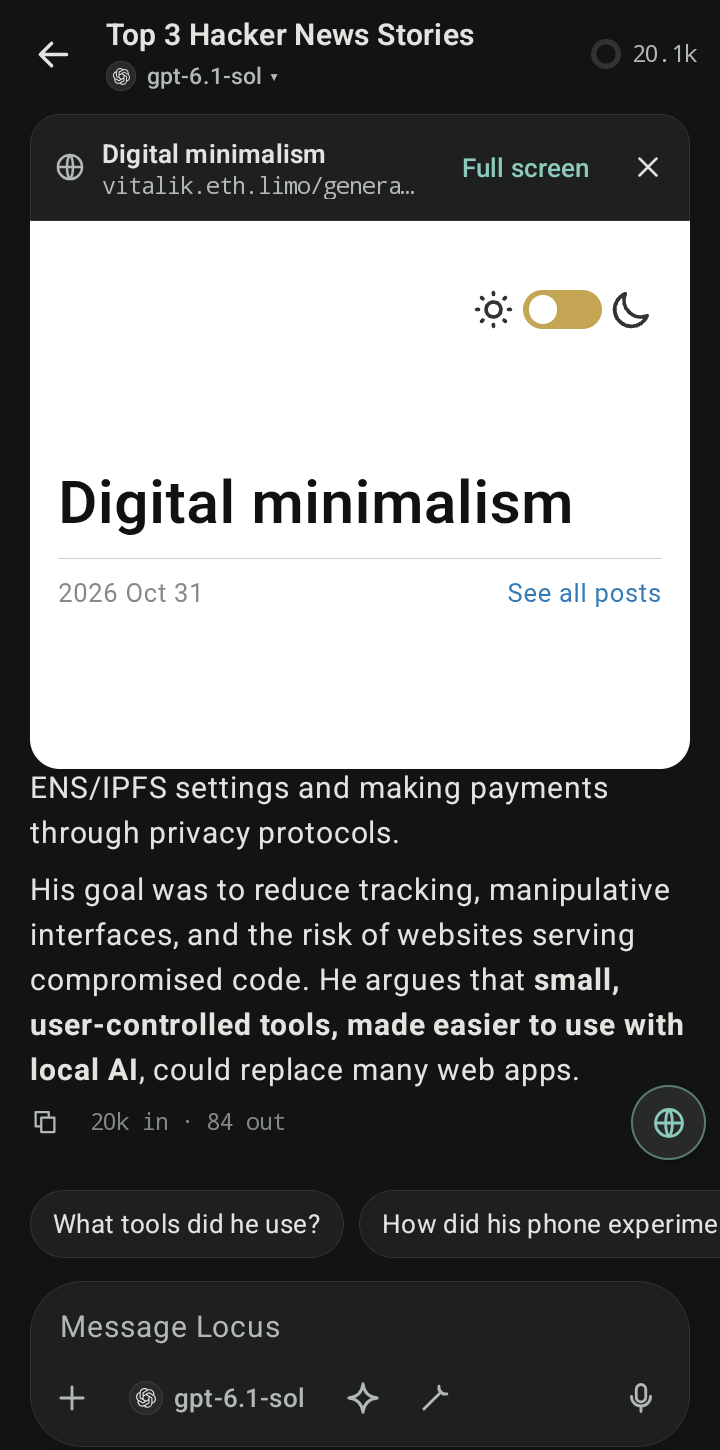
- Charts, diagrams and small tools in a reply run as live previews in a sandbox with no network or storage
- New chats load the everyday tools and find the rest when they need them, with Anthropic's and OpenAI's own tool search where the model has it
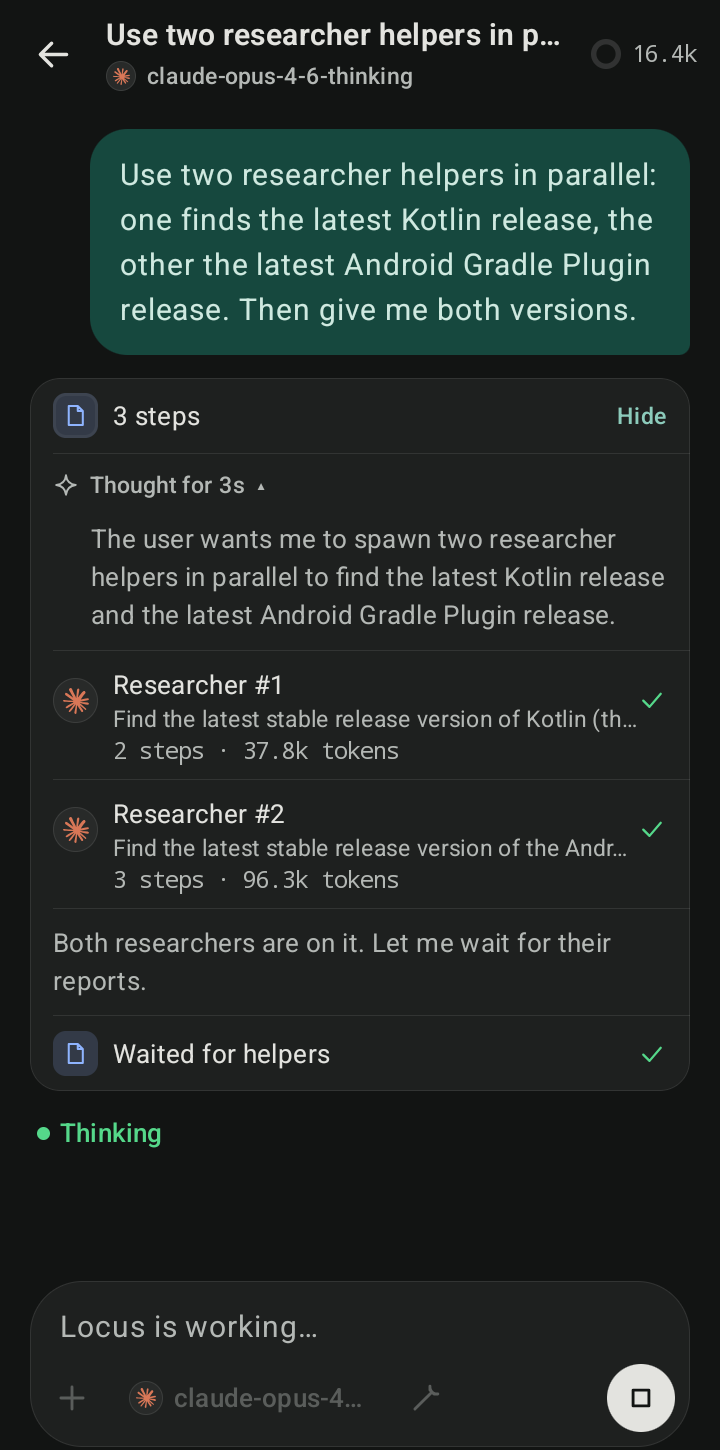
Works like an agent. It plans before acting when you ask, keeps a live checklist, hands research and side jobs to helpers that run in parallel, remembers what you teach it, and writes its own skills and connectors for you to approve.
- Long tasks don't run out of context: the work so far is summarised between steps once the chat nears the model's window, and a "too long" error is summarised and retried.
- Steer a running task, ask a side question with
/btw, or give a task a budget for tokens, cost and time. - Every task that ends gets a receipt: how it ended, how long it took, files changed, checks passed, approvals and estimated cost.
- Regenerate any reply, edit a message as a new branch, or fork a chat from any point.
- Memory search ranks the best matches first and works in any language, and Library shows where each memory came from.
Talk to it, and reach it from anywhere on the phone.
- Voice mode: a hands-free conversation in the current chat, with the same tools and approvals as typing. Android's speech services, on-device recognition preferred, no audio kept.
- Ways in: launcher and Direct Share shortcuts, a quick settings tile, "Ask Locus" on selected text, a home-screen widget that shows what Locus is doing, and the default assistant role.
- Telegram remote: approve a background task's request with a button in your bot chat, or turn on remote mode for a while and start tasks by messaging your bot. Both are off by default.
- Automation intents for Tasker, Automate and scripts (off by default): start a chat, run a workflow or run a scheduled task, each shown to you first unless you allowed that app.
Organises the work.
- Projects keep chats together with their own folder, instructions, memory, permissions and default model.
- Workflows: save a task that went well and run it again with new inputs, on demand or on a schedule.
- Scheduled tasks run read-only in the background and report by notification, ntfy or Telegram. Every run says how it ended.
- Changes and checks: a card under each turn lists the files it changed, with diffs and per-file undo. Build and test runs show as pass/fail cards.
- Battery & heat: non-urgent work waits while the phone is hot or in battery saver, and an idle on-device model is unloaded.
- Encrypted backup and restore to a file you pick.
Safety model
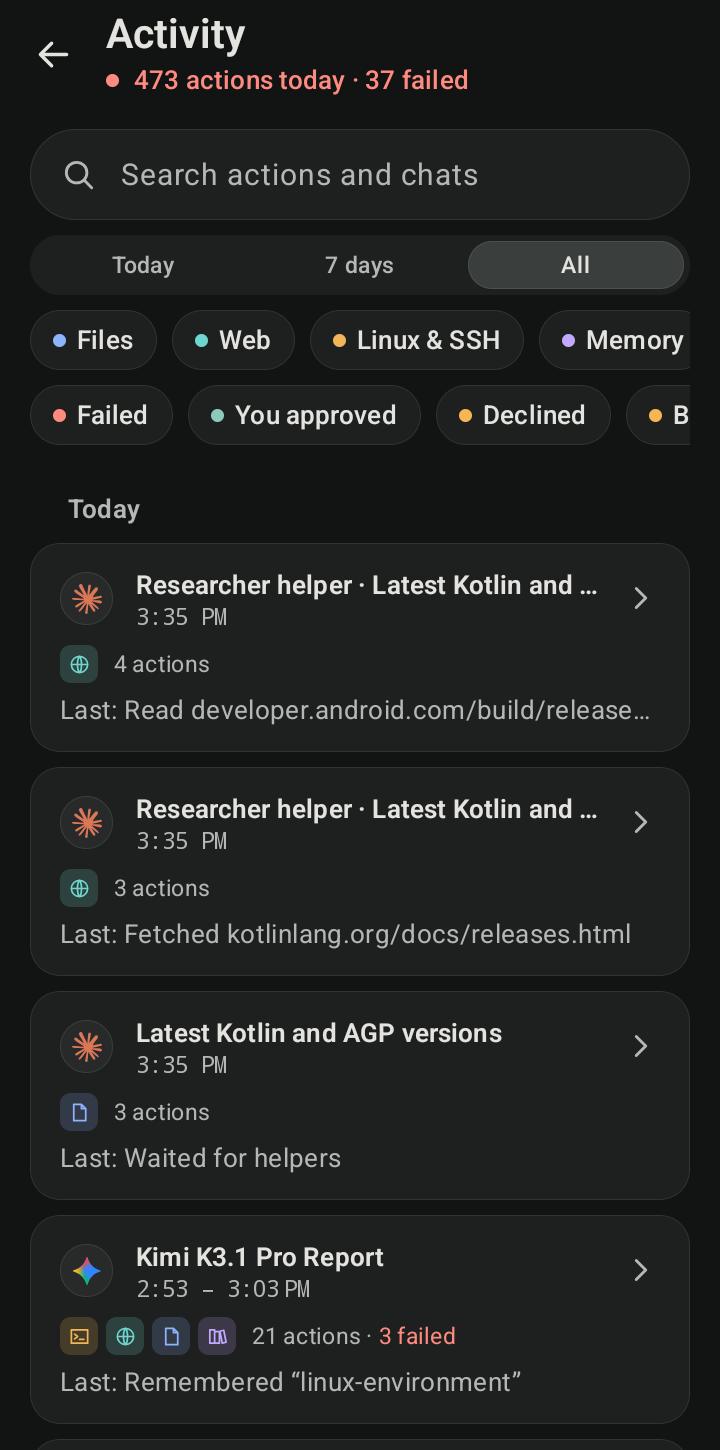
Every tool is set to Allow, Ask or Deny, and a chat can be limited further (Read-only, Workspace or Full). Approvals come to the chat or to a notification that needs the phone unlocked, and an optional reviewer checks Ask-level actions against what you actually asked for. Once a run has read outside content (a web page, an email, a command's output), sending anything out, opening a site you didn't name, and saving to memory or creating a skill or connector ask first (taint tracking). Once a run has read your own data (files, memory, mail, a contact), opening a new site with anything in the address asks too, so a PIN can't leave in a short link. "Don't ask again" can remember one approval for a site, folder, recipient or safe command, in this chat or for 30 days, but never for payments or anything risky. A skill can declare what it needs: once it's loaded, anything it didn't declare asks, and an update that asks for more shows the difference first. Linux commands run as the app's own user, so Locus hides its own processes from them and seals the tool permissions and provider addresses against changes made outside the app. That isn't a kernel boundary: treat Linux programs as code you chose to run with Locus's rights. Helpers inherit every limit of the run that started them. Activity logs every action, and deleted files go to a trash you can restore from. SECURITY.md says what is and isn't isolated.
Screenshots
 |
 |
 |
 |
 |
 |
 |
 |
 |
Privacy
- No analytics, telemetry or crash reporting, and no Locus server.
- Diagnostics (Settings → About & privacy → Diagnostics) is a local log of crashes, times Android closed Locus, and storage problems. It stays on the phone with keys and passwords removed, and leaves only if you tap Share.
- API keys and sign-in tokens are encrypted with Tink under an Android Keystore key, kept out of backups, and never shown to the model.
- The only network requests are to the providers and services you configure. The optional model catalogue (models.dev) stays off until you turn it on.
- The update check is off until you turn it on. Then, about once a day on Wi-Fi, Locus sends one unauthenticated request to
api.github.comfor the latest release, with a fixed User-Agent and nothing about you, the phone or the installed version (GitHub sees your IP address, as with any request). Downloading an update fetches the APK andSHA256SUMS.txtfrom GitHub. Builds for F-Droid and IzzyOnDroid can leave the check out (-Plocus.updateCheck=false). - Voice mode keeps no audio, and the microphone is on only while voice mode shows "Microphone on".
- Telegram remote mode only talks to Telegram while it's on or an approval with buttons is waiting, and the bot token stays in the vault.
- Locus doesn't use an AccessibilityService and can't read or control other apps.
Build from source
You need JDK 21 (Android Studio's bundled one works) and the Android SDK.
git clone https://github.com/springmusk026/locus.git && cd locus
./gradlew :app:assembleDebug                 # app/build/outputs/apk/debug/app-arm64-v8a-debug.apk (x86_64 too)
./gradlew testDebugUnitTest :core:agent:test :core:llm:test :core:model:test lintDebug
A debug build is a separate app, dev.locus.debug ("Locus Debug"), with its own data, so it installs next to Locus instead of over it. The Linux workspace uses prebuilt proot binaries from core/linux/src/main/jniLibs; tools/build-proot.sh rebuilds them from pinned sources with NDK r29.
Kotlin, Jetpack Compose and MVVM across 24 modules. docs/ARCHITECTURE.md covers the design and why each library was chosen; docs/STATE.md says what's built, what's tested and what's next; docs/TESTING.md covers the unit, instrumentation and benchmark suites; docs/ROADMAP.md has the plan, and docs/design/ has a note per feature.
Contributing
Bug reports and ideas are welcome in Issues. For code, read CONTRIBUTING.md first and open an issue before anything large. Report security problems privately, as SECURITY.md describes.
License
AGPL-3.0-or-later. If you distribute a modified Locus or offer one over a network, you must share its source under the same licence. Bundled third-party code keeps its own licence: see core/linux/NOTICE, core/terminal/NOTICE and core/designsystem/NOTICE.md and core/markdown/NOTICE.md. Product names and logos belong to their owners and only identify the service you connect.
Yorumlar (0)
Yorum birakmak icin giris yap.
Yorum birakSonuc bulunamadi