claude-wormhole
Health Uyari
- No license — Repository has no license file
- Description — Repository has a description
- Active repo — Last push 0 days ago
- Community trust — 12 GitHub stars
Code Basarisiz
- execSync — Synchronous shell command execution in next.config.ts
- fs module — File system access in package.json
Permissions Gecti
- Permissions — No dangerous permissions requested
Bu listing icin henuz AI raporu yok.
Never leave Claude Code waiting. Access your sessions from terminal, VS Code, browser, or phone - same session, any device, zero interruption.
claude-wormhole
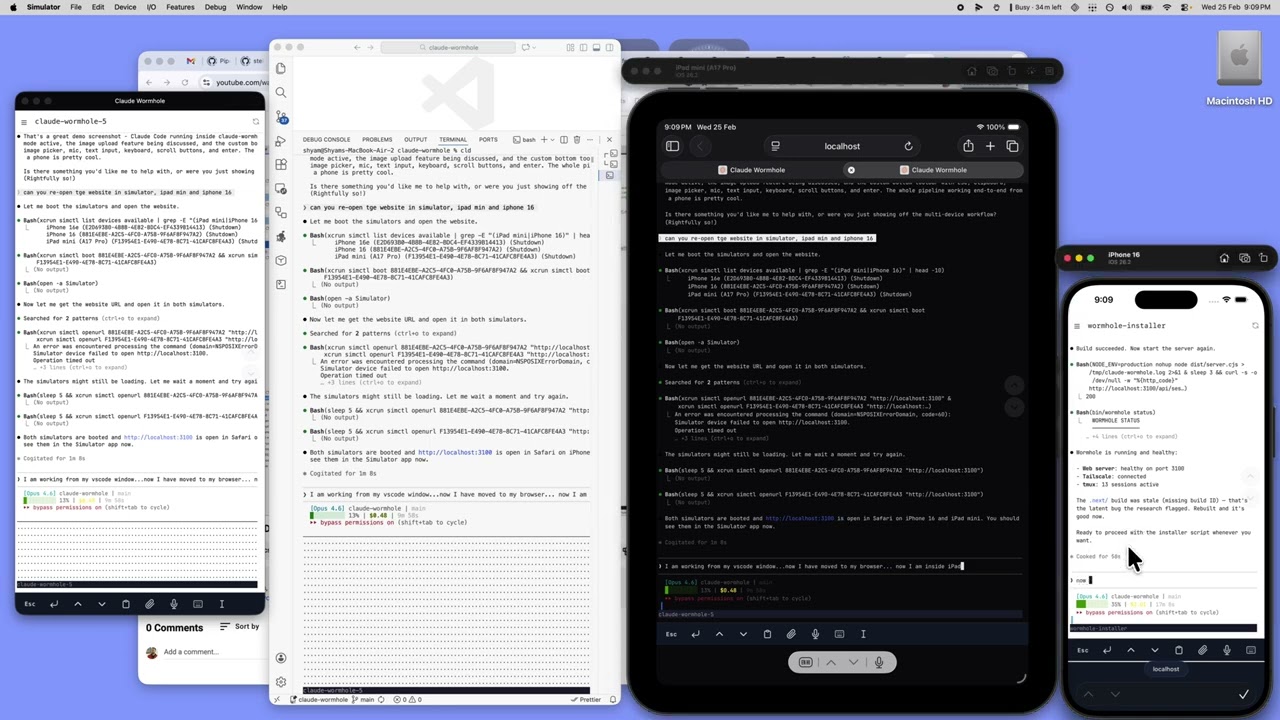
Manage all your Claude Code sessions from a single browser window. Access them from your phone when you're away from your desk.
The Problem
You have Claude Code running across multiple projects. Each one is a separate terminal tab. When Claude needs input, you don't know which tab it's in. When you step away from your desk, those sessions are stuck.
How It Works
Sessions run in tmux on your Mac. A web UI shows all of them in one place, with live status indicators so you know which ones need attention. Connect from any device on your Tailscale network.
Phone (PWA)       ──┐
Browser           ──┤                ┌──────────────────────┐
Desktop terminal  ──┼── Tailscale ──>│  Mac / tmux           │
SSH (Terminus)    ──┘   private net  │   ├─ my-app (claude)  │
                                     │   ├─ api (claude)     │
                                     │   └─ scripts (bash)   │
                                     └──────────────────────┘
- Single window for all sessions — see every Claude instance, grouped by project directory, with status dots showing which are working, waiting, or idle
- Mobile access via Tailscale — approve a permission prompt from your phone, check on a long-running task, or start a new session. Installable as a PWA on iOS.
- tmux keeps sessions alive independent of any client
- Push notifications alert you when Claude needs input
- Restart sessions from the UI — exits Claude and resumes with the same conversation
- Copy mode — right-click (desktop) or long-press (mobile) to select and copy terminal text
Quick Start
# Install everything (prerequisites, build, CLI, hooks)
./install.sh

# Or manually:
wormhole start               # Start the web server
wormhole cld                 # Launch Claude in tmux (alias: cld)
wormhole status              # Check system health
Project Structure
| Path | What |
|---|---|
bin/wormhole |
CLI — single command for everything (start, restart, cld, notify, etc.) |
bin/env.sh |
Shared environment for all scripts |
server.ts |
Custom server — node-pty + WebSocket pipes tmux I/O to xterm.js |
src/ |
Next.js app (session list, terminal view) |
scripts/tmux.conf |
tmux config with resurrect + continuum |
install.sh |
One-shot setup (prereqs, build, symlink, hooks, tailscale) |
Docs
- Setup Guide — Full walkthrough: Tailscale, tmux, push notifications, PWA install, launchd service
- Why This Approach — What failed first (VS Code tunnels, webmux) and why this approach won
License
MIT
Yorumlar (0)
Yorum birakmak icin giris yap.
Yorum birakSonuc bulunamadi