AgentHub
Health Gecti
- License — License: MIT
- Description — Repository has a description
- Active repo — Last push 0 days ago
- Community trust — 43 GitHub stars
Code Gecti
- Code scan — Scanned 12 files during light audit, no dangerous patterns found
Permissions Gecti
- Permissions — No dangerous permissions requested
Bu listing icin henuz AI raporu yok.
One person, one software company. Manage 47 AI agents from a single Electron app — with Harness Engineering (Skills + Hooks + FileWatchers) for disciplined, traceable AI workflows.
AgentHub
One Person, One Software Company.
Build a virtual development team with Claude Code, and use Harness Engineering to keep AI working with discipline.
Website · Claude Code Mastery · Quick Start
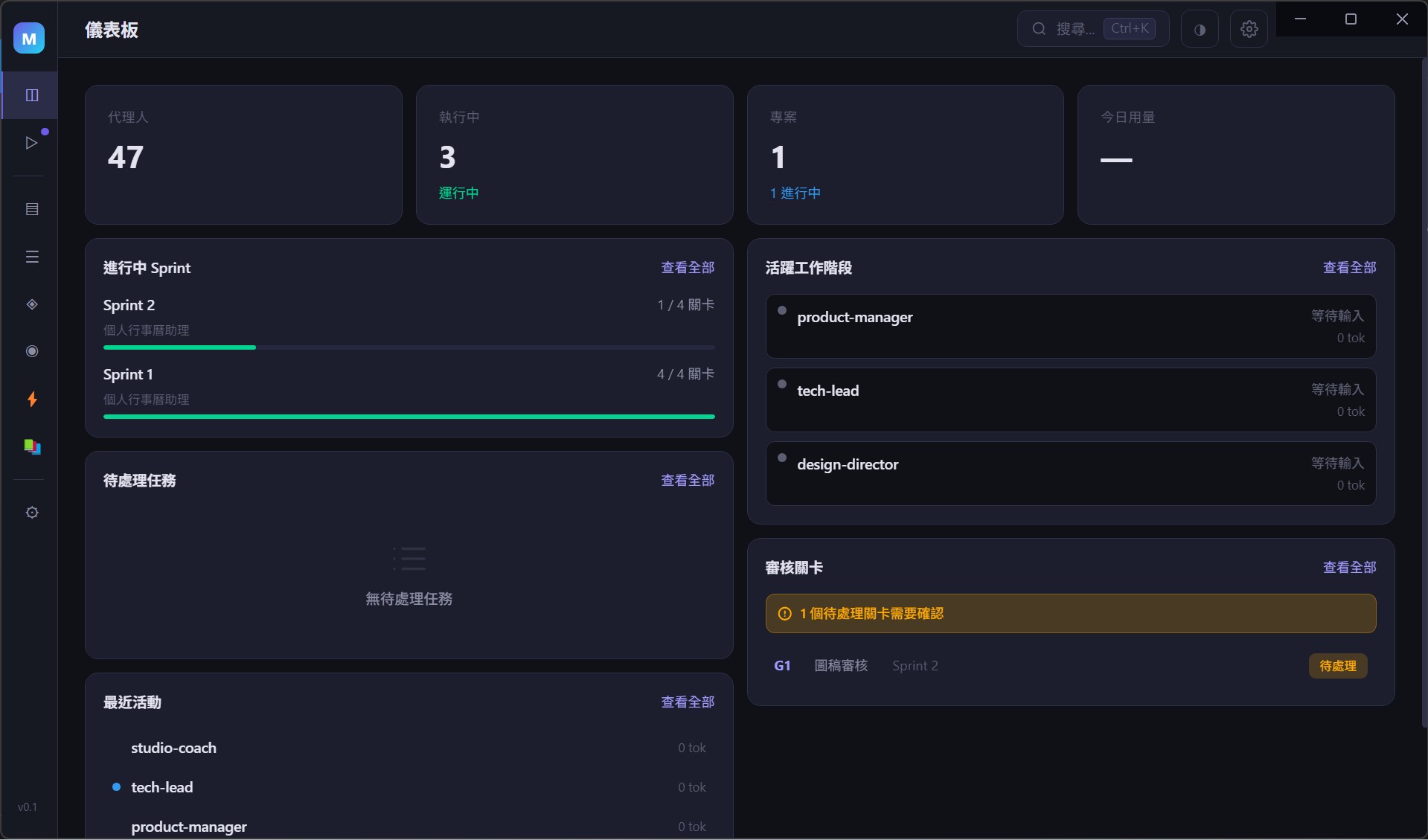
AgentHub is not another AI chat interface.
It is a Harness Engineering system that lets you build a virtual development team with Claude Code — complete with a PM, Tech Lead, frontend developer, backend developer, and designer — and manage them like a real boss.
You give the orders. Agents execute. Hooks enforce quality. Skills standardize process. FileWatcher syncs in real time.
No prompt prayers. No "hope the AI remembers the rules."
Rules live in Hooks. Agents that break them get blocked. It's that simple.
You Use Claude Code to Write Code — But Have You Ever Run Into This?
- Every new session wipes the lessons learned from the last one
- You tell the AI "don't force push," and it forgets again next time
- You spend 30 minutes crafting the perfect prompt, and the AI only follows the first three rules
- When multiple Agents work in parallel, no one knows who changed what
AgentHub doesn't solve "AI isn't smart enough."
It solves "smart AI without discipline."
Why Is This Not "Just Another AI Wrapper"?
Most AI tools follow this logic: write better prompts → pray the AI complies.
AgentHub follows a different logic: replace text prayers with architectural constraints.
| Traditional AI Tools | AgentHub |
|---|---|
| "Please remember to run tests" | Stop Hook: tests must pass before the Agent can finish |
| "Please don't modify shared files" | PreToolUse Hook: dangerous commands are blocked outright |
| "Please follow the coding standards" | PostToolUse Hook: if a core service file changes, doc sync is forced |
| "Please follow the process" | Skill: standardized Sprint / Review / Gate workflows |
| "Please remember the pitfalls from last time" | FileWatcher: postmortem notes auto-sync to all new projects |
A good validator with a bad workflow beats a good workflow without a validator.
This isn't a slogan — it's math: 5 steps at 80% success each = 33% overall. Add a validator that allows retries = 99%.
Core Architecture: Harness Engineering
Just like a race car needs more than a great engine — it needs seatbelts, guardrails, and a pit stop process.
Skill — Standardized Workflows
Reusable workflow templates that automatically load the relevant guidance when an Agent runs them.
/sprint-proposal— Sprint proposal generation/task-dispatch— Boss creates a task with one command, automatically written to the dev plan/review— Auto-detects the step and selects the appropriate review type/gate-record— Gate audit records with a three-tier review chain (L1 → PM → Boss)/pre-deploy— Pre-deployment automated checks (CI / environment variables / Docker)/harness-audit— Periodic health scan scoring against seven core principles- ...a total of 23 built-in Skills
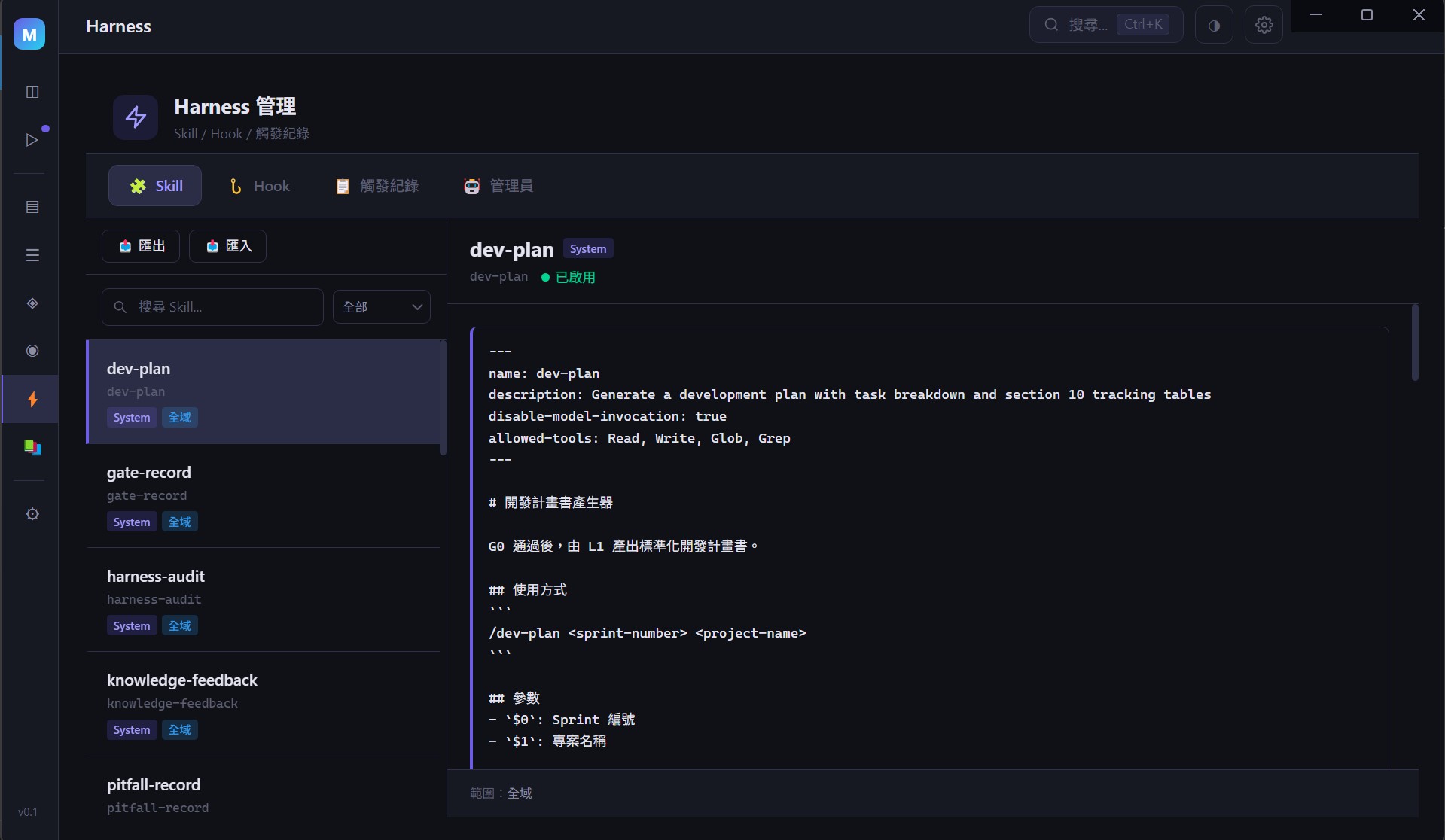
Hook — Automated Interceptors
Not after-the-fact reminders — real-time blocking. Dangerous operations are stopped the moment they happen.
- PreToolUse: checks before command execution (blocks kill-port / --no-verify / force push main)
- PostToolUse: alerts after file modification (if a core service changes, forces .knowledge/ doc sync)
- Stop: validates before finishing (tests + type checks must pass, or the Agent cannot stop)
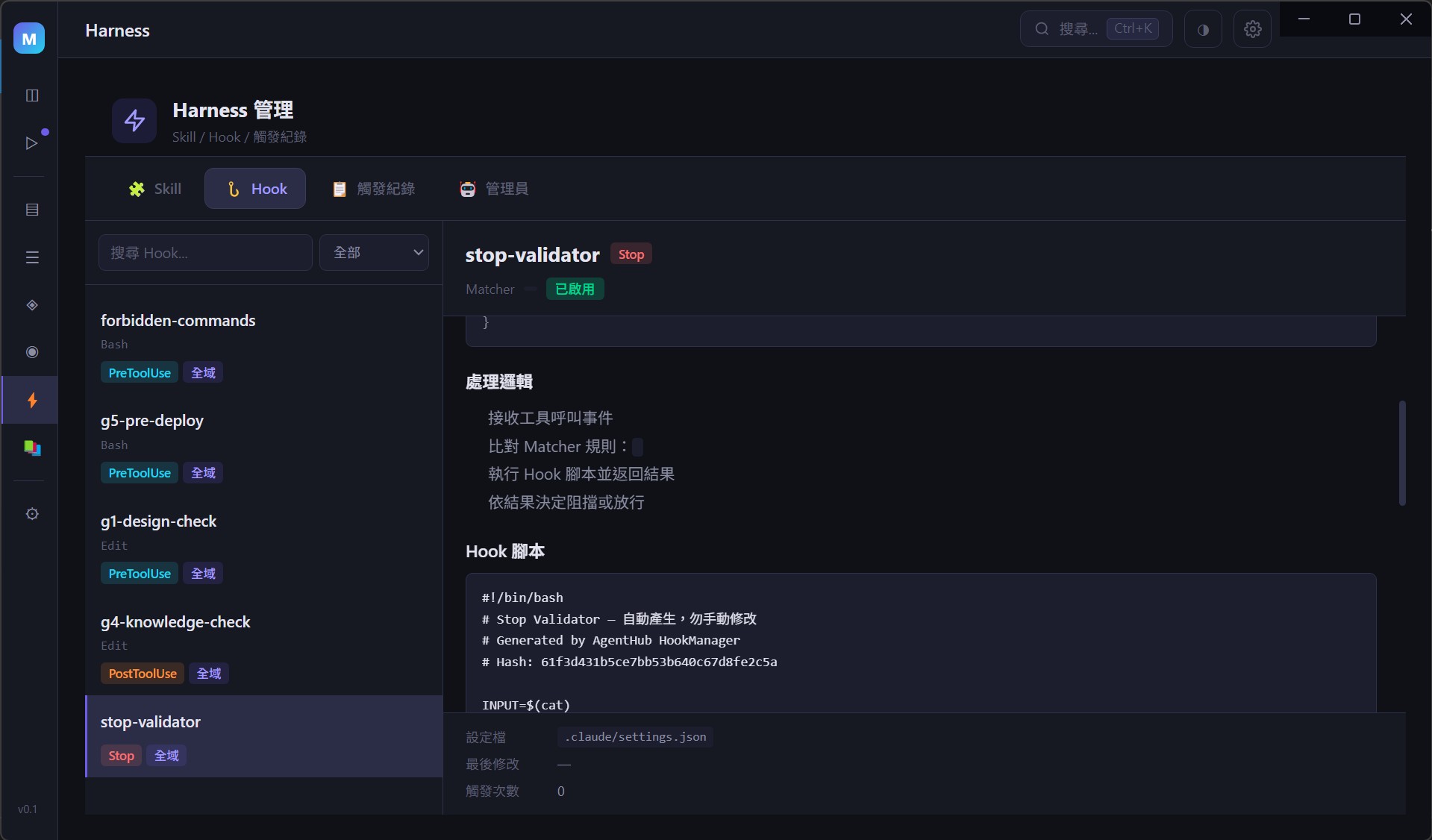
FileWatcher — Real-Time Sync
Markdown files are the database. Edit a .tasks/ file and the GUI updates instantly.
.tasks/T5.md is modified
    → chokidar detects the change
    → markdown-parser parses the file
    → DB upsert
    → eventBus broadcasts
    → Vue reactive update
    → GUI reflects the change instantly
Gate — Quality Checkpoints
G0 (Requirements Confirmation) → G1 (Design Review) → G2 (Code Review) → G3 (QA Acceptance) → G4 (Documentation Review) → G5 (Deploy Readiness) → G6 (Production Release)
You cannot proceed without passing. Not enforced by willpower — enforced by architecture.
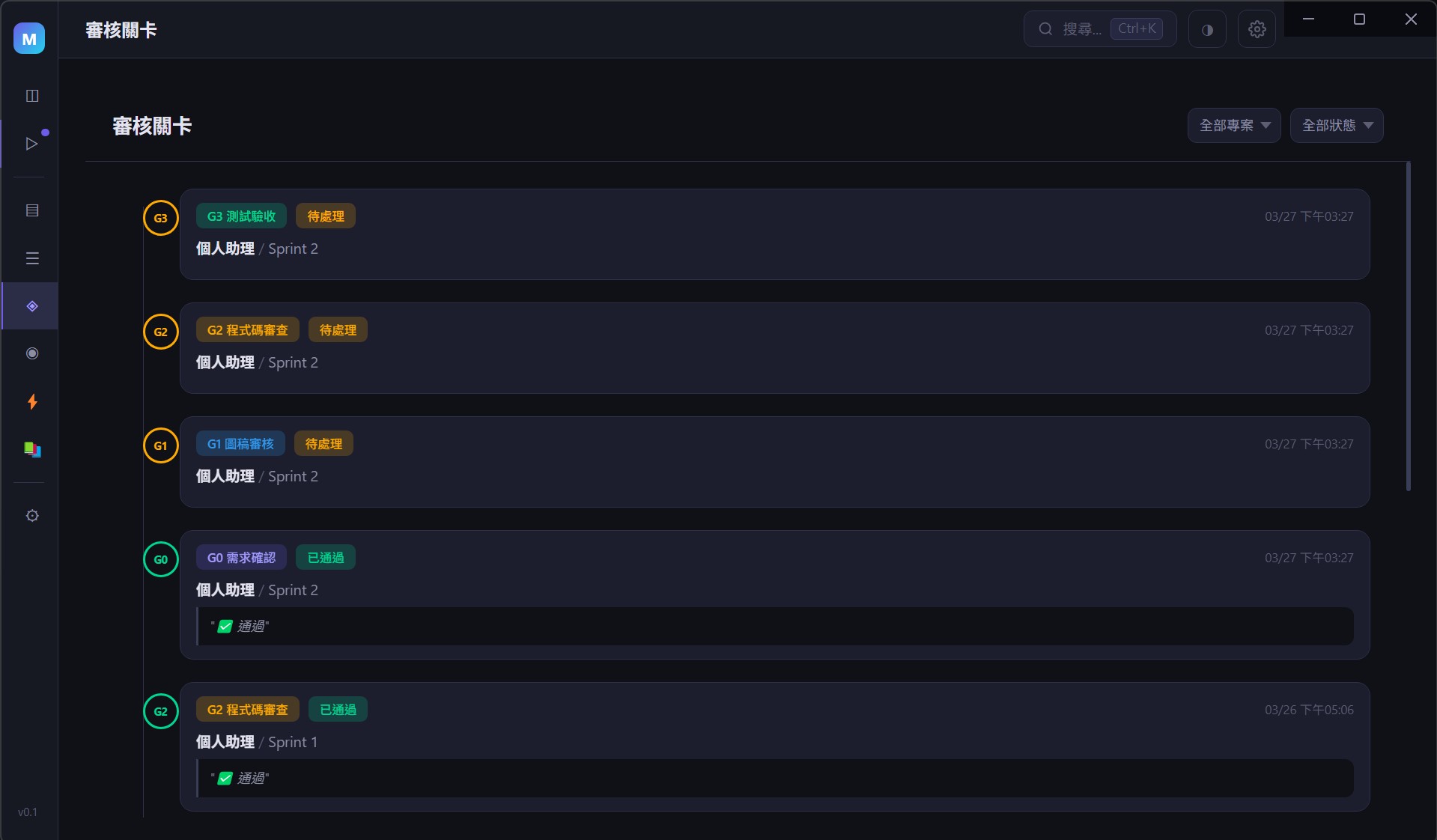
What Does It Look Like?
An Electron desktop app with a dark theme.
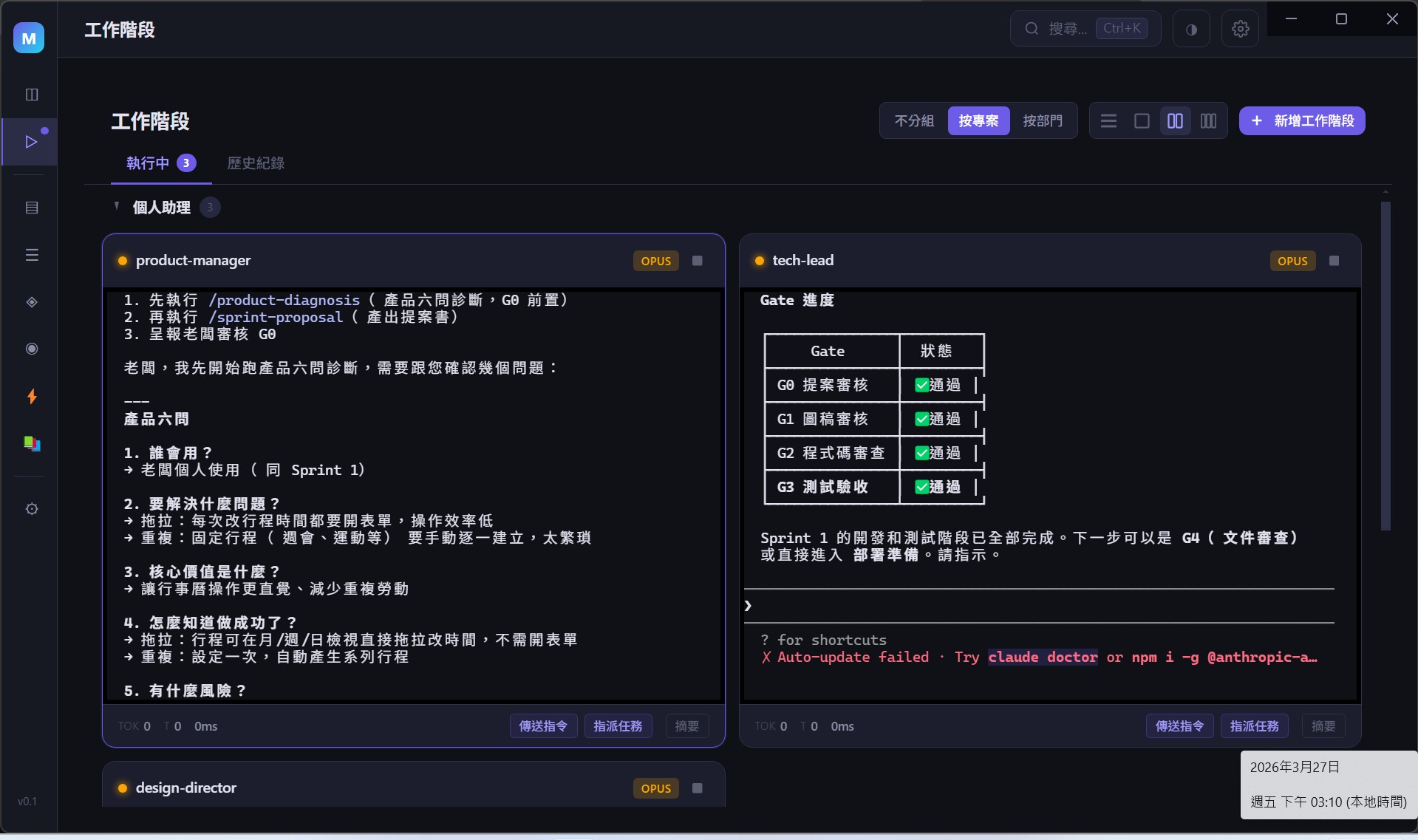
Sessions — Agent Work Sessions
An embedded xterm.js terminal lets you interact with Claude Code Agents directly inside the GUI.
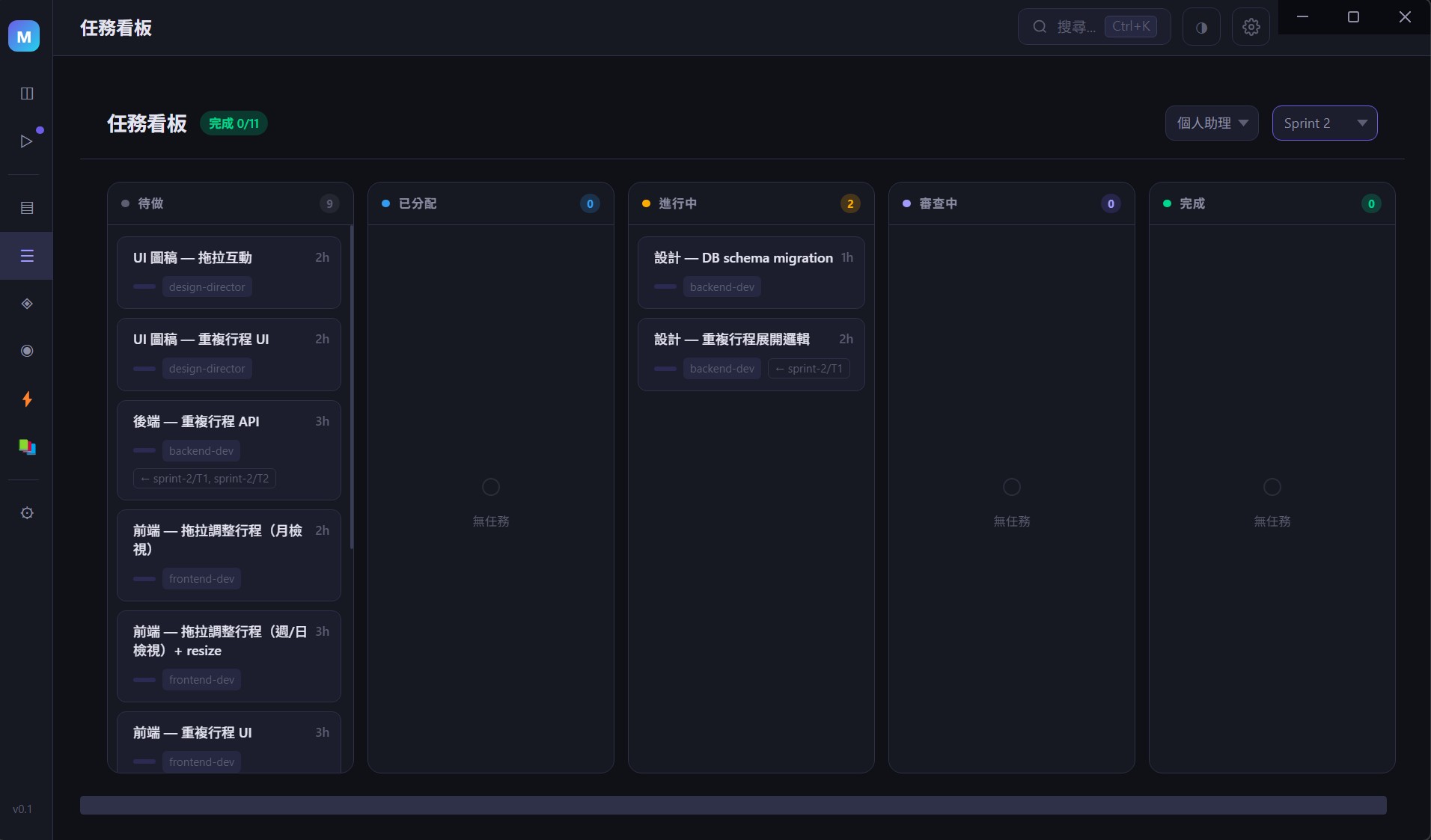
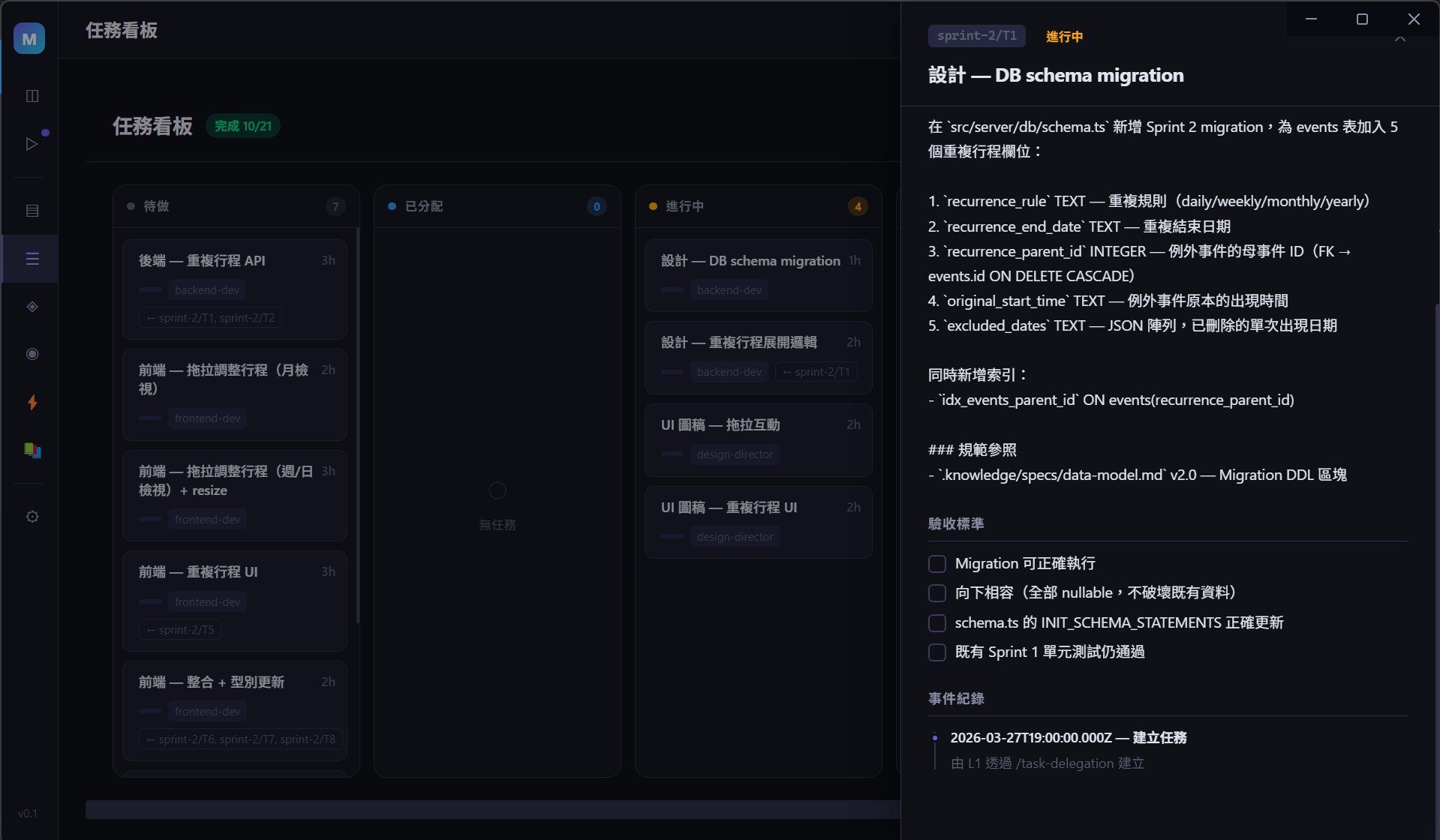
Task Board — Kanban-Style Task Management
A five-column kanban board with automatic status transitions. Click any card to see full task details.
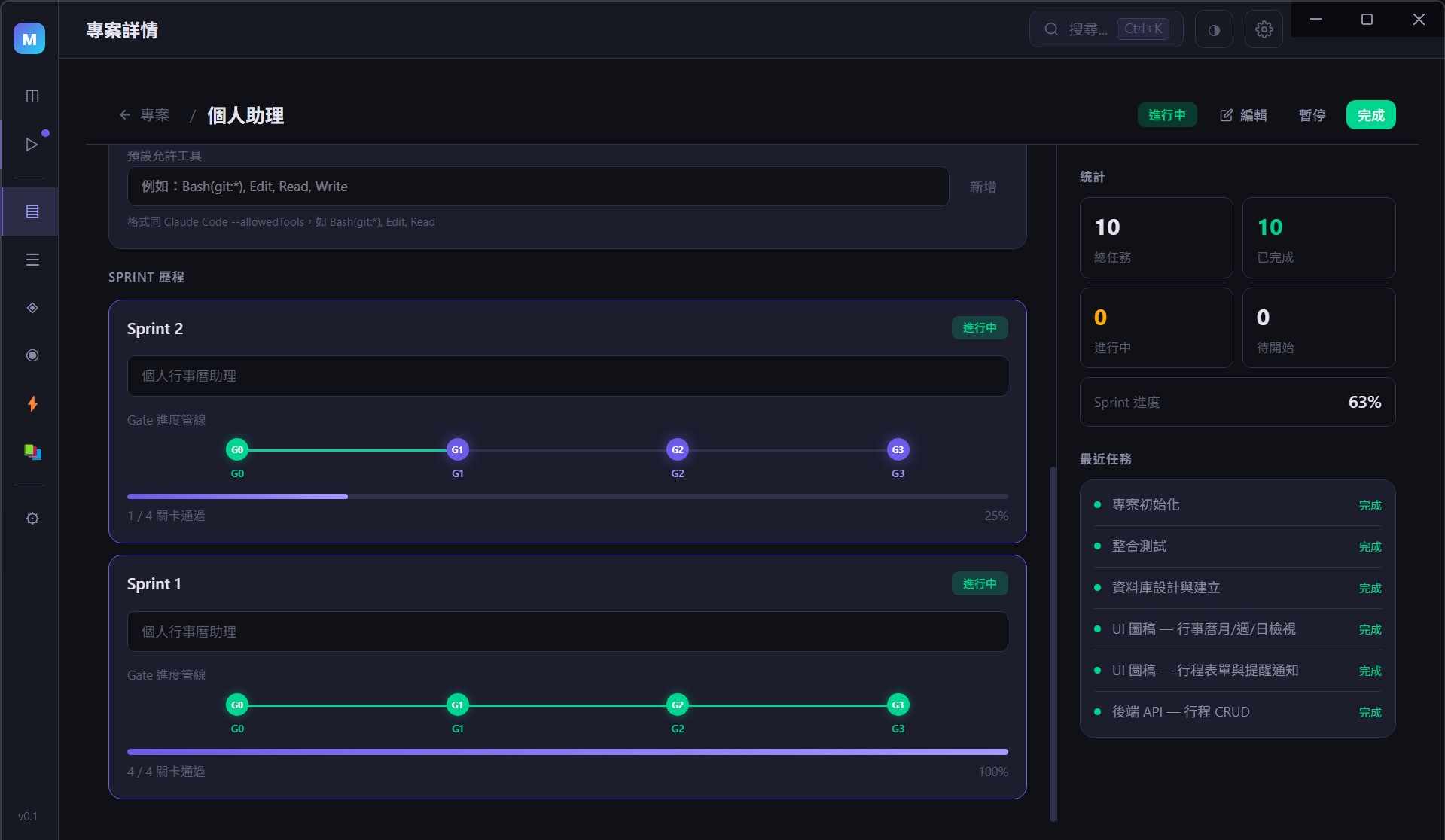
Projects — Sub-Project Management
One-click Harness scaffolding with live display of task completion rate, active Sprint, and latest Gate status.
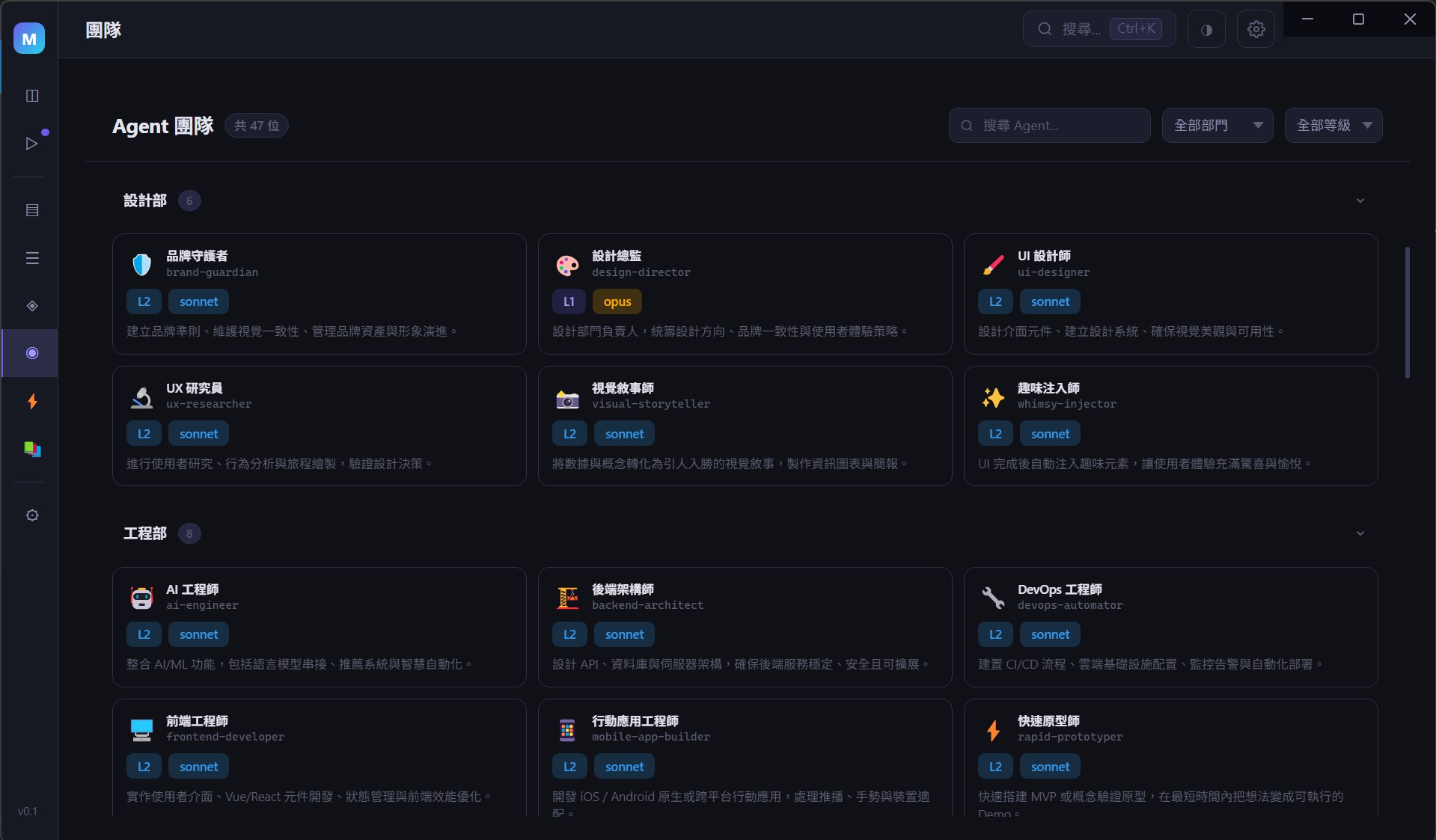
Agents — Team Member Overview
Every Agent has its own role definition, permission scope, and reporting chain.
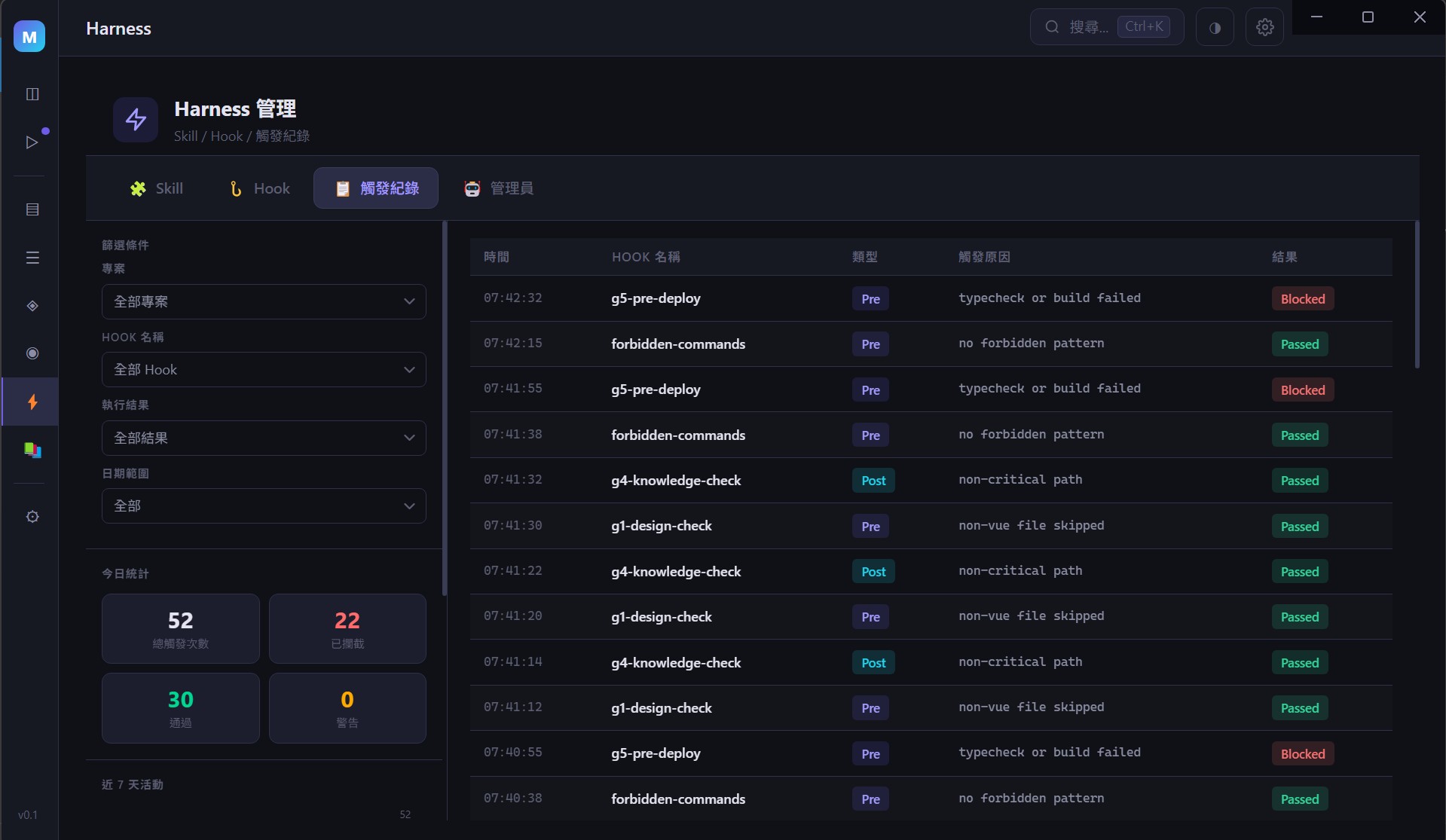
Harness — Trigger Logs
Real-time Hook execution history with filtering, statistics, and rankings at a glance.
Team Structure
You are the Boss. Below you is your virtual software company — 9 departments, 46 Agents:
Chain of Command
Boss (You)
├── L1 Leadership (report directly to Boss)
│   ├── Product Manager        — Product strategy and roadmap
│   ├── Tech Lead              — Technical decisions and architecture
│   ├── Design Director        — UI/UX and design systems
│   ├── Marketing Lead         — Marketing strategy
│   ├── QA Lead                — Quality assurance
│   ├── Project Lead           — Project scheduling and milestones
│   ├── Operations Lead        — Studio operations
│   └── Company Manager        — Company-wide knowledge management
│
└── L2 Execution (report to L1, cannot escalate directly to Boss)
Full Department Roster
Product
| Agent | Responsibilities |
|---|---|
| Product Manager | Requirements management, Sprint planning, Gate review |
| Feedback Synthesizer | User feedback collection and analysis |
| Sprint Prioritizer | Feature prioritization |
| Trend Researcher | Market trend research |
Engineering
| Agent | Responsibilities |
|---|---|
| Tech Lead | Technical decisions, Code Review, architecture design |
| Frontend Developer | Frontend development (Vue / React) |
| Backend Architect | Backend architecture and API development |
| DevOps Automator | CI/CD, deployment, infrastructure |
| AI Engineer | AI/ML feature implementation |
| Mobile App Builder | iOS / Android / React Native |
| Rapid Prototyper | Fast prototyping and MVP |
Design
| Agent | Responsibilities |
|---|---|
| Design Director | UI/UX design, design system maintenance |
| UI Designer | Interface design and component library |
| UX Researcher | User research and usability testing |
| Visual Storyteller | Visual storytelling and infographics |
| Brand Guardian | Brand consistency enforcement |
| Whimsy Injector | Delightful micro-interaction experiences |
Marketing
| Agent | Responsibilities |
|---|---|
| Marketing Lead | Marketing strategy and coordination |
| Content Creator | Cross-platform content generation |
| Growth Hacker | User growth and viral distribution |
| Twitter Engager | Twitter/X community management |
| Instagram Curator | Instagram visual content strategy |
| TikTok Strategist | TikTok short-video strategy |
| Reddit Community Builder | Reddit community building |
| App Store Optimizer | ASO keyword and conversion rate optimization |
Testing
| Agent | Responsibilities |
|---|---|
| QA Lead | Testing strategy and quality assurance |
| Test Writer Fixer | Writing tests and fixing failures |
| API Tester | API endpoint testing |
| Performance Benchmarker | Load testing and performance benchmarks |
| Test Results Analyzer | Test result analysis and trend tracking |
| Tool Evaluator | Tool and framework evaluation |
| Workflow Optimizer | Workflow optimization |
Project Management
| Agent | Responsibilities |
|---|---|
| Project Lead | Project scheduling and milestones |
| Project Shipper | Release coordination and launch management |
| Studio Producer | Cross-department resource coordination |
| Experiment Tracker | A/B testing and experiment tracking |
Studio Operations
| Agent | Responsibilities |
|---|---|
| Operations Lead | Operations coordination |
| Company Manager | Cross-project knowledge management |
| Harness Manager | Skill/Hook creation and management |
| Analytics Reporter | Data analysis and reporting |
| Finance Tracker | Budget and cost management |
| Infrastructure Maintainer | System monitoring and maintenance |
| Legal Compliance Checker | Regulatory compliance review |
| Support Responder | Customer support |
| Context Manager | Context management |
Bonus — Special Roles
| Agent | Responsibilities |
|---|---|
| Studio Coach | Team coaching and process improvement suggestions |
| Joker | Creative ideation and out-of-the-box thinking |
Every Agent has its own role definition file (agents/definitions/), permission scope, and reporting chain. L2 cannot bypass L1 to reach the Boss, and the Boss cannot bypass L1 to directly command L2. Just like a real company.
Tech Stack
| Layer | Technology |
|---|---|
| Desktop Framework | Electron 35 |
| Frontend | Vue 3 + TailwindCSS 4 |
| State Management | Pinia |
| Database | sql.js (WASM SQLite, main process in-memory) |
| Terminal | xterm.js + node-pty |
| AI Engine | Claude Code (CLI) |
| File Watching | chokidar |
Prerequisites
AgentHub is a management framework built on top of Claude Code. All actual Agent work is executed through the Claude Code CLI.
| Requirement | Version | Notes |
|---|---|---|
| Node.js | >= 18 | Required for Electron and frontend builds (LTS recommended) |
| npm | >= 9 | Installed with Node.js, used for package management |
| Claude Code | Latest | Anthropic's official CLI tool and AgentHub's AI engine. Must be installed and authenticated first. |
| Git | >= 2.30 | Version control, required for project cloning and Agent operations |
| Python | >= 3.8 | Required to compile node-pty native modules (Windows) |
| C++ Build Tools | — | Required to compile node-pty native modules (see platform setup below) |
Platform Setup
Windows
# Install Windows Build Tools (Admin PowerShell)
npm install --global windows-build-tools
# Or manually install Visual Studio Build Tools (select the "Desktop development with C++" workload)
macOS
# Install Xcode Command Line Tools
xcode-select --install
Linux (Ubuntu/Debian)
sudo apt-get install -y build-essential python3
Without Claude Code, AgentHub is just an empty GUI shell. All Skill execution, Hook interception, and Agent conversations depend on the Claude Code CLI.
Quick Start
# 1. Confirm prerequisites are installed
node --version    # >= 18
claude --version  # Claude Code CLI

# 2. Clone the project
git clone https://github.com/Stanshy/AgentHub.git
cd AgentHub

# 3. Install dependencies
npm install

# 4. Start in development mode
npm run dev
Troubleshooting
npm installfailure:
If you seeCould not find any Visual Studio installationornode-gyp failed to rebuild node-pty, it means C++ Build Tools are not installed. See Platform Setup above.
As a quick workaround, you can runnpm install --ignore-scriptsto skip native module compilation, thennpm run dev— the terminal feature may not work, but the rest of the app will start.
Available Commands
npm run dev          # Start development mode (Electron + Vite HMR)
npm run build        # Build (TypeScript compilation + Vite build)
npm run typecheck    # TypeScript type checking
npm run test         # Unit tests (Vitest)
npm run test:e2e     # E2E tests (Playwright)
npm run build:win    # Build Windows installer
npm run build:mac    # Build macOS installer
Learning Resources
AgentHub's design philosophy is grounded in the Harness Engineering methodology from the Claude Code Mastery course.
If you want to understand the mental model behind AgentHub — why Hooks instead of prompts, why Skills are more effective than SOP documents, why Gate checkpoints can push a 33% success rate to 99% — this course is the best place to start:
Claude Code Mastery — The complete guide from zero to autonomous Agent teams
Read Online — Web version for easy browsing
Covers 8 modules and 23 chapters, from Claude Code fundamentals to the five-stage evolution model (Manual Operation → Prompt Engineering → Harness Engineering → Autonomous Agents → Agent Teams). Module 6 is dedicated to the Harness Engineering architecture used by AgentHub.
You can use AgentHub standalone, or pair it with the course to understand the "why" behind every design decision.
Design Philosophy
A good validator with a bad workflow beats a good workflow without a validator.
- Give a map, not an encyclopedia — CLAUDE.md is an index, not a full specification
- Enforce with tools, not prompts — Forbidden commands live in Hooks, not documents
- Knowledge compounds — Postmortem notes are automatically collected, fed back across projects, and inherited by new ones
- Processes are repeatable — Skills standardize every step, removing reliance on personal memory
- Quality is guaranteed — Gate checkpoints + Hook interception provide double-layer protection
What Can It Do Now? Where Is It Going?
Now (v0.1) — Implemented
Project Management
- Auto-scaffolds a complete Harness (CLAUDE.md + .knowledge/ + Skills + Hooks) when a sub-project is created
- Supports 4 project templates (web-app / api-service / library / mobile-app)
- Project cards display live task completion rate, active Sprint, and latest Gate status
Sessions & Terminal
- Embedded xterm.js terminal for opening Claude Code Sessions directly inside the GUI
- Agent definition files auto-load, bringing each Session the relevant Agent's role and standards
- Session history and token usage tracking
Task Board
- Five-column kanban: Created → Assigned → In Progress → In Review → Done
- Agents update status in sub-projects via
/task-start,/task-done, and/task-approveSkills .tasks/*.mdfile changes → chokidar detects → markdown-parser parses → DB syncs → GUI updates live
Harness System
- 23 Skill templates: Sprint proposals, task dispatch, Code Review, Gate records, pre-deployment checks, and more
- 5 Hook templates: forbidden-commands (dangerous command blocking), stop-validator (validates tests + type checks before stopping), g1/g4/g5 quality gate checks
- Skills and Hooks are automatically deployed to the sub-project's
.claude/directory on project creation - The GUI lets you browse, add, and edit Hooks, with support for both global and project scopes
Gate Quality Checkpoints
- G0–G6 seven checkpoints; changes to section 10 of the dev-plan sync to the GUI in real time
- Pipeline view shows the review status of each checkpoint
Knowledge Base
- Browse the
.knowledge/directory tree with live Markdown preview - Company standards (coding-standards, api-standards, testing-standards) managed centrally
Your workflow: Open a Session in the GUI → give orders to an Agent → the Agent works inside the sub-project (guided by Skills, constrained by Hooks) → file changes sync back to the GUI instantly → you review results and approve Gates.
Future (Roadmap)
- Automated Chain of Command: Boss issues one directive, PM automatically breaks it down and dispatches to TL and DD — no manual hand-off required
- Parallel Sessions: Run multiple Agent Sessions simultaneously with automatic task allocation and coordination
- Runtime Guardrails: TypeScript engine intercepts in real time — not just CLI commands, but code logic as well
- Cross-Project Knowledge Network: A pitfall discovered in Project A automatically becomes a protective rule for all new projects
You Don't Have to Do Everything. You Only Have to Do What a Boss Does.
You open your laptop and see the Dashboard showing —
3 Sprints in progress, 12 tasks assigned to different Agents,
the Tech Lead just finished a Code Review, the PM is preparing a Gate review,
and one Agent tried to skip the tests — the Stop Hook blocked it and it self-corrected.
Your job: make decisions, review outputs, set direction.
Not your job: write prompt prayers, run tests manually, worry about anyone cutting corners.
That's AgentHub.
Acknowledgements
- Agent architecture design inspired by contains-studio/agents
License
MIT
Built by a one-person company, for one-person companies.
Yorumlar (0)
Yorum birakmak icin giris yap.
Yorum birakSonuc bulunamadi