wayfinder
Health Uyari
- License — License: MIT
- Description — Repository has a description
- Active repo — Last push 0 days ago
- Low visibility — Only 7 GitHub stars
Code Basarisiz
- exec() — Shell command execution in .github/workflows/deploy-website.yml
- process.env — Environment variable access in .github/workflows/deploy-website.yml
- network request — Outbound network request in .github/workflows/deploy-website.yml
- rm -rf — Recursive force deletion command in .github/workflows/release-macos-alpha.yml
- process.env — Environment variable access in .github/workflows/release-macos-alpha.yml
- fs module — File system access in .github/workflows/release-macos-alpha.yml
- process.env — Environment variable access in .github/workflows/release-macos-companion.yml
- fs module — File system access in .github/workflows/release-macos-companion.yml
Permissions Gecti
- Permissions — No dangerous permissions requested
Bu listing icin henuz AI raporu yok.
Local-first desktop app that turns AI collaboration into a visual history of goals, attempts, branches, evidence, and outcomes.
Wayfinder
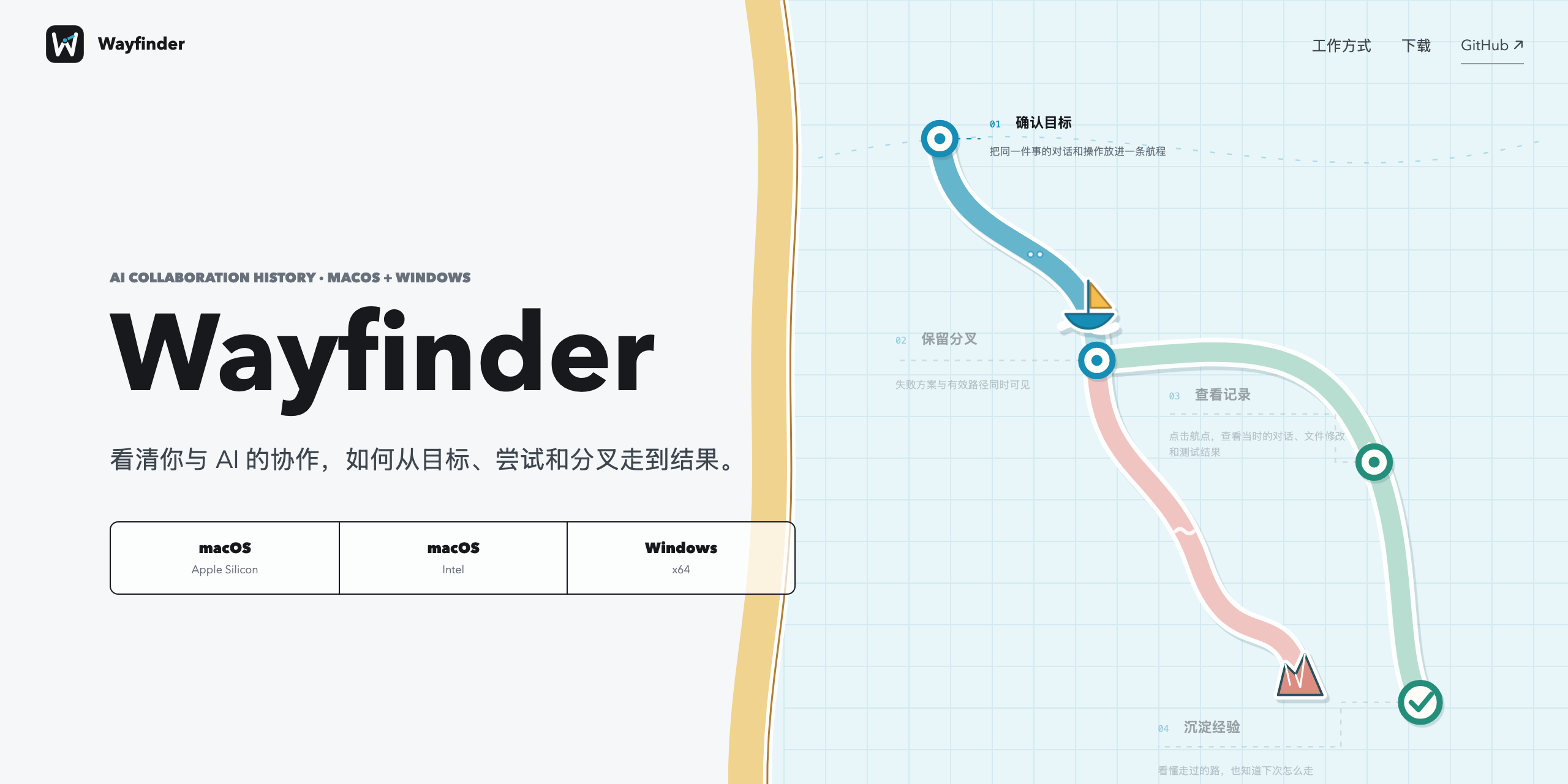
See how your work with AI actually evolved.
Wayfinder is a local-first desktop app that turns work with AI into a visual
history of how a project reached its result. Goals, alternative attempts,
failures, decisions, validation, and artifacts stay connected instead of
disappearing into separate chats.
Wayfinder is designed for AI collaboration across coding, research, writing,
design, and other project work. The current early-access collectors support
Codex, Claude Code, and TRAE CN. TRAE CN collection is currently validated on
macOS.


Download Wayfinder ·
Website ·
Install guide ·
Changelog ·
Security ·
Privacy ·
Report an issue
No account. No telemetry. No cloud sync.
Why Wayfinder
AI tools are good at producing the next answer. They are less useful at showing
why one approach worked, why another failed, or which evidence changed the
direction of a project.
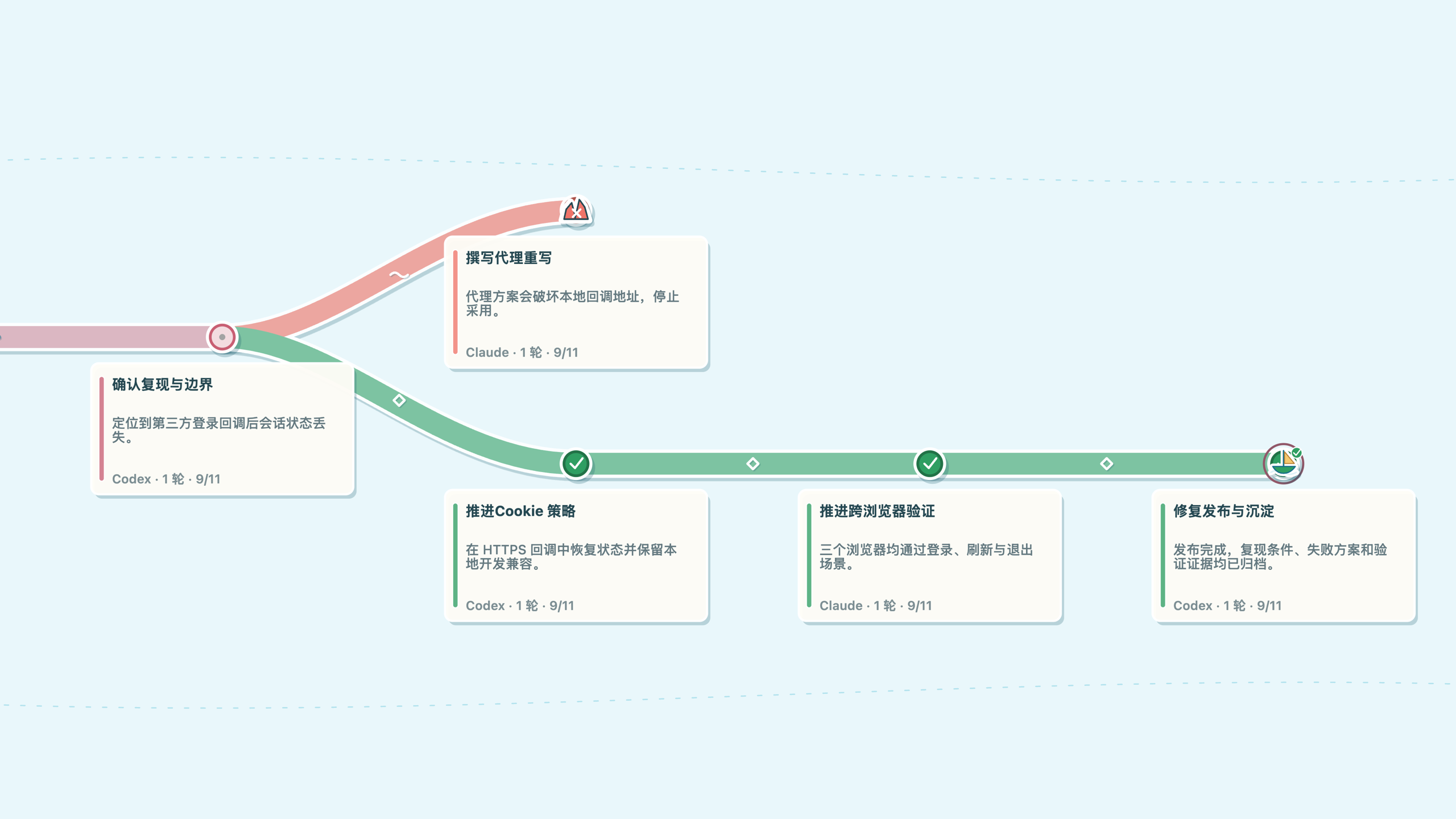
Wayfinder keeps that path reviewable:
- One project map across AI tools.
- Separate voyages for unrelated goals in the same workspace.
- Visible branches and failures instead of a cleaned-up success story.
- Real file-change replay when the source session contains an edit.
- Source-linked details for conversations, tool activity, files, and
validation.
How It Works
- Install and open the desktop app.
- Keep working normally with your AI tools.
- Return to Wayfinder to review how the project evolved.
Related sessions are grouped locally. Every recorded turn retains its original
source, and Wayfinder does not invent missing history or historical diffs.
Downloads
Wayfinder early access is available for:
| Platform | Build | Download |
|---|---|---|
| macOS | Apple Silicon | DMG |
| macOS | Intel | DMG |
| Windows | x64 | EXE |
Download the latest installers and checksums from
GitHub Releases. The current
early-access builds are not store-signed; read the
install guide before first launch.
Local By Default
Wayfinder stores normalized history, collection cursors, and project maps under~/.wayfinder. There is no Wayfinder account, analytics service, advertising,
cloud sync, or cloud analysis in the current build.
Read PRIVACY.md before using confidential projects.
Current Scope
- Standalone desktop application for macOS and Windows.
- AI collaboration model spanning conversations, research, writing, design,
coding, and other project work. - Current early-access collection from Codex, Claude Code, and TRAE CN.
- TRAE CN collection is currently validated on macOS and uses the running
app's local session service plus verifiable snapshot changes. - Project-level voyage grouping, branches, source details, and file-change
replay. - Early access: data formats and grouping behavior may continue to evolve.
Historical plugins, MCP bundles, IDE extensions, package-manager taps, and
standalone CLI artifacts are not current product surfaces.
Development
npm ci
npm run check
npm run companion:prepare
npm run companion:build
The test suite covers collection, voyage grouping, the desktop renderer,
trackpad pan and zoom, detail inspection, and narrow-screen behavior.
Read CONTRIBUTING.md before opening a pull request. Public
copy and screenshot rules live in
docs/PUBLIC-PRESENTATION.md.
Yorumlar (0)
Yorum birakmak icin giris yap.
Yorum birakSonuc bulunamadi