agentbus-cockpit
Health Pass
- License — License: NOASSERTION
- Description — Repository has a description
- Active repo — Last push 0 days ago
- Community trust — 18 GitHub stars
Code Pass
- Code scan — Scanned 12 files during light audit, no dangerous patterns found
Permissions Pass
- Permissions — No dangerous permissions requested
No AI report is available for this listing yet.
A reference cockpit for AgentBus: turns, model calls, costs and the full conversation.


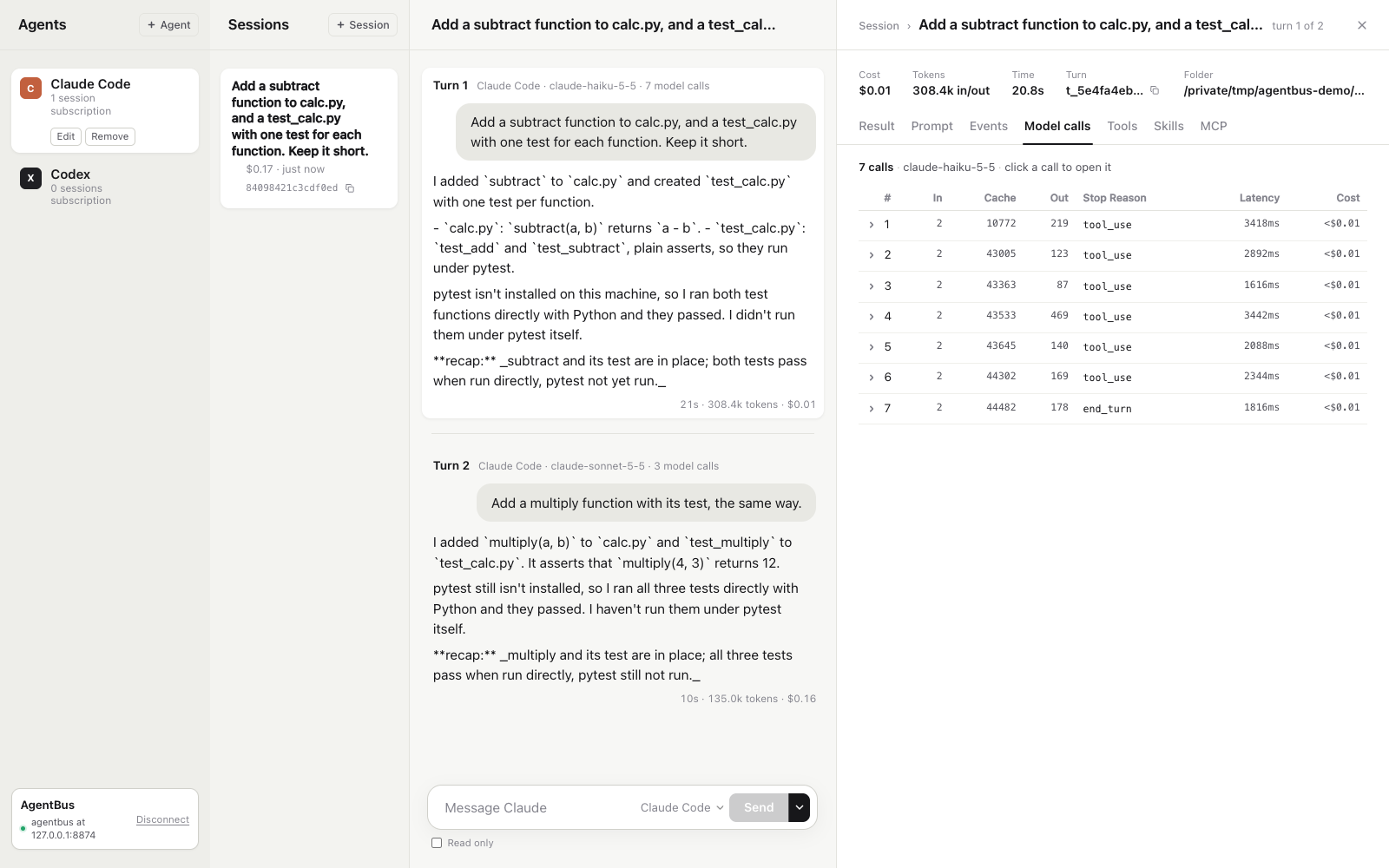
A free, self-hosted browser cockpit for AgentBus. It shows
your agents' turns, every model call, its cost, and the full conversation.
The cockpit is a client of the AgentBus API. It uses only the public client API, so
anything it shows, your own program can read too.
Demo
Click to watch on YouTube.
Prerequisites
- Node.js 20.19 or later in the 20 line, or 22.12 or later. Vite needs one of these.
- A running AgentBus service (
agentbus up). See the
AgentBus README.
Run
Start AgentBus:
agentbus upAny browser origin may call it, because every call needs the token. To allow only the cockpit,
start it withagentbus up -origin http://localhost:5173instead. That origin must then match
exactly: open the cockpit atlocalhost, not127.0.0.1, or pass that origin.In this folder, install and start the cockpit:
npm ci
npm run dev
Open
http://localhost:5173.Connect. The service address is filled in as
http://127.0.0.1:8787. For the token, copy the
contents of thetokenfile in the data folder thatagentbus upprinted at start, by default~/.local/share/agentbus/token. On macOS:pbcopy < ~/.local/share/agentbus/tokenOn Linux, print it and copy it from the terminal:
cat ~/.local/share/agentbus/tokenWith
$AGENTBUS_HOMEset, the token is in that folder instead. With only$XDG_DATA_HOMEset,
it is in$XDG_DATA_HOME/agentbus.Paste it into the Token field and press Connect.
Use recorded data opens the cockpit on a recorded sample, with no service needed.
Talking to agents
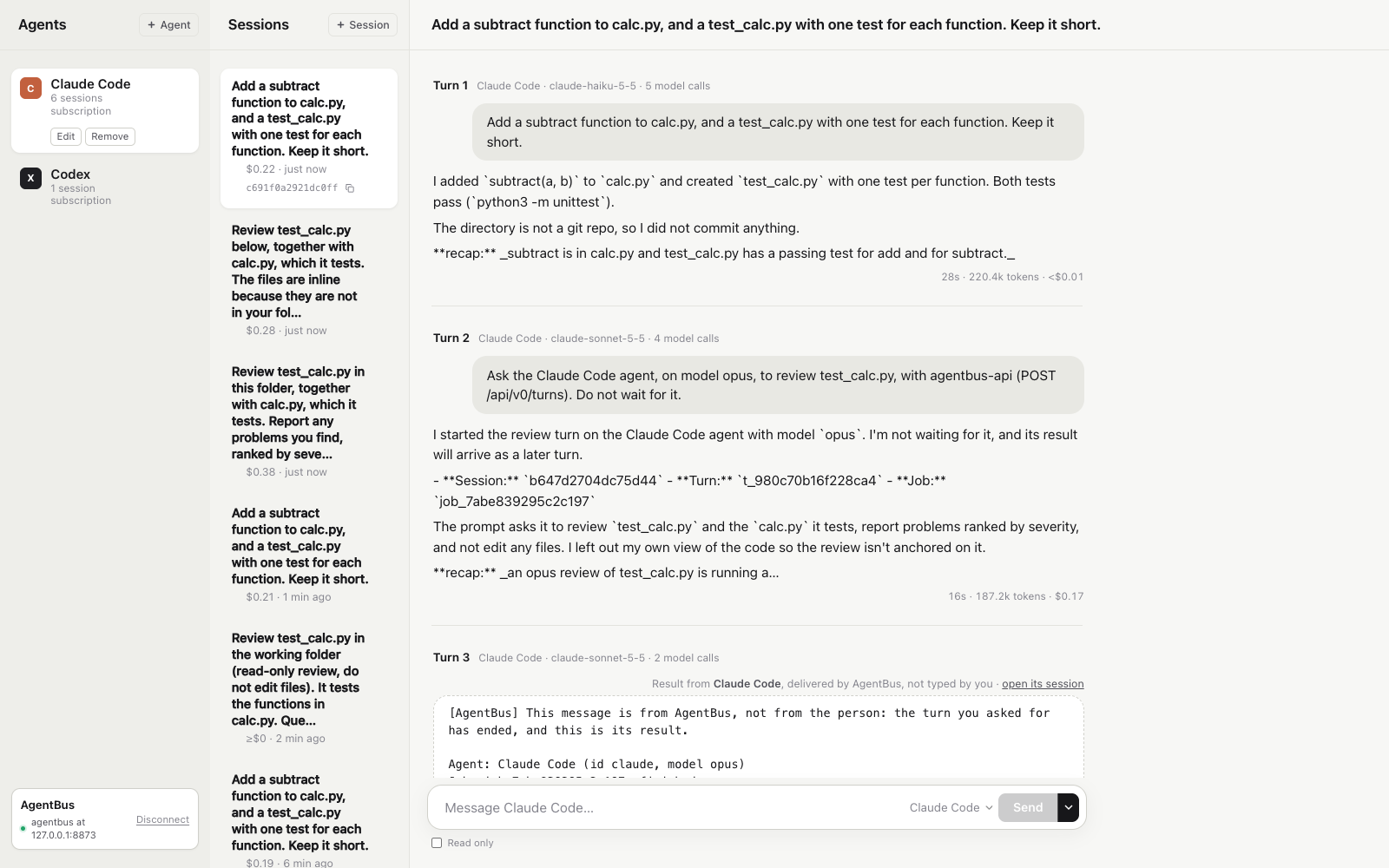
- An agent is a saved setup: a harness (Claude Code or Codex), how it reaches a model (its own
subscription or an OpenRouter key, read from an environment variable on the service's machine),
the model and a name. "+ Agent" makes one. Select an agent in the left column to edit or remove it. - New session is an agent and a folder, with the first message. The session works on its own
copy of the folder. Your folder does not change until you apply. - Any message may go to any agent. Pick it beside Send. Each turn's header names the agent and
the model that ran it. - Messages queue. Send while a turn runs. The message waits and runs next.
- Other agents answer in the conversation. Ask in the chat, for example "have codex check it".
The answer comes back as the next turn, marked as delivered by AgentBus. "open its session"
shows the other agent's own work. - Reviews and applies are asked for in the chat, for example "apply that turn to my folder",
not with buttons. - Click a turn to see its result, prompt, events, every model call with its cost, and its tools.
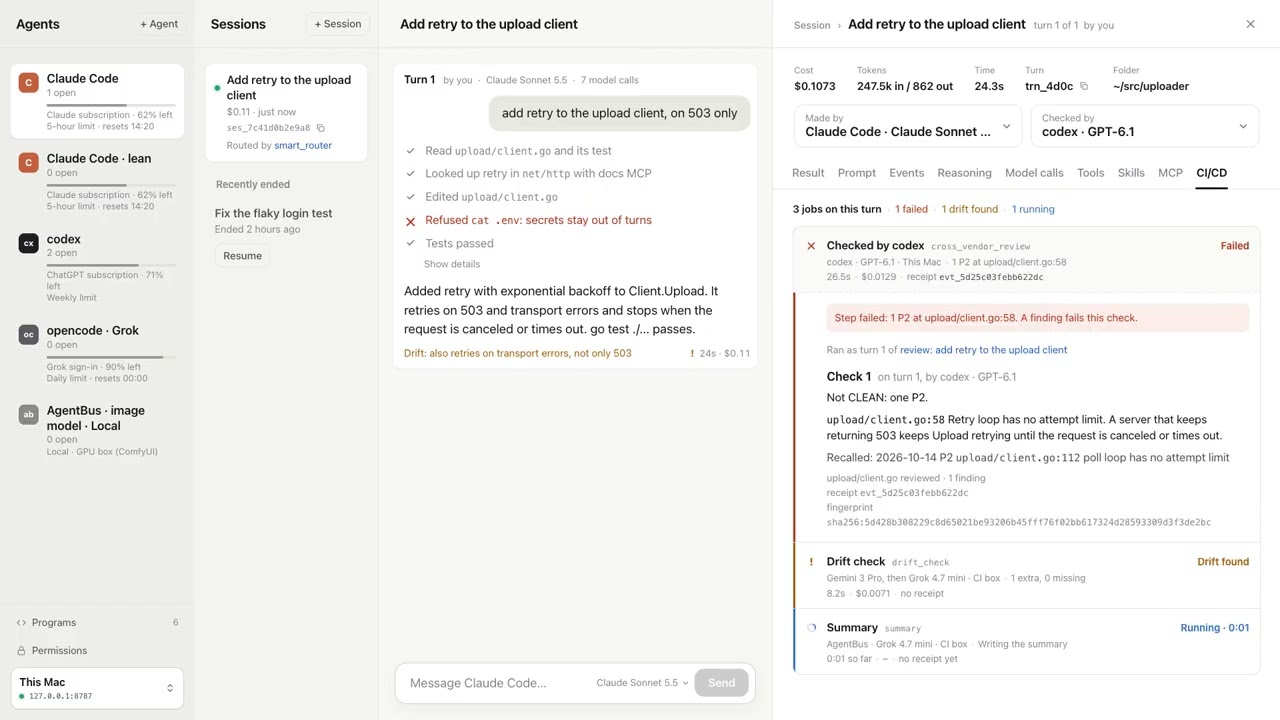
The review screens (Review and Fix on a turn, the CI/CD tab, the session's job list) and a turn's
Changes dialog ("Apply to my folder") are still in the code, off by default. To turn them on, start
the cockpit with VITE_REVIEW_UI=1:
VITE_REVIEW_UI=1 npm run dev
Runners on other machines
Point the cockpit at the machine that runs control (agentbus server, or agentbus up). It shows
turns that runners on other machines run, live, with their model calls. See the
AgentBus README for the
setup.
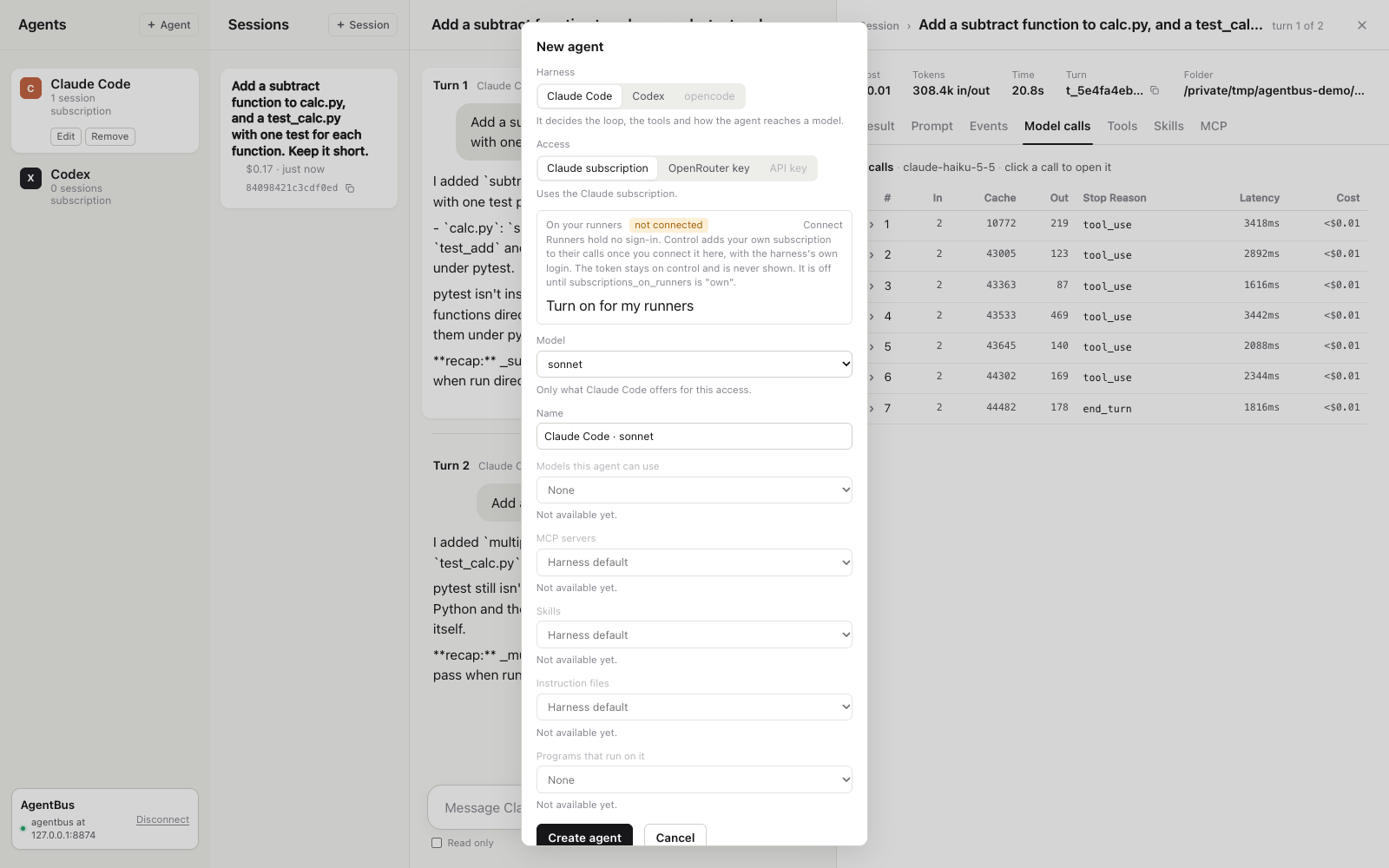
A runner holds no sign-in. For a subscription agent on your own runners, open the agent's form and
use Connect. It runs the harness's own login on control (for Claude Code,claude setup-token). Open the link it shows, sign in, and type the code the browser gives you.
The token stays on control and is never shown. Turn on for my runners setssubscriptions_on_runners = "own". One machine (agentbus up alone) needs none of this.
Build a static copy
npm run build
This writes dist/. Serve it from any static host. Plain agentbus up accepts it; to lock the
service to that host, pass its origin to agentbus up -origin.
Test
npm test
License
Free to use, change and run, including inside your business. You can't sell it as a competing product or service. Each release becomes Apache 2.0 two years after it is published.
Licensed under the Functional Source License (FSL-1.1-ALv2). See LICENSE.
Reviews (0)
Sign in to leave a review.
Leave a reviewNo results found